10 Best Free Note-Taking Apps 2026 (Tested Free Plans)
Compiled by Allen, AFFiNE content team. Last updated July 20, 2026 · 10 core free note-taking apps ranked across iOS, Android, macOS, Windows, Linux, and web, with Evernote and GoodNotes assessed as trial-level free plans. Methodology: created accounts on free tiers only and ran a 30-day workflow on each (meeting notes, project planning, research capture, offline checks, and export tests); rankings are based on free-tier usability, not paid-tier feature depth. External sources are cited inline; pricing and plan limits were rechecked against official vendor pages where available.
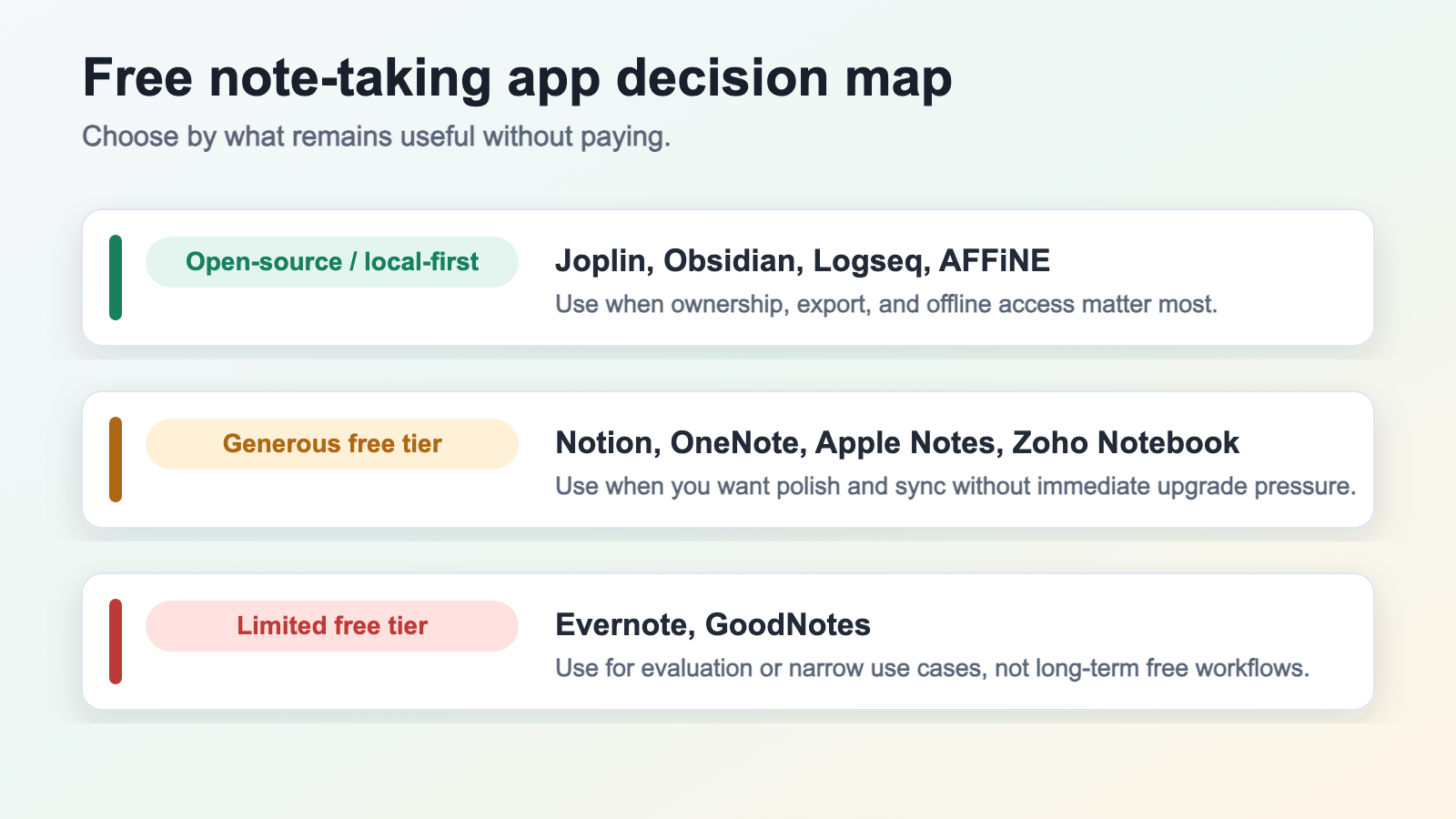
A free note-taking app is a digital tool that captures, organizes, and searches notes without requiring payment for everyday use. In 2026, genuinely useful free options split into three tiers: open-source or local-first (Joplin, Obsidian, Logseq, AFFiNE, Standard Notes), generous freemium with substantial free tiers (Notion, OneNote, Apple Notes, Zoho Notebook), and limited freemium where the free plan works mostly as a trial (Evernote, GoodNotes). This guide ranks the best of each tier with no affiliate bias.
Quick verdict: choose Obsidian or Joplin if you want durable local files, OneNote or Notion if you want the easiest cloud setup, Standard Notes if privacy is the priority, AFFiNE if you want local-first docs, whiteboards, and databases in one workspace, and treat Evernote or GoodNotes as evaluation tools unless you are ready to pay.
Best free note-taking apps at a glance
| App | Best for | Platforms | Offline | Sync on the free plan | Export and portability | Main free-plan limit |
|---|---|---|---|---|---|---|
| AFFiNE — try free | Local-first docs, whiteboards, and linked knowledge | Windows, macOS, Linux, Web, iOS, Android | Yes; local-first | AFFiNE Cloud or self-hosting | HTML, Markdown, PDF; test complex canvas exports | 10 GB cloud, 10 MB files, 3 login devices; AI costs extra |
| Obsidian | Private Markdown knowledge bases | Windows, macOS, Linux, iOS, Android | Yes; local-first | Third-party services or paid Obsidian Sync | Plain Markdown files; low lock-in | First-party Sync and Publish are paid |
| Joplin | Open-source Evernote migration | Windows, macOS, Linux, iOS, Android | Yes | Dropbox, OneDrive, WebDAV, or self-hosting | JEX, Markdown, HTML; plugin data may need cleanup | Joplin Cloud is paid |
| Standard Notes | Encrypted private notes | Windows, macOS, Linux, iOS, Android, Web | Yes | Encrypted sync across devices | Backup export; rich-editor fidelity varies | Advanced editors, files, and history are paid |
| Logseq | Outlining and graph-based research | Windows, macOS, Linux, iOS, Android | Yes; local-first | Git or third-party cloud services | Markdown or Org; block references may need cleanup | You manage the free sync path yourself |
| Notion | Databases and collaborative docs | Windows, macOS, Web, iOS, Android | Partial; cloud-first | Built-in cloud sync | HTML, Markdown, CSV, PDF; database views do not round-trip | 5 MB uploads and 7-day history |
| Microsoft OneNote | Microsoft-centered notebooks | Windows, macOS, Web, iOS, Android | Yes | OneDrive | PDF or OneNote files; bulk portability is weaker | Uses the 5 GB free OneDrive quota |
| Apple Notes | Apple devices and handwriting | macOS, iOS, iPadOS, Web | Yes | iCloud | PDF per note; limited bulk export | Uses iCloud storage and the Apple ecosystem |
| Zoho Notebook | Simple cross-platform cloud notes | Windows, macOS, Web, iOS, Android | Yes | Built-in cloud sync | Notebook export available; verify structure before migrating | 2 GB per user and 100 MB per file |
| Simplenote | Minimal text and Markdown | Windows, macOS, Linux, Web, iOS, Android | Yes | Built-in cloud sync | Plain text and Markdown; no rich-media archive | No attachments or rich media |
Also tested: Evernote and GoodNotes. Their free plans are better treated as trials because note, device, file, or export restrictions make long-term free use difficult.
Want local-first notes that can grow into docs, whiteboards, and databases? Try AFFiNE free →
The Truth About Free Note Taking Apps
You download a free note taking app, spend weeks organizing your thoughts, and then suddenly hit a wall. Maybe it's a storage limit. Maybe you can only sync to one device. Or perhaps the app starts nudging you with upgrade pop-ups every time you open it. Finding the best free note taking apps has become surprisingly difficult. The market is flooded with notetaking apps that promise everything upfront but quietly restrict essential features behind paywalls. What starts as a free solution often transforms into a frustrating experience designed to pressure you into paying.
Why Most Free Note Apps Aren't Really Free
The freemium model dominates the note taking apps landscape, and not always in your favor. Consider what's been happening with once-trusted platforms: Evernote has implemented severe restrictions on its free plan, limiting users to just a single notebook and 50 notes. This kind of bait-and-switch approach leaves users feeling trapped, especially after they've invested time building their personal knowledge system.
The pattern repeats across the industry. Apps lure you in with generous-sounding free tiers, wait until you're deeply invested, and then introduce restrictions that make the free version nearly unusable. You're left with an uncomfortable choice: pay up or start over somewhere else.
Hidden limitations come in many forms:
• Device sync restrictions that force you to choose between your phone and computer
• Storage caps that fill up faster than you'd expect
• Offline access locked behind premium subscriptions
• Export options that make it difficult to leave the platform
What This Guide Covers Differently
Most reviews of good note taking apps focus on overall features and bury the free tier limitations somewhere in the fine print. This guide takes a different approach. We evaluate every app primarily through the lens of what you actually get without paying.
Throughout this guide, you'll find apps organized into three honest categories:
• Open-source / local-first: Apps where the core workflow remains usable without a subscription and data portability is stronger
• Generous Free Tier: Freemium apps where the free version delivers substantial, long-term value
• Limited Free Tier: Apps where restrictions significantly impact usability for non-paying users
What Makes a Free Note-Taking App Worth Trusting
Before diving into specific recommendations, you need to understand how we separated genuinely useful free options from those designed to frustrate you into upgrading. The best app for taking notes isn't necessarily the one with the longest feature list—it's the one that respects your decision to use it without paying.
Our evaluation focuses exclusively on what free users actually experience, not what premium subscribers enjoy. This distinction matters because many reviews bury free tier limitations or gloss over them entirely.
How We Evaluated Free Tier Value
When testing each application, we created accounts using only free tiers and used them as a typical user would over several weeks. We didn't just check feature lists—we experienced the actual workflow, including any upgrade prompts, limitations, and friction points that free users encounter daily.
We also researched each company's history with their free offerings. Have they reduced free features over time? Do they have a pattern of luring users in and then restricting access? This historical context proves essential because you're not just choosing an app for today—you're building a system you'll rely on for years.
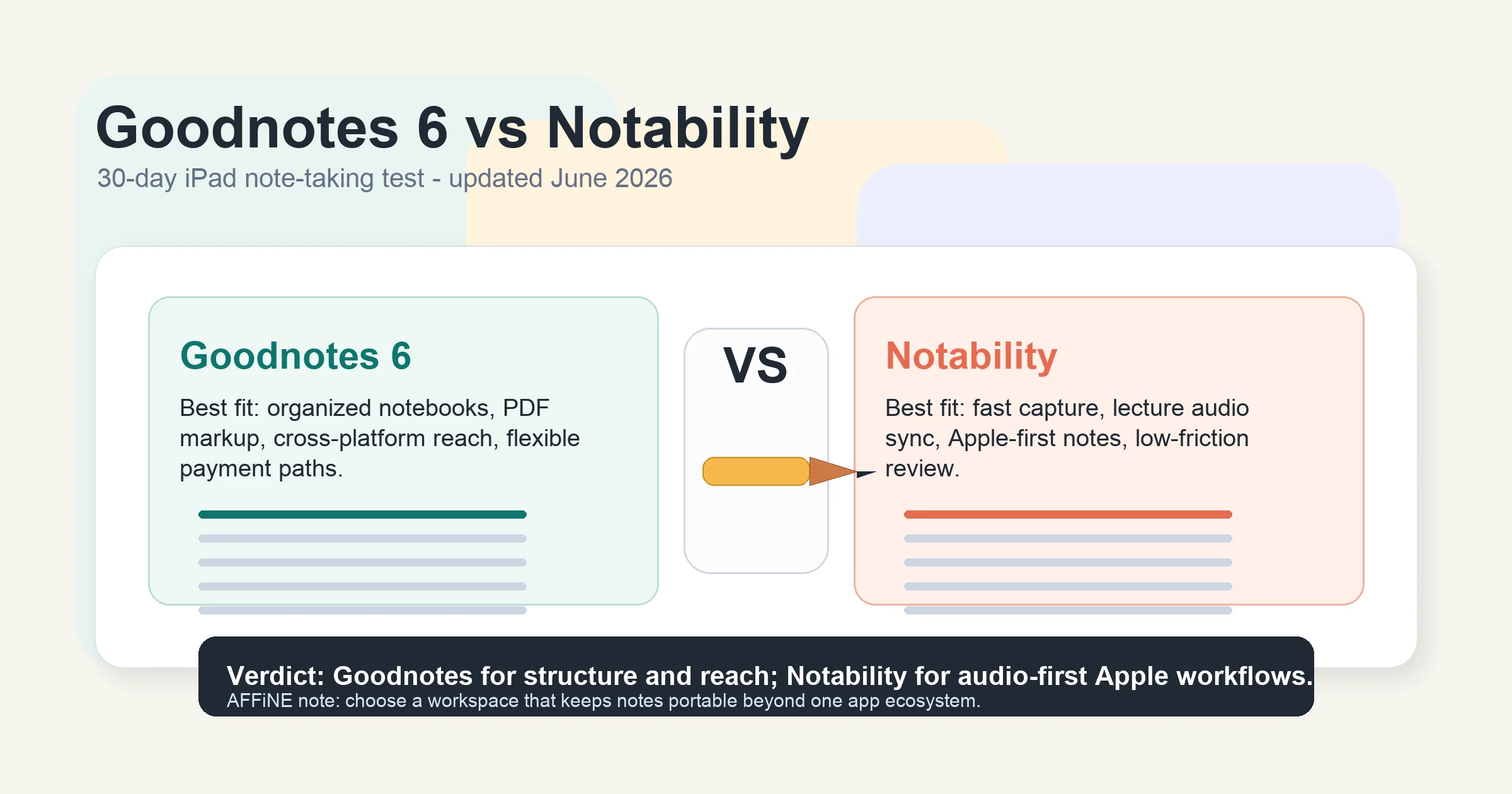
If handwriting apps are on your shortlist, our Goodnotes vs Notability comparison shows how platform reach and sync differ; in this guide, we paid particular attention to whether sync capabilities remain available without payment. Many apps advertise multi-device support but quietly limit free users to a single device or charge for real-time sync.
The Five Pillars of Free App Assessment
Every app in this guide was evaluated against five core criteria that determine whether a free tier delivers genuine, long-term value:
• Storage Limits: How much space do free users actually get? Is it enough for typical use over months or years? Some apps offer generous storage while others cap you at levels you'll hit within weeks.
• Sync Capabilities: Can you access your notes across multiple devices without paying? The best note taking app for students, for example, needs to work seamlessly between a laptop in class and a phone while studying.
• Offline Access: Does the app function as an offline notepad when you don't have internet? This often-overlooked feature separates practical tools from those dependent on constant connectivity.
• Export Options: Can you easily get your data out if you decide to switch? Apps that lock your notes into proprietary formats are banking on making it painful to leave.
• Platform Availability: Is the app accessible on all major operating systems? A note taking application for iPad doesn't help if you also need Windows or Android access.
Beyond these five pillars, we considered how aggressively each app pushes upgrades. Constant pop-ups and artificial limitations designed to frustrate you reveal a company's true priorities. The best digital notebook options treat free users as valued community members, not just leads to convert.
We also examined long-term viability. Open-source note-taking projects with active communities tend to maintain their free offerings consistently. Venture-funded startups, on the other hand, sometimes prioritize growth over user experience, reducing free features as investor pressure mounts. Understanding these dynamics helps you choose apps that will remain genuinely free years from now.
For developers and technical users seeking the best notebook for developers, we paid extra attention to features like markdown support, code block handling, and API access—capabilities that often disappear first when companies tighten free tiers.
With this evaluation framework in mind, let's examine which apps actually deliver on the promise of being useful without payment—starting with open-source and local-first options where the core note workflow stays usable even if you never buy first-party sync, publishing, or team features.
Open-Source and Local-First Free Note-Taking Apps Worth Your Time
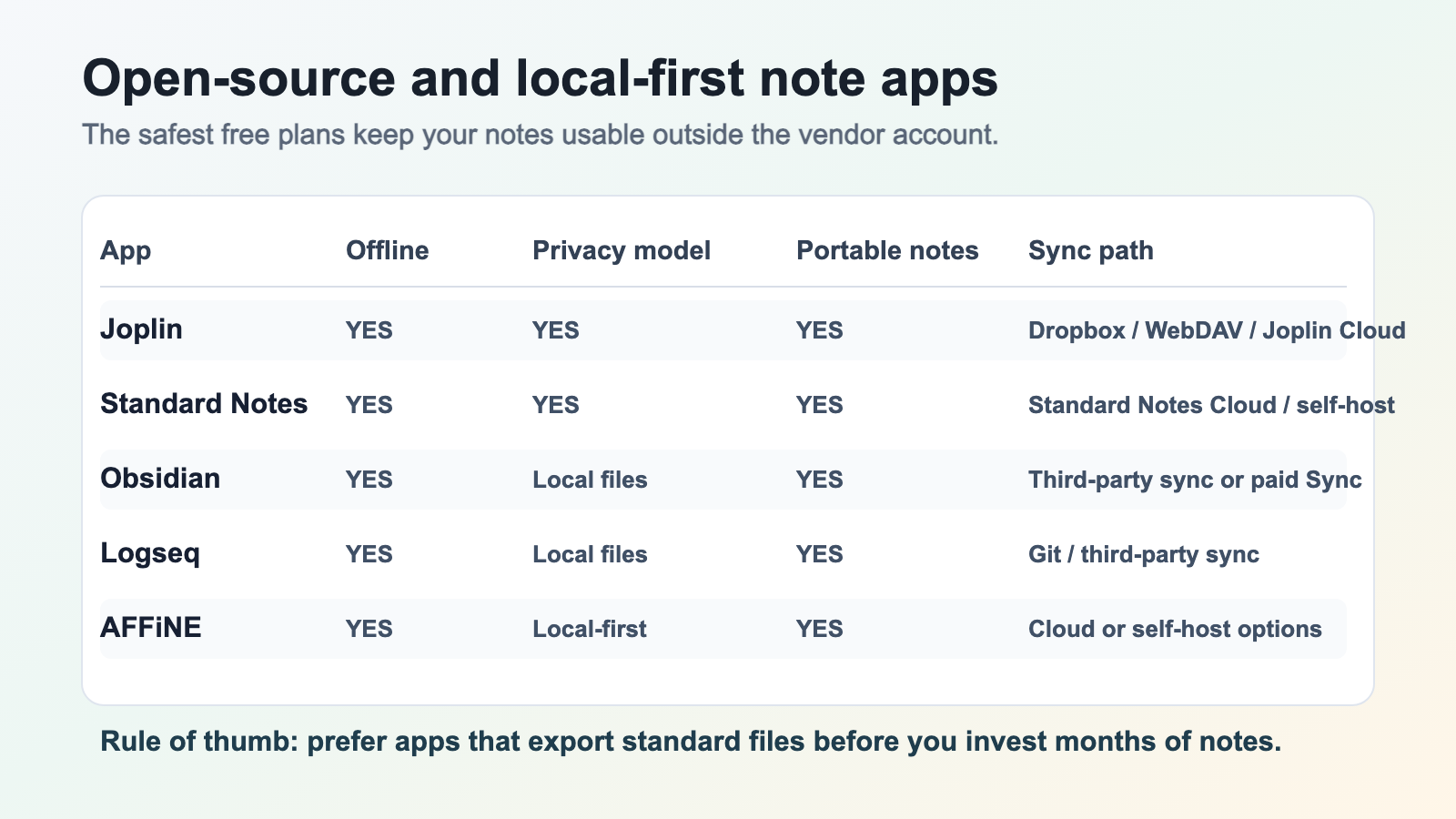
Open-source and local-first note-taking apps reduce paywall anxiety because your core notes remain portable, exportable, and usable without a subscription. These alternatives to Evernote and other commercial platforms are built by developers and communities who prioritize user control over aggressive upgrade pressure.
Unlike limited freemium apps that treat free users as conversion targets, the best local-first options operate on different principles. They are often funded through donations, optional sync or publishing services, commercial licenses, or community contribution. The important distinction is that the daily note-taking workflow remains useful without forcing your archive behind a paywall.
Open Source Champions
Open-source note taking apps have matured significantly in recent years. They now rival—and sometimes surpass—commercial alternatives in functionality while offering something proprietary apps cannot: complete transparency about how your data is handled.
Joplin stands out as a powerful Evernote alternative that excels in both features and privacy. Joplin's official documentation lists flexible sync targets including Dropbox, OneDrive, WebDAV, Nextcloud, S3-compatible storage, and Joplin Cloud, while its end-to-end encryption guide explains how notes can be encrypted before they sync. That combination matters for free users: you can keep using the app locally and choose where the synced copy lives.
The things to do in Joplin extend well beyond basic note taking. You can set alarms within notes, create to-do lists, and use the Web Clipper browser extension to save web pages directly into your notebooks. Importing existing notes is straightforward too—Joplin accepts .ENEX files from Evernote and markdown files, making migration painless if you're switching from another platform.
Standard Notes takes a different approach by placing security at the absolute forefront. The official Standard Notes plans page positions encryption as core to the product and keeps a free plan available for private notes across devices. This is meaningful in a market where limiting device sync is a common tactic to push users toward paid plans.
Getting started with Standard Notes feels almost effortless. You can begin taking notes immediately through the web app without even creating an account—your changes save locally until you're ready to set up sync. The service also offers desktop and mobile apps, and for privacy-conscious users, there's even a built-in feature to create a self-hosted server on your own computer.
Local-First Options With Optional Paid Services
Beyond these two champions, several other free note-taking options deserve attention. These local-first and open-source choices prove you don't need to sacrifice functionality for control:
Obsidian operates on a local-first model, storing all your notes as plain markdown files on your device. While it offers paid sync and publish features, the core application is completely free and incredibly powerful. Its knowledge graph approach links notes like a personal wiki, and with over 1,000 community plug-ins available, you can customize it extensively.
Logseq combines outliner-style notes with graph-based organization, making it excellent for brainstorming and task management. Its open-source nature allows seamless integration with tools like Git for version control—particularly valuable for developers and researchers who want their notes tracked like code.
Privacy remains the critical differentiator that competitors consistently overlook. Commercial free-note apps may monetize through upgrades, bundles, account services, or broader productivity suites. Open-source and local-first alternatives flip the trust model: your notes can remain in formats and locations you control.
This privacy-first approach also aligns with the practical needs of regulated or confidentiality-sensitive work. If your notes include client, health, legal, or financial details, open-source note-taking tools and local-first storage reduce the number of third parties that must be trusted with the raw content.
The trade-off? Open-source apps sometimes require slightly more technical comfort, particularly for features like self-hosting or advanced sync configurations. However, active communities on platforms like Reddit and GitHub provide extensive support, and the learning curve is far less steep than it was even a few years ago.
For users who value control over their notes and want the lowest risk of future lock-in, these open-source and local-first options represent the most trustworthy long-term starting point. (If you specifically need AI-assisted note-taking on a free tier, our free AI note-taking app comparison covers that intersection.) But what about those willing to accept some limitations in exchange for polished commercial experiences? Let's examine freemium apps that actually get the balance right.
Generous Free Tiers That Deliver Real Value
Not every freemium model is designed to frustrate you. Some companies genuinely offer substantial functionality without payment, treating their free tier as a complete product rather than a teaser. These apps strike a balance that respects your choice to stay free while still building sustainable businesses through optional upgrades.
The key difference? You can use these tools indefinitely without hitting walls that break your workflow. Let's explore the freemium apps that actually get this right.
Freemium Done Right
Notion has become synonymous with modern note taking, and for good reason. For a broader look at privacy, offline work, and team trade-offs, see our Notion alternatives guide. Is Notion free? Absolutely—and surprisingly generous about it. According to Notion's official pricing page, individual users get unlimited pages and blocks on the free plan. You're not capped on how many notes you can create or how complex your workspace becomes.
For notion note taking, the free tier includes access to all core features: databases, templates, and even basic collaboration. The main restrictions affect teams rather than solo users—workspaces with multiple members face block limits until they upgrade. File uploads cap at 5 MB per file, which handles most documents and images but won't accommodate large videos or presentations.
What about offline access? Notion has improved offline behavior, but it remains a cloud-first workspace rather than a local-first notebook. If you travel or study in low-connectivity environments, test the exact pages you need before relying on Notion as your only offline notes app. Students can still grab Notion templates for college students or build a Notion college template from scratch without spending anything.
Obsidian takes a fundamentally different approach to freemium. According to Obsidian's official pricing page, the app is free for personal use, while paid services such as Sync and Publish are optional add-ons. This is not a trial or a crippled version: personal users get unlimited local vaults and full access to the community plugin library.
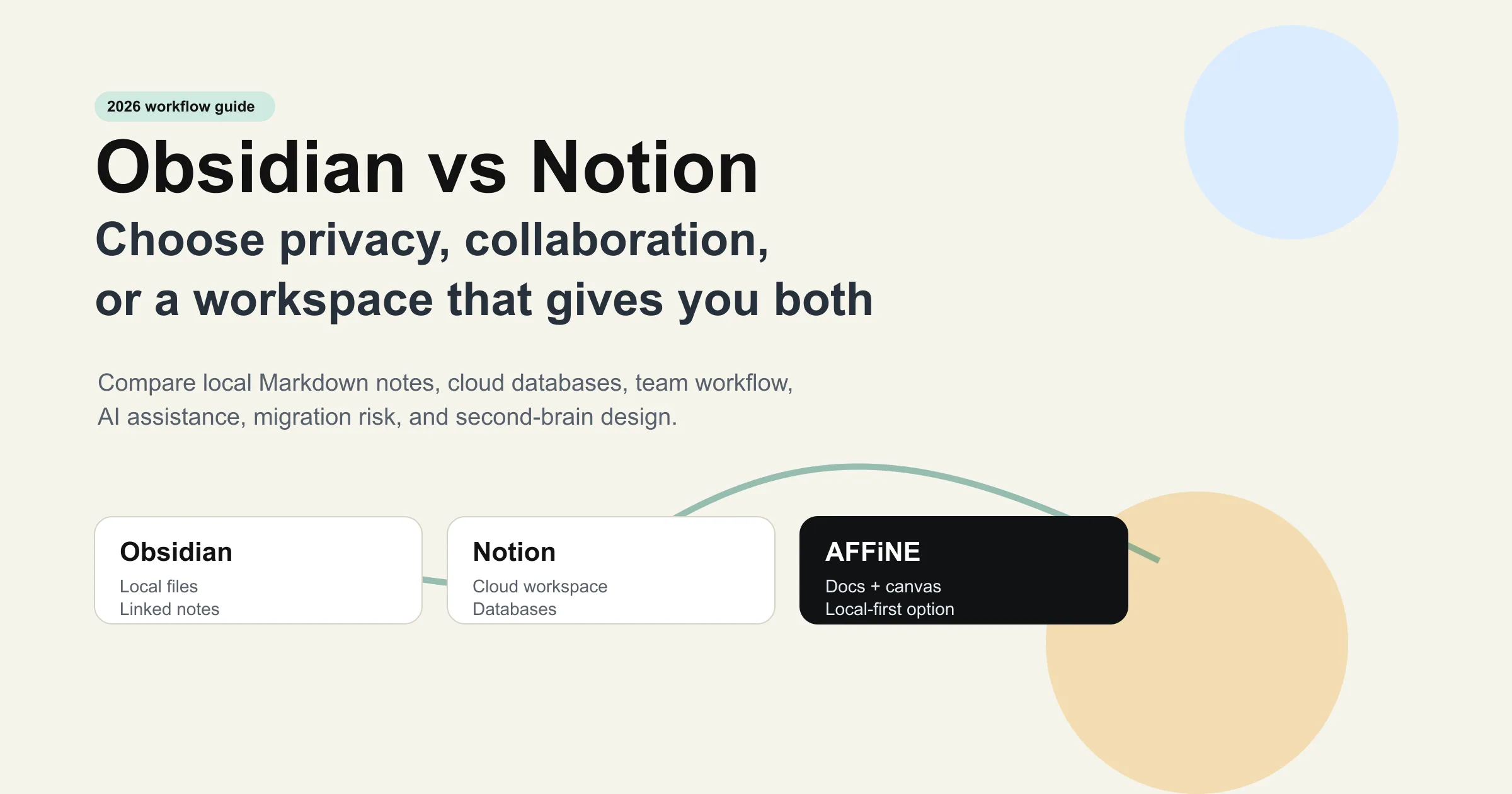
Our detailed Obsidian vs Notion comparison shows how the two workflows diverge; their pricing models reveal different philosophies. Notion provides cloud infrastructure for free but limits file uploads and history. Obsidian gives you the complete local application free for personal use and charges for convenience services such as first-party Sync and Publish. If you are comfortable syncing through iCloud, Dropbox, Git, or another third-party service, you can keep Obsidian free for personal workflows.
The obsidian templates ecosystem is entirely community-driven and free. Thousands of templates cover everything from Zettelkasten setups to project management workflows. Since Obsidian stores everything as plain markdown files on your device, you're never locked in—your notes remain accessible even if you stop using the app entirely.
Apple Notes often gets overlooked in best free note taking apps discussions, but it deserves serious consideration for users in the Apple ecosystem. Apple does not sell a separate Notes Pro plan, so typed notes, handwriting, search, scanning, and collaboration are available without an app subscription. The practical limit is iCloud storage: text notes stay small, but scans, PDFs, and image-heavy notebooks count against your iCloud quota.
The trade-off is obvious: Apple Notes only works well within Apple's ecosystem. Windows and Android users are limited to a basic web interface with reduced functionality.
Zoho Notebook represents another underrated option. The official Zoho Notebook pricing page lists an Essential free plan with 2 GB/user cloud storage, 100 MB file uploads, unlimited notes and notebooks, and sync across devices. That is still a generous free plan for everyday notes, but it is not unlimited cloud storage; large attachment-heavy notebooks may eventually need an upgrade or a different tool.
Maximum Value Without Paying
The comparison table at the top summarizes the main free-tier limits; the details below explain which trade-offs matter in daily use.
Offline functionality deserves special attention because it is where cloud-first products can feel weakest. Notion is much better than it used to be for casual offline access, but it is still not the same as having plain local files on disk. In the Notion vs Obsidian debate, this architectural difference remains Notion's most important drawback for users who travel, commute, or work in unreliable network conditions.
Obsidian and Apple Notes both operate locally first, meaning your notes exist on your device regardless of internet connectivity. This architectural choice makes them inherently more reliable for users who travel, work in areas with spotty coverage, or simply value having their information accessible anytime.
What You Sacrifice by Staying Free
Honest assessment matters. Here's what free users give up on each platform:
• Notion: Version history limited to 7 days (vs. 30-90+ days on paid plans), file uploads capped at 5 MB, and advanced features like bulk exports require upgrading
• Obsidian: Built-in sync and publish features require payment; you'll need to configure third-party sync solutions yourself
• Apple Notes: Limited to Apple ecosystem; iCloud storage counts against your overall quota
• Zoho Notebook: Free Essential storage is capped at 2 GB/user with 100 MB file uploads; heavy media libraries may outgrow it
For most individual users, these sacrifices are entirely acceptable. The notion note taking experience on the free tier handles everything from simple lists to complex project databases. Obsidian's free version is genuinely complete—the paid services add convenience, not core functionality.
The pattern here is clear: generous freemium apps restrict convenience features or team collaboration rather than crippling the solo user experience. This approach builds trust and allows users to recommend these apps confidently, knowing their friends won't hit frustrating walls.
But not every freemium app follows this philosophy. Some restrict their free tiers so severely that using them becomes an exercise in frustration. Let's examine those limited options next—so you know which apps to approach with caution.
Limited Free Tiers and Their Hidden Restrictions
Some apps treat their free tier as barely more than a demo. These platforms restrict core functionality so heavily that you'll constantly feel the pressure to upgrade. Understanding exactly what you're walking into helps you decide whether these limited options still serve your needs — or whether you should look elsewhere from the start. (For Evernote refugees specifically, our Evernote alternatives roundup covers migration paths in more depth.)
Let's examine the apps where "free" comes with significant asterisks.
When Free Means Frustrating
Evernote once defined the note taking category, but its free plan has become a cautionary tale. Evernote's official plan comparison lists the Free tier at 50 notes, one notebook, 250 MB monthly uploads, and one connected device. That is enough to test the interface, but it is too restrictive for most long-term note systems.
Imagine building your note system on Evernote, only to realize you can't access your notes on both your phone and laptop simultaneously without paying. This restriction transforms what should be a productivity tool into a source of constant friction.
The issue is less that Evernote charges for a mature product and more that the free-to-paid gap is extreme. Moving from 50 notes to a paid plan with dramatically higher limits makes the free plan feel like a narrow trial, not a durable free notebook.
GoodNotes operates under a different model but creates similar frustrations for free users. GoodNotes' official pricing page and support materials position the free plan as a limited entry point: users can create up to 3 notebooks/files, imports are capped, exports can include watermarks, and advanced features require a paid plan.
The goodnotes app is genuinely excellent for handwriting and iPad-based note taking, but calling their free tier functional stretches the definition. Three notebooks isn't enough for any serious use case. GoodNotes 6 introduced new subscription tiers that addressed some concerns, but the free version remains more of a trial than a sustainable option.
For users wondering about GoodNotes for Windows, the situation is more complicated than Apple Notes or OneNote because handwriting quality, platform support, and paid plan availability vary by device. Treat GoodNotes Free as a handwriting trial first; if it becomes your primary school or work notebook, budget for the paid plan before you build an archive there.
Understanding the Upsell Pressure
What separates these limited free tiers from generous ones isn't just feature counts—it's intent. Both Evernote and GoodNotes design their free experiences to create friction rather than provide value. Every artificial limitation exists to push you toward payment.
The contrast between free and paid tiers reveals how these companies view non-paying users. Evernote's sharp gap between the Free tier and paid tiers makes the free version hard to use for any real archive. GoodNotes' watermarked exports similarly signal that the free plan is intended for evaluation, not ongoing professional sharing.
When Limited Free Tiers Still Make Sense
Despite these restrictions, limited free tiers aren't entirely worthless. Consider these specific use cases:
• Evaluation only: If you're testing whether an app's interface suits your workflow before committing, a restricted free tier serves its purpose
• Single-device, minimal notes: Users who only need occasional notes on one device might never hit Evernote's limits
• Students with institutional access: Some schools provide premium subscriptions, making free tier limitations irrelevant
• Short-term projects: GoodNotes' 3-file limit works if you only need one temporary notebook
For anyone seeking a genuine alternative to Evernote for long-term use, the apps covered in our generous free tier and completely free sections offer far better value. You shouldn't need to constantly monitor your note count or feel punished for using an app consistently.
The frustration with limited free tiers extends beyond features to trust. When a company makes their free version this restrictive, they're signaling priorities that may not align with your interests as a user. Today's restrictions often become tomorrow's price increases.
Understanding these patterns helps you choose platforms that respect your commitment to staying free—or at least charge fairly for genuine value rather than manufactured limitations. But features aren't the only consideration. How these apps handle your private notes matters just as much.
Privacy and Security in Free Note Taking Apps
When an app costs nothing, you might wonder: what's the real price? For many free note taking apps, the answer involves your data. Your notes often contain sensitive thoughts, financial details, work projects, and personal reflections. Understanding where this information lives—and who can access it—matters as much as any feature comparison.
Most reviews of notebook online similar to Evernote options completely skip this conversation. They'll compare storage limits and sync capabilities but ignore the fundamental question of whether your private thoughts remain private. Let's fix that.
Where Your Notes Actually Live
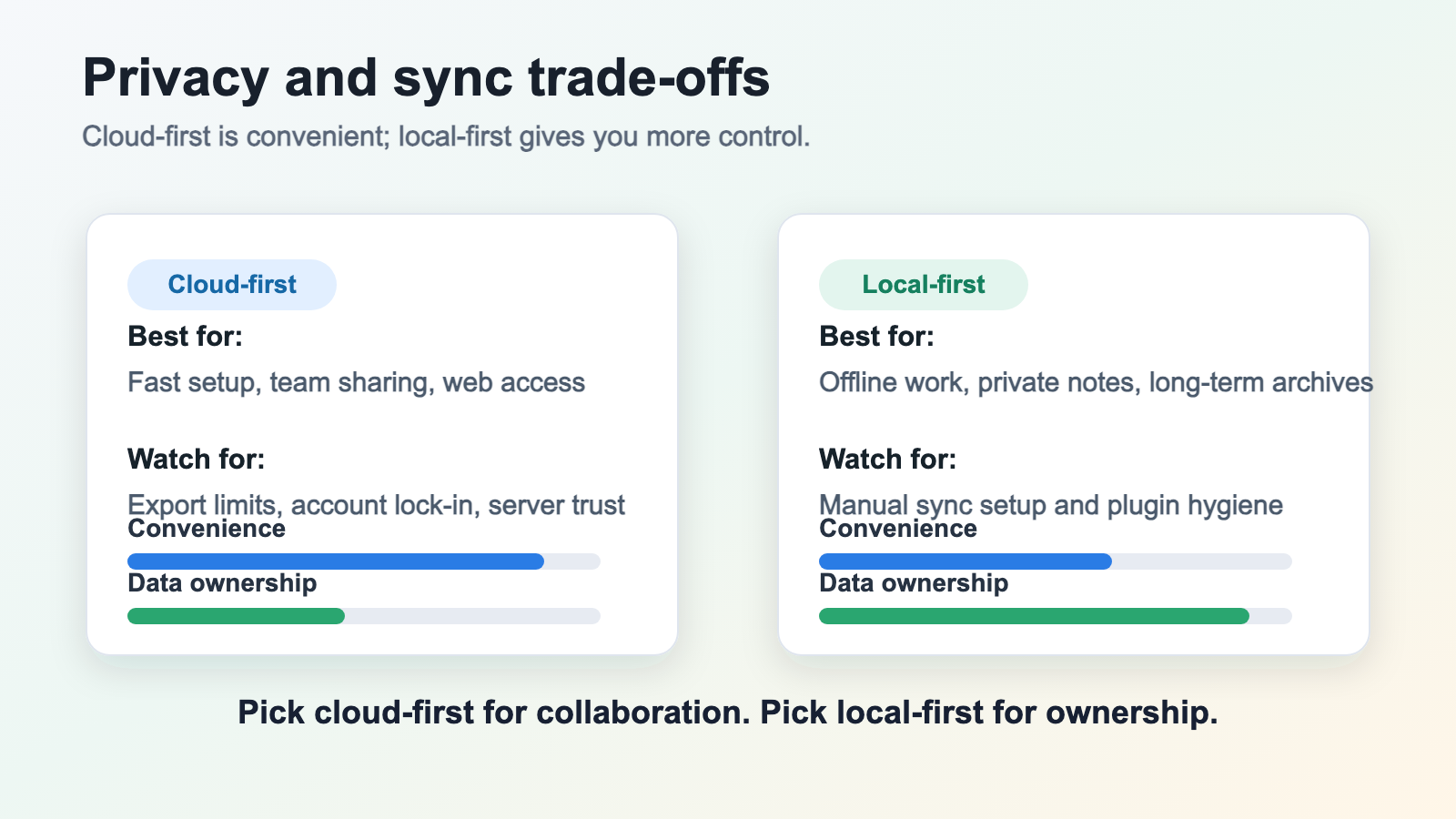
Note taking apps store your data in fundamentally different ways, and this architectural choice determines your privacy baseline.
Cloud-first apps like Notion, Evernote, and Google Keep store your notes on company servers. Every word you type travels to their data centers, where it's stored alongside millions of other users' information. This approach enables seamless sync across devices but creates a centralized target for breaches—and gives the company access to your content.
As the Ink & Switch research team explains, cloud apps present an uncomfortable reality: "In a sense, you don't have full ownership of that data—the cloud provider does." When data sits on someone else's server, you're trusting their security practices, their employee access controls, and their resistance to external pressure.
Local-first apps like Obsidian, Joplin, Standard Notes, and AFFiNE flip this model. Your notes exist primarily on your device as files you control. Sync happens between your devices rather than through a central server that holds the authoritative copy. If the company disappears tomorrow, your notes remain exactly where they are—on your computer.
This distinction becomes critical for anyone taking notes on sensitive topics. A cross platform notes app that stores everything in the cloud creates different risks than one keeping your data locally. Medical professionals, journalists, lawyers, and anyone handling confidential information should prioritize local-first options or apps with robust end-to-end encryption.
Data Practices of Popular Free Apps
Free apps monetize users in various ways, and not all approaches respect your privacy equally.
Cloud account data practices: Cloud-first apps may process usage data, metadata, attachments, and account activity under broader product privacy policies. That does not automatically make them unsafe, but it does mean you should read the policy before storing medical, legal, financial, or client-sensitive notes.
End-to-end encryption: This gold standard means your notes are encrypted before leaving your device, and only you hold the decryption keys. Standard Notes makes encryption central to its product model, and Joplin documents an optional E2EE flow for synced notes. For sensitive material, do not accept generic "secure cloud" language as a substitute for a clear encryption model.
Open-source transparency: When an app's code is publicly available, security researchers can verify privacy claims. Closed-source apps ask you to trust their marketing—open-source apps let you verify. Notesnook, Joplin, and Standard Notes all publish their code for public review.
For users seeking a Google Docs alternative that prioritizes privacy, understanding these distinctions helps you choose wisely. A shared notes app might encrypt data in transit but store it unencrypted on servers—still accessible to employees or hackers who breach the system.
Obsidian sync, when using third-party services like iCloud or Dropbox, inherits the privacy characteristics of those platforms. Your notes stay as private as your chosen sync provider allows. Using a notes app iCloud sync means Apple's privacy policies apply to your data.
Privacy-Focused Features to Demand
When evaluating any free note taking app, look for these security indicators:
• End-to-end encryption: Your notes should be encrypted before leaving your device, with keys only you control
• Zero-knowledge architecture: The company should be unable to read your notes even if they wanted to
• Local storage options: The ability to keep notes entirely on your device without mandatory cloud sync
• Open-source codebase: Publicly auditable code that lets experts verify security claims
• Clear data export: Easy ways to download all your notes in standard formats you can open anywhere
• Transparent privacy policies: Clear statements about what data is collected and how it's used
• No advertising: Apps that don't show ads have less incentive to analyze your content
The hidden cost of free apps often isn't obvious until you read the fine print. Some apps collect metadata about your usage patterns even when note content is encrypted. Others reserve the right to analyze your notes for "service improvement." Reading privacy policies reveals what companies actually do versus what their marketing suggests.
For sensitive use cases—legal notes, medical information, financial planning, or journaling—prioritize apps like Standard Notes, Joplin, AFFiNE, Obsidian, or other tools that treat privacy, local files, encryption, or self-hosting as a core design choice rather than a marketing add-on.
Privacy and security considerations should influence your choice as much as features and usability. With this foundation in place, let's explore which apps work best for specific platforms and use cases—because the right choice depends on how and where you actually take notes.
Choosing the Right Free App for Your Platform
So what is the best note taking app? The honest answer: it depends entirely on your devices, workflow, and priorities. A student taking handwritten notes on an iPad has completely different needs than a developer organizing code snippets across Windows and Linux machines. Rather than declaring one universal winner, let's match the right free options to your specific situation.
The apps we've covered vary dramatically in platform support, interface design, and core strengths. Understanding these differences helps you avoid the frustration of committing to an app that doesn't work where you need it most.
Best Picks by Device
iPad Users: If you're searching for the best note taking app for iPad, your choice depends heavily on whether you prioritize handwriting or typing. (For a deeper iPad-specific roundup, see our best iPad note taking app guide.) For handwritten notes, the best iPad note taking apps leverage the Apple Pencil in ways that feel natural and responsive.
According to ZDNet's extensive hands-on testing, Notability earns recognition as a top choice for its all-in-one approach, supporting multiple pen styles, audio recording synchronized with handwriting, and intuitive organization. Apple Notes also deserves serious consideration as the best notes app for iPad for users who want zero cost—it comes pre-installed, syncs seamlessly via iCloud, and recognizes handwritten text in searches.
Among note taking apps for ipad, Obsidian works beautifully for typed notes and knowledge management, especially if you're building a connected system of ideas. The mobile app is fully functional and can be synced using iCloud.
Android Users: Finding the best Android note-taking app requires looking beyond Apple-exclusive options. Microsoft OneNote stands out as the easiest free cloud pick: the OneNote app is free, works across major platforms, and uses OneDrive storage. Free Microsoft accounts include 5 GB of OneDrive storage, which is enough for many typed-note workflows but not unlimited.
Joplin provides an excellent open-source alternative with full Android support, end-to-end encryption, and flexible sync options through Dropbox or OneDrive. Zoho Notebook also shines on Android with 2 GB cloud storage and a polished interface that rivals premium options.
Windows Users: OneNote integrates deeply with Windows, making it the natural choice for Microsoft ecosystem users. Note taking apps for mac users who also work on Windows will appreciate OneNote's identical experience across platforms.
Obsidian runs natively on Windows with full plugin support and local storage. For users prioritizing privacy, Joplin's Windows app offers the same robust experience as other platforms without requiring any cloud dependency.
Cross-Platform Needs: When you switch between iPhone, Windows laptop, and Android tablet, platform availability becomes your primary filter. OneNote, Joplin, Obsidian (with third-party sync), and Simplenote all work across every major platform without compromising features based on your device.
Matching Apps to Your Workflow
Platform compatibility gets you started, but your actual use case determines which app you'll enjoy using daily. Here's how to match your workflow to the right tool:
• Students: Prioritize apps that handle lecture capture, organize by course, and work offline during exams. Notability excels for handwritten iPad notes with its audio-sync feature—tap any word to hear what the professor was saying at that moment. OneNote works well for typed notes with its notebook/section/page hierarchy mimicking traditional binders. Obsidian suits students building connected study systems who want long-term knowledge retention.
• Professionals: Look for quick capture, reliable sync, and searchable archives. OneNote integrates with Microsoft Teams for collaboration. Notion handles project documentation and meeting notes with its database features. For privacy-sensitive work documents, Standard Notes with end-to-end encryption protects client information appropriately.
• Creative Writers: Distraction-free interfaces and flexible organization matter most. Bear offers beautiful markdown editing for Apple users. Obsidian's graph view helps writers see connections between characters, plot points, and research. Simplenote provides the ultimate minimalist experience—just you and your words.
• Researchers: Building a knowledge base requires linking ideas across sources. Obsidian's bidirectional linking creates a personal wiki from your notes. Joplin handles academic workflows well, especially when combined with its web clipper for saving sources. Logseq's outliner approach suits researchers who think hierarchically and want to connect concepts dynamically.
The decision-making process shouldn't overwhelm you. Start with your primary device and main use case, then verify the app works on your secondary devices. Most free tiers allow risk-free experimentation—download two or three options that seem promising and spend a week with each before committing.
Remember that switching costs increase over time. Choosing an app with strong export options (standard markdown files, accessible formats) protects you if your needs change or better alternatives emerge. Local-first apps like Obsidian and Joplin particularly excel here—your notes remain accessible regardless of what happens to the app or company.
With the right platform and use-case match established, you're ready to maximize your chosen app's potential. The next step involves learning note-taking methods that transform scattered thoughts into a powerful personal knowledge system—techniques that work regardless of which app you choose.
Advanced Note Taking Methods That Cost Nothing
You've chosen the right app for your platform and workflow. Now what? The real power of taking notes isn't in the tool—it's in the method. Most people treat notes as isolated fragments: lecture summaries, meeting minutes, random thoughts that never connect. But what if your notes could grow into something more valuable over time?
Advanced note-taking methodologies transform scattered information into a living knowledge network. These techniques work with any free app we've discussed, and they cost nothing to implement. Learning how to take notes effectively might be the highest-leverage skill you develop this year.
Building a Second Brain for Free
The "second brain" concept addresses a fundamental limitation of human memory: we forget most of what we learn. Without reinforcement, much of what we capture fades quickly. Your notes can become an external thinking partner that preserves context, decisions, sources, and connections—a hierarchical note taking application of your own design.
Building a second brain means capturing ideas systematically, organizing them for retrieval, and connecting them in ways that spark new insights. Unlike traditional note-taking, which focuses on recording information, this approach emphasizes synthesizing and linking knowledge.
The key principle? Every note you create should serve your future self. When learning how to take good notes, ask yourself: "Will I understand this in six months? Can I find it when I need it? Does it connect to other things I know?"
This shift in mindset changes everything. Instead of dumping information into folders you'll never revisit, you're actively building a personal knowledge base. The outline note taking method works well for capturing structured content, but the real magic happens when you start linking ideas across topics and time.
The Zettelkasten Method Explained
The Zettelkasten method—German for "slip box"—was popularized by sociologist Niklas Luhmann, who used it to produce an astonishing 70 books and over 400 academic articles. His secret? A system of interconnected index cards that grew into a thinking partner over decades.
If you prefer a structured study workflow, our Cornell Notes template guide covers the cue, notes, and summary system. Unlike Cornell or outline notes, Zettelkasten notes are living documents. You're constantly adding, linking, and refining your collection. The method rests on a few core principles:
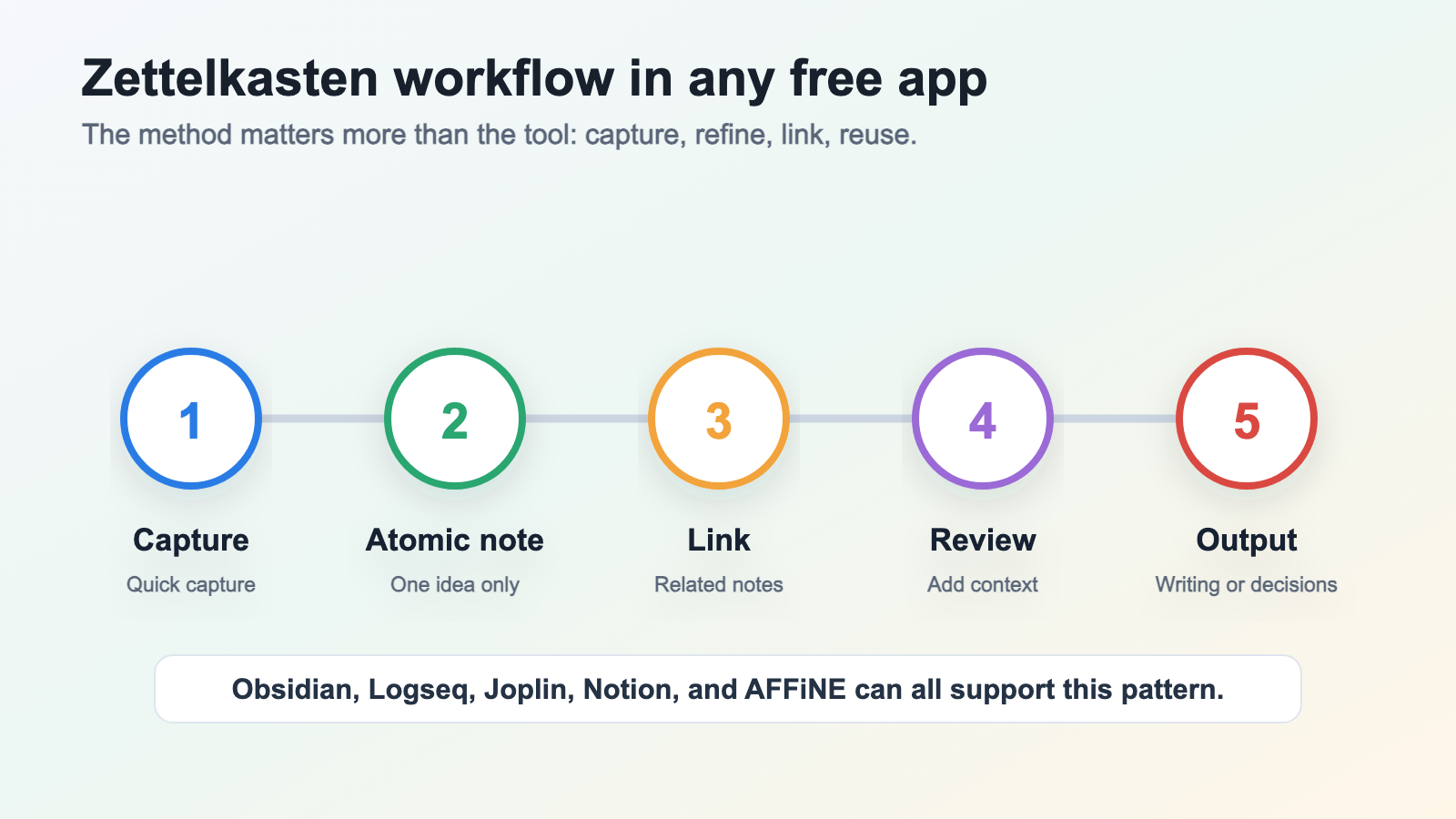
• Atomic notes: Each note contains exactly one idea, written in your own words. This makes notes reusable across different contexts and easier to link.
• Bidirectional linking: Notes connect to related notes, creating a web rather than a hierarchy. When you reference another idea, you link to it—and that connection works both ways.
• Emergence through connection: Insights arise from seeing unexpected relationships between ideas. Your network of notes becomes smarter than any individual note.
How to take smart notes using this system? Start by capturing thoughts in an inbox. Then process each thought into a permanent note: one idea, clearly expressed, linked to relevant existing notes. The idea compass technique helps identify connections by asking four questions of each note: What is above this idea? What is below it? What is similar? What is opposite?
A practical Zettelkasten does not require abandoning folders or project lists. It adds another layer: durable links between ideas, so structure can emerge from repeated review instead of being guessed upfront.
This approach might sound complex, but you can start simply. Create a note about something you're learning. Write it in your own words. Then ask: what other notes does this relate to? Create those links. Over time, patterns emerge that you never anticipated.
Implementing These Methods in Free Apps
Every app we've discussed can support these advanced methods to varying degrees. Obsidian excels here with native bidirectional linking and graph visualization—you can literally see your knowledge network grow. Joplin supports internal links between notes, and even simple tools like Notion allow you to connect pages with @-mentions.
For users wondering how to create Obsidian-style connections in other apps, the technique remains consistent: use consistent naming conventions, create links whenever ideas relate, and periodically review your notes to add connections you missed initially. How to take notes faster while maintaining quality? Capture rough thoughts quickly, then process them into atomic notes during dedicated review sessions.
If you want a structured starting point, AFFiNE's Digital Zettelkasten template provides a pre-built system for implementing these methods. It helps you break complex topics into atomic notes and actively link them, turning your note-taking into a powerful second brain for long-term retention and creative discovery.
The beauty of these methods? They're tool-agnostic. Whether you're using a completely free open-source app or a generous freemium option, the same principles apply. Your investment in learning these techniques pays dividends regardless of which app you ultimately choose—making your note-taking practice truly platform-independent and future-proof.
Final Recommendations for Every Type of Note Taker
You've explored the landscape of local-first options, generous freemium apps, and limited tiers to treat carefully. You understand how privacy considerations affect your choice and which platforms support your devices best. Now it's time to translate that knowledge into action.
The best apps for note taking aren't universal—they're personal. What works brilliantly for a privacy-conscious journalist won't necessarily suit a student managing lecture notes across an iPad and Android phone. These final recommendations cut through the complexity and point you toward the right starting place based on what matters most to you.
Our Top Picks by Category
Rather than declaring a single winner, here are the top note taking apps organized by user priority. Each recommendation reflects genuine free tier value—not paid features you'll never access:
-
For Knowledge Management and Zettelkasten: AFFiNE stands out as a strong contender for users wanting structured note-taking with interconnected ideas. Its Digital Zettelkasten template provides a ready-made system for building a second brain without configuration headaches. Obsidian remains the power user's choice with its graph visualization and extensive plugin ecosystem—completely free for personal use.
-
For Privacy-Focused Users: Standard Notes delivers zero-knowledge encryption on all plans, including free. Your notes stay encrypted with keys only you control. Joplin offers similar security with end-to-end encryption and open-source transparency—you can verify the privacy claims yourself. Both work offline and export to standard formats, ensuring you're never trapped.
-
For Students: The best note-taking app for students depends on your device. Apple Notes handles typed and handwritten content beautifully with zero cost on Apple devices. OneNote provides similar versatility across platforms with 5 GB of free OneDrive storage on a free Microsoft account. For iPad-focused students, Notability and GoodNotes are strong handwriting trials, but confirm paid limits before relying on either for a full semester.
-
For Professionals: Notion's unlimited blocks for individual users support everything from meeting notes to project wikis. OneNote integrates deeply with Microsoft 365 workflows if your organization uses those tools. For sensitive client work, Standard Notes keeps your documentation encrypted without subscription fees.
-
For Cross-Platform Needs: When you switch between iPhone, Windows, and Android regularly, OneNote provides identical experiences everywhere. Joplin matches this flexibility while adding privacy through encryption. Simplenote offers the most minimalist cross-platform option—pure text notes synced instantly across every device.
Where to Start Today
The best note taking apps 2026 offers share one critical advantage: you can try them without commitment. Free tiers exist precisely for experimentation. Don't agonize over the perfect choice—pick two or three options from the categories above and spend a week with each.
Here's a practical starting approach:
• Download your top two candidates today
• Create the same set of test notes in both—meeting minutes, a project outline, and random thoughts
• Notice which app feels more natural after a week of actual use
• Check export options before committing fully—your notes should be portable
The best note taking app 2026 will bring isn't just about features—it's about fit. An app that matches your thinking style will become invisible, letting you focus on ideas rather than interface. One that fights your natural workflow will create friction you'll feel every day.
Remember what you've learned throughout this guide: open-source and local-first options like Joplin, Obsidian, Logseq, and Standard Notes lower lock-in risk because your core notes remain portable. Generous freemium apps like Notion and OneNote can provide substantial value as long as their storage, file-size, and history limits fit your workflow. Limited free tiers from Evernote and GoodNotes work best for evaluation, not as long-term free archives.
The method still matters as much as the tool. If you want a local-first system that combines linked notes, docs, whiteboards, and databases, download AFFiNE free or start with AFFiNE's Digital Zettelkasten template.
Frequently Asked Questions About Free Note Taking Apps
1. What is the best free note-taking app for switching from Evernote?
Joplin and Standard Notes are excellent Evernote alternatives for users who want a sustainable free workflow. Joplin offers markdown support, optional end-to-end encryption, and direct Evernote .ENEX imports. Standard Notes is designed around encrypted notes and keeps a free plan available for private writing. For users wanting a more polished cloud workspace, Notion offers unlimited pages and blocks for individual users, making it a generous freemium alternative without the severe restrictions Evernote places on free accounts.
2. What are the best free note-taking apps for iPad?
Apple Notes comes pre-installed and offers full functionality at zero cost, including handwriting recognition and seamless iCloud sync. For more advanced knowledge management, Obsidian provides bidirectional linking and works well on iPad. Microsoft OneNote is free and cross-platform, with cloud storage tied to OneDrive rather than an unlimited notebook allowance. If handwriting is your priority, consider apps like Notability or GoodNotes, but check free-plan limits before using them for a whole semester. AFFiNE also offers structured note-taking templates that work well for building connected knowledge systems on iPad.
3. Is Notion completely free to use?
Yes, Notion is genuinely free for individual users with unlimited pages and blocks. The main restrictions affect teams rather than solo users. Free accounts can upload files up to 5 MB each and have version history limited to 7 days. You get access to databases, templates, and basic collaboration features without paying. The platform restricts team workspaces to a block limit until they upgrade, but personal use remains largely unrestricted, making it one of the most generous freemium options available.
4. Which note-taking apps offer the best privacy and security for free?
Standard Notes is one of the strongest privacy picks because encryption is central to the product model. Joplin provides optional end-to-end encryption with open-source code you can inspect. Obsidian stores notes locally on your device as plain Markdown files, reducing cloud-account exposure. Logseq offers similar local-first architecture. These apps contrast with cloud-first options where account policies, metadata handling, and server access become part of your privacy decision.
5. What is the Zettelkasten method and which free apps support it?
The Zettelkasten method captures one idea per note, then links related notes bidirectionally — creating a knowledge web that gets smarter as it grows. Obsidian excels at this with native linking and graph visualization completely free. Logseq offers similar capabilities with its outliner approach. AFFiNE provides a dedicated Digital Zettelkasten template that helps you implement this method systematically. Even simpler apps like Joplin support internal linking for building connected note systems.
6. Is Obsidian really free, or is it freemium?
Obsidian's core personal-use app is free — no trial, no basic note limit, and no plugin gate. What's paid is convenience: first-party Sync, Publish, and commercial-use licensing. If you sync personal vaults via iCloud, Dropbox, Git, or another service, you can keep the note-taking workflow free while retaining plain Markdown files.
7. What's the best free note-taking app for Android specifically?
Microsoft OneNote leads for most Android users who want a free cloud notebook: it is cross-platform, familiar, and backed by the 5 GB OneDrive storage included with free Microsoft accounts. Joplin is the best open-source option with full Android support plus optional end-to-end encryption. Zoho Notebook is a polished alternative with 2 GB/user on the free Essential plan. Apple Notes does not run natively on Android, so iOS users switching ecosystems should plan a migration.