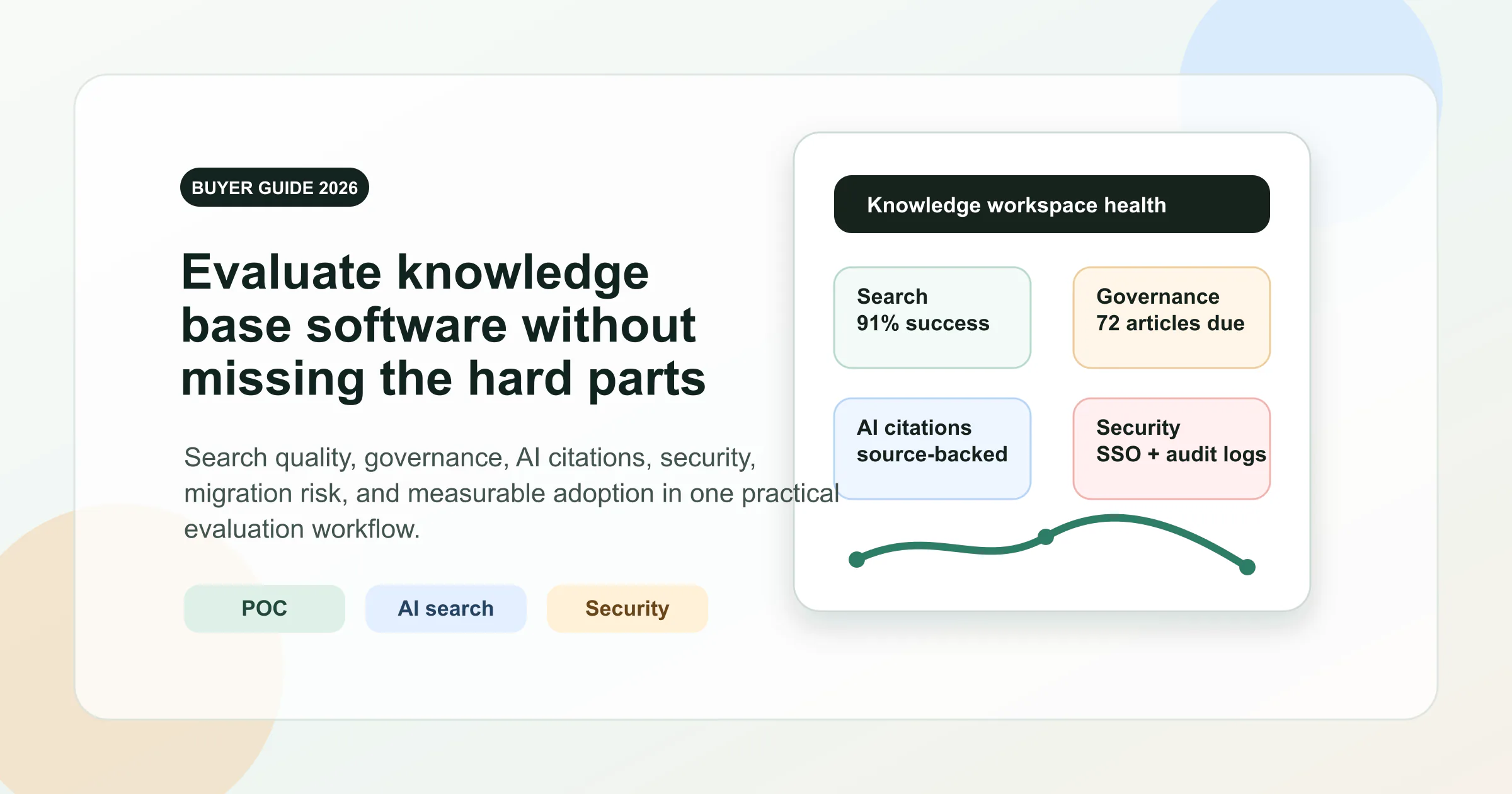
Ever notice how most rankings promise the “best knowledge base software,” but leave you with a laundry list of features and little clarity on what truly matters? Sounds familiar? That’s because many lists focus on surface-level perks—like fancy templates or a flashy AI knowledge base search—while overlooking the real drivers of long-term success: security, governance, and how easily your team can actually find and trust information.
• Ignoring permissioning depth and granular access controls
• Over-indexing on pre-built templates instead of content structure
• Skipping total cost of ownership (TCO) and hidden limits
• Neglecting real-world search quality and findability
• Forgetting about governance and content lifecycle management
What matters most isn’t the number of features, but how well your knowledge base delivers findability, governance, and adoption in your real workflows.
If you’re building or selecting a knowledge base software, think beyond just storing files. The benefits of knowledge base platforms come from their ability to organize, verify, and surface trusted answers—whether you’re supporting customers, onboarding new hires, or powering an internal knowledge base for your entire company. For upstream ideation, use these online whiteboard templates for brainstorming to capture and cluster ideas before turning them into trusted articles. Modern solutions should offer:
• Advanced search that understands context, not just keywords
• Role-based permissions for both content creation and access
• Governance tools: version control, review workflows, and clear ownership
• AI enhancements that work only when your taxonomy and permissions are solid
• Seamless integrations with your primary tools (Slack, Jira, CRM, etc.)
For knowledge management for customer service , external knowledge bases must also support SEO, deflection (helping users solve problems without tickets), and multilingual workflows. Internal hubs, on the other hand, should prioritize verification, access control, and deep systems integration for efficiency and compliance.
Imagine a document library as a digital filing cabinet—great for storing files, but often lacking robust search and content creation tools. In contrast, a true knowledge base is a dynamic network: it not only stores information but also connects, verifies, and surfaces knowledge in the flow of work. This distinction is crucial. While document repositories can help you centralize resources, only the best knowledge base software enables real-time updates, advanced search, and structured workflows that drive adoption and trust (ScreenSteps).
• Document repository: Folders, static files, limited search
• Knowledge base: Structured articles, live updates, context-aware search, governance
Throughout this guide, you’ll notice:
• Consistent scoring and clear buyer-fit mapping (internal vs. external, support vs. product vs. HR)
• Security and compliance checkpoints for peace of mind
• A side-by-side matrix and “Best for” badges for fast scanning
• At-a-glance pros/cons lists under each tool
Remember, AI is a force multiplier only when your knowledge base content is clean, well-organized, and permissioned correctly. We’ll also reference best knowledge base examples to illustrate what works in practice, helping you spot the difference between a basic file dump and a true knowledge network.
Ready to find your fit? Let’s dive into the frameworks and real-world tools that set the standard for the best knowledge base software—so you can make a confident, informed choice.
When you’re faced with a sea of options, how do you cut through the noise and zero in on the best knowledge management software for your needs? Imagine you’re comparing two tools: both promise AI-powered search, but one buries answers in cluttered menus, while the other serves up exactly what you need in seconds. That’s why we built a transparent, reproducible framework to evaluate every contender head-to-head—so you can see how each stacks up on the metrics that matter.
| Evaluation Pillar | What We Looked For | Example Criteria |
|---|---|---|
| Search Relevance & Speed | How well does the platform surface the right answers, fast? | Contextual match, response time, tolerance for typos |
| AI Features | Does it offer semantic search, embeddings, or generative answers? | AI search, summarization, answer accuracy |
| Integrations & Extensibility | How easily does it connect to your existing stack? | Slack, Jira, CRM, API access, knowledge base integration |
| Customization & Workflow | Can you tailor workflows, templates, and taxonomy? | Article templates, review cycles, custom fields |
| Security & Compliance | Does it meet modern standards for data protection? | SSO, roles, audit logs, certifications |
| Pricing Transparency & Limits | Are costs and usage limits clear up front? | Seat vs. usage models, API/indexing overages |
| Support & Migration | How easy is it to get help and move your data? | Live support, migration tools, onboarding guides |
Sounds complex? Here’s how we made it practical. We tested each platform’s search with a mix of real-world queries—ranging from simple FAQs to edge cases that challenge even the best knowledge management platforms. We checked:
• Relevance: Does the search find the right article, even with vague or typo-prone queries?
• Freshness: Are recently updated articles prioritized?
• Speed: How quickly does the knowledge base return results?
For AI features, we examined whether semantic search and generative answers improved accuracy or just added noise. The goal? To see which tools actually help users find answers—not just add flashy features to their knowledge base components.
Security isn’t just a checkbox—it’s a dealbreaker, especially for internal or regulated use cases. We recommend every buyer run through this enterprise playbook before making a decision:
• Is data encrypted at rest and in transit?
• Does the vendor provide SOC 2, ISO 27001, or GDPR documentation?
• Are there data residency options and clear data retention/deletion timelines?
• What’s the incident response SLA?
• How granular are roles and permissions?
• Are audit trails available for content changes and access?
Think of these as non-negotiable knowledge management database requirements if you’re building a knowledge base for sensitive or proprietary content.
No one likes surprise costs. During our evaluations, we noted:
• Does pricing scale by seat, usage, or both?
• Are there limits on API calls, storage, or indexing?
• How transparent are upgrade paths and overage fees?
We also recommend collecting vendor documentation and links in an appendix for traceability—making it easier to revisit decisions as your needs change.
“A transparent rubric lets you re-run your evaluation as products evolve or your use case shifts. Don’t lock yourself into a tool that can’t keep up with your growth.”
With this framework, you’ll have a repeatable process for building a knowledge base that fits your organization today—and adapts as your requirements grow. Next, we’ll dive into how individual tools performed against these standards, so you can find the best knowledge base software for your real-world needs.
When you think about the best knowledge base software for your team, do you picture a static folder of documents—or a living, breathing network of ideas? For organizations seeking a truly resilient internal knowledge base software , the Zettelkasten method offers a transformative approach. Instead of siloed files, you create atomic, linkable notes that grow into a robust web of knowledge—one that mirrors how your team actually learns, collaborates, and innovates over time.
What sets a Zettelkasten-inspired workspace apart from a typical knowledge base app? It’s all about atomicity and connections:
• Atomic notes: Each note contains a single, focused idea—making content easier to update, repurpose, and connect.
• Link graphs: Notes are linked by topic, reference, or context, forming a networked structure rather than isolated folders.
• Structure notes: Higher-level overviews help you organize and navigate complex topics—ideal for scaling a company knowledge base.
• AI-assisted discovery: When available, AI can surface related notes, reveal hidden connections, and enhance search—but only if your base is well-structured and permissioned.
This approach is especially powerful for teams who want their corporate knowledge base to evolve organically, supporting both onboarding and advanced research without constant manual reorganization.
• Promotes deep understanding by breaking knowledge into manageable, reusable components
• Networked notes reveal connections and insights that static folders miss
• Supports gradual, iterative growth—perfect for dynamic teams
• Flexible for both individual and collaborative workflows
• Well-suited for AI-powered knowledge discovery, provided content hygiene is strong
• Can be adapted using a free online knowledge base builder template for fast setup
• Requires an initial mindset shift from traditional file storage
• Can be overwhelming if atomicity is misunderstood or over-applied
• Needs clear governance (ownership, review cadence) to avoid note sprawl
• Some users may find the networked structure less intuitive than classic folders at first
• Teams building a long-term, evolving internal knowledge base
• Knowledge workers seeking a “second brain” for research, product development, or onboarding
• Organizations wanting a knowledge based software approach that scales with their growth
Because networked knowledge bases often house sensitive or proprietary information, it’s crucial to establish:
• Ownership and versioning: Assign clear note owners and track changes over time.
• Roles and permissions: Limit editing or viewing rights as appropriate for your corporate knowledge base.
• Review cadence: Schedule periodic audits to keep content accurate and relevant.
While some platforms support SSO or export formats, always verify these features before adopting any knowledge base app for regulated environments.
Content audit: Inventory your existing documents, notes, and resources.
Note atomization: Break down large documents into focused, single-idea notes.
Link graph: Connect related notes using links or tags to reveal relationships.
Review cadence: Set regular intervals for reviewing and updating notes.
To accelerate setup, consider using the AFFiNE Digital Zettelkasten Template. This free online knowledge base builder guides you in structuring atomic notes, linking ideas, and building a sustainable network of knowledge—making it ideal for any team serious about creating a future-proof internal knowledge base.
When you embrace the Zettelkasten workflow, your company knowledge base transforms from a passive archive into an active, evolving asset. Next, we’ll look at how flexible wiki platforms compare for teams that want both structure and simplicity in their knowledge management journey.
Ever wish your team could find answers instantly—without digging through endless folders or outdated docs? That’s where Notion’s flexible wiki shines. As one of the most popular online knowledge base solutions, Notion blends documents, databases, and automations into a single, intuitive workspace. Whether you’re building an internal handbook, a project hub, or a public help center, Notion adapts to your needs and helps teams stay aligned.
What makes Notion a standout among knowledge base platforms? Imagine a wiki that’s as easy to set up as a document, but as powerful as a database. Here’s what you’ll notice:
• Page databases: Organize content by tags, owners, or custom fields—so you can filter onboarding guides, SOPs, or training docs in seconds.
• Templates: Jumpstart new pages with ready-made templates for recurring processes—think project kickoffs, meeting notes, or company policies.
• Ownership and statuses: Add owner properties and custom status fields, so teammates trust the content and always know who to ask for updates
• Flexible views: Switch between list, table, or calendar views to match your workflow and make navigation painless.
• Easy cross-linking: Connect related pages and surface relevant information, transforming your wiki into a true knowledge sharing software.
• Internal and external publishing: Share pages securely within your company or publish help docs for customers and partners.
• Integrations: Connect with Slack, Google Drive, Jira, and more to unify tasks, docs, and conversations in one knowledge base platform.
• Highly customizable structure and taxonomy using databases and properties
• Simple authoring and editing—no technical skills required
• Templates and automations speed up documentation and reduce manual work
• Supports both internal wikis and public-facing help centers
• Strong integrations with popular workplace tools
• Complexity can increase at scale without clear governance
• Granular permissions may be challenging in very large organizations
• Requires regular verification to prevent outdated or conflicting content
• Some advanced features may need a learning curve for new users
• Teams seeking a flexible, all-in-one knowledge base tool
• Organizations that want to blend documentation, project management, and collaboration
• Companies needing both internal and external knowledge sharing
Worried about knowledge drift or outdated docs? Notion’s database properties let you assign owners, so content stays accurate and trusted. You can filter for docs that need review, surface non-verified pages, and keep evergreen documents up to date. Role-based permissions allow you to control editing and sharing at the page or database level—helping maintain order as your wiki grows.
For security, Notion offers single sign-on (SSO) and granular sharing settings, but always review the latest documentation if you have advanced compliance needs. As with any software for knowledge base management, regular audits and clear ownership are key to sustainable success.
Define your space hierarchy: Set up top-level pages for teams, projects, or departments.
Leverage templates: Use or customize built-in templates for SOPs, policies, and recurring docs.
Establish review cycles: Assign owners and verification dates to ensure ongoing accuracy.
By following these steps, your Notion wiki becomes a living resource—easy to navigate, easy to trust, and always ready to grow with your team. Next, we’ll explore how platforms designed for technical documentation bring even more structure and governance to large-scale knowledge management.
When your engineering or product team juggles specs, runbooks, and project docs, you need more than a simple wiki. You need a mature knowledge base management solution that keeps everything organized, discoverable, and secure at scale. That’s where Confluence stands out as a true enterprise knowledge base hub—aligning technical documentation with real-world workflows and governance needs.
Imagine you’re onboarding a new developer or launching a major product update. With Confluence, you’ll notice:
• Structured Page Trees: Organize docs in nested hierarchies—perfect for separating product specs, engineering guides, and internal policies.
• Spaces: Create dedicated workspaces for teams, projects, or departments, each with its own permissions and structure.
• Macros and Templates: Automate formatting, embed dynamic content, and standardize RFCs, runbooks, and meeting notes.
• Integration with Dev Tools: Seamlessly link Jira tickets, code snippets, and release notes for end-to-end workflow alignment.
• Review Workflows: Assign owners, set review cycles, and track updates to prevent content bloat and keep docs evergreen.
This approach transforms knowledge base systems from passive archives into active, living resources that support day-to-day work and long-term knowledge retention.
• Robust content organization with page trees and spaces
• Granular permissions for secure, role-based access
• Powerful templates and macros for documentation consistency
• Native integration with Atlassian tools (Jira, Bitbucket) and other platforms
• Enterprise-grade governance and auditing features
• Scalable for large organizations and distributed teams
• Can become complex to manage without clear content ownership policies
• Pricing may be higher for large teams or advanced plans
• Initial setup and migration from legacy systems may require planning
• Some users may find the learning curve steep for advanced features
• Engineering and product teams needing a structured knowledge base management system
• Organizations with strict compliance and audit requirements
• Enterprises seeking alignment between documentation and dev workflows
• Teams migrating from legacy document libraries or knowledge base software sharepoint solutions
Security is non-negotiable for any knowledge management database system. Confluence Enterprise addresses this with:
• Centralized identity and access management: Leverage SSO, role-based permissions, and Guard Standard for authentication and auditing.
• Granular audit logs: Track who accessed, edited, or deleted content for compliance and troubleshooting.
• Multiple site management: Isolate sensitive workspaces or regions as needed.
• Advanced support and incident response: Access 24/7 support and rapid escalation for critical issues, supporting enterprise risk management.
While Confluence is designed with enterprise security in mind, always review the latest documentation for certifications and compliance details before onboarding sensitive data.
Scaling your knowledge base systems is about more than just adding pages. To avoid clutter and maintain trust, consider these steps:
• Map legacy folders to spaces: Reorganize old docs into logical, permissioned workspaces.
• Standardize templates: Use templates for RFCs, runbooks, and onboarding guides to ensure consistency.
• Set publish and archival SLAs: Define clear timelines for reviewing, updating, and retiring outdated docs.
• Assign content owners: Make someone responsible for each major area to keep information fresh and accurate.
By following these practices, you turn a sprawling documentation hub into a reliable enterprise knowledge base that grows with your organization and supports compliance, collaboration, and innovation.
Ready to empower your technical teams with scalable documentation? Next, we’ll see how customer-facing knowledge bases focus on deflection, SEO, and multilingual support for world-class customer service.
When your customers need answers fast, a well-structured customer support knowledge base is the backbone of great service. Zendesk Guide stands out by turning support content into a strategic advantage—helping you deflect tickets, boost self-service, and deliver on modern expectations for help center SEO and multilingual support. Imagine a help center where customers find what they need instantly, agents resolve tickets faster, and your organization continually learns from every interaction. That’s the promise of a truly effective knowledge base for customer support.
What makes Zendesk Guide a leading customer knowledge base software? Let’s break down the features that drive real results for both customers and support agents:
• Article templates: Speed up content creation and ensure consistency across your help desk knowledge base software.
• AI-powered authoring and translation: Use generative AI to draft, update, and translate articles, making it easier to scale your support content for global audiences.
• Feedback widgets: Collect real-time feedback on articles to spot gaps and improve content relevance.
• In-center search: Robust search surfaces the right answers quickly, even with vague or typo-prone queries.
• Agent workspace integration: Bring trusted answers directly into ticket workflows, reducing time to resolution.
• Unified knowledge graph: Sync knowledge from multiple sources—help center, forums, and external docs—for a single source of truth.
• Advanced analytics: Monitor self-service rates, article usage, and identify top contact drivers to optimize your customer service knowledge management system.
• Significant ticket deflection—some teams report up to 30% reduction in daily ticket volume
• AI-driven content creation and translation simplifies scaling support
• High self-service success rate (up to 95% for some organizations)
• Strong integration with Zendesk’s broader support suite
• Actionable analytics for continuous improvement
• Supports both internal and external knowledge bases
• Some advanced features may require additional Zendesk modules
• Customization options can be limited compared to standalone CMS platforms
• Pricing scales per agent, which may be a consideration for large teams
• Learning curve for teams new to knowledge management workflows
• Customer support teams focused on ticket deflection and rapid self-service
• Organizations seeking a seamless connection between help center and ticketing
• Companies that want advanced analytics to continually optimize support content
• Businesses needing multilingual support and AI-powered authoring
• SaaS businesses looking for proven saas knowledge base examples
Effective knowledge management is more than just publishing articles. Zendesk Guide enables a full editorial workflow:
• Verification tags: Mark trusted articles and flag those needing review.
• Update reminders: Tie content updates to product releases or policy changes.
• Analytics-driven content strategy: Use insights to identify deflection gaps and prioritize new articles or updates.
• Feedback loops: Leverage user feedback to improve clarity and relevance.
For multilingual support, Zendesk’s AI-powered translation tools help maintain content quality across languages, but it’s smart to document your translation workflow and establish quality checks for each locale.
Security is foundational in any customer knowledge base. Zendesk Guide offers role-based permissions and SSO integration to ensure only authorized users can edit or publish content. For organizations with strict compliance needs, always review the latest documentation and configure your instance accordingly.
Content audit: Inventory existing FAQs, help docs, and ticket trends.
Map top contact drivers: Identify the most common questions and pain points to prioritize initial content.
Authoring SLAs: Set service level agreements for article creation, review, and updates.
Launch: Publish your help center, promote it across channels, and monitor analytics for continuous improvement.
By following these steps, your customer support knowledge base will not only deflect tickets but also build trust, improve agent efficiency, and deliver a standout self-service experience. Next, we’ll explore knowledge bases designed for real-time internal enablement—where speed and verification are everything.
Ever wonder why employees spend so much time searching for answers—even when you have an internal company knowledge base in place? The reality is, information often gets buried, outdated, or lost in the shuffle of daily work. That’s where Guru steps in, offering a real-time, just-in-time knowledge layer that brings trusted answers directly into the flow of work. Imagine your team having instant access to the right information—right where they need it—without ever leaving Slack, Teams, or their browser. That’s the promise of modern employee knowledge base solutions designed for today’s fast-paced environments.
Guru’s approach to knowledge management and collaboration is all about removing friction and ensuring knowledge is both accessible and verified. Here’s what sets it apart:
• Agentic and AI-powered search: Guru doesn’t just search documents—it retrieves, reasons, and responds with the knowledge you need, drawing from all your connected apps and respecting real-time permissions.
• Browser extensions and integrations: With Guru’s browser extension and integrations for Slack, Teams, and other tools, employees can surface answers in-context, without breaking their workflow.
• Verification badges: Every answer comes with a verification status, signaling whether information is trusted, up-to-date, or needs review—combatting content decay and building user trust.
• Owner fields and review cadences: Each knowledge card includes a clear owner and scheduled review dates, ensuring accountability and regular content audits.
• AI-recommended experts: Not sure who to ask? Guru leverages AI to suggest subject matter experts, speeding up collaboration and resolution.
• Publishing workflows and auto-archive: Author controls, required approvals, and automatic archiving of stale content keep your internal kb clean and reliable.
• Duplicate detection and explainability: AI helps identify redundant content and explains how answers are generated, supporting transparency and continuous improvement.
• Delivers knowledge in real time, right where employees work
• Strong verification workflows reduce content decay and boost trust
• Integrates with major communication platforms for seamless adoption
• AI and automation streamline knowledge capture, review, and delivery
• Supports collaborative knowledge management with shared drafts and in-line comments
• Clear ownership and review cycles keep the internal company knowledge base accurate
• Requires ongoing engagement to maintain verification and review cycles
• May need user training to maximize adoption of in-context features
• Some advanced AI features depend on integration with other tools
• Content structure can become complex as the organization scales
• Teams needing a dynamic employee knowledge base that keeps pace with rapid change
• Organizations prioritizing accuracy, trust, and just-in-time answers for frontline employees
• Businesses seeking to boost knowledge management collaboration across distributed or hybrid teams
• Companies looking for robust verification and ownership tracking in their internal kb
What’s the secret to unlocking the full knowledge base advantages of a real-time internal knowledge platform? It comes down to governance and trust. Guru’s verification badges make it easy for users to see which information is current, while owner fields and scheduled reviews ensure content stays accurate. Shared drafts and publishing workflows foster collaborative knowledge management , letting teams co-author, comment, and refine information together. Auto-archiving keeps the base clean by retiring outdated knowledge automatically.
To roll out Guru (or a similar platform), start with a pilot group focused on critical playbooks or high-impact workflows. Use analytics to track adoption, fill knowledge gaps, and expand gradually to more teams. Don’t forget to keep security in mind—Guru supports SSO and role-based access, but always review your vendor’s documentation for the latest details.
When your internal knowledge base is trusted, accessible, and kept fresh, you empower employees to solve problems fast and collaborate more effectively—unlocking the true value of knowledge management and collaboration.
As you consider the next step in your knowledge management journey, think about how verification workflows and in-context delivery can transform both adoption and outcomes. Up next, we’ll examine how external-facing knowledge bases optimize structure, speed, and customization for public audiences.
Ever landed on a company’s help site and found your answer in seconds? That’s the magic of a well-designed external knowledge base. For organizations aiming to deliver instant, accurate answers to customers, partners, or the public, platforms like Helpjuice stand out. They’re built for external audiences—prioritizing fast search, intuitive navigation, and robust structure, turning your knowledge base website into a self-service powerhouse (Helpjuice Best Practices).
What makes a specialized external knowledge base software such a game changer? Imagine your customers arriving with a question—they expect clarity, speed, and a frictionless experience. Here’s what sets these platforms apart:
• Powerful, context-aware search: Surfaces relevant articles even with vague queries or typos, reducing frustration.
• Structured content hierarchy: Categories and subcategories guide users to the right answer, mirroring the best knowledge base for website examples.
• Themes and customization: Match your brand and optimize for readability and accessibility, so users feel at home.
• Analytics and feedback loops: Track what users search for, which articles solve problems, and where gaps remain—fueling continuous improvement.
• Multimedia support: Add images, videos, and diagrams to make answers easier to follow and more engaging.
• SEO optimization: Built-in tools help your help center rank in Google, deflecting tickets before they reach your inbox.
• Localization: Serve global audiences with multilingual content and localized navigation.
• Lightning-fast, relevant search for public users
• Clean, customizable layouts that enhance UX and reinforce your brand
• Robust analytics to identify top issues and content gaps
• Supports multimedia and rich formatting for better comprehension
• SEO-friendly structure to boost organic discovery
• Flexible enough for both small startups and large enterprises
• Less suited for deep project management or wiki-style team collaboration
• Some advanced customization may require technical setup
• Focused on external audiences—internal-only teams may need added features
• Companies building a public-facing knowledge base site for customers, partners, or communities
• Support teams aiming to deflect tickets and deliver 24/7 self-service
• Organizations needing a knowledge base for website with strong SEO and analytics
• Businesses seeking a scalable, structured solution for external documentation
Sounds complex? Here’s a practical approach to launching an effective external knowledge base:
Information Architecture (IA) Design: Map out your top categories based on customer needs and common questions. Use feedback from support, sales, and real users to guide structure.
Article Templates: Standardize layout and formatting for consistency—making articles easy to scan and update.
Feedback Loops: Enable article ratings, comments, or thumbs-up/down to gather user insights and identify unclear content.
Publishing Gates: Set up review and approval workflows to ensure accuracy before going live. Assign content ownership for each section to keep information fresh.
Regularly review analytics to spot trends, update outdated articles, and sunset content that’s no longer relevant—an essential part of governance for any free online knowledge base or enterprise solution.
Worried about data privacy or access? Most external knowledge base platforms offer:
• Single sign-on (SSO): Streamlines secure access for editors and admins
• Role-based permissions: Control who can create, edit, or publish content
• Automated backups: Protect your data from loss or accidental deletion
• Versioning and deprecation workflows: Maintain a clear record of changes and retire outdated content safely
For regulated industries or sensitive information, always verify the latest security documentation and compliance features before publishing externally.
The best external knowledge base software doesn’t just answer questions—it builds trust, reduces support load, and turns your website into a true self-service destination.
Ready to compare how these solutions stack up for your use case? Next, we’ll break down the key features, buyer-fit, and trade-offs in a side-by-side matrix—so you can shortlist the right knowledge base website for your audience.
Feeling overwhelmed by endless options? When you compare knowledge base software, the right matrix can make your decision a breeze. Below, you’ll find a quick-reference table that distills the core features, strengths, and trade-offs of top knowledge base software —so you can shortlist solutions that fit your team, use case, and budget.
| Product | Best For | AI Capabilities | Integrations | Customization | Security Highlights | Pricing Model Transparency | Support Approach | Common Limitations |
|---|---|---|---|---|---|---|---|---|
| Notion | Flexible team wiki, internal/external docs | Moderate (AI add-ons, templates) | Slack, Jira, Google Drive, more | High (databases, templates) | SSO, role-based permissions | Clear (free/paid tiers, per user) | Email, help docs, community | Granular permissions at scale |
| Confluence | Enterprise docs, technical teams | Moderate (automation, macros) | Jira, Slack, GitHub, more | High (templates, page trees) | SSO, audit logs, advanced roles | Transparent (per user, add-ons) | 24/7 support (premium), community | Learning curve, advanced setup |
| Zendesk Guide | Customer support, help centers | High (AI search, translation, analytics) | Zendesk, Slack, HubSpot, more | Moderate (templates, branding) | Role permissions, SSO | Clear (per agent, modules) | Live chat, docs, community | Customizations, price at scale |
| Guru | Real-time internal answers | High (AI search, verification, expert suggestions) | Slack, Teams, Salesforce, more | Moderate (card templates, workflows) | SSO, granular access, audit trails | Transparent (per user, tiered) | Email, chat, help center | Requires ongoing engagement |
| Helpjuice | External knowledge base, SEO | Moderate (context search, analytics) | Slack, Zapier, Salesforce, more | High (theming, structure) | SSO, role-based, backups | Clear (tiered, based on user count) | Email, onboarding, docs | Limited project management |
| Document360 | AI-powered content, internal/external | High (semantic search, AI authoring) | Zendesk, Freshdesk, Slack, more | High (workflows, analytics) | Role-based, encryption | Clear (per user, feature-based) | Email, live chat, docs | Price for small orgs |
| Slite | Simple internal wiki, AI features | Moderate (AI wiki generator) | Slack, Zapier, Google Drive, more | Moderate (templates, formatting) | Role-based, SSO | Clear (per user, free plan) | Email, docs, community | Limited analytics, advanced AI |
This knowledge base software comparison helps you spot where each tool excels—and where you’ll find trade-offs. For instance, Notion leads in customization and cross-functional use, while Zendesk Guide is purpose-built for customer help centers with advanced AI knowledge base software features. Confluence is ideal for technical documentation and compliance, whereas Guru shines for real-time internal enablement and verification workflows.
Still not sure? Here’s a quick mapping of top rated knowledge base software by use case:
• Internal wiki and enablement: Notion, Slite, Guru
• External help center and deflection: Zendesk Guide, Helpjuice, Document360
• Engineering and product documentation: Confluence, Document360
• Cross-functional collaboration: Notion, Confluence, Guru
When evaluating best knowledge base tools, consider your priorities: Do you need deep AI capabilities, tight integrations, or robust governance? For example, if you want a platform that acts as a true knowledge center software with advanced search, analytics, and multilingual support, Zendesk Guide and Document360 are strong contenders. If your team values flexibility and low learning curves, Notion or Slite may be the best fit.
Match your content governance and search needs first, then layer AI.
Remember: The best knowledge base software for your organization isn’t just about features—it’s about how well the platform aligns with your workflows, security needs, and adoption goals. Use this matrix as a launchpad for deeper research, and always test-drive your shortlist before committing. Up next, we’ll walk through a practical decision framework and next steps to ensure a smooth rollout—no matter which solution you choose.
With so many options on the table, how do you choose the best internal knowledge base software or external platform for your team? Start by mapping your primary use case to the solution that’s purpose-built for your needs. Here’s a fast-reference list to guide your decision:
• AFFiNE Digital Zettelkasten Template : For teams building an interconnected internal knowledge base with atomic, linkable notes and a networked “second brain.” This template is ideal for organizations wanting to pilot a modern, scalable approach to knowledge management. Try it during your content audit or taxonomy setup to see how atomic notes and cross-linking can transform your documentation.
• Notion : Best for flexible, cross-functional wikis that combine docs, databases, and project management in one workspace.
• Confluence : The go-to for structured enterprise documentation, especially in engineering and product teams needing deep governance and auditability.
• Zendesk Guide : Purpose-built for customer-facing help centers, ticket deflection, and SEO optimization.
• Guru : Real-time internal answers, verification workflows, and just-in-time delivery for fast-moving teams.
• Helpjuice : Specialized for external knowledge bases, offering speed, structure, and advanced analytics for public audiences.
When you’re evaluating the best knowledge base platform , always consider your team’s workflow, the sensitivity of your data, and the long-term scalability of your chosen tool. For those wondering how to create a knowledge base for employees , piloting a template like AFFiNE can help set the foundation for a sustainable, evolving system.
Security is non-negotiable—especially for internal or sensitive documentation. Before you commit to any best knowledgebase software , run through this quick playbook:
• Certifications: Does the platform provide SOC 2, ISO 27001, or GDPR compliance documentation?
• Encryption: Are data encrypted both at rest and in transit?
• Data residency: Can you choose where your data is stored?
• Retention & deletion: Are there clear policies on data retention, deletion, and export?
• Audit logs: Can you track who accessed, edited, or deleted content?
• Incident response: What are the vendor’s SLAs for security incidents and support?
These checkpoints ensure your knowledge base platform not only protects your information but also supports regulatory and operational requirements. If you’re considering a free knowledge management software option, double-check which features are included at no cost and whether advanced security is reserved for paid tiers.
Ready to make the leap? Here’s a practical, step-by-step roadmap to help you implement the best free knowledge base software or any other solution with confidence:
Content audit: Gather all existing documents, FAQs, and tribal knowledge. Identify what’s current, what needs updating, and what should be retired.
Taxonomy and templates: Define your categories, tags, and templates. If you’re building an interconnected knowledge base, use the AFFiNE Digital Zettelkasten Template to structure atomic notes and cross-link related topics—this approach pays dividends in searchability and long-term maintenance.
Permission model: Set up roles and access controls, ensuring sensitive information is protected and contributors have the right editing rights.
Migration plan: Move your curated content into the new platform. Use import tools or manual migration as needed, and test for accuracy.
AI search tuning: Fine-tune search relevance by tagging, linking, and optimizing content structure. AI features work best when your content is clean and well-organized.
Training: Onboard your team with guides, walkthroughs, and hands-on sessions. Highlight the knowledge base benefits —from faster onboarding to reduced support tickets and improved decision-making (KnowledgeOwl).
Adoption metrics: Track usage, search trends, and feedback. Use analytics to spot gaps, measure success, and iterate quickly.
Quarterly review cadence: Schedule regular audits to update content, refine taxonomy, and ensure the knowledge base stays relevant and trusted.
The best knowledge base software delivers value when it’s aligned with your workflows, secured against risks, and actively maintained—not just launched and left to gather dust.
Remember: Building a great knowledge base is a journey, not a one-time project. Whether you’re starting with a best free knowledge base software or investing in a feature-rich enterprise platform, focus on structure, security, and adoption from day one. The right system will pay off with faster onboarding, better collaboration, and a true culture of knowledge sharing—unlocking the full knowledge base benefits for your organization.
The best platform depends on your needs. Notion is ideal for flexible team wikis, Confluence suits technical documentation, Zendesk Guide excels in customer support, Guru focuses on real-time internal answers, and Helpjuice is built for external self-service. For a networked internal knowledge base, the AFFiNE Digital Zettelkasten Template offers a unique approach with atomic, linkable notes.
Key features include advanced search, role-based permissions, governance tools (like version control and review workflows), integrations with tools such as Slack or Jira, AI-powered search, and robust security. For external knowledge bases, SEO optimization and multilingual support are also essential.
Internal knowledge bases should prioritize verification, access control, and integration with internal tools. External knowledge bases need strong SEO, ticket deflection features, and multilingual workflows. Use a scoring rubric to match your use case and ensure the platform aligns with your security and governance needs.
Yes, options like Notion and Slite offer free plans suitable for small teams. The AFFiNE Digital Zettelkasten Template is also a free resource for building an interconnected internal knowledge base. Always check for feature and security limitations in free versions.
A well-structured knowledge base improves ticket deflection, accelerates onboarding, and empowers customers to find answers quickly. It also supports consistent support, reduces repetitive questions, and provides valuable analytics to optimize your service strategy.