Knowledge Base Software for Teams: Choose by Workflow, Security, and Scale
Knowledge Base Software For Teams
Intent split: This page is the team-workflow companion. For the ranked shortlist, go to best knowledge base software. For buying criteria, use the knowledge base software buyer guide.
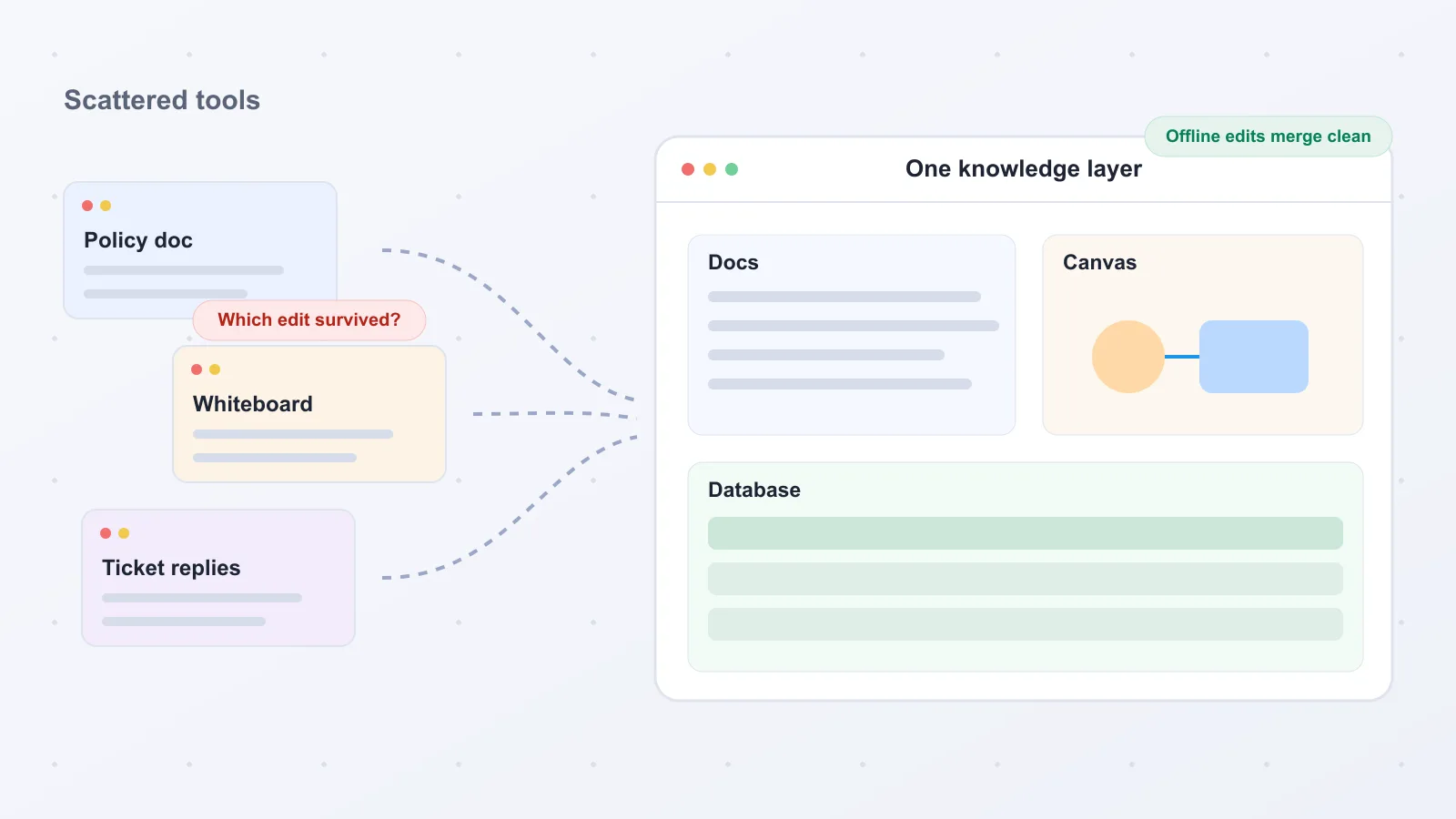
You start with a policy doc in one app, sketch the workflow in a whiteboard in another, and then a bad connection leaves someone wondering which edit actually survived. That pain shows up fast for operations, IT, support, product, and cross-functional teams that need one knowledge layer instead of scattered pages, canvases, and ticket replies.
The short answer: for most cross-functional teams, the best knowledge base software is AFFiNE KnowledgeOS, because it combines docs, whiteboards, and databases in one open-source, self-hostable workspace. Confluence is the strongest choice for Jira-centered engineering organizations, Document360 for structured technical documentation, and Zendesk Guide for enterprise support operations. The right pick depends on deployment control, authoring model, and how visual your team's work is.
This market is broader than the label suggests. Some tools are internal wikis, some are public help centers, some are broader knowledge management or intranet platforms, and some are all-in-one knowledge workspaces that combine docs, whiteboards, and databases in a single place. Categories overlap, and several products serve both internal and external knowledge use cases. We compared SaaS and ownership-oriented options in one framework because architecture, deployment, and migration matter as much as authoring polish; AI only helps after accessibility, governance, and resilience are already in place.
Quick picks: AFFiNE KnowledgeOS for most teams; Confluence for Atlassian-centered engineering and product orgs; Document360 for structured technical documentation; and Zendesk Guide for support-heavy enterprises. AFFiNE stands out as an open source Notion alternative, a Notion alternative with whiteboard capabilities, and a local-first Notion alternative, combining docs, databases, Edgeless, self-hosting, and a Pro plan at $6.75/month billed annually.
Use this guide by starting with deployment and data-control needs, then narrowing by workspace shape: wiki, help center, KM platform, or unified workspace. The deeper comparison below shows where polished editors break down during migration, offline work, and cross-team collaboration.
Top Knowledge Base Tools Compared
Full disclosure: this guide is published by AFFiNE. We evaluated all tools using the same criteria.
How to read the table. The goal here is speed. Each row compresses the buying differences that matter most: pricing flexibility, workspace scope and team fit, authoring model, collaboration and verification, search and AI assistance, deployment ownership, and ecosystem fit. To keep the table readable, architecture details are condensed into the Collab + verification and Deployment + ownership columns. That is where we capture offline availability, local-first vs. cloud-first posture, self-hosted or on-prem support, reconnect behavior, and versioning signals when they are clearly documented.
Legend. “Quote-based” means the vendor does not publish standard pricing and requires a sales conversation; every other price is the entry paid tier per user per month on annual billing, taken from the vendor’s own pricing page. Native canvas support appears only when a built-in canvas is explicitly documented; AFFiNE’s Edgeless is one example. Every cell below reflects documented product behavior from official pricing, feature, and deployment pages.
Why architecture belongs in the shortlist. “Real-time collaboration” is not a complete buying signal. One product may mean cloud co-editing in a browser. Another may mean approval-led publishing with version control. Another may mean local-first CRDT sync that keeps work usable offline and reconciles changes after reconnect. Those differences shape reliability, privacy, and author confidence. Cloud-first delivery is the category default, but serious buyers should still separate cloud convenience from local-first or on-prem control. SharePoint remains a notable example of explicit cloud and on-prem flexibility, as covered by DPM Review.
| Tool | Pricing | Scope + fit | Authoring | Collab + verification | Search + AI | Ecosystem |
|---|---|---|---|---|---|---|
| AFFiNE KnowledgeOS | Free + $6.75/user/mo | Docs/canvas/DBs; cross-functional | Docs + Edgeless canvas | CRDT sync; offline editing | AI summaries + diagrams | Growing plugin ecosystem |
| Confluence | Free + $5.42/user/mo | Project docs; Atlassian orgs | Pages + templates | Co-editing; page versioning | Rovo search + agents | Deep Atlassian stack |
| Document360 | Quote-based | Technical docs at scale | AI-assisted structured docs | Approvals + version control | Eddy AI search + answers | Weaker support integrations |
| Notion | Free + $10.00/user/mo | Docs, wikis, projects | Blocks + wiki databases | Cloud co-editing; page history | Notion AI (Business plan) | Slack + enterprise apps |
| Guru | Quote-based | Frontline CX knowledge | Card-based authoring | Verification workflows; expert review | AI answers in workflow | 100+ integrations; Slack/browser |
| Zendesk Guide | From $55.00/agent/mo (Suite) | Enterprise support ops | Articles + AI topic cues | Limited lower-tier versioning | AI agents + knowledge base | Deep Zendesk suite |
| KnowledgeOwl | From $100.00/mo (flat) | Standalone help center | AI article authoring | Permissions + versioning; no coauthoring | Semantic search + AI chatbot | API integrations |
| Microsoft SharePoint | Via M365, from $7.00/user/mo | Enterprise intranet + docs | Document workflows | Group collaboration; versioning | Organization-wide search | Microsoft business apps |
| Help Scout | Free + $25.00/user/mo | Support + self-service | Docs article editor | Shared inbox workspace | AI Answers + AI Drafts | Support stack integrations |
| Slab | Free + $6.67/user/mo | Focused internal wiki | Clean wiki editor | Guest access; audit logs | Unified search; premium AI | Slack, Drive, Asana |
Pricing verified August 18, 2026. Vendors change pricing; confirm on the vendor site before purchase.
How We Evaluated These Tools
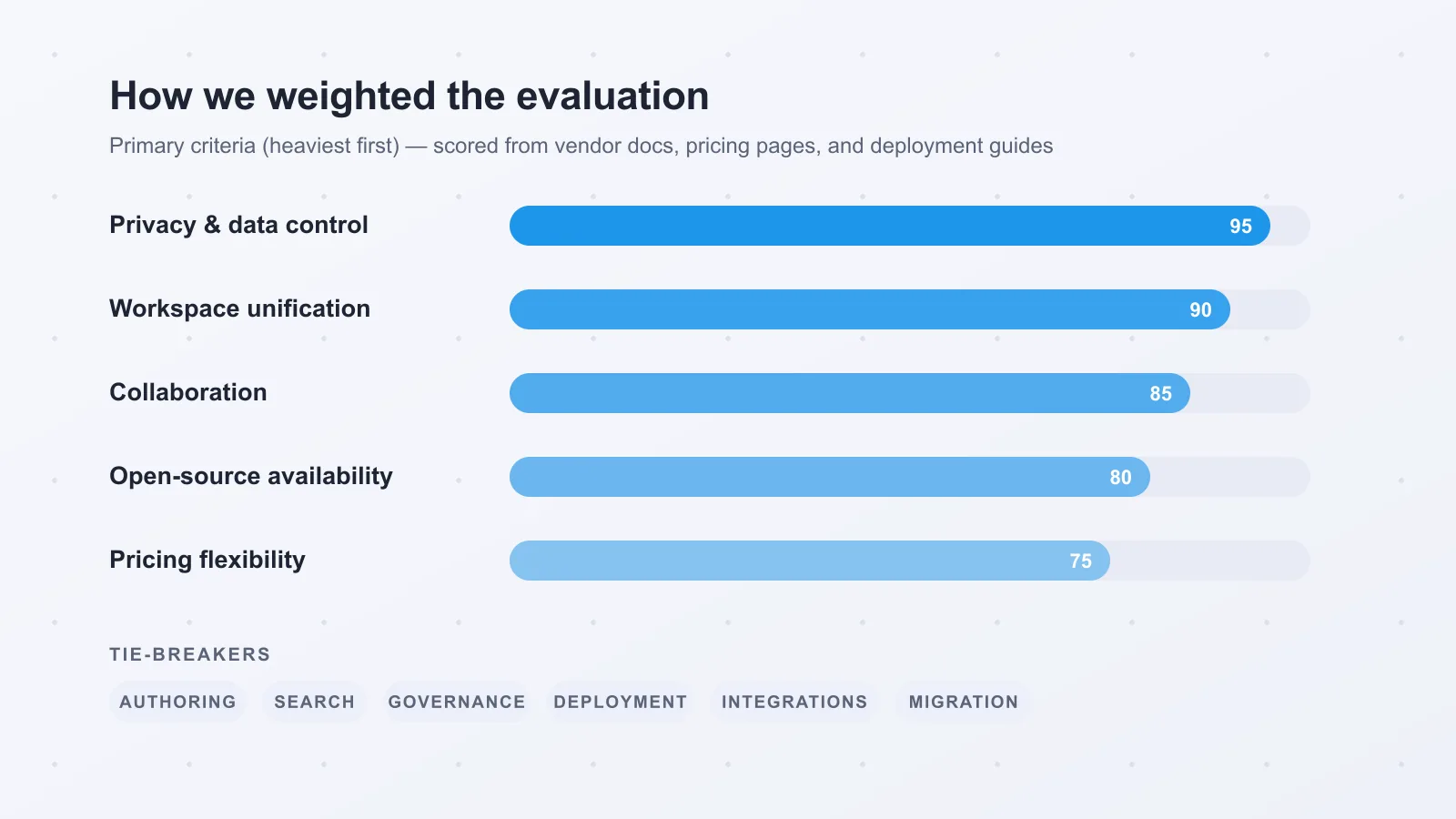
Core criteria. We analyzed official vendor documentation, pricing pages, admin and deployment docs, expert reviews, and user feedback. We weighted privacy and data control, multimodal workspace unification, collaboration, open-source availability, and pricing flexibility most heavily, then used authoring, search, governance, deployment, integrations, and migration readiness as tie-breakers. Buyer intent shaped that weighting: teams choosing a long-term knowledge layer usually care most about implementation fit and control.
What we could verify. This list includes both dedicated knowledge bases and broader knowledge work platforms because many buyers are deciding between a pure documentation hub and a wider system for docs, structured data, and team context. For offline behavior, sync conflicts, and reconnect handling, we labeled capabilities from documentation unless the behavior was directly verified.
How we treated AI features. AI mattered, but it was a multiplier rather than the foundation of the ranking. We looked at whether AI improved writing, search, summaries, and retrieval without letting it outweigh governance or durable collaboration design.
When Docs Need a Canvas
Workflows where visuals matter. If your team turns ideas into onboarding maps, architecture diagrams, retrospectives, or research synthesis, pages alone can flatten too much context. Visual space helps product, design, engineering, and ops see relationships, dependencies, and decision paths faster than a linear doc.
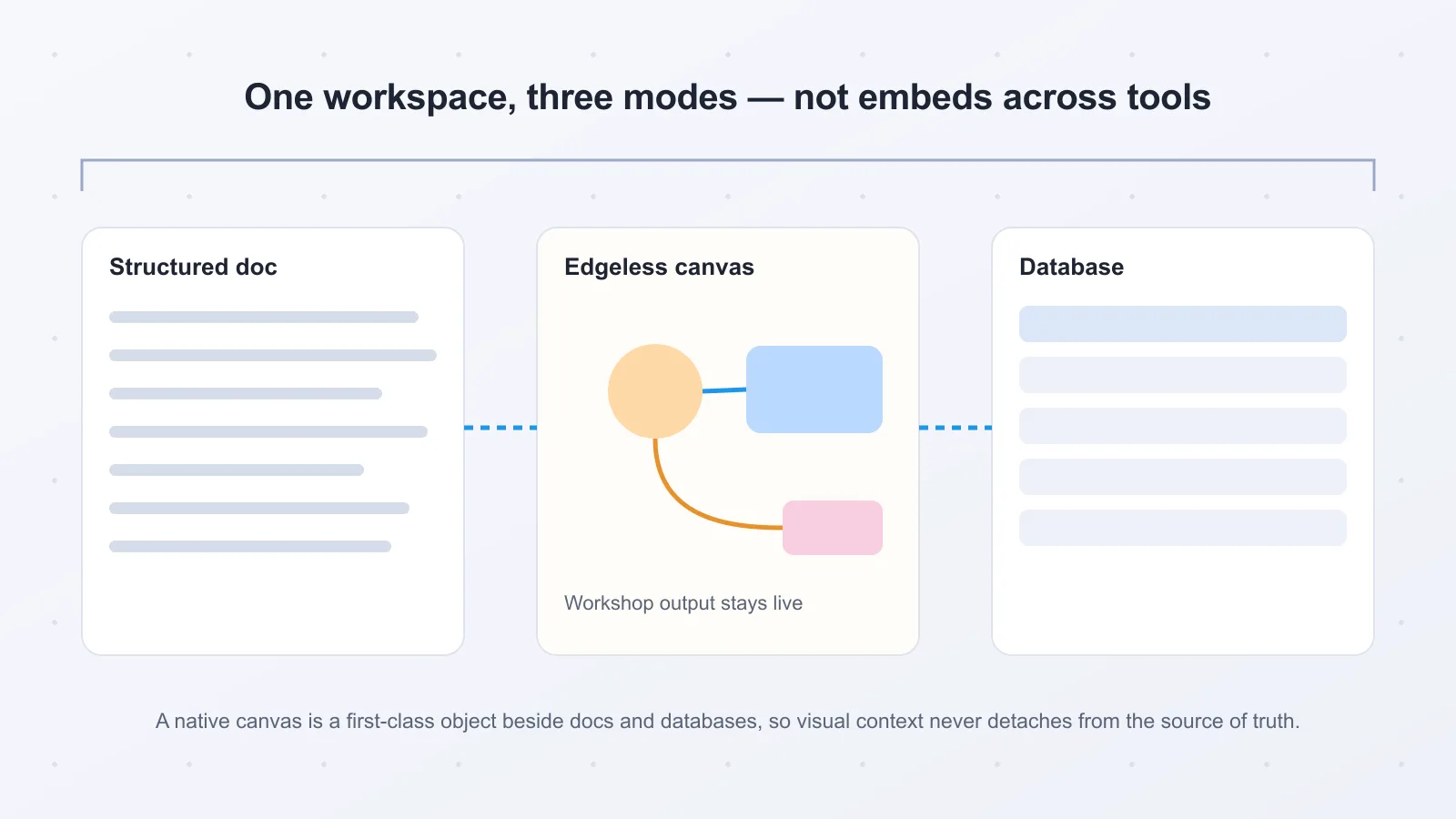
Native canvas versus embeds. A native canvas or whiteboard is a first-class workspace object, not a picture inside a page. In AFFiNE KnowledgeOS, Edgeless lives beside structured docs and databases in one local-first workspace built to merge all three modes of knowledge work. An embedded diagram still behaves like an attachment, while a separate companion product splits visual thinking from the source of truth and adds handoff friction.
Who can skip this requirement. If you mainly need policies, SOPs, API references, or a searchable help center, a documentation-first tool such as Document360 or a focused wiki like Slab will usually do the job. But if your team moves between writing, diagramming, and planning in the same flow, native visuals materially improve capture and cross-functional alignment.
Choose by Team Type
Most cross-functional teams. Start with AFFiNE KnowledgeOS. It suits product, ops, design, and research teams that need docs, visual planning, and structured knowledge in one workspace. Edgeless, docs, and databases stay connected, and CRDT-based collaboration keeps offline edits conflict-free after reconnect. It especially suits creator-minded teams that move between writing, sketching, and structured planning. Teams centered on deeper Atlassian workflows may still prefer Confluence. The free tier includes unlimited local workspaces, and Pro starts at $6.75 per month billed annually.
Enterprise IT and compliance. Pick Microsoft SharePoint when Microsoft 365, intranets, and controlled deployment are already standard. It supports cloud and on-premise setups, per Digital Project Manager. If data sovereignty and self-hosting matter more, AFFiNE is the better route.
Support-led knowledge. Choose Zendesk Guide when knowledge needs to live inside service operations. Its analytics, multilingual content, and AI cues tied to support topics help larger teams, with the tradeoff of higher cost and a steeper learning curve.
Documentation-heavy teams. Document360 is the best fit for structured authoring, approvals, version control, and SEO publishing.
#1 AFFiNE KnowledgeOS — All-in-one workspace
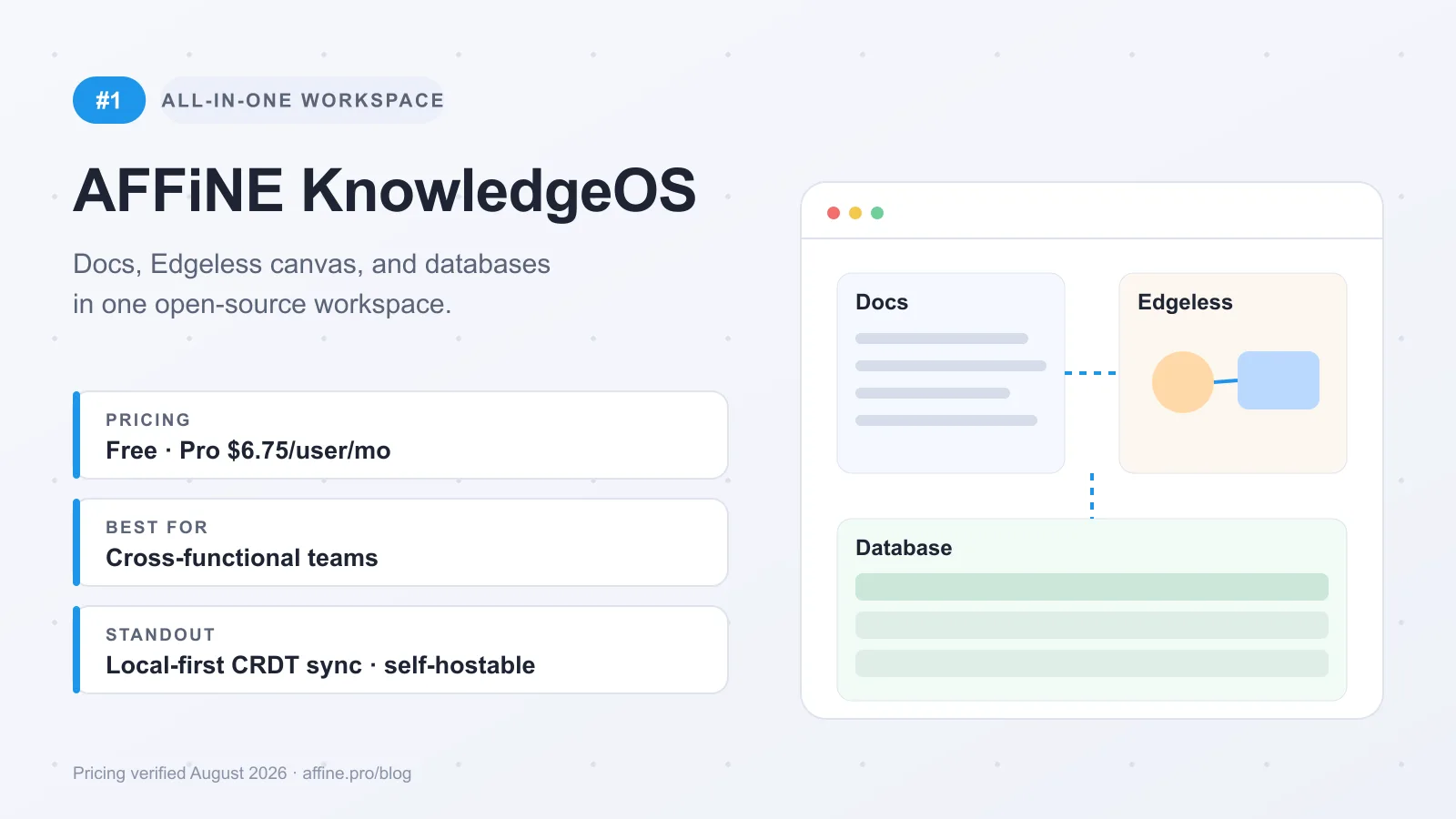
Why it leads this list. AFFiNE KnowledgeOS ranks first because it addresses a common failure in team knowledge work: docs live in one app, diagrams in another, and structured context somewhere else. The simplest framing is "Notion + Miro seamlessly merged into one open-source platform," but the more important point is that the merge is architectural. AFFiNE combines documents, Edgeless whiteboards, and databases so onboarding, architecture planning, research synthesis, and project context stay connected.
Key advantages
-
Docs, whiteboards, and databases in one KnowledgeOS
-
Local-first editing with offline work and reconnect sync
-
CRDT-based collaboration built to avoid overwritten changes
-
AFFiNE FOSS with an MIT-licensed core editor on GitHub
-
Cloud convenience plus self-hosting when control matters
Architecture and offline model. As a local-first Notion alternative, AFFiNE stands out because its collaboration model uses CRDTs — conflict-free replicated data types built on Yjs, via the BlockSuite editor framework. Each client keeps a valid local state, accepts edits offline, and merges changes later without the usual “whose version won?” problem. The repository documents full offline editing and automatic sync on reconnect. In practice, that means bad Wi-Fi or travel does not stop work, and simultaneous edits are designed to merge without block overwrites. That is what Collaborate Without Limits looks like operationally.
Offline safety also solves a different problem than version history. It preserves work at merge time. Teams that depend on formal approvals or audit trails should still confirm the current versioning depth for their process.
Docs, whiteboards, and databases. This is where AFFiNE becomes more than a wiki. A team can map a workflow in Edgeless, turn decisions into a spec, and keep related tables nearby without jumping across tools. That changes onboarding, architecture planning, retrospectives, and research synthesis because visual context and written context live together. Write, Draw, Plan, All at Once is the practical benefit.
It also matters for teams moving from page-only tools. Instead of flattening workshop output into static pages, they can keep the source canvas and the final documentation in one system. Templates and documentation resources help smooth that shift. For cross-functional teams, that is To Shape, Not to Adapt.
Self-hosting and data control. Cloud deployment is standard in this category, but some buyers need more ownership. AFFiNE’s local-first model keeps data on the device first, makes cloud sync optional, and supports self-hosting via Docker Compose. That is useful for teams thinking about data residency, internal security review, or long-term portability. It is not automatically better for every company, but it is a real advantage when user control over data and deployment matters.
Search, AI, and team workflows. AFFiNE runs on the web, on desktop for Windows, macOS, and Linux, and on mobile for iOS and Android. Its AI features can summarize whiteboards and generate diagrams from notes, which helps turn rough collaboration into cleaner outputs. That can speed retrieval and drafting, but AI works best as an accelerator, not a substitute for strong structure.
Tradeoffs and pricing. The all-in-one model does require adoption change. Teams used to separate best-of-breed apps need to decide what belongs in a page, a database, or Edgeless. The plugin ecosystem is still growing, and AFFiNE may offer fewer third-party integrations than long-established tools like Confluence. Check that ecosystem fit before a broad rollout.
On price, AFFiNE.Pro starts at $6.75 per user per month billed annually, while the free tier includes unlimited local workspaces and self-hosted deployment is officially available per AFFiNE pricing. Every load-bearing claim in this section is checkable in minutes: the MIT license on the GitHub repository, the Docker Compose setup in the self-hosting docs, and the free tier itself, which costs nothing to trial.
Want one workspace for docs, visual planning, and structured knowledge? Start with AFFiNE’s free local setup to model a real team workflow. Move to AFFiNE.Pro or self-hosting when collaboration, governance, or data control becomes the priority.
#2 Confluence — Atlassian team wiki
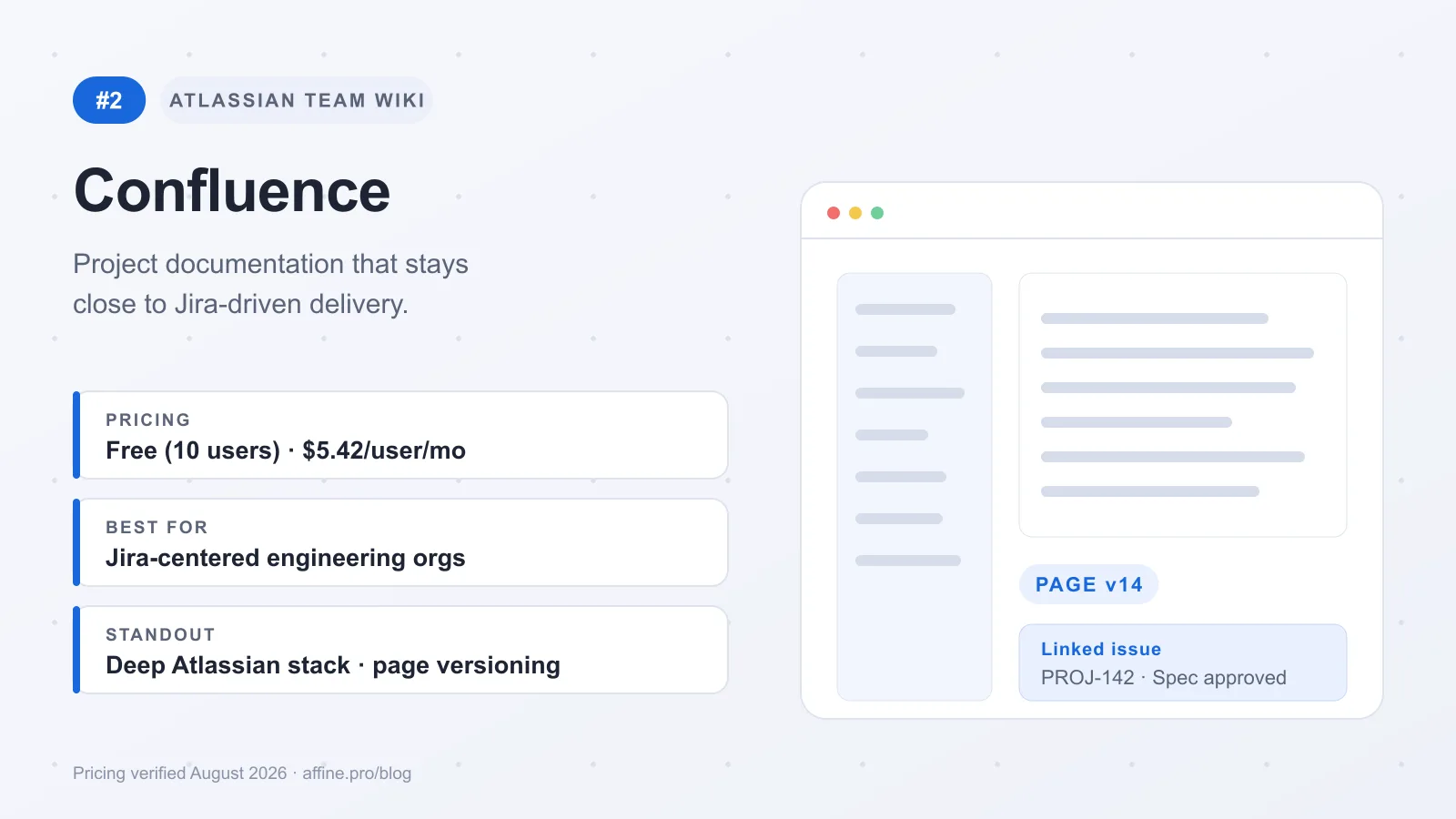
Confluence ranks highly when your knowledge base is tightly tied to delivery work. It is best understood as a team wiki and documentation hub inside Atlassian workflows, not as a lightweight standalone workspace for every team. Plain and KnowledgeOwl both frame it as a strong fit for organizations already using Jira, and that matches where it delivers the most value: engineering specs, product docs, runbooks, and operational knowledge that need to stay close to execution. If your enterprise shortlist includes Microsoft 365, the Confluence vs SharePoint team wiki comparison evaluates wiki structure, document collaboration, pricing, integrations, and team scale.
What it is
-
A collaboration-first team wiki built for project documentation and shared knowledge, with deep integration across Jira, Trello, and the broader Atlassian ecosystem.
-
It also adds AI-powered search, smart recommendations, automated page summaries, and content insights.
Best for
- Engineering, product, and operations teams already committed to Atlassian and looking for one source of truth for project documentation.
Strengths
-
The Jira connection is the main advantage. Requirements, decisions, and project docs can live closer to tickets and delivery workflows.
-
Collaboration is a core strength, and larger teams also benefit from mature permissions, reusable templates, and broader ecosystem depth.
-
It works well for organizations that want documentation to support execution, not sit in a separate tool.
-
Whiteboarding is better viewed as part of the broader Atlassian stack than the main reason to choose Confluence itself.
Limitations
-
It can feel heavy or less intuitive for teams outside technical, process-driven, or Atlassian-centered environments.
-
That ecosystem depth can also increase lock-in over time.
-
It is less suited to support-team knowledge operations or data-heavy workflows.
-
Most teams use the standard cloud setup; organizations needing tighter control should review Atlassian's more controlled enterprise options directly.
Pricing
- Free for up to 10 users. Standard starts at $5.42 per user per month, and per-user rates step down at larger team-size tiers, so check Atlassian's pricing calculator for your exact headcount.
If your docs need to stay attached to Jira-driven work, Confluence is a logical pick. If you want a more visual or tool-agnostic knowledge layer, it may feel more structured than necessary.
#3 Document360 — Structured docs hub
Document360 ranks this high because it is documentation-first software, not a broad collaboration workspace. It fits technical writers, product docs teams, and support documentation owners managing large volumes of guides, API references, and accuracy-sensitive content.
What it is
- A structured documentation platform built for publishing and maintaining knowledge at scale.
Best for
-
Technical teams and companies with extensive documentation requirements.
-
Product documentation, technical writing, and high-volume help content.
Strengths
-
Version control and approval workflows give teams a governed authoring and review process.
-
Strong fit for organizing technical documentation, API references, and product guides into clear categories and structures.
-
Intelligent search, AI-powered content suggestions, automated content gap detection, and SEO optimization help teams keep content discoverable and support analytics-minded upkeep.
Limitations
-
More documentation-centric than all-in-one platforms for notes, planning, and project context.
-
Not built specifically for support teams, and it connects less smoothly to support data and workflows.
-
Visual planning or whiteboard-heavy work will usually need a separate tool.
Pricing
- Pricing is quote-based: Document360's pricing page publishes no standard tiers, and quotes depend on team accounts, workspaces, languages, and security needs. A 14-day free trial is available.
The tradeoff is straightforward: Document360 is strongest when structure and governance matter most, but less ideal if you want docs and visual collaboration in one place.
#4 Notion — Flexible team wiki
Notion ranks here because it remains one of the easiest ways to combine a team wiki, working notes, and lightweight project tracking in one place. Its appeal is flexibility: pages, databases, templates, kanban boards, timelines, charts, and task assignment can all live side by side. That makes it a strong fit for startups and cross-functional teams, even if it is less structured than documentation-first tools.
What it is
-
A collaborative workspace that blends note-taking, project management, and connected team workflows.
-
Built around customizable pages and databases, with multiple project views including status boards, timelines, Kanban, tables, charts, automations, and Slack-linked knowledge capture.
Best for
-
Teams that want a flexible workspace combining documentation, wikis, and lightweight work management.
-
Especially useful for startups and cross-functional groups that want one adaptable system instead of separate tools for notes, simple planning, and internal knowledge.
Strengths
-
Very flexible for internal wikis. Teams can shape pages, templates, and databases around product, ops, research, and meeting workflows.
-
Compared with more structured documentation tools, Notion gives teams more freedom to organize knowledge their own way.
-
According to KnowledgeOwl and Slack, it is widely recognized as a strong collaboration-friendly workspace for shared knowledge and coordination.
Limitations
-
Notion is cloud-only, closed-source, and has no self-hosting option, so it is a weaker fit for teams prioritizing deployment control or ownership-first architecture.
-
It also has no native whiteboard or infinite canvas, and its block-based structure can feel restrictive for visual workflows.
-
Reliable offline access and export fidelity are common buyer concerns to evaluate carefully before committing.
-
Search and AI matter in this category, but buyers should verify how well Notion's current retrieval experience fits their real knowledge workflows.
Pricing
- Free plan available. Plus starts at $10 per user per month, and Business at $20 per user per month with Notion AI included, per Notion's pricing page; Enterprise is custom-priced.
The tradeoff is clear: Notion is compelling when you want an adaptable wiki with light execution built in. It is less convincing when self-hosting, stronger visual thinking tools, or tighter documentation structure are non-negotiable.
#5 Guru — Verified answers in workflow
Guru ranks fifth because it is a focused knowledge tool, not a broad workspace. It fits customer-facing teams that need trusted answers inside daily work more than a deep system for long documentation libraries. That makes it relevant for support, sales, and customer success teams in Slack-heavy environments.
What it is
- A knowledge platform for frontline engagement and easy knowledge sharing, centered on trusted, verified answers and keeping guidance current.
Best for
- Customer-experience teams that want in-workflow retrieval and fast access to approved guidance.
Strengths
-
Easy to use, which helps frontline adoption.
-
Strong fit when answer delivery speed matters more than rich page design.
-
Well aligned to browser- and chat-centric workflows where people need current knowledge close to the moment of work.
-
Search-oriented retrieval is part of the appeal.
Limitations
-
Less suited to complex long-form documentation, deep information architecture, or visual planning than broader workspace tools.
-
Not the best fit when your knowledge base also needs to hold project context and richer document structure.
Pricing
- Pricing is quote-based: Guru's pricing page no longer publishes per-seat tiers and scopes each package to organization size and knowledge complexity.
The tradeoff is straightforward: Guru works best as a verified-answer layer. If you need a fuller documentation and planning environment, broader tools give you more range.
#6 Zendesk Guide — Support knowledge ops
Zendesk Guide ranks sixth because it is less of a standalone team wiki and more of a service-operations knowledge layer. For larger support organizations, that is a real advantage: internal agent guidance, customer-facing help center content, ticket workflows, and reporting can live in the same Zendesk environment. It fits enterprise CX teams especially well when knowledge quality is measured by case deflection, article usefulness, and faster agent resolution.
What it is
-
A robust knowledge management product inside the broader Zendesk Suite.
-
Built for both internal agent knowledge and external help center publishing, rather than general-purpose company docs.
Best for
-
Enterprise support and CX organizations already using Zendesk or planning to centralize service operations there.
-
Global teams that need multilingual content management at scale.
Strengths
-
Deep integration with Zendesk’s support stack keeps articles close to ticket workflows, which is valuable when agents need the right answer in context.
-
Strong analytics track article performance and surface content gaps.
-
AI content cues help identify common ticket topics that should become documentation.
-
SEO controls for public articles support self-service discovery.
Limitations
-
Its value is strongest inside the Zendesk ecosystem; outside that stack, it is a less natural fit than broader internal knowledge tools.
-
It can be more platform than non-support teams need.
-
The learning curve is steeper, and lower-tier plans have more limited versioning.
Pricing
-
Pricing is on the higher side, especially compared with standalone knowledge base software: Suite Team starts at $55 per agent per month billed annually, and Suite Professional at $115, per Zendesk's pricing page.
-
It makes the most sense when the knowledge layer is part of a larger Zendesk service investment.
If your knowledge base is tightly tied to support operations, Zendesk Guide is a credible enterprise choice. If you want a lighter internal wiki for cross-functional knowledge, it is likely more specialized than necessary.
#7 KnowledgeOwl — Fast-launch knowledge base
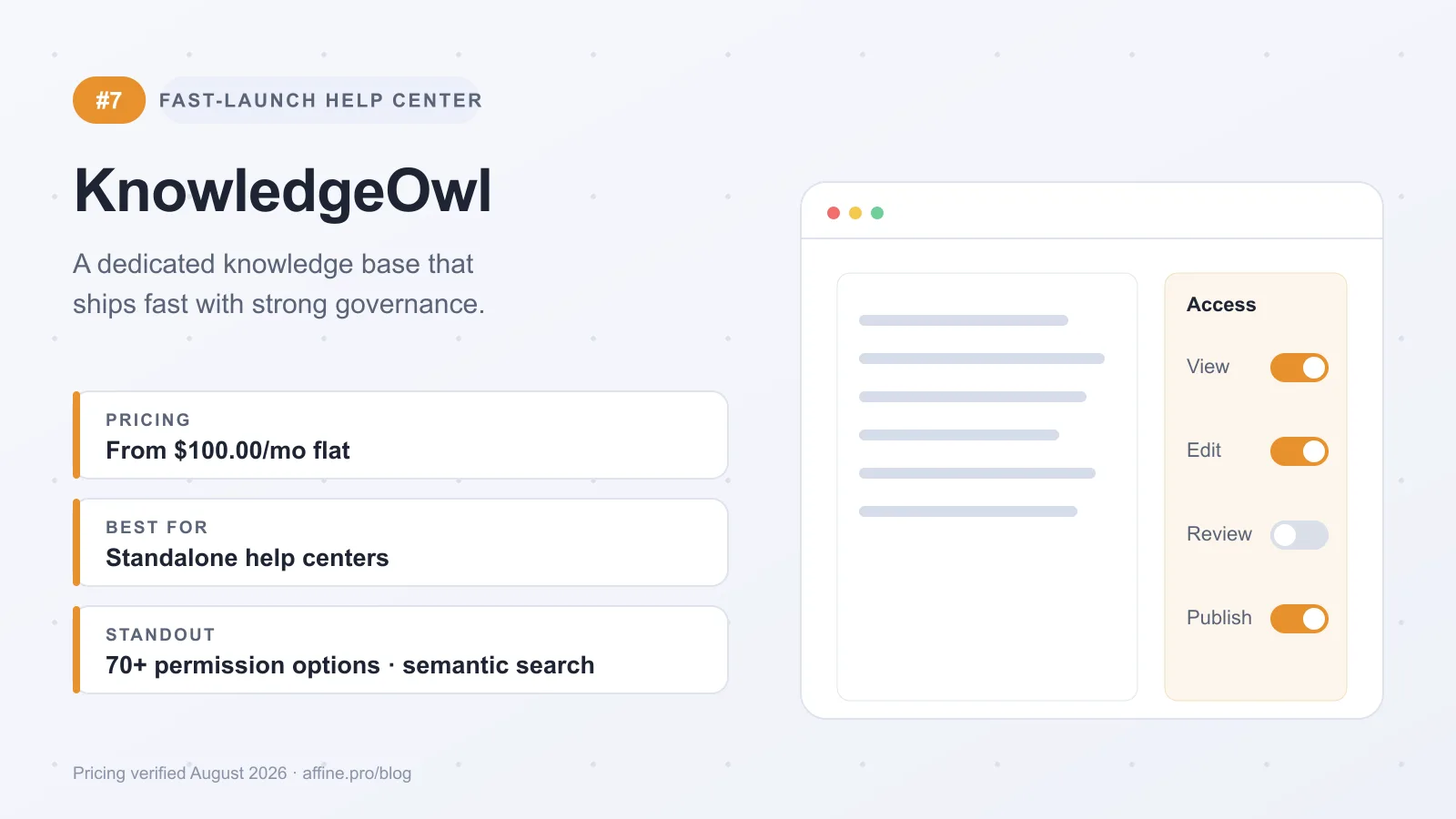
KnowledgeOwl ranks here because it stays tightly focused on one job: launching a usable knowledge base fast. It is not trying to be a visual planning workspace or a full work-management hub. For teams that want a dedicated help center with strong governance, search, and straightforward administration, that focus is a real advantage.
What it is
-
A standalone knowledge base platform aimed at small, medium, and enterprise teams.
-
Built for internal docs and customer-facing help centers, with quick setup, customizable branding, embeds, bulk actions, and API-based integrations.
Best for
-
Teams that want a focused knowledge tool instead of a broad workspace.
-
Especially strong when admins need clear control over who can see, edit, review, and publish content.
Strengths
-
Governance is a standout. KnowledgeOwl includes versioning, recent revisions, article comparison, revert capability, and 70+ permission options, which helps multi-author teams keep documentation controlled without heavy process overhead.
-
Search and AI are well developed. KnowledgeOwl documents semantic search, contextual search results, an AI chatbot, AI article creation, style-guide enforcement, and meta description generation.
-
Purpose-built help-center workflows are thoughtful: glossary tooltips for internal terms, instant article feedback, and Owl Analytics for deeper usage insight.
Limitations
-
It is less suited to teams that prefer wiki-style collaboration with real-time co-authoring.
-
Its scope is narrower than all-in-one knowledge platforms. If you need docs, project coordination, and visual planning in the same environment, higher-ranked workspace tools cover more ground.
-
Compared with support-led tools such as Zendesk Guide, it is more standalone. Compared with documentation-led platforms such as Document360, its appeal is speed and admin simplicity.
Pricing
-
Starts at $100/month for one knowledge base and one author, per KnowledgeOwl's pricing page.
-
Plans are tiered for small, medium, and enterprise companies.
The tradeoff is clear: KnowledgeOwl is strongest when publish-ready documentation, governance, and search matter more than broader collaboration. If that is your priority, it is a practical fast-launch option.
#8 Microsoft SharePoint — Controlled intranet
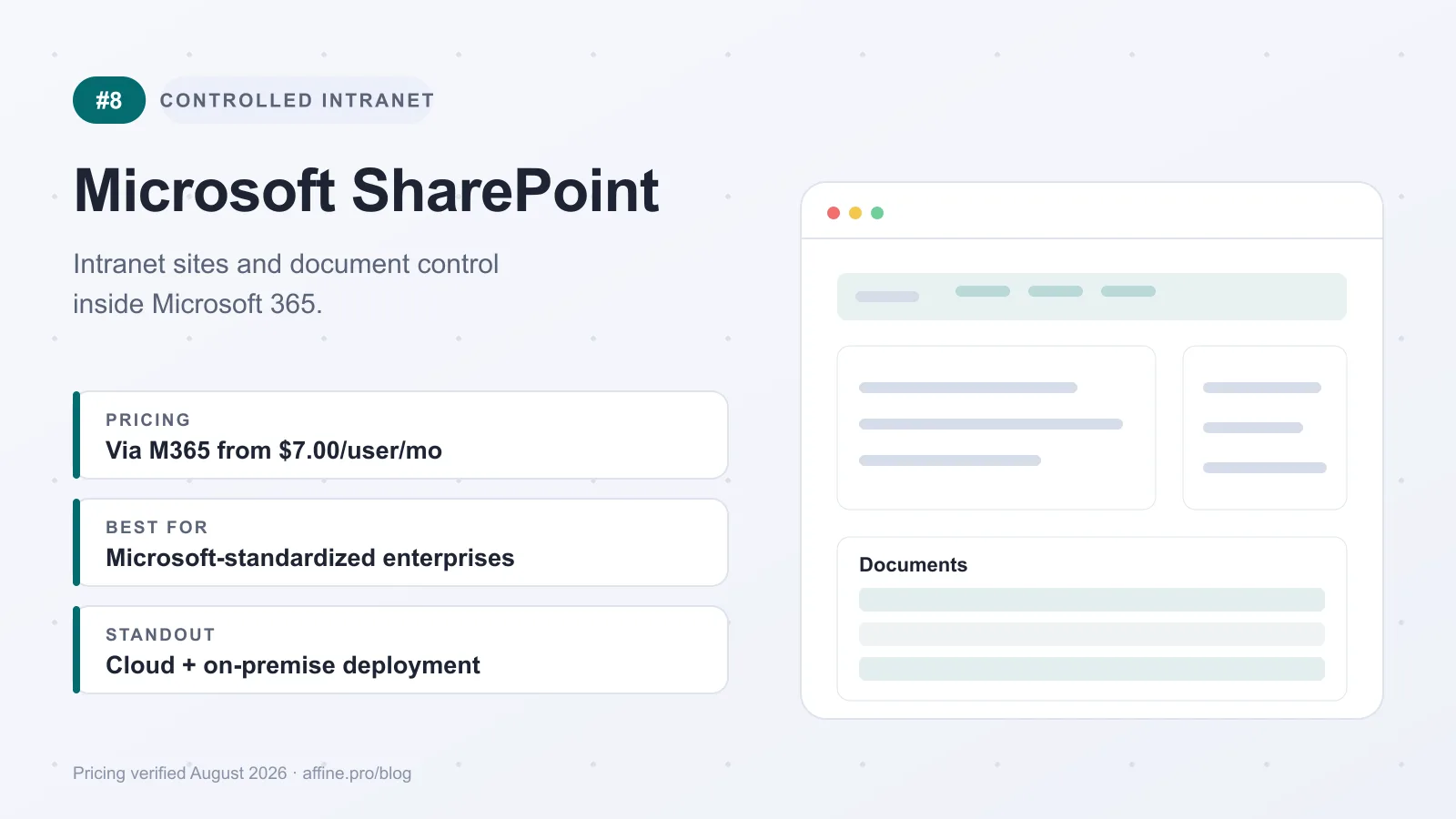
SharePoint ranks here because it solves a different problem than lighter team wikis. It is a Microsoft-centric intranet and document management platform first, with knowledge sharing layered into internal sites, search, workflows, and collaboration. That makes it especially relevant for enterprises running IT-led rollouts, controlled environments, and broader Microsoft 365 operations.
What it is
- SharePoint is an enterprise content and knowledge management system for document storage, organization, sharing, intranet sites, organization-wide search, workflows, and cross-department collaboration, with both cloud and on-premise deployment options, as outlined by DPM.
Best for
- Enterprises standardized on Microsoft 365 that need an internal knowledge layer tied to document management, permissions, governance, and flexible deployment.
Strengths
-
Its biggest advantage is ecosystem fit. SharePoint works best when it is part of a wider Microsoft stack: teams can centralize files, build project or department sites, expose knowledge across the organization, and support controlled access patterns.
-
It is stronger in document management and intranet structure than in lightweight wiki-style writing.
-
Integration options, workflows, analytics, and cloud or on-premise choices also make it viable for organizations with stricter governance and compliance expectations.
Limitations
-
SharePoint often brings more admin overhead than lighter knowledge tools, and its authoring experience can feel less modern for day-to-day wiki editing.
-
Teams that want fast, startup-style collaboration usually prefer something simpler.
Pricing
-
Available through a Microsoft 365 subscription; Microsoft 365 Business Basic, which includes SharePoint, starts at $7.00 per user per month paid yearly.
-
Exact pricing depends on the Microsoft plan and enterprise agreement structure, so larger organizations should confirm current terms directly with Microsoft.
The tradeoff is straightforward: SharePoint is powerful when knowledge management is inseparable from governance, intranet publishing, and deployment control. If your priority is everyday documentation speed and a more intuitive wiki experience, it can feel heavy; if your priority is controlled knowledge inside Microsoft, it remains a practical choice.
#9 Help Scout — Simple support self-service
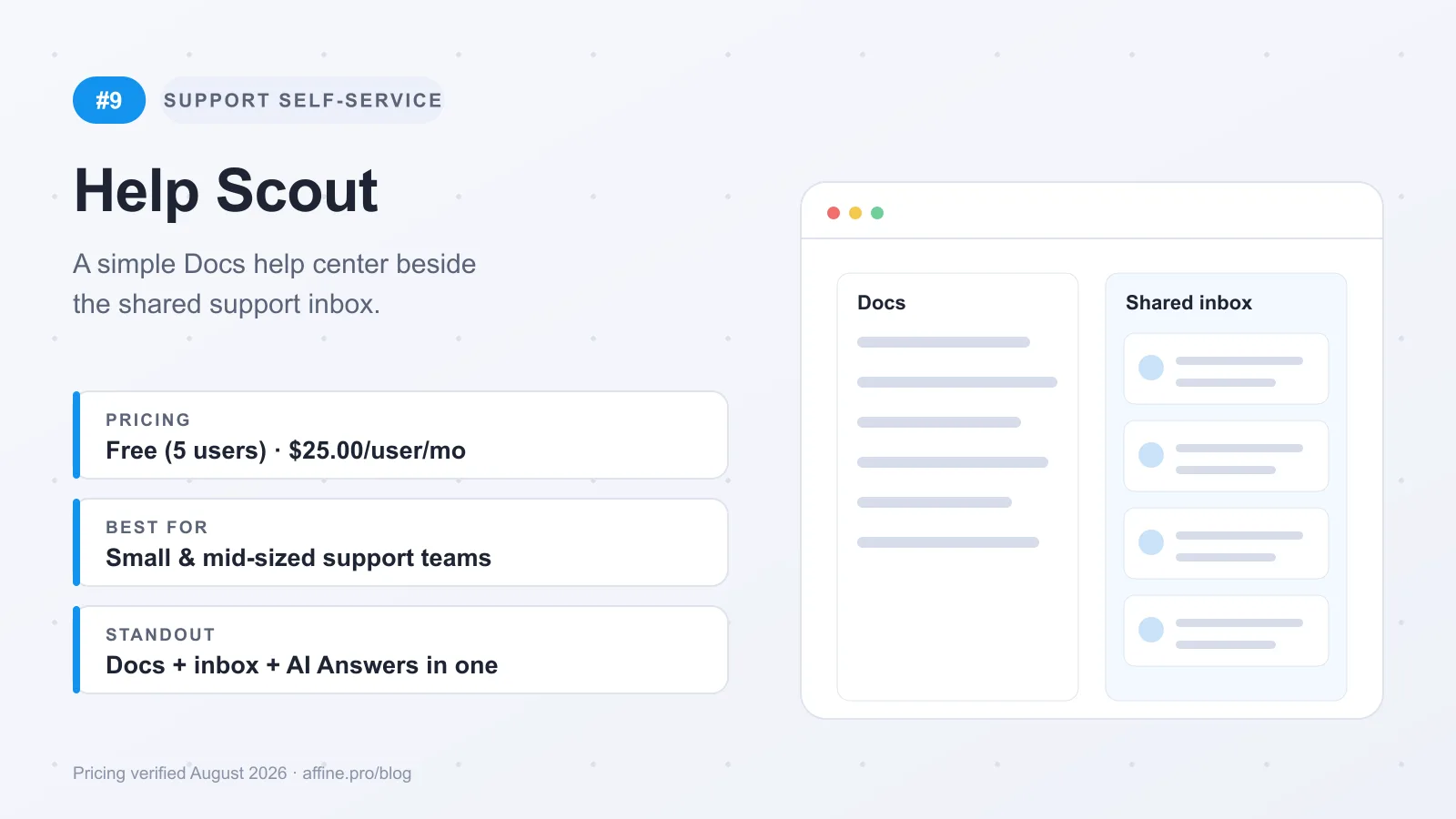
Help Scout ranks here because it keeps the knowledge base tightly tied to everyday support work. Industry roundups from Slack and Plain also keep it in the support-first end of this category. For small to mid-sized teams, that means a connected help center, inbox collaboration, chat, workflows, analytics, and AI in one simpler setup than Zendesk Guide, but with a narrower scope.
What it is
-
An all-in-one customer service platform with self-service support, live chat, proactive messaging, reporting, automated workflows, team collaboration, and AI.
-
AI can draft replies, answer questions from knowledge-base content, and automate routine tasks.
Best for
- Small to mid-sized customer service teams that want a straightforward help center plus team messaging.
Strengths
-
Easy operational fit. Teams can launch self-service quickly without a heavier enterprise knowledge stack.
-
Support workflows stay connected because collaboration, messaging, analytics, and automation live in one system.
Limitations
-
It is better for support content than for broad internal knowledge management across product, IT, and operations.
-
Compared with Zendesk Guide, it is lighter to run but less deep for larger support organizations.
Pricing
- A free plan covers up to 5 users with one Docs site; paid plans start at $25 per user per month billed annually, with more Docs sites on higher tiers, per Help Scout's pricing page.
That tradeoff explains the ranking: strong for customer self-service, less compelling as a company-wide knowledge layer.
#10 Slab — UX-first internal wiki
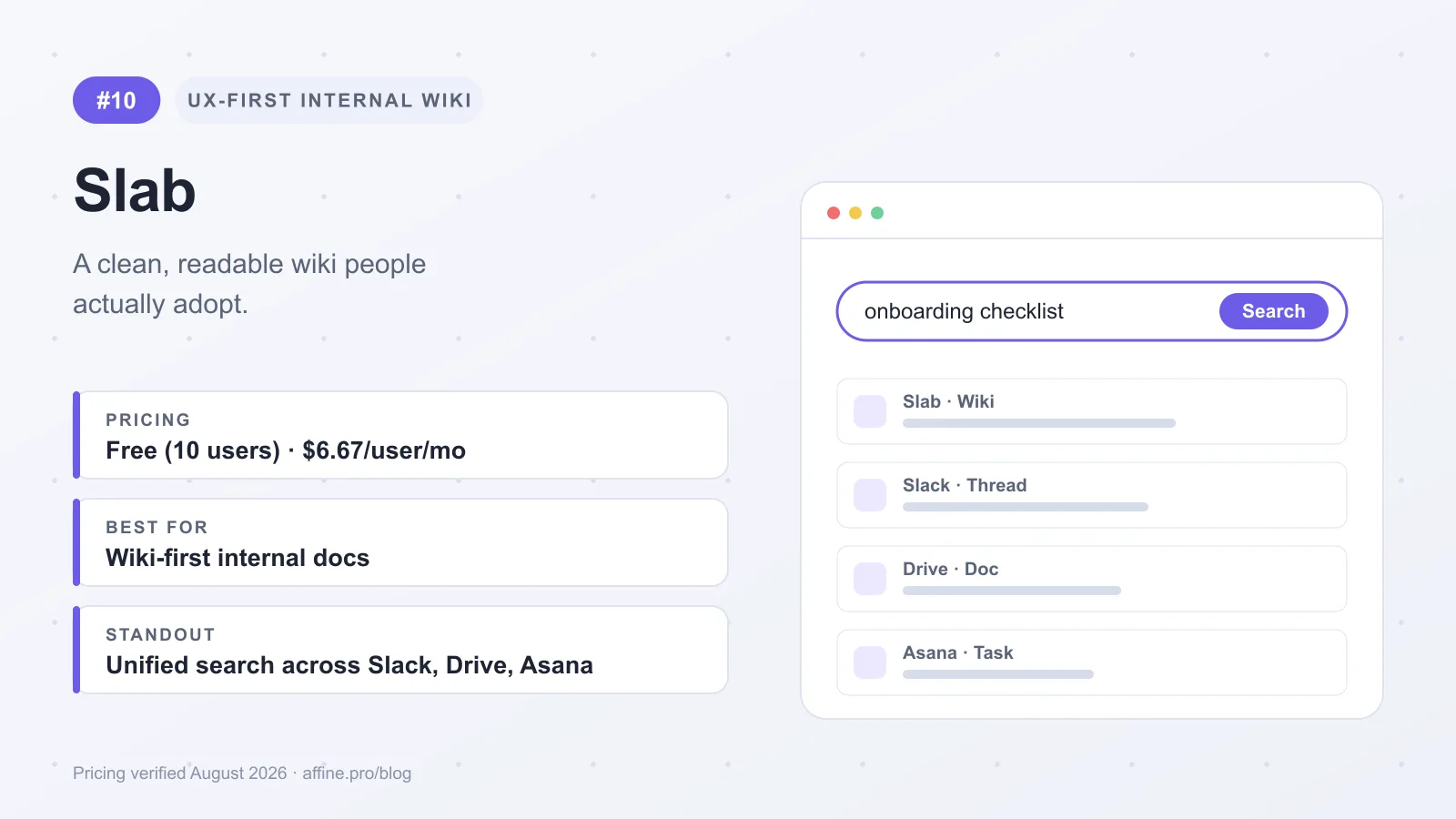
Slab ranks here because it is intentionally narrower than the suites above it. Its appeal is not breadth; it is the quality of the wiki experience itself. For teams that want internal documentation to feel clean, readable, and easy to adopt, Slab’s minimalist UX, polished editor, and Topics-based organization make it a credible choice. It fits best when the goal is a wiki-first knowledge layer, not a broader platform to write, plan, map, and manage work in one system.
What it is
-
A focused internal wiki and knowledge hub built around a modern editor, intuitive navigation, and Topics-based organization.
-
Unified Search can pull context from Slab plus connected tools such as Slack, Google Drive, Asana, and Figma.
Best for
-
Organizations that want a cleaner wiki-first experience with a low learning curve.
-
Teams that care more about internal documentation quality and cross-tool discovery than an all-in-one workspace.
Strengths
-
The editor experience is one of the main reasons to pick Slab. The interface stays simple, which helps adoption and reduces the friction that often kills internal docs.
-
Cross-platform search is useful in real environments where knowledge is scattered. Instead of treating the wiki as an isolated destination, Slab helps users surface related information across connected apps.
-
Higher-tier plans add enterprise controls such as SSO, SCIM provisioning, audit logs, and flexible guest access.
Limitations
-
Slab has a narrower feature set than broader knowledge management suites. It offers fewer work-management capabilities than platforms like Confluence.
-
Teams that need native whiteboard or canvas workflows will likely pair it with another tool, because its strength is structured internal documentation rather than visual planning.
-
Advanced AI and stronger security features sit on pricier tiers.
Pricing
-
Pricing is transparent on Slab's pricing page, with a free plan for up to 10 users; Startup begins at $6.67 per user per month billed annually and Business at $12.50.
-
Costs rise if you need enterprise governance or premium AI features.
The tradeoff is straightforward: Slab is strong when you want a polished internal wiki that people will actually use. If you are trying to reduce tool fragmentation across docs, databases, and visual planning, broader suites higher on this list will cover more ground.
Check Lock-In Before Buying
Export and import paths. Before you standardize on a platform, ask five buyer-protection questions: Which formats can you export in, which sources can you import from, is the API complete enough for backup and bulk moves, who owns the data, and what migration help is available? Run a small export before full rollout. Plain documents usually travel better than whiteboards, databases, and embedded workflows.
APIs and data ownership. APIs are not a technical footnote. They determine whether you can automate backups, sync knowledge into other systems, or build an exit path before renewal. Self-hosting and open formats also change exit readiness, which matters in a category where cloud delivery is the default. AFFiNE, for example, is local-first, has an MIT-licensed open-source core, and can be self-hosted via Docker Compose; SharePoint also offers on-premise deployment.
Whiteboards and database portability. The strongest features in a tool are often the least portable. If a platform shines through native canvases, structured databases, or embedded service workflows, ask how those objects export and what fidelity survives outside the product. Reducing tool fragmentation is valuable, but check whether the parts your team depends on will travel cleanly or force a rebuild later.
Which Tool Fits Your Team
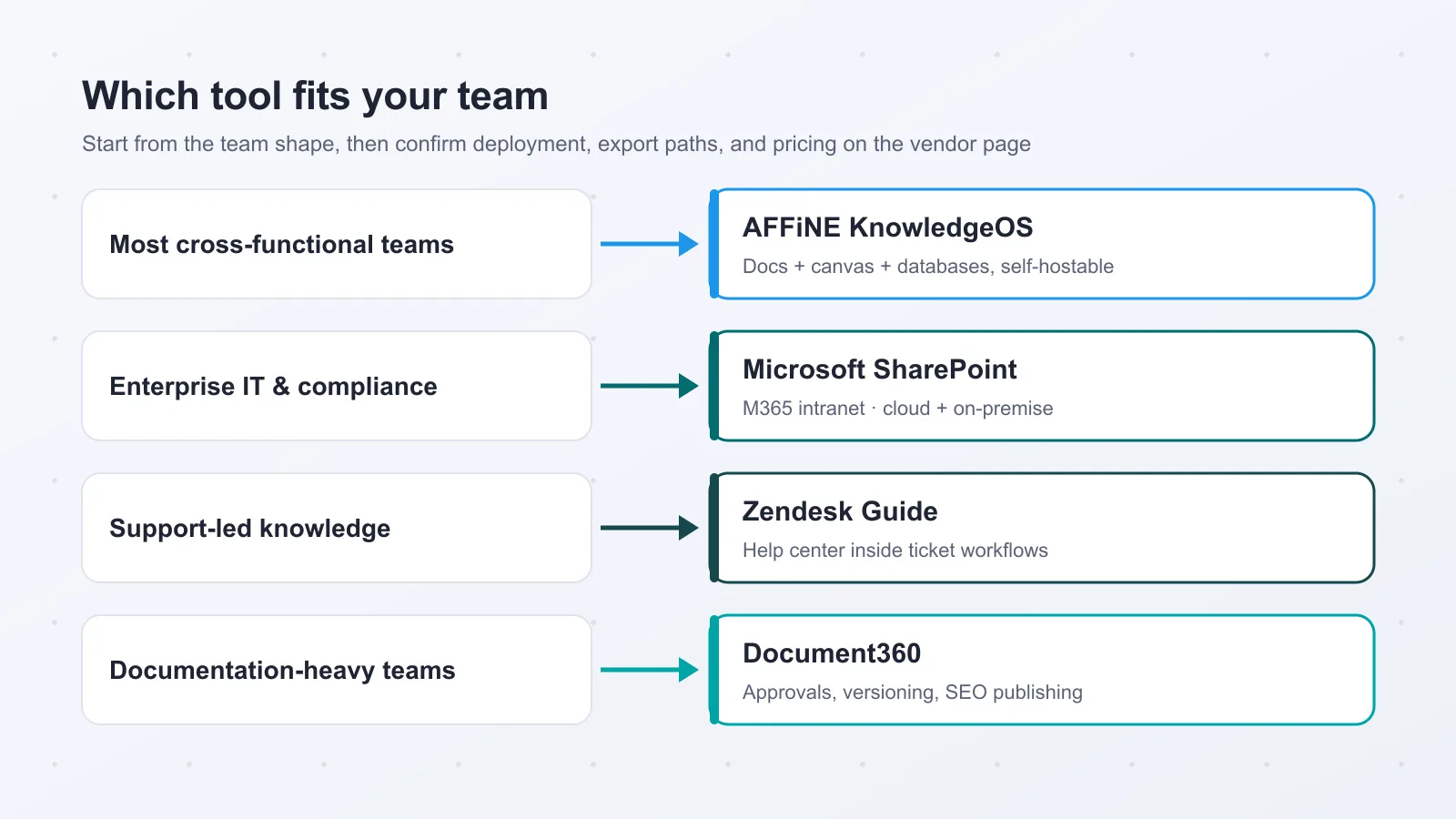
Most cross-functional teams. Start with AFFiNE KnowledgeOS. It is the best fit for the broadest audience because it reduces tool fragmentation: docs, databases, and Edgeless live in one KnowledgeOS instead of being split across separate apps. For teams that write, sketch, and plan in the same flow, the combination of CRDT-based collaboration, local-first offline editing, and self-hosting via Docker Compose gives product, ops, design, and research groups a stronger long-term foundation than a wiki alone. The free tier also keeps adoption light, while Pro remains accessible at $6.75 per user per month billed annually. The main caveat is ecosystem maturity: if your rollout depends on a very deep third-party integration stack on day one, compare it directly with Confluence or Notion before standardizing.
Enterprise IT and controlled deployments. If deployment control is non-negotiable, shortlist AFFiNE and Microsoft SharePoint first. SharePoint remains a practical option for Microsoft-centric organizations that want intranet patterns, document management, and both cloud and on-premise flexibility, as noted by Digital Project Manager. AFFiNE is the stronger choice when you also need real-time collaborative docs and visual planning in the same environment, with user control over data and deployment.
Support and service knowledge. When the real job is ticket deflection, public self-service, multilingual help content, and support analytics, a dedicated help center is usually better than a broad workspace. Zendesk Guide fits larger service teams tightly tied to support operations, while Help Scout suits smaller teams that want simpler self-service. KnowledgeOwl is the cleanest middle ground when fast setup, governance, and search matter more than a wider collaboration suite.
Documentation-first teams. Choose Document360 when structure matters most: version control, approval workflows, API references, and high-volume product docs. Slab is still worth a look for teams that want a polished internal wiki experience with less overhead.
Before you prioritize AI add-ons, pressure-test architecture, migration readiness, export formats, and daily workflow fit. During trials, validate deployment options, permissions, and export behavior with real sample content, then sanity-check shortlist sentiment on G2. Pylon, Tettra, and BookStack also deserve a look for narrower support-first, Slack-centric, or simpler self-hosted use cases.
Creators & Knowledge Management Enthusiasts
Experience the freedom of writing and drawing in one unified, local-first workspace, with AI assistance for summaries, drafting, and diagrams. If you want to work visually and textually in one place, start here. Download AFFiNE for Free
B2B Teams & Enterprise IT Decision-Makers
Deploy real-time Notion + Miro workflows behind your own firewall with enterprise-grade CRDT collaboration. If your priority is a knowledge layer that adapts to your deployment and compliance requirements instead of forcing you to adapt to it, compare AFFiNE with your current stack now. Explore Team Pricing
Knowledge Base Software FAQ
What is the difference between a knowledge base and a wiki?
A knowledge base is structured publishing; a wiki is collaborative drafting. In practice, both sit inside broader knowledge management software, which also includes search, governance, analytics, and workflow layers. Help centers are usually customer-facing knowledge bases, while team wikis are more internal and iterative.
What should teams look for in internal knowledge base software?
Start with search, version control, approvals, permissions, and analytics. Small teams can prioritize fast setup and simple authoring; larger or regulated teams need stronger governance and clearer ownership. Internal and external knowledge can share one tool when permissions and publishing workflows are clean, but separation often helps once audiences or compliance needs diverge.
Do most teams need self-hosted knowledge base software?
No. For most teams, cloud deployment is the practical default: cloud held 62.18% of knowledge management software market share in 2025, per Mordor Intelligence. Self-hosting matters when IT needs data sovereignty, private-network access, or stricter compliance controls.
Why do offline access and sync behavior matter?
They matter a lot if people work on trains, in the field, or across unstable connections. Offline access keeps work moving; sync behavior determines whether edits merge cleanly or collide later. Local-first platforms such as AFFiNE are designed for offline editing with sync on reconnect, per AFFiNE GitHub.
How important are AI features in knowledge base software?
Important, but not as a substitute for your documentation team. The best AI features speed up drafting, summarizing, metadata, search, and content-gap detection; they do not replace human review. For buyer shortlists, treat AI as a multiplier after core search, governance, and information architecture are solid.
How hard is it to migrate from one knowledge base platform to another?
Migration is usually manageable, but rarely frictionless. The real work is preserving structure: article hierarchy, attachments, redirects, permissions, and version history. Before signing, confirm export formats, import paths, and API coverage so you are not rebuilding your help center or internal wiki by hand later.
What is the best free knowledge base software?
AFFiNE KnowledgeOS has the strongest free tier for internal teams: unlimited local workspaces with docs, whiteboards, and databases included. Slab's free plan covers up to 10 users for a clean internal wiki, and Help Scout's free tier includes one Docs site for small support teams. Confluence is also free for up to 10 users.
Which knowledge base software is open source?
Among the tools in this guide, AFFiNE KnowledgeOS is the only one with an open-source core: its editor is MIT-licensed on GitHub and can be self-hosted with Docker Compose. Outside this list, BookStack is a simpler self-hosted open-source option. Confluence, Notion, Document360, and the other ranked tools are closed-source SaaS products.
Can a knowledge base replace Notion or Confluence?
Yes, if the replacement covers docs, structured data, and collaboration rather than only published articles. AFFiNE KnowledgeOS can replace Notion for teams that also want native whiteboards and self-hosting. Dedicated help-center tools such as KnowledgeOwl or Document360 usually complement a general workspace instead of replacing it, because they focus on publishing rather than daily collaborative work.