
11 Best Resume Templates & Builders To Land Your Dream Job In 2026
Crafting the Perfect Resume in 2026
In the competitive job market of 2026, a resume is no longer just a static document—it is a strategic asset that must satisfy two very different audiences: the unyielding algorithms of Applicant Tracking Systems (ATS) and the discerning eyes of human recruiters. The days of choosing between a bland text file and a beautiful but unreadable design are fading. Today’s best tools bridge that gap, offering workflows that blend rigorous keyword optimization with modern visual storytelling.
Whether you are targeting a specialized manufacturing role that demands technical precision or a creative position requiring a strong brand identity, the software you choose sets the foundation for your success. From AI-driven bullet point generators to infinite canvases that let you map out your career trajectory, the technology has evolved to make drafting faster and targeting more precise.
In this guide, we have tested and analyzed the 11 best resume builders and template engines available in 2026. We explore how tools like AFFiNE reinvent the workspace, how CVwizard keeps resumes, cover letters, job listings, and application tracking in one place, how Jobscan and Rezi leverage data to beat the bots, and how design-first platforms like Canva and Kickresume are adapting to technical requirements. Here is how to navigate these options to build a resume that not only clears the digital gatekeepers but lands you the interview.
Option #1 AFFiNE best for visual resumes that still pass ATS
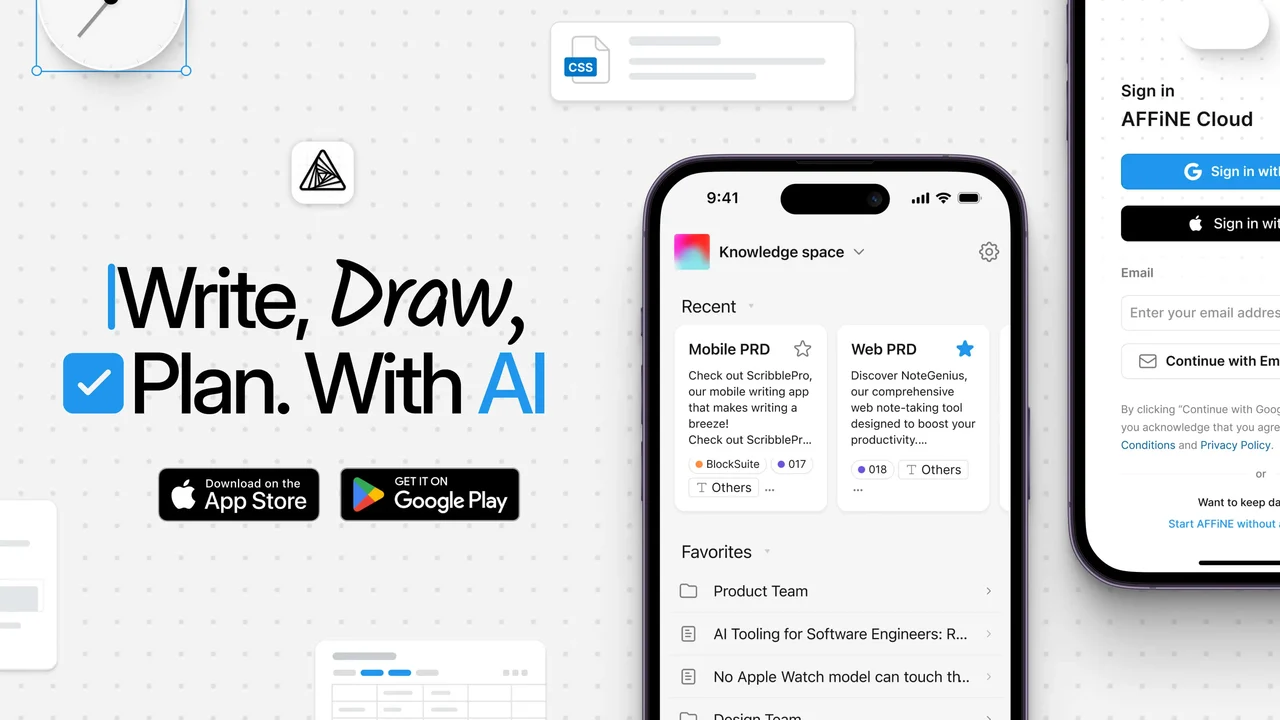 When you want a resume that looks modern but still clears ATS scans, it can feel like you have to choose between style and safety. AFFiNE’s canvas-plus-document workflow is built to solve that tradeoff by helping you think visually first, then lock everything into a clean, machine-readable layout.
Template styles and ATS compatibility
AFFiNE is a visual-first workspace, but underneath the whiteboard-style canvas it relies on simple text blocks. That matters for ATS. Each block can become a standard heading, paragraph, or bullet list, which lines up well with guidance for ATS-friendly resumes from resources like AFFiNE’s own ATS tutorial and independent testing from tools such as Jobscan.
To stay compatible with systems like Workday, Taleo, and Greenhouse, focus on structure over decoration. Research on ATS-friendly resumes consistently recommends:
• Using clear, standard headings, such as “Work Experience”, “Education”, and “Skills”.
• Keeping a single-column layout or very simple two-column structure.
• Avoiding tables, shapes, and complex text boxes, which many ATS tools struggle to parse.
• Saving as a text-based PDF so the underlying text stays selectable.
In AFFiNE, you can apply these rules by building your resume in a normal page, not inside decorative shapes or frames. When you export, choose DOCX or a plain PDF and verify that you can still select every line of text. If you are used to hunting for a free resume template reddit thread or checking resume templates reddit for advice, you will find the same core principle echoed repeatedly: keep your layout simple and your text directly on the page.
Free plan limits and hidden costs
AFFiNE provides a flexible editor and an open canvas, and official materials emphasize offline-friendly, privacy-focused usage plus export options like PDF, HTML, and Markdown. However, current reference docs do not list specific numeric limits for resume exports, watermarking, or brand locks on the resume side.
Because of that, treat AFFiNE like any modern builder you might test after seeing it mentioned alongside the most recent resume templates or in good resume templates reddit discussions:
• Confirm whether DOCX export is available on your current plan and whether PDF exports keep text selectable.
• Export a single-page test resume and open it on another device to check fonts, spacing, and any watermark behavior.
• If you plan to customize fonts or color schemes, verify that they remain intact after export.
You can explore layouts and resume-specific starting points in the AFFiNE templates gallery at affine.pro/templates. That gallery is a useful alternative to sifting through untested designs in community lists of the most recent resume templates.
Best for and use cases
• Hybrid portfolio resumes that show project snapshots, metrics, and links alongside a clean, ATS-safe version.
• Product and design candidates who need one visually rich resume plus a stripped-down layout for ATS portals.
• Executives and senior leaders mapping multi-role stories on an infinite canvas, then turning that map into a sharp, chronological document.
• Job seekers planning for resume design 2025 and beyond, who want a space to ideate visually and still export traditional files.
Pros
• Dual-mode workflow lets you brainstorm career moves on an infinite canvas, then convert into a structured page.
• Flexible blocks for headings, bullets, and sections that mirror ATS best practices.
• Multimedia embeds for a portfolio-style version you can share directly with hiring managers.
• Clean exports when you avoid text boxes and stick to simple blocks, aligning with ATS recommendations from tools like Jobscan.
Cons
• Learning curve if you are coming from basic word processors rather than canvas-first tools.
• Visual-heavy resumes require simplification before uploading to ATS, similar to the caution you hear in good resume templates reddit threads.
Quick conversion steps
Imagine you already have a resume in Word or Google Docs and want to modernize it without breaking ATS rules. Here is a simple AFFiNE workflow you can follow today.
-
Paste your existing resume into blocks Open a standard document page in AFFiNE, then paste your current resume text as plain text so you avoid hidden formatting.
-
Normalize headings and sections Convert your main sections into consistent heading blocks with titles like “Work Experience”, “Education”, and “Skills”. This mirrors guidance from AFFiNE’s ATS article and Jobscan.
-
Apply a simple one- or two-column layout Use AFFiNE’s block arrangement to keep your primary content in a single, left-aligned column. If you add a sidebar for contact details, make sure the main work history stays in a straightforward column that an ATS can follow.
-
Run a plain-text check Export a draft as DOCX or PDF, then open it and copy all contents into a basic text editor. Confirm that everything appears in the correct order with no missing lines or scrambled sections.
-
Export your ATS version Once structure looks good, export a final DOCX or text-based PDF for ATS submissions and keep a richer, visual version inside AFFiNE for direct emailing or in-person networking.
Key tip: Keep graphics in a separate portfolio page; link to it from your ATS version.
If you are comparing options the way you might in a free resume template reddit discussion, AFFiNE stands out because it lets you do both: build a visually distinctive resume for human eyes and a pared-back, ATS-compliant file for online applications, all within the same flexible workspace.
Option #2 ResumeCoach best for all-in-one career support
ResumeCoach is a strong choice for job seekers who want more than a basic resume builder. The platform combines professional resume templates, guided writing support, and additional career tools in one place. With a premium plan, users can access a broader set of features, including resume creation, cover letter support, mock interview tools, and a LinkedIn profile analyzer, making it a practical all-in-one platform for preparing job applications.
Best for and use cases
• Job seekers who want an all-in-one platform for resume building, cover letters, interview preparation, and LinkedIn profile optimization.
• Students, recent graduates, and career changers who need guided support throughout the application process.
• Professionals who want to improve several parts of their job search from one platform instead of using separate tools.
• Candidates preparing for competitive roles who want to polish their resume, online profile, and interview performance.
Pros
• Combines resume building, cover letter support, mock interview tools, and LinkedIn profile analysis in one platform.
• Premium access includes a wider range of career tools, making it more complete than a simple template-based builder.
• Useful for improving the full job application process, not just the resume document.
• ATS-friendly templates and guided suggestions help users create a more professional application.
Cons
• The most complete set of features is available through the premium plan.
• Users should still personalize AI-generated or suggested content with real achievements and job-specific details.
• It may be more suitable for practical, professional applications than highly creative portfolio-style resumes.
Option #3 Resume.io best for fast, practical iterations
When you are tweaking your resume for several roles at once, you need a builder that helps you move fast without breaking ATS rules. Resume.io focuses on speed, practical layouts, and quick exports, which makes it a strong fit when you are iterating for each job posting in your pipeline.
Template styles and ATS compatibility
Imagine you want a resume that looks modern, but you cannot risk it being misread by an applicant tracking system. According to Resume.io’s own ATS guidance, the safest choice is to stick to simple, text-first layouts: single column, clear headings, and no decorative shapes wrapping your content.
The builder offers a range of templates, from creative to very minimal. For ATS-heavy environments, pick the most conservative options and follow the same principles highlighted in their ATS article:
• Use standard section titles like Work Experience, Education, Skills, and Summary.
• Prefer one-column or very simple two-column layouts; complex multi-column structures can confuse parsing.
• Avoid icons, charts, and decorative shapes in the main content area, especially for skills.
• Choose standard fonts similar to Arial or Times New Roman so text remains easy to interpret.
Resume.io notes that an ATS-friendly resume should have clear section headings, straightforward bullet points, and a clean layout that works well when converted to plain text. That aligns with what you will often see discussed in resume maker reddit threads: a little style is fine, but readability and structure always win.
Free plan limits and hidden costs
Sounds simple? There is one catch you will notice quickly. Multiple independent reviews agree that while Resume.io lets you build a resume on a free plan, downloads are heavily restricted. You can only download in plain TXT format for free; professionally formatted PDF or Word (DOCX) files require a paid subscription.
Key details from recent full reviews and resume builder com reviews include:
• The free tier lets you build one resume and cover letter, but only TXT downloads are available.
• A 7-day trial with full access starts around $2.95 and then auto-renews at roughly $24.95–$29.95 every four weeks, depending on region and offer.
• Quarterly plans cost about $49.95 every three months and unlock unlimited resumes, all premium templates, and unlimited PDF downloads.
• Some users report frustration with unexpected charges or trial auto-renewals, so make sure you cancel in time if you only want the trial.
Because DOCX and PDF are behind the paywall, you should factor that cost into your tool comparison, especially if you are weighing resume io vs other builders that may offer more generous free exports.
Best for and use cases
• Mid-level professionals iterating per posting who need to generate several targeted versions quickly while keeping structure consistent.
• Customer success and sales roles where you constantly fine-tune bullet points and keywords to match metrics and quotas in each job ad.
• Fast-turnaround applications when a role closes soon and you want a polished layout in minutes instead of wrestling with formatting manually.
If you are looking at multiple tools and trying to decide which resume io builder or alternative saves you the most time, this is where Resume.io’s balance of ready-made templates and quick editing can fit smoothly into your routine.
Pros
• Quick, user-friendly editing so you can see changes in real time as you fill each section.
• Practical, ATS-aware templates that, when kept minimal, align with the clean, modern designs Resume.io recommends for ATS compatibility.
• Easy duplication of variants, allowing you to clone a base resume and adjust bullets and keywords for new roles.
• Built-in AI phrase suggestions for summaries and work experience sections, helping you draft content faster (though you should still personalize it).
Cons
• Downloads locked behind subscription with only TXT available for free; PDF and DOCX require paid access.
• Limited DOCX templates; reviews note that only a limited number of templates can be downloaded as DOCX, which reduces flexibility when you want editable files.
• Inconsistent ATS-friendliness across designs; reviewers recommend sticking to the simplest templates and avoiding heavy graphics.
• Pricing transparency concerns raised in user feedback around auto-renewals and cancelation experiences.
| Builder | Free ATS-friendly export |
|---|---|
| AFFiNE | PDF, HTML, and Markdown exports available; no DOCX option. |
| Resume.io | Free TXT only; PDF/DOCX behind paid plans. |
Quick conversion steps
When you already have a working resume, converting it into a Resume.io version is mostly about cleaning up formatting and tailoring keywords quickly. Here is a simple workflow you can follow.
-
Paste your existing resume text Start a new project in the resume io builder and paste your current resume as plain text. This strips out messy formatting from word processors.
-
Switch to a minimal template Choose one of Resume.io’s simplest, ATS-friendly templates, keeping to a single column whenever possible. Avoid options that add charts, icons, or colored blocks around your main text.
-
Align bullet structure and headings Standardize your bullets so each starts with a clear action verb and follows a similar pattern. Make sure headings use conventional names like Work Experience and Skills, as ATS tools rely on those cues.
-
Tailor keywords to the job ad Open the target job description in another window and mirror the most important role-specific phrases in your bullets and skills section. Resume.io itself warns not to overdo it; keyword stuffing can hurt readability and may even flag your resume as spam.
-
Export and run an ATS simulation If you are on a paid plan, export as DOCX or PDF. Then copy all text into a plain-text editor or use an ATS checker to confirm that the content appears in the right order. Many users who share advice in resume maker reddit discussions follow this same plain-text test to catch layout issues early.
Key tip: Keep your skills in a simple bulleted list rather than stars or progress bars.
Once you have this fast, ATS-aware base set up in Resume.io, you will be ready to move on to tools that offer deeper content guidance for your bullet points in the next option.
Option #4 CVwizard best for end-to-end job search in one place
When you want more than another resume template, CVwizard brings the resume, cover letter, job search, and application tracker into one workflow. It works especially well for applicants who want a guided, step-by-step builder with live preview, then want to keep applying and tracking roles without switching between separate tools.
Template styles and ATS compatibility
Most resume builders stop at the download button. CVwizard goes further by keeping the full job-search flow together: resume, cover letter, relevant job listings, job alerts, and application tracking. The foundation still needs to be a clean, ATS-optimized resume, and that is where its simpler templates and live preview are most useful.
To keep a CVwizard resume compatible with applicant tracking systems:
• Choose single-column or very simple templates from the ATS-friendly side of the template library, especially for job portal uploads.
• Keep job titles, employers, dates, education, and skills as plain text rather than placing critical details inside decorative icons, shapes, or graphics.
• Use standard section headings such as Work Experience, Education, Skills, Certifications, and Summary so parsers can recognize each section quickly.
• Export as a text-based PDF when possible, then copy all text into a basic editor to confirm that the content appears in the correct order.
The live preview feature is genuinely helpful here. As you fill in each section, you can see how your content fits the selected template before downloading, which cuts down the repeated export-check-edit cycle that often happens with older resume builders.
Free plan limits and hidden costs
CVwizard is easiest to evaluate when you separate its free builder experience from the full job-search platform. At the time of review, the core pricing structure includes:
• Free resume builder access with select templates included.
• 14-day trial for $0.99 to test full access before committing.
• Monthly plan at $19.99/month with access to all features, unlimited resumes and cover letters, and automatic renewal.
• Quarterly plan at $44.97/quarter for applicants who expect an active multi-month search.
• Annual plan at $119.88/year for users who want longer-term access to resume, cover letter, jobs, and application tools.
Because resume builders often reserve downloads, premium templates, or advanced editing for paid plans, test one complete workflow before upgrading: create a resume, export it, create a matching cover letter, and check whether the job and application tracking features are useful enough for your search.
Best for and use cases
• First-time job seekers who want prompt-based guidance through every resume section instead of staring at a blank page.
• Active applicants who want to build resumes, draft cover letters, browse relevant job listings, and track applications from the same workspace.
• Job seekers who want a cohesive application package with a resume and cover letter that share the same visual system.
• Applicants converting an existing Word, Google Docs, or LinkedIn profile into a cleaner, more organized resume with less manual formatting.
If you have been comparing best resume builder options and feel overwhelmed by tools that only solve one step, CVwizard fits the use case where the resume is just the start of the application workflow.
Pros
• Step-by-step wizard walks through each resume section, reducing blank-page stress for students, career changers, and first-time applicants.
• Free plan includes select resume downloads , which is more practical than builders that let you design for free but charge before any useful export.
• Matching cover letter creator helps keep your resume and cover letter consistent, with AI-assisted drafting available on paid access.
• Built-in job listings and application manager let you organize applications inside the same platform instead of maintaining a separate spreadsheet.
• ATS-friendly templates with live preview make it easier to spot layout problems before exporting.
• Optional employer reviews or testimonial-style sections can help candidates surface social proof when it is relevant to the role.
Cons
• Free functionality is limited compared with the paid platform, especially if you want broader template access and the full workflow.
• Less specialized for keyword targeting than dedicated ATS tools such as Rezi or Jobscan, so you may still want a scanner for competitive roles.
• Subscription management matters because trial and paid plans renew automatically unless canceled.
Quick conversion steps
Imagine you already have a resume saved in Word or Google Docs and want to turn it into a cleaner CVwizard version with a matching cover letter. Here is a practical workflow.
-
Create a resume in CVwizard Upload an existing resume or import data from LinkedIn to get a first draft quickly. Watch the live preview as your content flows into the selected template.
-
Rewrite sections with guided prompts Use CVwizard’s prompts and AI suggestions to tighten summaries, work experience bullets, and skills. Keep the final wording specific, measurable, and tied to your real achievements.
-
Choose a clean, ATS-safe template For online applications, pick the simplest layout available. Avoid graphic-heavy skill sections, icons around key details, or designs that split work history across complex columns.
-
Create a matching cover letter Use the cover letter creator to generate a first draft based on your resume and target job posting, then add role-specific details before applying.
-
Apply to relevant jobs Use CVwizard’s job section to browse postings that match your desired role and location, then apply with the resume and tailored cover letter version that fits that posting.
-
Track each application Log every role in the application manager and update the stage as you move through applied, interview, offer, rejected, or hired. That keeps follow-ups visible instead of buried in email.
Key tip: Treat CVwizard as a job-search hub, but keep the resume you upload to strict ATS portals simple, single-column, and text-first.
Once CVwizard has helped you turn a resume into a full application package, the next option is useful when your main blocker is not workflow, but the wording of your bullet points.
Option #5 Zety best for guided bullet writing
When you stare at a blank page or bland bullets and think, “What do I even write here,” Zety steps in with structured prompts and smart suggestions. You still stay in control, but the builder gives you language, examples, and formats so your accomplishments sound clear, specific, and relevant for 2026 hiring managers.
Template styles and ATS compatibility
Sounds complex? Zety makes the visual side straightforward. Its builder includes around 18 modern templates, ranging from minimalist one-column layouts like Minimo or Influx to more stylized designs with icons and colored sidebars. For applicant tracking systems, the safest move is to pick the simplest variants.
To keep your resume ATS-friendly while using Zety:
• Choose one-column or very clean two-column templates such as Minimo, Simple, or Nanica that emphasize plain text over graphics.
• Avoid layouts that rely heavily on icons, shapes, or skill bars in the main body; those elements can confuse parsing engines, even if the file looks great to humans.
• Use standard section headings like Work Experience, Education, Skills, and Summary, which align with general ATS guidance given in Zety’s own formatting tips.
• Download your resume in DOC or PDF format and then copy everything into a plain-text editor to verify order and completeness before uploading.
Zety emphasizes using modern, clean templates, avoiding tables, heavy graphics, and unconventional section titles, and sticking with professional fonts such as Arial, Calibri, or Times New Roman in readable sizes. That advice mirrors what many users in best resume format reddit discussions recommend: prioritize a reverse-chronological layout, standard headings, and consistent styling so both ATS and recruiters can scan quickly.
Free plan limits and hidden costs
When you first try the builder, it feels almost completely free. You can choose any template, generate AI-assisted bullets, and adjust colors, fonts, and sections without entering payment details. But the limits appear at download time.
Based on Zety’s official pricing page and independent reviews:
• You can build an entire resume and even a cover letter for free, but the only genuinely free download is a TXT file with no design or formatting.
• To export your resume in PDF or Word (DOC), you need a paid plan. The most common option is a 14-day trial at about $1.95, which auto-renews around $25.95 every four weeks if you do not cancel.
• An annual package is available at a lower effective monthly rate (approximately $5.95/month billed annually), aimed at people planning multiple updates over the year.
Because of the auto-renew model, you will want to track your trial period and cancel on time if you only need a short burst of access. Many people who compare zety pricing to alternatives like other best resume builders reddit favorites end up using the TXT download to test ATS parsing first, then upgrading only when they are happy with the content and layout.
Best for and use cases
• Career changers who struggle with wording Imagine you are moving from manufacturing operations into supply chain analytics. Zety’s pre-written phrases and prompts help you reframe hands-on tasks as transferable skills and measurable outcomes.
• Operations, logistics, and plant roles Its bullet libraries make it easier to highlight safety metrics, throughput improvements, downtime reductions, and quality KPIs in a structured, repeatable way.
• International candidates Templates use consistent formatting and conventional headings, which helps when you are applying across regions with different expectations around CV vs resume length and structure.
If you have ever read a how to make a resume reddit thread and wished someone would turn those tips into fill-in-the-blank bullet suggestions, Zety comes close to that experience inside the editor.
Pros
• Strong, guided content support Pre-written bullet points and section suggestions crafted by career experts help you turn vague responsibilities into clear, action-based achievements.
• Wide template range About 18 professionally designed templates, from very minimalist to creative, give you room to match company culture while staying polished.
• Real-time scoring and feedback Live resume scoring and improvement tips nudge you to add skills, quantify results, and fix gaps as you write.
• Integrated cover letter builder A matching cover letter generator lets you produce a consistent application package quickly.
Cons
• No free formatted downloads You cannot get a styled PDF or DOC file without paying; only TXT is free.
• Trial auto-renewal The low-cost 14-day trial automatically converts to a higher recurring fee if you forget to cancel, which frustrates some users.
• Some templates need simplification for ATS Two-column designs with icons or skill bars may look great but require trimming for conservative applicant tracking systems.
• Template variety expectations vs reality Reviews note that although Zety advertises 100s of options, the practical, frequently used set is closer to a few dozen core designs.
Quick conversion steps
Imagine you already have a basic resume but your bullets read like a job description instead of accomplishments. Here is a simple way to convert that document into a sharper Zety version that can sit confidently alongside the other tools in this 11 Best Resume Templates & Builders list.
-
Paste your existing content into Zety Create a new resume in Zety and paste your current document as plain text. This clears out messy formatting and gives the builder a clean slate to work with.
-
Follow the prompts to tighten bullets For each role, browse Zety’s suggested bullet points and pick those that match your responsibilities, then customize numbers, tools, and outcomes. Convert generic lines like “Responsible for production line” into “Improved production line throughput by 18% by redesigning changeover procedures.”
-
Switch to a minimal, ATS-aware template Once your wording feels strong, apply a simple one-column or low-graphic template. Avoid heavy icons, colored blocks in the body, or complex shapes, particularly if you are targeting large enterprise ATS environments.
-
Verify headings and structure Check that your resume follows a reverse-chronological order for work history, with standard headers such as Work Experience, Education, Skills, and Certifications. That structure lines up with the reverse-chronological format Zety itself calls the best choice for 2025 and beyond and matches advice often seen in best resume format reddit discussions.
-
Export and run ATS checks Download your resume as DOC or PDF, open it, and copy everything into a plain-text editor. Confirm that all sections appear in the right order, with no missing lines or broken headings. Optionally, upload it to an ATS checker or job site preview tool to see how it parses before submitting.
Key tip: Convert action-verb-heavy bullets to quantify scope and outcomes where possible.
Once Zety has helped you transform your bullets into clear, metric-driven stories, you will be ready to explore the next option in this guide, which focuses more on modern visuals and design checks while still keeping an ATS-safe version handy.
Option #6 Enhancv best for modern design with checks
Imagine you want a resume that looks like a designer built it, but you are still worried an applicant tracking system might misread it. Enhancv aims to sit right in that sweet spot, combining polished layouts, an integrated resume checker, and AI helpers so your resume looks sharp while staying readable for both software and recruiters.
Template styles and ATS compatibility
Sounds complex? Enhancv actually breaks it down with templates that separate visual decoration from core text. Their own ATS myth-busting guide explains that modern systems focus mainly on the text layer and are less bothered by tasteful colors or columns, as long as the core content is straightforward and not embedded inside images or complex shapes.
When you look at different enhancv resume templates , you will notice two broad styles:
• Simpler, text-first layouts with clear section headings like Work Experience, Education, and Skills.
• Highly creative designs that add charts, icons, multi-column grids, and bold sidebars.
The ATS-focused article from Enhancv stresses that issues arise mainly when information is buried inside graphics or image-only PDFs, not from reasonable use of color or columns. To keep your file safe for Workday-, Taleo-, or Greenhouse-style systems, follow these principles:
• Choose the most minimal template when you know an ATS is involved; save the heavily designed option for networking PDFs.
• Keep all key details (job titles, dates, employers, skills) as plain text on the main page layer, not inside shapes, charts, or icons.
• Use standard headings like Work Experience, Education, Skills, and Certifications so parsers can recognize sections quickly.
• After exporting, copy everything into a plain-text editor to verify that the reading order is logical and nothing is missing.
Neuroscience-backed research cited in Enhancv’s guide notes that recruiters often skim resumes in an F-shaped pattern, so clean alignment and consistent headings still matter for human readers, too. In other words, a well-chosen template can serve both the algorithm and the hiring manager.
Free plan limits and hidden costs
When you first glance at an enhancv review , the pricing model is one of the biggest talking points. According to a 2025 deep dive by PitchMeAI, Enhancv no longer offers a permanent free plan. Instead, you get a 7-day free trial with some important limits:
• You can create up to two resumes and two cover letters during the trial.
• Downloads during the trial include Enhancv branding or watermarks , which may not be ideal for formal applications.
• After the 7 days, you must subscribe to keep downloading resumes.
Recent enhancv reviews from ResumeGenius confirm the same pattern: the trial gives you access to the editor and AI helper, but any clean, unbranded export requires a paid plan.
On pricing, PitchMeAI reports these approximate ranges:
• Annual plan around $16.66 per month (billed yearly).
• Quarterly plan around $49.97 per quarter.
• Monthly plan around $24.99 per month.
One other constraint to keep in mind is export format. Enhancv currently supports PDF and plain-text (.TXT) downloads only ; there is no DOCX export. If a recruiter wants an editable Word file, you may need to recreate or lightly reformat your resume elsewhere.
Best for and use cases
• Product and UX/UI designers Modern layouts, color accents, and structured sections help you frame case studies, feature launches, and user impact without building a portfolio from scratch.
• Marketing and content roles Visual timelines and highlight sections make it easier to surface campaign results, engagement metrics, and brand projects at a glance.
• Startup and scale-up candidates In environments that value personality and storytelling, Enhancv’s design-first approach lets you showcase side projects, tools, and metrics in a more narrative way.
• Candidates needing a separate ATS-safe version You can keep one stylish version for networking and a stripped-down, ATS-friendly export specifically for large enterprise job portals.
Pros
• Stylish, modern templates Enhancv offers visually appealing layouts that separate decorative elements from core text, supporting both recruiter skimming and ATS parsing when used thoughtfully.
• Built-in resume checker The integrated enhancv resume checker flags missing keywords, structural issues, and weak sections, giving you actionable optimization tips.
• AI content assistance AI suggestions help you turn basic responsibilities into stronger accomplishment statements, which is useful when you are not sure how to phrase results.
• User-friendly interface Reviews highlight the drag-and-drop editor and section-based workflow as intuitive even for first-time builders.
• Generally positive user feedback Enhancv holds around a 4.6 rating on Trustpilot, with many users praising ease of use and design quality.
Cons
• No permanent free plan After the 7-day trial, you must subscribe to download resumes at all, which can be a barrier if you are on a tight budget.
• Watermarked trial downloads Free exports include Enhancv branding or watermarks, which many reviewers feel is not suitable for real applications.
• Limited ATS-friendly options Several users report that only a subset of templates are truly conservative enough for strict ATS environments; highly visual layouts may still misparse.
• No DOCX export Being restricted to PDF and TXT can be inconvenient when employers specifically ask for Word files or when you want quick edits in standard office tools.
• Subscription cost Compared to some other builders in this 11 Best list, enhancv pricing is on the higher side, especially if you only need a resume for a short period.
Quick conversion steps
When you already have a basic resume in Word or Google Docs, converting it into an Enhancv version is mainly about cleaning up structure and choosing the right template. Here is a simple workflow you can follow.
-
Paste your raw text into Enhancv Create a new resume and paste your existing content as plain text. This removes old tables or hidden formatting that might interfere with clean parsing.
-
Pick the simplest template Select one of the more minimal enhancv resume templates with clear headings and limited graphics. Avoid options that rely on charts, heavy icons, or complex multi-column structures if you plan to upload through an ATS.
-
Remove icons and decorative elements from body text Keep logos, icons, or graphs out of the main content area. Make sure job titles, company names, and responsibilities live in standard text blocks, not inside shapes.
-
Align dates and job titles consistently Use one format for dates and one structure for each experience line (Job Title, Company, Location, Dates). This consistency helps ATS parsers follow your career timeline without confusion.
-
Run the ATS check and export Use the built-in Enhancv checker to flag missing keywords or structural issues. Then export as a PDF and copy the contents into a plain-text editor to confirm everything appears in the right order before submitting.
Key tip: Maintain two versions—visual for networking and minimal for ATS portals.
Once you have a visually polished yet ATS-aware Enhancv file ready, you will be in a strong position to compare it with simpler, mobile-friendly design tools like Canva, which we will cover next.
Option #7 Canva best for visual polish with a plain-text backup
When you want a resume that looks like it came from a designer, Canva is usually the first tool that comes to mind. Its drag-and-drop editor and huge template library make it easy to create something eye-catching in minutes. The catch is that many of those designs are not ready for applicant tracking systems, so you need a strategy for a simplified, ATS-safe version.
Template styles and ATS compatibility
Sounds complex? Canva actually makes the design part simple. You choose from thousands of templates, then just replace placeholder text with your own. Experts at ResumeGenius note that Canva resume templates can combine style with professionalism and that downloading as PDF is usually the safest option for applications.
The problem is how these designs interact with ATS. Research summarized by AND Academy points out a key limitation: many Canva resumes do not pass ATS because content is often placed inside shapes, graphics, or complex layouts that parsing software cannot read reliably. That means your beautiful design could be rejected before a human ever sees it.
To make Canva work inside a 2026 hiring process, you will want to:
• Choose the most minimal templates with left-aligned, plain text and generous white space.
• Keep all critical information (job titles, companies, dates, skills) as normal text, not inside shapes, icons, or image blocks.
• Avoid tiny fonts; experts recommend a smallest font size between 10 and 12 points for readability.
• Export as a PDF with selectable text; PDF and DOCX are widely accepted and generally most ATS-friendly.
After exporting, run a quick test: open the PDF, press Ctrl+A, Ctrl+C, and paste into a plain-text editor. If the text appears in a logical order and everything is selectable, your layout is more likely to survive ATS scanning. If it pastes as gibberish or images only, rebuild using a simpler layout. This is the same plain-text check people often recommend in resume maker free reddit or free resume maker reddit threads when they talk about Canva and other visual tools.
Free plan limits and hidden costs
Imagine you start with Canva because you want something powerful but free. Canva’s core editor, thousands of templates, and many fonts are available on the Free plan, which is enough to build and download a professional-looking resume. You can download in standard formats, including PDF, without paying, and the exported file will not include a watermark for personal use.
However, there are a few details to watch:
• Some templates, photos, and icons are marked as Pro and require a paid plan or one-off purchase.
• Certain fonts and brand kits are also Pro-only; if you use them, you will need at least a Pro trial to export without watermarks.
• Canva’s AI tools, such as Magic Write or image-generation features, come with a limited number of total uses on the free plan; higher and pooled AI usage sits behind Pro, Teams, Business, or Enterprise tiers.
If you rely heavily on Canva's AI resume builder capabilities or custom brand assets, expect to bump against these limits quickly. That is why many users who first discover Canva via a resume maker free reddit recommendation eventually upgrade for a month while they finalize their resume and portfolio.
Best for and use cases
• Networking and portfolio resumes Highly visual PDFs you email directly to hiring managers, recruiters, or use in informational interviews.
• Creative roles showcasing samples Design, marketing, content, and social media candidates who want to embed or visually reference project snapshots and brand work.
• Mobile-friendly quick edits Situations where you need to build a resume on iPhone or tablet using the Canva app, tweak a date, or add a new achievement on the go.
• Experimenting with layouts before going ATS-minimal Using Canva to explore visual directions, then recreating the chosen structure in a simpler, text-first builder for ATS uploads.
Pros
• Huge template library Thousands of resume designs in different styles, including minimalist, corporate, and highly creative options.
• Effortless customization Drag-and-drop editing means you can rearrange sections, adjust spacing, and change colors with almost no learning curve.
• Strong visual impact Well-designed templates help you present information neatly and attractively without being a designer yourself.
• Cross-device access Works well as one of the best resume apps on desktop and mobile, making quick updates simple.
Cons
• Inconsistent ATS compatibility Many Canva resume designs “do not pass through applicant tracking systems” if they rely heavily on graphics or complex layouts[source].
• **Risk of over-stylized designs** Certain templates may feel too elaborate or informal for conservative industries or manufacturing leadership roles.
• Limited structural control You follow the template’s structure; deep custom layout changes can be harder than in pure document editors.
• Dependency on Pro elements Some of the best-looking designs and images are tied to the paid tiers, which adds cost if you want that exact look.
Quick conversion steps
Imagine you already built a highly visual Canva resume for networking and now you need an ATS-safe version for a big company portal. Here is a straightforward workflow to convert it.
-
Duplicate your existing design In Canva, use the "Make a copy" or page-duplicate option so you have a separate working draft for ATS optimization while preserving the original visual version.
-
Strip out graphics and decorative elements Remove photos, icons, charts, and decorative shapes around text. Focus on plain text blocks with simple lines or minimal separators.
-
Use a single-column, left-aligned layout Reflow content so that Work Experience, Education, and Skills appear in one main column. Avoid complex multi-column structures that might confuse ATS parsers.
-
Standardize headings and fonts Rename sections with conventional titles like Work Experience, Education, Skills, Certifications. Use one easy-to-read font in 10–12 point size for body text and a slightly larger size for headings.
-
Export and ATS-test Download as a PDF, then paste the full content into a plain-text editor to ensure everything is in the right order and fully selectable. If the text looks broken or missing, simplify further or recreate the same structure in a DOCX-based builder.
Key tip: Ensure the exported PDF has real text layers; if not, switch to a DOCX workflow.
Once your Canva resume has both a visual and a plain-text-friendly version, you will be ready to pair those designs with builders that add faster prompts and drafting support, which is where the next option in this guide comes in.
Option #8 Resume Genius best for rapid, guided drafting
When you need a polished resume today rather than next week, a tool that walks you line by line can be a lifesaver. Resume Genius leans hard into that idea with quick onboarding, structured prompts, and a library of templates you can adapt in minutes.
Template styles and ATS compatibility
Sounds complex? With the Resume Genius resume builder, you start by choosing from a set of clean, professional layouts. Independent testing from PitchMeAI found that the templates generally avoid complicated tables and graphics that confuse ATS systems, focusing instead on straightforward sections and bullet points.
Resume Genius emphasizes conventional formatting that lines up with modern ATS expectations. To stay safe when you pick among the available Resume Genius resume templates, you will want to:
• Choose the simplest layouts with clear, left-aligned headings rather than graphic-heavy sidebars.
• Use standard section names like Work Experience , Education , and Skills so parsers recognize them.
• Keep job titles, companies, dates, and locations in plain text, not inside icons or decorative elements.
PitchMeAI’s review notes that Resume Genius templates are broadly ATS-friendly but do not analyze a specific job ad for you; you still need to tailor keywords yourself. Since we do not have tool-by-tool parsing data for systems like Workday, Taleo, or Greenhouse, the safest move is to always download a text-based version, copy everything into a plain-text editor, and confirm that the order of your sections still makes sense.
Free plan limits and hidden costs
Imagine you sign up expecting a fully free builder. Technically, you can create a resume with Resume Genius at no cost, but downloads are where the limits appear. According to PitchMeAI’s 2025 pricing breakdown, Resume Genius lets free users download only a plain text (.TXT) version of their resume. To get a formatted PDF or Word file, you need a paid subscription.
Key pricing details from recent reviews:
• 14-day trial starts at about $2.95 and then auto-renews at roughly $23.95 every four weeks (around $310 annually).
• Annual plan costs about $95.40 , or approximately $7.95 per month.
• Free users are limited to .TXT downloads only ; PDF and Word formats require a subscription.
Some users have reported confusion about the automatic renewal and billing, which is why both PitchMeAI and Resume Genius themselves recommend carefully reviewing the terms and setting a reminder to cancel if you only need short-term access. If you usually rely on tools mentioned in best free resume builder reddit or resume builders reddit threads, this paywall on formatted exports is one of the biggest differences you will notice.
Best for and use cases
• Entry to mid-level candidates who need a draft fast Guided prompts help you go from blank page to solid first version in a single sitting.
• Customer service and sales roles It is easy to tweak bullet points and metrics per posting, which is ideal when you apply to many similar roles.
• High-volume applications If you plan to submit dozens of applications in a short window, the combination of templates and content suggestions saves time on formatting.
• Job seekers overwhelmed by wording When you have the experience but struggle to describe it, Resume Genius’s suggestions give you a starting point to customize.
So if you have ever scrolled through a long making a resume reddit thread wishing someone would just structure the document for you, this workflow will feel familiar but much faster.
Pros
Pros
• Fast, guided onboarding The builder walks you step by step through each section, which helps you finish a resume in minutes rather than hours.
• Helpful content prompts AI-assisted suggestions turn vague tasks into more concrete, results-focused statements, especially useful if you are new to resume writing.
• Professional, ATS-aware templates Layouts avoid complex graphics and tables that often break ATS parsing, aligning with general 2025 formatting guidance.
• Long-standing, trusted platform Resume Genius has served millions of users over more than a decade and is considered a legitimate, stable option in independent reviews.
Cons
Cons
• Formatted downloads behind a paywall You must pay to access PDF or Word exports; free users are limited to .TXT files.
• Auto-renewing subscriptions The $2.95 trial renews at $23.95 every four weeks if you do not cancel, which surprises some users.
• No job-ad-specific optimization Unlike more advanced tools, Resume Genius does not automatically tailor your content to each job description; you still handle that manually.
• Visual elements must be restrained for ATS Even though templates are clean, you should avoid adding icons or decorative elements that could interfere with parsing.
Quick conversion steps
When you already have a resume in Word or Google Docs, you can use Resume Genius mainly to streamline wording and layout. Here is a simple workflow.
-
Paste your raw content into the builder Create a new resume in the Resume Genius resume builder and paste your existing document as plain text. This strips away old tables and hidden formatting that might confuse an ATS.
-
Apply a minimal, ATS-friendly template Pick one of the most conservative Resume Genius resume templates with clear headings and standard fonts. Keep to a single column where possible for predictable reading order.
-
Refine bullets using the prompts Use the suggested bullet examples as a starting point, then customize them with your own metrics, tools, and outcomes. Turn lines like “Handled customer calls” into “Resolved 40+ customer support tickets per day while maintaining a 92% satisfaction score.”
-
Run a plain-text check before export Export as .TXT (or, if you are on a paid plan, as PDF/Word), then copy everything into a basic text editor. Confirm that headings and experience entries appear in the correct order and that nothing is missing.
-
Export your final version and test with an ATS checker If you upgraded, download a PDF or Word file and upload it to an online ATS simulator or job site preview. This mirrors the validation steps people often describe in resume now reddit and other resume builders reddit discussions and helps you catch issues before applying.
Key tip: Keep contact details and headings as plain text—no icons or tables.
Once your Resume Genius draft is in good shape, you will be ready to pair that speed with deeper AI-driven keyword optimization tools, which we will explore in the next option.
Option #9 Rezi best for AI keyword targeting and ATS focus
When a job posting is packed with technical requirements and buzzwords, it is easy to wonder, “How do I make sure the ATS actually sees my skills?” Rezi aims to solve that by putting AI-driven keyword targeting and scoring at the center of its resume builder.
Template styles and ATS compatibility
Sounds complex? Rezi actually keeps layout decisions simple on purpose. According to its own documentation and independent analysis, Rezi was built from the ground up around ATS optimization, favoring single-column, text-first templates over flashy multi-column designs. Its history and positioning focus on beating automated screeners rather than impressing with heavy visuals.
In practice, that means most Rezi templates share a few core traits:
• Single-column or very simple layouts with clean, left-aligned text.
• Standard section headings such as Work Experience , Education , and Skills.
• No dependence on tables, shapes, or graphics to hold critical information.
Rezi’s own workflow guides you to keep everything as plain text and then evaluates it with the Rezi Score , a real-time metric based on more than 23 criteria, including formatting and keyword usage. The goal is to output a recruiter-ready file that also converts cleanly to plain text, which is exactly what ATS platforms like Workday, Taleo, and Greenhouse need.
Rezi supports both DOCX and PDF exports , and its own docs recommend using PDF to preserve formatting across systems while still keeping a text layer intact. To be safe, you should still:
• Stick with the most minimal Rezi templates, especially for enterprise portals.
• Use standard headings instead of creative labels.
• Copy your exported file into a plain-text editor to confirm section order and completeness.
Many users who discuss tools like best ai resume tool reddit or reddit best resume ai point out that this combination of minimal layout plus strong ATS focus is where Rezi stands out.
Free plan limits and hidden costs
Imagine you want to try Rezi before committing. Based on Rezi’s official pricing docs and third-party breakdowns, the platform uses a freemium model with clear limits:
• Free plan : 1 resume, up to 3 PDF downloads, and limited access to AI features and templates.
• Pro plan : roughly $29/month , with unlimited resumes, full AI capabilities, and all templates unlocked.
• Lifetime plan : about $149 one-time , granting ongoing access to the same core features as Pro, which is attractive if you expect multiple job searches over several years.
Independent reviews also highlight that some users are surprised by the limited AI credits on lower tiers and the cap on free downloads. So before you lean on it as your only builder, check:
• How many AI generations or rewrites you get on your current plan.
• Whether you can maintain multiple tailored versions without upgrading.
• Which export formats (PDF vs DOCX) are available at your tier.
If you typically search for a free ai resume builder reddit recommendation hoping for unlimited access, you will want to factor these limits into your planning.
Best for and use cases
• Technical roles needing keyword density Software engineers, data analysts, and DevOps professionals whose job ads list specific tools, frameworks, and methodologies. Rezi’s AI keyword targeting tool analyzes a job description and highlights missing terms, helping you align with those requirements.
• Operations and manufacturing roles with strict criteria Jobs that emphasize safety standards, certifications, and compliance language. You can mirror that vocabulary without manually counting every instance.
• Applicants optimizing for automated screeners Anyone targeting large enterprises where ATS rejection is common; Rezi’s content-first approach and Rezi Score give structure for systematic optimization.
• Job seekers who want data-driven feedback People who prefer clear scores and checklists instead of guessing whether their resume is strong enough.
Many rezi resume review writeups emphasize that it works best when you already know your target role and can paste in real job descriptions for its keyword engine to analyze.
Pros
• AI keyword suggestions tied to job ads Rezi’s keyword targeting compares your resume with a job description and shows missing terms, making it easier to close gaps strategically.
• Strong ATS focus and content-first design Founded in 2015 with a deep emphasis on ATS research, Rezi prioritizes clean, single-column resumes over elaborate visuals.
• Rezi Score for real-time feedback The scoring system grades your resume on more than 23 factors, including clarity, formatting, and keyword usage.
• AI writing tools for bullets and summaries Features like the AI Bullet Point Writer and Summary Generator help you turn vague responsibilities into quantified achievements.
• Broad adoption and positive feedback Rezi reports over 3 million users as of late 2024 and holds around a 4.4/5 rating on Trustpilot.
Cons
• Risk of over-optimization Relying too heavily on keyword suggestions can make your resume sound repetitive or stuffed if you do not edit for natural flow.
• Formatting and interface quirks Some reviewers note occasional issues with ordering jobs or reusing sections across resumes, which can slow down fine-tuning.
• Limited free downloads and AI credits The free plan’s cap of 3 downloads and restricted AI usage means active job seekers often need a paid plan.
• AI-generated content needs human polishing Independent tests show that bullets can feel generic unless you add your own metrics and context. Many users who call it the best ai resume builder reddit option still stress the need for manual editing.
Quick conversion steps
Imagine you already have a resume in Word or Google Docs and want to use AI to tighten language and match a specific job. Here is a simple Rezi-focused workflow you can follow, especially if you plan to rewrite resume with ai instead of starting over.
-
Paste your existing content into Rezi Create a new resume project and import your document or paste everything as plain text. This strips away messy tables or styling that could interfere with ATS parsing.
-
Run an AI suggestion pass Use Rezi’s AI Bullet Point Writer or Editor on each role to generate stronger, results-focused bullets. Provide context about your industry, tools, and impact so the AI can produce better drafts.
-
Target a specific job description Paste in the job ad and run the AI Keyword Targeting feature. Rezi will highlight missing or weak keywords so you can weave them naturally into your bullets and skills section.
-
Prune redundant keywords and refine tone Review each section and remove repeated phrases or unnecessary buzzwords. Make sure every bullet reads naturally and supports a real achievement rather than just repeating tools and acronyms.
-
Export and run ATS checks Download your resume as PDF or DOCX, then paste it into a plain-text editor to confirm order and completeness. Optionally, upload it to an ATS checker or preview tool to see how it scores, just as many users advise in best ai resume tool reddit discussions.
-
Iterate using the Rezi Score Check your Rezi Score and apply the most critical suggestions until you reach the “application-ready” range (90+), balancing keyword coverage with clear, scannable bullets.
Key tip: Prioritize clarity over keyword stuffing—use concise, scannable bullets.
Once you have a Rezi-optimized version tuned to your target roles, you will be ready to pair that keyword precision with tools that specialize even more in job-ad matching and scoring, which is where the next option in this guide comes in.
Option #10 Jobscan best for ATS optimization against job ads
When you keep applying and hear nothing back, you might wonder whether the issue is your skills or the software in between. Jobscan focuses squarely on that software layer, helping you line up your resume with the exact keywords and structure most applicant tracking systems are looking for.
Template styles and ATS compatibility
Sounds complex? Jobscan breaks it into two pieces: a scanner that simulates ATS behavior and a resume builder that keeps your layout simple and machine readable. According to Jobscan’s own resume scanner overview, ATS systems care about clean text, standard headings, and relevant keywords much more than fancy visuals.
Jobscan’s checker specifically looks for layout and formatting issues that confuse ATS, including tables, images, headers, and footers, as well as inconsistent fonts or colors. Its resume templates are intentionally straightforward, using:
• Single-column or very simple layouts with left-aligned text.
• Standard headings such as Work Experience , Education , and Skills.
• Bullet points instead of text boxes or graphics for responsibilities and achievements.
The scanner also checks for ATS-friendly file types like PDF and DOCX and flags potential problems with resume length, inconsistent date formats, or overuse of special characters. While the references do not list pass/fail data for specific platforms like Workday, Taleo, or Greenhouse, they repeat the same core advice you will see when people ask what is the best resume format for 2025 or which layout is the most effective resume format 2025 :
• Use a clean chronological or hybrid format rather than an exotic layout.
• Avoid tables, graphics, and complex multi-column grids.
• Save your resume as DOCX or a text-based PDF so every word stays selectable.
In practice, that means choosing one of Jobscan’s ATS-friendly or simple templates and then always running a plain-text check: export, copy all text into a basic editor, and confirm everything appears in the right order.
Free plan limits and hidden costs
Imagine you want to test whether your current resume is even close to what employers expect before paying for another subscription. Jobscan’s pricing model makes that possible but with clear limits.
According to a 2025 Jobscan review, plans look like this:
• Free plan : five resume scans per month, access to a job board, blog, and Chrome extension.
• Quarterly plan : effectively about $29.98 per month (billed quarterly as $89.95) after a two-week free trial, with unlimited scans, ATS insights, LinkedIn optimizer, resume templates, and all free features.
• Monthly plan : around $45.95 per month with the same benefits but no free trial window.
The free tier is generous enough to test a few variations, but note that Jobscan counts every check of your resume as a scan, so five scans may only cover one or two roles if you iterate frequently. Reviewers also mention occasional billing and cancelation frustrations and slow email support responses, so it is wise to set your own reminder a few days before any renewal date.
Because the scanner is where most of the value sits, a smart approach is to start on the free plan, run a handful of scans on your base resume and main target roles, then decide whether unlimited checks justify stepping up to a paid tier.
Best for and use cases
• Technical and analytical roles with strict requirements Engineering, data, and advanced manufacturing jobs where postings list specific tools, certifications, and methodologies. Jobscan’s keyword and skills analysis shows whether those exact terms appear in your resume.
• Government and large enterprise portals Applications through systems like usajobs com resume builder , legacy tools like resumix , or private-sector ATS installations where keyword matching is heavily automated.
• Senior candidates tailoring per role Executives and plant leaders who need to align high-level achievements with specific job descriptions without rewriting everything from scratch for each application.
If earlier tools in this 11 Best list help you build a good-looking foundation, Jobscan is where you stress-test that resume against actual postings and refine it for the most effective resume format 2025 hiring managers expect.
Pros
• Detailed keyword and skills analysis The scanner compares your resume to a job description and flags missing hard skills, soft skills, and other keywords, plus repetition of phrases.
• Alignment scoring and ATS simulation Jobscan calculates a Match Rate and simulates how ATS would parse your resume, helping you see whether you are likely to rank well.
• Practical, ATS-friendly templates and builder The jobscan ai resume builder uses fill-in-the-blank forms and a small set of ATS-aware templates so you do not have to worry about basic formatting pitfalls.
• Extra tools beyond resumes LinkedIn optimization, a job tracker, and cover letter support help you keep your whole application package aligned with target roles.
• Guidance based on recruiter input The scanner and tips were built with feedback from professional recruiters, focusing on issues they see in real applications.
Cons
• Heavy reliance on job descriptions Because suggestions are tightly tied to each posting, there is a risk of overfitting your resume to one job instead of telling a coherent long-term story.
• Inconsistent scoring across tools Some users report getting different grades between the ATS checker and Power Edit, which can feel confusing.
• Bugs and UI friction Verified reviews mention occasional bugs where scores do not update after edits and a somewhat clunky interface when toggling between features.
• Customer support responsiveness Independent testers report slow email support, sometimes with no reply within 72 hours.
• Subscription costs for heavy users Unlimited scans and advanced tools require paid plans; running every resume through multiple checks can add up over a long search.
Quick conversion steps
Imagine you already have a solid resume from another builder and now want to tune it for a specific manufacturing or technical role. Here is a simple Jobscan-focused workflow you can follow.
-
Paste your base resume into Jobscan Create a free account and upload your resume or paste its content into the Jobscan scanner. This gives the tool full access to your existing structure and wording.
-
Paste the target job description Copy the full text of the job ad into the job description field. Jobscan will use it to identify must-have keywords and role-specific phrases.
-
Review keyword and formatting suggestions Look at the Match Rate, missing skills, and layout warnings. Focus on high-impact items: critical hard skills, certifications, and obvious formatting issues like headers, footers, or tables.
-
Apply changes in your resume builder or Jobscan’s editor Adjust bullet points, add missing but honest keywords, and fix formatting issues such as inconsistent date styles, all while keeping a clean chronological or hybrid format.
-
Export in DOCX or PDF and run a plain-text check Download the updated resume from your builder or from Jobscan’s own templates as DOCX or PDF, then paste everything into a plain-text editor. Confirm that sections appear in a logical order with no missing content.
-
Re-scan for improvements Upload the new version back into Jobscan and check whether your Match Rate and formatting scores improved. Stop when you reach a healthy balance of keywords, clarity, and concise phrasing.
Key tip: Keep achievements measurable and concise to satisfy both ATS and human readers.
Once your resume is tuned with Jobscan, you can pair that optimized, ATS-aware version with the more design-forward builders covered in the final option to round out your toolkit for 2026 applications.
Option #11 Kickresume best for cohesive visual branding
When you want your resume, cover letter, and personal site to look like one unified brand, Kickresume is worth a serious look. It combines polished, design-forward templates with AI writing tools and a built-in personal website builder, so your materials feel consistent everywhere a hiring manager might find you.
Template styles and ATS compatibility
Sounds complex? Kickresume actually separates design and structure in a way that is easy to manage. According to an in-depth Kickresume full review, all templates are built to be ATS-optimized, and the platform even offers a Resume Checker that flags nonstandard formatting or missing keywords that could trip up scanning software.
Still, design matters. References note that Kickresume offers more than 35 templates, with a mix of minimalist and highly visual options. To keep your file safe for large applicant tracking systems:
• Choose the simplest, text-first templates for ATS submissions and reserve bolder designs for networking PDFs.
• Keep key information (job titles, employers, dates, skills) as plain text , not embedded in icons or image blocks.
• Use standard headings such as Work Experience, Education, and Skills so parsers can recognize sections quickly.
• After export, copy everything into a plain-text editor to confirm that your content appears in the correct order.
Kickresume lets you download resumes as PDF or Word (.doc) files on both free and premium plans. That DOC/PDF flexibility is handy when you want to mirror the advice you often see in reddit best resume templates threads: send a styled PDF to humans, keep a simple, text-clean version for ATS-heavy portals.
Free plan limits and hidden costs
Imagine you want to test Kickresume without pulling out your card. Official pricing breakdowns show a genuinely usable free tier, but with clear guardrails. According to PitchMeAI and Firebear Studio reviews:
• The free plan includes unlimited resume downloads but limits you to 4 basic templates.
• Premium templates, AI writing tools, ATS checking, and advanced sections require a paid subscription.
• Paid plans start around $14–$24 per month, with quarterly and yearly options that lower the effective monthly price.
• Students and teachers can claim 6 months of Premium free with valid academic credentials.
One more nuance from a detailed kickresume ai review: AI-generated bullets are grammatically solid but generic, so you will still need to personalize metrics and job-specific keywords. Before committing long term, it is smart to:
• Test one export in both PDF and DOC to check formatting and ATS readability.
• Confirm whether the Resume Checker and AI tools you want sit on your chosen tier.
• Review renewal terms so you are not surprised by automatic billing.
Best for and use cases
• Marketing and design roles Brand, digital marketing, and creative positions where a well-designed resume plus matching site help you stand out visually.
• Portfolios with matching resume styles Freelancers who want their downloadable resume, online profile, and project gallery to share the same typography and color system.
• Early-career applicants needing AI drafting help Students or recent grads who want AI-assisted bullets to get started, then refine with their own metrics and achievements.
• Candidates building a lightweight personal site Professionals who like the idea of turning a resume into a simple web page without learning web design.
If you usually rely on community picks like best resume maker reddit recommendations, Kickresume fits the niche where branding, design, and AI support meet in one place.
Pros
• Stylish, professional templates More than 40 ATS-optimized designs, many visually competitive with high-end, designer-built resumes.
• AI writing assistance GPT-4.1-powered tools draft structured, grammatically correct bullets and summaries, reducing blank-page stress.
• Personal website builder Turn your resume into a simple online profile with a custom public URL and downloadable resume button.
• Cover letter and sample libraries Access to hundreds of resume and cover letter examples plus 20,000 pre-written phrases you can adapt.
• Mobile apps for iOS and Android Full editing functionality on phones and tablets, with the web version recommended for detailed formatting.
Cons
• Best features behind paywall AI writer, ATS checker, and most templates require Premium, so the free experience is visually and functionally limited.
• AI output can be generic Reviews emphasize that AI content needs heavy personalization with real numbers and context.
• Some designs still need ATS simplification Even though templates are labeled ATS-friendly, the most graphic-heavy options are better kept for networking.
• Limited analytics features Unlike some portfolio tools, Kickresume does not provide deep resume view tracking or performance analytics.
Quick conversion steps
Imagine you already built a bold, image-heavy Kickresume layout for direct outreach and now need a safer version for a manufacturing company’s ATS portal. Here is a straightforward way to convert it without starting over.
-
Duplicate your visual resume In your Kickresume dashboard, create a copy of your existing resume so you can keep the original design for networking and modify the duplicate for ATS.
-
Strip out graphics and nonessential visuals Remove photos, decorative icons, charts, and any graphic elements that sit behind or around text. Focus on plain text blocks and simple lines.
-
Standardize headings and layout Rename sections to conventional labels like Work Experience, Education, Skills, and Certifications. Ensure the main content follows a single-column or very simple two-column structure.
-
Verify bullets, dates, and ordering Check that each role lists job title, company, location, and dates in a consistent format. Tighten bullets to highlight measurable outcomes and industry keywords.
-
Export and ATS-test Download the file as DOC or PDF, then paste the contents into a plain-text editor to confirm everything appears in the right order. Optionally, run it through Kickresume’s Resume Checker or a third-party ATS simulation before submitting.
Key tip: Link to a portfolio rather than embedding visuals in the ATS resume.
Used this way, Kickresume rounds out your toolkit from this 11 Best Resume Templates & Builders guide by giving you a cohesive, on-brand presence across resume files, cover letters, and a simple personal site, while still allowing you to keep a lean, ATS-ready version for strict online portals and expectations similar to those discussed in best resume templates reddit roundups.
| Tool | Best use in visual-to-ATS workflow |
|---|---|
| AFFiNE | Map career visually on a whiteboard, then export a clean ATS document. |
| CVwizard | Create an ATS-friendly resume and an AI-assisted cover letter tailored to specific job postings. |
| Kickresume | Create a branded resume and personal site, then simplify for ATS uploads. |
FAQs about the best resume templates and builders for 2026
1. What is the best resume builder for 2026 if I want both visuals and ATS compatibility?
If you want strong visuals without sacrificing ATS performance in 2026, a dual-mode tool like AFFiNE is one of the best options. You can plan your career story on an infinite canvas, collect links and project notes, then convert everything into a clean, block-based document with standard headings and bullet points. From there you export a simple DOCX or text-based PDF for ATS, and keep a richer visual version for networking, email outreach, and portfolio links.
2. Which resume format works best for ATS in 2025 and 2026?
Across tools like Novorésumé, Resume.io, Zety, Rezi, and Jobscan, the most consistent guidance is to use a reverse-chronological or simple hybrid format. That means your most recent role appears first, section labels stay standard (Work Experience, Education, Skills), and you avoid tables, text boxes, and image-only elements. Saving as DOCX or a true text-based PDF and running a quick plain-text copy test is the safest way to confirm that ATS can parse what you wrote, no matter which builder you use.
3. Are free resume builders good enough to land interviews?
Free resume builders can be enough if you understand their limits. Platforms like Novorésumé, CVwizard, Canva, Resume.io, Resume Genius, Rezi, and Kickresume all offer free tiers, but many restrict formatted downloads, templates, or AI credits. A smart approach is to build your resume on the free plan, confirm that exports are text-selectable and watermark-free, then only upgrade briefly when you need DOCX/PDF downloads or advanced checks. Pairing a free builder with an ATS checker like Jobscan can significantly improve your chances without huge cost.
4. How do I make my resume both ATS-friendly and visually appealing?
Think in terms of two versions built from the same core content. Use an ATS-safe layout with one column, standard headings, and plain bullet lists in tools such as AFFiNE, Rezi, Novorésumé, or Jobscan’s builder. Then create a second, more visual version in AFFiNE, Canva, Enhancv, or Kickresume, where you can add color, icons, and project visuals. You link to external portfolios or personal sites instead of embedding graphics directly in the ATS file, so software stays happy while human readers still see your brand and creativity.
5. How do I choose the right resume builder for my career stage?
Match the tool to your main challenge. If you are early-career or overwhelmed by wording, guided builders like Novorésumé, Zety, or Resume Genius help you structure sections and write stronger bullet points. If keyword matching is your priority for technical or analytical roles, AI-focused tools like Rezi and Jobscan shine. For creative or leadership roles where branding matters, visual builders like AFFiNE, Enhancv, Canva, and Kickresume give you more design control. Many people use a mix: one tool for drafting content, another for design, and a separate scanner for ATS tuning.