
10 Best Technical Documentation Tools in 2026 (Tested)
Last updated: June 2026 · Tested across docs-as-code pipelines, OpenAPI portals, enterprise wikis and local-first workspaces.
Technical documentation software is the tooling engineering teams use to write, version, publish, and search documentation that ships alongside code — including API references, design docs, runbooks, and internal wikis. The strongest free or freemium options in 2026 are AFFiNE (local-first docs workspace), Docusaurus (React/MDX static site), and MkDocs (fast Markdown SSG).
The 2026 pick by use case:
• Best local-first dev workspace: AFFiNE — Markdown, code blocks, diagrams and bi-directional links in one open-source app. • Best React/MDX static site: Docusaurus — Meta-backed, versioned docs, plugin ecosystem. • Best minimal Markdown SSG: MkDocs — fastest setup, Material theme, blazing build speed. • Best large reference docs: Sphinx — cross-references, reST extensions, scientific-software grade. • Best managed builds + hosting: Read the Docs — auto-builds, PR previews, multi-version routing. • Best polished OpenAPI reference: Redocly — linting, governance, CI-first workflows. • Best collaborative API design: SwaggerHub — design-first, mocks, SDK generation. • Best design-first API portals: Stoplight — Studio + Elements widgets, multi-API governance. • Best browser-based guides: GitBook — frictionless authoring, search, custom domains. • Best enterprise + IT process docs: Confluence — governance, permissions, ITSM integration.
Most "best technical documentation" lists rank by feature checklist. This guide tests each tool on the workflows engineers actually run: docs-as-code pull-request review, OpenAPI-to-portal generation, versioned reference docs, and cross-link integrity. Below, each option is scored on setup speed, docs-as-code maturity, SEO foundations, and the trade-offs that matter when 50+ engineers contribute to the same docs.
Option #1 AFFiNE best local-first developer docs workspace
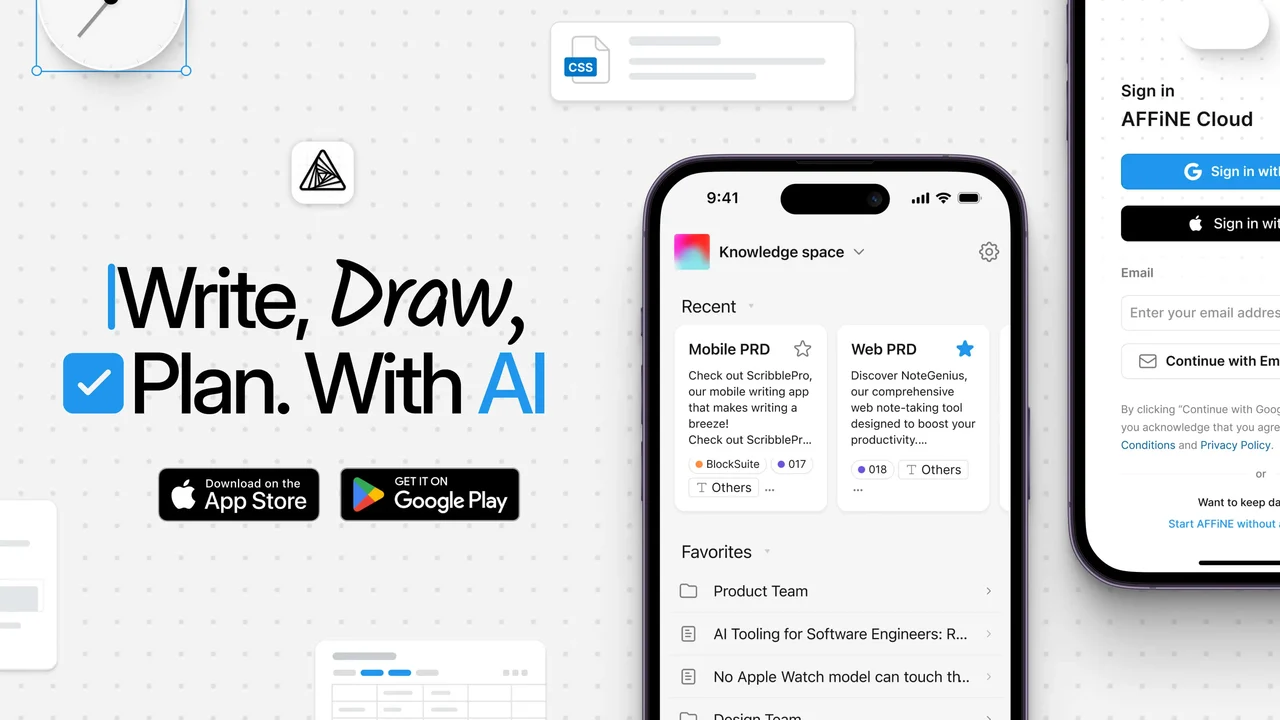 When your team is juggling specs, ADRs, and runbooks, jumping between tools kills focus. AFFiNE offers a single, distraction-free place to plan, diagram, and write the technical docs developers rely on every day.
Overview and positioning
AFFiNE is an all-in-one knowledge management and documentation tool that combines writing, diagramming, and planning in one local-first workspace. It natively supports Markdown and code blocks, so engineers can draft design docs, HOWTOs, and API notes using the same syntax they already use in their editors. Under the hood, everything is built from blocks, and those blocks can be reused and referenced across pages via bi-directional links and synced notes [source].
Instead of scattering information across separate wikis, whiteboards, and issue trackers, you can build a privacy-focused knowledge base that lives on your own devices or self-hosted servers. For teams evaluating tech documentation software or modern software documentation stacks, this local-first, open-source approach is a strong alternative to browser-only SaaS wikis.
Docs-as-code and local-first advantages
AFFiNE is designed to be run on desktop, web, or fully self-hosted with no feature compromises. That means you can keep writing and editing docs even when you are offline, then sync when you are back on a network. For developers, this reduces context switching: you can keep your docs open alongside your IDE, commit Markdown versions into Git, and work the same way you work with code.
Two core ideas matter for developer documentation workflows:
• Docs-as-code friendly – Pages are made of blocks, but they are still natural to translate into Markdown files stored in a repository. You can draft technical content in AFFiNE, then export or sync into a static site or other documentation tools when it is ready for review.
• Edgeless whiteboard-to-doc workflow – Edgeless mode lets you sketch freehand diagrams, flowcharts, and architecture views on an infinite canvas. You can break those sketches into notes, reorganize them visually, then switch back to Page mode to turn them into structured documents with headings and code samples.
Because blocks and pages can be linked in both directions, you can connect system diagrams to the design docs, ADRs, and implementation notes they belong to. Over time, this creates a knowledge graph across projects and repos, without forcing everyone to learn a heavy graph UI.
Setup tips and SEO for developer docs
To make AFFiNE work as a core part of your technical documentation tools stack, keep the structure simple. A practical pattern many teams adopt looks like this:
• /guides for high-level how-to content and walkthroughs
• /reference for stable APIs, CLI flags, and configuration options
• /tutorials for step-by-step, beginner-friendly flows
• /changelogs for release notes and migration details
Within AFFiNE, you can mirror that structure with Collections and page hierarchies, then link out to any static site repo that actually publishes the docs. This fits the docs-as-code model: engineers write in a fast local editor, store Markdown alongside source code, then publish using their preferred static site or CI workflow.
Keep one canonical page per topic and link older or version-specific variants back to it.
For SEO and developer discoverability:
• Use consistent, human-readable slugs such as /guides/deployment/kubernetes or /reference/http-api/authentication.
• Create canonical URLs for the latest version of each doc and treat earlier versions as archived.
• Add light-weight tags or taxonomies in page properties (e.g., api, security, observability) so related content is easy to surface.
• Embed copy-pastable code blocks with language labels (for example, Bash, Python, JavaScript) so developers can scan quickly.
Because AFFiNE is local-first and can be self-hosted, it works well as the internal authoring hub while your public-facing site is built by other software documentation tools such as static site generators. You get the best of both worlds: a rich planning and drafting environment and a lean, SEO-friendly site that search engines can crawl.
Pros and cons
Pros
• Local-first workspace with offline support, plus optional cloud sync and full self-hosting [source].
• Native Markdown and code blocks make it comfortable for developers coming from editors and CLI tools.
• Edgeless mode turns freehand diagrams and project canvases into structured long-form docs.
• Bi-directional linking and block reuse help connect related concepts across a large engineering knowledge base.
• Open-source, with a business model that keeps core functionality free for individual use.
Cons
• While a dedicated mobile app is now available, the experience may still be maturing compared to the desktop version, and web usage on phones can feel rough in testing.
• Some usability "rough edges" around tables, copy and paste, and interaction details can slow down heavy daily use [source].
• Teams that require polished, out-of-the-box publishing to the public web may still need an additional docs site generator.
Best use cases
If you are deciding what is the best documentation tool to start organizing engineering knowledge, AFFiNE works particularly well in scenarios where thinking, sketching, and writing all happen in the same place. You will notice the benefits most in cases like:
• Technical design docs – Start with a rough architecture sketch in Edgeless mode, cluster notes into sections, then convert everything into a review-ready spec.
• Runbooks and incident guides – Keep step-by-step procedures, command snippets, and troubleshooting trees linked directly to the systems they apply to.
• Onboarding playbooks – Combine diagrams, high-level overviews, and hands-on exercises in a single, interconnected space that new hires can explore.
• Architecture and system maps – Use the canvas to map services and dependencies, then link each component to its corresponding reference docs and ADRs.
For teams comparing the best documentation tools and broader documentation tools ecosystems, AFFiNE is a strong choice for the authoring and planning layer. Pair it with a static documentation site for publishing, and you get a robust, privacy-first foundation for modern software documentation without locking yourself into a single vendor.
Option #2 Docusaurus best for MDX and React-based docs sites
When you want docs that feel like part of your product site, not an afterthought, Docusaurus gives you a modern React-based foundation without forcing you to build everything from scratch.
Overview and strengths
Docusaurus is an open-source static site framework created by engineers at Meta to make documentation sites fast to build and easy to maintain. You write in Markdown or MDX (Markdown plus JSX), while Docusaurus handles navigation, theming, internationalization, versioning, and SEO-friendly output for you. Because it sits on top of React, front-end teams can reuse their existing skills and components, which is one reason many well-known developer products use it for their public docs.
If you are evaluating technical documentation software and want something that feels like a real web app rather than a basic wiki, Docusaurus is one of the most flexible options in this space.
Docs-as-code workflow
Wondering how Docusaurus fits into a docs-as-code process? Imagine your documentation sitting right beside your code, versioned and reviewed in the same way.
• Keep all docs content under a /docs directory in your repository, written in .md or .mdx files.
• Use normal Git branches and pull requests so engineers and writers can propose changes, get review, and merge just like code [source].
• Adopt MDX when you need interactive pieces like tabs, reusable callouts, or live components embedded directly in your docs pages.
Start simple: plain Markdown first, then layer in MDX components only where they add real value.
This approach makes Docusaurus feel like the best dev documentation tool for React-focused teams that already live in Git and CI. It also plays nicely with other online documentation tools you might use for API explorers or embedded sandboxes.
Versioning and SEO foundations
Dread managing multiple product releases and legacy docs? Docusaurus ships with built-in versioning so you can keep separate doc trees for each release line without bolting on custom logic. You can snapshot the current /docs into a versioned directory, maintain older versions as needed, and expose a version switcher in the navbar so developers can quickly jump to the right information.
On the SEO side, Docusaurus helps your content rank and stay discoverable:
• Each page gets statically generated HTML, which search engines can crawl easily.
• Front matter fields like title, description, and keywords are turned into proper meta tags and Open Graph data.
• The bundled sitemap plugin produces a sitemap.xml, giving crawlers a complete map of your routes.
To make the most of this in a tech documentation software stack, keep your docs headings structured (<h2>, <h3>, and so on) and add concise descriptions to every high-value page. You can also define breadcrumbs through a clear folder structure and sidebar configuration so users and search engines both understand where a page lives.
CI/CD and deployment workflow
Sounds complex? In practice, shipping docs with Docusaurus fits neatly into your existing CI pipeline:
• Configure core settings such as site URL, base URL, navbar, sidebar, and presets in docusaurus.config.js.
• Use your CI tool to run npm run build or yarn build, which outputs static assets into the /build directory.
• Publish the contents of /build to GitHub Pages, Netlify, Vercel, or any static hosting that suits your infrastructure.
A GitHub Actions workflow, for example, can build on every push, run link or style checks, and deploy automatically after approval. That makes it easier to answer "what's the best tool for creating software documentation that stays in sync with releases" when your team already uses GitHub every day.
Pros and cons
Pros
• Modern React-based stack that lets teams reuse components and front-end skills.
• Strong MDX support for interactive examples and richer pages than plain Markdown alone.
• Built-in documentation versioning, internationalization, and SEO helpers such as meta tags and sitemaps.
• Fits cleanly into a docs-as-code workflow using Git, pull requests, and CI/CD pipelines.
Cons
• Depends on the Node.js and React ecosystem, which may feel heavy for very small or non-JavaScript teams.
• Theming and deep customization can be more complex than simpler generators that only expose basic templates.
Best use cases
So how do you evaluate the software documentation company Docusaurus on API documentation and beyond? It shines when you need a feature-rich, React-flavored site rather than a bare-bones manual.
• API and SDK documentation – Use MDX to combine prose, code samples, reusable callouts, and even small interactive components on each endpoint page.
• Product and platform guides – Organize tutorials, how-to guides, and conceptual overviews into a clean sidebar, backed by strong SEO for long-term discoverability.
• Open-source project sites – Host your docs and marketing pages together, leveraging versioning as you cut new releases and branches.
If you are comparing online documentation tools for a React-heavy stack, Docusaurus is often the default choice for modern software documentation sites. Next, we will look at MkDocs, which offers a lighter, Python-based alternative focused on pure Markdown and speed.
| Generator | Templating approach | Plugin and theme ecosystem |
|---|---|---|
| Docusaurus | React components and MDX for highly customizable layouts | Rich plugin ecosystem with presets, SEO, i18n, analytics, and more |
| MkDocs | Jinja2-style templates rendered from YAML config | Strong plugin and theme library, often used with the Material theme |
| Sphinx | Templating via themes and reStructuredText or Markdown extensions | Mature ecosystem aimed at reference-heavy and Python-centric projects |
Option #3 MkDocs best for fast, simple Markdown sites
Need a documentation site that feels lightweight but still professional? MkDocs gives you a fast, Markdown-first way to ship docs without a heavy front-end stack.
Overview and strengths
MkDocs is a static site generator geared specifically toward project documentation. You write your content in Markdown and manage the site with a single YAML configuration file, which keeps your setup simple and easy to reason about. The built-in development server lets you preview changes live as you edit, automatically rebuilding and refreshing the browser on save.
Because MkDocs outputs plain static HTML, you can host it almost anywhere — GitHub Pages, GitLab Pages, S3, or any static web host you already use. For teams looking for a straightforward software documentation tool that still follows software documentation best practices like docs-as-code, MkDocs is one of the most developer-friendly options.
Material for MkDocs enhancements
On its own, MkDocs is intentionally minimal. If you want a polished UI, powerful navigation, and advanced writer ergonomics, pairing it with the popular Material for MkDocs theme is an easy win. Material for MkDocs adds features such as tabs, callouts, improved search, and sophisticated navigation components, all while keeping your content in plain Markdown.
Imagine you are bootstrapping a new docs site. After installing Material for MkDocs, you can create a project structure using the mkdocs executable, which generates a ready-to-edit skeleton for your documentation. Your core configuration then lives in mkdocs.yml. A minimal setup typically includes:
• site_name – the title of your docs site
• site_url – the canonical URL for SEO and for plugins that rely on it
• nav – the navigation tree that maps sections to Markdown files
• theme – pointing to the Material theme
• plugins – search, sitemap, and any extras your team needs
Material for MkDocs even provides a schema.json for validating mkdocs.yml, so your editor can catch configuration mistakes early and guide you through advanced options like colors, fonts, and icons. That helps keep your documentation systems maintainable as the site grows.
Speed, search, and SEO
When you update docs frequently, rebuild time matters. MkDocs includes a live preview server that auto-reloads as you write, and for large projects you can use the --dirtyreload flag to rebuild only the current page, making the feedback loop much faster. This speed advantage is one reason MkDocs often shows up on shortlists of top-rated platforms for software documentation.
On the search and SEO side:
• Enable the built-in search plugin (or Material's enhanced search) so developers can quickly locate APIs, guides, or runbooks.
• Set site_url in mkdocs.yml, which some plugins use to generate correct links, social cards, and canonical references.
• Add sitemap and robots plugins so search engines can crawl your site structure efficiently.
• For multi-version docs, use plugins that support versioned builds and canonical URLs pointing to the latest stable docs.
Organize code samples under
/examples/<language>so teams can reuse snippets across pages.
These patterns align well with software documentation best practices, especially if you treat your docs as code and keep everything under version control.
CI/CD and deployment workflow
Wondering how to move from local previews to automated publishing? MkDocs integrates smoothly with CI/CD. With Material for MkDocs, you can use a GitHub Actions workflow that builds your site on every push and deploys to GitHub Pages, so updated docs go live as soon as changes are merged. The same pattern works on GitLab via GitLab CI, which can publish directly to GitLab Pages.
If you prefer manual deployment, you can run the MkDocs build command locally, which generates a static site you can host on GitHub Pages, GitLab Pages, a CDN, or your own web space. Either way, because the output is fully static, it is easy to integrate with existing documentation systems and infrastructure.
Pros and cons
Pros
• Focused on project documentation with a simple Markdown-plus-YAML model [source].
• Fast live preview server with auto-reload and optional dirty reload for large sites.
• Static HTML output that can be hosted on GitHub Pages, GitLab Pages, S3, or almost any platform.
• Material for MkDocs adds a rich UX, Markdown extensions, and extensive configuration options for a low-effort technical writing experience.
Cons
• Requires a Python environment, which might be unfamiliar for teams rooted entirely in other ecosystems.
• Deeper customization is driven through YAML and Jinja-style templates, which can feel verbose compared with GUI-based site builders.
Best use cases
Imagine your team wants something lean, transparent, and easy to review in Git. MkDocs fits perfectly for:
• Engineering handbooks – Keep policies, onboarding guides, and runbooks in a single repo, versioned with code.
• API and CLI guides – Combine narrative explanations with structured examples and link to generated reference docs when needed.
• Single-repo project docs – For libraries, services, or internal tools that need clear, fast documentation without a complex build pipeline.
For teams evaluating top-rated platforms for software documentation, MkDocs offers a pragmatic middle ground: more structure and automation than a basic wiki, but far less overhead than a full-blown web application framework. Next, we will look at Sphinx, which shines when you need dense, reference-heavy documentation generated directly from your codebase.
Option #4 Sphinx best for large reference documentation
Maintaining docs for a growing codebase feels overwhelming when you update everything by hand. Sphinx helps you turn your code and docstrings into consistent, navigable reference docs that scale with your project.
Overview and strengths
Sphinx is a mature documentation generator widely adopted in the Python ecosystem. It is written in Python and supports both reStructuredText and Markdown (via MyST and other parsers) as source formats. Instead of treating docs as a loose collection of pages, Sphinx encourages a structured project layout with configuration in conf.py, making it a powerful option among code documentation tools and technical authoring software.
What you will notice quickly is that Sphinx is designed for depth: it excels at dense reference material, API surfaces, and long-form guides that need rich cross-linking and indexing. That makes it a strong fit whenever you are looking at programming documentation tools for libraries, SDKs, and internal platforms that evolve over years rather than weeks.
Extensibility with themes and extensions
Sounds complex? The real strength of Sphinx lies in its extension system. You can add or remove capabilities simply by listing extensions in conf.py. One of the most important is sphinx.ext.autodoc, which can import your modules and pull documentation directly from Python docstrings in a semi-automatic way.
• autodoc imports your code, inspects functions, classes, and modules, and injects their docstrings into your docs so you do not maintain API docs in two places.
• You can mix automatic and hand-written documentation in the same file, combining generated signatures with curated explanations and examples.
• Using the napoleon extension, you can write NumPy or Google style docstrings; Sphinx converts them into proper reStructuredText before autodoc processes them.
Sphinx also integrates smoothly with Read the Docs, which provides hosted builds and server-side search tailored for Sphinx projects. That combination makes Sphinx one of the most flexible source code documentation tools for Python-heavy stacks.
Reference-heavy docs, cross-references, and versioning
When you document a large codebase, linking everything together matters as much as the content itself. Sphinx offers rich cross-referencing capabilities so you can connect functions, classes, modules, configuration values, glossary terms, and arbitrary sections.
• Semantic roles such as :func:, :class:, or :py:meth: create links from usage sites to definitions automatically [source].
• The :ref: role lets you reference any labeled section or figure by an internal label, even across files, and stays valid if headings change.
• The :doc: role links to whole documents by path, keeping navigation explicit and maintainable.
• The convenience role :any: attempts to resolve a reference across all domains and even intersphinx inventories when local targets are not found.
For SEO and multi-project navigation, you can combine Sphinx with Read the Docs' recommendations: set html_baseurl in conf.py to define a canonical URL, enable server-side search, and integrate version menus that let readers jump between releases. Inter-project cross-references via intersphinx mappings can then link related libraries, CLIs, or services into a broader documentation system.
Configuration, CI/CD, and docs-as-code
Imagine your Sphinx project as another service in your monorepo. The heart of it is conf.py, where you specify at least:
• extensions – such as sphinx.ext.autodoc and sphinx.ext.napoleon for API extraction and docstring style support.
• html_theme – often a theme optimized for Read the Docs or another responsive Sphinx theme.
• source_suffix – to support .rst and optional .md when mixing reStructuredText and Markdown.
In CI, you install your package and Sphinx in the same environment so autodoc can import modules and resolve dependencies cleanly. From there, your pipeline can:
• Run sphinx-build to produce HTML or other formats.
• Fail the build on warnings if references break or modules cannot be imported.
• Publish the built site to your chosen host or to a platform like Read the Docs, which automates builds on every push.
This workflow aligns well with docs-as-code practices and fits naturally alongside other programming documentation tools in your stack.
Maintain a shared style guide and cross-reference policy so your Sphinx docs stay consistent as more contributors join.
Pros and cons
Pros
• Highly capable for large, reference-heavy projects, with first-class cross-referencing and indexing features.
• sphinx.ext.autodoc can import code and generate API documentation directly from docstrings, reducing duplication.
• Supports both reStructuredText and Markdown via MyST and similar extensions, giving teams flexibility in authoring formats.
• Deep integration with Read the Docs for automated builds, search, version menus, and canonical URL configuration.
Cons
• Steeper learning curve than simpler static site generators, especially around reStructuredText syntax and advanced configuration.
• Because autodoc imports modules during builds, side effects on import or missing dependencies can break documentation unless environments are managed carefully.
Best use cases
If you are comparing programming documentation tools and need something purpose-built for deep technical content, Sphinx is especially strong in these scenarios:
• Library and framework reference docs – Generate detailed API references from docstrings while layering conceptual guides around them.
• Enterprise SDKs and multi-language bindings – Use domains and cross-references to keep classes, methods, and configuration options discoverable across packages.
• Large codebases with docstring-driven docs – Treat docstrings as the single source of truth, using autodoc and napoleon to keep reference documentation synchronized with code changes.
For teams building long-lived documentation systems and evaluating source code documentation tools that can grow with complex products, Sphinx offers a robust, extensible foundation. From here, it is natural to look at Read the Docs next, which focuses on hosting and automated builds for Sphinx and similar projects.
Option #5 Read the Docs best for managed builds and hosting
When you are tired of babysitting build servers just to publish docs, Read the Docs turns your repository into a fully automated documentation site with versioning, search, and hosting built in.
Overview and strengths
Read the Docs is a managed platform that builds and hosts documentation directly from your Git repository. Instead of running Sphinx or MkDocs manually, you connect your project once, and Read the Docs checks out your code, installs dependencies, builds the docs, and uploads the generated HTML and other formats to its servers. For teams looking for documentation solutions that reduce operational overhead, this hosted approach can be a strong fit.
Under the hood, each build goes through a standardized pipeline: code checkout, dependency installation, environment creation, documentation build, and artifact upload. You will notice that this feels a lot like a CI job, but without you having to maintain the infrastructure yourself.
Hosting, builds, and integrations
Sounds complex? In practice, you only connect your repository and choose a documentation builder such as Sphinx or MkDocs. From there, Read the Docs:
• Checks out your project on every build and pulls the latest code from your Git provider [source].
• Installs system and runtime dependencies, including specific versions of Python or other runtimes you declare, plus any apt packages you configure via build.apt_packages.
• Creates an isolated Python environment (virtualenv or conda) when the Sphinx or MkDocs keys are defined, and installs your project requirements.
• Runs the documentation build using Sphinx or MkDocs depending on project configuration, then uploads the artifacts such as HTML and PDF to its servers and purges the CDN cache so your docs stay fresh.
Build cancellation and resilience are also baked in. If you accidentally trigger multiple builds, Read the Docs can automatically cancel a running build when it detects a newer push to the same version, and it can even disable projects after too many consecutive failed builds to protect shared resources. For developers, this feels like having a dedicated documentation system that behaves like CI without the maintenance burden.
Multi-version and governance
When you support multiple releases or long-term support branches, manually managing docs for each version quickly becomes error-prone. Read the Docs addresses this by treating every Git branch and tag as a potential documentation version.
• When you first add a project, the platform creates a latest version pointing to your default branch, usually main, and recognizes semantic-version-style tags to create a stable version that tracks your most recent release.
• Each version has a state: active or inactive, and hidden or not hidden. Active versions can be built and served; inactive versions have their content removed and cannot be built.
• Hidden versions are excluded from the flyout version menu and search results, but remain reachable with a direct URL. Read the Docs lists hidden versions in robots.txt as disallowed paths, which helps keep work-in-progress or unsupported releases out of search results.
From a governance perspective, this means you can:
• Keep unsupported or experimental versions hidden but available for internal reference.
• Define a default version that visitors see when they hit the root docs URL, often mapping that to stable for production users.
• Rely on automatic sync of versions whenever commits are pushed or builds are triggered, so your version list stays aligned with your repository.
Use hidden versions for work-in-progress branches so your team can preview docs without exposing them in navigation or search.
This multi-version model is one reason Read the Docs often comes up when people ask what is the best IT documentation solution for open-source libraries and SDKs that evolve over years.
SEO and technical documentation
Read the Docs also pays attention to search experience. It ships with server-side search tuned for documentation, and its versioning model interacts with search engines in predictable ways. Hidden versions, for example, are explicitly disallowed in the default robots.txt file, which keeps outdated or temporary docs from crowding search results.
Combined with Sphinx or MkDocs following standard SEO guidance — descriptive titles, clean URLs, and avoiding low-content pages — you get a documentation stack that search engines can crawl and index effectively. For product documentation tools that need both strong search and low operational friction, this is a practical balance.
Pros and cons
Pros
• End-to-end managed builds and hosting: checkout, environment setup, build, and upload are all automated.
• First-class support for Sphinx and MkDocs, letting you lean on existing authoring tools while outsourcing infrastructure.
• Rich multi-version support with clear states (active, inactive, hidden) and special handling for latest and stable releases.
• Automatic sync and builds on pushes when Git integration is configured, keeping docs aligned with code changes.
• Controls to cancel running builds and safeguards that disable projects with long streaks of failed builds, protecting shared resources.
Cons
• Builds must fit within defined resource limits such as build time and memory, or they will fail unless you upgrade limits.
• You need to express customization through the Read the Docs configuration model and supported builders, which can feel constraining compared with fully bespoke CI pipelines.
Best use cases
Imagine you maintain multiple libraries or services and want a single place where all their docs live, versioned and searchable, without running your own documentation servers. Read the Docs is especially well-suited for:
• Open-source projects and libraries — Host Sphinx or MkDocs docs with multi-version support, version menus, and search, with minimal configuration.
• API clients and SDKs — Keep reference docs for each release line live at predictable URLs while steering users toward the stable version.
• Internal tools and platforms — Use Read the Docs as the managed layer in your documentation system so engineering teams can focus on content instead of infrastructure.
For teams comparing documentation solutions and product documentation tools that integrate smoothly with Sphinx and MkDocs, Read the Docs offers a compelling managed option. From here, it makes sense to look at API-focused platforms like Redocly next, especially if interactive OpenAPI references are a big part of your documentation strategy.
| Aspect | Sphinx on Read the Docs | MkDocs on Read the Docs |
|---|---|---|
| Primary focus | Large, reference-heavy docs with rich cross-references | Fast, Markdown-first project documentation |
| Versioning support | Leverages Read the Docs multi-version model for deep API docs | Uses the same versioning model, ideal for simpler site structures |
| Search behavior | Server-side search tuned for Sphinx output | Server-side search tuned for MkDocs sites |
Option #6 Redocly best for polished OpenAPI reference
When your REST or event APIs are growing faster than your docs, keeping everything consistent can feel impossible. Redocly helps you turn raw OpenAPI files into a polished, discoverable developer experience without hand-coding every page.
Overview and strengths
Redocly is an API documentation platform built around the open-source ReDoc renderer, which is widely regarded as one of the top api documentation tools for OpenAPI-based references. The company emphasizes high-quality OpenAPI rendering, fast, SEO-ready docs, and a workflow that treats documentation like code, with React, CLI tools, and configuration files that engineers can version in Git.
You will notice two big advantages right away:
• Production-ready reference UIs generated automatically from OpenAPI definitions, with responsive layouts and developer-friendly navigation.
• Enterprise-focused governance through linting, configuration, and multi-product support, helping large organizations grow a coherent API ecosystem.
Because it is based on a familiar React and CLI stack, Redocly fits naturally into engineering workflows and frequently shows up in roundups of popular api documentation tools that support docs-as-code.
OpenAPI-first workflows
Sounds complex? In practice, Redocly encourages a straightforward OpenAPI-first workflow that you can fold into your existing repos.
• Author or import your OpenAPI specs (for example, openapi.yaml) into a Git repository where engineers already work.
• Use the Redocly CLI to lint your specs and enforce house style rules before changes hit the main branch, catching problems early.
• Generate static HTML documentation or push to hosted hubs that turn your specs into a full reference site with navigation, search, and code samples.
Teams that live in Git often treat this as another CI job: whenever someone updates openapi.yaml, the pipeline runs Redocly's lint step, builds the docs, and publishes previews. According to an external comparison, Redocly is particularly strong for teams that want CI enforcement around API style and consistency, with the CLI blocking specs that violate rules before they reach production. That automated documentation flow keeps your reference site aligned with the real API.
Interactive reference and governance
Developers expect more than static pages. Redocly leans heavily into interactive documentation and governance features so you can scale from one API to an entire portfolio.
• Auto-generated code samples in multiple languages drawn directly from your OpenAPI definitions, reducing manual snippet maintenance.
• Nested schemas with deep links so complex request and response models remain navigable, even when they are deeply composed.
• Mock servers to help consumers experiment with endpoints before full backends are ready.
• Remote content and hubs that let you combine single-sourced Markdown content with multiple OpenAPI references into cohesive developer portals.
Group endpoints by clear tags and write concise summaries; these become the primary scan-path for busy developers.
On the governance side, Redocly targets organizations that treat APIs as products. Lint rules, house style configuration, and a focus on Git-based workflows help you keep many teams aligned while still shipping quickly. Over time, this kind of automated documentation governance becomes essential as you add more services and versions.
SEO, URL structure, and CI/CD
When your API docs are the first touch point for many developers, search and structure matter as much as design. Redocly's renderer produces responsive, SEO-ready HTML that you can host statically or via Redocly's own platform. To make that work harder for you:
• Use readable URL patterns, for example /api/payments/create-charge instead of opaque IDs, so endpoints are easier to find and remember.
• For versioned APIs, configure canonical tags or redirects so search engines favor the latest stable version while still exposing legacy docs when needed.
• Write human-readable endpoint summaries and descriptions; these frequently surface in search results and API catalogs.
In CI/CD, imagine a typical pipeline:
• On every pull request, run the Redocly CLI linter against your OpenAPI files. Fail the build if rules are violated, protecting your docs and your gateway configs.
• On merge to main, build static docs or push remote content into a Redocly project using CI actions, then deploy to your hosting platform.
• Publish preview environments per branch so reviewers can click through docs before approving changes.
Redocly even offers a GitHub Action for pushing remote content to its Reunite product, updating project deployments and scorecards as part of your workflow. For teams comparing top api documentation tools , this tight CI integration is a major differentiator.
Pros and cons
Pros
• Highly polished OpenAPI renderer with responsive, SEO-ready reference docs and deep linking capabilities.
• Strong docs-as-code story with CLI tools, configuration files, and Git-driven workflows that fit developer habits.
• Robust linting and governance features that enforce consistent API style and structure across teams.
• Support for auto-generated code samples, mock servers, and multi-API hubs, giving API consumers an end-to-end experience.
Cons
• Advanced configuration and governance rules can introduce a learning curve for smaller teams just starting with OpenAPI.
• Because the tooling is optimized for OpenAPI, non-OpenAPI or hybrid documentation needs may still require complementary platforms.
Best use cases
Imagine you are running an API program where the reference docs are effectively your product homepage for developers. Redocly stands out among popular api documentation tools in scenarios such as:
• Public API portals – Offer clean, interactive reference docs with code samples, deep links, and search so external developers can onboard themselves.
• SDK and client library docs – Tie language-specific SDKs to precise endpoints, using OpenAPI-derived snippets to show how to call each API.
• Multi-team API ecosystems – Use linting and governance features to keep many service teams aligned on naming, error handling, and documentation patterns.
If your broader technical documentation stack already covers guides and conceptual content, Redocly can be the focused reference layer for your APIs. From here, it is natural to look at SwaggerHub next, which emphasizes collaborative API design and documentation for organizations standardizing on OpenAPI.
Option #7 SwaggerHub best for collaborative API design
When multiple teams ship and change APIs at the same time, keeping designs, docs, and SDKs in sync gets messy fast. SwaggerHub gives you a single, collaborative place to design OpenAPI definitions, review them, and turn them into consistent documentation and client code.
Overview and strengths
SwaggerHub is SmartBear’s API design and documentation platform. It centers everything around machine-readable OpenAPI definitions so that humans and tools share the same source of truth. Instead of scattering specs in issue trackers or text documents, you keep them in a governed workspace with organizations, teams, and projects for clear ownership.
Because APIs, documentation, and generated artifacts all come from the same definition, SwaggerHub fits naturally into a stack of automated documentation tools and helps you treat APIs as products rather than just endpoints.
Design-first API development
Sounds complex? In practice, a design-first workflow in SwaggerHub is easy to visualize.
• Start with the contract – Teams write down the API design in OpenAPI so that both humans and computers can understand it, instead of burying the design in tickets or wiki pages.
• Standardize with style rules – Organizations in SwaggerHub can apply style rules to every API, automatically flagging naming or structure issues and replacing manual design reviews with automated checks.
• Reuse common components – Domains let you define shared parameters, responses, and schemas once and reference them across many APIs, following the DRY principle and keeping behavior consistent.
SmartBear highlights that design first makes teams “speak the same language,” reduces the risk of shipping the wrong software, and helps companies adapt faster to change. That is exactly what you want from the best developer doc tools when many services must stay aligned.
Automation and collaboration
Once a design is in place, SwaggerHub acts as one of your core documentation automation tools, feeding portals, SDKs, and gateways.
• Centralized source of truth – Organizations, teams, and projects in SwaggerHub provide a clear map of who owns which APIs and where the authoritative definitions live.
• Mocking and early validation – Integration with VirtServer auto-mocking creates semi-static mocks from your designs so client teams can start development and testing in parallel, getting immediate feedback on the API surface.
• Code generation as part of the flow – From the consumer view in SwaggerHub Portal you can generate client SDKs, server stubs, and documentation for OpenAPI definitions, or download the resolved JSON/YAML spec that other systems use.
• CI/CD and platform integrations – SwaggerHub integrates with API management platforms such as AWS, Azure, IBM API Connect, and Apigee, and can sync definitions with Git providers so your specs, docs, and gateways stay in step.
With webhooks and repository sync, you can build pipelines where every spec change triggers validation, generates updated docs, and pushes new SDK templates. That turns your OpenAPI files into live document automation tools rather than static assets, enabling truly automatic documentation as your services evolve.
Docs experience, SEO, and structure
Imagine a partner developer landing on your API portal. They need clean URLs, readable endpoint pages, and examples they can copy into their IDE.
• Clean paths – Structure endpoint URLs in human-friendly ways, for example /apis/payments/refunds or /apis/shipping/rates, so docs and routes are easy to scan.
• Readable summaries – Short, descriptive operation summaries and detailed descriptions make it easier for search engines and humans to understand what an endpoint does, especially when you write documentation online for public APIs.
• Multi-language examples – SwaggerHub’s integration with Elements lets consumers view and generate code snippets for OpenAPI definitions, and they can download JSON or YAML versions of the spec for deeper integration [source].
Keep examples as close as possible to each endpoint and link directly to SDK sections that implement those calls.
By combining structured paths, clear summaries, and language-specific examples, SwaggerHub helps your API docs behave like well-optimized technical content, even before you plug them into a broader SEO strategy.
Pros and cons
Pros
• Strong support for a design-first approach where API contracts drive development, tests, and documentation.
• Centralized organizations, teams, and projects provide a clear, governed source of truth for all APIs and docs.
• Domains and style rules encourage consistent schemas and reusable components across large API portfolios, reducing manual review effort.
• Integration with VirtServer, code generation, and API management platforms turns OpenAPI specs into fully automated documentation and delivery workflows.
Cons
• Smaller teams or simple APIs may not need the full governance and integration model, so the platform can feel heavier than basic editors.
• Organizations must commit to OpenAPI-centric workflows; mixed or non-spec-based APIs will require additional tooling alongside SwaggerHub.
Best use cases
Wondering where SwaggerHub fits best among automated documentation tools for developers? You will notice the biggest impact in scenarios like these:
• Multi-team API programs – Centralize hundreds of APIs across domains, reuse components, and apply style rules so every team ships consistent designs.
• Partner-facing and public portals – Use SwaggerHub and its portal capabilities to give external developers interactive docs, code snippets, and downloadable specs in one place.
• Organizations standardizing on OpenAPI – Treat SwaggerHub as the authoritative hub that feeds gateways, mocks, SDKs, and human-readable docs from a single spec.
For teams on an API journey who want documentation automation tools that tie directly into design and governance, SwaggerHub offers a robust, design-first foundation. Next, we will look at Stoplight, which also emphasizes OpenAPI but leans more heavily into design-first modeling and embeddable portals.
Option #8 Stoplight best for design-first API portals
When dozens of services expose their own APIs, keeping designs and docs aligned can feel chaotic. Stoplight helps you bring order with a design-first workflow that turns consistent OpenAPI specs into reliable, reusable documentation assets.
Overview and strengths
Stoplight positions itself as an OpenAPI design and documentation management platform that supports the full API program lifecycle. It emphasizes visibility across your entire API portfolio, reuse of models and components, and standardized OAS-driven workflows so you can "design your APIs D.R.Y." rather than reinventing the wheel for every service.
You will notice the core idea quickly: treat OpenAPI as the backbone for documentation creation, mocks, and governance. By reusing models and components instead of duplicating them, you reduce risk, improve ROI, and avoid the scattered, inconsistent docs that often plague fast-growing microservice environments.
Stoplight Studio and Elements
Sounds complex? In practice, Stoplight breaks the work into two familiar pieces: modeling and rendering.
• Stoplight Studio – A visual and text-based editor for OpenAPI where you model endpoints, schemas, and relationships. It integrates with OAS standards and lets you reuse models and components across many APIs, which is ideal when you treat your specs as core project documentation tools rather than throwaway files.
• Stoplight Elements – A set of embeddable components that render interactive API docs from your OpenAPI definitions, so you can plug rich references directly into existing portals or docs sites instead of standing up a separate UI.
Imagine modeling a payments API in Studio, pushing the spec to Git, and then dropping Elements into your main docs site to give developers a three-panel viewer with try-it-out style exploration. That workflow turns your OpenAPI files into a living code documentation tool that fits neatly inside your broader tools for documentation.
Governed API docs and portals
Stoplight leans heavily into governance so your docs stay consistent even as teams and services grow. Its API governance capabilities center on automatic style guides that standardize design and documentation across the organization.
• Automatic style guides – Enforce built-in or custom rules around naming, structure, and security. These rules run directly in your design workflow, so teams get feedback without blocking progress.
• Public style guides – Use curated rule sets from top companies as a starting point for your own standards. You can adopt them out of the box or tweak them to match your needs, making it easier to implement best practices without starting from zero.
• Govern across all APIs – Bring long-forgotten APIs back into view so champions can govern them, keep documentation up to date, avoid duplication, and remove inconsistencies across your program.
• Reuse artifacts – Star important API artifacts for easy discovery and reuse, so shared components, security schemes, or error formats propagate through your entire portal instead of being copied manually.
For SEO and navigation, you will get the best results if you organize your public-facing portal by business domain ("payments," "identity," "orders"), give each endpoint page a descriptive title and meta description, and use consistent slugs such as /apis/payments/create-charge. That way, search engines and humans read the same structure.
CI/CD and disciplined workflows
When you fold Stoplight into CI/CD, it becomes one of the more powerful tools for documentation in an API-first stack.
• Store OpenAPI files in Git and treat them like code, with pull requests and reviews.
• Run style-guide validation and error checks in your pipeline, surfacing violations early and preventing inconsistent designs from shipping.
• Trigger contract tests and mock updates whenever specs change, so consumers can test against realistic behavior.
• Regenerate and redeploy Elements-based docs artifacts on merge, ensuring that your portal always reflects the latest contracts.
This approach turns OpenAPI into a single source of truth that drives both implementation and docs. It also helps you build a repeatable documentation creation pipeline instead of relying on manual editing in wikis.
Pros and cons
Pros
• Strong focus on design-first OpenAPI workflows, with visual modeling and reusable components that reduce duplication.
• Powerful API governance through automatic style guides and validation rules that can be applied across projects, business units, or workspaces.
• Public style guides and reusable artifacts make it easier to adopt industry best practices and keep your API portfolio consistent.
• Embeddable Elements components let you integrate interactive docs into existing portals instead of running a separate site.
Cons
• Works best when teams commit fully to OpenAPI and design-first habits; ad hoc or undocumented services will not benefit as much.
• The combination of modeling, governance, and embedding features introduces a learning curve for very small teams or simple APIs.
Best use cases
Imagine your organization has many microservices and wants a single, coherent developer portal instead of a patchwork of one-off docs. Stoplight is especially effective in scenarios like these:
• Design-first API teams – Use Studio and style guides to align designers, developers, and stakeholders before any code is written.
• Microservice-heavy architectures – Reuse shared components and style rules to keep hundreds of endpoints consistent across teams.
• Aggregated API portals – Embed Elements into a central docs site so developers see a unified portal even though specs live across multiple repos.
• Organizations standardizing on governance – Apply public or custom style guides to new and legacy APIs to gradually raise quality across the board.
For teams comparing the best tools for creating software documentation in 2026 and beyond, Stoplight offers a compelling option whenever OpenAPI, reuse, and governance sit at the heart of your API strategy. Next, we will look at GitBook, which focuses more on fast, collaborative guides and less on deep design-time modeling.
| Aspect | Redocly | Stoplight |
|---|---|---|
| Primary focus | High-polish OpenAPI reference and developer portals | Design-first modeling, governance, and portfolio-wide consistency |
| Embedding approach | Static or hosted reference UIs and portals | Embeddable Elements components inside existing sites |
| Governance | Linting and style rules via CLI and configs | Automatic style guides and public rule sets across workspaces |
| Design-first workflow | Strong for spec-driven references | Centered on visual modeling and reusable components |
Option #9 GitBook best for fast, collaborative guides
When you need to publish clear docs quickly without wrestling with build pipelines, GitBook offers a streamlined way to create, organize, and share software documentation with the rest of your team.
Overview and strengths
GitBook is a collaborative documentation platform that combines a rich, browser-based editor with Git-friendly workflows. It is widely used to build technical knowledge bases, API references, developer guides, and changelogs, especially by software development companies that want the usability of a hosted tool with the control of versioned content [source].
Because it runs in the cloud, teams can contribute from anywhere, and GitBook keeps everything in sync. For organizations comparing the best documentation software options, GitBook stands out when you value ease of use and fast publishing over low-level control of templates and build tooling.
Authoring experience and collaboration
Sounds complex? In practice, writing in GitBook feels closer to using a modern note app than a traditional CMS.
• Intuitive editor – You can write in rich text or Markdown, add headings, callouts, images, and code blocks, and rearrange content via drag-and-drop hierarchies.
• Comments and reviews – Stakeholders can leave inline comments and suggestions so engineers, PMs, and technical writers collaborate directly inside the docs instead of over email.
• Git sync – With Git Sync, teams can synchronize spaces with GitHub or GitLab, letting developers update docs from their code editor while non-technical contributors work in the web UI.
• Branch-based workflow – GitBook supports branching, reviews, and conflict resolution so you can treat docs changes like code, protecting your primary spaces from unreviewed edits.
This combination makes GitBook a strong fit when you want the collaboration of a wiki but still care about docs-as-code principles and clean change history. For many teams, it becomes their central document creation software for internal and external guides.
Docs structure and SEO
When you grow beyond a handful of pages, structure matters as much as content. GitBook’s own best-practices guidance stresses that documentation is only useful if people can find what they need quickly.
Designing a logical information architecture
• Start from user goals – Talk with stakeholders and contributors about what users look for most often, then design your top-level sections around those needs rather than your org chart.
• Group pages logically – Create page groups under clear titles (for example, "Getting started," "How-to guides," "API reference," "FAQ") so users can scan the navigation and understand where to go.
• Use limited depth – Add subpages when topics are large, but keep nesting shallow. GitBook recommends avoiding more than three levels of nesting to avoid an overly-complex navigation.
Headings, cross-links, and navigation
• Consistent headings – Use H1 for the page title, then H2–H4 headings to break content into clear sections. Many documentation tools, including GitBook, use headings to build an “On this page” table of contents for quick scanning.
• Cross-reference related content – Rather than duplicating explanations on multiple pages, link to a single authoritative page whenever a concept appears elsewhere. This keeps maintenance manageable as your product evolves.
• Global search – GitBook offers global search and an AI assistant, so keeping terminology consistent across pages helps both users and search algorithms surface the right results quickly.
Link closely related pages together so readers always have a clear next step and spend more time with your docs.
SEO features and custom domains
GitBook’s published sites are designed to be SEO-friendly out of the box. The platform:
• Generates responsive layouts so content works well on mobile, tablet, and desktop devices.
• Uses pre-rendered HTML so crawlers do not need JavaScript to index pages.
• Derives HTML and Open Graph titles from the page and space titles, and descriptions from your page description field.
• Lets you customize URLs and automatically manages canonical URLs to avoid duplicate content.
• Generates a sitemap for published spaces so search engines can discover all pages more easily.
You can also configure a custom domain, such as docs.example.com, and host your GitBook site there, which is helpful when positioning your content as part of a broader suite of best solutions for software documentation within your company.
Pros and cons
Pros
• User-friendly, browser-based editor with Markdown support and automatic tables of contents that make authoring straightforward for technical and non-technical contributors.
• Git Sync and branch-based workflows enable docs-as-code practices while keeping a polished, hosted UI for everyday editing.
• Global search and AI-assisted querying help users quickly find information across guides, API docs, FAQs, and changelogs.
• SEO-conscious publishing with canonical URLs, sitemaps, and server-side rendering, reducing manual configuration compared to some static site setups.
• Adaptable across industries, from software development and startups to regulated sectors, where it supports technical, operational, and compliance documentation.
Cons
• Less granular control over templates, build pipelines, and theming than static site generators like MkDocs or Sphinx, which may matter for teams with strict branding or deployment requirements.
• Because GitBook is a hosted platform, organizations with strong self-hosting or on-prem constraints may need to pair it with other tools for certain use cases.
Best use cases
Imagine you are spinning up a new product and need documentation live within days, not weeks. GitBook excels when speed, clarity, and collaboration are the priorities.
• Product and feature guides – Provide quickstart guides, how-to walkthroughs, and explanation content organized with clear headings and page groups. This is where GitBook often becomes the main hub for software documentation in startups and product teams.
• Internal handbooks and runbooks – Centralize onboarding guides, operational workflows, and team processes so everyone shares a consistent source of truth, from engineering to marketing and customer support.
• API references and developer portals – Document APIs, SDKs, and changelogs in one place, taking advantage of Git Sync to keep definitions aligned with code and using global search to help developers discover relevant content.
• Cross-functional knowledge bases – Marketing agencies, consulting firms, non-profits, and educational institutions use GitBook to capture best practices, workflows, and training materials, benefiting from the same structure and collaboration features that engineers use.
For teams comparing best solutions for software documentation that balance usability with developer-friendly workflows, GitBook offers a compelling middle ground. From here, it is natural to consider how it pairs with heavier-weight platforms like Confluence, which focus more on enterprise-wide process and IT documentation.
Option #10 Confluence best for enterprise process and IT docs
When your organization spans multiple teams, products, and regions, keeping technical and business docs aligned can feel impossible. Confluence gives you an enterprise-ready wiki where engineering, IT, and business teams can document work in one shared, governed space.
Overview and strengths
Atlassian Confluence is a widely used collaboration and knowledge management platform. It is often adopted as a central it documentation platform for architecture overviews, runbooks, onboarding guides, and project plans, especially in companies already using Jira and other Atlassian tools. Pages are organized into spaces, which makes it easier to separate department knowledge (for example, Engineering, IT Operations, Security, HR) while still keeping everything searchable.
For enterprises that need cross-functional documentation rather than just developer-only sites, Confluence functions as a hub where macros, templates, and integrations support both technical and non-technical contributors.
Enterprise controls and integrations
Sounds complex? In large organizations, the real challenge is not just writing docs but controlling who can access them. Confluence Enterprise is designed for this scale, with features focused on security, governance, and visibility.
• Multiple Confluence sites – Enterprise customers can create multiple sites inside a single organization to segregate data for security or regional reasons, while still managing everything through one solution.
• Centralized identity and access management – Confluence integrates with Atlassian Guard (formerly Atlassian Access) to provide centralized visibility, auditing, and identity and access management across Atlassian cloud products.
• Advanced security and analytics – Cloud Enterprise plans bundle advanced security, scale features, and analytics, helping admins see which spaces get the most traffic and engagement so they can prioritize governance and cleanup.
• High-touch support – Enterprise customers benefit from 24/7 support, phone support, and fast response times for critical issues, which matters when Confluence is a core it documentation software for business continuity.
Atlassian notes that Confluence and related cloud products are trusted by 84% of the Fortune 500, underscoring its fit for regulated and large-scale environments where governance is essential.
Process and IT documentation
Imagine your SRE team documenting incident runbooks while HR publishes onboarding guides and product teams share feature specs. Confluence is built for this mixed audience, making it a strong option when you evaluate process documentation software and business process documentation software alongside developer tools.
• IT and ops runbooks – Use spaces for infrastructure, networking, and support. Pages can capture standard operating procedures, escalation paths, and troubleshooting flows, linking directly to Jira issues and change records.
• System overviews and architecture – Teams document diagrams, integration maps, and service ownership lists so newcomers and auditors can understand how systems connect.
• Onboarding and training – HR and engineering can maintain onboarding checklists, role expectations, and training paths in one searchable space, reducing duplicate content and outdated decks.
Because so many different audiences rely on Confluence, it is worth treating it like any other it documentation tools stack and investing in clear information architecture and naming conventions:
• Adopt consistent page prefixes (for example, "Runbook -", "ADR -", "Design -") so search results stay meaningful.
• Standardize space homepages with high-level overviews, key links, and search tips.
• Use labels (tags) to group related pages across spaces, such as incident-management, security, or billing-service.
These practices help Confluence complement more code-centric tools in your stack, rather than replace them.
Docs-as-code trade-offs
Compared with static site generators and docs-as-code pipelines, Confluence makes collaboration and discovery easier for non-developers but introduces a few trade-offs for engineering-heavy teams.
• Strengths vs static sites – Confluence pages can be edited in the browser, commented on inline, and updated by anyone with permissions, without requiring Git knowledge or CI access. This is ideal for business process owners and IT staff who do not work in repositories day to day.
• Limitations for code review workflows – Because pages are not typically stored as files in the same repo as your services, you lose some of the tight coupling between code and docs that tools like Docusaurus, MkDocs, or Sphinx provide.
Many organizations respond by using a hybrid approach: Confluence for high-level process and IT documentation, and docs-as-code tools for API references, SDK docs, and other developer-centric content. That way, each audience works in the environment best suited to their workflow.
Pros and cons
Pros
• Enterprise-grade governance and security options, including multiple sites and centralized identity and access controls for large organizations.
• Scales to thousands of users and spaces, with analytics that show engagement levels and high-traffic areas across your knowledge base.
• Deep integration with other Atlassian tools, supporting end-to-end workflows from Jira issues and change requests to documentation and reporting.
• Flexible enough to support IT documentation, engineering notes, and business process docs in a single, searchable platform, making it a versatile it documentation software choice.
Cons
• Less aligned with Git-based docs-as-code workflows, which can make versioning and code-review-driven documentation harder for deeply technical teams.
• Without disciplined information architecture and regular cleanup, spaces can become cluttered, making it harder for users to find authoritative, up-to-date pages.
Best use cases
Confluence is most effective when you treat it as the backbone for cross-functional knowledge, rather than a one-size-fits-all replacement for dedicated developer documentation stacks.
• IT and operations documentation – Runbooks, disaster recovery plans, configuration records, and support playbooks that many stakeholders need to read and occasionally update.
• Business process documentation – End-to-end process maps, SOPs, and policy docs that span departments, where the audience includes operations, compliance, finance, and leadership.
• Enterprise knowledge base – Mixed collections of engineering specs, program briefs, onboarding content, and decision records, searchable across teams and regions.
For organizations comparing process documentation software and business process documentation software options, Confluence stands out when governance, cross-team collaboration, and integrations with existing Atlassian tooling matter as much as pure developer ergonomics.
| Aspect | Confluence | Docs-as-code tools (e.g., Docusaurus, MkDocs, Sphinx) |
|---|---|---|
| Governance and access control | Granular permissions, multiple sites, centralized identity for large enterprises | Access handled via repo permissions and hosting platform; finer app-level governance often custom |
| Fit with developer workflows | Great for collaborative editing; less integrated with pull requests and code reviews | Excellent for Git-based workflows, code review, and CI/CD, but less approachable for non-technical users |
| Extensibility | Macros and marketplace apps; strong within Atlassian ecosystem | High extensibility through plugins, themes, and custom pipelines, at the cost of more setup |
FAQs about technical documentation software for developers
1. What is the best technical documentation software for development teams in 2026?
AFFiNE is the strongest local-first technical documentation tool for development teams in 2026, combining Markdown, code blocks, and diagrams in one open-source workspace. For React/MDX static sites use Docusaurus; for simple Markdown SSGs use MkDocs or Sphinx; for browser-based collaborative wikis use GitBook or Confluence.
2. How do I choose the right tech documentation software for my project?
Choose technical documentation software by answering three questions: (1) docs-as-code in Git or browser-based editing? (2) guides, API references, or IT process docs? (3) what hosting and governance? Docusaurus, MkDocs, Sphinx and the OpenAPI trio (Redocly, SwaggerHub, Stoplight) are docs-as-code; AFFiNE and GitBook win on guides; Confluence wins on enterprise permissions.
3. What are the advantages of using docs-as-code tools for developer documentation?
Docs-as-code stores documentation in the same Git repository as source code using Markdown or reStructuredText, so docs are reviewed via pull request, versioned with releases, and deployed by CI/CD. The result is documentation that stays synchronized with code, is automatable, testable, and never drifts behind a release. Docusaurus, MkDocs, Sphinx, Redocly, SwaggerHub and Stoplight all follow this model.
4. How can AFFiNE improve my developer documentation workflow compared to a traditional wiki?
AFFiNE replaces the typical "wiki + diagram tool + design doc" stack with a single local-first workspace where developers can sketch architectures in Edgeless mode, then convert them directly into Markdown docs with headings, code blocks, and bi-directional links. It is open-source, self-hostable, and feeds a static docs site without the round-trip context switching of browser-only wikis.
5. Which tools are best for API documentation and interactive developer portals?
Redocly, SwaggerHub and Stoplight are the three leading API documentation tools in 2026. Redocly leads on polished reference UIs and CI-focused governance; SwaggerHub leads on design-first collaboration with mocks and SDK generation; Stoplight leads on visual modeling and multi-API portals via Elements widgets. Pair any with Docusaurus, MkDocs or GitBook for narrative guides.