What is the Cornell Note-Taking System? Ultimate Guide 2026
In the age of information overload, students and professionals alike face a common enemy: the Ebbinghaus Forgetting Curve. Research on the Curve of Forgetting by the University of Waterloo suggests that within one hour, people forget about 50% of the information. Within 24 hours, that number jumps to 70%. The solution isn't to write faster or record everything; it is to structure how you process information.
Enter the Cornell Note-Taking System. If you want a finished page to compare against the workflow, review this Cornell note-taking example.
Whether you are a university student tackling complex calculus or a developer learning a new codebase, this guide will demystify what is cornell note taking, explore the cornell note taking method in depth, and demonstrate how next-generation open-source tools like AFFiNE are revolutionizing this classic technique for the digital age.
The Fundamentals
What is the Cornell Note-Taking System?
The Cornell note-taking system is a systematic format for condensing and organizing notes. Many students ask, "Who created the Cornell note taking system?" It was developed in the 1950s by Walter Pauk, an education professor at Cornell University. Originally designed as a Cornell University note taking system for college success, it has since become the gold standard for learners worldwide.
Unlike linear note-taking (writing line by line), this method divides the page into specific sections to encourage active recall and high-level synthesis. The Cornell note taking system definition centers on efficiency: it forces the brain to switch between the roles of a "recorder" (passive) and a "summarizer" (active). For a deep dive into the original standards, you can visit the Cornell University Learning Strategies Center.
The Anatomy of the Cornell Page
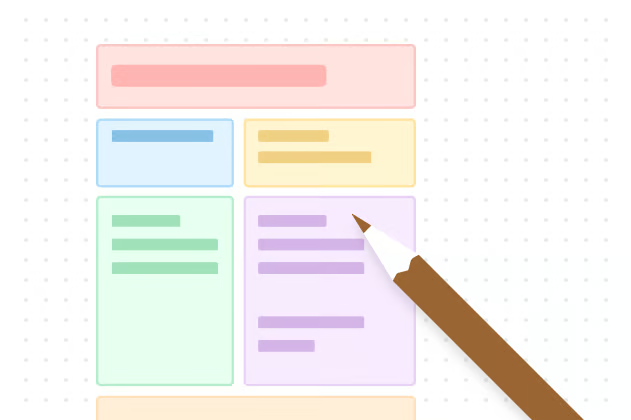
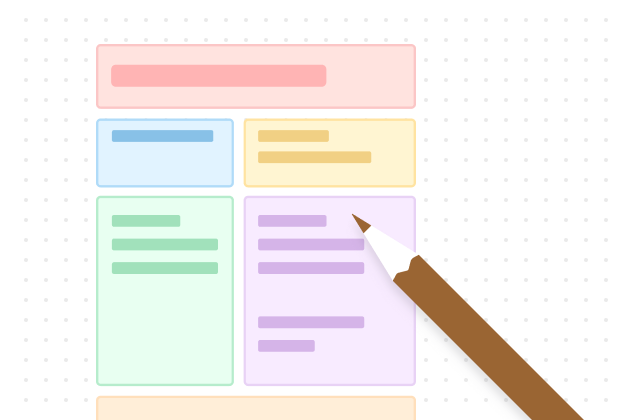
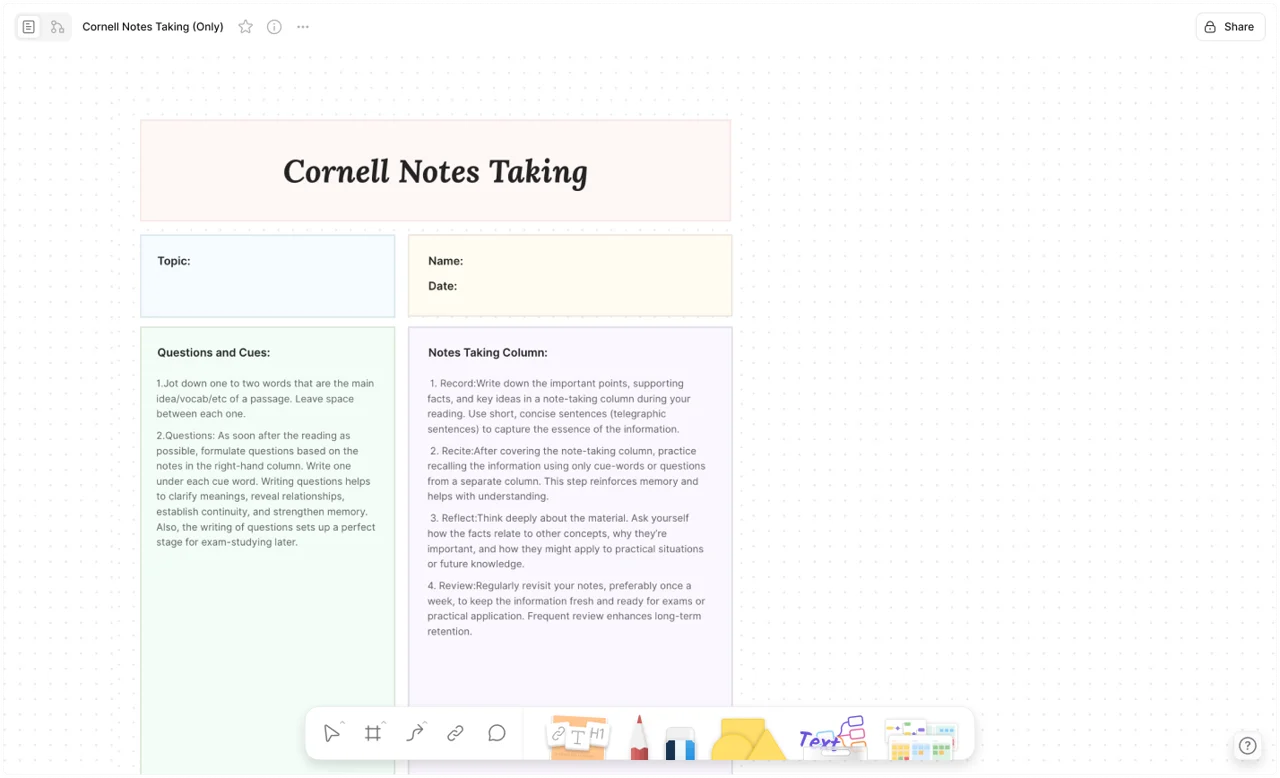
To understand how to take cornell notes, you must first visualize the layout. If you want a template-focused walkthrough before building your own page, read the Cornell note template guide. A standard cornell note taking template is divided into three distinct zones:
-
The Note-Taking Area (Right Column, ~70%):
-
Function: This is where you capture the lecture, meeting, or reading content.
-
Strategy: Use telegraphic sentences, abbreviations, and lists. Do not write verbatim.
-
The Cue Column (Left Column, ~30%):
-
Function: Reserved for keywords, questions, and prompts.
-
Timing: Usually filled in after the session during the review phase.
-
The Summary Section (Bottom Footer):
-
Function: A 2-3 sentence synthesis of the entire page.
-
Goal: To answer the question, "What is the main idea?"
-
Pro Tip: You don't need to draw these lines manually. You can get a pre-structured, editable Cornell Note Template in AFFiNE to start immediately.
The Methodology – The 5 R's of Cornell Notes
The layout is just the skeleton; the 5 R's of cornell notes are the muscle. This framework turns static text into dynamic knowledge. Here is how to apply the cornell note taking steps effectively, enhanced by modern tools.
1. Record (The Capture Phase)
During the lecture or reading, write meaningful facts and ideas in the main Note-Taking Area.
-
The Old Way: Frantically handwriting every word.
-
The AFFiNE Way: In 2026, we capture multi-modal information.
-
Hybrid Input: Use AFFiNE’s BlockSuite to mix text, code blocks, and images seamlessly. If you are a developer, standard Word docs break when you paste code. AFFiNE treats code as a first-class citizen.
-
Web Clipper: If you are taking notes from online articles, stop copy-pasting. Use the AFFiNE Web Clipper. It intelligently extracts the main content from a webpage and saves it directly to your workspace, allowing you to annotate on top of the source material without distraction.
2. Reduce (The Synthesis Phase)
After class, summarize the main notes into keywords and questions in the Cue Column. This simplifies the cornell method of note taking.
-
The Challenge: It takes mental energy to condense 500 words into 3 keywords.
-
The AI Advantage: This is where AFFiNE AI shines. You can select your raw notes and ask the AI to "Generate Cues" or "Summarize this section." It acts as a cognitive co-pilot, helping you identify the core themes you might have missed.
3. Recite (The Active Recall Phase)
Cover the Note-Taking Area. Look only at your Cue Column. Say the facts aloud in your own words.
- Why it works: This utilizes the testing effect. If you can't explain it, you don't understand it. According to research highlighted by the American Psychological Association, retrieving knowledge from memory strengthens neural pathways far more effectively than passive re-reading.
4. Reflect (The Connection Phase)
This is the most critical step often skipped in the cornell note taking method. Ask yourself: "How does this fit with what I already know?"
-
Visual Reflection: Standard documents are linear and rigid. AFFiNE’s Edgeless Mode (Whiteboard) allows you to turn your Cornell note into a visual mind map with one click.
-
You can draw arrows connecting today's physics lecture to last week's math notes.
-
You can layout complex diagrams next to your text summary.
-
This bridges the gap between a cornell notes app and a whiteboard tool like Miro.
5. Review (The Maintenance Phase)
Spend 10 minutes a week reviewing your old notes to prevent the Forgetting Curve from taking effect.
- Automated Systems: With AFFiNE’s Calendar Integration, you can link your notes to specific dates for spaced repetition, ensuring you never lose track of what needs to be reviewed before an exam.
Adapting Cornell Notes for Specific Subjects (Math, Science & Code)
One of the biggest misconceptions is that the Cornell note-taking system is only for history or literature. While the standard lined layout works for text, it often fails when you encounter equations, diagrams, or code. Here is how to adapt the cornell method for technical subjects using AFFiNE’s multimodal capabilities.
1. Cornell Notes for Math and Physics (The Visual Approach) In subjects like Calculus or Physics, linear text is useless. You need to visualize relationships.
-
The Challenge: Standard "lined" cornell note paper cannot accommodate complex matrices or force diagrams.
-
The AFFiNE Solution: Use Edgeless Mode (Whiteboard).
-
Cues: Write the name of the Theorem or Formula (e.g., "Pythagorean Theorem").
-
Notes: Instead of typing, use the "Pen" tool in AFFiNE to handwrite the formula derivation or draw the geometric shape.
-
Summary: Explain when to use this formula in a real-world problem.
2. Cornell Notes for Computer Science & Developers For developers, note-taking is about connecting syntax to logic.
-
The Challenge: Word and Google Docs mangle code formatting.
-
The AFFiNE Solution: Native Code Blocks.
-
Notes: Insert a code block (supports syntax highlighting for Python, JS, Rust, etc.) directly into the right-hand column.
-
Cues: Write the function name or the specific error message this code solves.
-
Reflect: Use Bi-directional linking to link this snippet to your project documentation in another AFFiNE page.
3. Cornell Notes for History and Literature
-
The Strategy: Focus on "Cause and Effect."
-
Notes: Record the timeline of events.
-
Cues: Ask "Why did this happen?" or "What acts paralleled this event?"
-
Summary: Use the AFFiNE AI to generate a chronological summary of the era.
The AVID Connection (Advancement Via Individual Determination)
You cannot talk about what is cornell note taking without mentioning AVID. AVID is a global non-profit organization dedicated to closing the achievement gap by preparing all students for college readiness.
Why AVID Loves Cornell Notes: AVID mandates the use of avid cornell notes because they force "Metacognition" (thinking about thinking). The AVID strategy emphasizes that taking the notes is only 10% of the work; the "Processing" (revising, summarizing, and questioning) is where learning happens.
How AFFiNE Supports AVID Students: Students often struggle to keep their binders organized.
-
Digital Binder: AFFiNE acts as a local-first digital binder. You can create folders for "Math," "English," and "Science," ensuring you never lose a page.
-
Grading Rubric Ready: Most teachers grade cornell notes based on the "Essential Question" and the "Summary." AFFiNE’s Cornell Note Template includes pre-set headers for "Essential Questions," ensuring you never lose points for missing structural elements.
Why Traditional Tools Fail (and Open Source Wins)
Many users search for "how to make cornell notes in word" or "google docs cornell notes." While possible, these tools have significant disadvantages of cornell note taking in a digital format:
-
Static Tables: Word uses rigid tables. If you try to move a paragraph from "Notes" to "Cues," the formatting breaks.
-
No Privacy: Cloud-only apps own your data.
-
Limited Media: Good luck putting a live code snippet or a heavy PDF inside a cell in Google Docs.
This is where AFFiNE shines as a digital alternative that mimics the flexibility of paper but adds the power of a database.
The Open Source Solution: AFFiNE
For those asking "what is the cornell note taking system" in the context of modern software, it is no longer just paper. It is a local-first, privacy-focused knowledge base.
-
True Ownership: AFFiNE is Open Source on GitHub. Your notes are stored locally on your device (Local-First). You can study offline, on a plane, or in a forest, and your data is yours forever.
-
The OctoBase Foundation: Built on OctoBase, AFFiNE handles real-time collaboration without sacrificing local storage, meaning you can share your Cornell notes with a study group securely.
-
Cross-Platform: Whether you are on Mac, Windows, iOS, or Android, your study system syncs perfectly.
The Privacy Dilemma: Who Owns Your Knowledge?
When you use cloud-based tools for your cornell note taking system, you are renting space for your brain. If the internet goes down, or if the service changes its pricing, you lose access.
The "Local-First" Revolution with AFFiNE In 2026, students and professionals are shifting towards "Local-First" software.
-
What is Local-First? It means your notes live on your hard drive (Mac/Windows/Linux) first, and sync to the cloud second.
-
Why it matters for studying:
-
Zero Latency: Opening a massive notebook with thousands of diagrams is instant. No loading spinners.
-
Offline Access: Study on the subway or in a remote cabin without Wi-Fi.
-
Data Sovereignty: Because AFFiNE is built on OctoBase, a high-performance distributed database, you have full control. You can even collaborate with peers in real-time (P2P) without your data ever being mined by an advertising algorithm.
Step-by-Step Guide to Creating Cornell Notes in AFFiNE
Ready to master the cornell note taking strategy? Follow this workflow:
Step 1: Download and Install
Visit the Download Page to get the client for your device. It’s free to start.
Step 2: Load the Template
Don't waste time drawing lines. Start with the Cornell Notes Template, and switch to the Visual Cornell Method Template when you need more diagram space.
- Action: Click "Use this template." It will create a structured page with the Cues, Notes, and Summary sections pre-defined using flexible blocks.
Step 3: Capture with the Web Clipper
Doing research? Use the Web Clipper to save articles.
- Workflow: Clip the article -> Drag the clipped content into the "Notes" column of your template.
Step 4: Switch to Edgeless Mode for Complex Topics
If you are taking cornell notes for math or science, text isn't enough.
- Action: Click the "Edgeless" button. Your note becomes a whiteboard. Use the pen tool to write formulas or draw molecular structures right next to your typed notes.
Step 5: Summarize with AI
Struggling to write the summary?
- Action: Highlight your notes, click "Ask AI," and select "Summarize." Use the output as a draft for your bottom "Summary" section.
4 Common Mistakes That Ruin Your Cornell Notes (And How to Fix Them)
Even with the best free cornell notes template, you can fail if your technique is flawed. Here are the top pitfalls beginners fall into:
Mistake 1: The "Stenographer" Effect
-
The Error: Trying to transcribe every word the lecturer says.
-
The Fix: Focus on concepts, not dictation. Use AFFiNE AI to rewrite long paragraphs into concise bullet points automatically.
Mistake 2: The Empty Cue Column
-
The Error: Leaving the left column blank until the night before the exam.
-
The Fix: Treat the Cue column as a quiz. If you don't fill it out within 24 hours, you lose the opportunity for Active Recall.
Mistake 3: The "Weak" Summary
-
The Error: Writing "The professor talked about biology" in the summary section.
-
The Fix: A summary must be specific. "Mitosis divides cells into two identical copies, while Meiosis creates four unique sex cells." If you can't write this, re-read your notes.
Mistake 4: Ignoring the "Reflect" Step
-
The Error: Treating each note page as an island.
-
The Fix: Knowledge is interconnected. In AFFiNE, type @ to link a keyword in today’s note to a related concept in a note from three months ago. This builds a "Knowledge Graph" rather than a pile of files.
FAQ & Troubleshooting
Q: What are the advantages and disadvantages of Cornell note taking?
-
Advantages: It organizes thoughts, saves time during review, and incorporates the "Recite" step naturally.
-
Disadvantages: It requires discipline. It can be difficult to use in very fast-paced lectures if you are trying to perfect the layout in real-time. Solution: Use AFFiNE’s flexible blocks to rearrange content after the lecture.
Q: Can I use Cornell notes for meeting minutes?
Absolutely. The cornell method note taking is excellent for business.
-
Cues: Agenda Items / Action Owners.
-
Notes: Discussion details.
-
Summary: Final decisions and deadlines.
Q: Is the Cornell note taking system effective?
A: Yes. Research on the Cornell note-taking system shows it is highly effective because it forces Active Recall. By covering the notes and using the cues, you are testing your memory rather than just re-reading.
Q: How to use the Cornell note taking system for maximum retention?
A: Follow the 5 R's: Record, Reduce, Recite, Reflect, and Review. The key is not just taking notes, but interacting with them.
Conclusion: Upgrade Your Knowledge Base
The Cornell note-taking system is more than just a template; it is a framework for thinking. However, using 1950s methods on 2026 problems (like coding, data science, and heavy web research) requires a tool that evolves with you.
By combining the structural discipline of Cornell notes with the power of AFFiNE's AI, Whiteboard, and Local-First architecture, you aren't just taking notes—you are building a "Second Brain" that lasts a lifetime.
Ready to start? 👉 Get the Free Cornell Notes Template 👉 Download AFFiNE for Mac, Windows, & Mobile 👉 Join the Community to see how others are using the system.