Free Cornell Notes Templates Downloads 2026
In fast-paced academic and professional environments, retaining information is a constant battle against your own brain. Studies on the Ebbinghaus Forgetting Curve, cited by the University of Waterloo, suggest that without a structured review system, humans forget up to 80% of new knowledge within just 24 hours. Success, therefore, relies not on capturing every word, but on structured processing.
To address this challenge, the Cornell Note Taking System stands as the most effective strategy. If you want the workflow behind the layout before choosing a format, read the Cornell note-taking method guide. This guide breaks down the note-taking landscape into four key categories: standard printable Cornell note taking templates for analog users, cornell notes template goodnotes options for tablet enthusiasts, manual configurations for Word/Docs, and the next-generation editable cornell notes template in AFFiNE. We will analyze the specific use-cases for each to help you choose the ideal system for your workflow. If you want to see a finished study page before comparing formats, review this Cornell note-taking example.
What is the Cornell Notes Format?
Before downloading templates, it is critical to understand the architecture of this method. Developed by Professor Walter Pauk at Cornell University in the 1950s, this layout was specifically engineered to facilitate Active Recall.
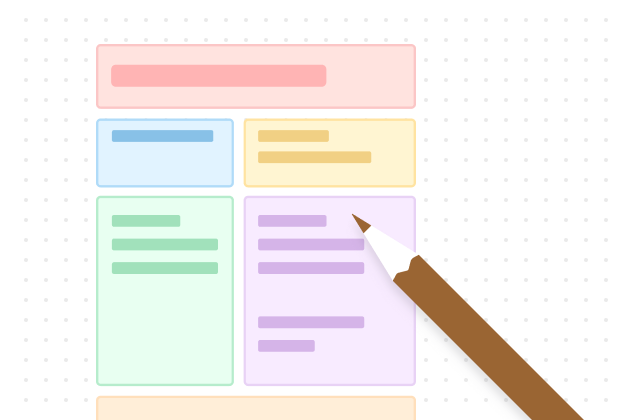
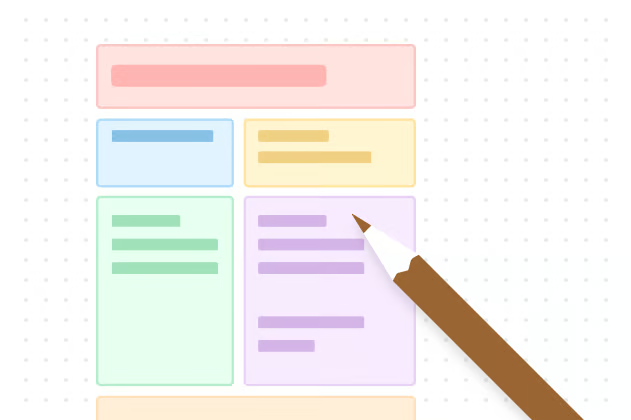
According to the official Cornell University Learning Strategies Center, a standard Cornell note taking method template divides your page into three specific sections to streamline cognitive load:
1. The Cue Column (Left, ~30% width)
-
Dimensions: Approximately 2.5 inches wide on a standard Letter/A4 page.
-
Function: Reserved for keywords, essential questions, or "triggers."
-
The Science: This column transforms your notes into a quiz. By covering the main notes and looking only at the cues, you force your brain to retrieve information, strengthening neural pathways.
2. The Note-Taking Area (Right, ~70% width)
-
Dimensions: Approximately 6 inches wide.
-
Function: The main space for capturing lectures, meetings, or reading notes concisely.
-
The Strategy: Use telegraphic sentences, abbreviations, and lists. Do not transcribe verbatim.
3. The Summary Section (Bottom, ~2 inches height)
-
Dimensions: The bottom 2 inches of the page.
-
Function: A space to synthesize the entire page into 2-3 sentences.
-
The Strategy: Synthesis requires higher-order thinking. As the adage goes, "If you can't summarize it, you didn't understand it."
Printable Cornell Notes Templates (PDF)
Best for: Handwriting purists, visual thinkers, exam halls without electronics, and distraction-free study.
Despite the digital revolution, handwriting notes has been linked to stronger memory encoding.
- Blank Cornell Notes PDF
Best for: Art history, biology sketching, or unlined freedom.
- Lined Cornell Notes PDF
Best for: History, Literature, Psychology, and text-heavy lectures.
- Grid Cornell Notes PDF
Best for: Math, Physics, Engineering, and Chemistry where you need to draw graphs or align numbers.
Traditional Digital Cornell Templates: Word & Google Docs
Best for: Users who need a quick, basic digital file and are comfortable with office suites.
For those asking, "does google docs have a cornell notes template?" or looking for a Cornell note taking template in Word, the answer is: not natively. You usually have to build them using tables.
Microsoft Word Cornell Note Template
How to make Cornell notes in Word manually? Here is a step-by-step guide to building it yourself:
-
Open a new Word document.
-
Go to the Layout tab > Margins > Set to "Narrow" (to maximize writing space).
-
Go to Insert > Table. Select a 2x2 grid.
-
Highlight the top two cells. Hover over the center vertical line until your cursor changes, then drag it to the left until the left column is about 2.5 inches wide.
-
Highlight the bottom two cells. Right-click and select Merge Cells. This becomes your Summary footer.
-
Save this file as a .dotx (Template) so you can reuse it later.
The Pain Point: Word is not designed for non-linear thought. If you try to paste a code block or a large image into the narrow "Notes" column, the table formatting often breaks, pushing content to the next page messily.
Google Docs Cornell Notes Template
Like Word, Google Docs relies on static tables. Moving a point from your "Notes" column to your "Cue" column requires "Cutting and Pasting." This friction disrupts your flow state during a fast-paced lecture. Additionally, it lacks advanced features like bi-directional linking.
Cornell Notes Template for OneNote & GoodNotes
Best for: Tablet users and digital handwriting enthusiasts.
Many users search for a cornell notes template for onenote or cornell notes template goodnotes. While these tools are popular, they have distinct limitations when it comes to the Cornell method.
1. Cornell Notes in OneNote
The Reality: OneNote does not have a structured Cornell template capability. It uses infinite canvas containers.
-
The Workaround: You must find a Cornell image (PNG), insert it onto the page, and right-click "Set Picture as Background."
-
Why it fails: As you type text over the background image, the text boxes often misalign with the lines. If you type too much, the text flows past the bottom of the "Summary" box background, forcing you to manually resize the image. It is a high-friction experience.
2. GoodNotes / Notability Cornell Notes
The Reality: These apps are excellent for handwriting on an iPad, but the text isn't "structured data."
- The Limitation: You are essentially writing on a digital PDF. You cannot query your notes (e.g., "Show me all summaries about Biology"). You cannot link a specific paragraph to another page. It is just digital paper, lacking the power of a modern knowledge base.
The Best Editable Cornell Notes Template: AFFiNE
Best for: Students, Developers, and Professionals building a "Second Brain."
If you want the feel of GoodNotes with the structural power of a database, and the flexibility that Word lacks, the solution is AFFiNE.
AFFiNE is the next-generation editable Cornell note taking system template. It is an open-source, local-first workspace that combines the best of Notion (blocks) and Miro (whiteboards).
Why AFFiNE beats Word, Docs, and OneNote:
1. Block-Based Flexibility (No More Static Tables)
In Word, text is locked in a cell. In AFFiNE, every paragraph is a "Block."
-
Scenario: You wrote a note but realized it belongs in the "Summary."
-
Solution: Just drag and drop the block. No copy-pasting. The layout adapts automatically.
2. Edgeless Mode (The Whiteboard Bridge)
This is the feature that replaces GoodNotes.
-
AFFiNE allows you to switch to Edgeless Mode (Whiteboard) with one click.
-
You can keep your structured Cornell text on the left, and draw freely on the right.
-
Use Case: Perfect for Math and Science students who need to sketch diagrams or formulas next to their definitions.
3. AI-Powered Summarization
Struggling to fill out the "Summary" section?
- AFFiNE’s built-in AI can read your "Note-Taking Column" and automatically generate a draft summary for you. This saves time and ensures you always have a review-ready summary.
4. Multimedia & Code Ready
-
For Developers: Insert live code blocks with syntax highlighting directly into the columns.
-
For Researchers: Use the Web Clipper to save articles directly into your notebook without losing formatting.
👉 Get the Free AFFiNE Cornell Notes Template Here
5 Common Mistakes When Using Cornell Notes
Even with the best free Cornell note taking template download, you can fail if you use the method incorrectly. Here are the top mistakes to avoid and how to fix them:
1. Passive Recording (The Stenographer Error)
-
The Mistake: Trying to write down every word the lecturer says verbatim.
-
The Fix: Use the template to force yourself to write only main ideas. If you are using AFFiNE, you can capture the full transcript with AI, but strictly use the "Notes" column for your interpretation.
2. Skipping the Cues
-
The Mistake: Leaving the left column blank until the exam period.
-
The Fix: Fill out the Cue column immediately after class. This counts as your "Reduce" phase in the 5R method.
3. The "Summary" Slump
-
The Mistake: Ignoring the bottom section because you are tired after class.
-
The Fix: If you can't write the summary, you didn't learn the material. Use AFFiNE's AI Assistant to help you draft the first version, then rewrite it in your own words.
4. Never Reviewing
-
The Mistake: Taking notes and never looking at them again (falling victim to the Forgetting Curve).
-
The Fix: Use the "Cover and Recite" method. Cover the right side and try to answer the questions on the left.
5. Using the Wrong Format for the Subject
-
The Mistake: Using a lined template for Calculus or Organic Chemistry.
-
The Fix: Switch to a Grid PDF or use AFFiNE's Whiteboard mode for visual subjects to draw structures freely.
FAQ & Troubleshooting
Q: Can I use this template for work meetings?
A: Absolutely. The Cornell method is perfect for meeting minutes.
-
Cues: Action Items & Owners (e.g., "@John to fix UI").
-
Notes: Discussion points and key arguments.
-
Summary: Final Decisions made.
Q: Is the AFFiNE template available offline?
A: Yes. AFFiNE is a Local-first application. Unlike Google Docs, your notes are stored on your device, meaning you can study on a plane or in a library without an internet connection. Check out our Download Page for Mac, Windows, and Linux versions.
Q: How do I handle diagrams in a text template?
A: In Word, this is a formatting nightmare. In AFFiNE, you simply paste the image block, and it resizes to fit the column automatically, or you switch to Edgeless mode to draw arrows over it.
Conclusion: Start Smarter Note-Taking Today
The year 2026 demands smarter workflows. While a basic Cornell style note taking template in PDF or Word is a good starting point, it limits your potential to manage knowledge effectively.
Don't let rigid formatting slow you down. Move beyond static tables and experience the fluidity of a modern knowledge base that grows with you.
Ready to upgrade your grades and productivity? Try the AFFiNE Template Now (It's Free).