
Jamworks Review for Students: Lecture Notes, Pricing and Study Workflow
TL;DR
Jamworks is worth shortlisting if you need a repeatable path from recorded lectures to checked notes and revision questions. Its current offering combines lecture capture, transcription, notes, flashcards and an AI tutor. The deciding test is whether you can correct the output, trace answers to the lecture and take usable notes away with you—not how polished the first summary looks.
It is a weaker fit if recording is not permitted, you need all AI processing to work offline, or your existing university tool already meets your needs. Start by checking what your institution provides before paying personally.
Review method: We checked official Jamworks, Genio and Otter product, pricing and help pages on October 9, 2026. This is a documentation-based review, not a hands-on accuracy test. The classroom example below is invented to demonstrate a checking method. AFFiNE publishes this article and is mentioned as an optional place to organize your own finished notes.
What is Jamworks and How Does It Help Students?
Jamworks is a lecture recording and study application. Its current product site describes recording and transcription, notes tied to learning material, highlights, flashcards and a tutor that answers questions about course content. It still offers a student trial and an institutional purchase route.
For a student, the useful distinction is between capturing a class and having something reliable to study. A transcript preserves words; a checked note explains the idea in your own terms. A quiz is useful only if its answer is supported by the material you are expected to learn. Jamworks brings these stages together, but you still need to verify what it produces.
This review does not establish better grades, reduced anxiety or effectiveness for any medical condition. If you need an accommodation, discuss your actual barriers and required features with your university's disability or accessibility support team. A retail subscription and an approved support arrangement are different decisions.
Pricing, Plans, and Student Discounts
The Jamworks pricing page displayed £14.99 per month for students when checked on October 9, 2026. It advertised a 14-day trial, required payment details and stated that there are no charges during those 14 days. Check the billing date, cancellation terms and checkout currency before starting; this is a dated GBP price, not a converted US-dollar quote.
| How you get access | What the official material establishes | What to check first |
|---|---|---|
| Buy personally | Student monthly price and a time-limited trial; not evidence of a permanent free plan | Total charge, renewal date, included features and cancellation |
| Through your institution | Institution pricing is available on request; the page advertises a semester trial for institutions | Whether your course or department already has seats, which features it enables and when access ends |
| Through disability support or a funding route | Jamworks has a DSA assessor toolkit | Ask your support team or assessor about eligibility, procurement, training and the specific provision available to you |
Do not assume a school licence matches the retail plan: the pricing page says institutions can assign features according to needs. Institutional costs require a quote. Nor should a student treat DSA-related marketing as confirmation of personal funding eligibility. We did not verify a separate universal student coupon beyond the published student pricing.
Core Features: AI Note-Taker, Quizzes, and Personal Tutor
Here is what the documentation supports, alongside the checks that matter in class.
| Capability | Documented function | Student check |
|---|---|---|
| Recording, transcripts and captions | Jamworks lists lecture recording, audio transcription and live captions | Test your intended microphone and room; check names, numbers and unfamiliar terms |
| Enhanced Notes and Key Points | Enhanced Notes develops rough notes; Key Points organizes lecture material into headings and details | Compare the explanation with the recording and slides before revising from it |
| JamAI tutor | Questions and explanations based on course material | Ask where the answer came from; distinguish an explanation from an instruction given by the lecturer |
| Flashcards and JamQuiz | Questions derived from lecture content, with a way to revisit a related highlight | Check that both the question and answer are supported by the clip |
| STEM formatting | The feature page advertises formatted equations | Check symbols, signs, units and assumptions against the slide; formatting is not proof of accuracy |
Sources: Jamworks features, Key Points guide and JamQuiz guide. These are vendor descriptions, not our performance measurements.
Devices, offline use and export: three separate questions
Jamworks' help documentation includes desktop instructions for macOS and Windows and mobile instructions for iOS and Android. The site also provides a web sign-in. That does not establish identical recording options across every device or browser; check the setup you will take into class. See the official device-specific recording recovery guide.
Offline capture is not the same as offline AI. The DSA FAQ says recording and highlighting can work without internet. The Key Points guide describes uploading a recording for processing. Do not plan on fresh transcripts, summaries or tutor answers being generated without a connection. Test a short offline recording and its subsequent upload before relying on it for a full lecture.
For portability, the download guide documents downloads from the Transcript, Summary and Key Points tabs. A separate JamTutor export guide explicitly names DOCX for tutor conversations. The JamQuiz guide also describes a document download, with answers revealed by selecting the white text. Check that your chosen viewer makes those answers accessible.
We have not verified every export format, bulk export, preservation of audio links in exported files, or offline feature parity. During the trial, download one real study item and open it outside Jamworks. Check equations, timestamps and answer visibility rather than assuming that “export” preserves everything.
A 45-minute lecture: from permission to review
Use this as a trial procedure, adapting the times to your timetable. It is a suggested workflow, not a report of a session we recorded.
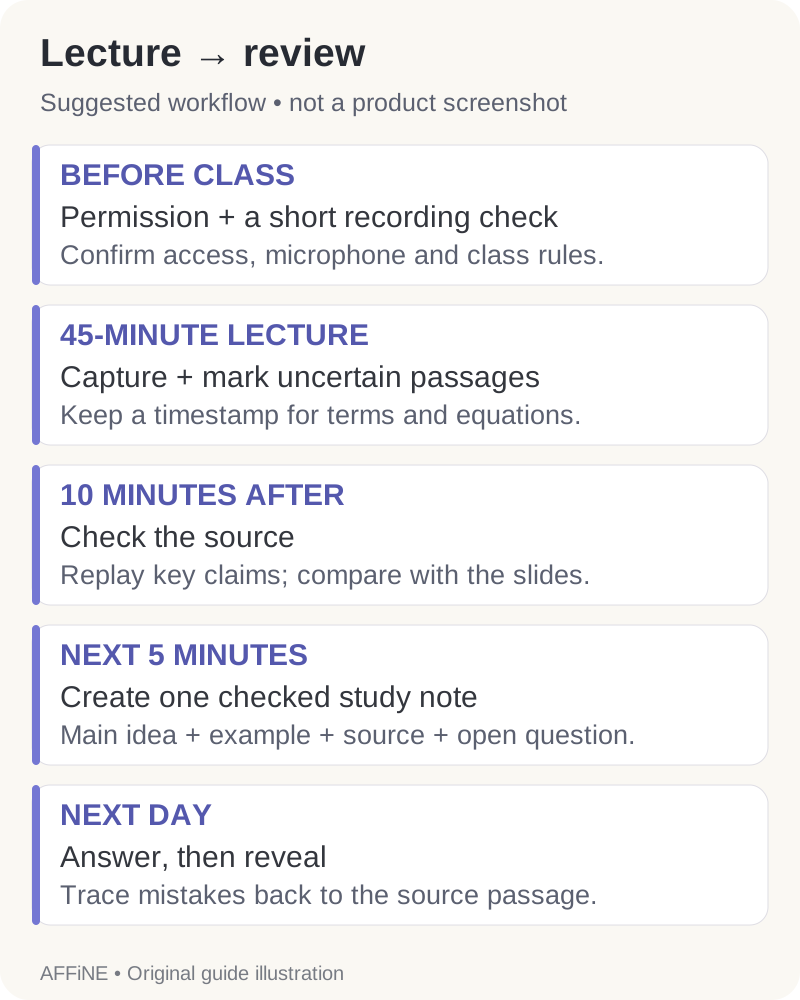
- Before class: confirm permission and prepare. Follow your lecturer's and institution's rules for recording, uploading and sharing class material. If a recording is not allowed, use approved notes or supplied material instead. Check account access, charge, storage and microphone input. Make a short permitted sample and listen back. Add the lecture title, date and slide reference so the session will be findable later.
- During the 45 minutes: record and mark uncertainty. Listen rather than attempting to polish the transcript live. Leave short cues such as “definition at 12:40” or “check minus sign, slide 8.” Highlight a useful passage with enough context to understand it afterward. Pause or stop when the lecturer requires it.
- First 10 minutes afterward: check the source. Confirm the recording uploaded and is playable. Review important terms, numbers, equations and assessment instructions against the audio and slides. Mark unresolved points as questions; do not silently replace them with a confident AI guess. Use office hours or your course discussion channel where the source remains ambiguous.
- Next 5 minutes: organize a small study note. Write a main idea, one worked example, one limitation and a source timestamp. Keep lecture statements separate from your own interpretation. A shorter checked note is more useful than an unchecked transcript dump.
- Next day: answer before revealing. Use a few flashcards or questions. Say or write your answer first, then compare it with the checked note and relevant clip. Return mistakes to a short review list. An AI-generated answer that contradicts the lecture should be corrected or discarded.
Worked example: a note and quiz you can trace
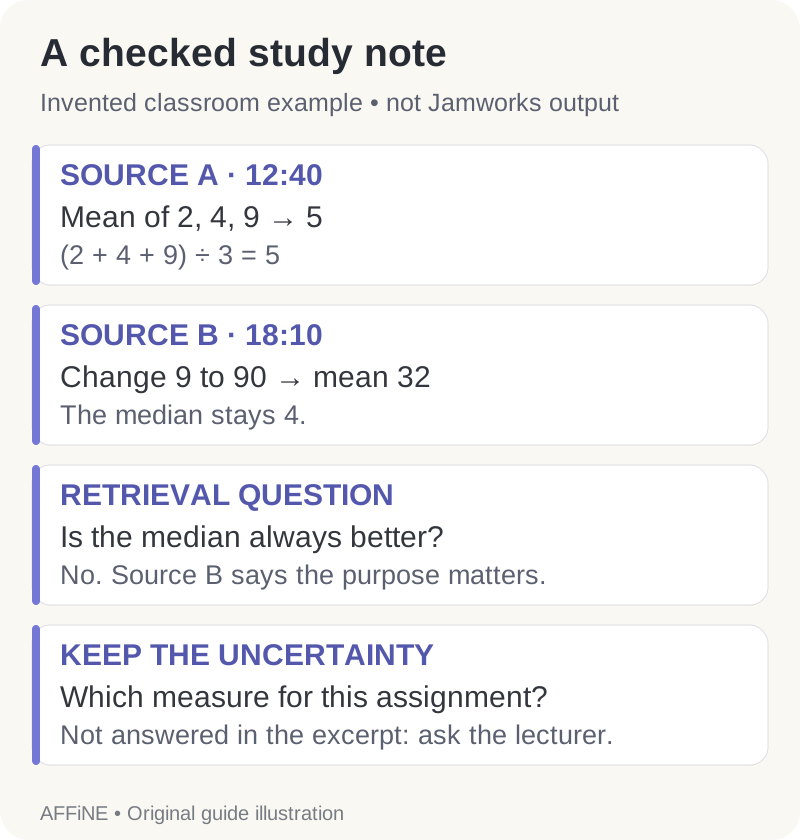
Illustrative classroom material, written for this article—not a real lecture transcript or Jamworks output. Imagine a 45-minute introductory statistics lecture containing these two passages:
12:40 — Source A: “A sample mean is the sum of the observed values divided by the number of observations. For 2, 4 and 9, the sum is 15. Divide by 3 and the mean is 5.”
18:10 — Source B: “A mean can be pulled toward an extreme value. Replace 9 with 90: the mean becomes 32, while the median of 2, 4 and 90 is still 4. Which summary is useful depends on what you want to describe.”
A finished study note could look like this:
| Note field | Checked entry |
|---|---|
| Topic | Mean and median; introductory statistics |
| Main idea | Mean = sum ÷ count. It uses every observation. Source A, 12:40. |
| Worked example | (2 + 4 + 9) ÷ 3 = 5. Source A, 12:40. |
| Contrast | Replacing 9 with 90 gives (2 + 4 + 90) ÷ 3 = 32; the middle value remains 4. Source B, 18:10. |
| Check before trusting | A transcript saying “divide by 2” would conflict with the three observations and the source passage. |
| Open question | When would our assignment prefer a mean over a median? The excerpt does not answer this; ask the lecturer. |
Now build a small quiz whose answers are auditable:
| Question | Answer to reveal after trying | Evidence |
|---|---|---|
| What is the mean of 2, 4 and 9? | 5: the sum is 15 and the count is 3. | Source A, 12:40 |
| What changes when 9 becomes 90? | The mean becomes 32; the median stays 4. | Source B, 18:10 |
| Does the excerpt say the median is always better? | No. It says the useful summary depends on the purpose. | Source B, 18:10 |
The third question checks overstatement, not arithmetic. Apply the same habit to a generated quiz: if the evidence does not support “always,” remove it. Keep your unresolved assignment question out of the answer key until you have an authoritative answer.
Jamworks vs. Competitors (Genio/Glean & Otter.ai)
Glean's student note-taking product is now Genio Notes. Genio's official rebrand resources confirm the relationship. Jamworks remains a separate offering; Genio is not a new name for Jamworks.
| Option | Why consider it? | What to verify for your course |
|---|---|---|
| Jamworks | Its documented workflow puts lecture notes, highlights, flashcards and a tutor together | Whether the enabled features, corrections and exports work well with your subject material |
| Genio Notes | Its product page describes capturing class information, organizing notes and studying; it also has Quiz Me | Whether your university provides it and whether its study workflow suits you before paying for another app |
| Otter.ai | Current pricing documentation includes live transcription, playback and AI Chat | Session length, transcription allowance, import limits and export formats for your plan |
Avoid the outdated shortcut that only Jamworks supports post-lecture AI study. Otter's student announcement also describes quizzes, study guides and questions across recorded classes. Its advertised 50% student promotion ran through September 2026, so we do not present that campaign as available on this review date. Check the current education offer at checkout.
One practical comparison for this article's 45-minute class: Otter's pricing table lists a 30-minute per-conversation limit on Basic and 90 minutes on Pro when checked. A monthly allowance alone does not tell you whether one entire lecture fits. Ask the same session-length question of any plan you consider.
Is Jamworks the Right Study Partner for You?
Judge a trial against the work you actually need to do. Use the same permitted lecture sample when comparing tools, and record what failed as well as what worked.
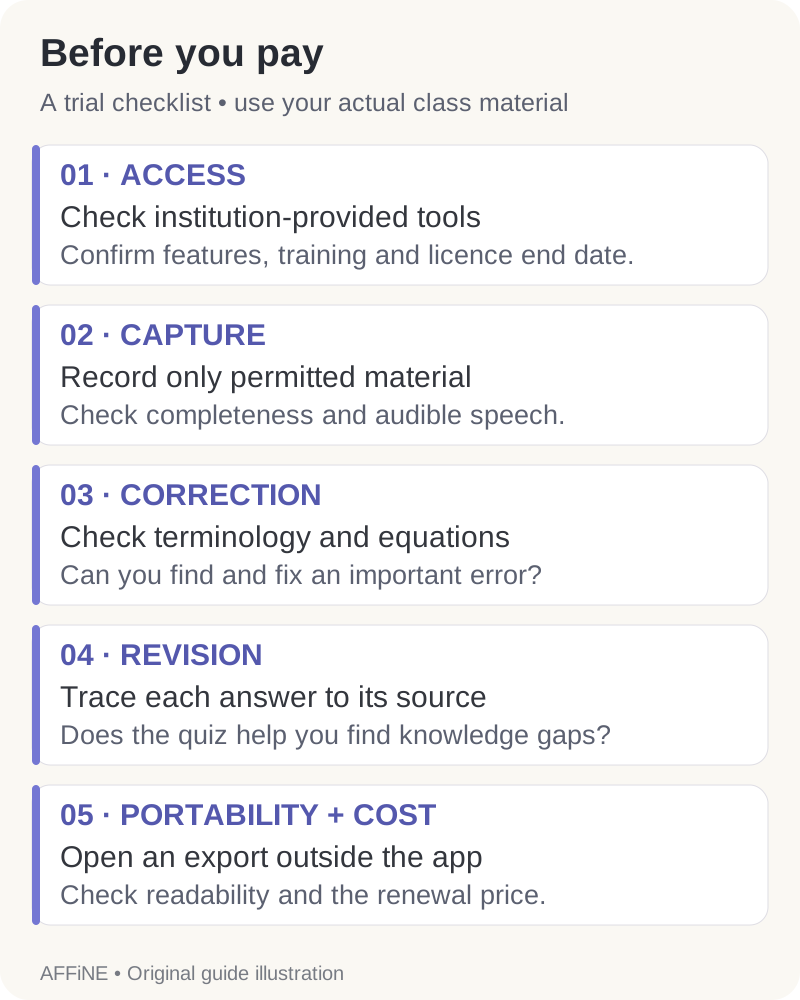
- Access: Can your institution provide a suitable tool, licence and training?
- Capture: Is the intended recording allowed, audible and complete on your device?
- Correction: Can you find and repair important terminology, numbers and equations?
- Revision: Can you trace a quiz answer to the source, and do you return to use it?
- Portability: Can you open your exported note elsewhere and still understand its evidence?
- Cost: Is that workflow worth the actual renewal price to you?
Choose Jamworks when those checks succeed and its combined workflow addresses a real gap in your study routine. Hold off if a critical step fails, if recording permission is unavailable, or if a tool you already receive does the job. Neither a longer feature list nor a subscription is a guarantee of academic improvement.
Where AFFiNE can fit after the lecture
If you want a separate course notebook, you can manually copy your own checked notes into AFFiNE and organize definitions, assignment questions and source references together. Keep the lecture title and timestamps alongside the note; retain any original files you are permitted to keep. This is a manual organization workflow, not a claimed Jamworks integration or automatic import pipeline.
AFFiNE AI is optional if you want help developing your own material further. Follow your course's AI-use rules and verify any new explanation. Our broader AI homework tools guide covers a different task from lecture capture.
Frequently Asked Questions
Is Jamworks free for students?
The checked public offer was a 14-day trial with payment details required, followed by a paid student subscription. An institution or support arrangement may provide access, but eligibility and enabled features must be confirmed with the provider. A trial is not a permanent free plan.
Can I use Jamworks without internet?
Official guidance supports offline recording and highlights. It separately describes uploading recordings for processing and downloading study material. Verify these stages on your device; do not assume offline recording includes offline AI generation.
Can I export my study material?
Jamworks documents downloads for transcripts, summaries and Key Points, as well as quiz documents and DOCX tutor conversations. Try your needed export during the trial and inspect it in the application you intend to use. We have not verified every format or whether all source links survive export.
Is this a hands-on Jamworks review?
No. It is an assessment of current official documentation, with an original worked example and a practical trial checklist. We did not measure recognition accuracy, processing speed or learning outcomes, and the example does not claim to show Jamworks-generated output.