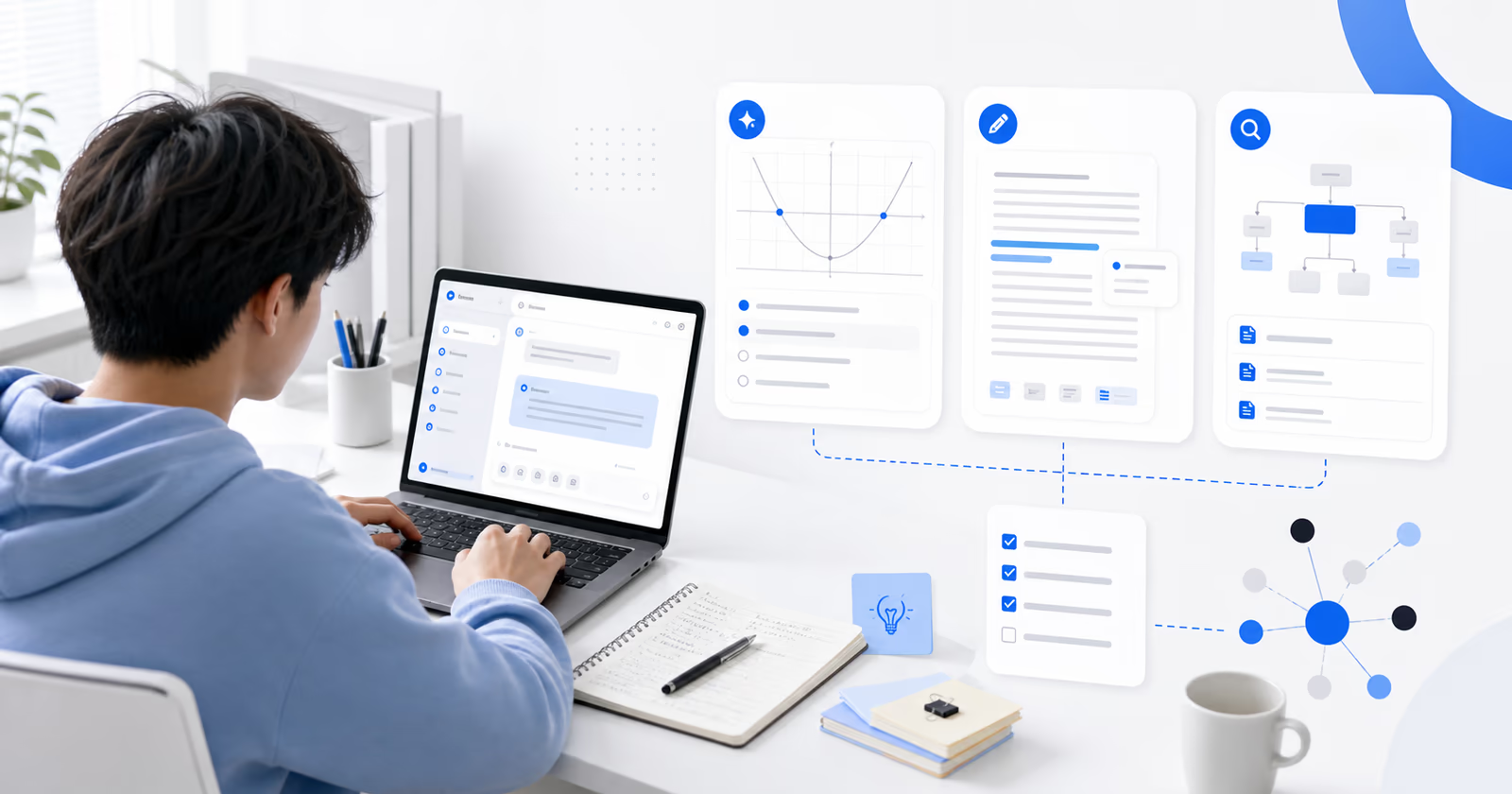
Free Printable Vision Board Clip Art: Sources, Tips, and Templates
Free Printable Vision Board Clip Art: What to Download and How to Use It
A vision board works best when the images are specific enough to remind you what you are working toward: a workspace you want to build, a habit you want to keep, a place you want to visit, or a skill you want to practice. Free printable vision board clip art can make that process faster, especially if you do not want to start from a blank page.
This guide focuses on practical use: where to find printable clip art, how to choose images that are safe and useful to print, how to organize files before cutting them out, and when a digital board may be easier to maintain. You will also see how AFFiNE's vision board templates can help you collect images, notes, and goals in one editable workspace before printing or sharing.
Use the ideas below as a working checklist, not a rigid formula. The goal is to build a board you can actually revisit, update, and use when planning your next step.
What Are Vision Boards and Why Use Clip Art?
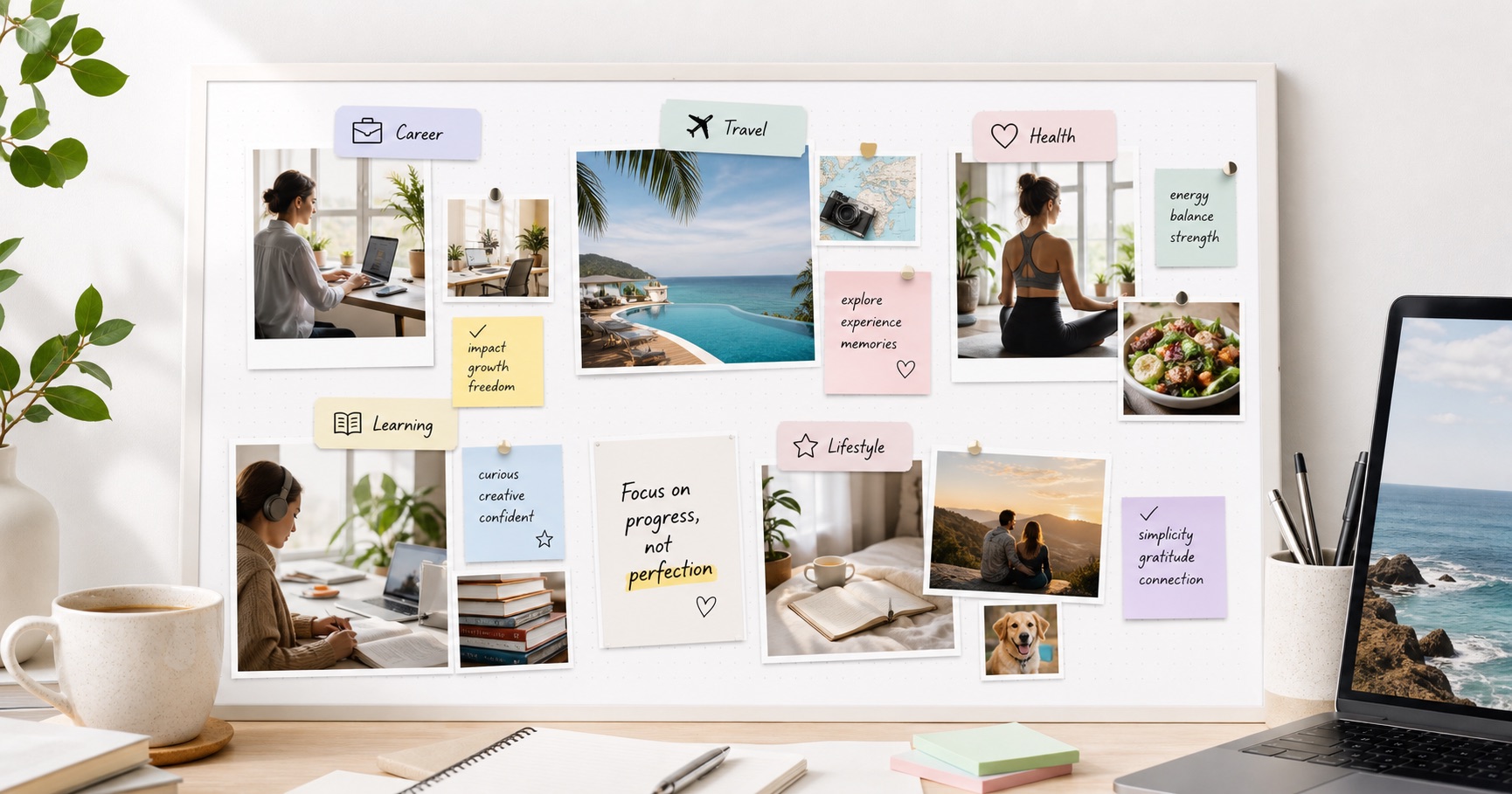
A vision board is a visual planning tool made from images, words, quotes, and symbols that represent a goal or direction. Some people use one board for a whole year; others create separate boards for career, study, health, travel, relationships, or creative projects.
Clip art helps because it gives you ready-made visuals when your own photos or magazine cutouts do not cover the idea. For example, icons, labels, frames, habit trackers, calendar stickers, and small illustrations can make a board easier to scan than a collage of unrelated images.
Physical vs. Digital Vision Boards
A physical vision board is useful when you want a tactile project: print the images, cut them out, arrange them by theme, and place the finished board somewhere visible. It is simple, memorable, and easy to review at a desk or bedroom wall.
A digital vision board is better when you want to keep changing the board over time. Digital boards are easier to duplicate, edit, reorganize, and access from a laptop or phone. They also make it easier to collect screenshots, links, PDFs, and notes before deciding what deserves a place on the final board.
What Makes Clip Art Worth Printing?
Before downloading free vision board clip art, check three things:
-
Usage rights: Make sure the image is free for your intended use. Personal use is usually simpler than commercial use.
-
Print quality: Prefer high-resolution PNG, JPG, or PDF files. Tiny web images may look blurry once printed.
-
Relevance: Choose images that map to a specific goal, habit, or feeling. A smaller set of meaningful visuals is usually stronger than a crowded board.
Used this way, clip art is not decoration for its own sake. It becomes a visual shorthand for the goals you want to remember and act on.
Top Sources for Free Printable Vision Board Clip Art
The best source depends on how much control you want. Some tools are better for finished templates, while others are better for inspiration and image discovery. Use the comparison below to pick the right starting point.
AFFiNE Vision Board Template
The AFFiNE Vision Board Template is a practical choice if you want to collect goals, images, notes, and layout ideas in one editable place before exporting or printing. It works especially well when you are still deciding what belongs on the board because you can keep rough ideas, final images, and written goals together.
-
Best for: People who want a flexible digital workspace before making a printable or shareable board.
-
Formats and workflow: You can organize visuals digitally, refine the layout, then export or print the parts you need.
-
Watch out for: The board is strongest when you personalize the template instead of treating it as a finished design.
Canva
Canva offers a large library of free and customizable vision board templates. It is useful if you want a polished layout quickly and prefer drag-and-drop design tools.
-
Best for: Fast visual layouts, social-style boards, and printable collages.
-
Watch out for: Some graphics, photos, or export options may require a paid plan. Check the license before reusing assets beyond personal projects.
Pinterest is useful for discovering themes, color palettes, printable sheets, and examples of how other people organize boards. It is better as an inspiration source than as a final file library.
-
Best for: Finding mood, style, and layout ideas before you build your own board.
-
Watch out for: Image quality and usage rights vary. Follow links back to the original source when you plan to download or print.
Quick Download Checklist
Before you save any printable vision board pictures, ask:
-
Is the file large enough to print clearly?
-
Does the source allow personal printing?
-
Does this image connect to a real goal, habit, or next action?
-
Can I group it under a clear category such as career, health, money, home, travel, learning, or relationships?
These checks keep the board focused and reduce the chance of ending up with a folder full of random images you never use.
How to Use Printable Clip Art for Vision Boards
Once you have chosen your images, the next step is to turn them into a board that is easy to use. The process is slightly different for physical and digital boards, but the same principle applies: organize by goal first, then design around those goals.
Steps for Creating a Physical Vision Board
-
Gather Your Materials: Collect poster board or corkboard, scissors, glue or tape, a printer, and your selected printables. You can also browse free vision board ideas to plan the overall layout.
-
Define Your Goals: Write down the goals you want the board to support. Group them into categories such as career, health, relationships, personal growth, money, travel, or home.
-
Select Relevant Clip Art: Choose clip art for vision board sections that match those categories. For example, a fitness goal might use habit icons, meal-planning stickers, movement images, and a short progress note.
-
Print a Test Page: Print one sheet first to check size, color, and readability. If text looks too small or images look blurry, resize or replace them before printing the full set.
-
Arrange and Secure: Lay out your images and words before gluing anything down. Keep related goals close together so the board is easy to scan.
-
Display Prominently: Place your vision board somewhere you will see it during normal routines, such as near your desk, planner, closet, or bedroom wall.
-
Consolidate Your Printables: If you've downloaded clip art from multiple sources, merge PDF files into a single document - this way everything is in one place and ready to print without juggling multiple downloads.
Steps for Creating a Digital Vision Board
-
Choose a Digital Platform: Use a flexible workspace such as AFFiNE or a design tool such as Canva. Start with a template if you want structure.
-
Upload Your Clip Art: Import the images, PDFs, quotes, and screenshots you want to consider. Keep extra ideas nearby, but separate them from the final board area.
-
Organize Your Board: Arrange images by category or timeline. Add short labels so each visual connects to a specific goal rather than staying abstract.
-
Save and Revisit: Save the board somewhere visible, such as a dashboard, desktop background, or planning workspace. Schedule a monthly review so it stays current.
Tips for Both Physical and Digital Boards
-
Be Specific and Personal: Use visuals that mean something to you. A personal photo, a specific place, or a concrete habit cue is usually more motivating than a generic stock image.
-
Keep It Editable: Leave space for new goals and completed milestones. A board that can change is easier to keep using.
-
Mix Images with Words: Add short phrases, dates, milestones, and reminders so the board supports action, not just inspiration.
-
Review It Regularly: A vision board is most useful when it becomes part of planning. Use it when setting weekly priorities or checking progress.
When a Digital Vision Board Works Better
A physical board is effective when you want something visible in your space. A digital board works better when your goals are still changing, when you collect inspiration from many online sources, or when you want to combine images with notes, links, and files.
Advantages of Digital Vision Boards
Digital boards are easier to revise. If a goal changes, you can move it, resize it, archive it, or replace it without rebuilding the whole board. This makes digital boards useful for long-term planning, quarterly resets, study plans, creative projects, and team or family planning.
They are also easier to access. A digital vision board can live on your computer, phone, or shared workspace, so you can review it while planning your week or collecting new ideas.
Another advantage is context. You can keep the image on the board and store the supporting notes nearby: why it matters, what the next step is, which files belong to it, and when you want to review it.
Enhancing Your Vision Board with AFFiNE
The AFFiNE Vision Board Template is useful when you want the board to stay connected to your planning system. You can collect vision board clipart, add notes, organize ideas visually, and keep the project editable instead of locking everything into a flat image too early.
This is especially helpful if you want both formats: use AFFiNE to plan and refine the digital version, then print selected images or sections for a physical board.
Best Practices for Vision Boards: Tips for Maximizing Impact
A useful vision board is clear, personal, and easy to revisit. These practices help keep the board from becoming a one-time craft project.
Combine Clip Art with Personal Photos
Vision board clip art gives you a clean visual base, but personal photos often make the board more meaningful. Use photos of places, people, past achievements, workspaces, or moments that connect the goal to your real life.
Ensure Goals Are SMART
Use the SMART criteria - Specific, Measurable, Achievable, Relevant, and Time-bound - to make each goal easier to act on. Instead of writing "get fit," use a concrete target such as "walk 30 minutes, four days a week" or "train for a 5k by June." For more on SMART goals and vision boards, see this Little Dove Blog guide.
Check Usage Rights and Sources
Free does not always mean unrestricted. If you are making a personal board, most free printables are straightforward to use, but you should still read the source page. If you plan to share the board publicly, use it in a classroom, sell a kit, or include it in a business project, check the license more carefully.
Keep Each Section Actionable
Add one small action beside important visuals. A travel image might include "save $100/month," a study image might include "finish two lessons per week," and a workspace image might include "declutter desk every Friday." This keeps the board tied to behavior.
Regularly Update Your Board
Your vision board should evolve as your goals change. Remove images that no longer fit, add new milestones, and mark completed goals. A short monthly review is enough for most people.
Reflect and Visualize Daily
Spend a few minutes looking at the board and choosing one action that supports it. Visualization is more useful when it leads to a next step, even a small one.
Conclusion
Free printable vision board clip art can make the board-building process easier, but the strongest boards are not just attractive. They are organized around real goals, use images that are clear enough to print, and stay easy to update as your plans change.
If you want a flexible starting point, try the AFFiNE Vision Board Template. Use it to gather ideas, sort images, write goal notes, and decide what belongs on your final digital or physical board.
Start with a small set of visuals, group them by goal, and keep the board somewhere you will review it. The value comes from returning to it and using it to guide your next action.
Frequently Asked Questions
1. How do I make a digital vision board for free?
You can make a free digital vision board with tools such as AFFiNE or Canva. Start with a template, upload images and quotes that match your goals, arrange them by category, and save the board somewhere you will review regularly.
2. Where can I get images for a vision board online?
You can find vision board images from AFFiNE templates, Canva, Unsplash, Pinterest, and printable creator sites. Before downloading, check image quality and usage rights, especially if you plan to share the board publicly.
3. Can I make a vision board in Word?
Yes. You can insert images, text boxes, and shapes in Word to create a basic printable vision board. However, tools like AFFiNE or Canva usually offer more flexible layout options and easier visual organization.
4. What are the benefits of using digital vision boards?
Digital vision boards are easy to edit, duplicate, access across devices, and combine with notes or links. They are useful when your goals change often or when you want to keep planning materials next to the visuals.
5. How should I organize printable vision board clip art before printing?
Group files by goal category, remove duplicates, check print quality, and combine related PDFs when possible. This makes printing easier and helps you avoid sorting through multiple downloads while assembling the board.