Top 10 Elite Proxy Servers Worth Considering in 2026
A company may use proxies for web scraping, price monitoring, ad verification, or localized testing, but a long list of IP addresses is not enough. These tasks require stable sessions, accurate targeting, predictable costs, and enough capacity to scale. If your team is looking for an elite proxy server, DataImpulse is a strong option that offers residential, mobile, and data center options for a range of workloads.
Short answer: For flexible, pay-as-you-go volume, start with DataImpulse ($1/GB, non-expiring traffic). For enterprise geo-targeting, look at Bright Data or Oxylabs. For long sessions, IPRoyal keeps the same IP for up to seven days. For a free first test, Webshare gives you ten proxies. If you would rather not manage proxies at all, ScraperAPI returns finished pages through an API.
Below is a breakdown of 10 proxy providers, compared by network coverage, proxy types, session controls, pricing, and suitability for commercial workloads. Some focus on enterprise-grade data collection, while others make large traffic volumes more affordable for growing teams. The guide ends with a simple trial plan and a cost formula you can use before you sign any contract.
What Is an Elite Proxy Server?
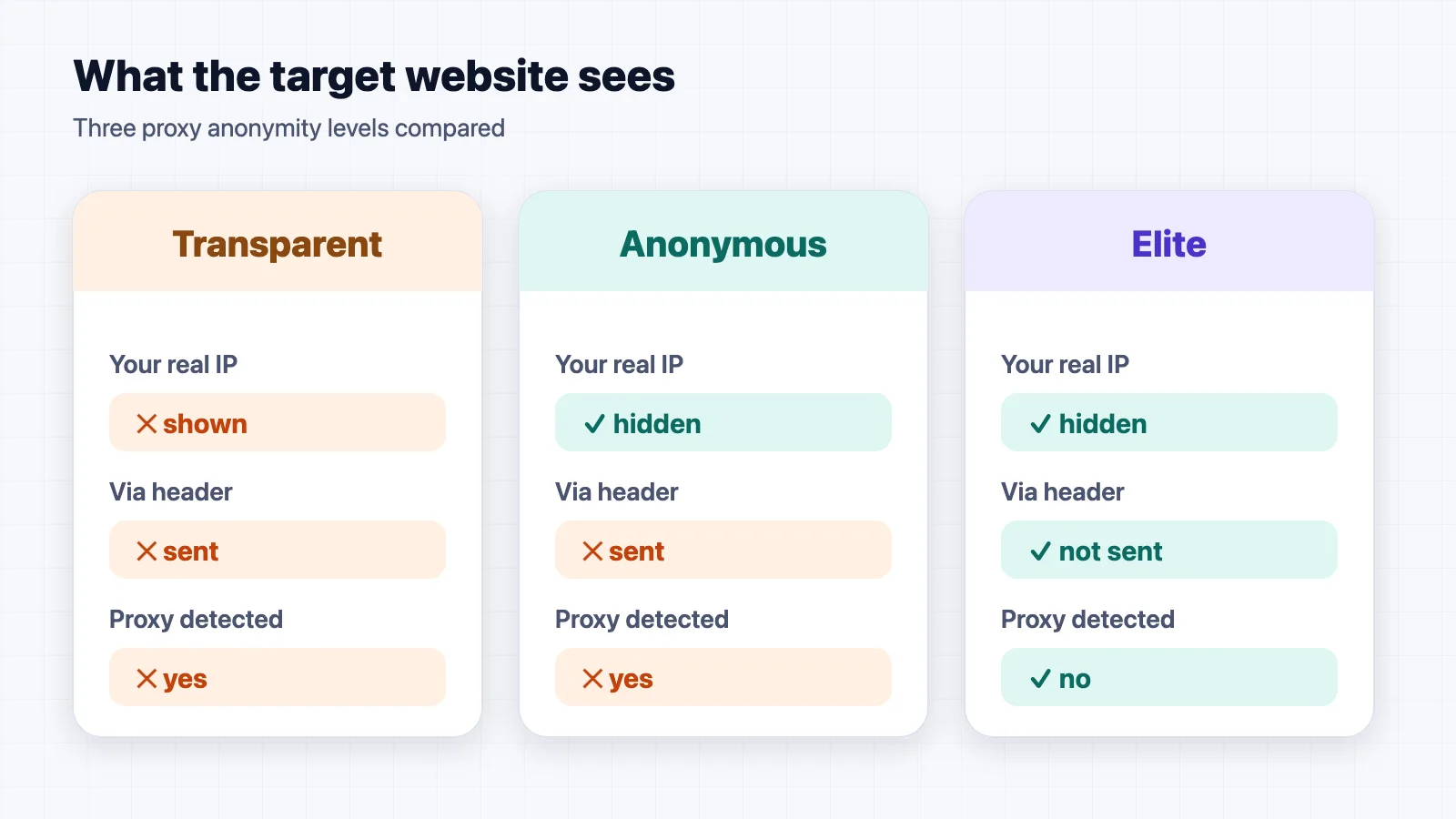
An elite proxy, also called a high-anonymity or level 1 proxy, forwards your request without revealing your original IP address and without adding headers that announce a proxy is in use. To the target website, the request looks like it came from an ordinary visitor at the proxy's IP address.
Proxies are usually grouped into three anonymity levels:
| Level | Shows your real IP? | Reveals that a proxy is used? | Typical use |
|---|---|---|---|
| Transparent | Yes | Yes | Content filtering and caching on company networks |
| Anonymous | No | Yes, through headers such as Via | Basic privacy where detection is acceptable |
| Elite (high anonymity) | No | No | Scraping, price monitoring, ad verification, localized testing |
Anonymity level is only one part of the decision. Commercial teams also choose between residential IPs (assigned by internet providers to homes), mobile IPs (from carrier networks), and data center IPs (fast and cheap, but easier for websites to identify). Residential and mobile proxies are the usual choice when target sites block data center ranges.
How We Compared These Providers
This comparison is based on each provider's published information as of October 2026: pool size, locations, proxy types, session options, targeting filters, and pricing model. We did not run benchmark tests for this article, so we do not rank providers on speed or success rate. Pool sizes and prices are the providers' own figures and change often. Check the current pricing page before you buy.
We looked at five criteria:
- Network coverage: How many IPs are available, and in how many locations.
- Proxy types: Residential, mobile, data center, or a managed API.
- Session control: Rotation per request, sticky sessions, and how long a sticky IP lasts.
- Targeting: Country, state, city, ZIP code, ASN, or coordinates.
- Pricing fit: Pay-as-you-go versus monthly plans, and whether unused traffic expires.
Proxy Services at a Glance
| Provider | Best for | Key distinction |
|---|---|---|
| DataImpulse | Flexible high-volume use | $1/GB and non-expiring traffic |
| Bright Data | Enterprise geo-targeting | 400M+ residential IPs |
| Oxylabs | Concurrent data collection | Unlimited concurrent sessions |
| Decodo | Localized marketing checks | City and ZIP-code targeting |
| SOAX | Custom session control | Adjustable session duration |
| IPRoyal | Long-running sessions | Sticky IPs for up to seven days |
| Webshare | Developer trials | Ten free proxies |
| Infatica | No-code collection | Browser-based data platform |
| ProxyEmpire | Variable monthly traffic | Rollover bandwidth |
| ScraperAPI | Managed page delivery | Rotation and retries through an API |
Teams planning recurring business data scraping can use this table as a shortlist before testing providers on their own target websites.
1. DataImpulse
Best for: Teams that need high volume without a large monthly commitment.
DataImpulse offers residential, mobile, and data center proxies with more than 90 million residential IPs in 195 locations. You can pay as you go for residential traffic starting at $1 per GB, and it doesn't expire. Users can choose to rotate sessions or stay on the same IP for 30–120 minutes by default.
This is a great setup for teams that need to do scraping, SERP tracking, price intelligence, and ad verification but don't want to commit to a large monthly plan. Support for HTTP, HTTPS, and SOCKS5 also makes it easier to integrate the service with existing automation tools.
2. Bright Data
Best for: Enterprises with demanding, precisely targeted data collection.
Bright Data is aimed mainly at businesses with demanding data collection projects. Its residential network contains more than 400 million IPs in 195 countries. A team can narrow requests by country, state, city, ZIP code, or ASN when broad location targeting is not accurate enough.
Scraping APIs and unblocker tools are available too. However, smaller teams may not need so many features or the added cost that comes with them.
3. Oxylabs
Best for: Established data operations that collect many markets at once.
Oxylabs has more than 177 million residential IPs in 195 countries and allows unlimited concurrent sessions. A retailer, for example, could check product pages across many markets at once instead of collecting each country's data separately.
Location filters include city, ZIP code, coordinates, and ASN. This makes Oxylabs a better match for an established data operation than for someone who needs a proxy only now and then.
4. Decodo
Best for: Marketers who check localized ads and search results.
Decodo may appeal to teams that want plenty of locations without moving straight to an enterprise contract. Its pool includes more than 115 million residential IPs across more than 195 locations. Sessions can rotate with each request or stay active when continuity matters.
A marketer checking city-specific ads can narrow the location by city or ZIP code. There's also a free trial for testing the service first.
5. SOAX
Best for: Projects that mix rapid scraping with longer sessions.
One reason to consider SOAX is its adjustable session length. You can request a new IP address for each connection or keep the same one for a longer task, such as navigating several pages on the same online store.
Behind this feature is a pool of more than 190 million residential and mobile IPs in 195 locations. It should suit teams whose projects mix rapid scraping with continuous sessions.
6. IPRoyal
Best for: Multi-day research and account work that needs one stable IP.
Switching IPs too often can interrupt account work or research that takes several visits. IPRoyal addresses this issue by allowing a residential session to remain on the same IP for up to seven days. The service has more than 64 million IPs in 195 countries. Another useful detail is that purchased residential traffic doesn't expire, which means users don't have a time limit to complete their tasks or look up required information.
7. Webshare
Best for: Developers who want to test before paying.
Not every team wants to pay before checking whether a proxy works with its tools. Webshare lets new users try 10 proxies without providing card details. Its paid residential network includes more than 80 million IPs across 195 countries. Developers also get code examples that can save time during the first integration.
8. Infatica
Best for: Companies without an in-house scraper.
Infatica offers a smaller residential pool of more than 35 million IPs, with city and ZIP code targeting. Pay-as-you-go access costs $4 per GB. Companies without an in-house scraper may also find its browser-based data platform useful because it can collect results without code.
9. ProxyEmpire
Best for: Teams whose traffic changes from month to month.
ProxyEmpire offers more than 30 million residential, mobile, and data center IPs. Its rollover bandwidth is useful when traffic changes from month to month. The provider also sells unlimited residential plans, which may simplify budgeting for teams with consistently heavy usage.
10. ScraperAPI
Best for: Small development teams that want finished pages, not proxy management.
ScraperAPI isn't a traditional proxy dashboard. You give it a URL, and it returns the requested page after handling IP changes, retries, and JavaScript. This approach leaves less room for manual proxy control but can be convenient for a small development team that needs data delivered.
How to Choose the Right Proxy for Your Use Case
Start from the job, not the pool size. The table below maps common commercial tasks to the features that matter most.
| Use case | What matters most | Providers to shortlist |
|---|---|---|
| Price monitoring across many markets | Concurrency, country coverage | Oxylabs, Bright Data, DataImpulse |
| Localized ad and SERP checks | City and ZIP-code targeting | Decodo, Bright Data, Oxylabs |
| Multi-page or logged-in sessions | Long sticky sessions | IPRoyal, SOAX |
| Unpredictable monthly volume | Non-expiring or rollover traffic | DataImpulse, IPRoyal, ProxyEmpire |
| First integration or proof of concept | Free trial or free proxies | Webshare, Decodo |
| No scraping engineers on the team | Managed delivery or no-code tools | ScraperAPI, Infatica |
If your work is mainly about protecting your own browsing rather than collecting data, a proxy may not be the right tool. Our guide on why a VPN is essential for secure access explains the difference, and the DNS leak guide shows how to confirm that your real location is not exposed.
Run a Short Proxy Trial Before You Scale
Advertised pool sizes do not tell you how a provider performs on your target sites. A short, structured trial does. Here is a simple plan:
- Pick three to five real target URLs, including at least one site that blocks easily.
- Shortlist two or three providers from the table above and buy the smallest plan or use the free trial.
- Send the same request set through each provider, using the same locations, session settings, and time window.
- Record results for each run: requests sent, successful responses, blocks or CAPTCHAs, median response time, and traffic used in GB.
- Calculate cost per 1,000 successful requests and compare providers on that number, not on price per GB.
The formula is simple:
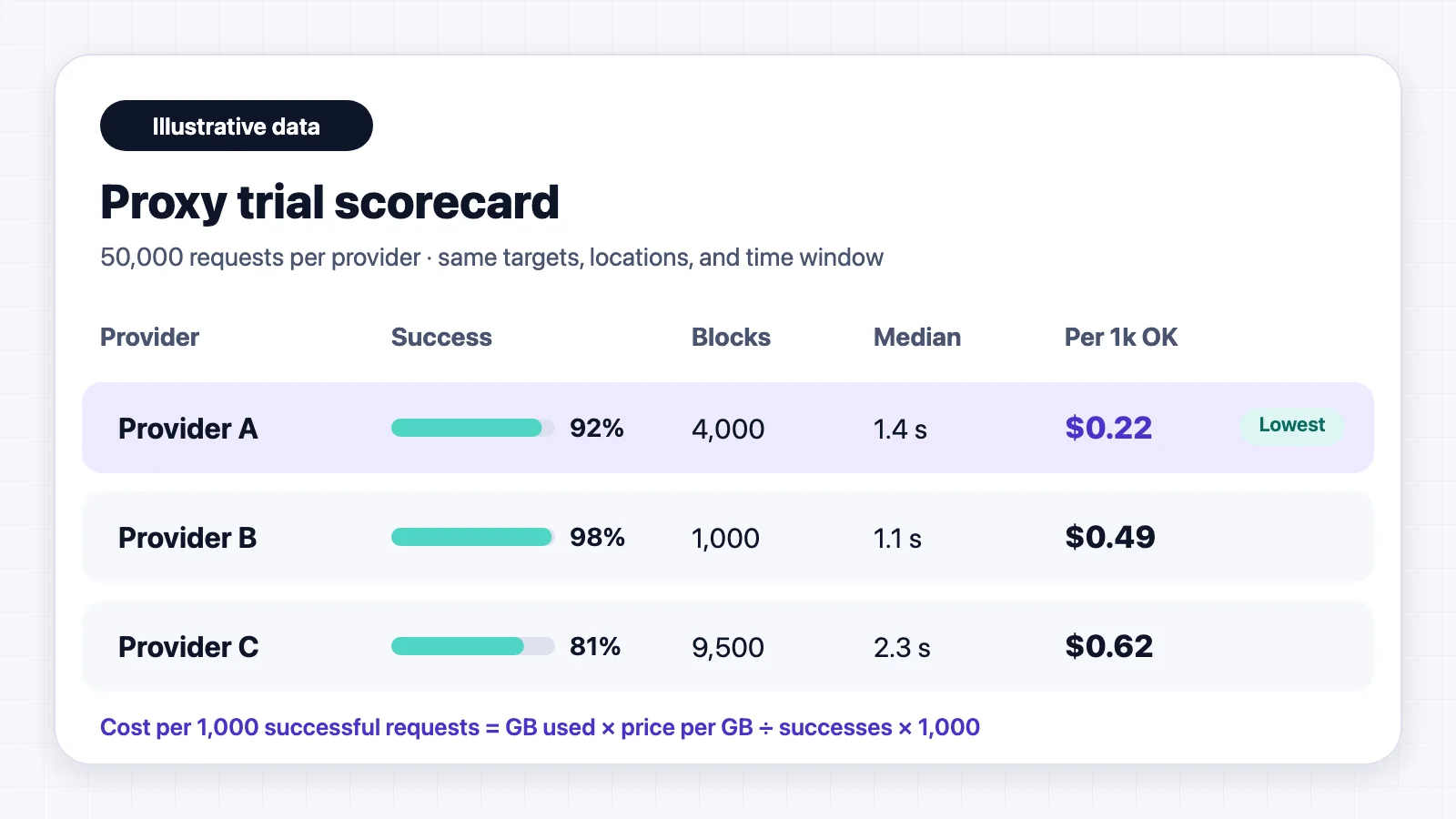
Cost per 1,000 successful requests = (traffic used in GB × price per GB) ÷ successful requests × 1,000
The following is a hypothetical example. Provider A costs $1/GB, uses 10 GB, and returns 46,000 successful responses out of 50,000: about $0.22 per 1,000 successes. Provider B costs $4/GB, uses 6 GB, and returns 49,000 successes: about $0.49 per 1,000. The cheaper rate wins here, but a site with heavy blocking can reverse the result, which is why you test on your own targets.
Keep the trial organized in AFFiNE
A proxy trial produces notes, numbers, and decisions that are easy to lose across chat threads and spreadsheets. In AFFiNE, you can keep the test plan, results, and final decision in one workspace:
- Write the test plan as a doc: target URLs, locations, session settings, and pass criteria.
- Log each run in a database table with columns for provider, success rate, blocks, response time, GB used, and cost per 1,000 successes.
- Map the decision on the whiteboard: place shortlisted providers side by side with their pros, cons, and open questions so the team can review them together.
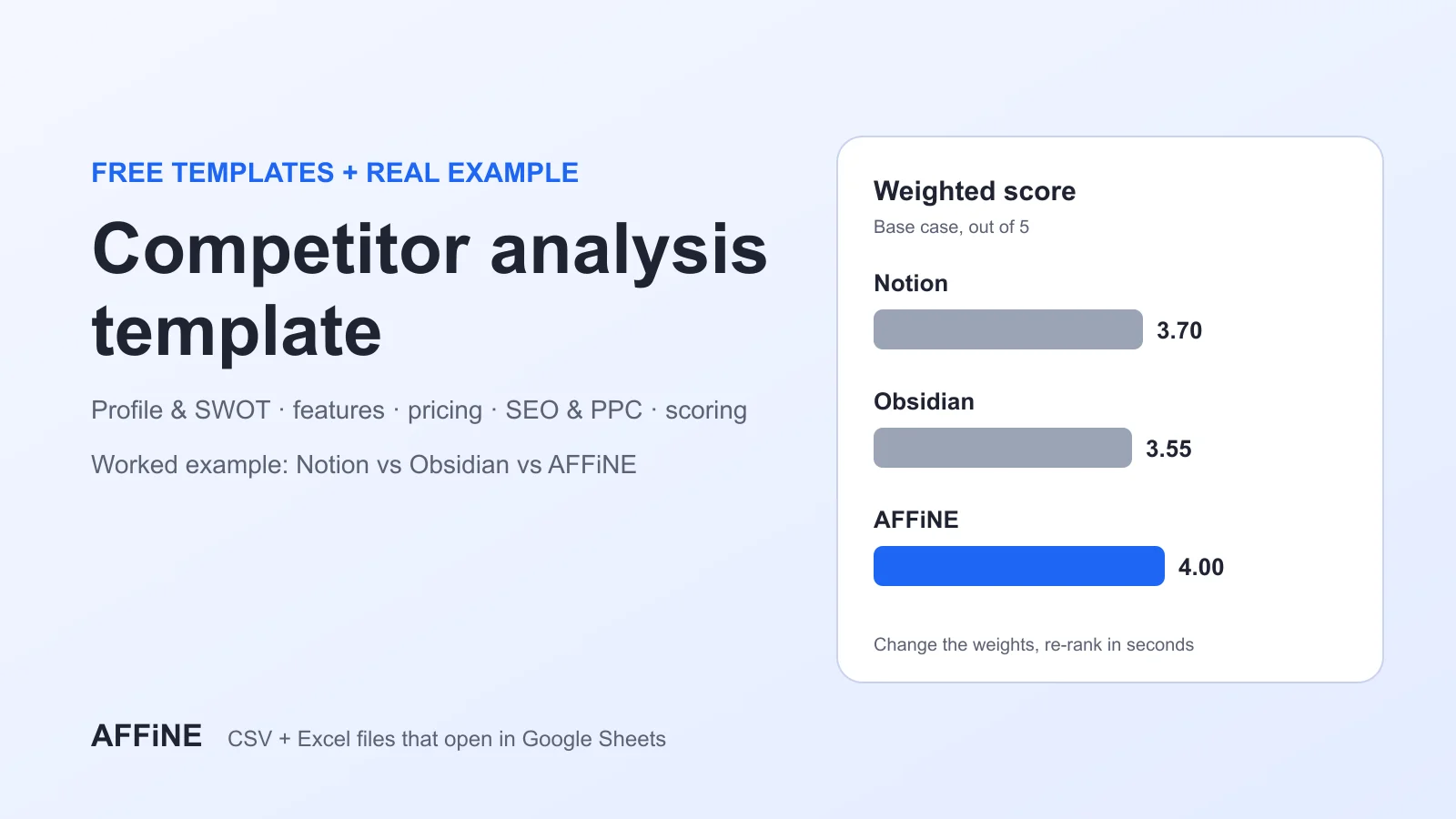
If proxy selection is part of a wider market study, the competitor analysis template gives you a structure for turning the collected data into decisions. Teams that route AI tools through proxies can also read our guide to the best proxies for AI tools.
Check Compliance Before You Collect Data
A proxy changes where a request comes from. It does not change what you are allowed to collect. Before scaling, review:
- Target site terms and whether they restrict automated access.
- Personal data rules such as the GDPR or CCPA if collected pages contain personal information.
- IP sourcing: ask the provider how residential and mobile IPs are obtained and whether users consented.
- Rate limits: keep request volumes reasonable so you do not disrupt the sites you collect from.
This is general guidance, not legal advice. Involve your legal team for large or sensitive projects.
FAQ
What is the difference between an elite proxy and an anonymous proxy?
Both hide your real IP address. An anonymous proxy still adds headers that tell the website a proxy is in use. An elite proxy does not, so the request looks like a normal visit.
Are residential proxies better than data center proxies?
Not always. Residential proxies are harder for websites to detect, so they work better on sites that block data center IP ranges. Data center proxies are faster and cheaper, and they are often enough for sites without strong anti-bot protection.
Which proxy provider is cheapest for high-volume use?
Of the per-GB rates listed in this guide, DataImpulse has the lowest pay-as-you-go residential rate at $1 per GB, and its traffic does not expire. The real cost depends on your success rate, so compare the cost per 1,000 successful requests during a trial.
How long should a sticky session last?
Use rotation for one-off page requests. Use sticky sessions of several minutes for multi-page flows such as product browsing. Use sessions of hours or days, like IPRoyal's seven-day option, for account work or research that spans several visits.
Is it legal to use proxies for web scraping?
Using a proxy is legal in most countries. Whether a specific scraping project is allowed depends on the target site's terms, the type of data collected, and local data protection laws.
Final Thoughts
There is no single proxy provider for every commercial project. Compare each option on your actual target websites and calculate the cost per successful request. Before scaling, review session limits, location coverage, IP sourcing, and applicable data protection rules. A small test can reveal problems that pool size and advertised speed cannot.