AFFiNE for industries
Knowledge management for technical teams
AFFiNE is a collaborative workspace for technical knowledge: documents, whiteboards and tables in one place. Use it to explain a process, connect a diagram to its rationale, and hand over decisions with sources, owners and open questions. Explore illustrative workflows for six industries.
30-minute Google Meet Workflow, deployment and team fit
Illustrative workspace: Docs, tables and Edgeless
Industry solutions
Technical documentation for your industry.
Six industries, four example workflows each — suggested uses shown with synthetic examples, not customer case studies.
Process, quality & engineering teams
Manufacturing
Document setup steps and exceptions alongside the diagrams that explain them.
Explore manufacturing workflowsSolution, delivery & support teams
IT Services
Carry configuration details and design decisions from delivery into support.
Explore IT services workflowsResearch analysts & leads
Investment Research
Trace the thesis to its sources and record what could change your view.
Explore investment research workflowsEngineering & documentation teams
Defense
Give reviewers the interface assumptions, alternatives and ownership questions.
Explore defense engineering workflowsSecurity research & consulting teams
Cyber Security
Connect observed behavior to assumptions and the evidence still needed.
Explore cyber security workflowsExploratory · engineering teams
Aerospace
Compare alternatives and record missing evidence in an illustrative workspace.
Explore aerospace workflows
From example to evaluation
Find the right starting point for your team.
Discuss your documentation workflow, deployment requirements and next steps.
Choose a time with the AFFiNE team.
One connected workspace
Docs, whiteboards and tables. Together.
The same building blocks sit behind every industry workflow.
Order review
Standard procedure
- Owner
- Operations team
- 1. Check order details
- 2. Record open questions
- 3. Hand over the summary
Illustrative example Docs for technical documentation
Write procedures and research notes with headings, images and references.
Explore Docs- Order receivedValidate orderValid?
YesProcess payment
NoOrder cancelled
Illustrative example Whiteboards for process and system diagrams
Draw the sequence, components or relationships your document explains.
Explore Edgeless Project tasks
Task Status Requirements In progress UI / UX design Planned Backend Complete Illustrative example Tables for owners and follow-up actions
Record open questions, assign owners and update status with your team.
Explore Teamhub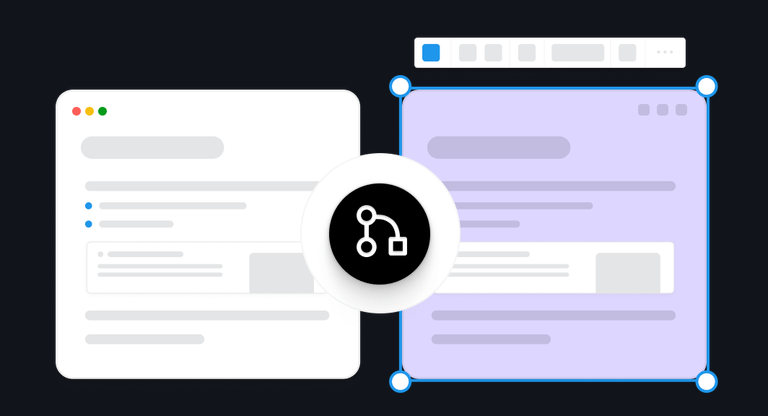
- ↖ Billy · Design↖ Erica · Design
Browse by task
Find your documentation workflow.
If your work crosses sectors, follow the example closest to it.
| Task | Typical output | How teams use AFFiNE | See the example |
|---|---|---|---|
| Create process documentationWrite an SOP with steps, images and exception notes, then map the sequence. | Step-by-step page with a sequence diagram | Docs with image blocks; Edgeless for the sequence; a table for exceptions | Manufacturing |
| Document system architectureDraw components and interfaces, then explain the design decisions. | Architecture or interface map with decision notes | Edgeless canvas next to a page that explains the choices | IT ServicesDefense |
| Review research and evidenceLink sources and counterarguments to a thesis, finding or design choice. | Thesis, threat-model or trade-off record with open questions | Docs with references and PDF previews; a relationship map; a status table kept by hand | Investment ResearchCyber Security |
| Prepare a handoverLink operating procedures, diagrams and open questions for the receiving team. | Handover page linking context, decisions and open items | Shared team workspace, real-time co-editing, Markdown export | IT ServicesAerospace |
One workflow, end to end
Build a design review from notes, diagrams and decisions.
One design review, kept as a page, a whiteboard and a table — then built up in four steps by the team.
Page
Data interface — design review
- Purpose
- Agree how two systems exchange readings
- Marker 1: Decision so far
- Keep the current message format for v1
- Marker 2: Next step
- Confirm who owns retries before handover
Edgeless whiteboard
Table · kept by the team
| Item | Status | Owner |
|---|---|---|
| Field mapping | Reviewed | Integration |
| Marker 2: Retry ownership | Open | To confirm |
| Marker 3: Handover notes | Drafting | Delivery |
- The decision written in the page is the format drawn on the canvas.
- The open question on the canvas is a row the team tracks by hand.
- Handover notes pull the page, the map and the open items together.
Numbered markers show where one view refers to another. The team makes these links by hand — nothing is synchronized or approved automatically.
Capture context
Write a review page for purpose, assumptions and decisions.
Input: Notes and specs Output: Review brief
Map relationships
Draw the systems on the whiteboard; mark assumptions and questions.
Input: The brief Output: Relationship map
Track open questions
Keep them in a table the team updates by hand.
Input: Canvas questions Output: Open-questions table
Hand it over
Link brief, map and table in one page; edit together; export Markdown.
Input: Brief, map, table Output: Handover pack
Deployment and evaluation
Run it your way.
Decide how you will run AFFiNE before you scale it.
Hosted workspace
Try one workflow with permitted sample material before you scale it.
- AFFiNE web app
- One team workspace
- No servers to run
Prerequisites
Install Docker and Docker Compose on your machine.
Download compose.yml from the AFFiNE repository.
Review the environment variables for your deployment.
Self-hosted
Docker Compose is the officially supported path for running AFFiNE on infrastructure you operate.
- Docker Compose
- PostgreSQL
- File or S3 storage
- OIDC sign-in
Before a pilot, settle four things
- Who writes, reviews and reads
- Who runs infrastructure and backups
- Whether AI stays off — or which provider
- Which plan features you need
Local-first editing does not make every team feature work offline. An installable license for restricted networks does not make the whole product air-gapped. Self-hosting gives you control of where data lives; it does not establish compliance on its own.
Product references: AFFiNE Enterprise and documentation in English for Docker Compose, OIDC sign-in and AI configuration.
Resources
Start with a template.
Existing AFFiNE templates and guides that match the work above.
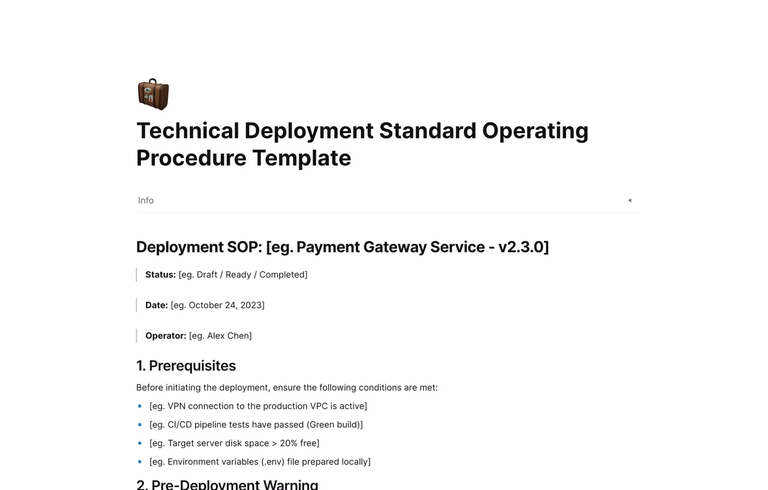
Technical Deployment SOP template (Explore the template)
Release steps with pre-flight checks, migrations, QA sign-off and rollback.
Template · Document a process
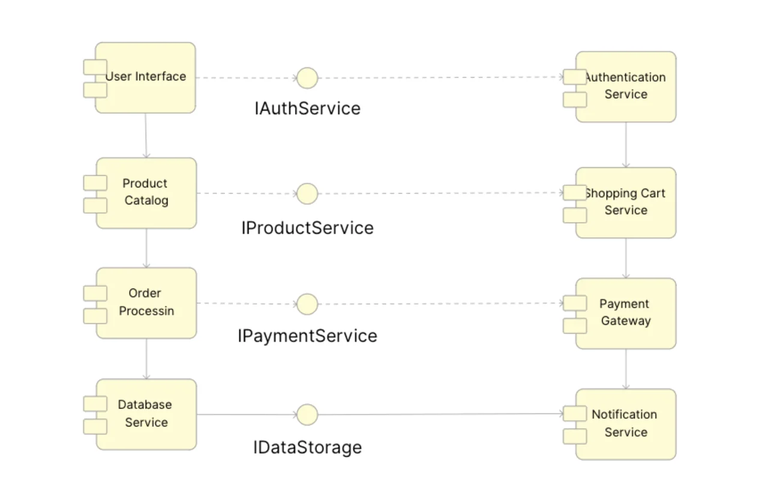
Component Diagram template (Explore the template)
An Edgeless canvas for components, interfaces and dependencies.
Template · Explain a system
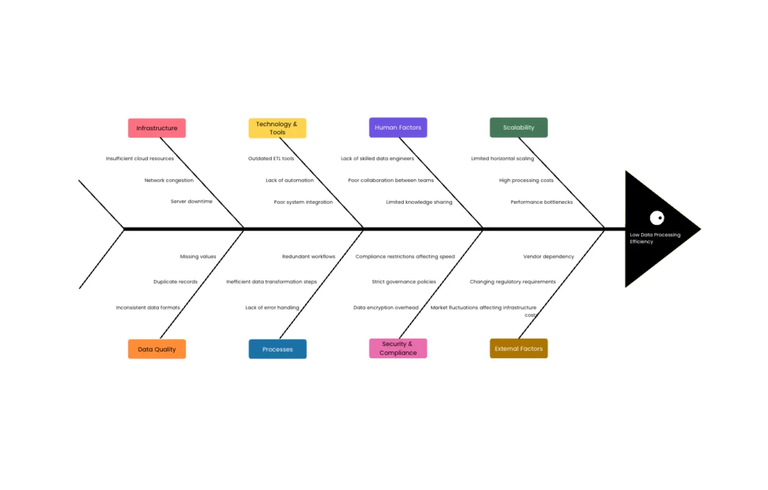
Fishbone diagram template (Explore the template)
A general cause-and-effect canvas for root-cause discussions.
General template · Review a problem
Corporate wiki playbook (Read the guide)
How to structure SOPs, troubleshooting guides and decision records.
Guide · Prepare a handover
FAQ
Questions teams ask.
What should an internal knowledge base for technical teams include?
An internal knowledge base should connect procedures, system context, decisions and source references, with a named owner and review date for each page. Organize it around questions the team needs to answer. In AFFiNE, link written explanations, diagrams and follow-up tables so a new teammate can find and continue the work.
How do documents and whiteboards work together?
A page holds the written detail: purpose, assumptions, decisions and sources. The Edgeless canvas shows how the pieces relate, such as systems, steps or arguments. Teams place the diagram next to the explanation and link between them, so a reviewer can read the reasoning and see the structure in the same workspace.
Can teams use AFFiNE alongside their existing engineering or operational tools?
Yes. AFFiNE is a place to explain and connect work, not a replacement for systems of record such as production, ticketing, security monitoring or market-data tools. Teams typically link to those systems and summarize what matters for a review or handover. Check any specific integration you rely on before planning around it.
Can AFFiNE be self-hosted?
Yes. Docker Compose is the officially supported self-hosting path, and sign-in can use your identity provider via OIDC. AI features are optional and can be turned off. Review the Enterprise page and documentation with the people who will run the service, and test backup and restore in your own environment.
How should we evaluate AFFiNE for sensitive technical knowledge?
Start with the workload rather than the tool. Decide what material may be stored, where it must live, who needs access and whether AI may be used. Then compare hosted and self-hosted options against those requirements. Hosting location alone does not establish approval for a workload; involve your security and compliance owners early.
Where should a team start with a pilot?
Pick one real workflow, such as a design review or a handover, and a small set of material you are permitted to use. Build the page, the canvas and the open-questions table with the people who will maintain them. Judge the pilot by whether the next person can find, understand and continue the work.
A conversation about your team
Evaluate AFFiNE for your team.
Discuss your documentation workflow, deployment requirements and next steps.
Prefer email? Contact sales