MCP Security Best Practices: The Practitioner Checklist
MCP security comes down to one shift: once an assistant can call tools, a bad instruction is no longer just a bad answer — it can become an action. The Model Context Protocol itself ships sane building blocks (scoped credentials, OAuth-based authorization for remote servers, explicit tool approval in clients), but the defaults that keep a deployment safe are yours to set. This guide is the practitioner checklist: what actually goes wrong, and the ten practices that prevent most of it.
It assumes you know what an MCP server is; if you are still choosing servers, start with the trust criteria in our server shortlist.
The threat model in one paragraph
Three ingredients make an AI deployment dangerous, and security researchers such as Simon Willison have popularized the pattern as the "lethal trifecta": access to private data, exposure to untrusted content, and a channel that can send data out. An assistant with MCP servers frequently has all three — it reads your documents, it browses or ingests content other people wrote, and it can call tools with side effects. None of the practices below remove one ingredient completely; together they keep the three from combining quietly.
Credentials: the half you control on day one
Credential design is the highest-leverage security decision in an MCP deployment, and it is entirely in your hands before any threat shows up.
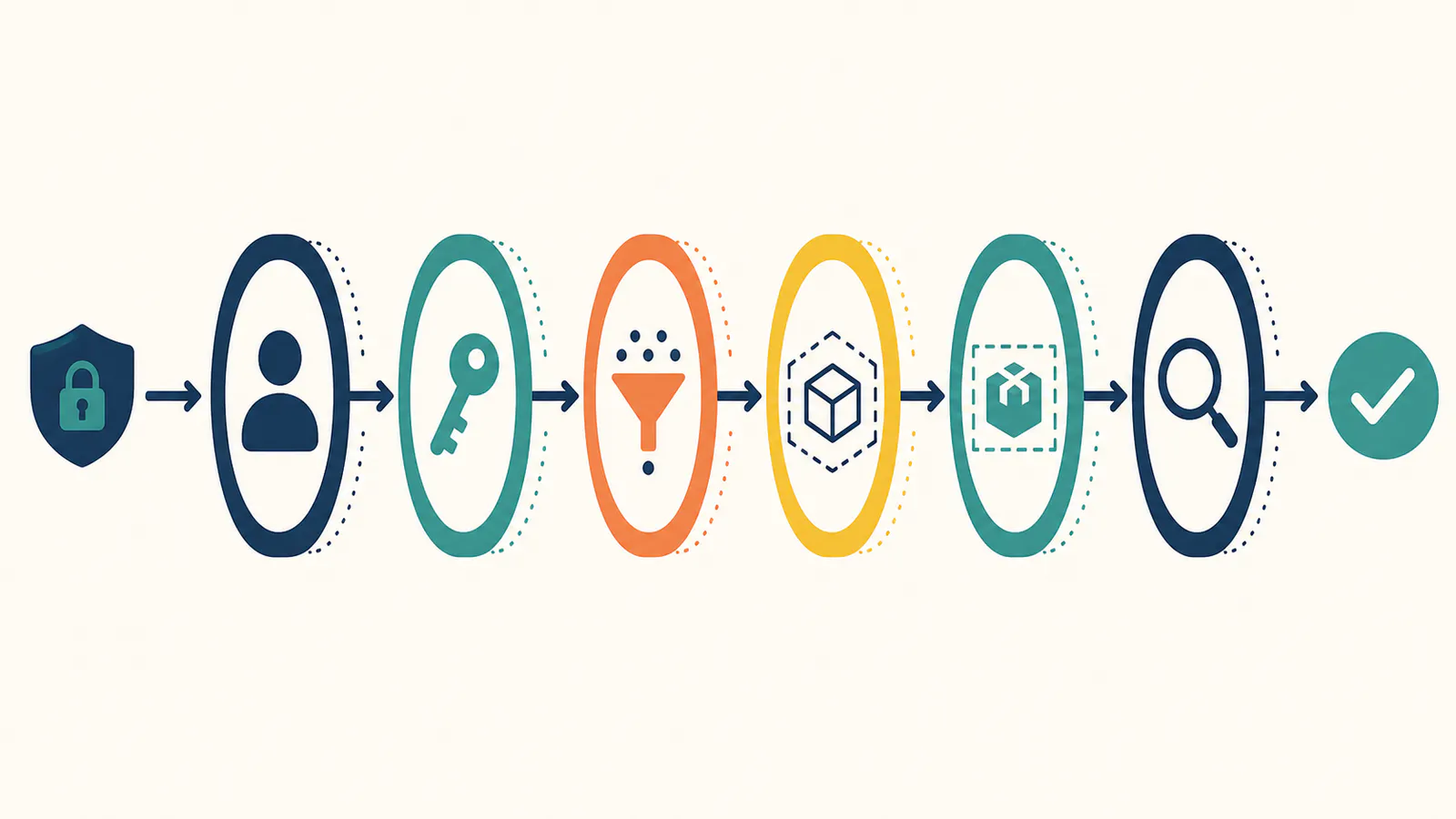
- Scope every credential to the smallest surface. One workspace, one project, one repo — never an account-wide key. A connection that can only reach what it needs turns a compromise into an inconvenience instead of an incident. AFFiNE's built-in server is a useful reference model here: credentials are workspace-scoped, carry your permissions and nothing more, and are read-only by default.
- One credential per client, with an expiry. The laptop, the desktop, the CI job — each gets its own token. Revoking one device then breaks nothing else, and expiry dates turn forgotten credentials into non-events instead of standing liabilities.
- Prefer read-only until write is justified by a workflow. Most knowledge and search use cases never need write access. Grant it when a concrete workflow demands it, not as a default convenience.
- Keep secrets out of config files where you can. Use environment variable expansion in shared configuration (project-scope
.mcp.jsonfiles are checked into version control — teammates supply their own tokens), and treat any token that touched a chat window or a screenshot as burned.
Authorization: what the spec gives remote servers
Remote MCP servers speak Streamable HTTP, and the 2025 revisions of the specification classified them as OAuth resource servers — meaning proper authorization flows with PKCE rather than ad-hoc header schemes, and tokens issued for one server that must not be forwarded to another. The spec's own security best practices document reads like an incident postmortem written in advance — confused deputy, token passthrough, session hijacking, each with required mitigations. Three practical consequences:
- Favor servers that implement the OAuth flow (or, on private deployments, workspace-issued bearer credentials with revocation and expiry, which deliver the same containment properties for a single-tenant endpoint).
- Reject token passthrough patterns. A server that accepts tokens it did not issue — or forwards yours downstream — collapses the audience boundary the spec draws. If a community server's README suggests pasting a broad platform token, that is your cue to look elsewhere.
- Never treat a session as identity. The spec is explicit that servers must not use session IDs for authentication — a session identifier is guessable-in-principle plumbing, and every request still needs a verified credential behind it. The same discipline applies to proxy servers fronting a third-party API on one static client ID: they must ask consent per client, or a consent granted once can be replayed to authorize a different, malicious client — the classic confused deputy problem.
Prompt injection: treat retrieved content as untrusted, always
Anything a tool returns can contain instructions aimed at the model — a web page, a shared document, an issue comment, even a filename. Injection is not exotic; it is the routine failure mode of tool-using assistants.
- Keep human confirmation on consequential actions. Modern clients ask before using a new tool or performing writes; in team settings, project-scoped servers get approved per person on first use. Leaving these gates on is the single cheapest defense you have. The gate only works while approval stays meaningful, though — a server that fires confirmations for everything trains people to click through them, a pattern documented as consent fatigue. If a connection demands constant approvals, fix the scoping or drop the server rather than numbing the reflex.
- Separate reading from acting where stakes are high. A session that researches untrusted content is best kept away from tools that can send, publish, or delete. If the same assistant must do both, insist on reviewing the queued action before it fires.
- Prefer structured, bounded tool outputs. Servers that return scoped passages with provenance — rather than entire files or raw blobs — shrink both the injection surface and the blast radius of a leak. This is why search tools that return bounded passages with locators are a safer default than "read everything" tools.
Server supply chain: vet what you connect
The ecosystem's strength — thousands of community servers — is also its main soft spot. Documented attack patterns include tool poisoning, where a server's tool descriptions carry hidden instructions for the model; rug pulls, where a benign server changes behavior after an update; and tool shadowing, where one server's tool names impersonate or intercept another's. None of this is hypothetical: the ecosystem's most-cited vulnerability so far, CVE-2025-6514 (July 2025), was a critical remote-code-execution flaw in mcp-remote — the widely used bridge that connects stdio-only clients to remote servers — through which a malicious server could run commands on machines that connected to it. The plumbing needs the same vetting as the servers. Security platforms such as Aikido can help teams identify and manage vulnerabilities across their software environments.
- Prefer first-party servers maintained by the product they connect to; they inherit that product's auth model and update discipline.
- Treat local stdio servers as what they are: processes with your privileges. The launch command in your client config runs on your machine as your user account, so the install command is itself the trust decision — the spec now directs clients to display the full command before first run and recommends sandboxing spawned servers. "It is just a notes connector" says nothing about what the process could do.
- Read the declared tool list before connecting, and re-read after updates. Tool names and descriptions are part of your prompt surface. A note-search server declaring a shell-execution tool is answering a question you did not ask.
- Pin and provenance-check community servers like any dependency: check maintenance activity, install from the official registry or a directory that verifies publishers, and treat unreviewed updates as new trust decisions. The official registry's provenance signals beat pasting install commands from forum posts.
- Watch tool-count bloat. Every connected server adds instructions to the model's context. Fewer, better-vetted servers are both a quality and a security win — three to five per profile remains the working rule.
Operations: the boring layer that saves you
Operational hygiene — logging, rotation, and a reviewed allowlist — is what turns an eventual MCP incident from a mystery into a report.
- Log tool calls where your client or gateway supports it. "Which tool ran, with what arguments, on whose behalf" is the difference between an audit and a guess.
- Rotate on schedule, revoke on suspicion. Per-client credentials with expiry make rotation a calendar chore rather than a fire drill.
- Establish an allowlist for team use. A short, named set of approved servers — with owners — beats every-developer-improvises. Review it quarterly; the ecosystem moves fast.
A worked example of containment defaults
As a concrete reference: connecting an AFFiNE workspace to Claude Code issues a credential that reaches exactly one workspace with the requesting user's permissions, defaults to read-only (write capability is rolling out separately and stays off this checklist), expires on a date you set, and revokes per client without touching other connections. Search returns bounded passages with document or canvas locators rather than raw exports. Whatever server you deploy, those five properties — scope, default-deny writes, expiry, per-client revocation, bounded outputs — are the shape to insist on.
FAQ
Are MCP servers safe to use?
They are as safe as their scoping and provenance. First-party servers with workspace-scoped, expiring, read-only-by-default credentials are a well-contained risk; unvetted community servers with broad tokens and write access are not. The protocol provides the mechanisms, but the deployment choices above decide the outcome.
What is prompt injection in MCP?
Prompt injection is untrusted content — a web page, shared document, or tool output — carrying instructions that steer the model into unintended actions. With MCP the stakes rise because actions are real tool calls. Defenses: confirmation gates on consequential tools, separating research sessions from acting sessions, and bounded tool outputs.
Does MCP support OAuth?
Yes. The specification's 2025 revisions define authorization for remote servers with the server classified as an OAuth resource server, PKCE in the flow, and tokens audience-bound to one server. Single-tenant deployments often use workspace-issued bearer credentials instead, which provide equivalent scoping and revocation for a private endpoint.
How do I audit an MCP server before connecting it?
Check who maintains it and how recently; read the declared tools and their descriptions (they enter your prompt surface); confirm the credential model supports scoping, expiry, and revocation; and prefer registry or verified-directory installs over pasted commands. After connecting, keep an eye on tool-list changes across updates.
What is tool poisoning?
A documented attack where a server's tool names or descriptions embed hidden instructions that the model reads as guidance — for example, a description quietly telling the assistant to exfiltrate context. Mitigations are provenance checks, reading tool lists before and after updates, and preferring first-party or verified-publisher servers.
What is the confused deputy problem in MCP?
It is an authorization failure in proxy-style servers: an MCP server that fronts a third-party API using one static client ID can be tricked into exercising its authority for the wrong client, letting an attacker ride a consent the user granted once and walk away with an authorization code. The specification's security best practices require per-client consent in exactly this architecture — worth confirming before relying on any community proxy server.
Should MCP servers run in a sandbox?
Local ones, ideally yes: a stdio server is a process with your user privileges, so running community servers in a container — or otherwise restricting their filesystem and network access — caps what a compromise can reach, and the specification recommends clients sandbox spawned servers with minimal default privileges. For remote servers the equivalent control is scoping: a hosted endpoint never executes on your machine, so containment lives in what the credential can reach.
Security here is mostly the discipline of unglamorous defaults: smallest scope, shortest life, fewest tools, gates on. Set those once, and the connected-assistant setup that felt risky becomes the one you can actually reason about — starting with a server whose defaults already look like this.