What Is an MCP Server? Model Context Protocol, Explained
An MCP server is a program that connects AI assistants to one external tool or data source — a code host, a database, a knowledge base — through the Model Context Protocol (MCP), an open standard for linking AI models to outside systems. Connect a server for GitHub and Claude, ChatGPT, Cursor, or any compatible assistant can read your issues; connect one for your knowledge base and it can search your team's notes. One protocol, any combination.
The weakness this fixes is shared by every AI assistant: the model can reason impressively, but it cannot reach the places where your actual work lives. Your notes sit in one app, your code in another, your tasks in a third, and the model sees none of them. MCP is the plug standard; an MCP server is the socket. Instead of every AI app building a custom integration for every tool, both sides implement MCP once.
This guide explains what MCP servers actually do, how the protocol works under the hood, how MCP differs from APIs and RAG, and how to connect your first server in about five minutes — no code required.
What does MCP stand for?
MCP stands for Model Context Protocol, an open standard introduced by Anthropic in November 2024 and open-sourced from day one. Adoption moved unusually fast: OpenAI announced MCP support in March 2025, Google followed weeks later, and by 2026 effectively every major AI surface — Claude, ChatGPT, Gemini-based tools, Cursor, Cline, Windsurf, VS Code with Copilot — ships an MCP client.
The problem MCP solves is old and unglamorous: the N×M integration problem. Before MCP, connecting five AI apps to six tools meant thirty custom integrations, each with its own auth, data format, and failure modes. With a shared protocol, each AI app implements MCP once, each tool exposes MCP once, and every pairing works. That is why the ecosystem settled on the same metaphor almost immediately: MCP is the USB-C port for AI — one connector shape, whatever you plug in.
The protocol itself is unglamorous too, deliberately. Under the hood it is JSON-RPC messages over one of two transports: stdio for servers running on your own machine, and Streamable HTTP for servers running remotely. Everything else — what the server offers, what the model may call — is negotiated when the two sides connect.
What is an MCP server, exactly?
An MCP server is a small program that advertises capabilities to AI applications in three standard shapes:
- Tools — actions the model can invoke, like
search_docs,create_issue, orquery_database. Each tool declares typed inputs and outputs, so the model knows exactly how to call it. - Resources — data the application can read for context: files, documents, schemas, logs.
- Prompts — reusable prompt templates the server offers for common workflows.
A server can be tiny (a hundred lines wrapping one internal API) or substantial (the GitHub MCP server exposes dozens of tools across repos, issues, and pull requests). It can run locally next to your editor, or as a hosted endpoint maintained by the product it connects to — the way AFFiNE's built-in MCP server runs as part of the workspace itself, so there is nothing to install or keep updated.
The important mental shift: an MCP server is not a chatbot plugin or a browser extension. It is infrastructure — a stable, typed contract between whatever AI app you use today and the system that holds your data. Swap the assistant next year and the server keeps working.
How MCP works: host, client, and server
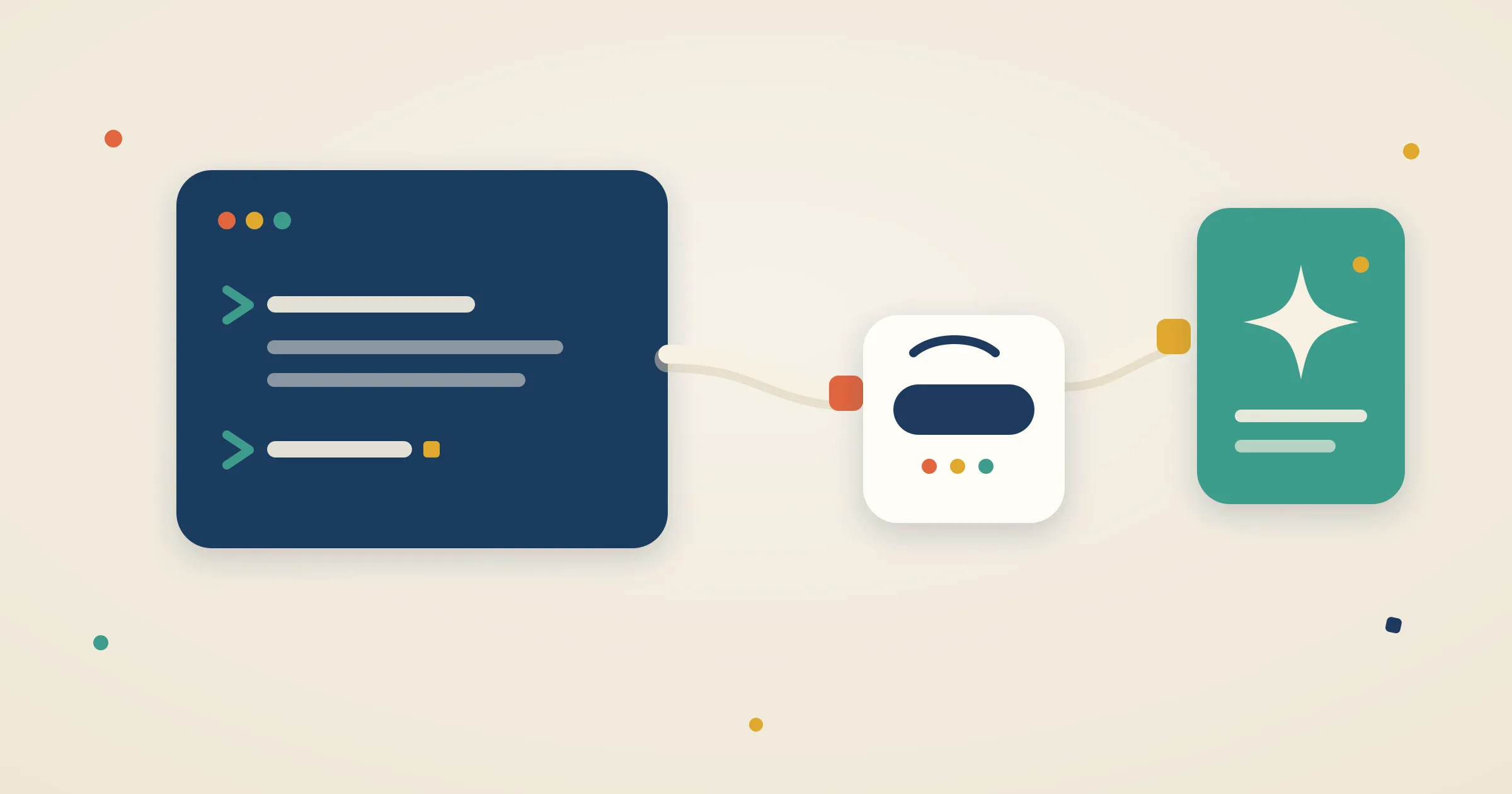
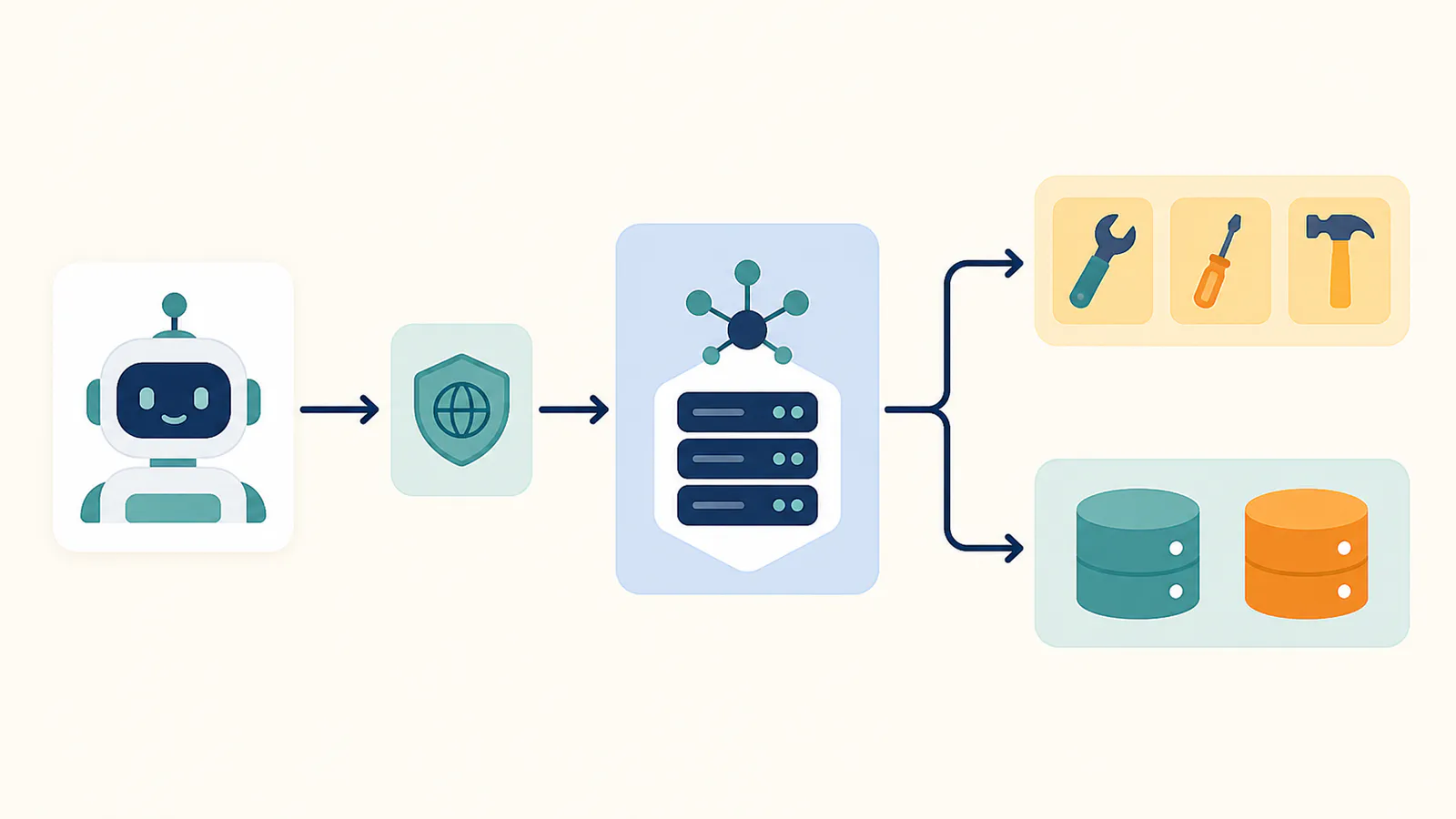
MCP's architecture has three roles: the host (the AI application you interact with), an MCP client the host runs for each connection, and the server that fronts a tool or data source. Four things happen every time an assistant uses one:
- The host app starts a session. Claude Desktop, Claude Code, Cursor, and ChatGPT are all hosts. Each runs one MCP client per configured server, connecting over stdio or Streamable HTTP.
- Capabilities are discovered, not hardcoded. On connection, the client asks the server what tools, resources, and prompts it offers. The model sees a live catalog, not a stale integration.
- The model calls a tool. When your request needs external context — "find our onboarding checklist" — the model picks a tool, sends typed arguments, and the server executes the real work behind the scenes: querying an API, running a search index, reading a file.
- Results ground the response. The server returns structured content, and the model folds it into its answer, citing real data instead of guessing.
The division of labor is what makes this scale. The host handles the conversation and the model. The server handles auth, data access, and domain logic. Neither needs to know anything else about how the other is built — the protocol is the entire interface.
What are MCP servers used for?
Five patterns cover most real-world MCP use cases today:
- Coding with real project context. GitHub, Playwright, and Chrome DevTools servers let coding agents read issues, drive browsers for testing, and inspect live pages instead of hallucinating selectors.
- Searching your own knowledge. Connect your notes or team wiki and the assistant answers from what your team actually wrote. With AFFiNE MCP, that search covers documents and whiteboards — an assistant can find the architecture sketch you drew on a canvas, not just prose.
- Design-to-code. Figma's MCP server gives agents structured access to design files, so generated UI code matches real specs instead of screenshots.
- Operations and data. Slack, Datadog, Supabase, and database servers let assistants pull the thread, the alert, or the row that explains what is going on.
- Automation glue. Workflow tools like Zapier and n8n expose their catalogs of downstream apps — thousands, in Zapier's case — through a single MCP connection.
A useful test for whether MCP will help you: count how often you copy-paste content into an AI chat. Every recurring paste is a missing server.
MCP examples: popular servers to try
| Server | What it connects | Typical use |
|---|---|---|
| GitHub | Repos, issues, PRs | "Summarize the open issues tagged bug in this repo" |
| Playwright | A real browser | End-to-end testing and web automation by agents |
| Chrome DevTools | Live browser internals | Debugging performance and layout with an agent |
| Figma | Design files | Generating code that matches the actual design |
| Context7 | Library documentation | Up-to-date API docs inside coding agents |
| Slack | Channels and messages | "What did the team decide about the launch date?" |
| Notion | Pages and databases | Querying hosted workspace content |
| Obsidian (community) | Local vault | Searching personal markdown notes; needs the desktop app running |
| AFFiNE | Docs + whiteboards | Semantic search across docs and canvases; no separate charge when AI features are enabled |
Official first-party servers exist for most major products now, and the official MCP registry — launched in preview in late 2025 — plus community directories list thousands more. If a tool matters to your workflow, odds are good someone has already built the connector.
MCP vs API vs RAG
Short version: an API is one service's own interface for developers, RAG is a retrieval technique inside a single application's pipeline, and MCP is the standard layer that lets any assistant reach tools built on either — most MCP servers wrap existing APIs, and retrieval works best exposed through an MCP search tool, which is exactly how AFFiNE serves workspace search to every connected assistant. The full comparison — decision path, function-calling boundary, combination patterns — lives in MCP vs API vs RAG. For why this retrieval layer is becoming core infrastructure, see why context management is the infrastructure layer.
Try it: connect your knowledge base in five minutes
The fastest way to understand MCP is to point an assistant at content you know well. AFFiNE ships its MCP server built in, so the setup is genuinely short:
- Create a credential. In AFFiNE, open Settings → Integrations → MCP Server, click "Create credential", and label it for the client you're connecting ("Claude Code", "Cursor"). Access is read-only by default, and every credential carries an expiry date you choose.
- Copy the configuration. The token is shown once, together with a "Copy JSON" button that produces a complete MCP configuration — endpoint URL and auth header included.
- Paste it into your client. Claude Code takes it as one CLI command; Cursor takes the JSON in
~/.cursor/mcp.jsonas-is. Any client that speaks Streamable HTTP works the same way. - Ask a real question. "Search my workspace for the Q3 launch checklist and summarize what's still open." The assistant runs keyword and semantic search across your documents and whiteboards, reads the full page with your permissions, and answers from your actual notes.
There is no separate plan or usage fee for the MCP server — it works on AFFiNE Cloud and on self-hosted instances with AI features enabled. If you are building toward a team wiki that AI tools can maintain and query, the pattern in What is LLM Wiki pairs naturally with an MCP-connected knowledge base.
Are MCP servers safe to use?
Safer than ad-hoc integrations, if you follow four rules:
- Scope the credential. A connection should reach one workspace or project with defined permissions — never an account-wide key. Prefer read-only access unless you have a concrete reason to allow writes; in AFFiNE, read-only is the default mode and write access is rolling out separately.
- Set expiry and revoke per client. Issue one credential per client so you can cut off a single laptop or tool without breaking the rest. Expiry dates turn forgotten credentials into non-events.
- Treat retrieved content as untrusted. Anything a server returns — a web page, a shared document — can contain text that tries to steer the model (prompt injection). Good hosts ask for confirmation before consequential actions; keep that setting on.
- Prefer first-party servers. A server maintained by the product it connects to inherits that product's auth and permission model. Community servers are often excellent, but review what they can access before connecting one to sensitive data. For the full practitioner checklist — OAuth, prompt injection, supply chain — see MCP security best practices.
FAQ
What is an MCP server in simple terms?
An MCP server is a connector program that lets AI assistants use an external tool or data source through one open standard. Instead of a custom integration for every app-tool pairing, the assistant and the tool both speak MCP — like plugging any device into the same USB-C port.
What does MCP stand for in AI?
MCP stands for Model Context Protocol, the open standard Anthropic introduced in November 2024 for connecting AI models to external tools and data. It is now supported by Claude, ChatGPT, Cursor, Cline, and most other AI applications, making it the de facto integration layer for AI assistants.
Is MCP free to use?
Yes. The protocol is open source and free to implement, and most official servers are free to run or connect. AFFiNE's built-in MCP server, for example, has no separate charge — it works on AFFiNE Cloud and self-hosted instances with AI features enabled, using credentials you create in workspace settings.
What is the difference between MCP and an API?
An API is a service's own interface, designed for developers writing code against that one service. MCP is a standard layer on top: it describes tools in a way models can discover and call safely. Most MCP servers wrap existing APIs — MCP standardizes how AI apps consume them, it does not replace them.
Does ChatGPT support MCP?
Yes. OpenAI announced MCP support in March 2025, and ChatGPT can connect to remote MCP servers through connectors, with full tool access available in developer mode. Claude, Cursor, Cline, Windsurf, and VS Code agents support MCP as well, so one server — like AFFiNE's — serves every assistant you use.
Do I need to be a developer to use MCP servers?
No. Connecting an existing server is configuration, not coding: create a credential, copy a JSON snippet, paste it into your AI app. AFFiNE generates that snippet for you in Settings → Integrations → MCP Server. Building a new server requires programming — our build guide has tested fifteen-minute quickstarts — but thousands of ready-made servers already exist.
Can an MCP server read my whiteboards, or only text documents?
Most knowledge-tool servers only search text. AFFiNE's MCP server also indexes whiteboard content: search covers text on Edgeless canvases and returns element and frame locators, so an assistant can find the diagram where a decision was sketched. Document reads return the page content as Markdown.
MCP turned "can my AI see this?" from a product roadmap question into a checkbox. The standard is settled, the clients are everywhere, and the useful work now is deciding what to connect. If your notes and whiteboards are where decisions live, connect your knowledge base to AI.