How to Add MCP Servers to Claude Code and Claude Desktop
Claude Code speaks MCP natively — one command connects it to an MCP server, and every session after that can search your notes, query your repo host, or drive a browser without copy-paste. The command is claude mcp add, and the whole setup usually takes under two minutes per server.
This guide covers the add command and its scopes, Claude Desktop's two connection paths, a worked example end-to-end with AFFiNE's built-in server, quick setups for ChatGPT and Cursor, and the troubleshooting list for when a server refuses to appear.
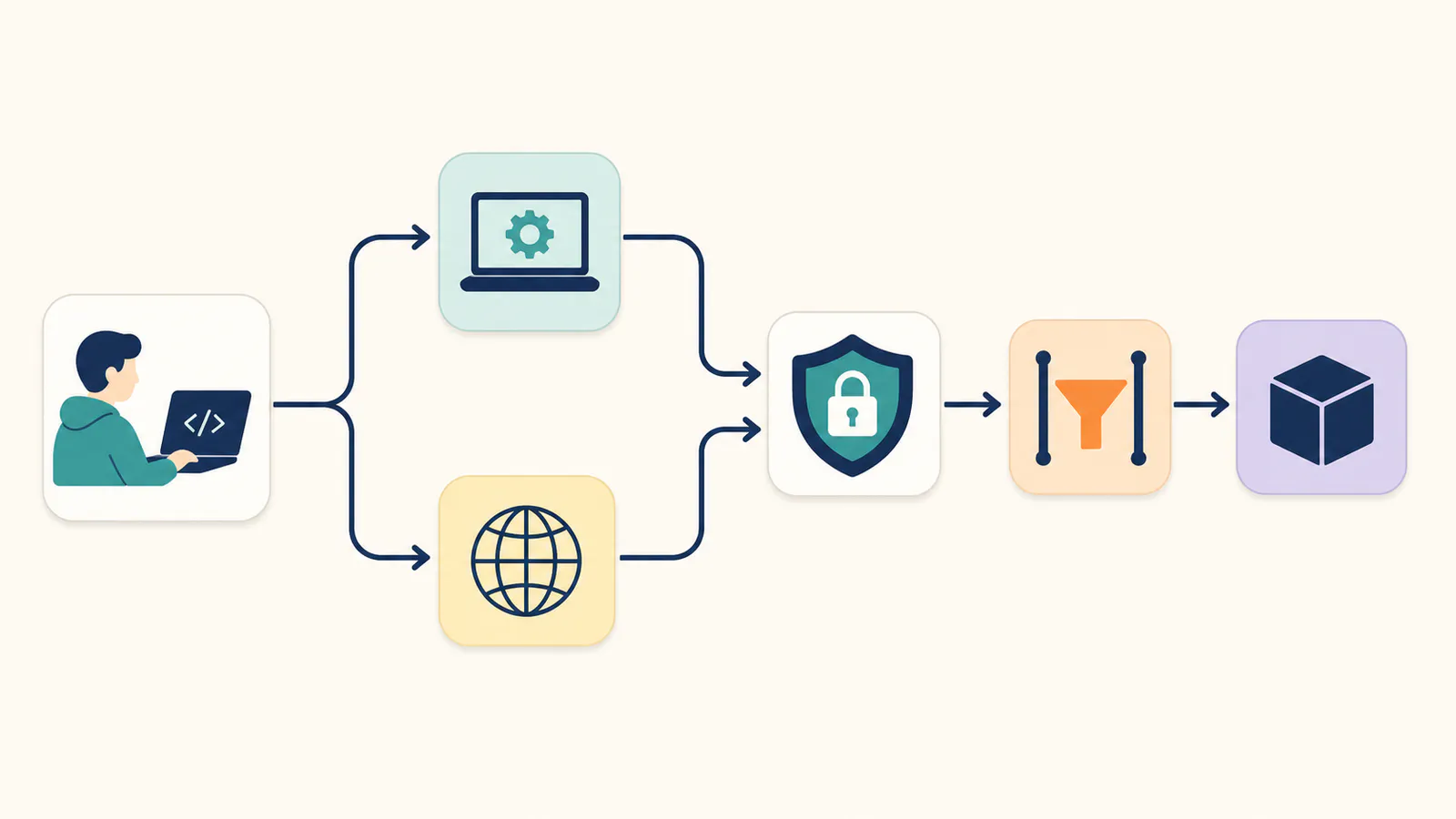
The 30-second version: remote servers connect over HTTP with a URL and an auth header; local servers run as a command on your machine. Scope decides who sees the server: just you, this project, or all your projects.
Adding MCP servers to Claude Code
For a remote (HTTP) server — the common case for hosted services:
claude mcp add --transport http <name> <server-url> \
  --header "Authorization: Bearer <your-credential>"
For a local (stdio) server — a program Claude Code launches on demand:
claude mcp add <name> -- <command-to-run-the-server>
If a product hands you a ready-made JSON snippet, claude mcp add-json <name> '<json>' takes it verbatim. Three subcommands do the housekeeping: claude mcp list shows what is configured, claude mcp get <name> shows one server's details, and claude mcp remove <name> deletes it. Inside a session, the /mcp command shows connection status and available tools — your first stop whenever something looks off.
Scopes: local, project, user
Where the configuration lands decides who else gets it:
- local (default) — this project, this machine, just you. Right for experiments and personal credentials.
- project (
--scope project) — written to a.mcp.jsonfile at the repo root, checked into version control, shared with the whole team. Right for team-standard servers like your knowledge base; teammates get prompted to approve it on first use. - user (
--scope user) — available to you across every project on the machine. Right for personal servers you use everywhere.
Rule of thumb: credentials stay personal (local or user scope); server definitions a team shares belong in project scope, with each person supplying their own token via environment variable expansion.
Adding MCP servers to Claude Desktop
Claude Desktop has two paths:
- Remote servers — Connectors. Settings → Connectors → Add custom connector, paste the server URL, authorize. This is the no-terminal path and covers hosted servers like AFFiNE's or Notion's.
- Local servers — the config file. Edit
claude_desktop_config.json(Settings → Developer → Edit Config) and add the server undermcpServers, then restart the app. This is for servers that run as local programs.
The same servers work in both Claude Code and Claude Desktop, but the two keep separate configurations — set up each surface you use once.
Worked example: connect your knowledge base
Here is the full loop with AFFiNE's built-in MCP server, which makes a workspace's docs and whiteboards searchable by any MCP client:
- Create the credential. In AFFiNE: Settings → Integrations → MCP Server → Create credential. Label it "Claude Code" (one credential per client makes revocation painless), keep the default read-only access, set an expiry.
- Copy the configuration. The token is shown once, alongside a Copy JSON button that produces the complete configuration — endpoint URL and auth header included. The endpoint has the shape
https://app.affine.pro/api/workspaces/<workspace-id>/mcp; on self-hosted instances it uses your own server address. - Add it:
claude mcp add --transport http affine \
  "https://app.affine.pro/api/workspaces/<workspace-id>/mcp" \
  --header "Authorization: Bearer <your-credential>"
- Use it. Start a session and ask something only your notes can answer: "Search my workspace for the payment-retry design and summarize the open questions." Claude Code calls the server's search tool — keyword and semantic, whiteboards included — then reads the relevant document with your permissions and answers from your actual content.
No separate charge applies: the server works on AFFiNE Cloud and on self-hosted instances with AI features enabled.
ChatGPT and Cursor, briefly
ChatGPT connects to remote MCP servers through connectors; custom servers require developer mode (Settings → Connectors → Advanced). Once added, the same AFFiNE endpoint and header work unchanged — one server, every assistant.
Cursor reads ~/.cursor/mcp.json (or a project-level .cursor/mcp.json). AFFiNE's Copy JSON output matches Cursor's expected format as-is: paste, restart Cursor, done.
Troubleshooting: server not showing up
Work down this list; it resolves the large majority of cases:
- Check
/mcpfirst. It shows whether the server connected, failed auth, or never started. Errors here beat guessing. - Wrong transport. Hosted servers need
--transport http; leaving it off makes Claude Code treat the URL as a local command. Remove and re-add with the flag. - Header typos. The auth header is
Authorization: Bearer <token>— a missingBearerprefix or a stray space produces a bare 401 with no hint about which character is wrong. Re-copy from the source; AFFiNE's Copy JSON avoids hand-typing entirely. - Expired or revoked credential. Tokens with expiry dates eventually use them. Issue a fresh credential and re-add.
- Scope confusion. A server added with local scope in one project will not appear in another.
claude mcp listin the directory where you expect it tells the truth. - Local server dependencies missing. stdio servers launch a command; if that command needs a runtime you have not installed, the server dies at start. Run the command by hand once to see the real error.
- Tools connect but never get used. Mention the source in your prompt ("check my AFFiNE workspace for...") the first few times; once a pattern is established, Claude reaches for the right tool unprompted.
Security defaults worth keeping
- Read-only until you need more. A knowledge-base connection rarely needs write access; AFFiNE credentials are read-only by default, with write access rolling out separately.
- One credential per client. Revoking the laptop should not break the desktop. Per-client credentials with expiry dates make rotation boring — the good kind of boring.
- Approve tools consciously. Claude asks before using new tools; in project scope, teammates approve shared servers on first use. Keep those prompts on for anything that can modify data. The wider checklist lives in MCP security best practices.
FAQ
How do I add an MCP server to Claude Code?
Run claude mcp add — with --transport http plus the server URL and auth header for hosted servers, or with the launch command for local ones. Verify with claude mcp list, and check status any time with the /mcp command inside a session.
Does Claude Desktop support MCP servers?
Yes. Remote servers connect via Settings → Connectors as custom connectors; local servers go in claude_desktop_config.json under mcpServers. Claude Desktop and Claude Code keep separate configurations, so set up each surface you use.
What is the difference between local, project, and user scope?
Local scope is just you in one project; project scope writes a shared .mcp.json into the repo for the whole team; user scope follows you across all projects on the machine. Keep credentials personal, share server definitions through project scope.
Can Claude Code connect to remote MCP servers?
Yes — remote servers over Streamable HTTP are fully supported with --transport http, including auth headers. That is how hosted servers like AFFiNE's workspace endpoint connect, with no local process to run or update.
Why is my MCP server not showing up in Claude Code?
Run /mcp to see connection status, then check the usual suspects: missing --transport http on a remote server, a malformed Authorization header, an expired credential, or a scope mismatch — a locally-scoped server only exists in the project where you added it.
Is using MCP with Claude free?
MCP support is built into Claude Code and Claude Desktop at no extra charge, and the protocol itself is open source. Individual servers set their own terms; AFFiNE's, for example, is free to use on Cloud and self-hosted instances with AI features enabled.
Once one server is connected, the next takes ninety seconds — the muscle memory transfers. Start with the one that answers the questions you actually ask all day: your own workspace.