
4 Essential WordPress Instagram Plugins to Supercharge Your Visibility in 2026
On average, people spend over 33 minutes a day on Instagram, making it a key platform for businesses looking to get seen online.
Your website offers a huge opportunity to grow your Instagram presence and build a loyal set of followers who are interested in what you have to offer.
Nowadays, there are more than 59,000 plugins available in the WordPress directory, meaning it’s never been easier to connect your Instagram account with your website and help take it to the next level in 2026.
How Can Your Website Be Used to Drive Traffic to Instagram?
Your website has huge potential to help you build on your Instagram’s organic growth, but before you start trying to promote your social media accounts, you need to ensure that your website is up to scratch.
If your website is loading slowly, is cluttered, or has a frustrating navigation structure, you’re instantly going to lose traffic and harm your brand reputation.
Before you start downloading multiple plugins, you need to make sure your website can handle the added pressure and offer visitors a consistent user experience. Having a reliable WordPress hosting provider that can guarantee 99.9% uptime and 24/7 monitoring will ensure that your website's performance doesn’t slow down and is prepared to handle an increase in traffic. Since Instagram referral traffic fluctuates depending on the virality of the post, it’s important to ensure that your website host can handle unexpected spikes.
Once you’ve established a strong foundation, you can start to consider how your website can be used to improve your Instagram visibility.
By adding new features through WordPress plugins designed to connect your site with your Instagram profile, the two online platforms can work in unison to keep your followers engaged and maximize your brand image.
The 4 Best WordPress Instagram Plugins to Try Out for Yourself
To get you started, here are four of the best plugins that you can use to integrate your Instagram into your website and drive more traffic to your account.
RafflePress
RafflePress is a WordPress plugin that allows you to run online giveaways that help grow your Instagram page. This is done by connecting your site to the main social media platforms and asking users to carry out certain actions, such as following you on Instagram or liking a post, to enter the competition.
(Image source: RafflePress)
Since the users who are entering your giveaway are already on your website, it means they are likely to fit into your target audience, making their Instagram follow all the more valuable. This is a powerful strategy when trying to increase your Instagram visibility as it can help you generate followers without having to fork out for paid ads.
Key features:
-
Instagram integration; The one-click entry connects giveaway entrants directly to their Instagram app so they can carry out the desired action(s) and enter the competition.
-
Pre-built giveaway templates; There is a range of templates which you can use to quickly and easily set up a giveaway without needing the help of an experienced web designer and developer.
-
Fraud protection; To prevent fake entries and duplicate entries from the same person, RafflePress detects potentially spammy entrants and invalidates them to ensure that the giveaway is fair for everyone.
Smash Balloon
Smash Balloon is a popular plugin that offers a lot of elements to help you make the most out of your Instagram feed, but we’re going to talk about one particular feature – the post scheduling.
This is ideal if you are someone who struggles to keep on top of your Instagram posting and often forgets, leaving your feed looking inconsistent. The plugin allows you to schedule your Instagram content in advance so you can upload multiple posts at once and then let Smash Balloon manage the rest.
(Image source: Smash Balloon)
As well as making it easier to manage your social media presence, scheduling your posts in advance allows you to make the most of the popular times of day. Posting during peak hours, such as the morning commute or the evening wind-down, means you can maximize your visibility and get your content seen by as many people as possible.
Key features:
-
Manage all social media platforms in one place; Keeping on top of various social media accounts is a big task, so being able to do it all in one place can help streamline the process.
-
Schedule posts in advance; The plugin lets you prepare posts in advance and schedule them for peak times to generate maximum exposure.
-
Visual social media calendar; To keep track of the posts that you have scheduled across different platforms, a calendar shows the times that posts will be published each day so you can ensure they are well spread out.
-
Publish content to your website feed; If you have your Instagram feed linked to your website to promote your social media and encourage people to visit your profile, any new posts will automatically pull through to your site.
Modula Gallery
Modula Gallery is a WordPress plugin designed to help you showcase your Instagram content on your website in a visual way. There are various templates you can use to display your images in grids, galleries, or sliders, depending on how you wish to lay out your web page.
(Image source: Woorkup)
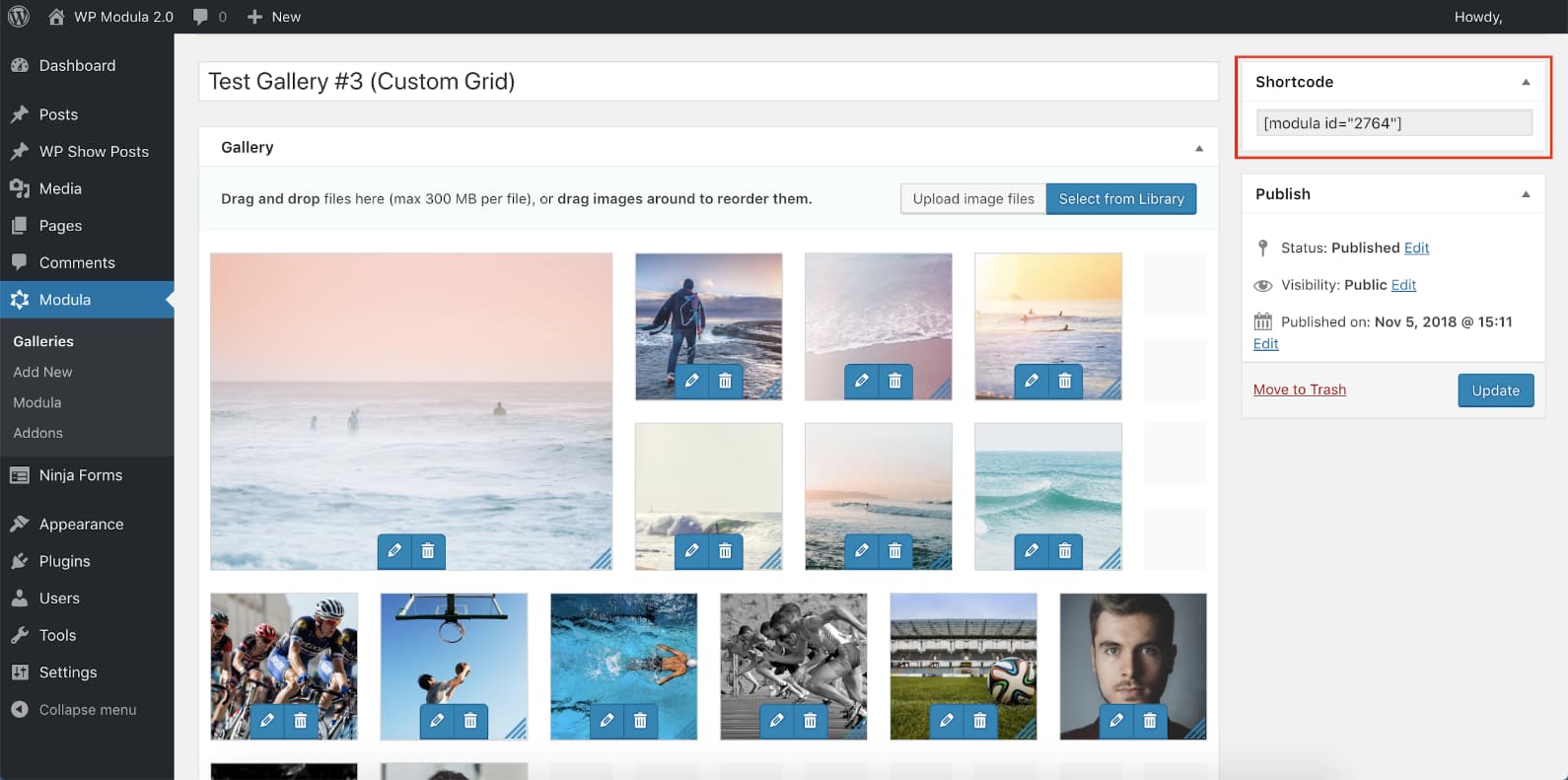
If you want a quick and easy solution, you can also opt to let the plugin lay out the page automatically. Once you specify the size of your gallery space, it can arrange your images to best fit the space, or even randomly order them every time the page is reloaded.
Key features:
-
Customizable layouts; You can choose a gallery template that best suits your aesthetic and the nature of the imagery you wish to display.
-
Instagram integration; Images can be pulled from your Instagram feed to show off your visuals and drive more traffic to your social media pages.
-
Scales to screen size; Instead of having to resize images, the plugin will ensure that your gallery scales to suit the size of the user’s device without impacting the quality.
Uncanny Automator
Uncanny Automator allows you to produce automated Instagram content every time you publish a new blog post. Once it has been set up, every time a new blog is uploaded, you are given the option to create an AI-generated Instagram post to promote the content.
(Image source: Automator)
By sharing your latest blog content on Instagram, you are increasing your visibility and encouraging your followers to head on over to your website to read the full article. This is an effective way to increase engagement and show off your expertise as a business.
Key features:
-
AI-generated hashtags; To help increase the reach of your organic Instagram content, the AI-written content will also include a selection of the most relevant hashtags to extend the visibility of the post.
-
Post scheduling; Once an article has been published to your blog, you can set the corresponding Instagram post to be scheduled for the best time of day.
-
Customization options; If you want more control over the type of content published, you have the option to edit the AI-generated copy to add your own messaging and adjust the format if desired.
Using Your Website and Instagram Account in Unison
The addition of these four WordPress plugins can transform your social media presence by driving organic traffic to your Instagram page and allowing you to build real Instagram followers who you can target with new content on a regular basis.
Being able to run giveaways, schedule posts for peak times, showcase your imagery, and automatically generate posts to promote blog content are all powerful ways to naturally merge your website and Instagram account and build up your follower count.
Making sure to maintain consistency and utilize the tools available will help you get the most out of your new plugins and take your online presence to the next level in 2026.