7 Free Lessons Learned Templates for Project Management (With Examples)
Disclosure: AFFiNE publishes this article, and AFFiNE is one of the tools it covers. How we review products
What changed (Nov 13, 2026): Added a note that the first four templates are AFFiNE layouts and the other three come from other vendors, replaced marketing wording in the template list intro, added Atlassian's free Confluence lessons learned template and a Word or Google Docs option, and updated the X profile link.
A lessons learned template gives your team one structured place to record what worked on a project, what didn't, and what to do differently next time. Used well, it turns a one-off project review into guidance the next team can actually find and follow.
This guide explains what a lessons learned template should include, walks through the five-step lessons learned process, and compares 7 free lessons learned templates for project management from AFFiNE, ClickUp, monday.com, and Smartsheet. Each one fits a different job, from collecting feedback before the meeting to sending a formal report to sponsors. They are useful for project managers, product managers, project coordinators, meeting facilitators, and project sponsors alike.
Quick answer: For most teams, the core template is a lessons learned log with five fields per lesson: what happened, why it happened, what to do next time, an owner, and tags so people can find it later. Add a meeting agenda and a checklist around it, and you have a complete review kit.
What does lessons learned mean?
Lessons learned are the knowledge a team gains from doing a project: the practices worth repeating and the problems worth preventing. A lessons learned review is the meeting or survey where you collect that knowledge, usually at the end of a project or after each major phase.
The review typically involves the project manager, the project team, and key stakeholders from the customer and supplier sides. Including the whole team gives you more honest and more varied input than a review run only by managers.
The UK's Association for Project Management (APM) defines lessons learned as documented experiences that can be used to improve the future management of projects. It recommends setting up a lessons learned log at project start-up and reviewing it at the end of each formal phase, not only when the project closes. A good template captures both numbers (schedule, budget, quality) and observations, and it turns each finding into a specific recommendation for future projects, project roadmaps, and plans.
Why lessons learned templates matter in project management
Without a shared format, lessons end up scattered across meeting notes, chat threads, and people's memories. A template fixes that. It helps teams avoid repeating mistakes, reuse what worked, and make better decisions on the next project.
Benefits of using a lessons learned template
- Consistency: Every project records lessons in the same fields, so nothing important is skipped and lessons from different projects can be compared.
- Speed: Predefined sections and prompts make the review faster to run and the write-up faster to finish.
- Knowledge that lasts: Insights, fixes, and good practices stay in one place when people change teams or leave the company.
- Continuous improvement: A regular review habit encourages teams to reflect, spot patterns across projects, and change how they work.
The lessons learned process in 5 steps

The five steps below come from a widely cited PMI paper by Rowe and Sikes, "Lessons learned: sharing the knowledge" (PMI Global Congress, 2006):
- Identify lessons learned: Collect what worked and what didn't from everyone involved, through a short survey, a review meeting, or both.
- Document lessons learned: Write each lesson as what happened, why it happened, and what to do next time.
- Analyze lessons learned: Group similar lessons, find the root cause, and agree on one action and one owner for each.
- Store lessons learned: Save them in one searchable place, such as a shared workspace or knowledge management tool, and tag them by project type and phase.
- Retrieve lessons learned: Review the relevant lessons at the next project kickoff, so they change how the new project is planned.
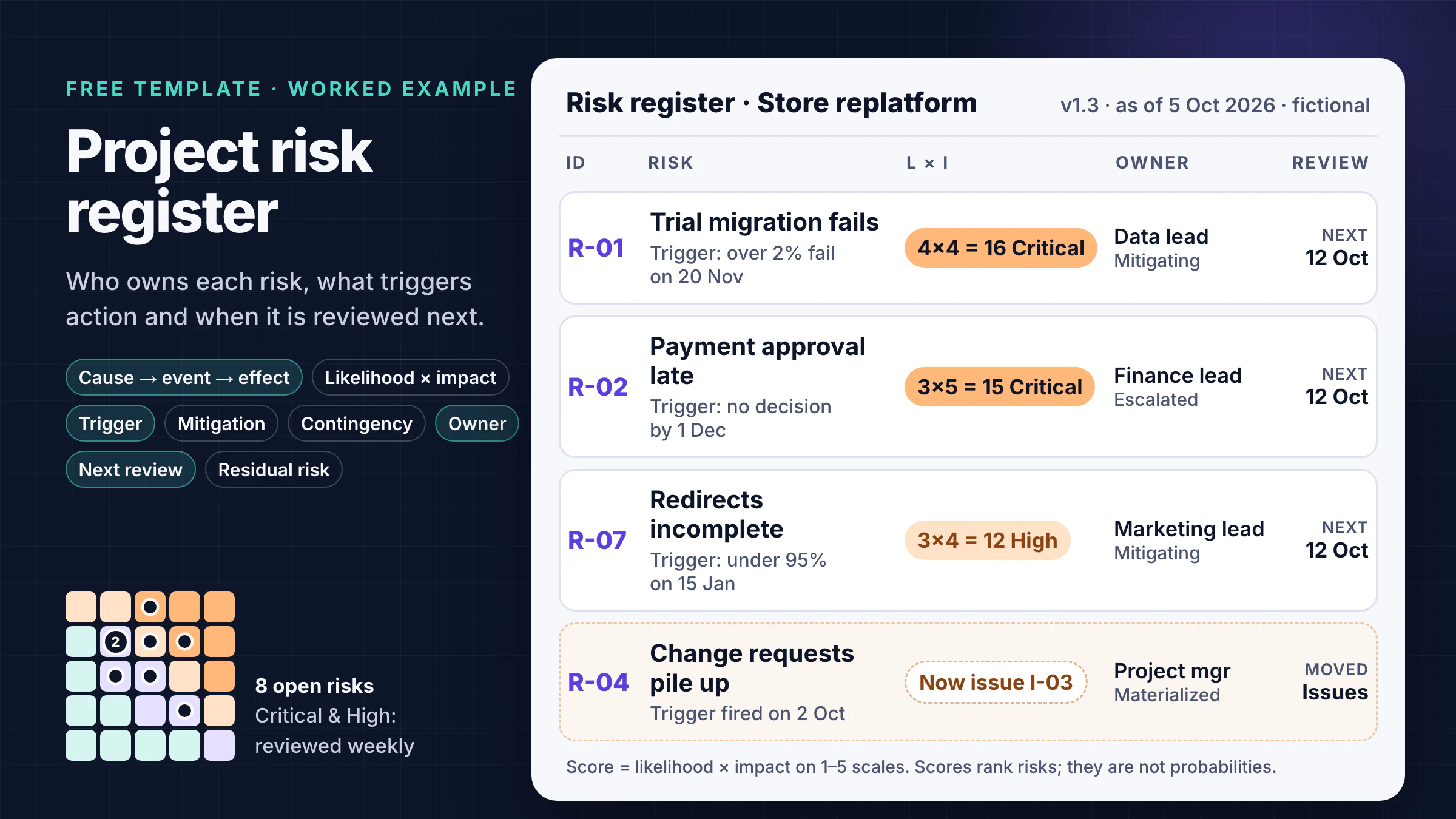
The fifth step is the one teams skip most often. When NASA's Office of Inspector General reviewed the agency's own lessons learned system in 2012, only 16 of the 28 project managers it surveyed said they used it, and only 12 had contributed lessons (report IG-12-012). A lessons log that nobody reads at the next kickoff is just an archive. When a retrospective reveals repeatable threats or weak controls, carry them into the risk register for the next project rather than leaving them only in the lessons log.
What to include in a lessons learned template
Whatever tool you use, a lessons learned template should cover these fields:
- Project snapshot: project name, sponsor, project manager, dates, and the original goals.
- Goals vs. results: planned and actual scope, schedule, budget, and quality.
- What went well: practices worth repeating, with evidence.
- What didn't go well: problems, their impact, and the root cause.
- Recommendation: one specific action for future projects.
- Owner and due date: who will make the change happen, and by when.
- Tags: project type, phase, and team, so people can search for the lesson later.
How to choose the right lessons learned template

Start from the job you need to do, not from the tool:
| If you need to… | Use | From |
|---|---|---|
| Collect input before the meeting | Lessons learned checklist | AFFiNE |
| Run a 60-minute review meeting | Meeting agenda or retro board | AFFiNE, ClickUp |
| Record lessons with owners | Lessons learned log | AFFiNE |
| Decide whether to continue | Project review scorecard | AFFiNE |
| Vote on action items as a team | Sprint retrospective board | monday.com |
| Send a formal report to sponsors | Lessons learned report | Smartsheet |
7 free lessons learned templates for project management
Below are 7 free lessons learned templates from AFFiNE, ClickUp, monday.com, and Smartsheet. For managing project finances alongside these workflows, an invoice template can also help teams keep billing and payment records organized.
AFFiNE publishes this blog, so the first four are AFFiNE layouts we built; the other three come from other vendors. The four AFFiNE templates are copy-ready layouts: paste the structure into an AFFiNE doc (or any editor) and fill it in. The examples below use one fictional project, a 10-week website relaunch run by a 6-person team, so you can see how the templates connect.
1. AFFiNE project lessons learned template (lessons learned log)

Best for: recording lessons during and after a project, with a clear owner for each action.
This is the core template. Each lesson gets its own entry, so the log stays easy to scan even on large projects:
| Field | What to write | Example |
|---|---|---|
| Type | Went well / Didn't go well | Didn't go well |
| What happened | The facts, with numbers | Page copy arrived 2 weeks late; launch slipped 9 days |
| Why | The root cause | Nobody owned content |
| Next time | One specific action | Name a content owner and due dates at kickoff |
| Owner | One person | PM |
| Tags | Project type, phase | Website, planning |
In AFFiNE you can keep the log as a table in a doc, then switch to edgeless mode to cluster lessons on a whiteboard during the review.
2. AFFiNE lessons learned meeting agenda template

Best for: keeping the review meeting focused and on time.
This agenda splits a 60-minute review into six blocks: ground rules, goals vs. results, what went well, what didn't and why, actions and owners, and a wrap-up that confirms where the log will live. Spend the most time on causes and actions, not on retelling the project. Agree on clear timelines for each action before the meeting ends, and capture decisions with a meeting minutes template. For agile teams that run reviews after every sprint, see our retrospective agenda template.
3. AFFiNE lessons learned checklist template

Best for: making sure the review actually happens and the results get used.
The checklist covers the steps people forget: booking the review within a week of project close, sending a short survey beforehand, and writing up the log within 48 hours. Five survey questions work for most projects:
- What went well?
- What problems did the team run into?
- What should we keep doing on future projects?
- What should we do differently?
- What, if anything, got in the way of success?
4. AFFiNE project review template (scorecard)

Best for: phase-end reviews where you need to decide whether to continue, adjust, or stop.
The scorecard compares planned and actual results for scope, schedule, budget, quality, and stakeholder satisfaction, then records a decision. In the example, phase 1 came in under budget but finished 9 days late, so the decision is to adjust: go ahead with phase 2, with a named content owner from day one. It also gives sponsors a quick, honest view of whether the project is delivering what the organization expected.
5. ClickUp project retrospective template
Best for: teams already using ClickUp that want a board-style retrospective.
ClickUp's free Project Retrospective Template is a list with five views: a Retrospect Board that sorts entries into columns such as "What went well?", "What went wrong?", and "Lessons Learned", plus an Agenda Form for collecting input, a Progress Board, an Activity List, and a Getting Started Guide. Statuses (For Schedule, Working On It, Addressed, Closed) let you track whether each improvement actually gets done.
If you want a log rather than a board, ClickUp also offers a Project Management Lessons Learned Template with fields for project phase, description, and impact. Both work on ClickUp's Free Forever plan, but the free plan limits Forms and Custom Fields, so larger teams may hit those caps.
6. monday.com sprint retrospective template
Best for: agile teams that want to collect feedback and vote on action items.
monday.com doesn't offer a dedicated lessons learned board, but its Sprint Retrospective template works well for short, regular reviews. The board is built for reviewing a sprint, creating an improvement plan, and letting the team vote on which action items to tackle first. You can view the board as a table, timeline, Gantt chart, or chart. monday.com's free plan covers up to 2 seats and 3 boards, so it suits a small team; bigger teams need a paid plan.
7. Smartsheet project lessons learned report example
Best for: a formal, printable report for sponsors or clients.
Smartsheet's free lessons learned templates page offers eight downloads, including a lessons learned log, survey, checklist, meeting agenda, and presentation, in Excel, Word, PDF, Google Sheets, or Smartsheet formats depending on the template.
The standout is the Project Lessons Learned Report Example (Word or PDF). It is filled in for a restaurant's spring menu redesign, so you can see what good answers look like: goals and whether they were met, what went well, what didn't, how to improve next time, and who is responsible. It is a good model for a formal report to sponsors or clients.
Other options: if your team already documents projects in Confluence, Atlassian offers a free Confluence lessons learned template. If you need a Word or Google Docs file, start from Smartsheet's Word downloads, or paste the lessons learned log fields above into a blank document.
Tips for writing lessons people will reuse
- Be specific. "Communication was poor" helps nobody. "Design changes were shared only in chat, so QA tested an old version" points to a fix.
- Record causes, not blame. Ask "why did the process allow this?" rather than "who did this?" People share more when the review is safe.
- Include what went well. Successes are lessons too, and they are easier to repeat if someone writes down why they worked.
- Give every action one owner and a date. Shared ownership usually means no ownership.
- Hold the review soon. Within a week of project close, details are still fresh. Don't wait until the very end of a long project; review after each major phase.
- Make retrieval part of kickoff. Add "review relevant lessons" to your project kickoff checklist so step 5 actually happens.
Frequently asked questions
What is a lessons learned template?
A lessons learned template is a structured document for recording what went well on a project, what didn't, why, and what to do differently next time. It usually includes project details, goals vs. results, recommendations, owners, and tags so the lessons can be found and reused on future projects.
When should you hold a lessons learned meeting?
Hold one within a week of finishing a project, while details are still fresh. On long projects, also run a short review at the end of each major phase instead of waiting until the end.
Who should attend a lessons learned meeting?
Invite the project manager, the core project team, and key stakeholders such as the sponsor or client representative. Assign a neutral facilitator and a separate note-taker so the discussion stays balanced and the outcomes are recorded.
What is the difference between a lessons learned review and a retrospective?
A retrospective is a short, regular review, usually at the end of each agile sprint, that focuses on improving the team's next iteration. A lessons learned review usually happens at the end of a project or phase and aims to share knowledge with future projects and other teams.
What questions should a lessons learned survey ask?
Five questions cover most projects: What went well? What problems did the team run into? What should we keep doing? What should we do differently? What, if anything, got in the way of success?
Run your lessons learned reviews in AFFiNE
The templates above cover different jobs, so choose the one that matches your team's workflow and the tools you already use. If you want the log, the agenda, the checklist, and the scorecard in one place, AFFiNE is a good fit. It is a free, open-source workspace that combines docs, whiteboards, and databases, and you can use it offline or self-host it if privacy matters to your team. That makes it easy to keep every project's lessons searchable and to plan your next project with them in view.
With AFFiNE, you can write, draw, and plan in one place: draft the review in a doc, cluster feedback on a whiteboard, and track actions in a task list. For more options, see our roundups of project management tools and project tracker templates.
To learn more about AFFiNE:
- Official website: https://affine.pro/
- GitHub: https://github.com/toeverything/AFFiNE
- Discord: https://discord.gg/Arn7TqJBvG
- X (Twitter): https://x.com/AffineOfficial