Internal Documentation: A Practical Guide for Teams
Build internal documentation your team can find and maintain. Use a practical inventory, page templates, clear ownership, access checks, and a review process.

Internal documentation is the information a team writes for its own work: procedures, runbooks, decisions, onboarding notes, and the context behind them. Start with one workflow, find its current documents, and give each useful page an audience, an owner, and a reason to review it. A shared workspace helps when people can find an answer and tell whether it is still valid.
This guide is for operations, engineering, and IT leads who have scattered documents and recurring questions. You will build a document inventory, improve one procedure, and plan a small validation exercise before expanding the system.
Published by AFFiNE. Product statements were checked against official documentation on October 18, 2026. The examples below are fictional teaching examples, and the diagrams are tool-independent illustrations. We did not run a comparative product trial.
Contents
- What belongs in internal documentation?
- Inventory what exists before creating more pages
- Use a page structure that answers a real work question
- Make the current answer easy to find
- Assign ownership, access, and review triggers
- Choose the workspace and data flow for your team
- Run a small pilot and record what actually happened
- Keep the system useful after the pilot
What belongs in internal documentation?
Choose the document type by the question a colleague needs to answer. A document can be short if it contains enough information to complete that task safely.
| Work question | Useful document | What makes it usable |
|---|---|---|
| How do I carry out a recurring task? | Standard operating procedure, or SOP | Prerequisites, steps, completion criteria, and escalation route |
| What should I do when a service behaves unexpectedly? | Runbook | Observable symptoms, checks, stop conditions, and an approved response |
| Why did we choose this approach? | Decision record | Context, alternatives, decision, consequences, and source discussion |
| How do I start working in this team? | Onboarding guide | Role-specific tasks, reference links, and people to contact |
| What does this term or component mean? | Reference page | Definition, scope, examples, and authoritative source |
Internal documents explain work to employees and authorized collaborators. External documentation serves customers, partners, or the public. One internal procedure may link to a public product manual without copying it. Keep sensitive customer details and credentials out of general examples; link to the approved restricted system when access is required.
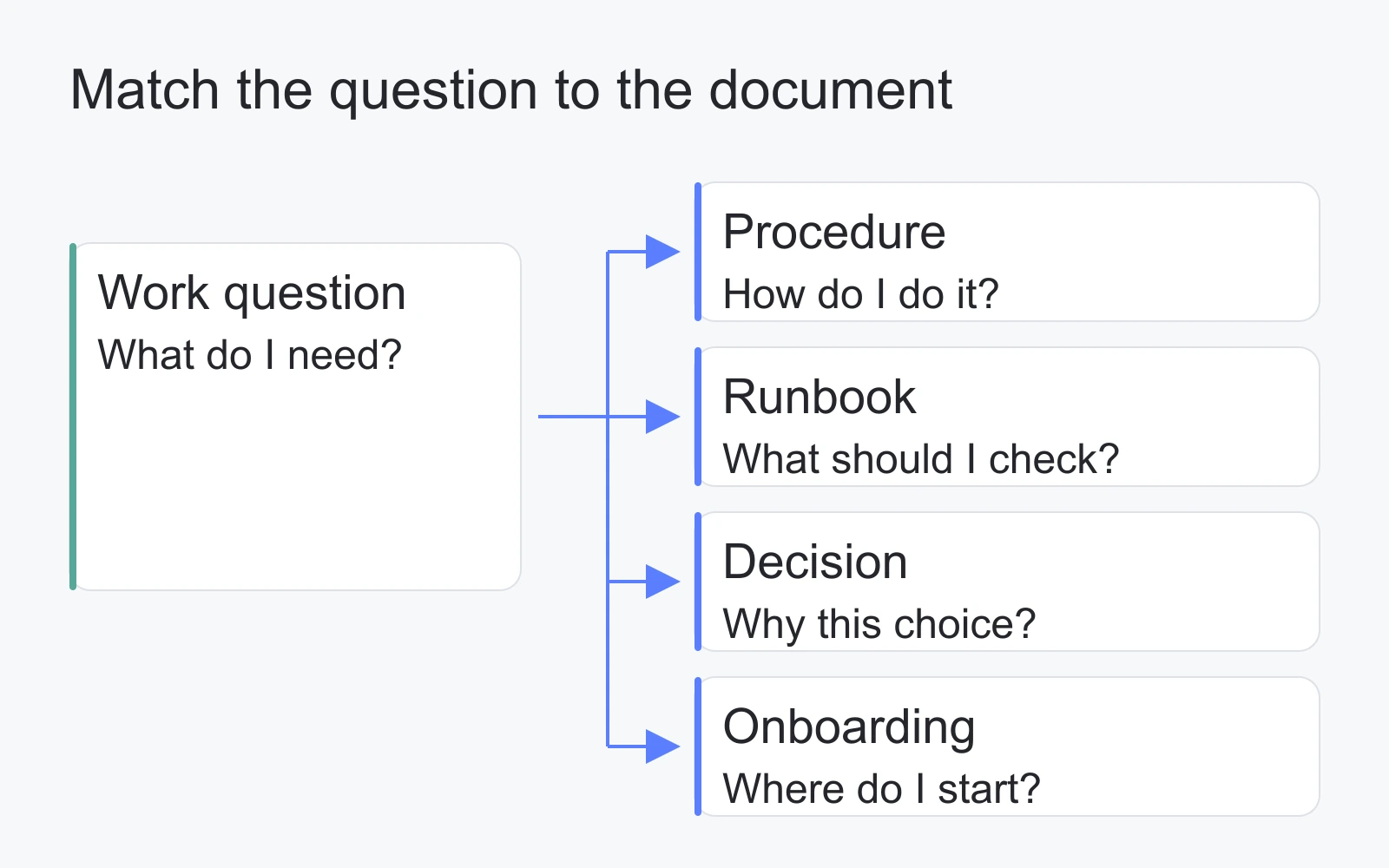
Illustration: choose a document type from the question it must answer. This is a conceptual map, not a product screen.
Inventory what exists before creating more pages
Pick a bounded workflow such as preparing a release. Collect the documents people actually consult: the checklist in a shared drive, a pinned message, an old project page, and the deployment team's reference. Record the original location before moving anything.
Use the blank internal documentation inventory, or download the complete template pack. The pack contains an example inventory, a blank procedure, and a fictional release-readiness example. CSV files use UTF-8; import them with that encoding if your spreadsheet app does not detect it.
The inventory separates three decisions that are easy to confuse:
- Keep: the page answers a current question and needs only normal review.
- Revise: the question still matters, but the answer is incomplete, unclear, or unverified.
- Archive: the page is superseded or no longer applicable. Record the replacement where one exists.
Consider the fictional record DOC-OPS-01. Its question is “What must be checked before a release?” The release lead owns the SOP, an operations reviewer should check it, and the audience is release engineers. The decision is revise because the rollback owner is missing. Its validation status is awaiting walkthrough, and its last-verified field says not yet verified. Creating an inventory row has not verified the underlying procedure.
An older checklist, DOC-OPS-OLD, can point to DOC-OPS-01 as its replacement. Keep the old reference available according to your organization's retention rules, clearly marked as superseded. Do not silently delete a record that still explains a past decision.
Assign stable document IDs if pages move often. A title describes the question; the ID distinguishes the record. Avoid starting with a large taxonomy project. The first useful result is a list of current questions and the gaps preventing someone from answering them.
Use a page structure that answers a real work question
A repeatable structure makes missing information visible. For a procedure, use these fields:
| Field | What to write |
|---|---|
| Purpose and audience | The task, its boundaries, and who should use the page |
| Owner and reviewer | The role responsible for maintaining it and the role checking its content |
| Prerequisites | Access, inputs, equipment, and approved references required before starting |
| Steps or decision points | Actions in order, including branches and conditions for stopping |
| Success check | Evidence that the task is complete |
| Sources and related records | The policy, decision, or technical reference supporting the instructions |
| Last verified | When someone actually checked the instructions, with a link to the record |
| Review trigger | A change or event that makes the instructions worth checking again |
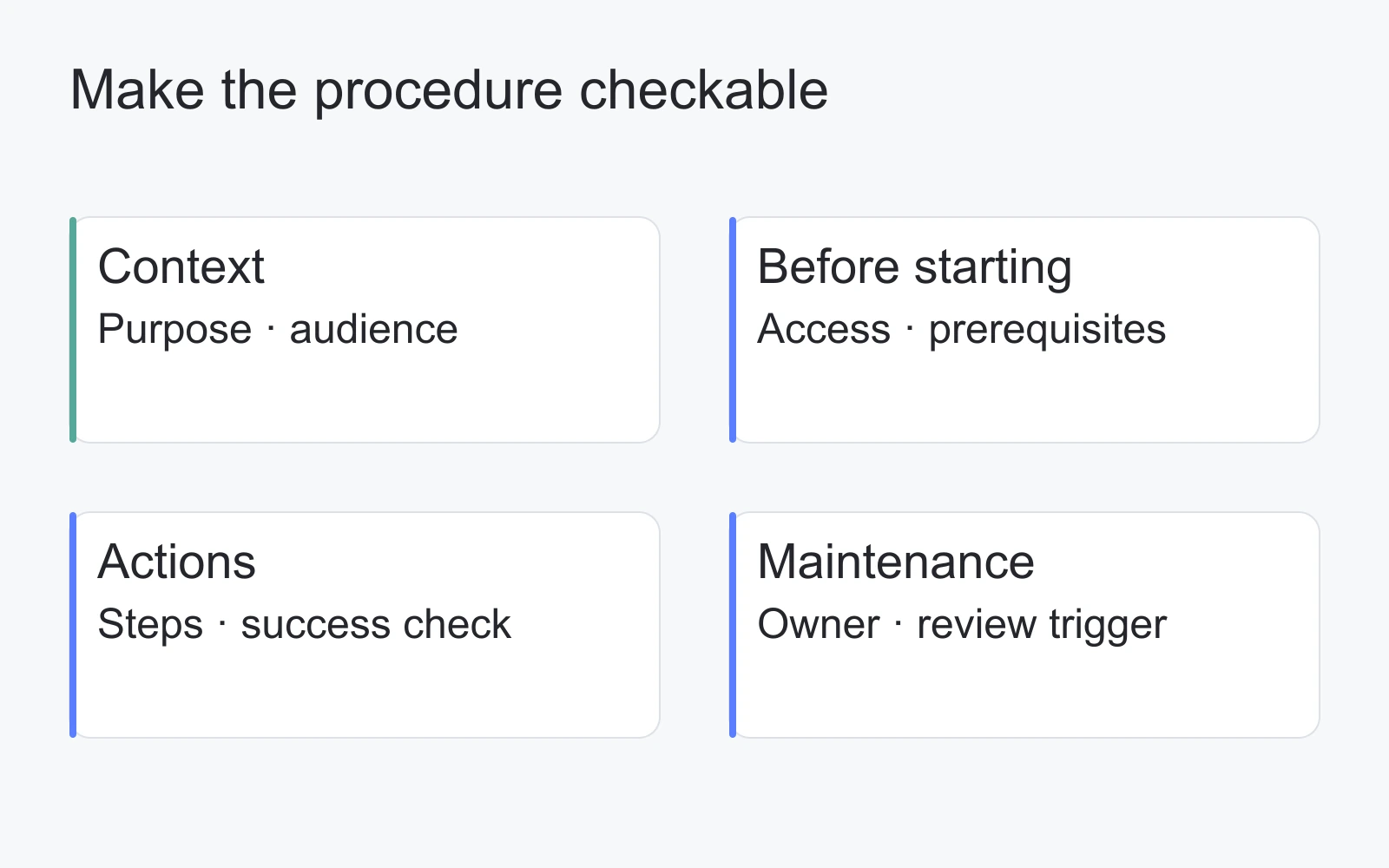
Illustration: a tool-independent procedure structure. Owner and review fields are maintained by people.
For the fictional release-readiness procedure, the purpose is to decide whether a release is ready for the team's approval step. It does not authorize production deployment. The prerequisites are a release record, the agreed verification checklist, and an approved rollback reference.
The steps are concrete: identify the proposed version; attach the existing verification evidence; confirm who can authorize the release; identify the rollback owner and reference; record unresolved questions; send the record to the designated approver. If the rollback owner is unknown, the procedure stops at “needs clarification.” It must not invent a name or imply approval.
The success check is a complete readiness record with a recorded approval decision. Deployment success is a different result and belongs in the deployment runbook. This boundary prevents a checklist from promising more than it establishes.
Use the blank procedure template and the filled teaching example to adapt this structure. Replace example references with your own approved sources before using it for operational work.
Make the current answer easy to find
Create a small entry page around tasks: “Prepare a release,” “Respond to a failed deployment,” and “Understand the release decision.” Link each task to its current document. Use words employees actually say, and add a brief alias where team terminology differs.
A directory and a search box solve different problems. The directory supplies context and a starting point; search helps when someone knows a phrase. Test both. Ask a colleague to find the release-readiness procedure without sending them its direct link. If they find an obsolete copy first, fix the entry point, title, or archive label before adding more content.
Keep a single designated current answer for each procedure. Other pages can summarize it and link back. When the same instructions appear in several locations, the inventory should identify which copy owns the answer and which copies need replacement links.
If your team needs a broader navigation and taxonomy model, use this guide to company wiki structure alongside the document inventory. The inventory tells you what deserves a place in that structure.
Assign ownership, access, and review triggers
Content ownership is a responsibility, not an access permission. An owner maintains the answer; a reviewer checks it; a workspace administrator configures access. One person may hold several roles, but the responsibilities should remain explicit.
Use a named team role for continuity and record its current assignee in your internal system. When that person leaves or changes role, transfer ownership as part of the handover. A page marked “Engineering owns this” is insufficient if nobody knows who can resolve a correction.
Choose review triggers based on the document's subject. A release procedure should be checked when the deployment process changes. An onboarding page should be checked when required access or equipment changes. A runbook should be revisited after an incident exposes a missing step. A periodic review can catch omissions, but updating a date alone is not verification.
Access checks should cover readers as well as editors. A new engineer may have permission to open a procedure but not its linked reference. Conversely, a generally available page may reveal sensitive information in an attachment. Test the whole path using appropriate test accounts and non-sensitive sample content. Record a failed access check as an open issue rather than assuming the administrator's view represents everyone.
Choose the workspace and data flow for your team
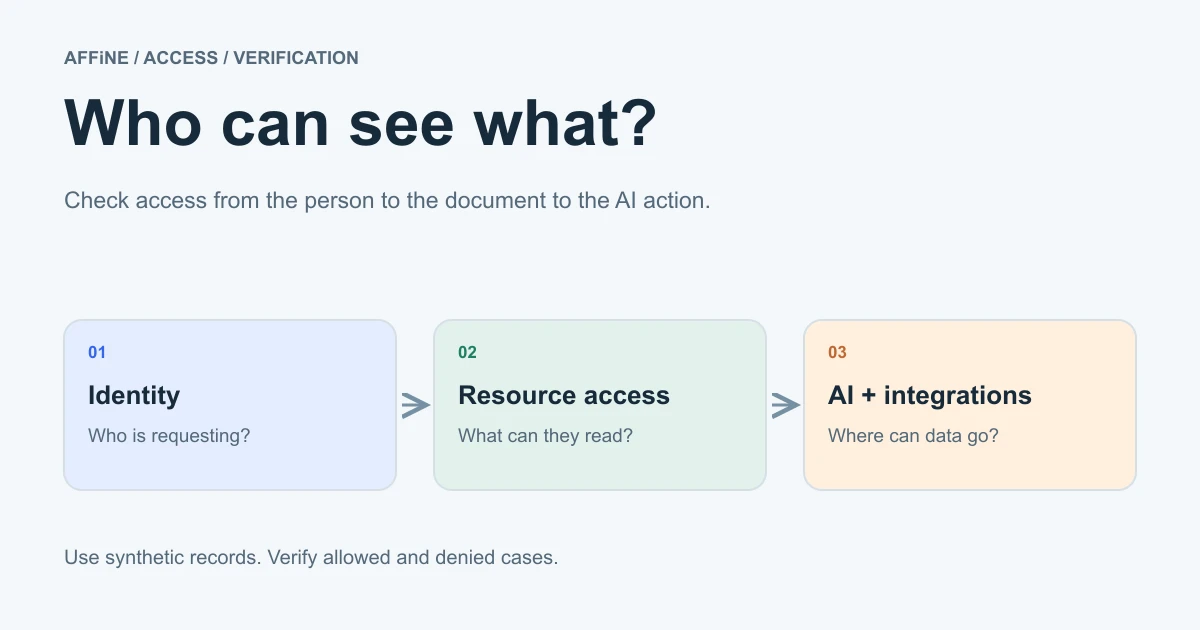
Before enabling AI over internal material, map AI workspace permissions: who can open a document, what a shared link exposes, and what context an AI action sends onward. Use synthetic records to check allowed and denied access before introducing sensitive documentation.
Start with the job: searchable text for procedures, a diagram for relationships, and a maintained inventory for ownership. AFFiNE supports documents, whiteboards, tables, real-time collaboration, and Markdown export, as described on its industry workflow page. These capabilities can support this method; the owner, review status, and links still need an agreed human process.
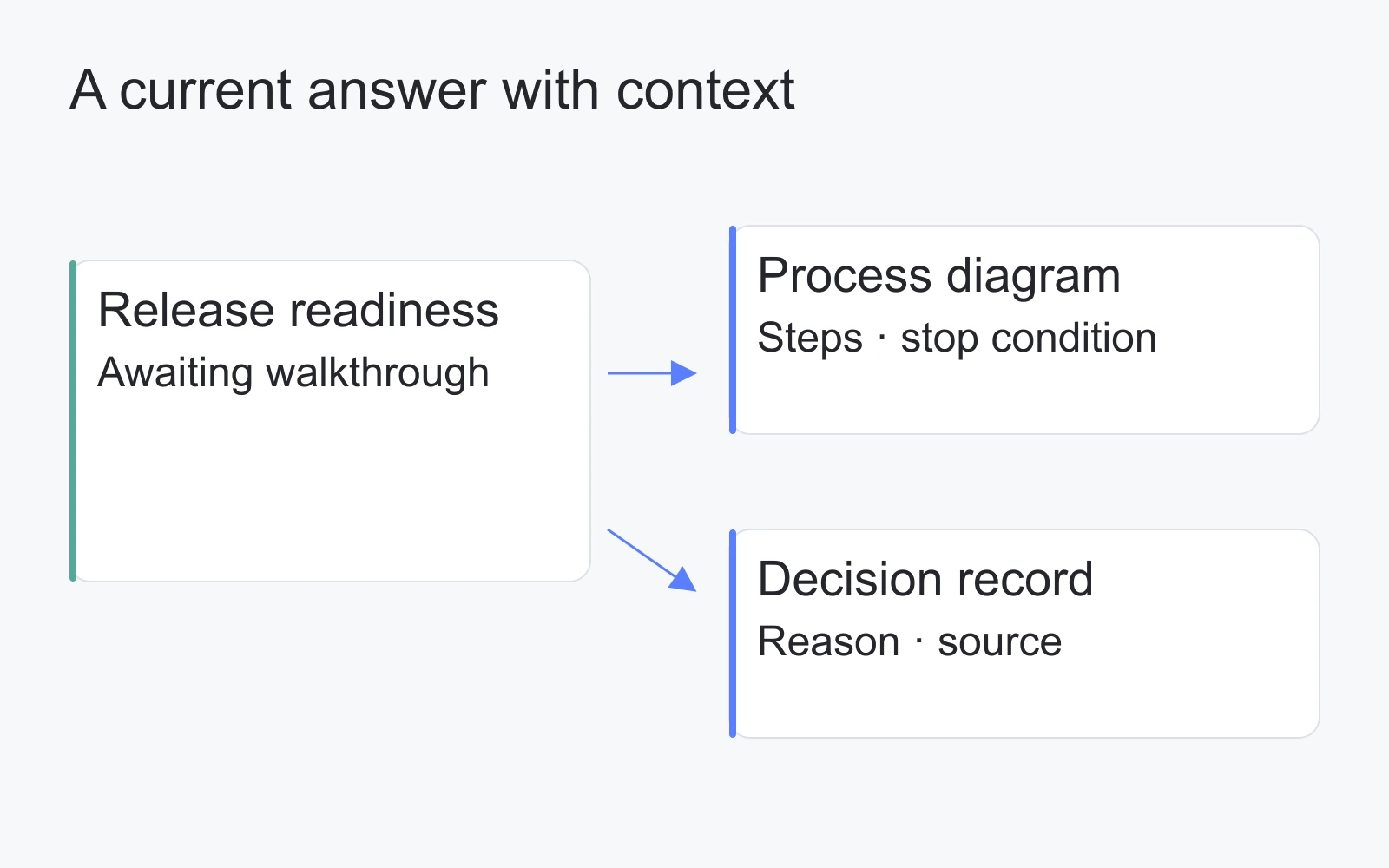
Illustration: a fictional document, diagram, and decision record connected by maintained links. It is not an AFFiNE screenshot or evidence of automatic synchronization.
Separate the editing experience from deployment. AFFiNE's deployment guide distinguishes self-hosting from managed hosting. With self-hosting, your team takes responsibility for updates, backups, and monitoring. A local document, a shared cloud workspace, and a self-hosted team service have different data paths; the word “local” alone does not establish how collaboration works.
Decide whether AI is needed for the pilot. The AFFiNE privacy policy explains that inputs actively submitted to AI features can be transmitted to third-party AI providers. Review that flow before submitting internal material. You can evaluate the documentation process using fictional content without making any AI capability part of the acceptance criteria.
Once audience, access needs, and review responsibilities are clear, use the internal knowledge base software comparison to build a shortlist. For client delivery work, these IT documentation workflows offer examples of keeping configuration notes, architecture diagrams, and open questions together.
Run a small pilot and record what actually happened
Use one current procedure, one intended reader who did not write it, and a reviewer familiar with the work. Where the procedure could affect production, run a dry walkthrough or use an approved test environment. This guide proposes the following protocol; it does not report a completed test.
- Give the reader a work question and the normal starting page, without the final document link.
- Observe which page they find. Record confusing titles and obsolete alternatives.
- Ask them to identify the owner, current status, and prerequisites.
- Walk through the task. Record the exact step where clarification is needed; do not silently coach past it.
- Check whether the stated completion evidence is available and understandable.
- Correct the document, then repeat the affected part with the reader.
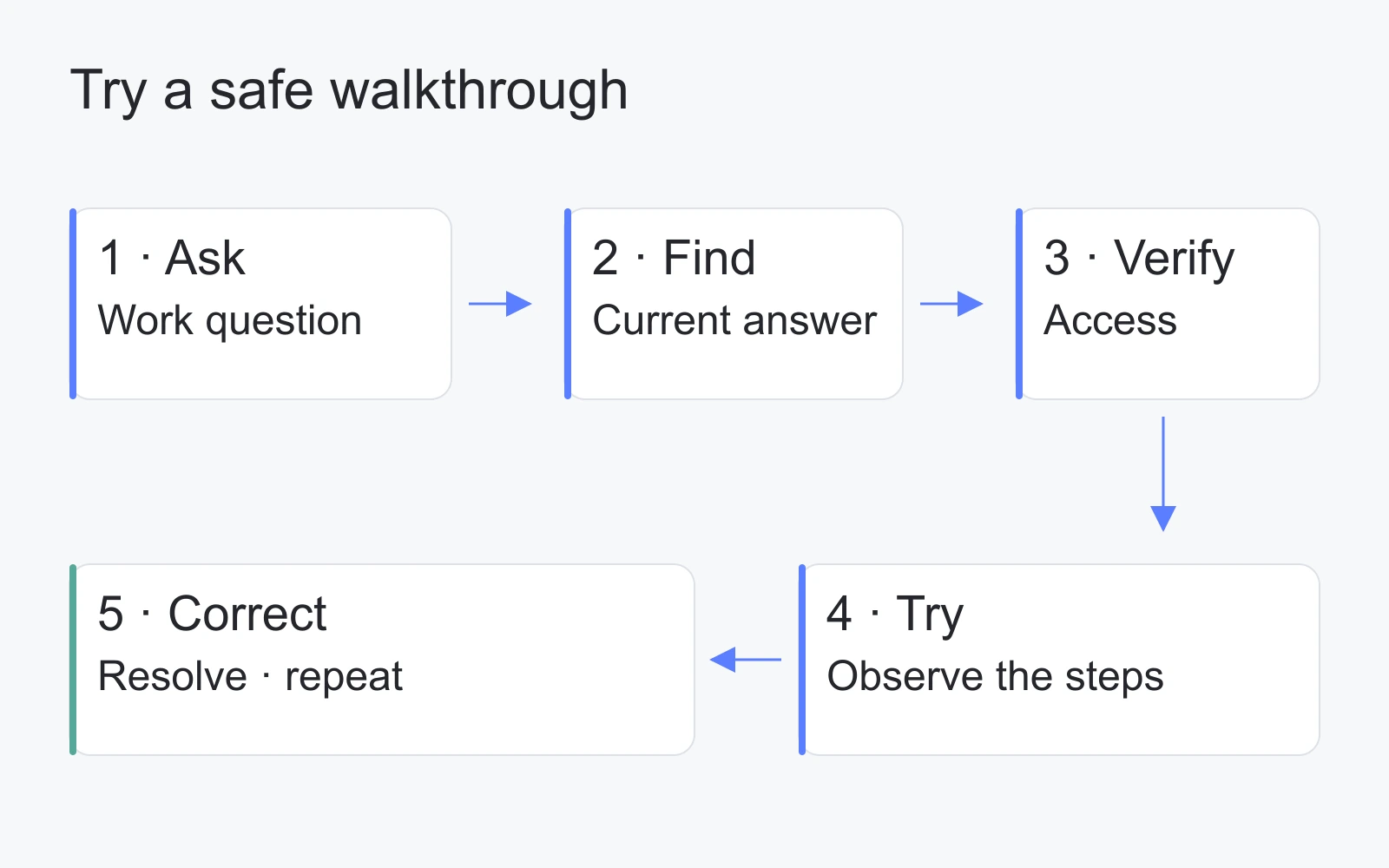
Illustration: a proposed validation process. No completion rates, timings, or test results are represented.
Record the date, document version, participant role, environment, observed issue, and follow-up owner. Leave result fields blank until the exercise happens. If you collect timings, define the start and end points and retain the observations; a small pilot is not a general productivity study.
Agree on acceptance conditions before the walkthrough: the intended reader can find the current answer, access its prerequisites, follow its instructions within the approved scope, and identify unresolved decisions. A failed condition is useful evidence for the next edit.
Keep the system useful after the pilot
Expand when the first workflow has a maintained answer, an owner who accepts the responsibility, and a workable correction path. Add the next recurring question instead of importing every historical document at once.
Review open issues in the inventory during the team's existing work review. Prioritize a missing prerequisite or inaccessible source before cosmetic formatting. When a process changes, update the current procedure and its entry links together. Keep the verification record separate from the page's ordinary edit history.
Start with the inventory and procedure kit. Fill in one real work question, identify the answer's owner, and schedule the first walkthrough. That creates a concrete basis for deciding whether you need a different workspace, a better document, or both.
Frequently asked questions
What is the difference between internal and external documentation?
Internal documentation supports employees and authorized collaborators doing their work. External documentation serves customers, partners, or the public. Choose the audience and access scope explicitly, and link to approved references instead of copying restricted details into broadly shared pages.
What internal documents should a small team create first?
Start with a recurring question that interrupts work or a procedure whose mistakes matter. Document its prerequisites, steps, completion check, owner, and review trigger. Validate that answer before building a larger library.
How is internal documentation different from a company wiki?
Internal documentation is the content: procedures, decisions, runbooks, and reference material. A company wiki is one way to organize and share it. A useful wiki still needs accurate documents, clear owners, and an agreed current source for each question.
Who should own and review internal documentation?
The owner should be a role accountable for the documented work. A knowledgeable reviewer checks whether the answer remains valid. Workspace administrators manage access; those permissions do not automatically make them responsible for every page's content.
How can a team check whether its documentation is useful?
Ask an intended reader to find and follow a current document in a safe walkthrough. Record access problems, missing prerequisites, unclear steps, and whether the completion check is meaningful. Correct the observed problems and repeat the affected steps.