
Best Procore Alternatives in 2026: 5 Platforms Compared Side by Side
What changed (Nov 06, 2026): Published a comparison of five Procore alternatives (INGENIOUS.BUILD, Fieldwire, Forma Build, Trimble Unity Construct and Buildertrend) covering pricing models, cross-company collaboration and AI costs, with a comparison table, a quote checklist and seven FAQs.
Procore is the name most construction teams hear first. But being the default doesn't make it the right fit for every company, and two complaints keep coming up: a bill that grows with construction volume and project data that stays locked inside each company's account.
This guide compares five alternatives on the things that drive cost and coordination. It covers how each one is priced, how it handles work between owners, contractors, designers and vendors, and what its AI costs to use.
Key Takeaways
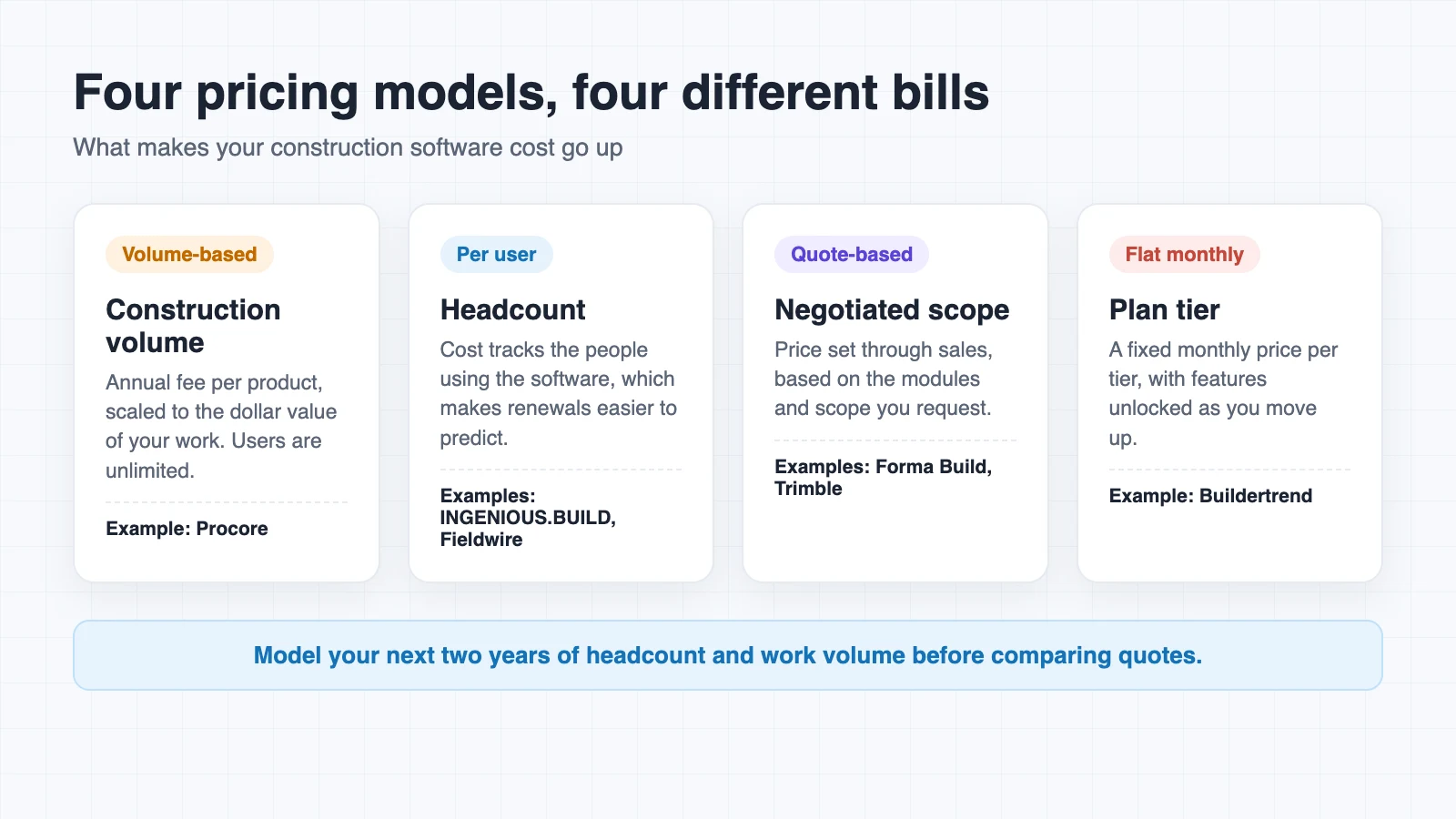
- Procore charges an annual fee per product based on Annual Construction Volume, so the bill rises with the dollar value of your work even when headcount stays flat.
- Per-user pricing ties cost to the people using the software, which makes renewals easier to predict.
- Procore Connect shares RFIs and submittals between companies as read-only records, which limits live collaboration across accounts.
- AI pricing ranges from metered credit pools to AI included with every user.
- Ask every vendor for an itemized quote covering modules, implementation, AI and renewal terms.
Why Teams Look Beyond Procore
Pricing that follows construction volume
Procore charges an upfront annual fee for each product, based on Annual Construction Volume. That's the total dollar value of construction work across your projects.
Users are unlimited, so the number that moves your bill is the size of your work, not the size of your team. Procore doesn't publish a price list either. A strong year of new contracts can mean a bigger software bill for the same people doing the same tasks.
Project data that stays in separate accounts
Each company on a Procore project usually works in its own account. Procore Connect links projects across accounts, but the connection runs one way. For submittals, the receiving project gets a read-only record, and Procore lists the feature as an open beta.
Connected RFIs follow the same pattern. When an RFI closes in another company's project, a read-only External RFI appears in yours. That makes a solid permanent record, but it doesn't let two companies work on the same RFI while it's still open.
AI sold as a separate package
Procore completed its acquisition of Datagrid, a construction AI company, in January 2026. Its AI now comes in three Digital Coworker packages: Starter Pack, Pro and Enterprise. The Starter Pack is a flat fee with a project limit, while Pro and Enterprise draw from a shared pool of Procore Credits.
Credits are used based on request complexity and stored data. Procore also charges 3 credits per GB of project data per day for learning and maintaining that data. Building custom agents requires the Enterprise tier.
What to Compare in a Procore Alternative
Feature lists look alike across construction platforms. The differences that matter most show up in three places.
Pricing model. Per-user, per-product, volume-based and flat monthly plans each reward a different kind of company. Model your next two years of headcount and work volume before comparing quotes.
Cross-company data flow. Check whether owners, GCs, architects and vendors work on the same live records or trade copies back and forth. Also ask whether outside collaborators need paid seats.
AI access and cost. Find out whether AI is included, sold separately or metered. If your team wants to use an assistant like Claude or ChatGPT on project data, ask about support for the Model Context Protocol, an open standard for connecting AI systems to outside tools and data.
Procore Alternatives at a Glance
| Platform | Best for | Pricing model | Working with other companies |
|---|---|---|---|
| INGENIOUS.BUILD | Owners, developers, GCs and trades | One per-user rate, billed annually | Connected workspaces, free external collaborators |
| Fieldwire | Field teams on mobile | Free Basic plan, then per user | New users add charges unless they have their own paying account |
| Forma Build | Teams in Autodesk design tools | Quote-based | Shared document environment in Forma Data Management |
| Trimble Unity Construct | Owners and public agencies | Quote-based | Real-time collaboration for owners |
| Buildertrend | Residential builders and remodelers | Flat monthly tiers | Client portal for homeowners |
The Best Procore Alternatives
1. INGENIOUS.BUILD
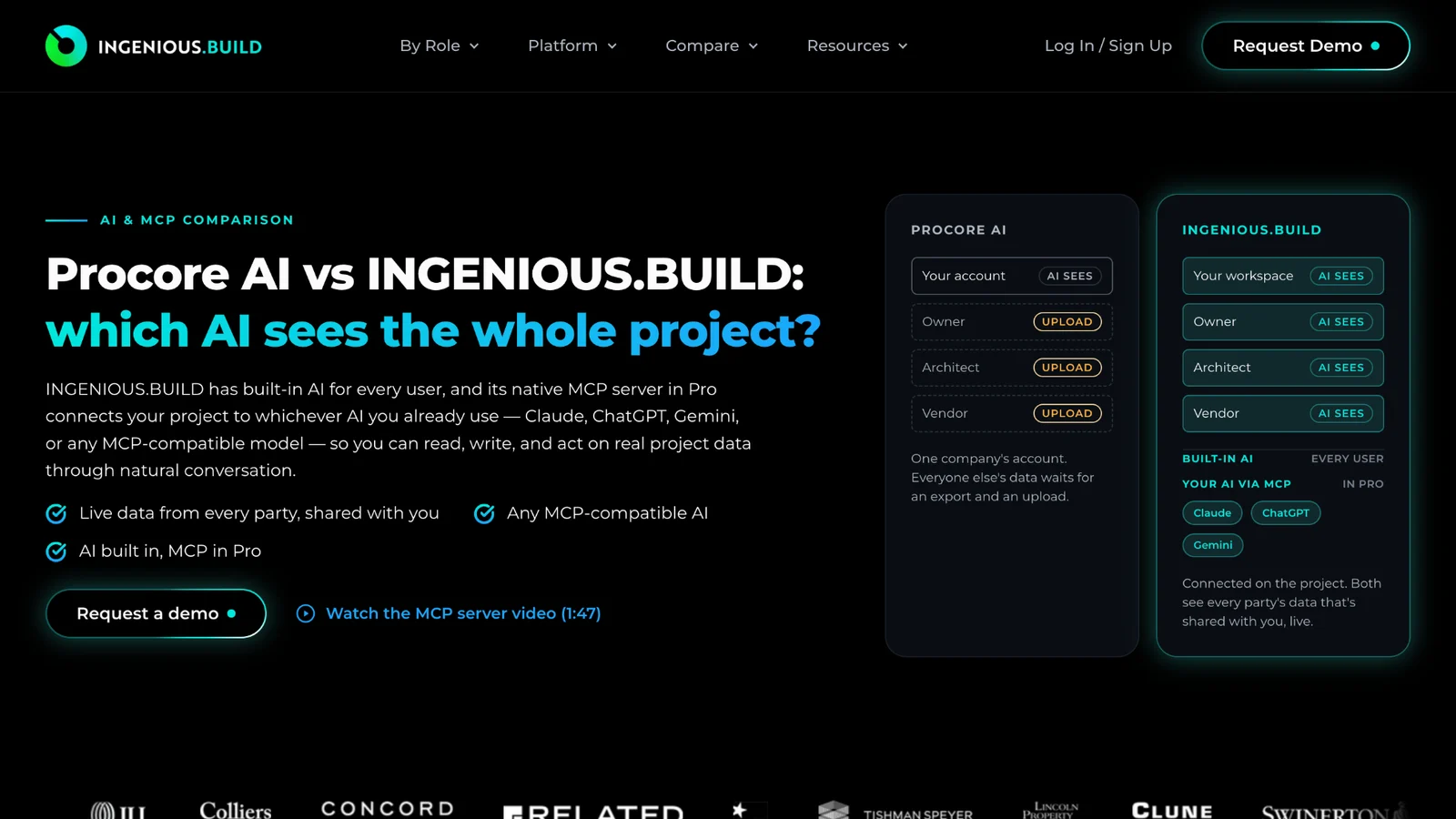
Best for: Owners, developers, GCs and trades that want predictable pricing and one shared project record.
Pricing: INGENIOUS.BUILD charges one transparent per-user rate, billed annually, and the per-seat rate drops as you add users. Projects and project size are unlimited, so cost doesn't climb with construction volume.
Working with other companies: Owner, GC, architect and vendor workspaces connect on the project. Drawings, RFIs and submittals move between parties as the work happens, and invited external collaborators join free.
Standout feature: Built-in AI comes with every user, including free collaborators, with no credits or metering. The native MCP server in Pro lets Claude, ChatGPT or Gemini read, write and act on project data within each user's permissions.
Keep in mind: The MCP server is part of Pro. Capital Planning, Custom Reporting and Support are sold separately as advanced modules.
2. Fieldwire
Best for: Field teams that need plan viewing and task management on mobile.
Pricing: The free Basic plan covers up to 5 users and 3 projects. Paid tiers are priced per user, with Pro at $39 per user per month billed annually.
Working with other companies: Fieldwire's pricing page notes that new users add charges unless they already have their own paying account. Inviting many outside firms can raise the bill.
Standout feature: Plan viewing and task management are part of the free Basic plan, so small crews can start without a contract.
Keep in mind: RFIs, submittals, change orders and budgets sit in the top Business Plus tier.
3. Forma Build

Best for: Teams already working in Autodesk design tools.
Pricing: Quote-based. Autodesk asks buyers to request a Forma Build quote.
Working with other companies: Project files live in Forma Data Management, the renamed Autodesk Docs. Teams on the Autodesk platform share one document environment.
Standout feature: Autodesk Construction Cloud became Autodesk Forma on March 24, 2026, and Autodesk Build became Forma Build. Autodesk says the core functionality and layout stayed the same.
Keep in mind: Some help articles and resources still use the older Autodesk Construction Cloud names.
4. Trimble Unity Construct

Best for: Owners and public agencies running capital programs.
Pricing: Quoted through Trimble's sales team.
Working with other companies: Trimble positions it around real-time collaboration for owners, with project and asset data managed together.
Standout feature: It connects with Trimble Cityworks, asset management software used by local governments, airports and utilities.
Keep in mind: This is the platform formerly called e-Builder. It is built for an owner's program-level view rather than a contractor's daily field work.
5. Buildertrend
Best for: Residential builders, remodelers and specialty contractors.
Pricing: Flat monthly plans in three tiers: Essential, Advanced and Complete. Its pricing page lists the Advanced plan at a regular price of $799 a month.
Working with other companies: A client portal lets homeowners check progress without calling the builder.
Standout feature: The Complete tier adds selections and warranty management, two common pain points in custom home building.
Keep in mind: It is designed around residential construction rather than large commercial projects with many outside firms.
How to Compare Quotes Side by Side
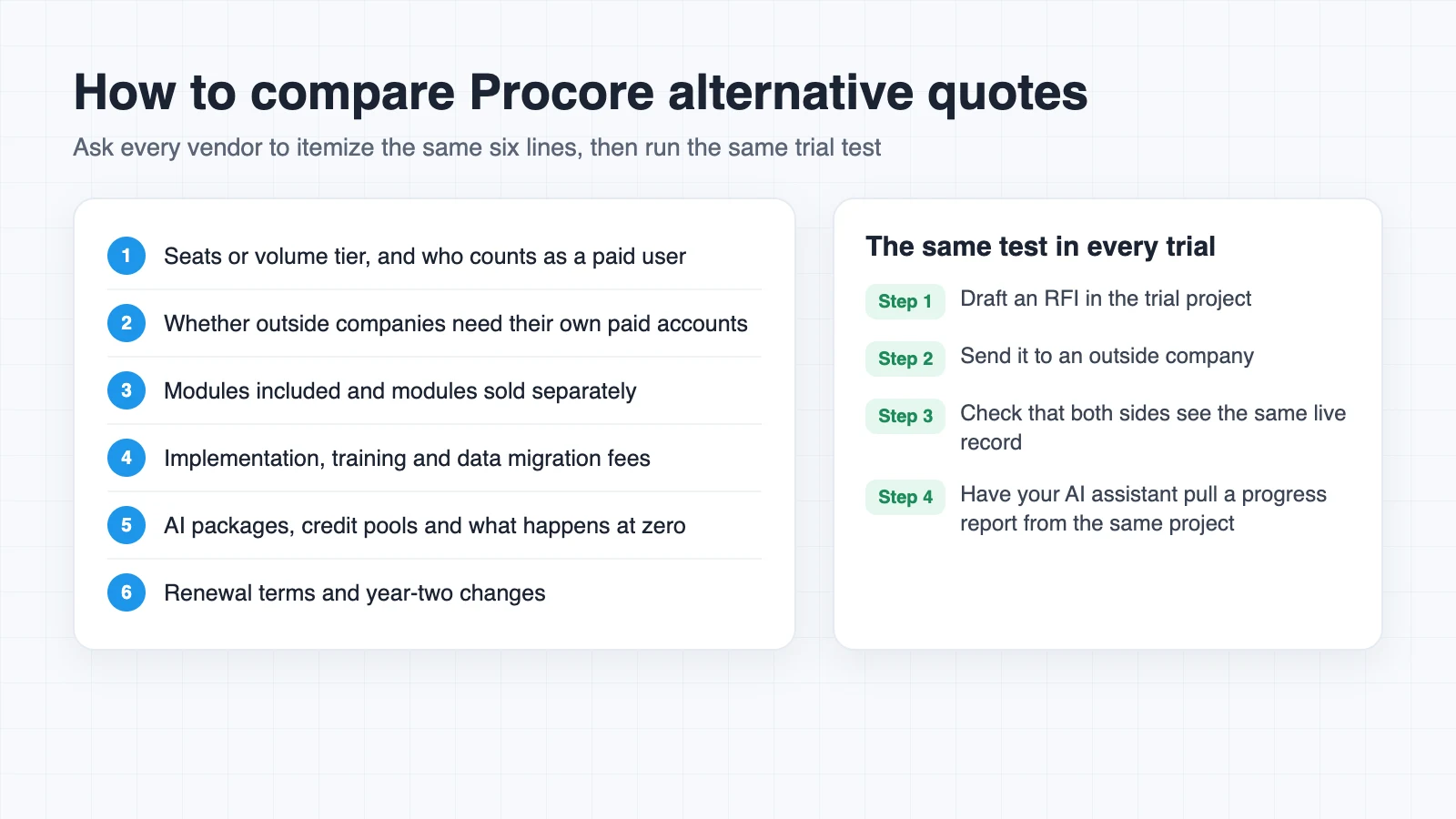
Different billing models make sticker prices hard to compare. Ask every vendor to itemize the following:
- Seats or volume tier, and who counts as a paid user
- Whether outside companies need their own paid accounts
- Modules included and modules sold separately
- Implementation, training and data migration fees
- AI packages, credit pools and what happens when credits run out
- Renewal terms, including how headcount or volume changes affect year two
Then run the same test in every trial. Draft an RFI, send it to an outside company and check whether both sides see the same live record. Map out who needs which updates and when, the way you would in a project communication plan, so the test reflects how your partners actually work. If your team plans to use ChatGPT for project management, have it pull a progress report from that same trial project to see how much data it can actually reach.
Final Thoughts
Procore is still a capable platform, especially for teams already settled into it. But if your bill keeps tracking your construction volume, or partners keep re-sending documents that should already be shared, it's worth pricing out a different model.
Start with the pricing model and how data moves between companies. Those two choices shape your costs and coordination long after the demo ends.
FAQ
How does Procore pricing work?
Procore charges an upfront annual fee for each product based on Annual Construction Volume. Contracts include unlimited users, and there is no published price list.
Which Procore alternatives use per-user pricing?
Fieldwire's paid tiers are priced per user. The first platform in this guide also uses one per-user rate, with unlimited projects and free external collaborators.
Can two companies share live data in Procore?
Procore Connect links projects across accounts, but the receiving project gets read-only records. Connected submittals are listed as an open beta.
Is AI included with Procore?
Procore AI requires a Digital Coworker package. Pro and Enterprise use a shared credit pool, while the Starter Pack is a flat fee with a project limit.
What is an MCP server?
The Model Context Protocol is an open standard Anthropic introduced in November 2024 for connecting AI assistants to tools and data. An MCP server lets an outside assistant look up records and take actions in a platform for its user.
Is there a free Procore alternative?
Fieldwire's Basic plan is free for up to 5 users and 3 projects and includes plan viewing and task management. RFIs, submittals, change orders and budgets require the paid Business Plus tier.
Which Procore alternative is best for residential builders?
Buildertrend is designed around residential construction. It offers flat monthly plans, a client portal for homeowners, and selections and warranty management in its Complete tier.



