25 AI Art Prompts for Midjourney, ChatGPT & FLUX
Short answer: a good AI art prompt names the subject, the style or medium, the lighting, the composition and the output settings, in that order. Below are 25 copy-ready prompts grouped by what you are making (portraits, landscapes, product shots, illustrations, concept art, interiors, patterns and posters). Each one lists the tools it suits and the syntax to change per tool, checked against Midjourney, OpenAI, Adobe, Black Forest Labs and Stability AI documentation on October 29, 2026.
Update note (October 31, 2026): Reviewed by Vincent Chen. We added nine more labeled AI images (examples for the text-heavy ad, poster and logo prompts and the interior and architecture prompts, plus recreations of vendor showcase prompts), prompts quoted from OpenAI and Black Forest Labs showcases, a "pick a prompt by use" table and a section on what went wrong in our own runs.
Earlier update (October 29, 2026): We rewrote this guide as a prompt library. The old version listed 25 one-line ideas without tools or settings. This version adds a prompt formula, full prompt text, tool-specific notes (Midjourney V8.2 parameters, ChatGPT Images, Adobe Firefly, FLUX 3 and Stable Diffusion negative prompts), labeled AI-generated examples, usage-rights basics and an FAQ.
Pick a Prompt by What You Are Making
| You need | Start with | Best first tool |
|---|---|---|
| Team photo, avatar or portrait | 1, 2 | ChatGPT Images, FLUX |
| Wallpaper, travel or landscape image | 5, 6, 23 | Midjourney |
| Product shot or ad | 9, 10, 12 | Firefly, ChatGPT Images |
| Blog or editorial illustration | 13, 15 | ChatGPT Images, Midjourney |
| Game, story or concept art | 17, 18, 19 | Midjourney, FLUX |
| Poster, logo or anything with words | 24, 25 | ChatGPT Images, FLUX |
The AI Art Prompt Formula
Most official prompt guides describe the same building blocks. Black Forest Labs suggests naming the subject, setting, light and framing, and putting whatever matters most first. Adobe recommends at least three words, plain language, and words for feeling, style and lighting. Use this order as a checklist:
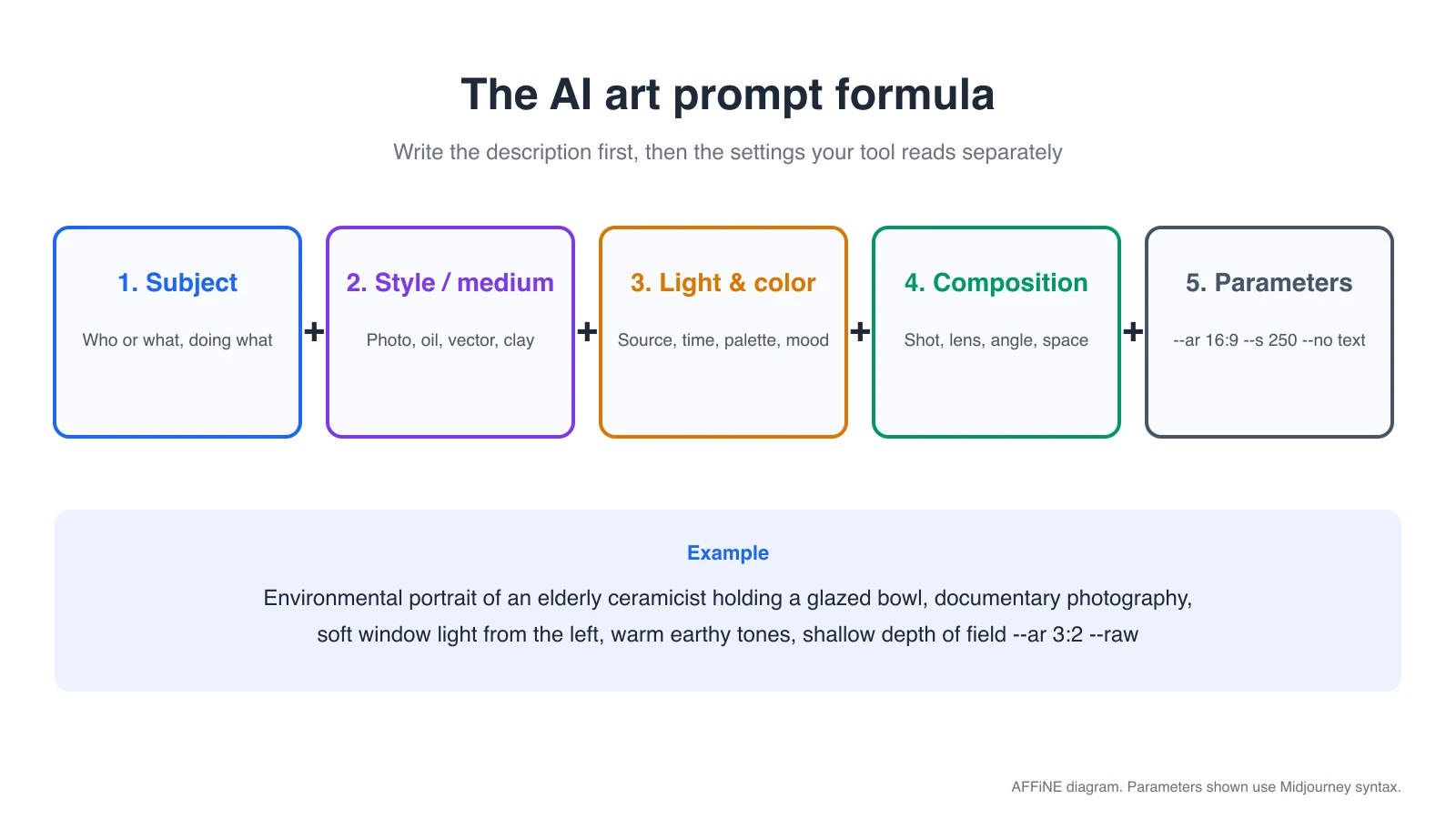
| Part | What to write | Example |
|---|---|---|
| Subject | Who or what, doing what | an elderly ceramicist holding a glazed bowl |
| Style or medium | Photo, oil painting, flat vector, clay, 3D render | documentary photography |
| Lighting and color | Light source, time of day, palette, mood | soft window light, warm earthy tones |
| Composition | Shot type, lens look, angle, empty space | environmental portrait, shallow depth of field |
| Parameters | Settings the tool reads separately | --ar 3:2 in Midjourney, aspect_ratio in FLUX |
Two habits help in every tool. First, describe what you want instead of what you do not want, unless the tool has a real negative field. Second, change one part at a time when you iterate, so you can tell which change made the difference.
Tool Syntax Cheat Sheet (Checked October 31, 2026)
| Tool | How settings work | Negative prompts |
|---|---|---|
| Midjourney (default V8.2) | Parameters go at the end, after a space, with no punctuation: --ar 16:9 --s 250. Stylize defaults to 100 and runs 0 to 1000. --raw reduces default styling; --niji uses the anime-focused model; --v 7 selects an older version. | --no text, people |
| ChatGPT Images (Images 2.5) | Plain sentences. Pick a ratio with the aspect ratio picker or write it in the prompt. Can render text, make transparent backgrounds and edit a selected area. | No field; say what the scene should contain |
| Adobe Firefly | Plain, specific language of at least three words; skip "generate" or "create". Use style settings in the interface. | No separate field in the guidance we checked; describe the result you want |
| FLUX 3 (Black Forest Labs) | Natural-language description. aspect_ratio is a separate API field (fixed ratios from 21:9 to 9:21); without it, text-to-image defaults to 1:1. | None: FLUX 3 has no negative prompt field, so write "an empty promenade" instead of "no crowds" |
| Stable Diffusion (Stability AI API, Stable Image and SD 3.5) | Prompt plus request fields such as aspect ratio and style preset. | negative_prompt field |
In the prompts below, the main text works in any of these tools. Lines marked Midjourney show the parameters to append; for other tools, set the ratio in the interface or API instead of pasting -- flags.
Portrait Prompts
1. Environmental portrait of a craftsperson
Environmental portrait of an elderly ceramicist in her sunlit studio, holding a freshly glazed bowl, soft window light from the left, shallow depth of field, 85mm lens look, warm earthy tones, documentary photography style
- Suits: Midjourney, ChatGPT Images, FLUX, Firefly.
- Midjourney: add
--ar 3:2 --s 100 --rawfor a less stylized, more photographic result. - Tip: naming the light direction ("from the left") gives more control than "good lighting".
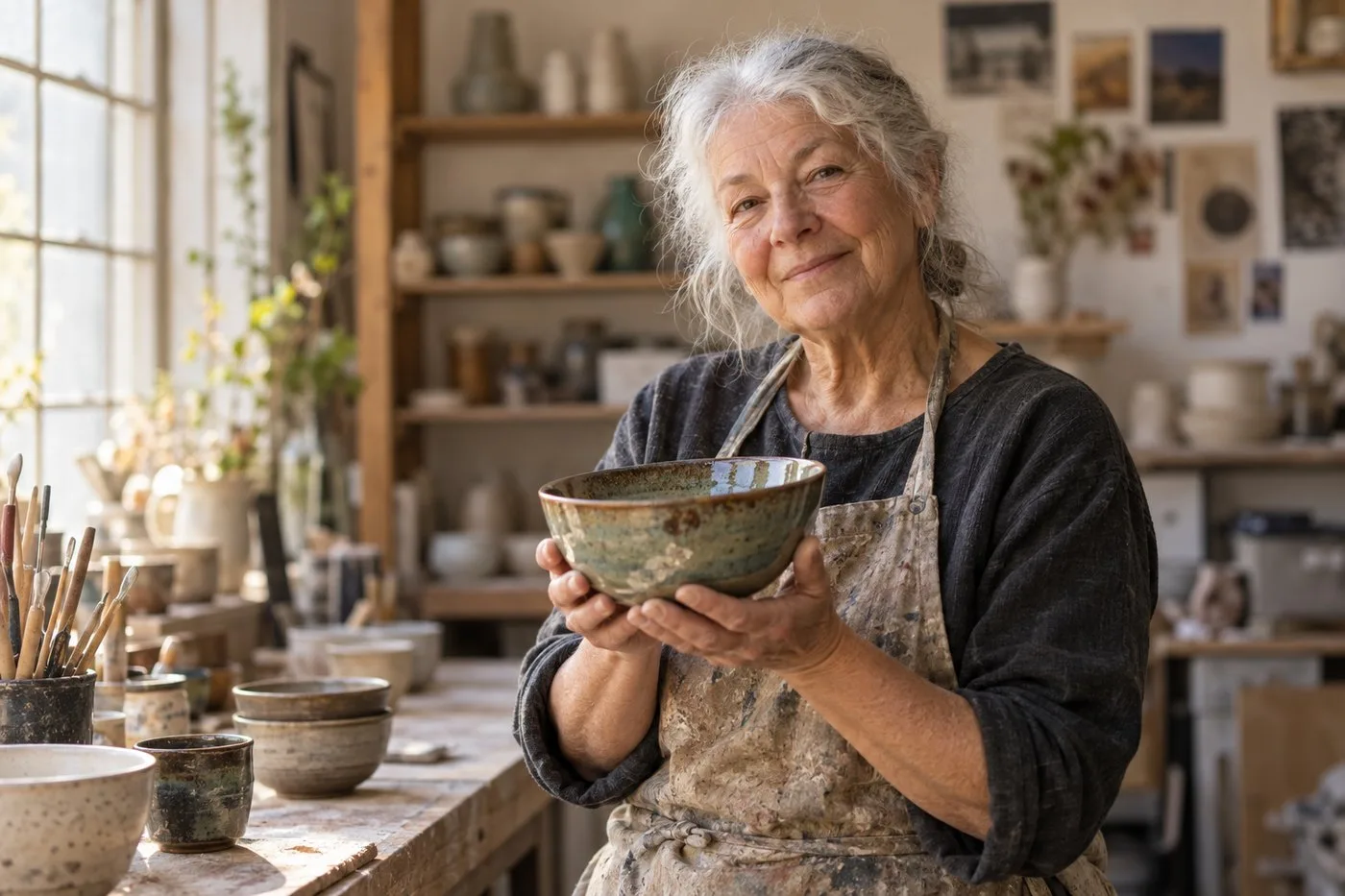
AI-generated example made with a general-purpose image model from this prompt. Your result in Midjourney, ChatGPT or FLUX will look different.
2. Studio headshot for a team page
Professional headshot of a smiling software engineer in a navy sweater, plain light gray background, soft key light and gentle fill, eye level, head and shoulders framing, natural skin texture
- Suits: ChatGPT Images, Firefly, FLUX. Use only for fictional people or with the subject's consent if you upload their photo.
- Midjourney:
--ar 4:5 --raw.
3. Film-photo street portrait
35mm film photograph of a young cyclist pausing at a rainy Tokyo crosswalk at night, neon reflections on wet asphalt, slight grain, candid moment, medium shot
- Suits: Midjourney, FLUX.
- Midjourney:
--ar 2:3 --s 200. - Stable Diffusion:
negative_prompt: blurry, extra fingers, watermark.
4. Painted character portrait
Oil painting portrait of a lighthouse keeper with a weathered face and a wool cap, dramatic side light, visible brushstrokes, deep blue and ochre palette, dark background
- Suits: Midjourney, Firefly, Stable Diffusion.
- Midjourney:
--ar 4:5 --s 400for more painterly flair.
Landscape and Travel Prompts
5. Blue-hour fjord
Wide cinematic landscape of a misty Norwegian fjord at blue hour, a single red wooden cabin on the shoreline with warm lit windows, low clouds over steep cliffs, calm reflective water, muted cool palette
- Suits: Midjourney, FLUX, Firefly.
- Midjourney:
--ar 16:9. FLUX:"aspect_ratio": "16:9".
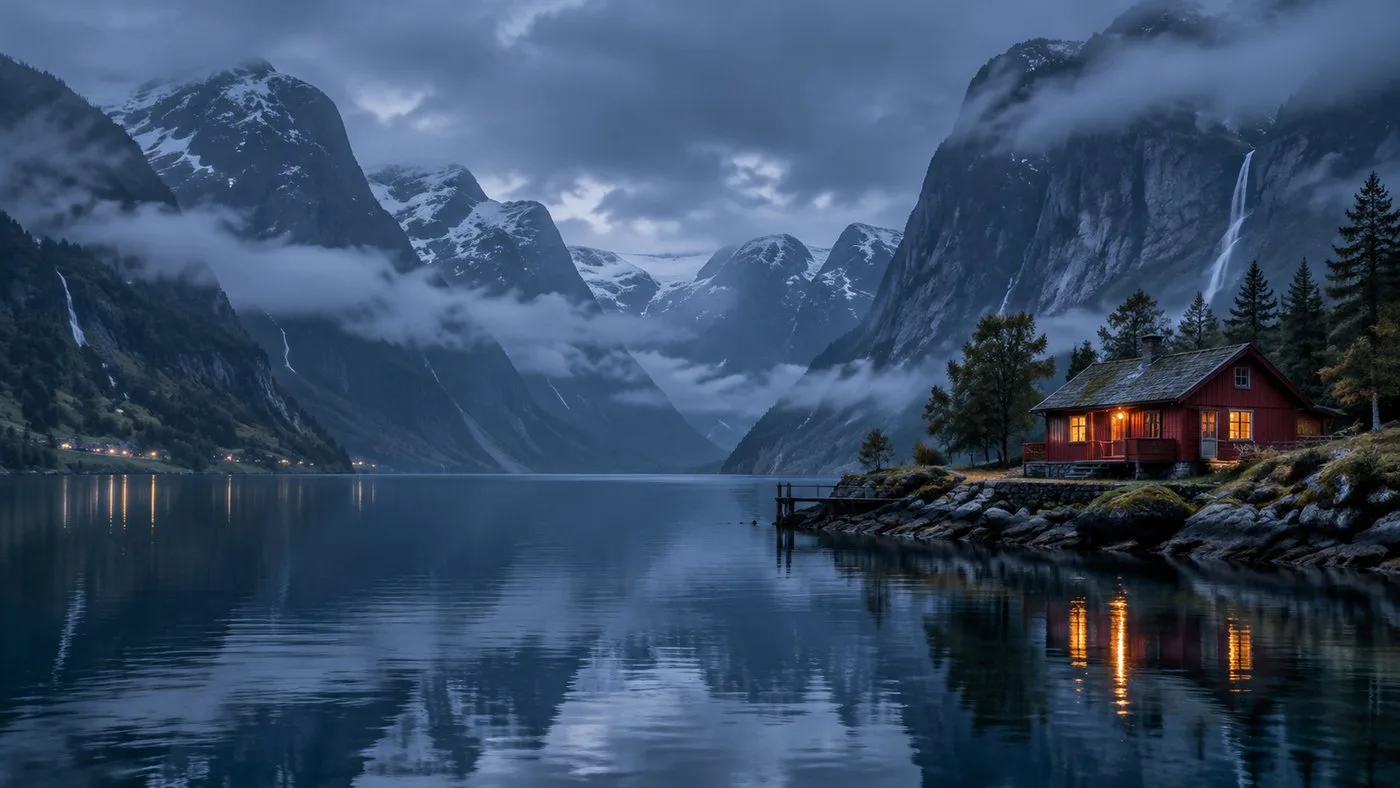
AI-generated example made with a general-purpose image model from this prompt.
6. Desert road from above
Aerial drone photo of a straight desert highway crossing red sand dunes at sunrise, long shadows, a single white car, high contrast, minimal composition
- Suits: Midjourney, FLUX, ChatGPT Images.
- Midjourney:
--ar 9:16for a phone wallpaper or story.
7. Watercolor travel sketch
Loose watercolor travel sketch of a Lisbon tram climbing a narrow street, white paper showing through, ink outlines, soft yellow and teal washes
- Suits: Firefly, Midjourney, ChatGPT Images.
- Tip: "white paper showing through" pushes the model away from a fully painted background.
8. Seasonal forest
Quiet autumn beech forest after rain, golden leaves on a mossy path, soft fog between trunks, diffused overcast light, eye-level view, calm and peaceful mood
- Suits: all five tools.
- FLUX / ChatGPT: if you get hikers you did not ask for, write "an empty path" rather than "no people".
Product and Marketing Prompts
9. Minimal product hero
Studio product photo of a matte black ceramic coffee mug on a pale travertine block, soft diffused key light from the upper left, gentle shadow, beige seamless background, minimal composition with empty space on the right for text
- Suits: Firefly, ChatGPT Images, FLUX, Midjourney.
- Midjourney:
--ar 1:1 --raw --no text, logo.
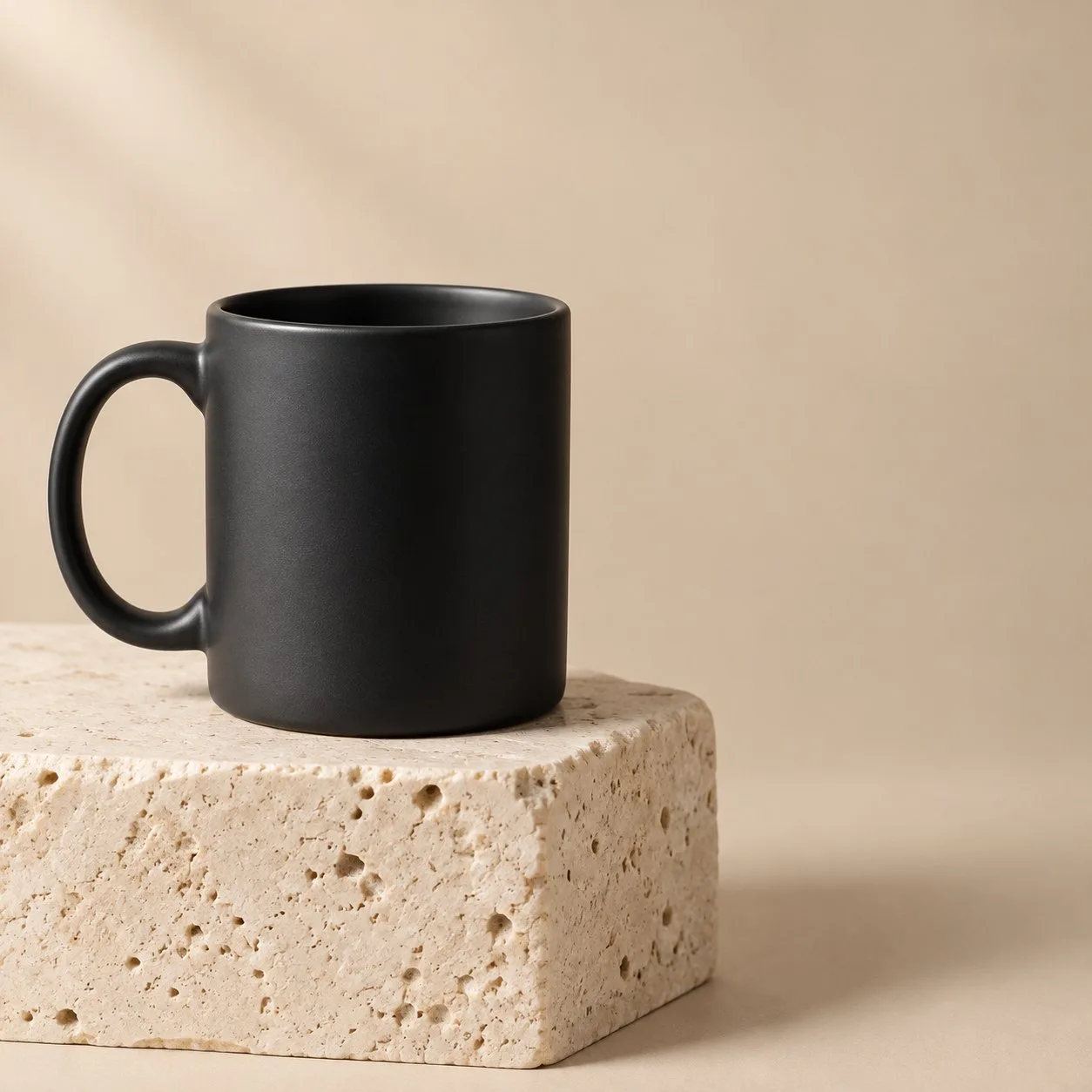
AI-generated example made with a general-purpose image model from this prompt.
10. Flat lay
Top-down flat lay of a skincare routine on a light linen cloth: glass serum bottle, small jar, eucalyptus sprigs, morning sunlight with leaf shadows, clean and fresh mood
- Suits: Firefly, ChatGPT Images, FLUX.
- Midjourney:
--ar 4:5.
11. Lifestyle scene
Lifestyle photo of a person packing a canvas backpack on a wooden porch at a mountain cabin, early morning light, outdoor brand campaign look, natural colors, medium wide shot
- Suits: Midjourney, FLUX, Firefly.
- Tip: for real products, generate the scene and composite your actual product photo, so the item is accurate.
12. Social ad with headline
Square social media ad for a summer lemonade stand, bright yellow background, a glass of lemonade with ice and mint, bold headline text "Fresh Squeezed Fridays" at the top, playful flat style
- Suits: ChatGPT Images (can render text), FLUX. Put exact text in quotation marks.
- Midjourney:
--ar 1:1; check spelling before you use it.
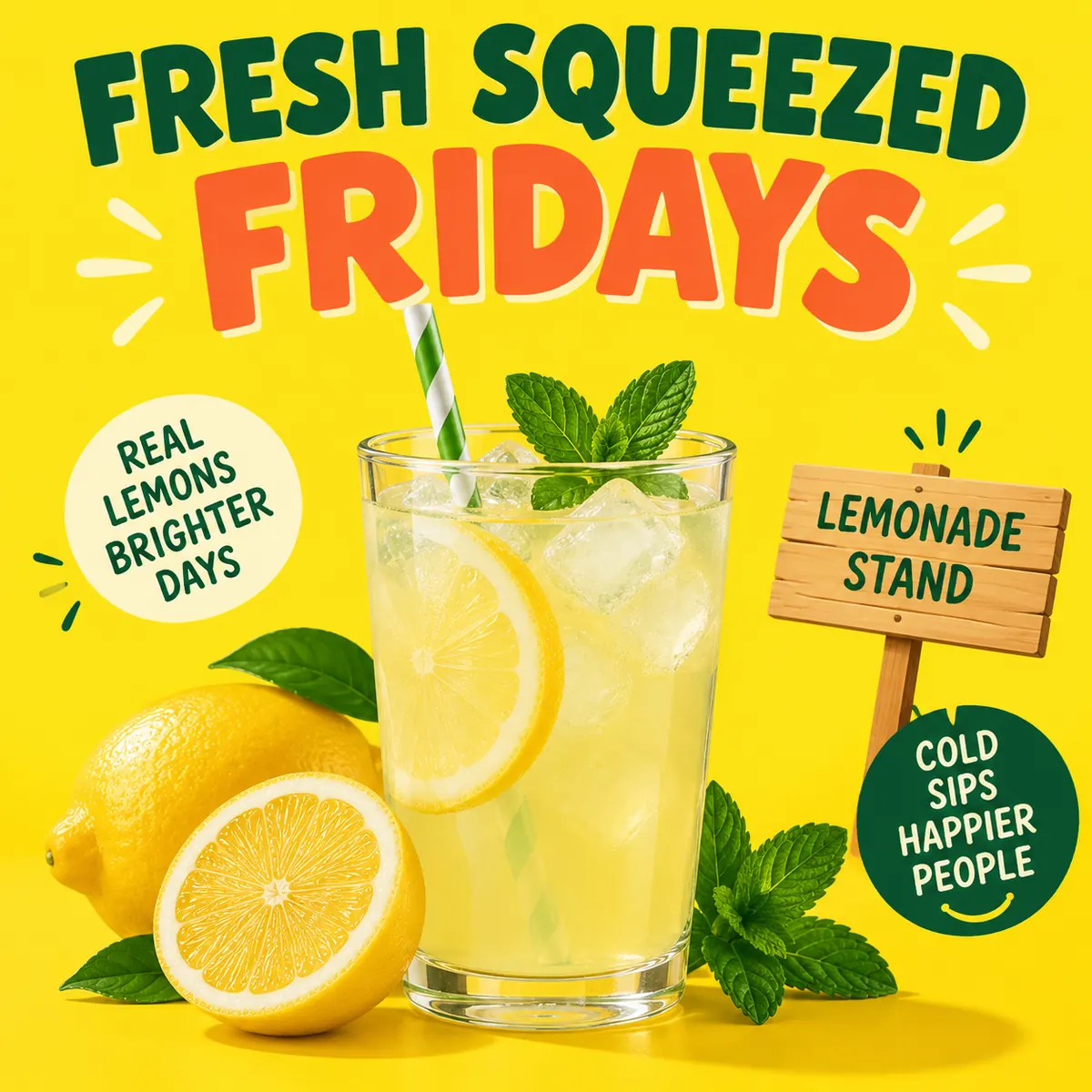
AI-generated example made with a general-purpose image model from this prompt. The headline came out right, but the model added slogans we did not ask for, such as "Real lemons, brighter days". See what went wrong.
Illustration and Editorial Prompts
13. Flat vector editorial
Flat vector editorial illustration of a person reading on a bus at night, city lights through the window, limited palette of navy, coral and mustard, clean shapes, subtle grain texture, no text
- Suits: ChatGPT Images, Firefly, Midjourney.
- Midjourney:
--ar 4:5 --s 150and move "no text" to--no text.
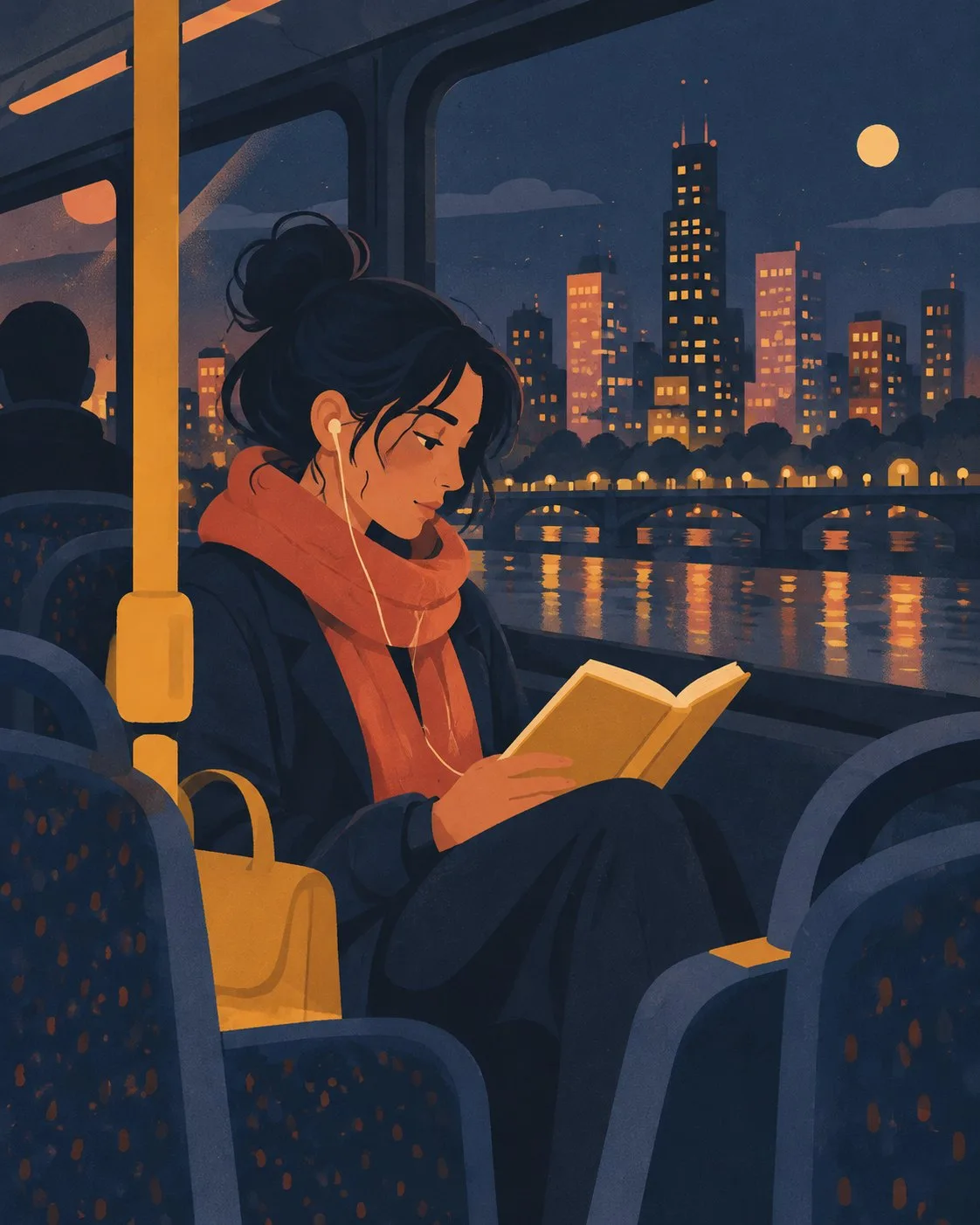
AI-generated example made with a general-purpose image model from this prompt.
14. Children's book page
Gentle children's book illustration of a small fox and a hedgehog sharing an umbrella in the rain, soft colored pencil texture, warm pastel palette, cozy mood, wide page layout
- Suits: Firefly, ChatGPT Images, Midjourney (
--ar 3:2).
15. Isometric explainer
Isometric 3D illustration of a small home office: desk, laptop, plant, bookshelf and a cat on the chair, soft pastel colors, clean shadows, white background
- Suits: Midjourney, FLUX, ChatGPT Images.
- Stable Diffusion:
negative_prompt: clutter, text, watermark.
16. Anime-style scene
Anime-style scene of two friends on a rooftop watching summer fireworks, warm evening sky, detailed city skyline, soft cel shading, nostalgic mood
- Suits: Midjourney with
--niji(its anime-focused model), Stable Diffusion, ChatGPT Images. - Midjourney:
--niji --ar 16:9.
Fantasy and Concept Art Prompts
17. Floating market
Concept art of a lantern-lit floating market on a giant lily pad lake at dusk, small wooden boats, paper lanterns, painterly brushwork, warm golden and teal tones, wide establishing shot
- Suits: Midjourney, FLUX, Stable Diffusion.
- Midjourney:
--ar 16:9 --s 400.
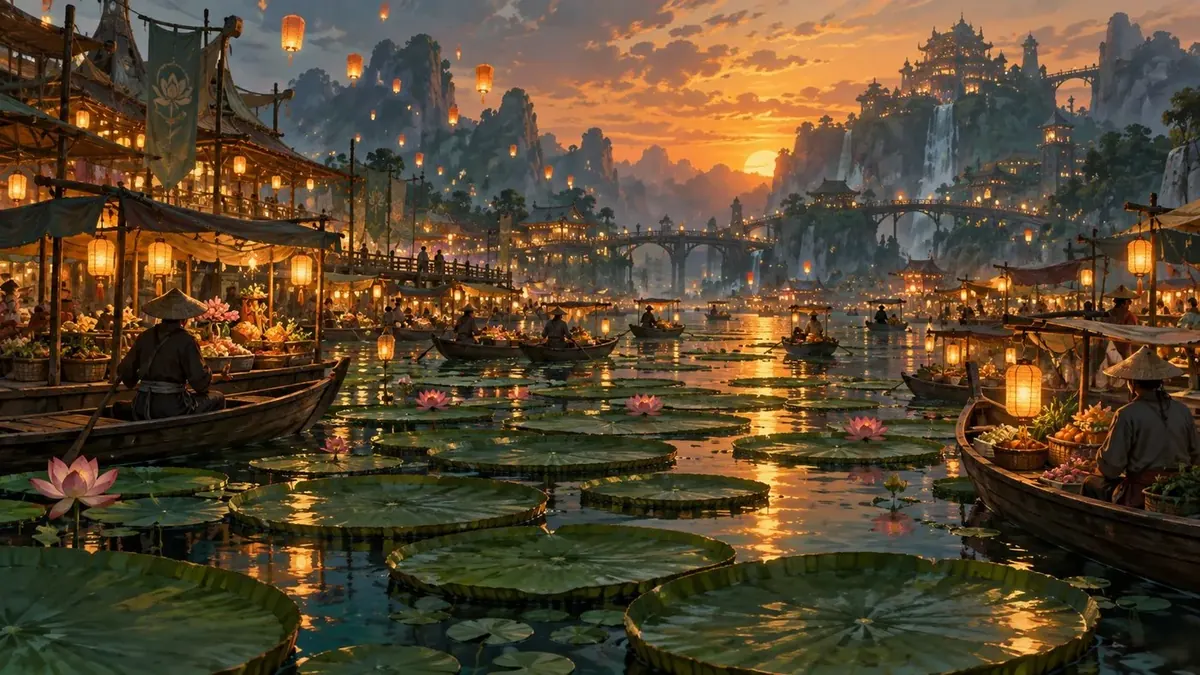
AI-generated example made with a general-purpose image model from this prompt.
18. Creature design sheet
Character design sheet of a friendly moss-covered stone golem, front, side and back views, neutral gray background, clean concept art rendering, consistent proportions
- Suits: Midjourney, ChatGPT Images, FLUX.
- Tip: asking for "front, side and back views" keeps the views on one sheet, which is useful for game or storyboard planning.
19. Sci-fi environment
Interior of a quiet greenhouse aboard a space station, rows of hydroponic plants under violet grow lights, Earth visible through a curved window, cinematic lighting, high detail
- Suits: Midjourney (
--ar 21:9), FLUX, Stable Diffusion.
Architecture and Interior Prompts
20. Interior mood board image
Japandi living room with a low oak sofa, linen cushions, paper floor lamp and a large window onto a bamboo garden, late afternoon light, calm neutral palette, architectural photography
- Suits: Firefly, Midjourney, FLUX.
- Midjourney:
--ar 3:2 --raw. - Tip: generate four or five variations and lay them out side by side on an online whiteboard to compare finishes before you pick a direction.
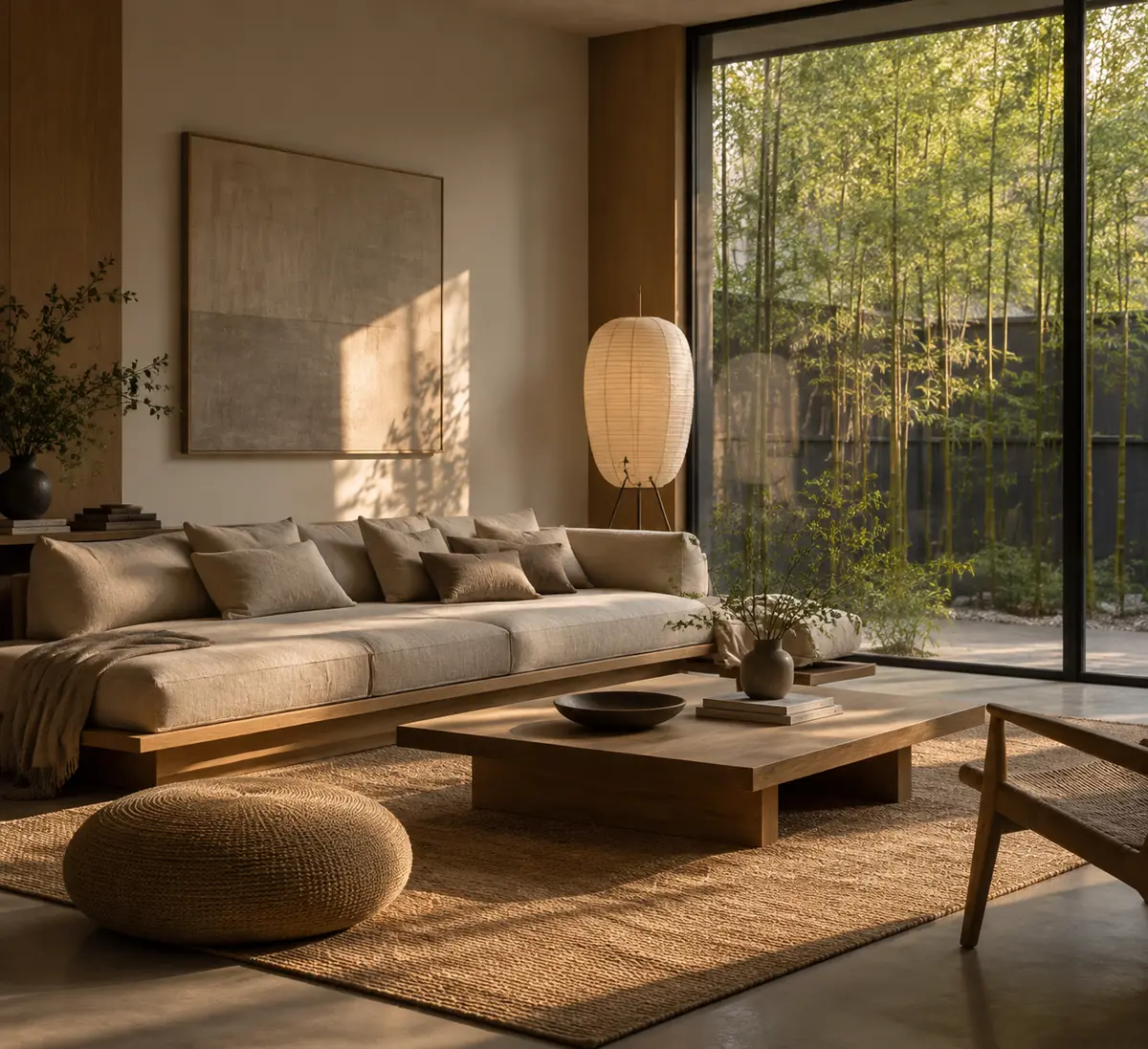
AI-generated example made with a general-purpose image model from this prompt.
21. Architectural concept
Exterior concept rendering of a small timber library in a snowy pine forest, large glass facade glowing warm at dusk, footprints in fresh snow, wide angle, photoreal
- Suits: Midjourney, FLUX, Stable Diffusion.
- Stable Diffusion:
negative_prompt: distorted lines, people, cars.
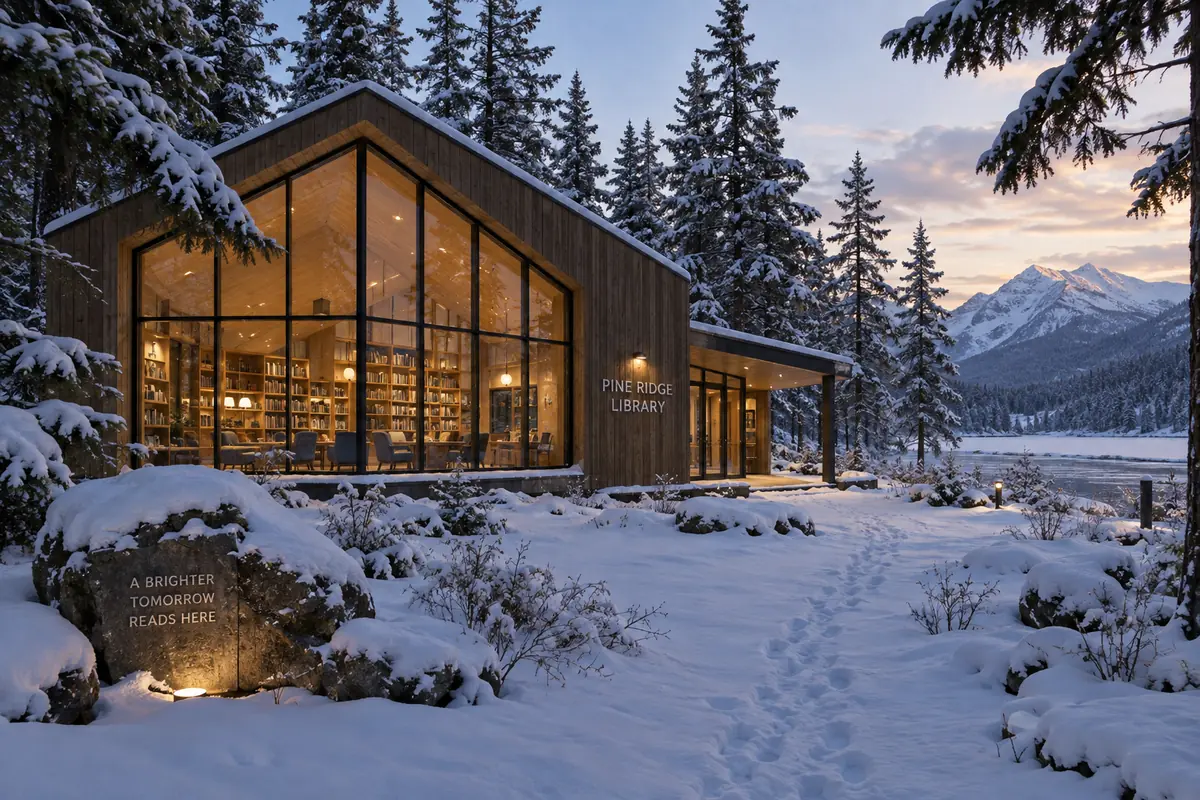
AI-generated example made with a general-purpose image model from this prompt. The model invented a "Pine Ridge Library" sign and a slogan carved into a rock; neither was in the prompt.
Pattern and Abstract Prompts
22. Seamless pattern
Seamless repeating pattern of lemons, leaves and small blue flowers on a cream background, flat gouache style, evenly spaced
- Suits: Midjourney with
--tile(made for seamless patterns), Firefly. - Midjourney:
--tile --ar 1:1. - Tip: without a tiling setting, other tools can leave visible seams. Place two copies side by side to check before you print.
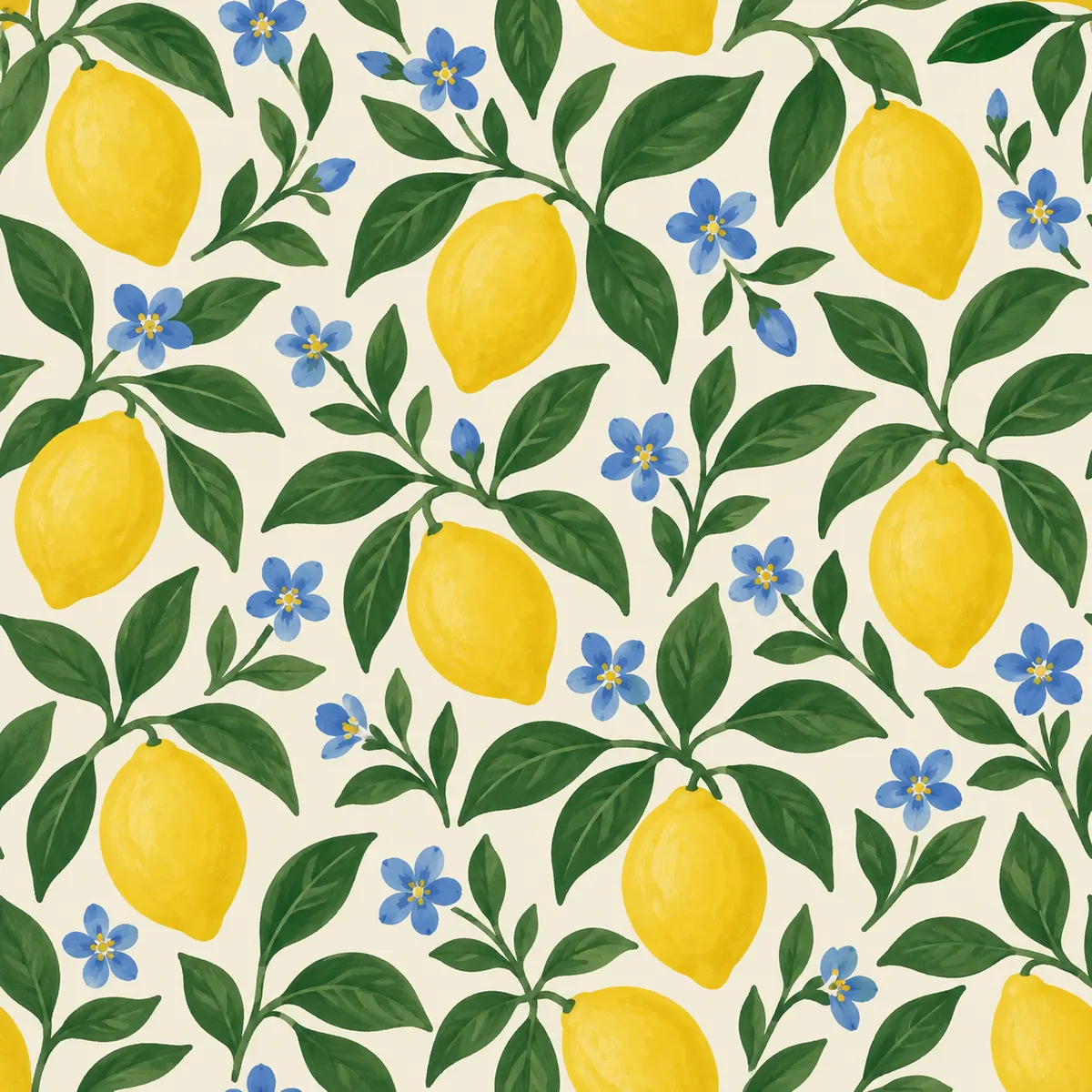
AI-generated example made with a general-purpose image model from this prompt.
23. Abstract wallpaper
Abstract fluid art of swirling deep green and gold ink in water, high contrast, macro photography, elegant and calm
- Suits: all five tools.
- Midjourney:
--ar 9:16 --s 500 --chaos 20to get more varied first results. - Use it for: phone wallpapers, slide backgrounds or the image area of a vision board.
Poster and Typography Prompts
24. Event poster
Retro 1970s style poster for a community jazz night, bold orange and brown sunburst, silhouette of a saxophonist, headline text "Jazz on the Square", smaller text "Friday 8 PM", screen-print texture
- Suits: ChatGPT Images and FLUX, which can follow exact text in quotes. Proofread every word.
- Tip: write the event details in a creative brief first, then paste the exact headline and date into the prompt.
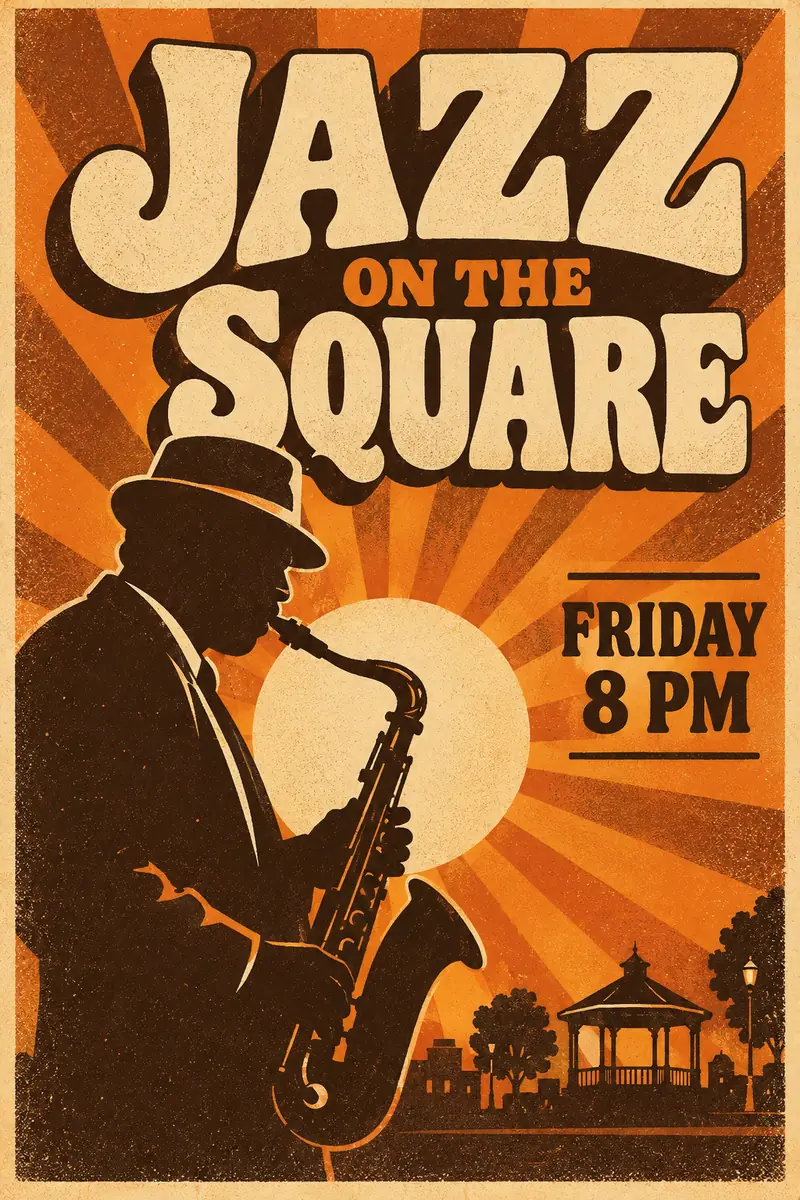
AI-generated example made with a general-purpose image model from this prompt. Both text lines were spelled correctly on the first try; the model added a bandstand that was not in the prompt.
25. Logo exploration
Simple flat logo mark for a neighborhood bakery called "Rise", a stylized wheat stalk forming the letter R, single warm brown color, white background, vector style
- Suits: ChatGPT Images, Firefly (Text to Vector), Midjourney (
--no gradient, shadow). - Tip: treat results as sketches. Check trademark conflicts and redraw a final logo as a proper vector before you use it.
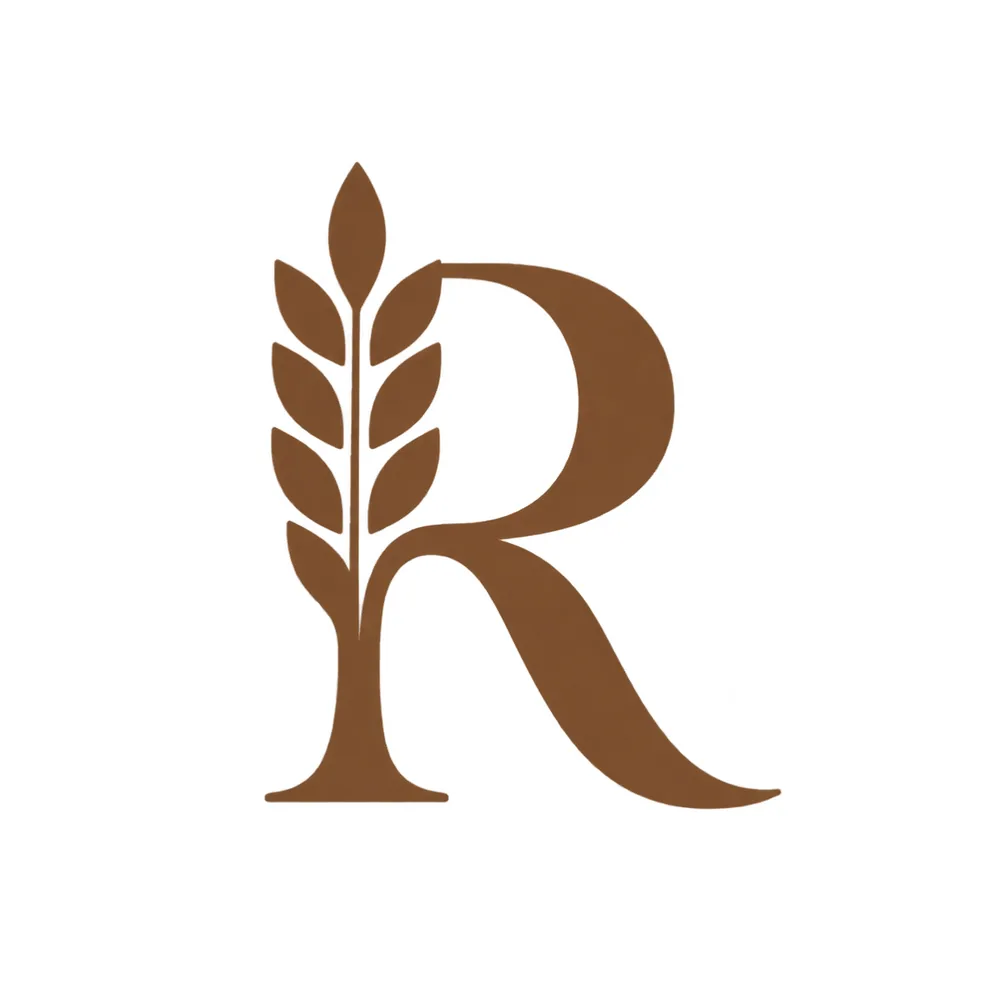
AI-generated example made with a general-purpose image model from this prompt. Our run returned a transparent background even though the prompt asked for white, so we flattened it onto white.
Prompts From Official Showcases (Checked October 31, 2026)
The vendors publish prompts next to their own sample images. These are worth studying because they show how each company expects you to write. We quote the prompts below and link to the originals; the images on this page are our own recreations, made with a general-purpose image model and labeled, not the vendors' images.
ChatGPT Images and GPT Image (OpenAI)
OpenAI's image generation prompting guide writes long, plain-language specs. This photorealism prompt is a good model for any portrait:
Create a photorealistic candid photograph of an elderly sailor standing on a small fishing boat. He has weathered skin with visible wrinkles, pores, and sun texture, and a few faded traditional sailor tattoos on his arms. He is calmly adjusting a net while his dog sits nearby on the deck. Shot like a 35mm film photograph, medium close-up at eye level, using a 50mm lens. Soft coastal daylight, shallow depth of field, subtle film grain, natural color balance. The image should feel honest and unposed, with real skin texture, worn materials, and everyday detail. No glamorization, no heavy retouching.
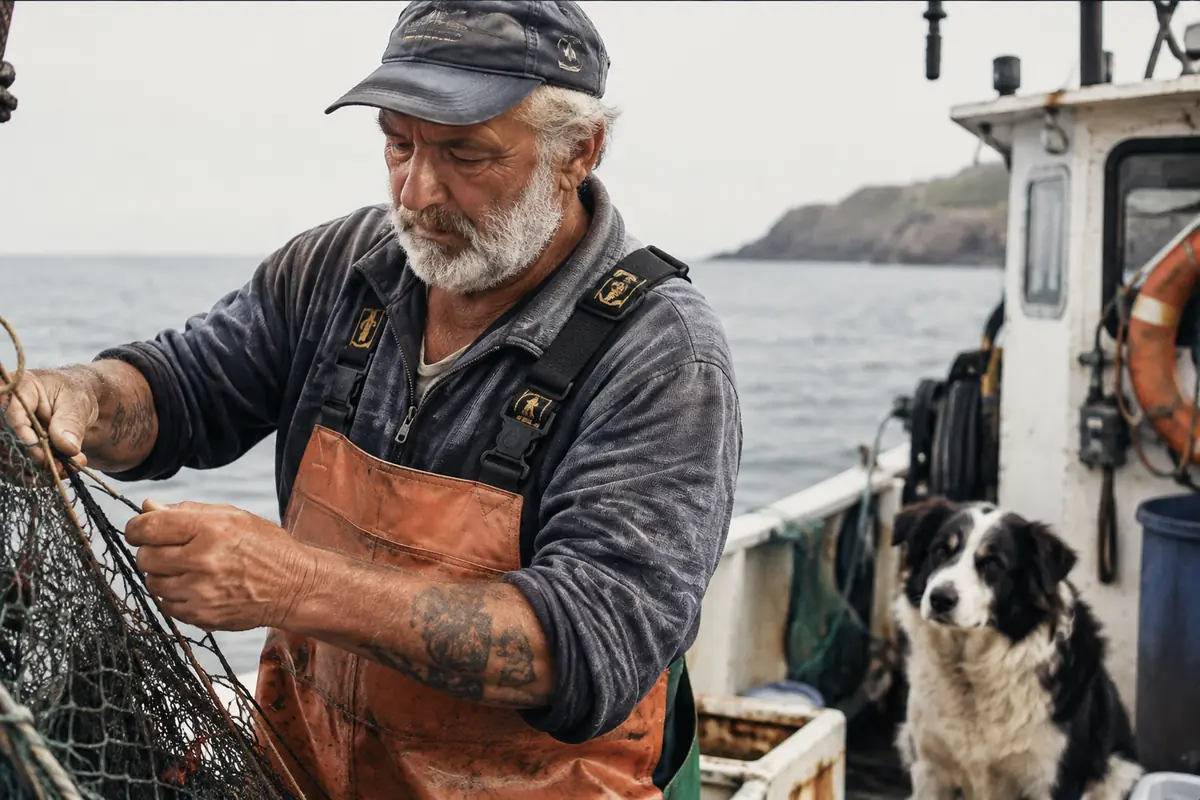
AI recreation made with a general-purpose image model from OpenAI's published prompt, not an OpenAI sample image.
- What to copy: camera language (35mm film, 50mm lens, eye level) plus a line about the feeling you want ("honest and unposed").
- For text in images: the same guide's ad example ends with "Render the tagline exactly once, clearly and legibly" and "No extra text, no watermarks". That one line fixes the extra-slogan problem in prompt 12.
FLUX 3 (Black Forest Labs)
The FLUX 3 Image page captions every sample with a single dense sentence: medium, subject, title text and surface, all in one line.
An exploded-view pencil drawing titled The Wooden Chair, with a warm wooden seat and labelled parts on cream paper.
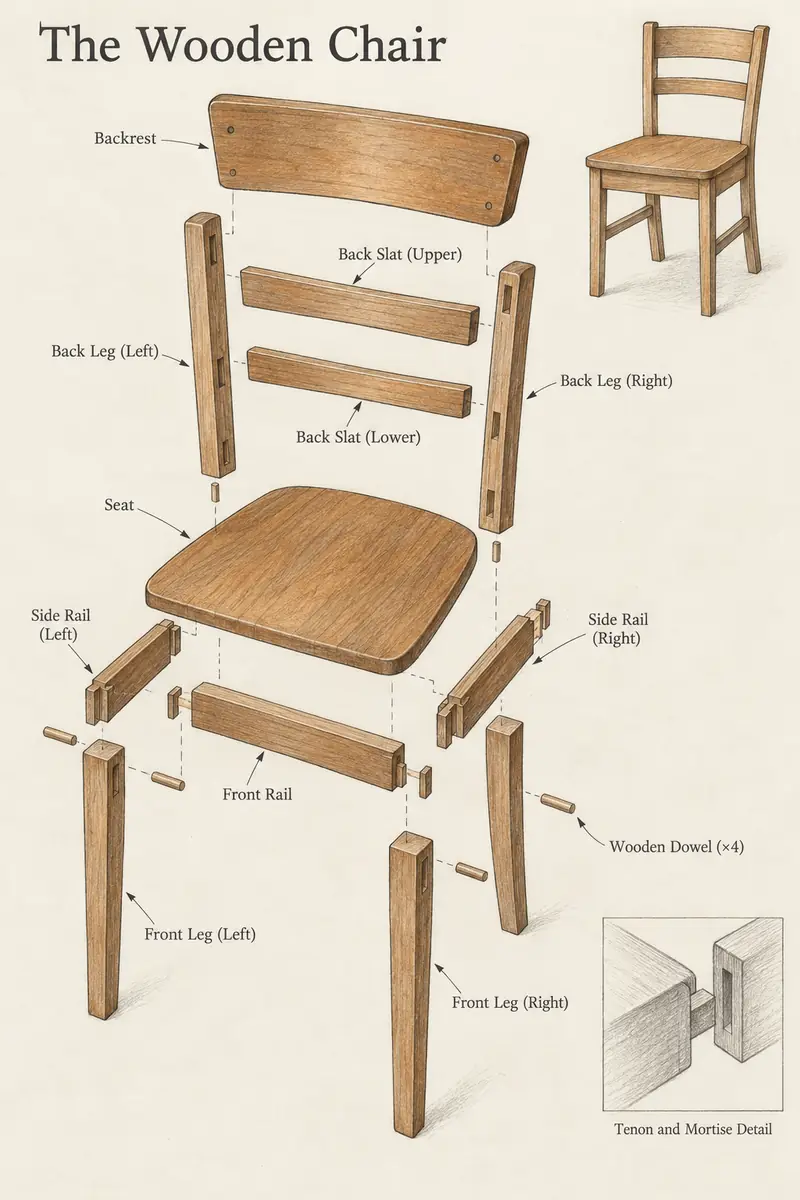
AI recreation made with a general-purpose image model from Black Forest Labs' published prompt, not a FLUX sample image.
A coral and green risograph poster, The Seed Parade: giant seeds marching on root legs down a dotted street.
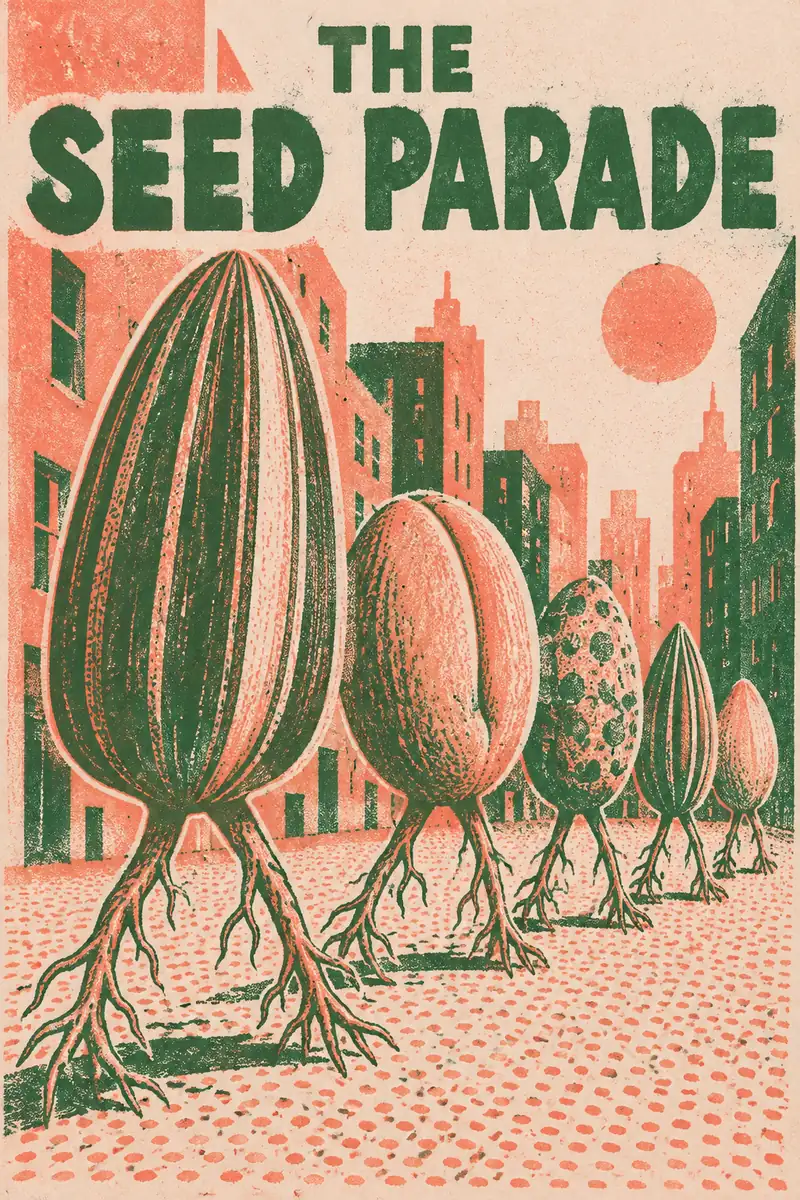
AI recreation made with a general-purpose image model from Black Forest Labs' published prompt, not a FLUX sample image.
- What to copy: name the print process ("risograph", "pencil drawing") and the title text in the same sentence. FLUX 3 also accepts bounding boxes when you need text or objects in exact positions.
Midjourney V8.2
Midjourney's V8.2 announcement (July 24, 2026) shows image grids without the prompts behind them, so we do not quote one here. To see real V8.2 prompts, open an image on Midjourney Explore and copy its prompt, then compare it with the parameter notes in the cheat sheet above.
What Went Wrong in Our Runs and How to Fix It
| Problem we saw | Prompt | Fix |
|---|---|---|
| Extra slogans the prompt never asked for | 12 | Add "only the headline text, no other words" |
| A bandstand added to the poster | 24 | List everything that should appear, then end with "nothing else in the scene" |
| Transparent background instead of white | 25 | Say "solid white background, not transparent", or flatten it afterwards |
| Signs and slogans added to a building | 21 | End architecture prompts with "no signage, no text" |
| Seams in a pattern meant to repeat | 22 | Use Midjourney --tile, or test two copies side by side |
Turn One Prompt Into Variations
Once a prompt works, keep its structure and swap one part:
- Change the style: "documentary photography" to "oil painting" or "flat vector".
- Change the light: "soft window light" to "golden hour backlight" or "neon at night".
- Change the frame: in Midjourney,
--ar 1:1for a post,--ar 9:16for a story,--ar 16:9for a banner. - Change the flair: in Midjourney, a lower
--sfollows your words more closely and a higher--sadds more artistic interpretation. - Reuse a look: Midjourney's
--sref(style reference) and--seedhelp you keep a series consistent.
If you run out of directions, a quick round of brainstorming techniques such as "worst possible idea" or SCAMPER gives you new subjects to try.
Usage Rights and Copyright Basics
This is general information, not legal advice. Check the current terms of the tool you use.
- United States: the U.S. Copyright Office's January 29, 2025 report concludes that AI outputs can be protected only where a human author determined enough expressive elements, and that prompts alone are not enough. Human edits, arrangement, or your own artwork inside the result can still be protected.
- Midjourney: its help center says you own the images you create, but a business grossing more than $1,000,000 USD a year needs a Pro or Mega plan to use them commercially.
- OpenAI: its terms of use assign ownership of output to you, to the extent permitted by law, and prohibit presenting AI output as human-generated.
- Adobe Firefly: Adobe's FAQ says outputs from features without a beta label can be used commercially, and that its first commercial model was trained on Adobe Stock, openly licensed and public domain content.
- Avoid: real people's likeness without consent, brand logos and characters you do not own, and prompts that ask to copy a living artist's style.
Keep a Prompt Library You Can Reuse
The prompts that work are worth saving. A simple log with the prompt, tool, model version, parameters and a thumbnail makes it easy to rebuild a result months later, after a tool changes its default model. One way to set this up in an AFFiNE doc: one page per project, a table of prompts with tool and date columns, and generated images pasted next to the prompt that made them. For mood boards, drop the best results onto an AFFiNE whiteboard so you can group them, or start from a creative thinking template. AFFiNE is a notes and whiteboard workspace, not an image generator replacement; AFFiNE AI can help draft and rewrite prompt variations. For tracking prompt quality at a team level, see our guide to prompt management. To pick a generator, compare free AI image generators and their limits or the best AI image generators for 2026.
Frequently Asked Questions About AI Art Prompts
What makes a good AI art prompt?
A good prompt names a clear subject, a style or medium, the lighting and color, and the composition, then adds tool settings such as aspect ratio. Specific nouns and light directions help more than words like "beautiful" or "high quality".
Do the same prompts work in Midjourney, ChatGPT and FLUX?
The descriptive text works in all of them. The settings do not: Midjourney reads parameters such as --ar and --s at the end of the prompt, while ChatGPT Images uses plain sentences and an aspect ratio picker, and FLUX takes aspect ratio as a separate API field.
What is the current Midjourney version?
Midjourney's documentation listed V8.2 as the default version on October 29, 2026. It was released as the default on July 24, 2026. You can select an older model with a parameter such as --v 7.
How do negative prompts work?
Midjourney uses --no followed by the items to leave out, and the Stability AI API has a negative_prompt field. FLUX 3 has no negative prompt field, so describe the scene you want instead, for example "an empty street" rather than "no people".
Can I use AI-generated art commercially?
Often yes, but it depends on the tool's terms and your plan. Midjourney requires a Pro or Mega plan for businesses earning over $1,000,000 a year, Adobe allows commercial use of non-beta Firefly features, and OpenAI assigns output ownership to you. Copyright protection for purely AI-generated images is limited in the United States.
Can I copyright AI art?
In the United States, not for purely AI-generated material. The Copyright Office says prompts alone do not make you the author, but your own creative edits, arrangement or artwork included in the final piece can be protected.
Sources and Preparation Note
Tool behavior was checked on October 29, 2026 against: Midjourney's Parameter List, Version, Stylize, No and commercial use pages; OpenAI's Images in ChatGPT and Terms of Use; Adobe's Writing effective text prompts and Firefly FAQ; Black Forest Labs' prompt structure and technical settings guides; the Stability AI API reference; and the U.S. Copyright Office's Copyright and Artificial Intelligence report. Showcase prompts were copied on October 31, 2026 from OpenAI's image generation prompting guide and Black Forest Labs' FLUX 3 Image page; ChatGPT Images 2.5 and Midjourney V8.2 were confirmed against OpenAI's help center and Midjourney's V8.2 announcement. All fourteen example images on this page are AI-generated with a general-purpose image model, not with the tools named above, and are labeled as such; the problems in "What went wrong" come from those runs. The prompt formula diagram and cover are AFFiNE graphics. Tool suggestions are editorial; we did not run a side-by-side benchmark. Reviewed by Vincent Chen, CEO of AFFiNE, on October 31, 2026.