25 Best AI Productivity Tools in 2026 (Free & Paid)
Quick answer: The best AI productivity tool depends on the job you need to complete. ChatGPT and Claude are flexible assistants; Microsoft Copilot fits Microsoft 365 workflows; AFFiNE connects AI with notes, documents, whiteboards, and planning; Canva supports visual design; and Async brings AI-assisted video editing, captions, and audio cleanup into one browser workflow.
Editorial note: This guide was reviewed on August 28, 2026. Product features, free tiers, and plan limits can change, so confirm current details on each provider's official site before adopting a tool for a team.
Disclosure: AFFiNE publishes this guide and appears in the list at number 3.
What are AI productivity tools?
AI productivity tools are software applications that use artificial intelligence to help people create, summarize, analyze, organize, automate, or improve work. They can support writing, research, design, meetings, video production, project planning, marketing, and other repeatable workflows, but important outputs still need human review.
The most useful tool is not necessarily the one with the longest feature list. It is the one that fits a specific workflow, gives people enough control to review the result, and works with the files and systems they already use. Students can also see how AI notes support exam preparation, while teams comparing general assistants can start with our guide to the best AI chatbots in 2026.
Benefits and limits of AI productivity tools
AI tools can shorten repetitive work, help teams explore more options, and make information easier to summarize or reuse. The tradeoff is that outputs can be inaccurate, generic, incomplete, or unsuitable for sensitive work. Treat generated material as a draft, verify important facts, and review privacy and usage terms before entering confidential data.
How we chose these AI productivity tools
We evaluated workflow fit, useful AI capabilities, ease of review, collaboration, privacy considerations, and whether each product serves a distinct use case. Inclusion is not a claim that every tool is free or best for every user.
This is an editorial comparison, not a laboratory benchmark. Product descriptions were checked against current official product information where available, and legacy entries are labeled when the product or positioning has changed. The 25-tool order is retained to make this refresh consistent with earlier versions of the guide.
AI productivity tools at a glance
| Tool | Best for | Free-access note |
|---|---|---|
| ChatGPT | General writing, analysis, research, and files | Free access is available; limits vary |
| Audioenhancer.ai | Cleaning spoken-word audio | Check current processing limits |
| AFFiNE | Notes, documents, whiteboards, and planning | Free and open-source options; AI limits vary |
| Claude | Long-form analysis, writing, and documents | Free access is available; limits vary |
| Microsoft Copilot | Microsoft 365 workflows | Access depends on the Microsoft product and plan |
| Anyword | Performance-focused marketing copy | Check current trial and plan options |
| Wordtune | Rewriting and summarization | Limited free usage may be available |
| ProWritingAid | Editing long-form writing | Check current trial and license options |
| PolyDraft | Building and improving SEO-focused websites | Building and previewing are free; publishing requires a subscription |
| Hootsuite Insights | Social listening and reporting | Primarily a paid business product |
| Jasper | Governed marketing content workflows | Check current trial and plan options |
| Copy.ai | Connected go-to-market workflows | Check current plan and usage limits |
| Narrato / Typeface | Enterprise marketing orchestration | Enterprise-focused; request current details |
| Synthesia | AI presenter and training videos | Limited free or trial access may be available |
| Murf | Voiceovers, dubbing, and text to speech | Limited free or trial access may be available |
| Canva | Visual design and AI-assisted creative work | Free access exists; AI and export limits vary |
| Async | Browser-based video and audio editing | Free editor access is available; plan limits vary |
| Beautiful.ai | AI-assisted presentations | Check current trial and plan options |
| AIContentfy | Managed content and marketing services | Service pricing is project-dependent |
| Yoast SEO | WordPress SEO and content checks | Free plugin plus paid features |
| AI-Wordsmith | General-purpose writing and content templates | Trial access may be available; check current limits |
| Acrolinx | Enterprise content governance | Enterprise-focused; request current details |
| Acquisio | Paid-media campaign management | Primarily a paid business product |
| Zest AI | Lending underwriting workflows | Enterprise-focused; request current details |
| InVideo | Prompt-assisted video creation | Free access may include export or usage limits |
Top 25 AI Productivity Tools in 2026
1. ChatGPT
ChatGPT is a general-purpose AI assistant for drafting, brainstorming, studying, coding, data analysis, web research, and working with files or images. Its broad toolset makes it a practical starting point when a workflow crosses several content types rather than staying inside one specialist app.
Best for: Individuals and teams that want one flexible assistant for varied knowledge-work tasks.
Key features:
- Writing and reasoning: Draft, rewrite, summarize, compare, and explain material with follow-up questions.
- Files and data: Analyze uploaded documents and structured data, subject to the capabilities of the selected plan.
- Multimodal workflows: Work with text and images in the same conversation when the selected model supports them.
Keep in mind: Verify important claims and check workspace privacy controls before using confidential information. For a narrower comparison, see the best AI chatbots in 2026.
2. Audioenhancer.ai
Audioenhancer.ai is a browser-based tool for cleaning speech in uploaded audio and video. It offers task-specific controls for common recording problems, making it useful when a voice track needs a quick cleanup before editing, transcription, or publication.
Best for: Podcasters, educators, interviewers, and creators improving spoken-word recordings.
Key features:
- Noise and echo removal: Reduce steady background noise and room echo in supported files.
- Speech cleanup: Address hum, loudness, sibilance, mouth clicks, and related voice issues with dedicated options.
- Browser workflow: Upload or record media, choose an enhancement, preview the result, and export a supported format.
Keep in mind: Upload size, duration, processing time, and export options depend on the current plan. Listen to the full output for artifacts before replacing an original recording.
3. AFFiNE
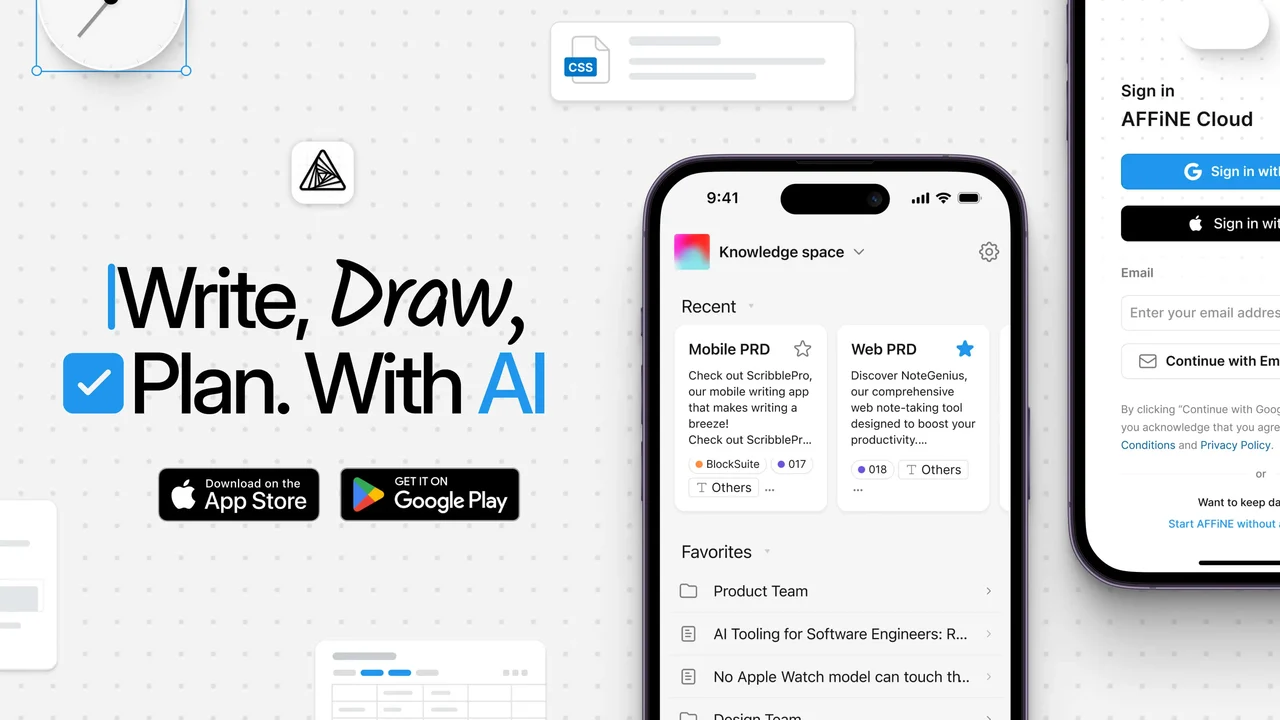
AFFiNE combines documents, linked notes, databases, and an edgeless whiteboard in one workspace, with AI features available inside the same planning environment. Its open-source and local-first options are useful for people who want more control over how their knowledge base is organized and deployed.
Best for: Visual thinkers and teams that want notes, whiteboards, planning, and AI assistance in one workspace.
Key features:
- Write with AI: Draft, rewrite, summarize, adjust tone, and refine text within documents.
- Plan visually: Turn ideas into diagrams, mind maps, and connected whiteboard structures on an edgeless canvas.
- Keep knowledge connected: Organize documents and visual work without separating planning from execution.
Keep in mind: AFFiNE publishes this comparison and is therefore not an independent reviewer of its own product. Evaluate it against the same workflow, privacy, and export requirements used for every other tool.
4. Claude
Claude is Anthropic's AI assistant for writing, analysis, coding, research, and working with documents. It is particularly useful when a task benefits from sustained context and iterative review, such as comparing reports, refining a long draft, or reasoning through a multi-step problem.
Best for: Long-form analysis, document review, writing, and coding workflows.
Key features:
- Document work: Upload supported files, ask questions, compare passages, and summarize material.
- Writing and analysis: Develop drafts, explanations, and structured recommendations through follow-up prompts.
- Project context: Keep related instructions and reference material together when the selected Claude product supports projects.
Keep in mind: Context limits, connectors, and model access vary by product and plan, so check Anthropic's current documentation instead of relying on a fixed word count.
5. Microsoft Copilot
Microsoft 365 Copilot brings AI assistance into applications such as Word, Excel, PowerPoint, Outlook, and Teams. With appropriate permissions, it can use organizational context from Microsoft Graph alongside web information to help draft, summarize, analyze, and prepare work inside an existing Microsoft environment.
Best for: Organizations already standardized on Microsoft 365.
Key features:
- In-app assistance: Draft documents, summarize messages, analyze spreadsheets, and prepare presentations without moving content to a separate tool.
- Work context: Use permitted Microsoft 365 data to make responses more relevant to the task.
- Administrative controls: Enterprise deployment can use Microsoft identity, permission, and compliance tooling.
Keep in mind: Copilot capabilities and licensing differ across consumer, commercial, and Microsoft 365 products. Confirm the exact product before comparing features.
6. Anyword
Anyword is an AI platform for producing and improving marketing copy with audience and performance context. It can help teams draft variations for ads, landing pages, email, and other campaign assets, then compare options before launch.
Best for: Performance marketers testing message variations across campaigns.
Key features:
- Predictive scoring: Use Anyword's performance models as one input when comparing copy variations.
- Audience context: Adapt messaging for defined segments, channels, and campaign goals.
- Brand controls: Reuse approved messaging and guidelines across marketing outputs.
Keep in mind: Predictive scores are estimates, not measured campaign results. Validate important decisions with controlled tests and actual conversion data.
7. Wordtune
Wordtune is an AI writing workspace and browser extension for rewriting, summarizing, and refining text. The editor supports longer drafting and saved documents, while the extension provides suggestions inside supported browser-based writing tools.
Best for: People who want clearer phrasing, tone adjustments, summaries, and quick edits while writing.
Key features:
- Rewrite controls: Rephrase sentences or paragraphs and adjust tone or length where supported.
- Summaries: Condense pasted text, links, or supported files in the web editor.
- Ask AI: Generate ideas, explanations, or edits inside a writing workflow.
Keep in mind: Free usage is limited, and summaries or suggestions can omit nuance. Compare the revision with the source before accepting it.
8. ProWritingAid
ProWritingAid is an editing assistant with real-time grammar and style suggestions plus detailed writing reports. Its reports examine readability, repetition, sentence structure, consistency, word choice, and other patterns that are difficult to see during a first draft.
Best for: Authors and long-form writers who want diagnostic editing reports as well as inline corrections.
Key features:
- Writing reports: Review readability, style, repeated language, pacing, consistency, and other draft-level patterns.
- Realtime editing: Catch grammar, spelling, punctuation, and style issues while writing.
- Integrations: Use supported browser, web, and desktop writing environments.
Keep in mind: Recommendations are prompts for editorial judgment, not rules that every sentence must follow. Check the current license options rather than assuming a particular one-time plan is available.
9. PolyDraft
PolyDraft is an AI website builder designed around what happens after launch. It turns a plain-language brief into a complete, researched website — every page planned around a single target keyword backed by live search demand data — and then keeps preparing SEO and AI-search visibility improvements that you review and approve before anything reaches the live site. Localization into up to 100 languages is part of the same workflow rather than a separate project. Building and previewing a site is free; a subscription is only needed when you publish, and the finished site deploys to your own cloud account.
Key features:
-
Continuous SEO and GEO: Keeps turning search intent and new opportunities into recommended page, internal-link, and technical updates after launch, instead of stopping at a one-time metadata pass.
-
AI answer engine readiness: Ships answer-first content sections, Schema.org structured data, and an llms.txt file so assistants like ChatGPT and Perplexity can quote your pages accurately.
-
Owner-approved publishing: No change goes live on its own — every prepared update waits for your review, so the automation never outruns your brand.
10. Hootsuite Insights
Hootsuite's listening and analytics tools help social teams monitor conversations, evaluate performance, and turn social data into reports. AI-assisted workflows can help summarize trends and speed up analysis, while dashboards keep channel and campaign information together.
Best for: Social media teams that need listening, reporting, and publishing in a shared system.
Key features:
- Social listening: Track relevant topics, mentions, and audience conversations across supported sources.
- Reporting: Build dashboards around engagement, reach, campaign, and team metrics.
- Workflow integration: Connect analysis with scheduling, publishing, and team collaboration.
Keep in mind: Data coverage and listening capabilities depend on the package and connected networks.
11. Jasper
Jasper is an AI marketing platform designed to help teams create and govern content across campaigns. Its current positioning centers on marketing workflows, brand context, reusable processes, and coordinated content production rather than a single long-form writing mode.
Best for: Marketing teams that need repeatable, brand-governed content workflows.
Key features:
- Brand context: Apply shared voice, style, product, and audience information across outputs.
- Marketing workflows: Use agents and reusable processes for campaign and content tasks.
- Governance: Coordinate permissions, standards, and review across a marketing organization.
Keep in mind: Teams still need editorial review for factual accuracy, originality, and brand fit.
12. Copy.ai
Copy.ai positions itself as a go-to-market AI platform for connecting repeatable work across marketing, sales, and operations. Instead of treating every prompt as a one-off writing task, teams can build workflows that use defined inputs, company context, and review steps.
Best for: Go-to-market teams automating connected sales and marketing processes.
Key features:
- Workflow automation: Structure multi-step processes for research, content, prospecting, and operations.
- Company context: Reuse approved information so outputs are more consistent across teams.
- Content assistance: Draft and refine marketing or sales material inside broader workflows.
Keep in mind: Automation quality depends on clean inputs, clear ownership, and human review at consequential steps.
13. Narrato, now part of Typeface
Narrato was known as an AI content workspace for planning, creation, and publishing. Its former domain now redirects to Typeface, whose current platform focuses on enterprise marketing orchestration, brand governance, content workflows, and campaign production. Existing Narrato users should verify product migration and support details directly with Typeface.
Best for: Enterprise marketing teams evaluating the current Typeface platform or managing a legacy Narrato workflow.
Key features:
- Marketing orchestration: Coordinate content and campaign work across teams and channels.
- Brand governance: Apply approved brand context, standards, and review controls.
- Workflow management: Connect planning, creation, approval, and distribution processes.
Keep in mind: This is a changed product context, not a like-for-like description of the former Narrato workspace.
14. Synthesia
Synthesia creates presenter-style videos from scripts using AI avatars, voices, templates, and translation tools. It is commonly suited to repeatable business video formats such as training, onboarding, product explanations, and internal communications.
Best for: Teams producing presenter-led training and business videos without a traditional studio setup.
Key features:
- AI avatars and voices: Build narrated scenes with stock or eligible custom presenters.
- Translation and localization: Adapt supported videos for multiple languages and audiences.
- Team production: Use templates, brand controls, comments, and review workflows.
Keep in mind: Review pronunciation, translations, likeness rights, and disclosure requirements before publishing.
15. Murf
Murf is an AI voice platform for producing voiceovers, dubbing, and text-to-speech audio. Creators can start with a script, select a suitable voice, adjust delivery, and combine the result with video or other media.
Best for: Training, explainer, product, and localization workflows that need editable voice tracks.
Key features:
- Text to speech: Turn scripts into editable AI voiceovers.
- Dubbing and localization: Adapt supported audio or video for additional languages.
- Production controls: Adjust timing, emphasis, pronunciation, and media placement before export.
Keep in mind: Available voices, languages, cloning, and commercial rights vary by plan and consent requirements.
16. Canva
Canva combines templates, collaborative design tools, and AI-assisted creation in its Magic Studio suite. It can help people move from an initial prompt or source asset to presentations, social graphics, images, video, and other visual formats inside one editor.
Best for: Individuals and teams creating everyday visual content without a specialist design workflow.
Key features:
- AI-assisted creation: Generate or transform supported text, images, layouts, and media from prompts.
- Templates and brand tools: Start from reusable formats and apply approved visual assets where the plan supports them.
- Collaborative editing: Comment, revise, resize, and prepare multiple content formats in a shared workspace.
Keep in mind: Review generated assets for accuracy, accessibility, licensing, and brand consistency; AI features and usage limits vary by plan.
17. Async (formerly Podcastle)
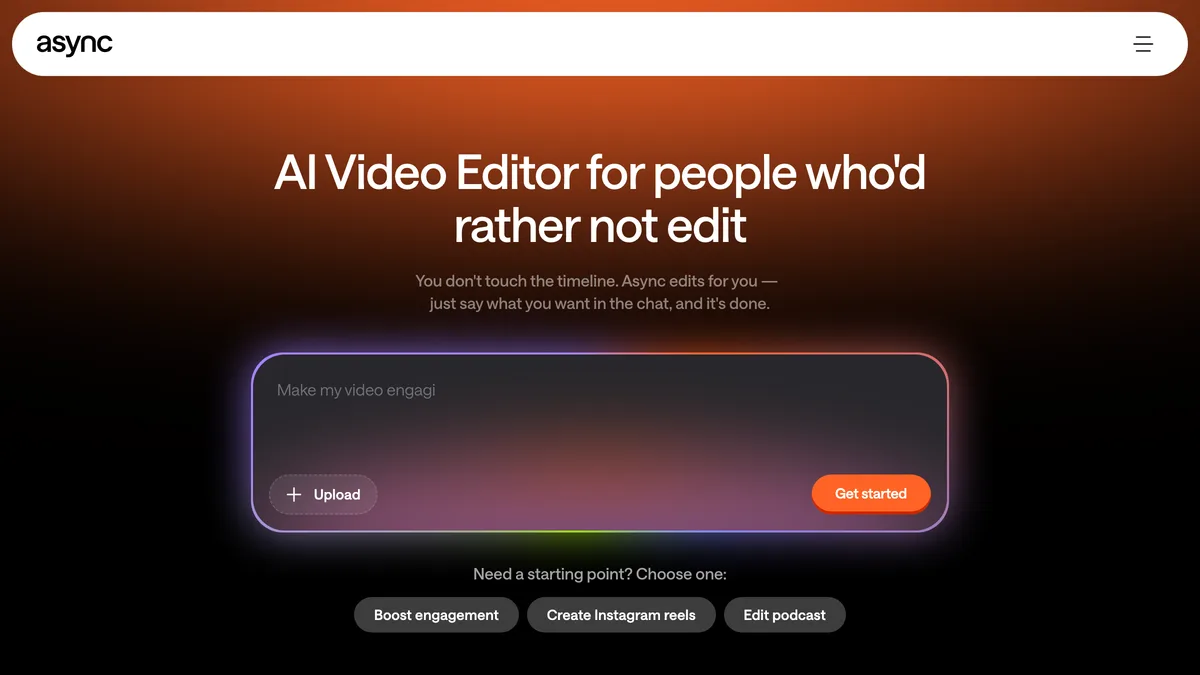
Async helps creators edit videos by bringing recording, timeline editing, captions, audio cleanup, and AI-assisted changes into one browser workflow. You can trim and arrange clips, add subtitles, reframe footage, and then fine-tune the result manually, which makes the tool useful for both short social clips and longer videos.
Best for: Creators and teams that want AI to accelerate repetitive video-editing work without giving up timeline controls.
Key features:
- AI video editing: Use AI-assisted cuts, clips, reframing, and enhancements to reduce repetitive editing work.
- Captions and subtitles: Generate and edit captions so videos are easier to follow and repurpose for social platforms.
- Flexible editing workflow: Keep video, audio, captions, and other elements together, with manual controls available before export.
Keep in mind: The product was formerly called Podcastle; confirm current export limits and plan features before production use.
18. Beautiful.ai
Beautiful.ai is a presentation platform that uses guided AI generation and adaptive slide layouts to speed up deck creation. Teams can start from a prompt or outline, then revise the narrative, data, visuals, and branding before presenting.
Best for: Business teams that want faster first drafts with consistent slide layouts.
Key features:
- Prompt-to-deck workflow: Turn a topic or outline into an editable presentation draft.
- Smart slide layouts: Adjust spacing and composition as content changes.
- Brand and collaboration controls: Reuse presentation styles and coordinate review across a team.
Keep in mind: Generated decks still need a fact check, a coherent narrative, accessible contrast, and a final review of charts and sources.
19. AIContentfy
AIContentfy's current website presents a managed digital marketing and content service rather than the self-service AI writing platform described in older versions of this guide. Its work spans content, SEO, and broader growth support, so buyers should evaluate it as a service relationship and confirm the exact deliverables before purchase.
Best for: Businesses comparing managed content and digital marketing support.
Key features:
- Managed content work: Plan and produce content with service-provider support.
- SEO support: Connect content creation with search-focused planning and optimization.
- Broader marketing services: Combine content with other growth activities when included in the engagement.
Keep in mind: Scope, process, ownership, and pricing can be project-specific; request a written statement of work and sample deliverables.
20. Yoast SEO
Yoast SEO is a WordPress plugin that helps site owners manage common on-page and technical SEO tasks. It provides SEO and readability feedback, title and meta-description controls, XML sitemaps, and structured-data features that integrate with WordPress content.
Best for: WordPress publishers that want guided SEO checks and standard technical outputs.
Key features:
- SEO and readability analysis: Review focus-keyphrase use, links, text structure, and readability signals while editing.
- Search appearance controls: Configure titles, meta descriptions, and indexing-related settings for supported content types.
- Technical outputs: Generate XML sitemaps and structured data that help search engines understand the site.
Keep in mind: A traffic-light score is editorial guidance, not a ranking guarantee, and it does not replace search intent or factual quality.
21. AI-Wordsmith
AI-Wordsmith is a general-purpose content creation service with writing templates, a document editor, chat, and tools for repurposing material. It can help produce drafts for blog, product, marketing, and other common content formats from a brief or set of keywords.
Best for: Individuals and small teams that want a large library of guided content templates.
Key features:
- Writing templates: Start common blog, ecommerce, advertising, business, and web copy formats from structured prompts.
- Editing and export: Review, revise, organize, and export generated drafts.
- Multiformat tools: Access supported text, image, code, chat, and speech features from one service.
Keep in mind: This listing refers to AI-Wordsmith, not the separate legal AI product or the older data-to-narrative platform with similar names. Verify facts, originality, and content rights before publishing.
22. Acrolinx
Acrolinx is an enterprise content governance platform for checking whether content follows an organization's terminology, style, tone, quality, and compliance standards. It can provide guidance while people write and can also evaluate content across larger repositories and automated workflows.
Best for: Large organizations that need consistent, governed content across many teams and channels.
Key features:
- Content guidance: Check drafts against approved language, terminology, style, and quality goals.
- Workflow integration: Bring guidance into supported authoring and content systems.
- Governance at scale: Monitor content quality and compliance across repositories and production processes.
Keep in mind: The platform needs well-defined standards and ownership; automation cannot resolve conflicting editorial policies by itself.
23. Acquisio
Acquisio is a campaign management and reporting platform for paid search and social advertising. Its automation can assist with bid and budget management, while tracking and reporting tools help agencies or multi-account teams evaluate performance across campaigns.
Best for: Agencies and paid-media teams managing multiple advertiser accounts.
Key features:
- Bid and budget automation: Configure supported optimization rules and recurring budget controls.
- Campaign reporting: Combine performance, conversion, and account data in reports and dashboards.
- Account management: Provision, organize, and manage supported advertising accounts at scale.
Keep in mind: Automation should be monitored against business goals, conversion quality, attribution limits, and platform policy changes.
24. Zest AI
Zest AI is now a specialist lending technology company, not the content-marketing Chrome extension described in older versions of this article. Its underwriting platform applies machine learning to help financial institutions assess credit risk and manage lending decisions.
Best for: Banks, credit unions, and lending teams evaluating AI-assisted underwriting.
Key features:
- Underwriting models: Support credit-risk assessment and lending decision workflows.
- Model management: Provide tools and services for monitoring and operating underwriting models.
- Fair-lending focus: Help institutions examine model outcomes and governance requirements.
Keep in mind: This is an enterprise, regulated use case. Model risk, compliance, explainability, and human oversight require specialist review.
25. InVideo
InVideo is an online video creation platform that can turn prompts and source material into draft videos, then let creators refine scripts, scenes, voiceovers, captions, and media. It is suited to fast content production when a team still wants an editing pass before export.
Best for: Creators and marketing teams producing social, promotional, or explainer videos from prompts and templates.
Key features:
- Prompt-to-video workflow: Generate a first draft from a topic, script, or instructions.
- Media and voice options: Combine stock assets, uploaded material, narration, music, and captions.
- Browser editing: Revise scenes, wording, timing, and visual choices before export.
Keep in mind: Review licensing, watermark, export, generation, and commercial-use limits for the selected plan.
How to choose the right AI productivity tool
Start with the work, not the product category. A general assistant may be enough for drafting and analysis, while a specialist tool is usually easier to review for video, voice, SEO, presentations, social listening, or regulated workflows.
A practical evaluation checklist
- Define one repeatable task: Use the same brief, source files, and expected output for every shortlisted tool.
- Measure the full workflow: Include setup, prompting, corrections, approvals, and export—not only generation speed.
- Check control and portability: Confirm that people can edit results, export usable files, and leave the product without losing essential work.
- Review privacy and rights: Examine data retention, model-training terms, permissions, licensing, and commercial-use conditions.
- Run a limited pilot: Test with real users and non-sensitive material before making the tool a team standard.
No AI tool removes the need for judgment. Assign a person to verify factual claims, brand fit, accessibility, security, and legal or domain-specific requirements before important work is published or acted on.
AFFiNE may be a useful starting point if your priority is combining notes, documents, whiteboards, and planning in one workspace. You can try AFFiNE, but compare it with the same pilot and review criteria used for the other 24 tools.
Frequently asked questions about AI productivity tools
What are AI productivity tools?
AI productivity tools are software applications that use artificial intelligence to help people create, summarize, analyze, organize, automate, or improve work. They can support writing, research, design, meetings, video production, project planning, marketing, and other repeatable workflows, but important outputs still need human review.
Which AI productivity tool is best in 2026?
The best choice depends on the workflow. ChatGPT and Claude are flexible general assistants, AFFiNE connects AI with notes and visual planning, Microsoft Copilot fits Microsoft 365 work, Canva supports visual design, and Async focuses on video editing. Test shortlisted tools with real tasks before standardizing on one.
Are free AI productivity tools really free?
Many AI productivity tools offer a free plan, limited credits, or a trial rather than unlimited free use. Export quality, model access, storage, collaboration, and commercial-use rights may be restricted. Check the provider's current pricing and terms because free tiers and limits can change.
How should a team evaluate AI productivity tools?
Start with a defined workflow and test output quality, reviewability, integrations, privacy terms, data retention, permissions, and administrative controls. Teams should also decide what data can be entered, who verifies AI-generated work, and when legal, security, or subject-matter review is required.
What is Async and how does it fit into a productivity stack?
Async, formerly Podcastle, is an online AI video and audio creation platform. It can speed up cuts, captions, reframing, audio cleanup, and content repurposing while keeping timeline and manual editing controls available. It fits teams that regularly turn recordings into polished long-form or social video.