Free OneNote Templates (2026): Where to Download and Import
What changed (Nov 11, 2026): Replaced the 2023 cover with a new hero built from real template images, retook the CalendarLabs screenshot without ads, added a rendered page of CalendarLabs' 2026 monthly calendar, and added dated screenshots of Onetastic, OneNote Class Notebook and the AFFiNE templates.
Most people searching for free OneNote templates want one of three things: the templates Microsoft already ships inside OneNote, a free .one or PDF file they can download and drop into a notebook, or clear steps for making a template work on their device. This guide covers all three. We checked every source below on November 6, 2026, and removed the ones that no longer work.
Disclosure: AFFiNE publishes this guide and makes its own note-taking app. AFFiNE templates appear in a separate, clearly labeled section near the end. They are not OneNote files, and they are not ranked against the OneNote sources.
Short answer: Start with the page templates built into OneNote on Windows (Insert > Page Templates). For free downloadable calendars and planners, use CalendarLabs. For older but still downloadable .one page and notebook templates, use the OneNote Gem template library. OneNote for the web and OneNote for Mac do not have the template gallery, so the steps for those apps are different and are covered below.
Where to get free OneNote templates in 2026
| Source | What you get | File type | Cost | Works with |
|---|---|---|---|---|
| Microsoft built-in page templates | Academic, Blank, Business, Decorative and Planners page templates | Inside the app | Included with OneNote | OneNote on Windows (Microsoft 365, 2024, 2021, 2016) |
| Your own templates in OneNote | Any page you design, saved with Save current page as a template | Inside the app | Included with OneNote | OneNote on Windows |
| CalendarLabs | Monthly, weekly, quarterly and yearly OneNote calendars and planners for 2025 to 2027 | .one and PDF | Free; CalendarLabs asks you to keep its copyright label | Desktop OneNote for .one; PDF anywhere you can insert a printout |
| OneNote Gem template library | Page templates (Cornell notes, GTD, Kanban, to-do lists, schedules) and notebook templates (work, student, group project) | .one and .onepkg | Free downloads; the Gem add-ins themselves are sold separately | Desktop OneNote; many designs date from 2014 to 2018 |
| Onetastic macros | Macros that build template-like pages, such as a monthly calendar | Add-in | Free tier: 20 macros and 500 runs; Pro is $19.99 per year | OneNote on Windows only |
| OneNote Class Notebook | A Microsoft notebook structure for teachers: a content library, student workspaces and a collaboration space | Microsoft 365 notebook | Requires a school Microsoft 365 account | OneNote apps and web |
How we checked these sources
On November 6, 2026 we opened every source in a browser, followed its download links, and confirmed that a sample file downloads without an account (CalendarLabs' 2026 OneNote calendar and OneNote Gem's .one files both returned a real file). We checked every OneNote menu path in this guide against Microsoft Support articles, and listed where Microsoft says a feature is missing on a platform. Prices and free-plan limits come from each vendor's own pricing page. Screenshots were taken on November 6 and November 7, 2026, and the dates are in each caption.
Three sources from earlier versions of this guide were removed:
- Notegram, which let you save templates straight into OneNote with a Microsoft sign-in, no longer loads: its domain (
notegram.azurewebsites.net) does not resolve. - The Better Grind returns a "404 Not Found" page at its home address.
- Auscomp now says on its download page that its free OneNote templates have been discontinued. Its paid templates are still sold.
Microsoft's official OneNote templates
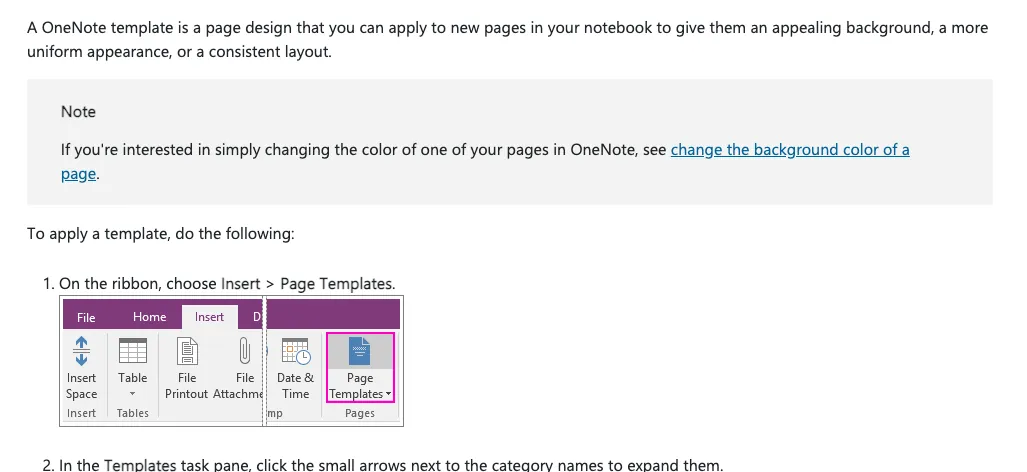
Microsoft's official templates live inside OneNote on Windows. Microsoft's support article describes them as page designs "that you can apply to new pages in your notebook," including decorative backgrounds, planners and to-do lists. A Microsoft Tech Community guide from May 2025 lists five categories:
- Academic: simple and detailed lecture notes.
- Blank: college-ruled paper, postcard and index-card sizes, and colored backgrounds.
- Business: simple and detailed meeting notes.
- Decorative: themed backgrounds.
- Planners: to-do lists.
Things to know before you rely on the built-in set:
- Windows desktop only. Microsoft's template articles apply to OneNote for Microsoft 365, OneNote 2024, 2021 and 2016 on Windows. OneNote for the web can open and edit pages that were made from a template, but Microsoft says creating or customizing templates "isn't possible with OneNote for the web." OneNote for Mac has no template gallery.
- New pages only. Microsoft notes that templates can be applied only to new pages without notes. To use a template on an existing page, create a new page from the template and copy your notes into it.
- OneNote for Windows 10 is read-only. Microsoft ended support for OneNote for Windows 10 on October 14, 2025. You can still open and view notes in it, but not edit or sync them, so use the OneNote app for Windows instead.
- No OneNote downloads on Microsoft Create. The Microsoft Create template site (create.microsoft.com) now opens the Microsoft 365 Create experience. On November 6, 2026 we did not find a OneNote template category there, so don't expect
.onedownloads from it.
Free third-party OneNote template sources
CalendarLabs: free OneNote calendars and planners
CalendarLabs publishes free OneNote calendar templates for 2025, 2026 and 2027, including monthly, weekly, quarterly and yearly layouts. Each template page offers a OneNote download and a PDF download. The US versions mark federal holidays. The site says you can edit, download and print the templates for free, and asks you to keep its copyright label on them.
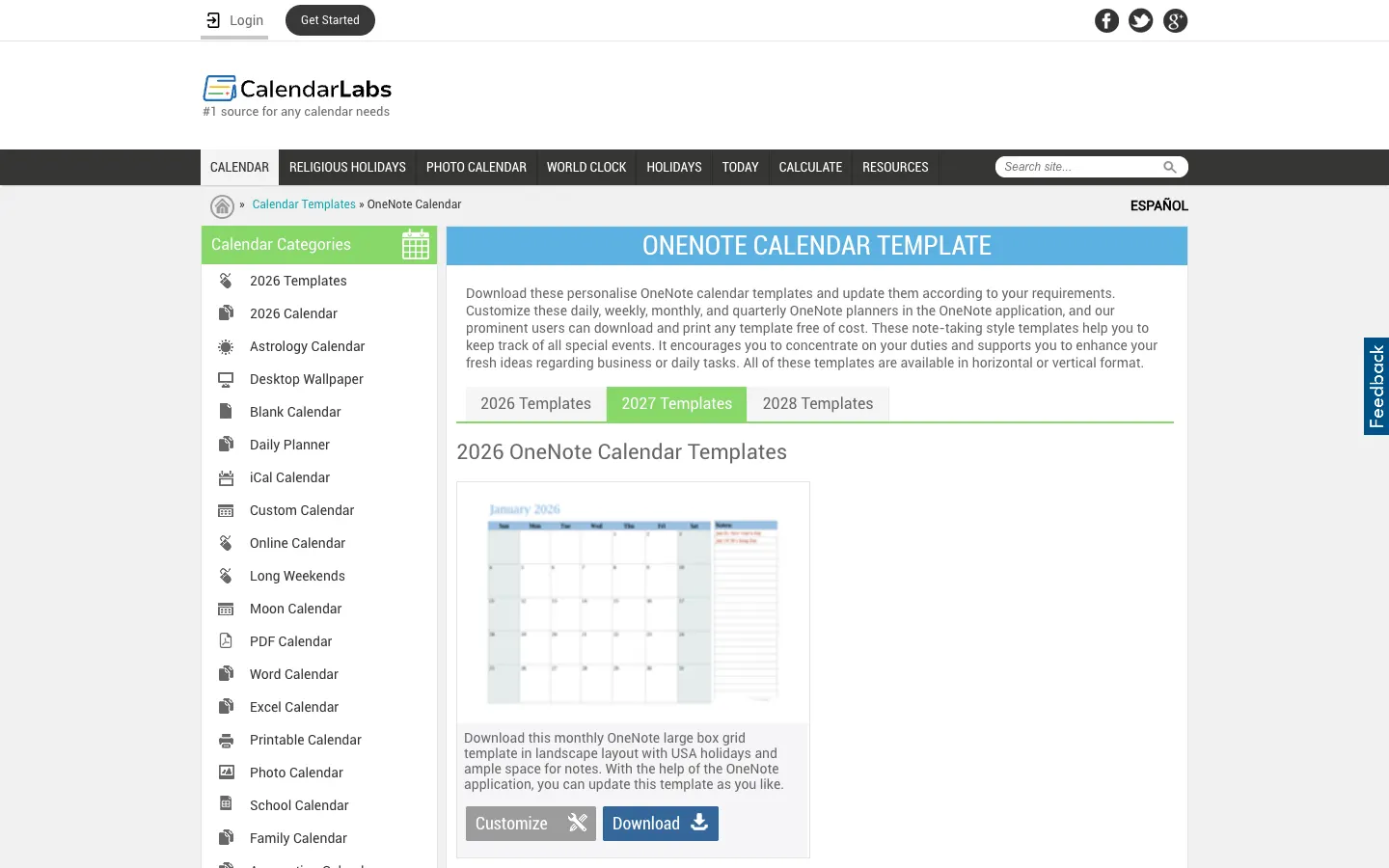
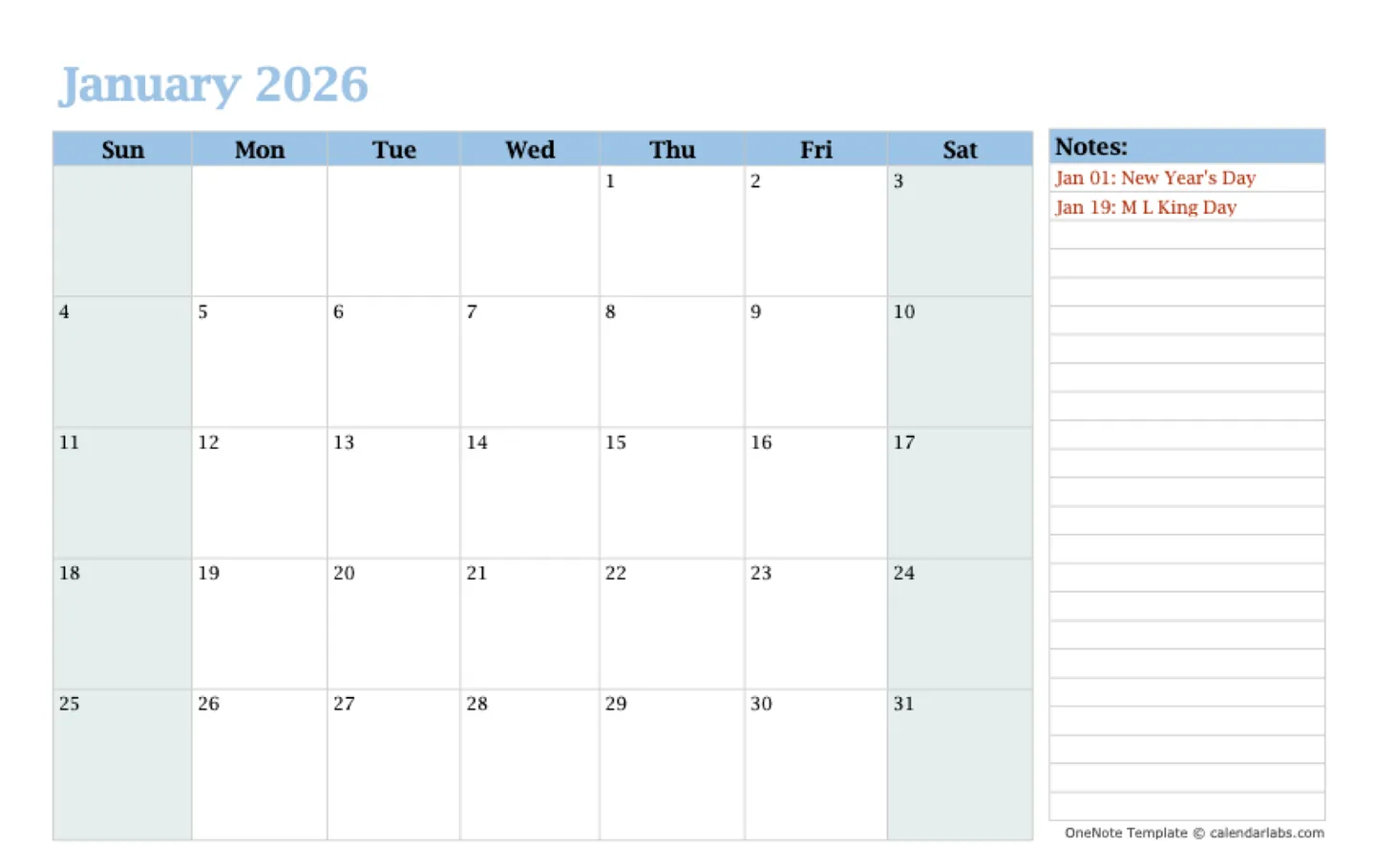
Best for: calendars, weekly planners and holiday-aware monthly views. Watch out for: the site is ad-supported, and the templates are calendar layouts rather than full planning systems.
OneNote Gem: free .one page and notebook templates
OneNote Gem sells OneNote add-ins, and its template library offers free direct downloads. Page templates include Cornell notes, Getting Things Done, Four Quadrants of Time Management, Kanban, weekly assignments, daily work schedules and to-do lists. Notebook templates (.onepkg) include a work notebook, a student notebook and a shared group-project notebook.
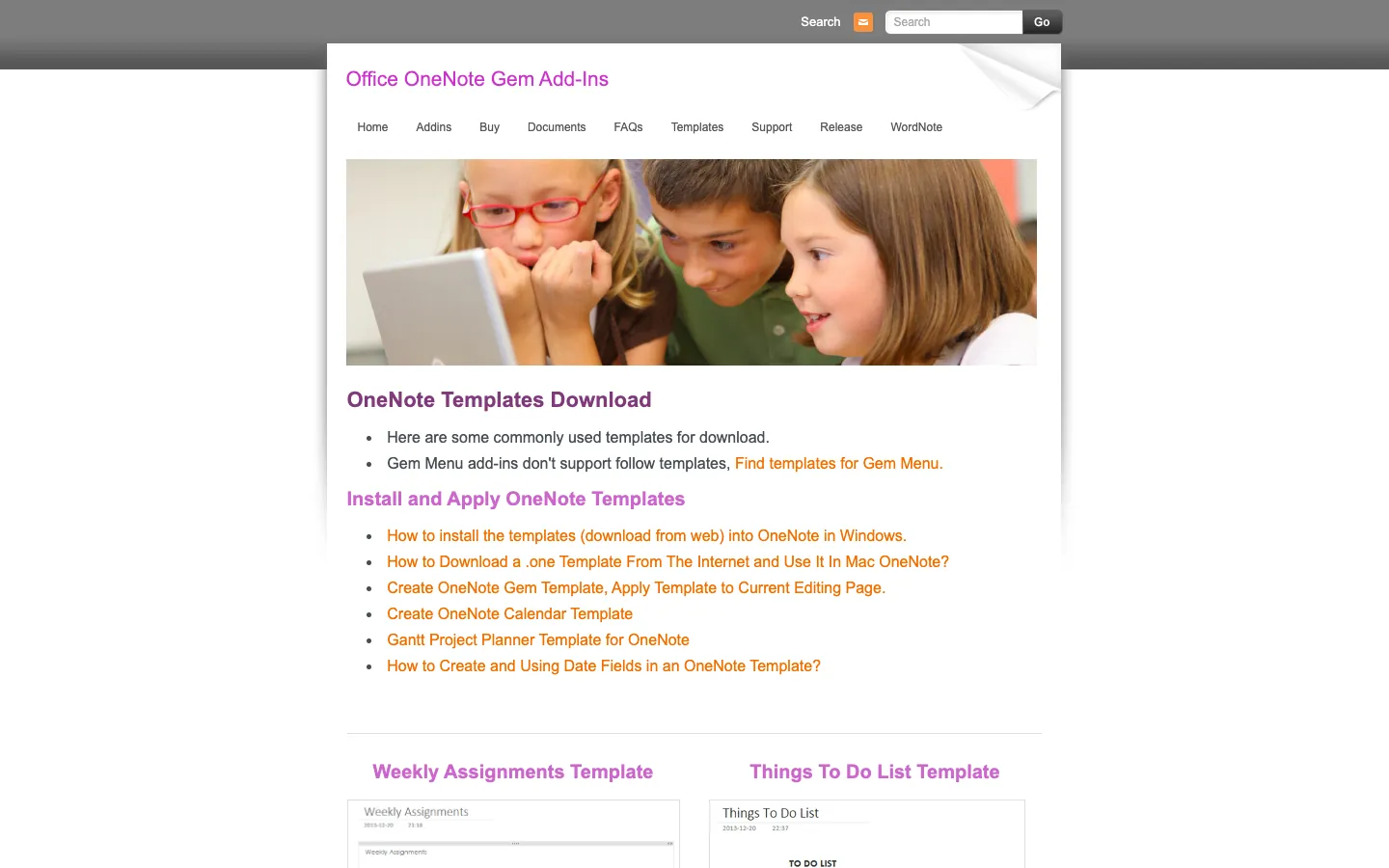
Best for: students and anyone who wants Cornell notes, GTD or Kanban structures without building them. Watch out for: several files are dated (for example, 2014, 2015 and 2018 calendars), and Gem's own install guides use its paid add-ins. You can skip the add-ins and use the import steps below.
Onetastic: macros that generate pages
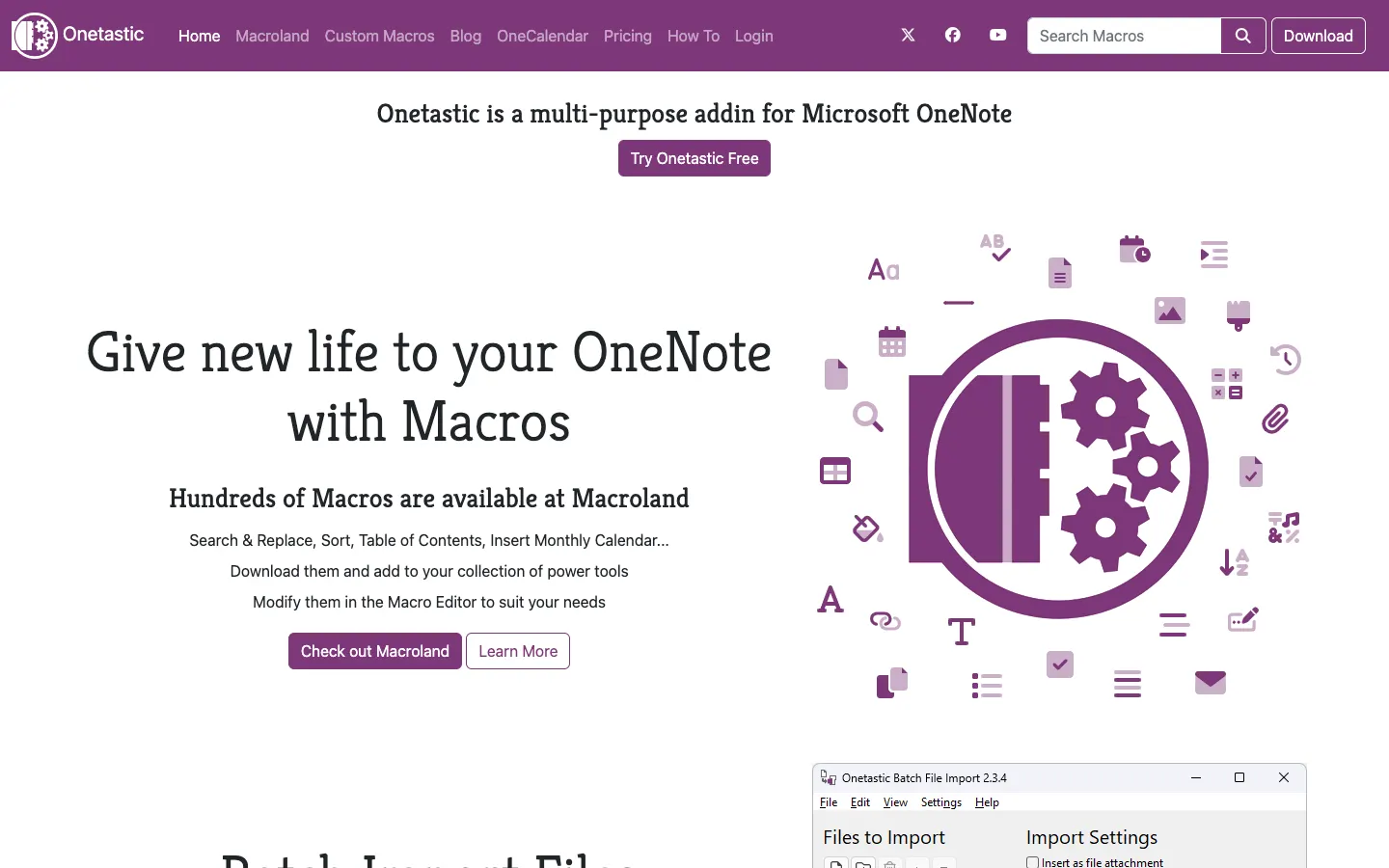
Onetastic is an add-in for OneNote on Windows. Its Macroland library includes macros such as Insert Monthly Calendar, which builds a page for you instead of giving you a fixed file. The free version lets you download up to 20 macros and run them up to 500 times. Pro costs $19.99 per year. Onetastic says it does not work with OneNote for Windows 10, Mac, iOS or Android, because those versions do not support third-party add-ins.
OneNote Class Notebook for teachers
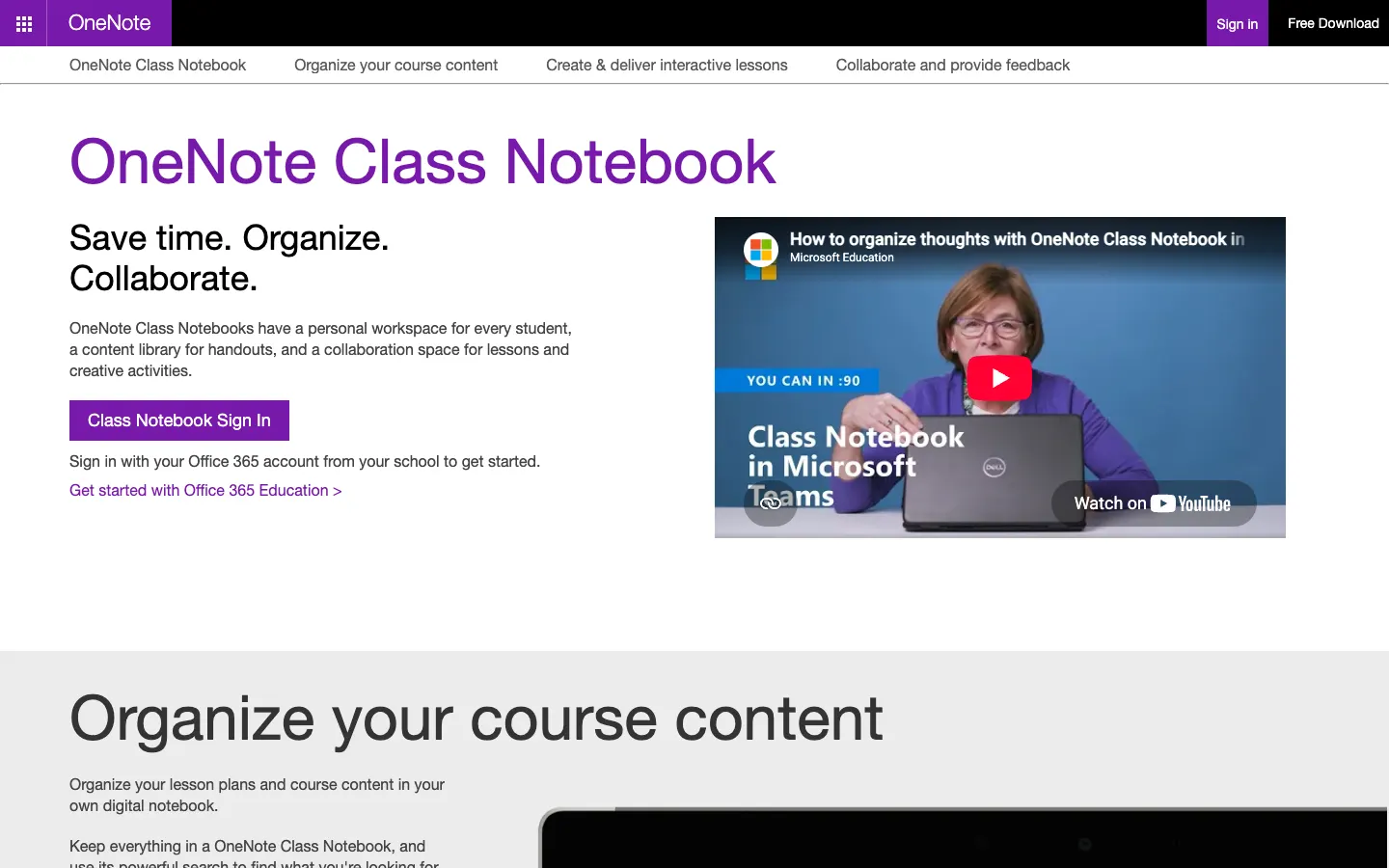
OneNote Class Notebook is Microsoft's notebook setup for schools. It gives each student a private workspace and adds a content library for handouts and a collaboration space for lessons. It is a notebook structure rather than a page template, and you sign in with a school Microsoft 365 account to create one. For page-level layouts in a class notebook, use the Academic built-in templates or a Cornell notes template.
How to use and import OneNote templates
The steps depend on where the template comes from and which OneNote you use.
| Task | OneNote on Windows | OneNote for Mac | OneNote for the web |
|---|---|---|---|
| Use the built-in templates | Yes: Insert > Page Templates | No template gallery | No; you can edit pages created from a template |
| Save your own template | Yes: Save current page as a template | Copy a "master" page instead | No |
Open a downloaded .one or .onepkg file | Yes | No; open it on Windows and copy the pages into a synced notebook | No |
| Use a PDF template | Insert > File Printout | Insert > Insert file as PDF Printout | Not covered by Microsoft's web help |
Apply a built-in template (Windows)
- Open a new, empty page.
- On the ribbon, choose Insert > Page Templates.
- In the Templates pane, expand a category and select a template. You can keep selecting until you find one you like.
- Close the pane and start taking notes.
Save your own page as a template (Windows)
- Create a page and add the headings, tables and text you want on every copy.
- Go to View > Paper Size and set the paper size and margins.
- At the bottom of the Paper Size pane, select Save current page as a template, give it a name and select Save.
- Your template now appears under My Templates in the Templates pane. (Steps from Microsoft's Create or customize page templates article.)
To make every new page in a section use your template, open Insert > Page Templates and choose it under Always use a specific template at the bottom of the pane.
Import a downloaded .one or .onepkg template (Windows)
- Download the file. A
.onefile is a single section; a.onepkgfile is a packaged notebook. - Double-click a
.onefile to open it in OneNote. A section opened this way appears under Open Sections rather than inside one of your notebooks. - Double-click a
.onepkgfile to unpack it. OneNote asks where to save the new notebook. Microsoft's forum moderators suggest saving it as a local notebook first, outside your OneDrive folder, and then using File > Share to move it to OneDrive. - Copy the template page into your own notebook: right-click the page tab, choose Move or Copy, pick a section in your notebook and select Copy.
- If you'll reuse it, open the page and choose Save current page as a template so it appears under My Templates.
Use a PDF template (Windows and Mac)
PDF planners, such as CalendarLabs' PDF versions, become images on your page:
- Windows: choose Insert > File Printout and select the PDF. To type over a page image, right-click it and choose Set Picture as Background.
- Mac: choose Insert > Insert file as PDF Printout (Microsoft's Mac instructions). Each PDF page is inserted as a picture that you can set as the page background before writing over it.
PDF printouts cannot be edited like normal notes, so they work best for printable calendars, ruled paper and planners you fill in by hand or with a pen.
Templates on OneNote for Mac
OneNote for Mac has no template gallery and cannot open a downloaded .one file. The workaround is a "master" page:
- Build the page once in a section named, for example, Templates.
- Control-click the page tab and choose Copy Page To (Microsoft's instructions).
- Pick the destination section and select Copy.
For a downloaded .one template, Microsoft Community moderators suggest opening it in OneNote on a Windows PC, copying its pages into a notebook stored on OneDrive, and letting that notebook sync to your Mac.
Templates on OneNote for the web
OneNote for the web cannot create, customize or apply page templates. It can open and edit pages that were created from a template in the desktop app. If you work mainly in a browser, create the page from a template on Windows once, then duplicate that page as needed, or use a PDF template on a computer with desktop OneNote.
Which free OneNote template to use
| If you need | Start with |
|---|---|
| Lecture or class notes | Built-in Academic templates, or the OneNote Gem Cornell notes template |
| Meeting notes for work | Built-in Business meeting notes templates |
| Daily, weekly or monthly planner | CalendarLabs for dated calendars; built-in Planners for to-do lists |
| A to-do list or task board | Built-in Planners to-do lists, or OneNote Gem's Kanban and GTD templates |
| A whole notebook set up for you | OneNote Gem's work, student or group-project .onepkg notebooks |
| Templates on Mac or the web | A master page you copy, or a PDF template inserted as a printout |
| A full class setup | OneNote Class Notebook |
AFFiNE templates: an alternative, not a OneNote template
If you've decided to move away from OneNote, or you want templates that go beyond fixed page layouts, AFFiNE offers free templates of its own. They are AFFiNE documents and whiteboards, not .one files, and they cannot be imported into OneNote. AFFiNE is our product. To compare OneNote with other apps, including AFFiNE, read our guide to OneNote alternatives.
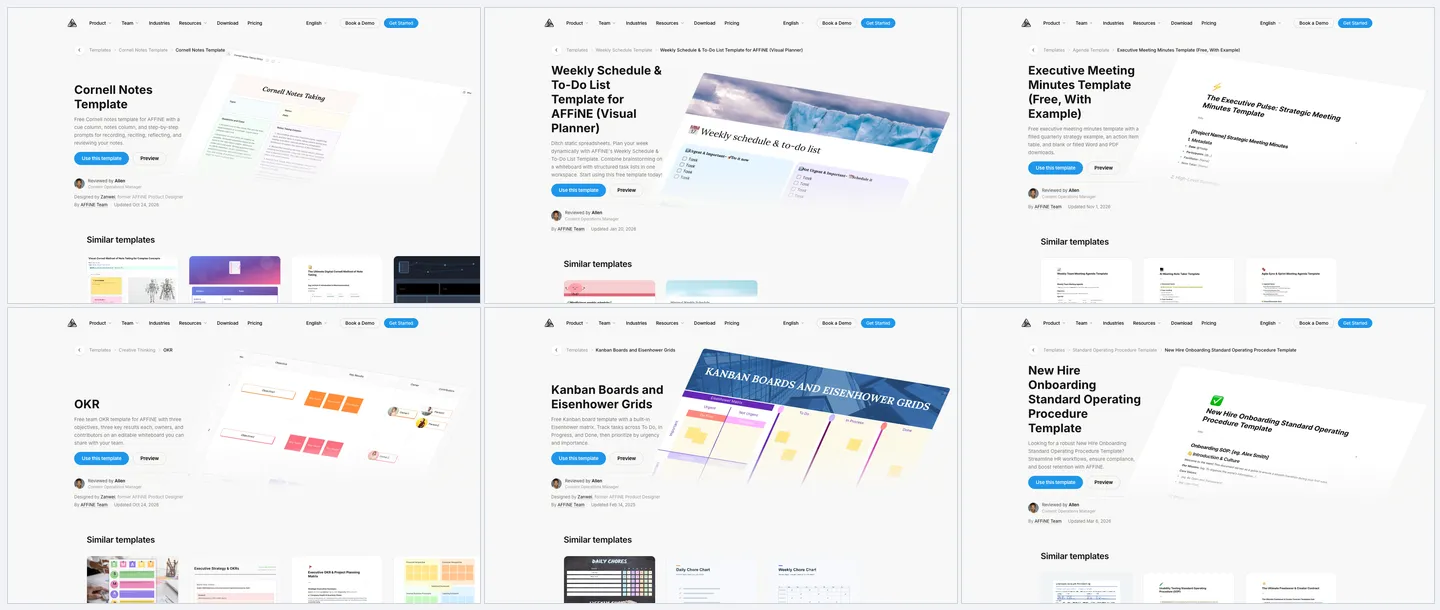
| AFFiNE template | What it covers |
|---|---|
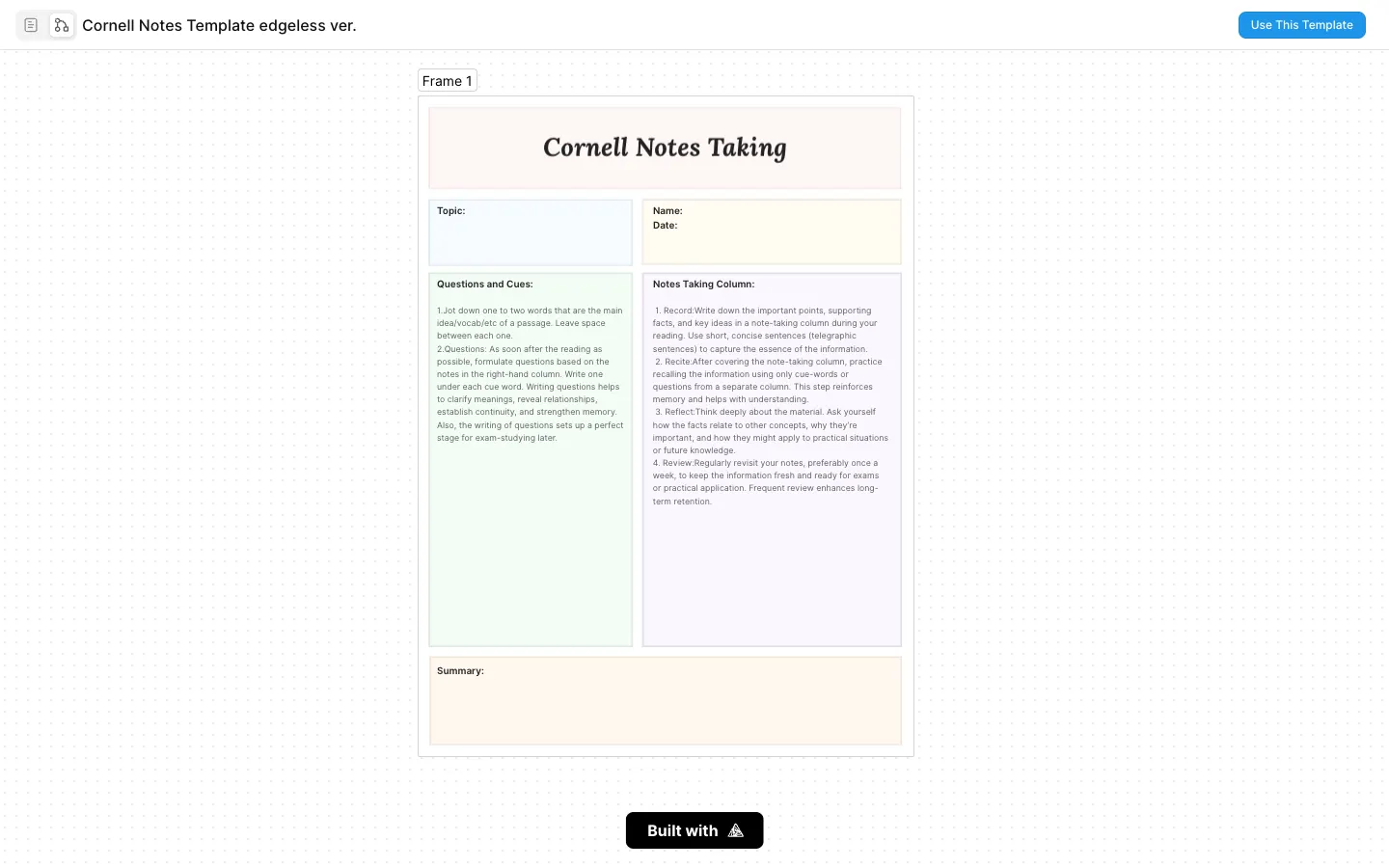
| Cornell Notes Template | Cue column, notes column and prompts for reviewing your notes |
| Weekly Schedule & To-Do List | A weekly plan with task lists and a whiteboard for brainstorming |
| Executive Meeting Minutes | Agenda, decisions and an action item table, with a filled example |
| Team OKR Template | Objectives, key results, owners and contributors on one board |
| Kanban Board and Eisenhower Grid | To Do, In Progress and Done columns plus an urgency and importance matrix |
| New Hire Onboarding SOP | A step-by-step standard operating procedure for onboarding |
For more detail on the methods behind these templates, see our guides to OKR templates, writing an SOP and mind map examples.
Moving existing OneNote notes: AFFiNE 0.27 added a OneNote importer to the desktop app, alongside importers for Obsidian, Bear and Notion. Test it on a small notebook first and check handwriting, attachments and links before you move everything. The OneNote alternatives guide includes a migration checklist.
Frequently asked questions
Does Microsoft offer free OneNote templates?
Yes. OneNote on Windows includes free built-in page templates in the Academic, Blank, Business, Decorative and Planners categories under Insert > Page Templates. You can also save any page you design as your own template. Microsoft does not offer a separate OneNote template download gallery.
Where can I download free OneNote templates?
CalendarLabs offers free OneNote and PDF calendars and planners for 2025 to 2027. OneNote Gem offers free .one page templates and .onepkg notebook templates, though many of its designs are several years old. Both were checked on November 6, 2026.
Can I use OneNote templates in OneNote for the web?
Only partly. OneNote for the web can open and edit pages that were created from a template, but it cannot create, customize or apply templates. Apply the template in OneNote on Windows first.
Does OneNote for Mac have templates?
OneNote for Mac has no built-in template gallery and no Page Templates button. Keep a master page and use Copy Page To, or insert a PDF template with Insert > Insert file as PDF Printout.
How do I import a downloaded OneNote template?
In OneNote on Windows, double-click the .one file to open it as a section, or double-click a .onepkg file to unpack it as a notebook. Then copy the template page into your notebook and choose Save current page as a template in the Templates pane.
What happened to Notegram?
Notegram, a web app that saved OneNote templates to your notebook through a Microsoft sign-in, is no longer available. Its address no longer resolves, so we removed it from this guide.
Do OneNote templates work in OneNote for Windows 10?
OneNote for Windows 10 reached end of support on October 14, 2025, and is now read-only. You can view existing notes but cannot create or edit pages, so use the OneNote app for Windows to apply templates.
Can I move my OneNote notes into AFFiNE?
Yes. AFFiNE 0.27 added a OneNote importer to the AFFiNE desktop app. Import a small notebook first and check the result before moving everything. OneNote templates themselves are not converted into AFFiNE templates.