
10 Trello Alternatives and How to Move Your Boards
What changed (Nov 14, 2026): Rebuilt the guide around why teams leave Trello: Trello's current free-plan limits (10 collaborators and 10 boards per Workspace, paid views, JSON-only export on Free), ten alternatives grouped by reason with what you gain and lose, and how each one imports Trello boards. Rechecked every price and import path on official pages, replaced Podio and Hive with the open source WeKan and Kanboard, moved AFFiNE out of first place with a disclosure, removed promotional copy and the Twitter link, and added a comparison table, methodology, migration steps, FAQs, sources, dated screenshots and a new cover.
The right Trello alternative depends on why you are leaving Trello. If you need timelines, Gantt charts and dashboards, look at Asana, ClickUp or Wrike. If you only want a simple board that your free plan will not outgrow, try MeisterTask or KanbanFlow. Teams that work with clients and want a flat monthly price usually compare Basecamp and ProofHub. If you want to host the board yourself, WeKan and Kanboard are open source. And if your boards mostly sit next to notes and documents, AFFiNE combines docs, whiteboards and Kanban views in a local-first workspace. Before you choose, check how each tool imports your Trello boards: some connect to Trello directly, while others need a CSV file that only Trello Premium can export.
Updated November 14, 2026. Disclosure: AFFiNE publishes this blog and is one of the ten tools below. We applied the same checks to it and list its limits. The tools are grouped by the reason you might switch, and the order is not a ranking.
Why teams leave Trello: what the free plan includes in 2026
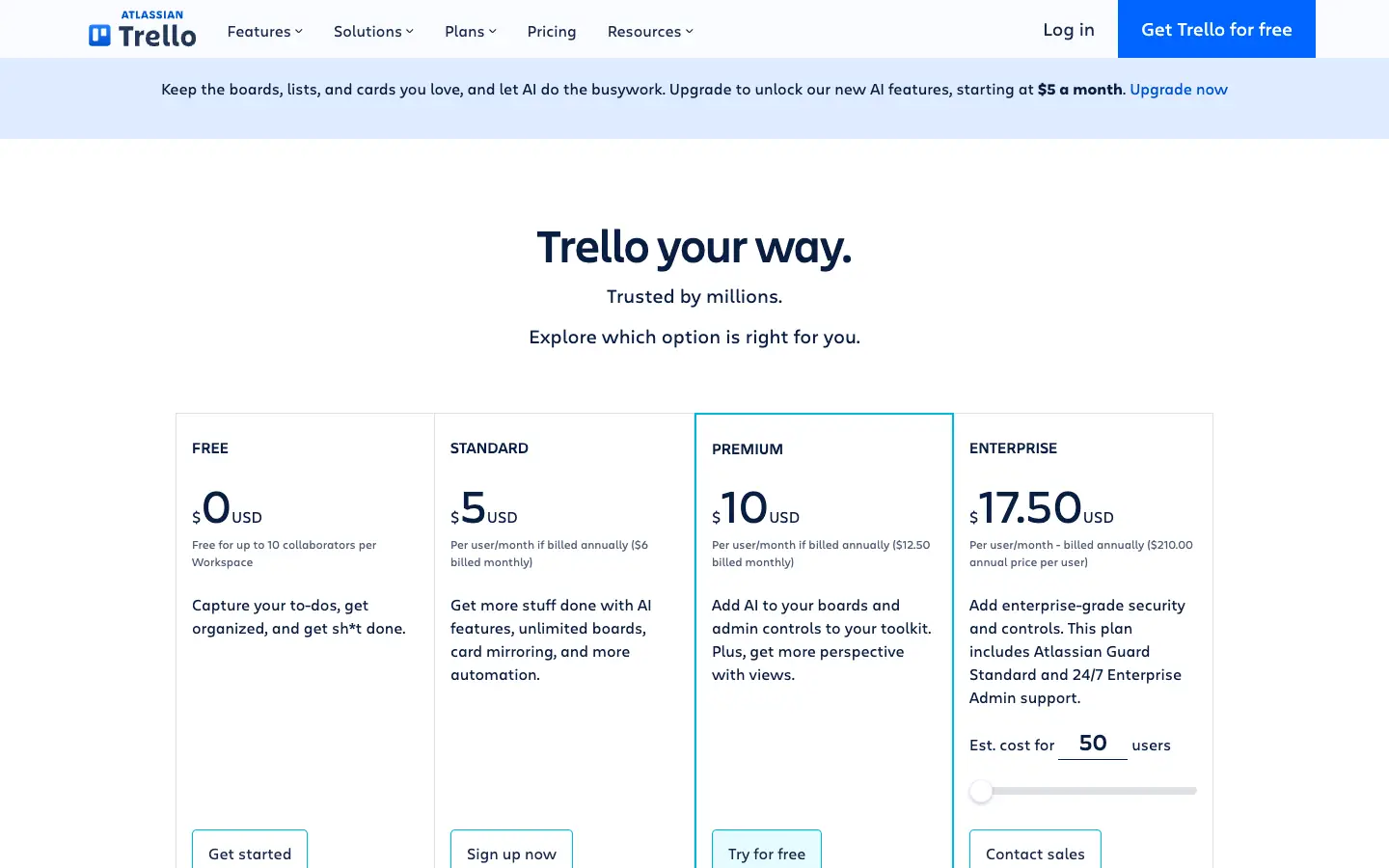
Trello is still one of the easiest ways to put cards in columns and share them. People usually start looking for a replacement when they hit one of these limits. All of them come from Trello's pricing page and help center, checked on November 14, 2026:
- 10 collaborators and 10 boards per Workspace on Free. The free plan includes unlimited cards and unlimited Power-Ups, but a Workspace can have at most 10 collaborators and 10 boards. Standard removes the board limit and costs $5 per user a month billed annually ($6 monthly).
- Views beyond the board are paid. Calendar, Timeline, Table, Dashboard and Map views are part of Premium, which costs $10 per user a month billed annually ($12.50 monthly). Free users get the board, plus a view-only Planner.
- Small files and limited automation. Free has a 10 MB limit per file and 250 Workspace command runs (automations) a month.
- Exports are basic on Free. Every board member can export a board as JSON, but CSV export and exporting all boards in a Workspace at once require Premium, according to Trello's export guide.
- Offline work. Trello's offline mode was built for its iOS and Android apps. If you need to plan on a laptop without a connection, you need another tool.
If none of these limits affects you, Trello may still be the simplest option. Our guide to free kanban board apps compared by free-plan limits covers Trello next to other free boards. This guide is for teams that have already decided to leave Trello and want to know what they gain, what they lose and how to move their boards.
Trello alternatives at a glance
| Tool | Switch to it if you need | Free plan | Paid plans from | Getting your Trello boards in |
|---|---|---|---|---|
| Asana | Timelines, Gantt charts and dashboards | Personal: up to 2 users; list, board and calendar views | Starter $10.99 per user a month, billed annually | CSV importer, or the third-party Migrator.xyz app |
| ClickUp | Many views and docs in one app, with unlimited free members | Unlimited members, 60 MB storage, 5 Spaces | Core $9 per user a month | Built-in Trello importer |
| Wrike | Gantt charts, dashboards and reporting for a growing team | Free plan with board and table views | Team $10 per user a month (2 to 15 users) | Excel import; no Trello importer found |
| KanbanFlow | A simple board with WIP limits and a Pomodoro timer | Unlimited boards and tasks, WIP limits | Premium $5 per user a month | Excel or CSV import (Premium) |
| MeisterTask | A Trello-style board with a direct import | Unlimited team members, up to 3 projects per team | Pro $12.50 per user a month, billed yearly | Built-in Trello importer on all plans |
| Basecamp | Client projects with flat monthly pricing | 1 project, 1 GB, up to 3 users | Freelancer $29 a month (3 projects, 5 users) | No Trello importer found |
| ProofHub | Unlimited users for one flat fee | No free plan (free trial) | Essential $45 a month, billed annually | CSV task import |
| WeKan | An open source, self-hosted Trello-style board | Free to self-host (MIT license) | No hosted plan; paid commercial support | Built-in import from Trello JSON, a .zip or Trello's API |
| Kanboard | A minimal self-hosted board with WIP limits | Free to self-host (MIT license) | No hosted plan listed | Community plugin for Trello JSON |
| AFFiNE | Boards next to docs and whiteboards, offline-capable | Unlimited local workspaces; cloud: 10 GB, up to 3 members per workspace | Pro $6.75 a month, billed annually | No Trello importer |
Prices are list prices in US dollars as shown on each vendor's pricing page on November 14, 2026. Taxes, regional prices, promotions and monthly billing can change what you pay.
How we chose and checked these tools
- Starting point: the ten tools from the previous version of this guide, which we kept where they still fit a clear reason to switch. We removed Podio and Hive to make room for two open source boards, WeKan and Kanboard, because "free" and "open source" Trello alternatives are a common request.
- Reason to switch: every tool had to fix at least one of the Trello limits above better than Trello does on a comparable plan.
- Prices and limits: read on each vendor's official pricing page on November 14, 2026. Where a plan is billed annually by default, we say so.
- Import paths: checked in each vendor's help center or documentation. "No Trello importer found" means we did not find one in the vendor's own documentation on that date, not that migration is impossible.
- What we did not do: we did not run long-term trials, benchmarks or full test migrations with real Trello boards. We did not sign in to any product to take screenshots.
- Screenshots: captured at 1440×900 in a headless browser on November 14, 2026, without signing in. Most show a pricing page or import documentation, because those are the pages this guide relies on. The AFFiNE screenshot comes from our own demo workspace.
If you need timelines, dashboards and more views
Asana
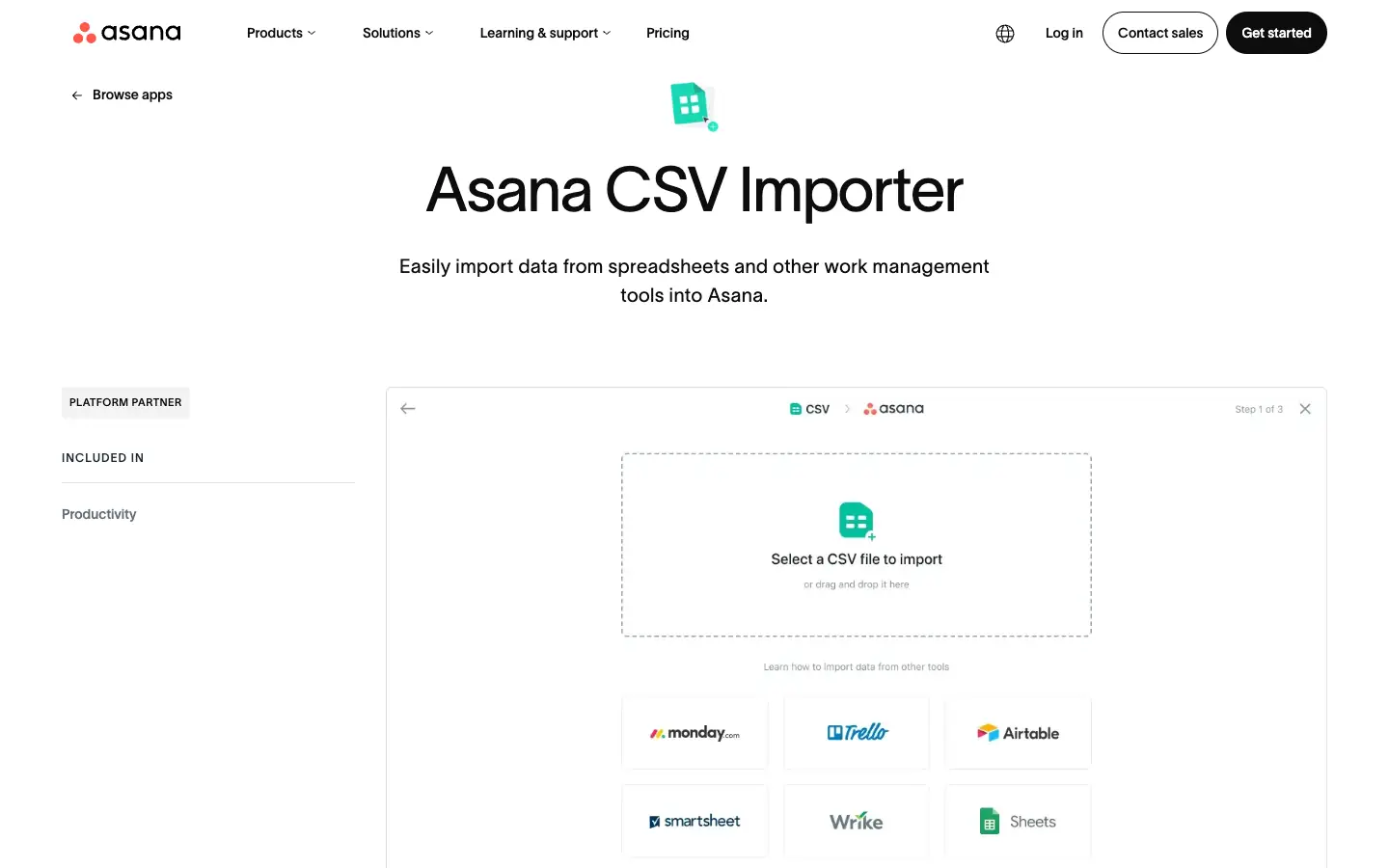
Asana is a work management tool with list, board, calendar, timeline and Gantt views, plus goals and portfolios on higher plans. On its pricing page, the free Personal plan is now described as "for one or two people": it allows 2 users, unlimited tasks and projects, and list, board and calendar views. Starter costs $10.99 per user a month billed annually, removes the seat limit and adds timeline and Gantt views, reporting dashboards, forms and unlimited automations. Advanced costs $24.99.
To move from Trello, you can create a project from a CSV file with Asana's CSV importer. Asana's app directory also lists Migrator.xyz, a third-party tool that copies Trello boards into Asana with their dates, labels, checklists and attachments.
- What you gain: timeline and Gantt views, task dependencies and dashboards on Starter, without Trello Premium.
- What you lose: the free plan is smaller than Trello's. Two users is a trial for most teams, so budget for Starter.
If Asana is not a fit either, our Asana alternatives guide compares other options.
ClickUp
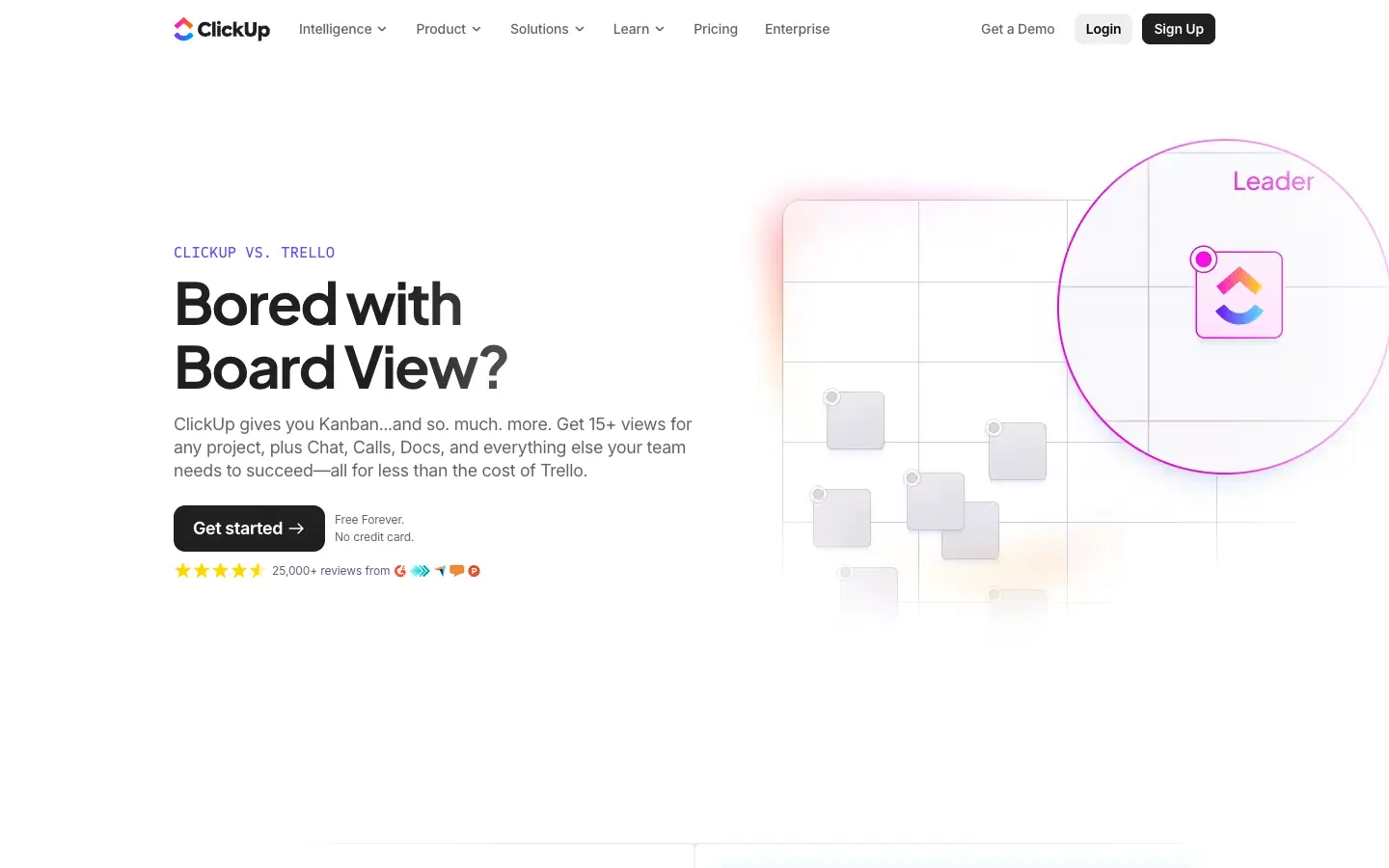
ClickUp puts tasks, docs, whiteboards, chat and many views in one app. Its Free Forever plan has no member limit, which is the main difference from Trello's 10 collaborators, but it includes only 60 MB of file storage and 5 Spaces, and Gantt, Timeline and Workload views are trials. Core costs $9 per user a month and adds unlimited storage and Gantt charts; Business costs $17 and adds the Timeline and Workload views.
ClickUp has a built-in Trello importer. You connect your Trello account, map each board to a ClickUp Folder, and choose whether Trello lists become statuses or Lists. According to ClickUp's help article, it imports assignees, attachments (up to 1 GB per file), comments, descriptions, tags, priorities, due dates, checklists and custom fields. Cover images are not imported.
- What you gain: unlimited free members, more views and docs next to your tasks.
- What you lose: Trello's simplicity. ClickUp has many settings, and the 60 MB storage limit on Free fills up quickly if your cards have attachments.
Wrike
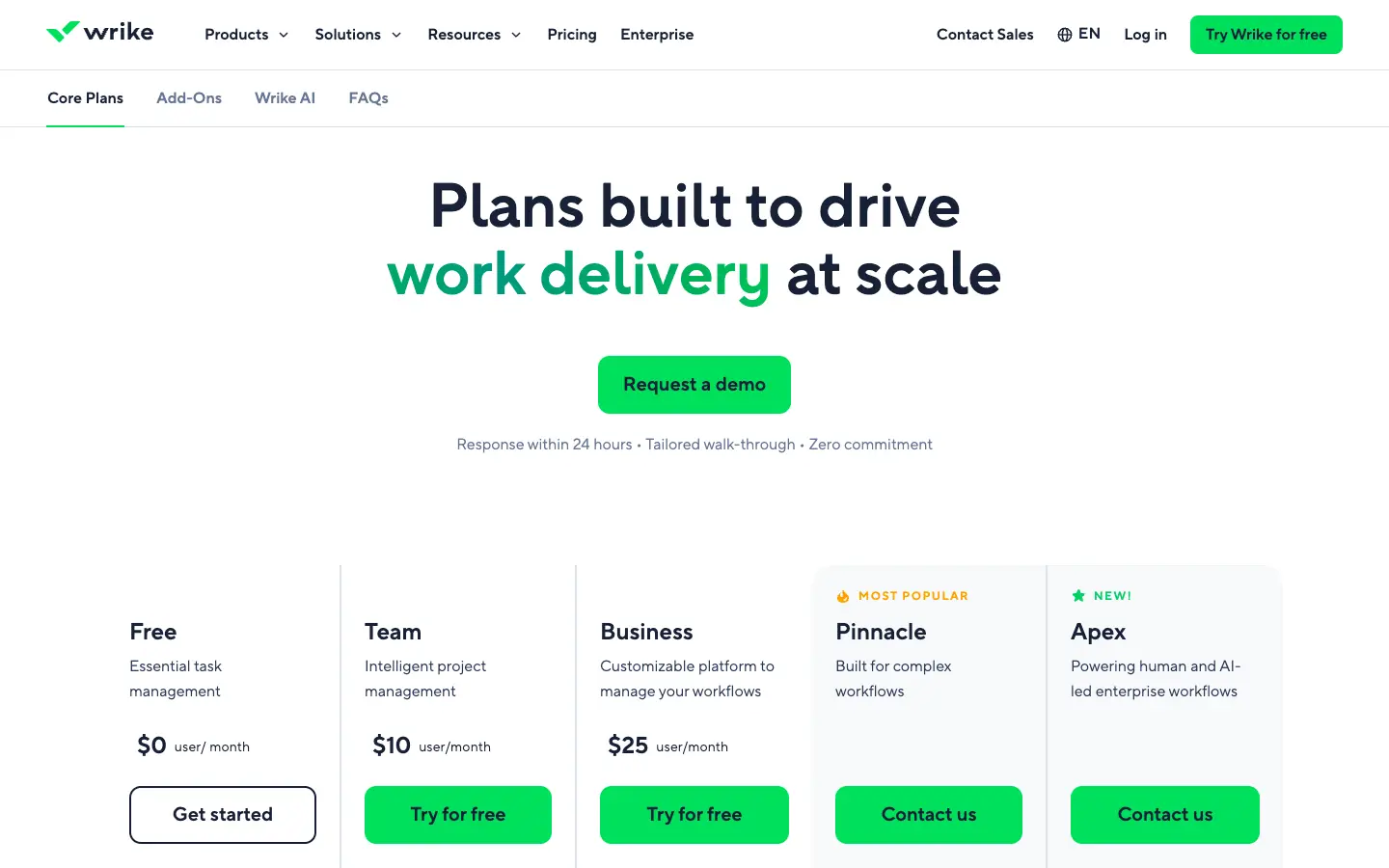
Wrike is a project management suite for teams that need planning and reporting. According to its pricing page, the Free plan includes project and task management, a drag-and-drop board view, a table view, and web, desktop and mobile apps. Team costs $10 per user a month for 2 to 15 users and adds interactive Gantt charts and dashboards. Business costs $25 per user a month for 5 to 200 users.
Wrike's help center documents importing tasks and projects from Excel (XLS or XLSX). We did not find a built-in Trello importer in Wrike's documentation. To move boards, you would convert a Trello CSV export (a Trello Premium feature) into Wrike's spreadsheet format, or keep both tools in sync for a while with an integration service such as Zapier.
- What you gain: Gantt charts, dashboards and stronger reporting than Trello Premium.
- What you lose: an easy move. Without a direct importer, a large migration takes more manual work.
For a wider list of planning tools in this category, see our project planning and management tools for teams.
If you want a simple board for a small team
KanbanFlow
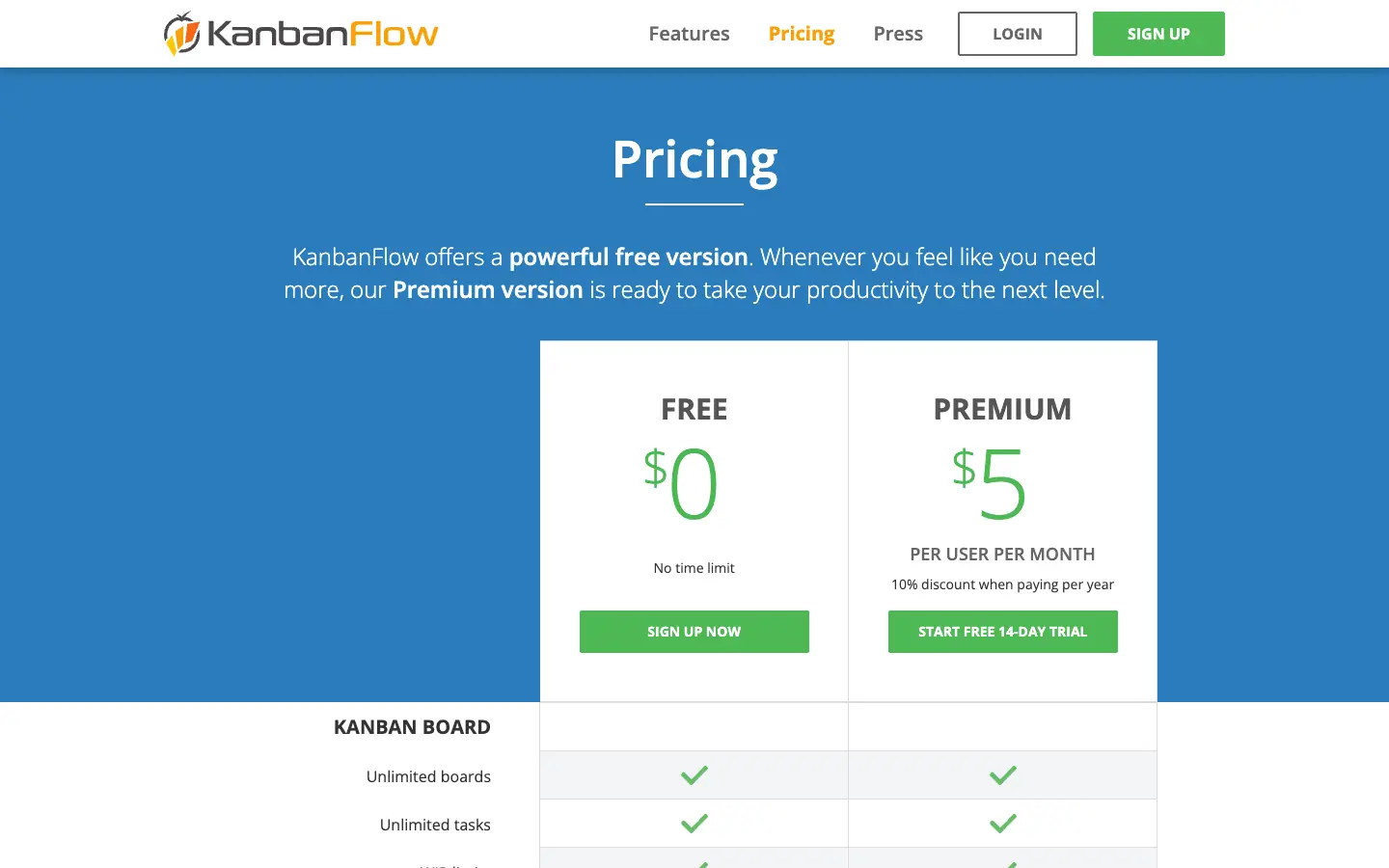
KanbanFlow is a lean kanban app with a built-in Pomodoro timer. The Free version has no time limit and includes unlimited boards and tasks, WIP limits, subtasks and recurring tasks. Swimlanes, file attachments, search and custom fields are Premium features. Premium costs $5 per user a month, with a 10% discount for yearly billing, and can be turned on for only some boards.
KanbanFlow can import tasks from Excel or CSV, but its pricing table lists that import as a Premium feature. Because Trello's CSV export also needs Trello Premium, a CSV move from Trello to KanbanFlow means paying for both for at least a month, or rebuilding boards by hand.
- What you gain: WIP limits and time tracking on a free plan, with no collaborator limit on shared boards.
- What you lose: attachments and search on Free, Trello's Power-Ups, and an easy import.
MeisterTask
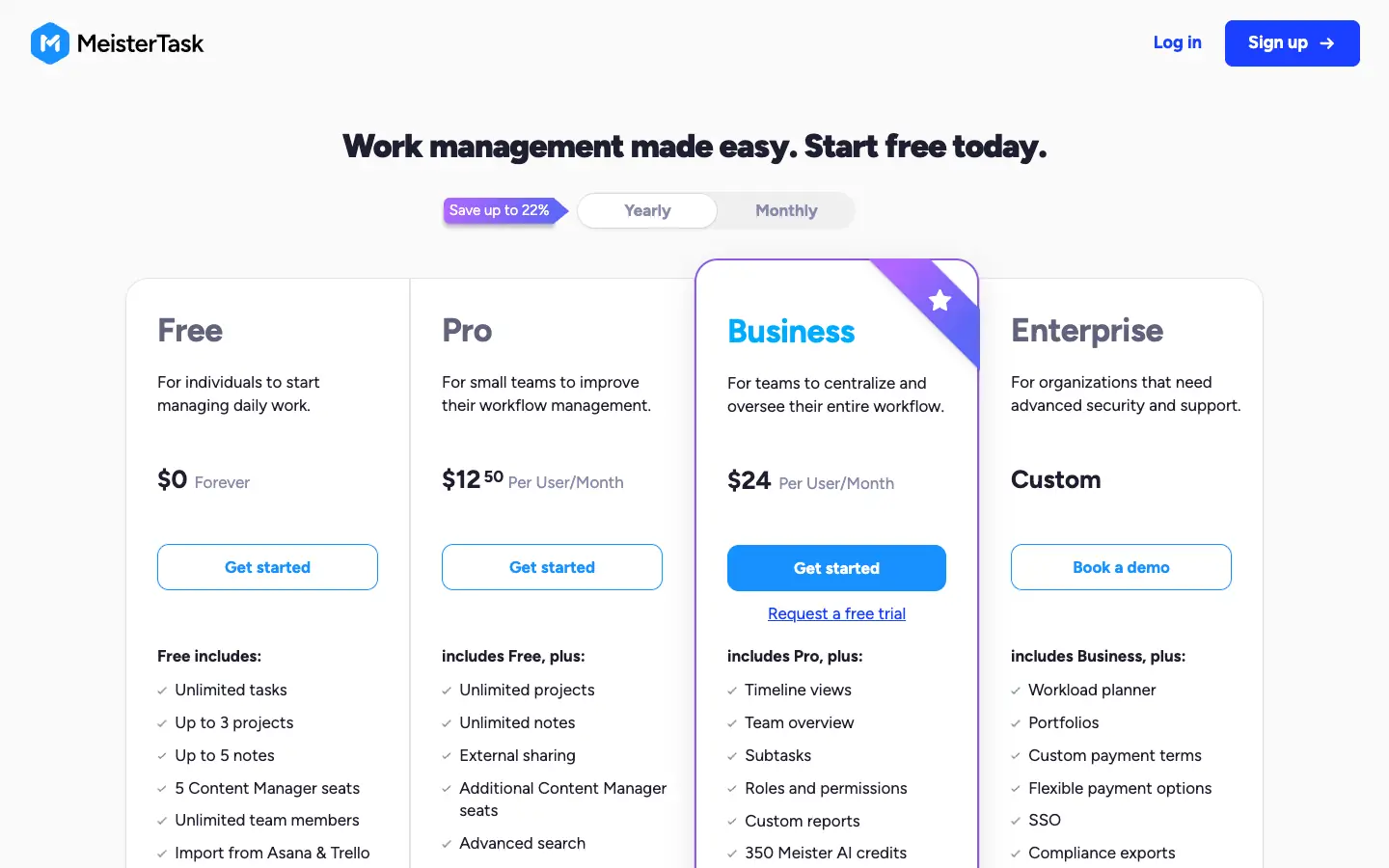
MeisterTask is a board-based task manager that looks and works much like Trello. The Free plan includes unlimited tasks and unlimited team members, but only 3 projects and 5 notes per team. With yearly billing, Pro was listed at $12.50 per user a month and Business at $24 when we checked; Business adds timeline views and reports.
MeisterTask has a direct Trello import: you connect to Trello, choose the boards, and map Trello members to MeisterTask collaborators. MeisterTask says the import is available to all users, with some advanced options limited to Pro and Business.
- What you gain: the easiest move on this list for a small team, and no collaborator limit.
- What you lose: the 3-project limit on Free is tighter than Trello's 10 boards, so most teams that switch will pay for Pro.
If you work with clients and want flat pricing
Basecamp
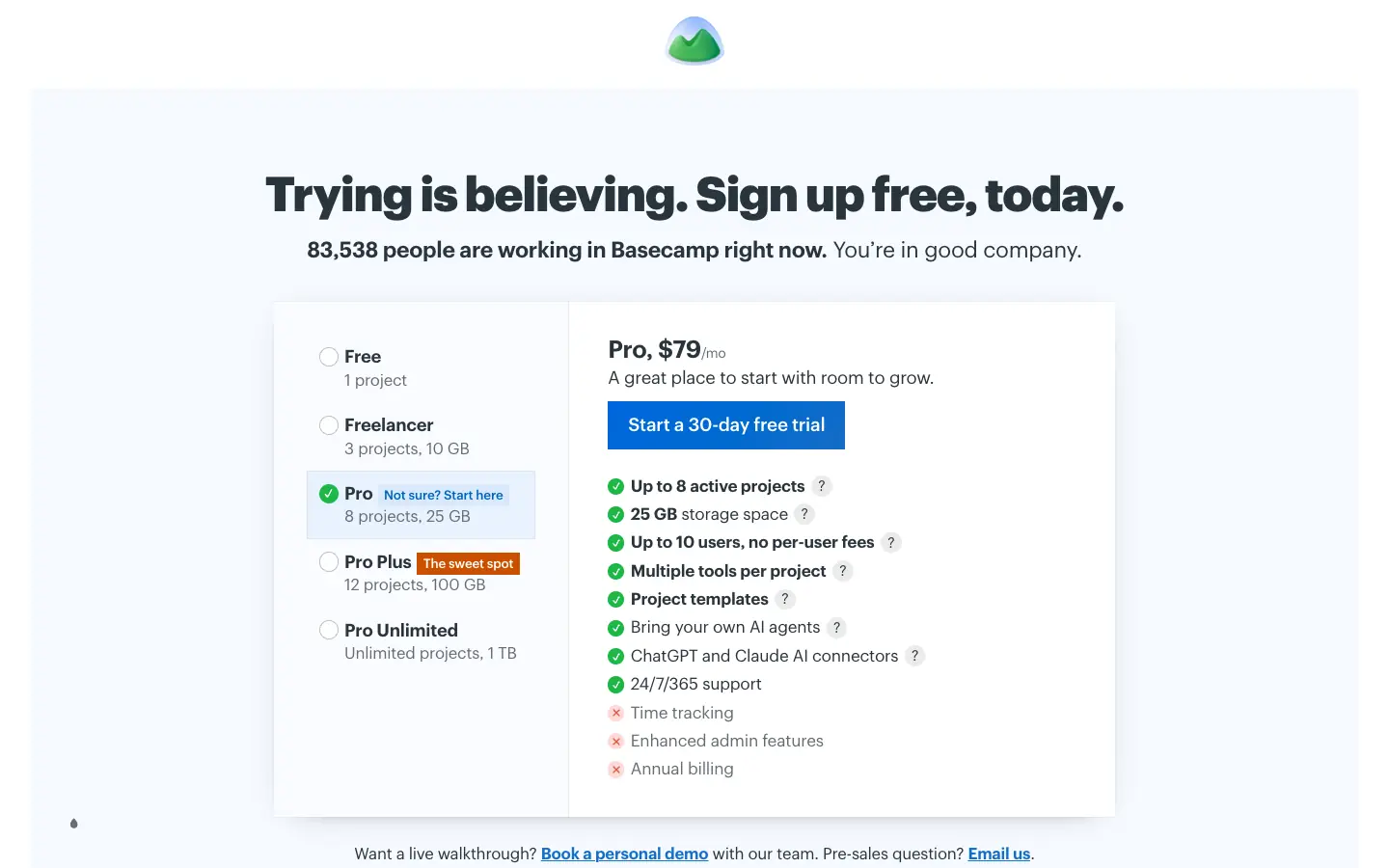
Basecamp organizes each project around message boards, to-do lists, schedules, chat and card tables (Basecamp's kanban board). It prices by package rather than by user, which suits teams that invite clients or contractors into projects. According to its pricing page, Free includes 1 project, 1 GB of storage and up to 3 users. Freelancer costs $29 a month (3 projects, 5 users), Pro $79 a month (8 projects, 10 users), Pro Plus $99 a month (12 projects, 15 users) and Pro Unlimited $199 a month billed annually, with unlimited projects and users.
We did not find a Trello importer in Basecamp's own documentation. Most teams move only their active projects, by recreating them by hand or with a paid migration service.
- What you gain: predictable monthly pricing, with project messages, files, to-dos and boards in one place.
- What you lose: Trello's flexible boards and Power-Ups. Card tables are one tool inside a project, not the center of the app.
ProofHub
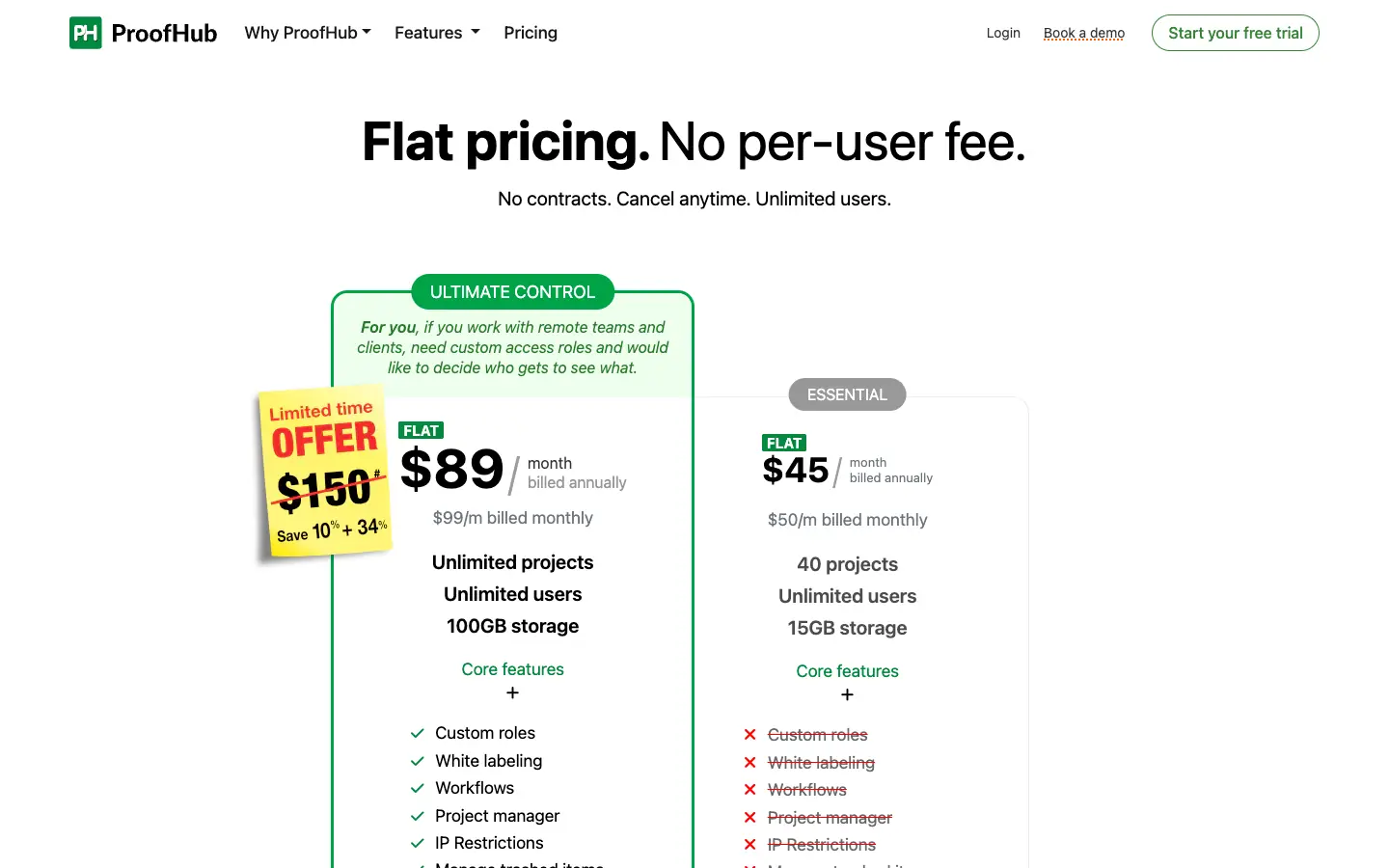
ProofHub combines task boards, Gantt charts, table and calendar views, chat, discussions, notes and time tracking for a flat monthly fee. There is no free plan, only a free trial. According to its pricing page, Essential costs $45 a month billed annually ($50 monthly) for 40 projects, unlimited users and 15 GB of storage. Ultimate Control is advertised at $89 a month billed annually, but ProofHub's FAQ says that is a limited-time price for the first three months; after that it costs $135 a month billed annually ($150 monthly).
ProofHub imports tasks from CSV files, and its help center shows how to export a CSV from Trello. That export needs Trello Premium.
- What you gain: unlimited users for one price, which matters once a team grows past 10 to 15 people.
- What you lose: a free plan, and with it the option to try ProofHub with your whole team for longer than the trial.
If you want open source or self-hosted boards
WeKan
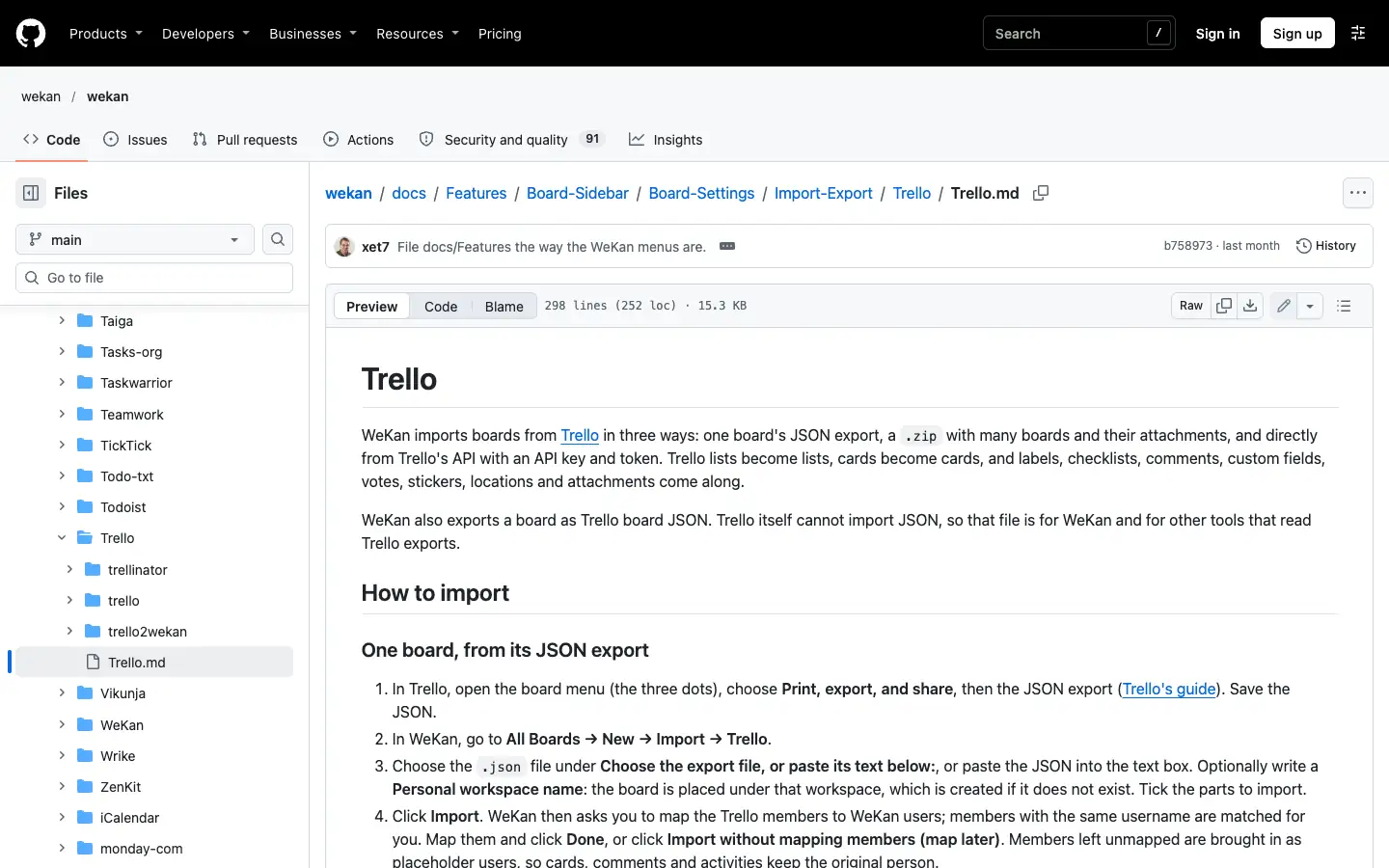
WeKan is an MIT-licensed, self-hosted kanban board in the style of Trello, with boards, lists, cards, swimlanes, checklists and labels. It is released very often: v13.11 was published on November 13, 2026, according to its GitHub releases. WeKan has no hosted plan, but its developer offers paid commercial support.
WeKan has the most complete Trello import on this list. Its Trello import documentation describes three ways in: one board's JSON export, a .zip with many boards and their attachments, or a direct import through Trello's API with an API key and token. Lists, cards, labels, checklists, comments, custom fields and attachments come along, and WeKan asks you to map Trello members to WeKan users. Because the JSON export works on Trello's Free plan, you do not need Trello Premium to move.
- What you gain: no user or board limits and full control of your data.
- What you lose: you run the server, updates and backups yourself, and there are no Power-Ups.
Kanboard
Kanboard is a minimal, MIT-licensed kanban tool that you host yourself. It supports WIP limits, subtasks, Markdown descriptions, automatic actions and a search query language. It is still maintained: v1.2.57 was released on October 31, 2026, according to its GitHub releases. Kanboard's own site says its number of features is "voluntarily limited".
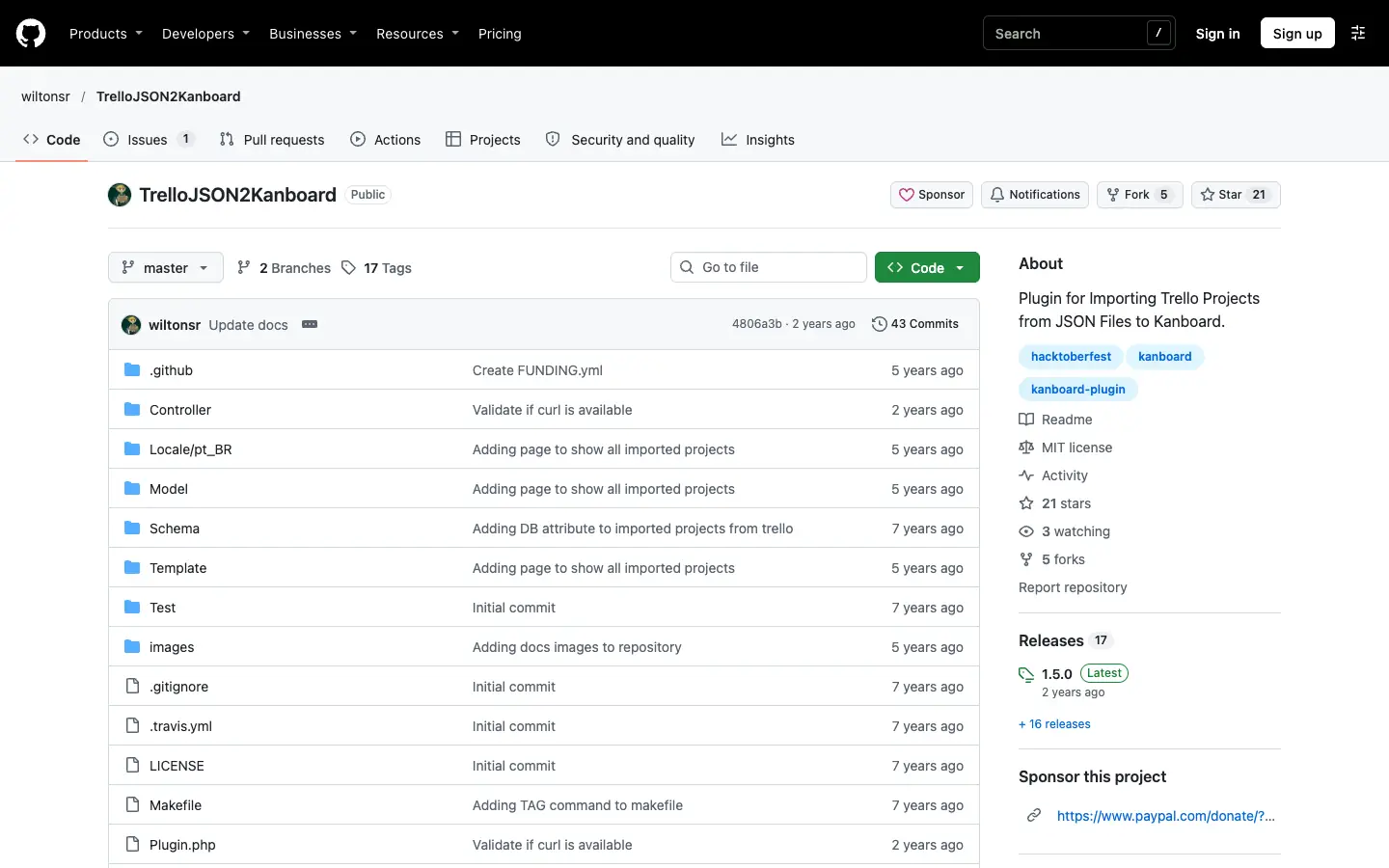
Kanboard has no built-in Trello importer. The community plugin TrelloJSON2Kanboard adds an "Import Trello JSON" option to the dashboard. It is maintained by a volunteer, and its latest release (1.5.0) is from July 2024, so test it on a copy of one board first.
- What you gain: a fast, simple board on your own server, with WIP limits Trello does not have.
- What you lose: a polished interface, mobile apps and a supported import path.
For more self-hosted options, see our guides to open source ClickUp alternatives you can self-host and open source project management software.
If you want docs, boards and offline work in one app
AFFiNE
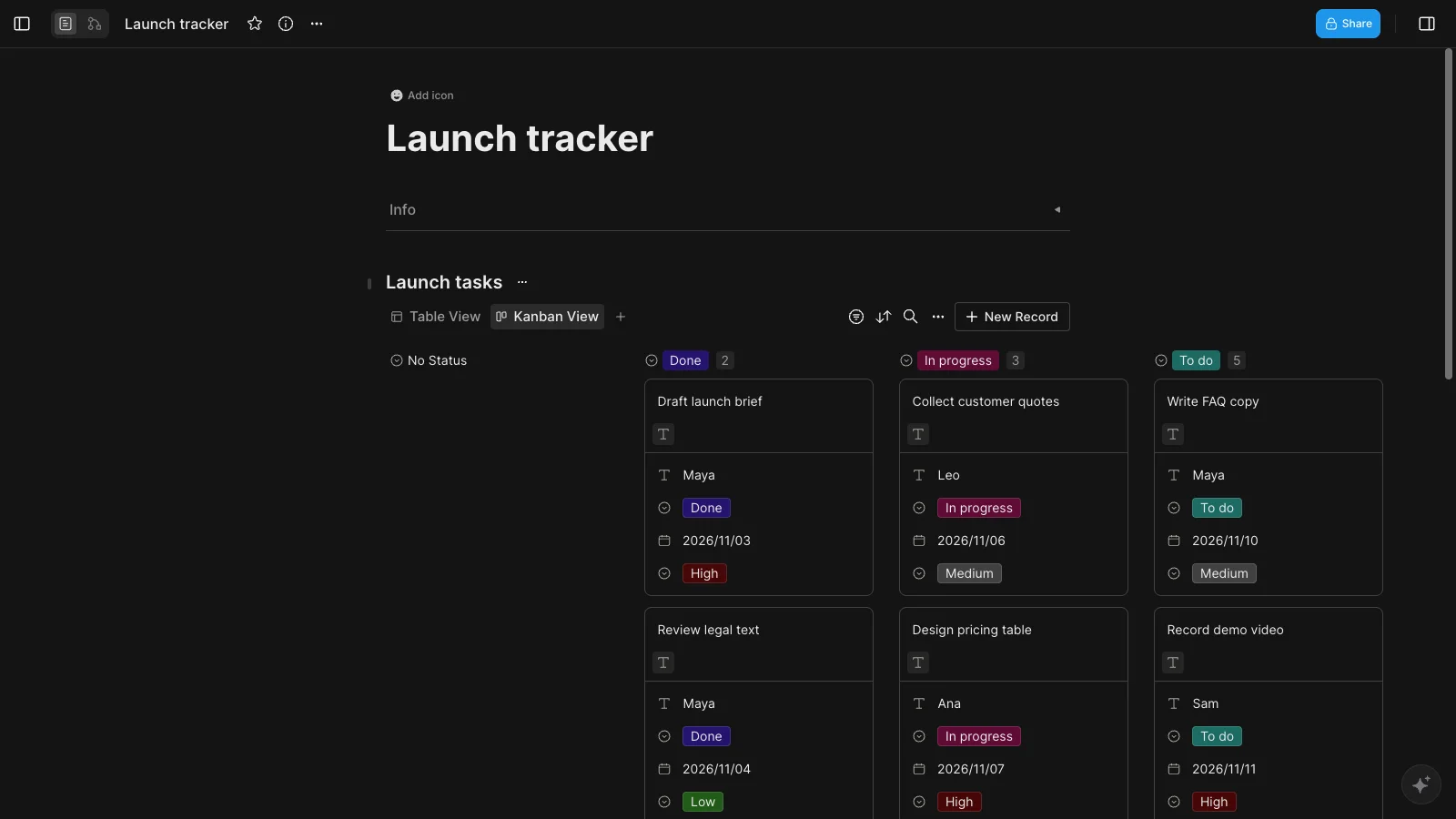
AFFiNE is our product, and it is not a dedicated project management tool. It is a local-first workspace for documents, an Edgeless whiteboard and databases. A database can be shown as a table or as a Kanban view grouped by a property such as Status, so a board can sit inside the document it belongs to: a launch plan with its task board underneath, or meeting notes whose action items are on the same page. Local workspaces are stored on your device, so you can keep working in the desktop app without a connection. You can start from our free Kanban board template.
According to the pricing page, local workspaces are free and unlimited. The free cloud plan includes 10 GB of storage, a 10 MB file limit and up to 3 members per workspace. Pro costs $6.75 a month billed annually. The editor is MIT-licensed, and you can self-host AFFiNE for free with up to 10 members per workspace.
AFFiNE has no Trello importer. It imports Markdown, HTML, Word (.docx) files and Notion exports, but Trello's JSON export is not one of the supported formats, so you would recreate your boards.
- What you gain: boards, notes and whiteboards in one place, and offline work on your own device.
- What you lose: Trello's Power-Ups, Butler-style automation and card-level features such as covers and mirroring. The free cloud plan allows only 3 members per workspace, fewer than Trello's 10.
What you gain and lose when you leave Trello
| If you leave Trello for... | You usually gain | You usually lose |
|---|---|---|
| Asana, ClickUp or Wrike | Timeline, Gantt and dashboard views without Trello Premium | Simplicity; most useful features are on paid plans |
| KanbanFlow or MeisterTask | A simple board with no collaborator limit | Project or feature limits on Free, and Trello's Power-Ups |
| Basecamp or ProofHub | Flat pricing and client collaboration | A free plan for the whole team (ProofHub has none, Basecamp's allows 1 project) |
| WeKan or Kanboard | No user or board limits, and your data on your own server | Hosting, updates and backups become your job |
| AFFiNE | Boards inside your docs and whiteboards, and offline local workspaces | A Trello importer, Power-Ups and automation |
Two things are lost in every move. First, your Power-Ups and automation rules stay in Trello: none of the importers we checked lists Butler rules or Power-Up data among the things it brings over. Second, moving back is hard, because Trello's export guide states that it is not possible to import JSON or CSV files to re-create a Trello board.
How to move your boards from Trello
- List what you actually use. Write down your boards, Power-Ups, automation rules, custom fields and the people on each board. Power-Ups and automations have to be rebuilt in the new tool.
- Choose an export format that the new tool accepts. Any board member can export a board to JSON on every Trello plan. CSV export, and exporting all boards in a Workspace at once, require Trello Premium. If you are on the Free plan, prefer a tool that connects to Trello directly (ClickUp, MeisterTask) or reads Trello's JSON (WeKan, or Kanboard with a plugin).
- Check what the export leaves out. A board's JSON export includes only the 1,000 most recent actions, which is where comments are stored, so older comments can be missing; Trello recommends the Workspace export to get all comments. Attachments are links to files hosted on Trello unless you create a Workspace export with "Include raw attachments", which is also a Premium feature.
- Import one board as a test. Check lists or statuses, labels, due dates, checklists, members and attachments before you move everything.
- Run both tools for a short time. Make the Trello boards read-only or archive them once the team is working in the new tool, and keep a final JSON export as a backup.
Other tools we considered
- Jira: Atlassian's work tracker has a free plan for up to 10 users and suits software teams that run sprints. It is covered in our free kanban guide.
- Podio and Hive: both appeared in an earlier version of this guide. We removed them to make room for the open source boards, not because of a specific problem we found.
- Focalboard: often listed as an open source Trello alternative, but its GitHub repository says it is no longer maintained, so we do not recommend it for new teams.
Frequently asked questions
What is the best alternative to Trello?
It depends on why you are leaving. For timelines and dashboards, Asana or ClickUp are the usual choices; for a simple board with an easy import, MeisterTask; for flat pricing with clients, Basecamp or ProofHub; for a self-hosted board, WeKan. If your tasks live inside notes and documents, AFFiNE combines docs, whiteboards and Kanban views.
Who are Trello's main competitors?
Trello's main competitors include Asana, ClickUp, Wrike, monday.com, Jira, MeisterTask and Basecamp. They all offer kanban boards, but most of them are broader project management tools with list, timeline and reporting features that Trello reserves for its Premium plan.
Is there a free Trello alternative without the 10-collaborator limit?
Yes. ClickUp's Free Forever plan and MeisterTask's Free plan both allow unlimited members, although ClickUp limits storage to 60 MB and MeisterTask limits you to 3 projects. WeKan and Kanboard have no user limits because you host them yourself.
Is there an open source Trello alternative?
Yes. WeKan is an MIT-licensed, self-hosted board that looks much like Trello and can import Trello boards from JSON or through Trello's API. Kanboard is a lighter MIT-licensed option with WIP limits. Focalboard is no longer maintained.
Can I import my Trello boards into another app?
Yes, but the method depends on the app. ClickUp and MeisterTask connect to your Trello account and import boards directly. WeKan imports Trello's JSON export, which works on Trello's Free plan. Tools that import CSV files, such as ProofHub and KanbanFlow, need a CSV export, which Trello only offers on Premium.
Does Trello work offline?
Trello's offline mode was built for its iOS and Android apps. If you need to plan on a computer without a connection, a local-first tool such as AFFiNE keeps your workspace on your device, and self-hosted tools such as WeKan keep working on your own network.
Sources
All checked on November 14, 2026:
- Trello: Pricing, Export data from Trello, Mobile offline announcement
- Asana: Pricing, CSV importer, Migrator.xyz in Asana's app directory
- ClickUp: Pricing, Import from Trello
- Wrike: Pricing, Importing XLS files to Wrike
- KanbanFlow: Pricing, Integrations and import
- MeisterTask: Pricing, Import projects into MeisterTask
- Basecamp: Pricing
- ProofHub: Pricing, Export to CSV for all other tools
- WeKan: Official site, GitHub releases, Trello import documentation
- Kanboard: Official site, GitHub releases, TrelloJSON2Kanboard plugin
- Focalboard: GitHub repository
- AFFiNE: Pricing, Self-host, GitHub repository


