How to Create an Email Template with AI: A Step-by-Step Guide for 2026
Creating an email campaign no longer has to start with an empty canvas. In 2026, AI can help marketers move from a short brief to a structured email draft in minutes. A good AI email template generator can suggest a layout, prepare copy, add headers and calls to action, and give the team a practical starting point for edits.
Human review is still important. AI can speed up the first draft, while marketers decide what the campaign should communicate, how the brand should sound, and which details need verification before the email goes out.
This guide explains how to use an AI email template generator, how to prepare a useful prompt, and what to check before turning an AI-generated draft into a campaign-ready email.
Key takeaways
- An AI email template generator turns a plain-language brief into an editable draft: subject line, header, body copy, CTA, and a layout that fits the email type.
- The quality of the prompt decides the quality of the draft. Define the audience, the goal, the tone, and the facts that must appear.
- Treat the first output as a base. Fix the message hierarchy, replace generic phrases with real product details, and make one primary CTA obvious.
- QA before sending: links, alt text, personalization fields, mobile layout, dark mode, accessibility, and every date, price, and claim.
What is an AI email template generator?
An AI email template generator turns a natural-language request into an editable email draft. Instead of building each section manually, a marketer can describe the campaign goal and receive suggested content and structure.
Depending on the prompt, the result may include a subject line, header, body copy, CTA text, and a layout that reflects the email type. A promotion, product update, webinar invitation, and newsletter need different structures, so the quality of the prompt matters.
This approach can reduce setup time and support teams without dedicated developers or designers for every campaign. The generated version remains a draft, so the team can adjust the copy, visual hierarchy, offer details, and brand elements before use.
It is worth separating this from a general-purpose AI email generator, which writes the text of a single message. A template generator produces the structure of a campaign email as well as the words, so the output can be edited as a layout rather than pasted into one.
What to prepare before creating the template
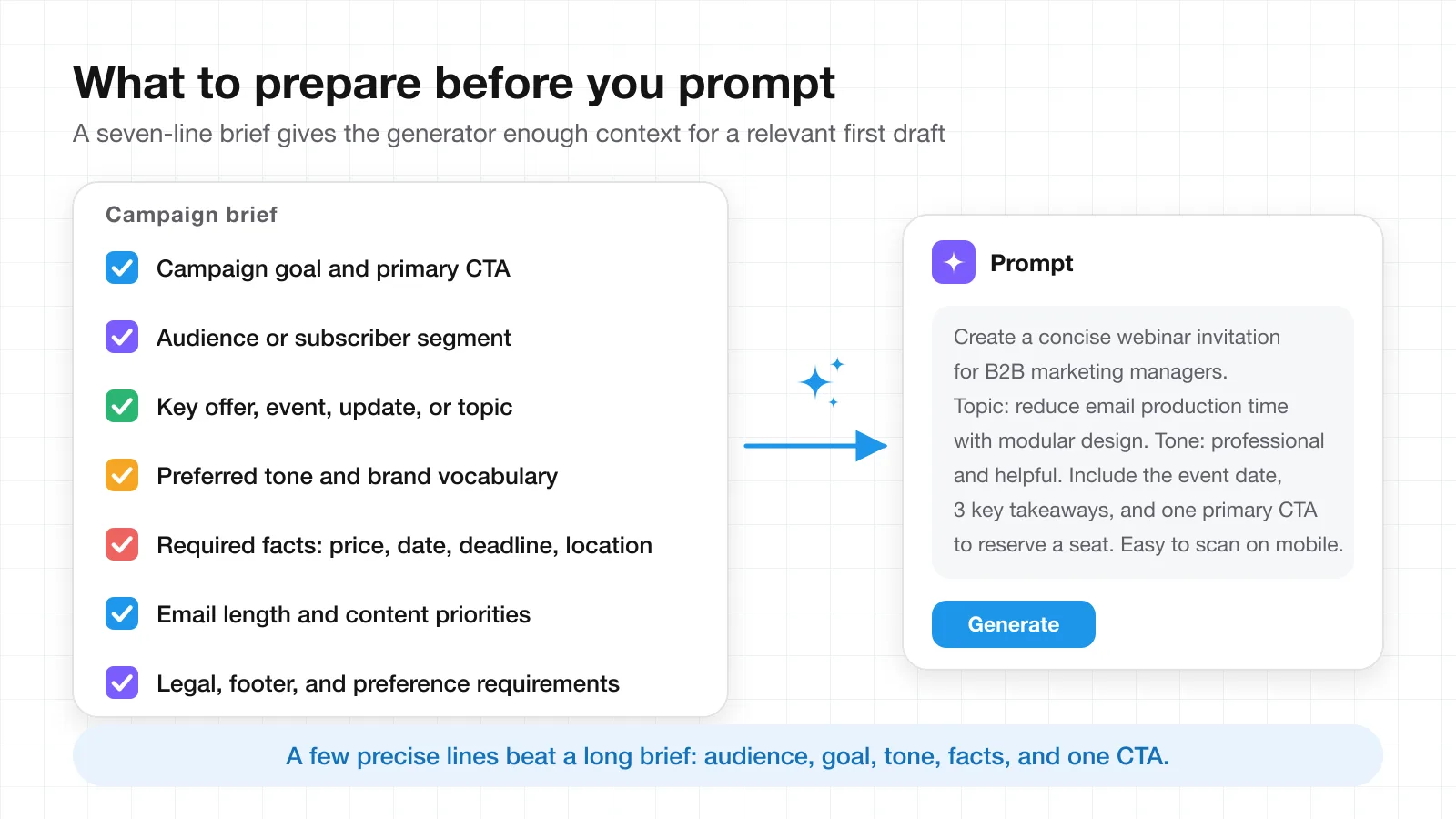
AI works better with a clear brief. Before opening the generator, define the purpose of the email, the audience, the main message, and the action that matters most.
A simple preparation checklist can include the following.
- Campaign goal and primary CTA
- Audience or subscriber segment
- Key offer, event, update, or topic
- Preferred tone and brand vocabulary
- Required facts such as price, date, deadline, or location
- Email length and content priorities
- Legal, footer, or preference-management requirements
A few precise lines can give the AI enough context for a more relevant first version. Many teams keep this brief in a shared document so that the person writing the prompt, the reviewer, and the approver all work from the same facts.
How to use an AI email template generator in Stripo
Stripo AI Email Assistant follows three stages. Start with the prompt, customize the draft, and get a ready-to-use result.
Step 1: Start with the prompt
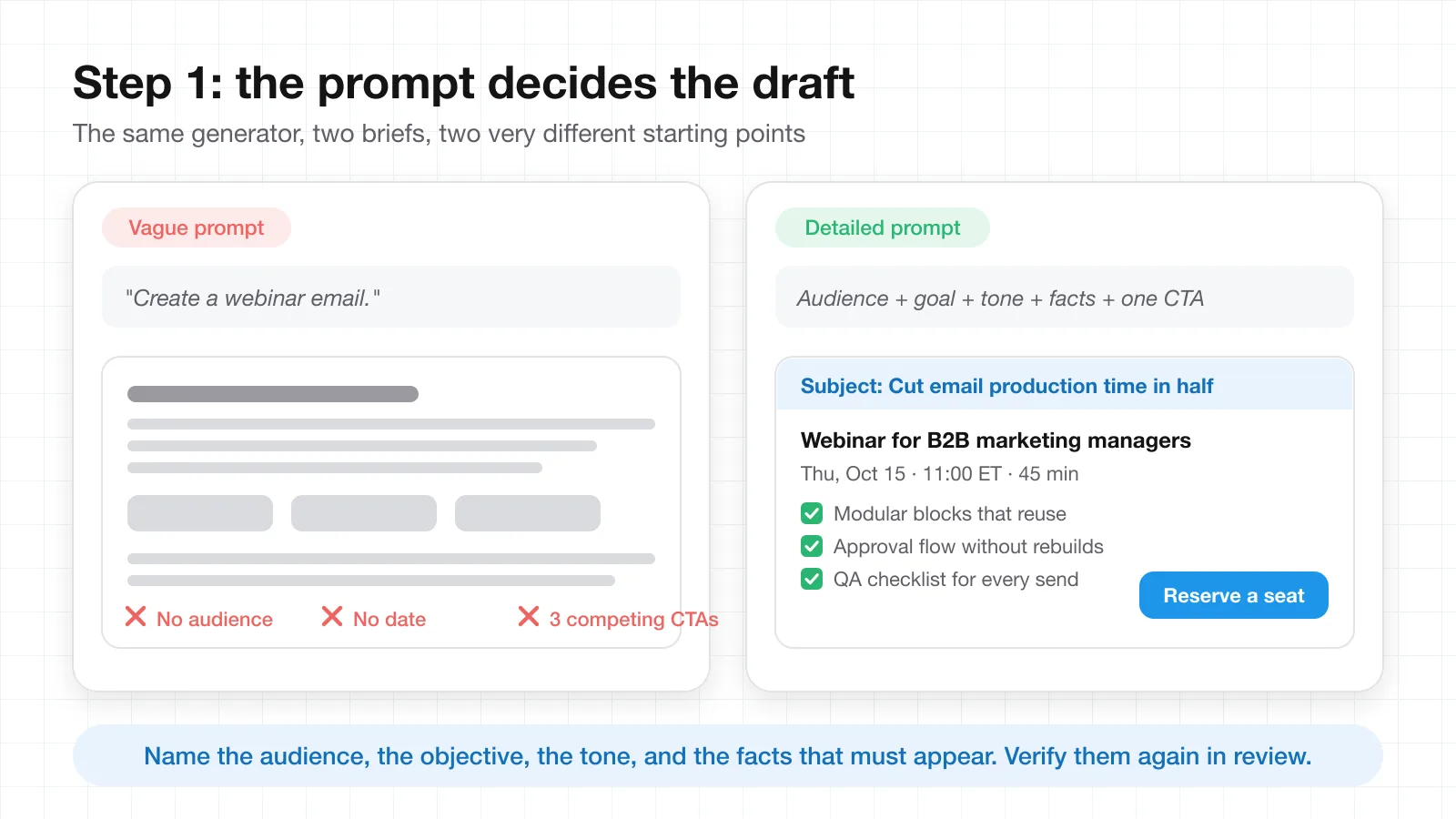
Describe what you want to create. It can be a promotion, email digest, webinar invitation, product announcement, or another campaign type. Add the tone, topic, and intent so the AI can choose a suitable structure.
A useful prompt should clarify who will receive the email, what subscribers should learn or do, which CTA matters most, and which facts have to appear. If your team already uses a prompt formula for AI questions, the same structure applies here.
Here is one example.
Create a concise webinar invitation for B2B marketing managers. The webinar covers ways to reduce email production time with modular design. Use a professional and helpful tone. Include the event date, 3 key takeaways, and one primary CTA to reserve a seat. Keep the email easy to scan on mobile.
This works better than a broad request such as "create a webinar email" because it defines the audience, objective, tone, and expected structure.
Keep critical facts explicit. If the campaign includes a discount, deadline, event time, legal condition, or product specification, add it to the prompt and verify it again during review.
Step 2: Customize the generated draft
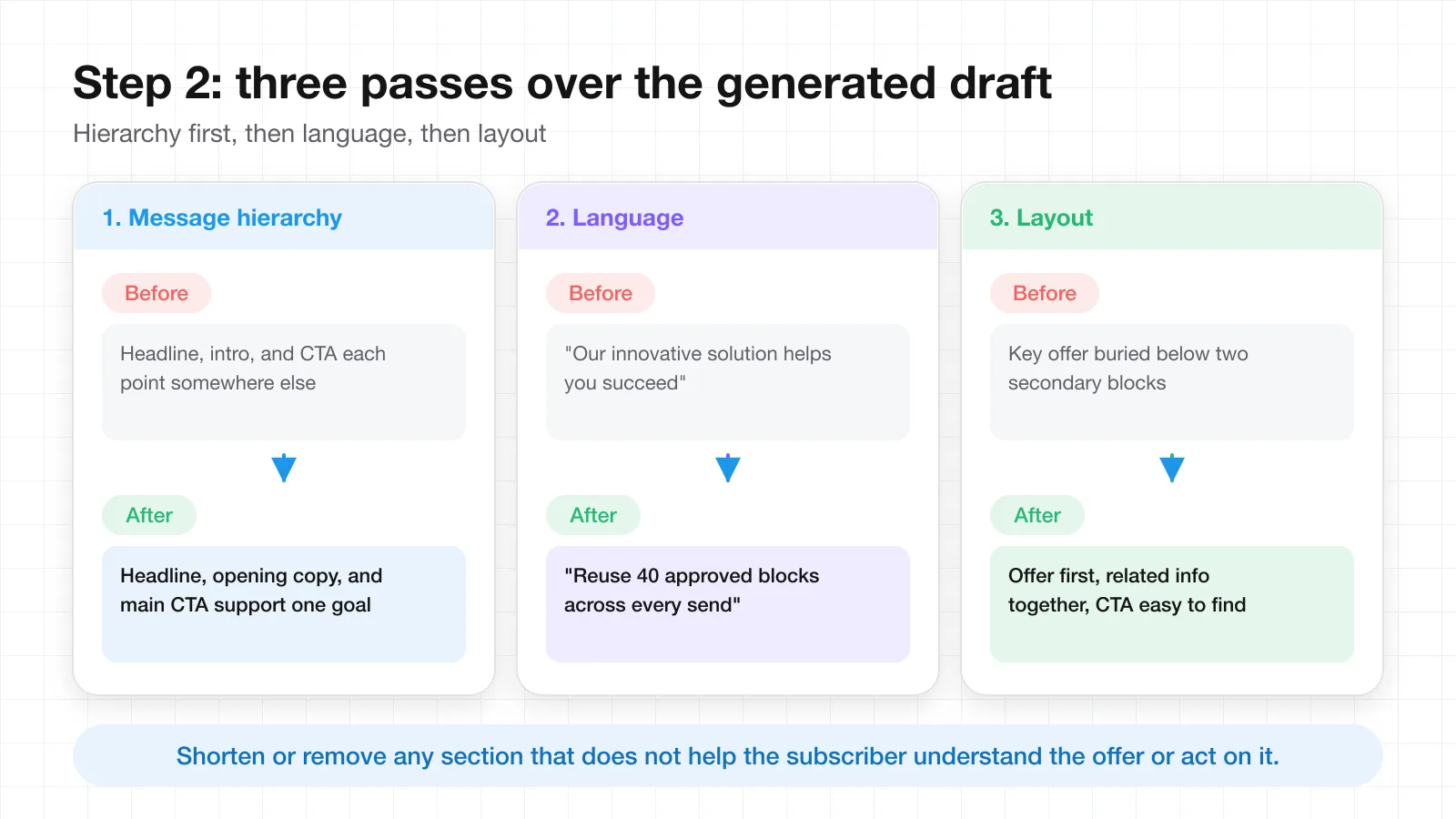
The first output should serve as a base for editing. Stripo lets marketers adjust generated descriptions, edit the layout, and refine individual sections.
Start with the message hierarchy. The headline, opening copy, and main CTA should support the same goal. If a section does not help the subscriber understand the offer or take the next step, shorten or remove it.
Next, check the language. Replace generic phrases with product details, brand terminology, useful evidence, or campaign-specific context. Keep claims precise and make sure the company can support them.
Review the layout as well. Important content should appear early, related information should stay together, and the primary CTA should be easy to find. If several calls to action compete for attention, decide which one deserves priority.
Step 3: Get the result and add it to your project
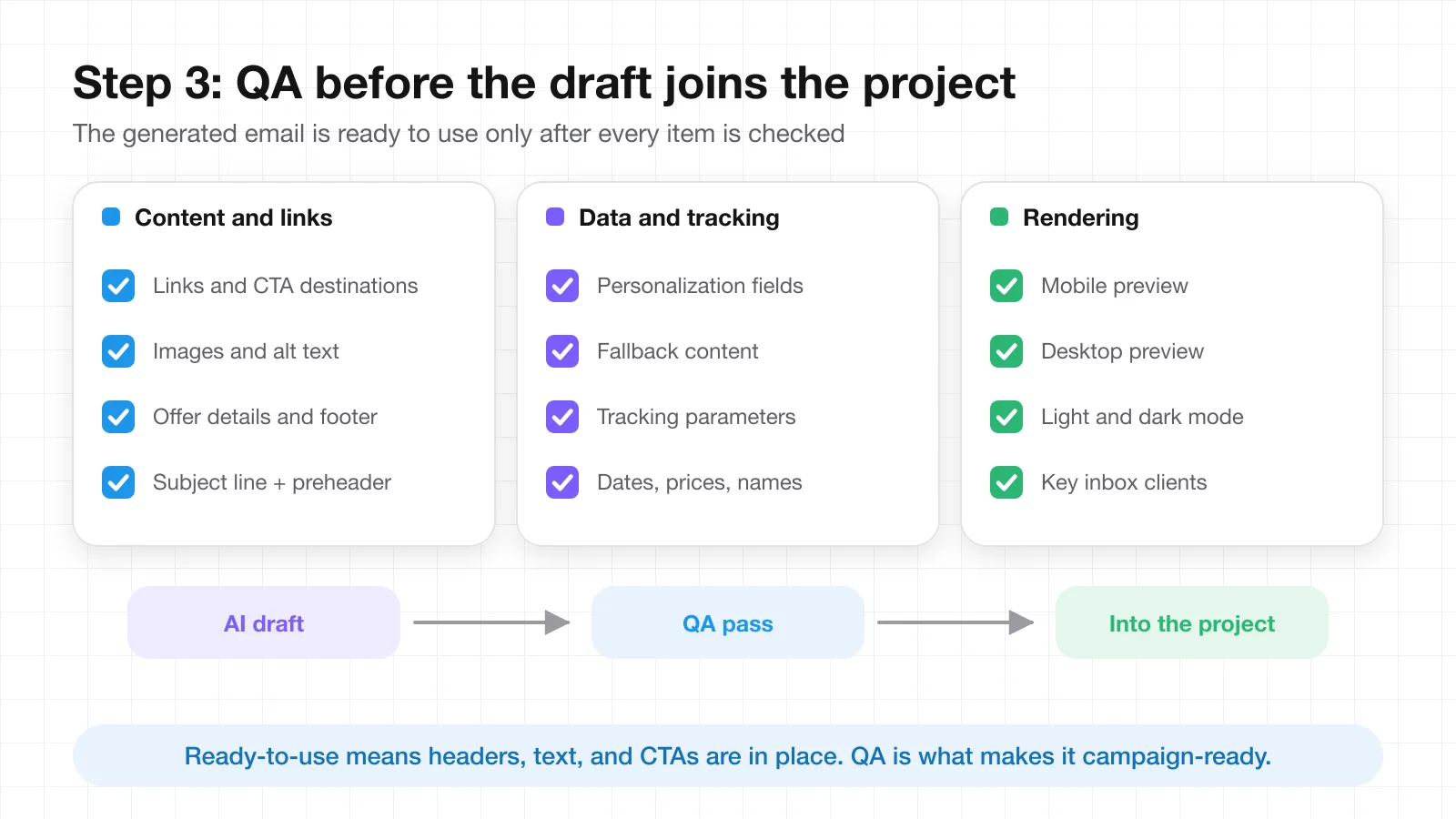
After the prompt and edits, Stripo AI Email Assistant provides a ready-to-use draft with headers, text, and CTAs. The generated email can be added to a project without a separate rebuild.
The draft still needs QA. Check links, images, alt text, CTA destinations, personalization fields, tracking parameters, offer details, and footer information. Preview the email on mobile and desktop and test the inbox environments that matter to the subscriber base.
Why this workflow can help email teams
The main advantage of Stripo AI Email Assistant is the connection between generation and editing. A marketer can create a first version from a prompt, then refine the content and layout without writing code.
AI proposes the draft, while the team decides which sections to keep, rewrite, move, or remove. This supports brand consistency across campaign types.
Stripo offers AI capabilities on its free plan, so teams can test the process before deciding whether broader paid features make sense. No-code editing also lowers the technical barrier for marketers without regular developer support.
The output includes useful campaign elements such as headers, body text, and CTAs. Once the draft fits the brief, it can move into the project without additional assembly.
Best practices for a better AI-generated email
A strong prompt helps, but final quality depends on the review that follows.
Keep one primary goal
Each email should have a clear purpose. When too many actions receive equal emphasis, subscribers may have trouble identifying the next step.
Choose one primary CTA and use secondary actions only when they support the main goal. This creates a clearer hierarchy and makes the draft easier to scan.
Edit the subject line and preheader together
Review the subject line and preheader as a pair. They should add context to each other without repeating the same message.
Place useful information early because email clients display different amounts of text. Avoid vague urgency and claims that the body of the email does not support.
Check the mobile version early
Mobile layout should influence the template from the beginning. Keep paragraphs easy to scan, give buttons enough space, and avoid a crowded first screen.
Review accessibility
Accessibility checks support subscribers who use screen readers, zoom, keyboard navigation, or other assistive technologies.
Use descriptive alt text for informative images, logical heading order, meaningful link text, and sufficient color contrast. Important information should not exist only inside an image.
Check light and dark mode
Dark mode can change backgrounds, text, logos, and image edges depending on the email client. Review both versions and pay attention to transparent graphics, brand marks, and CTA contrast.
Verify facts and personalization
AI can produce an incorrect date, product detail, or claim when the prompt lacks context. Compare the draft with the approved campaign brief.
Check prices, dates, discount rules, names, event times, links, and product specifications. Test personalization fields with examples and define fallback content where needed.
Reuse strong sections
If the generated email contains a useful header, product card, footer, or event block, consider turning it into a reusable module. A modular approach can support consistency and reduce repeated setup work.
Free AI email template generator: what should you expect?
A free AI email template generator should give a team enough access to test the basic workflow. Ideally, it should accept a campaign brief, create a usable first draft, and allow practical edits before the email moves into production.
Price alone does not show how useful the workflow will be. If a tool produces only text, someone may still need to rebuild the layout elsewhere. An editable email draft can remove more steps.
Stripo includes AI capabilities on its free plan. This gives marketers a way to test AI-assisted email creation inside an email-focused editor and compare broader plan options later if production needs grow.
What is the best AI email template generator?
The answer depends on the team and its production process. The best AI email template generator should fit the work that happens after the prompt as well as the generation stage.
Look at whether the tool can create a useful structure, keep the output editable, support brand adjustments, and fit into the current workflow. No-code controls can help teams without development resources, while direct project integration can reduce copy-and-paste work.
For teams that want prompt-based generation inside an email editor, Stripo covers these needs through its AI Email Assistant and visual editing workflow.
Final thoughts
AI can make the first stage of email production faster and easier to structure. A practical workflow combines a clear prompt with human editing, brand review, accessibility checks, mobile QA, and factual verification. If you are still weighing whether email belongs in the plan at all, this overview of the pros and cons of email marketing is a useful starting point.
Stripo AI Email Assistant keeps the process straightforward. Describe the campaign, customize the generated copy and layout, then add the ready-to-use draft to the project. Free access, no-code editing, full control at each stage, and built-in headers, text, and CTAs give marketers a useful starting point without requiring dedicated design or development resources.
For teams that want to create and refine emails in one workspace, Stripo.email combines AI-assisted generation with an email editor and project workflow. AI helps create the first version, while the team keeps control of the message, design, and final campaign decisions.
Frequently Asked Questions
Can AI create a complete email template?
AI can produce a complete first draft, including a subject line, header, body copy, calls to action, and a layout suited to the campaign type. It should still be treated as a draft. A marketer needs to check the message hierarchy, replace generic wording with real product details, and verify every fact before the template is used in a live campaign.
What should an email template prompt include?
A useful prompt names the audience, the goal of the email, the primary CTA, the tone, and the facts that must appear, such as a date, price, or deadline. It also helps to state the email type (promotion, digest, webinar invitation, product announcement) and any constraints, such as keeping the email easy to scan on mobile.
Is an AI email template generator free to use?
Some tools include AI features on a free plan. Stripo, for example, offers AI capabilities on its free plan, so a team can test the prompt-to-draft workflow before deciding whether paid features are worth it. When comparing free options, check whether the output is an editable email layout or only text that has to be rebuilt elsewhere.
How do I check an AI-generated email before sending it?
Compare the draft with the approved campaign brief, then check links, images and alt text, CTA destinations, personalization fields and fallbacks, tracking parameters, offer details, and footer information. Preview the email on mobile and desktop, test it in the inbox environments your subscribers use, and review both light and dark mode.