8 Free Online Whiteboards for Teaching, Compared
What changed (Nov 14, 2026): Rewrote the guide as a comparison of eight classroom whiteboards checked on vendor pages: how students join, student accounts, teacher view, free-plan limits and prices. Corrected the Jamboard and Zoom Whiteboard statements, added the Microsoft Whiteboard app retirement, a methodology, dated screenshots, FAQs and sources, and moved AFFiNE to lesson prep and after-class notes.
The best free online whiteboard for teaching depends on what students do on it. If every student should work on their own board while you watch the whole class, start with Whiteboard.fi or Whiteboard.chat: students join with a link or class code and need no account. If you only need a board to project at the front of the room, Classroomscreen is free and needs no setup. If your school already uses Canva, Microsoft 365 or Miro, their education plans give you a shared whiteboard at no cost. For one-to-one tutoring, Excalidraw opens in a browser with nothing to install. AFFiNE fits the work around the lesson: planning it, writing out worked examples, and keeping the board as notes afterwards.
Updated November 14, 2026. Disclosure: AFFiNE publishes this blog and is one of the eight tools compared below. We apply the same criteria to it and list what it cannot do in a classroom, such as giving each student a private board or letting students join with a code. The order of the tools is not a ranking.
Quick picks by teaching scenario
| Scenario | Start with | Why |
|---|---|---|
| K-12 class, every student answers on their own board | Whiteboard.fi or Whiteboard.chat | Students join with a link, room code or QR code and only type a name. You see every student's board at once, and they cannot see each other's |
| Projecting a lesson at the front of the room | Classroomscreen | A free Draw widget with graph-paper backgrounds, plus timers, polls and other classroom widgets on one screen |
| Group work on one shared board, K-12 | Canva Education or Microsoft Whiteboard | Free for eligible schools and teachers, and students sign in with accounts the school controls |
| University seminars and project work | Miro Education plan | Free for verified educators, with unlimited boards and a team of up to 100 members. Miro's terms do not allow users under 16 |
| One-to-one tutoring on a video call | Excalidraw | No account for you or the student. Start a live collaboration session and share the link |
| Lesson prep, worked examples and after-class notes | AFFiNE | One page holds the lesson plan, typeset equations and the whiteboard, and stays editable after class |
8 free online whiteboards for teaching compared
All prices are in US dollars, per teacher, and were checked on the vendors' own pages on November 14, 2026.
| Tool | How students join | Student account needed | Teacher sees each student's board | Free plan limits | Paid plans from |
|---|---|---|---|---|---|
| Whiteboard.fi | Link, room code or QR code | No | Yes, all boards live | Without an account: 10 students per session, sessions last up to 2 hours. Free teacher account: 20 students per session | $2.49/month billed yearly (Lite) |
| Whiteboard.chat | Link, 6-digit class code or QR code | No, unless the teacher requires sign-in | Yes, bird's-eye view of all boards | 10 class boards, boards kept for 7 days, ads on teacher boards, 30 minutes of audio/video | $30/year (Starter) |
| Classroomscreen | Students only join polls, by link or QR code | No | No, it is a teacher-led screen | All 26 widgets, annotation bar, remote poll voting, 3 saved name lists | $3/month billed yearly (Pro) |
| Canva | Class invite link, invite code, email or Google Classroom | Yes, inside your Canva Education class | No grid view of separate boards | Canva Education is free for eligible K-12 teachers and their students. Teachers are verified first | Free for K-12; higher education uses the separate Canva Campus offer |
| Microsoft Whiteboard | Shared whiteboard in a Teams meeting, chat or OneDrive | Yes, a school Microsoft 365 account | No grid view of separate boards | Included free for students and educators in Microsoft 365 A1. Use it on the web or in Teams; the standalone apps retired on October 16, 2026 | Included in Microsoft 365 education plans |
| Miro | Board link or team invite | Yes for editors; visitors can open a public link | No grid view of separate boards | Education plan for educators: free, team of up to 100 members, unlimited boards. Standard Free plan: only the 3 most recently created boards stay editable | Education plan is free; institutions get custom pricing |
| Excalidraw | Live collaboration link | No | No | Full editor and live collaboration with no account. Drawings are saved in your browser unless you save a file | $6/user/month (Excalidraw+) |
| AFFiNE | Workspace invite | Yes, to edit together | No | Unlimited local workspaces. Cloud: 10 GB storage, up to 3 members per workspace, 7 days of version history | $6.75/month billed yearly (Pro) |
Notes on the free limits:
- Whiteboard.fi: Lite costs $2.49 per month billed yearly ($3.49 monthly) and allows 30 students and 12-hour sessions. Pro costs $4.99 billed yearly ($6.99 monthly) and adds 40 students, 30-day sessions, PDF backgrounds, a reusable whiteboard library and assignments. Premium costs $12.99 billed yearly ($17.99 monthly) for 100 students and sessions of up to 365 days. Prices exclude VAT and come from Whiteboard.fi's license purchase page. There is a 14-day free trial.
- Whiteboard.chat: Starter ($30 a year) removes ads and keeps boards for 4 weeks. Basic ($70 a year) adds student-engagement metrics and keeps 20 boards indefinitely. Gold ($150 a year) keeps every board indefinitely. School and district plans start at $150 a month.
- Canva: students under 13 need parental consent before they use Canva Education, and K-12 students can only join through a teacher's invitation.
- Miro: the Education plan is free forever for educators and lasts two years for students (10 members). Miro's terms of service say the service may not be used by anyone under 16, so it is a better fit for older students and universities.
How we compared the tools
We looked for tools that a teacher can start using for free, and judged them on the questions that matter in a lesson rather than in a business meeting:
- Student access: how students join, and whether they need an account or an email address.
- Teacher view and control: whether you can see every student's work at once, lock or lobby a session, or pause students.
- Free-plan limits: class size, how long boards or sessions last, the number of boards, and ads.
- Math and subject tools: equation editors, graph paper, graphs, and PDF or image backgrounds.
- What survives after class: saving, exporting, and whether the board can be reused.
- Price and eligibility: the cheapest paid plan, and who qualifies for education plans.
Every price and limit comes from the vendor's own pricing page, help center or terms, checked on November 14, 2026. We opened each product in a desktop browser on the same day: we started a free Whiteboard.fi session panel without registering, built a Classroomscreen screen without signing in, drew in Excalidraw without an account, and created a lesson page with an equation in a local AFFiNE workspace. We did not run live classes with students, and we did not test Canva Education, Microsoft 365 A1 or the Miro Education plan from inside a verified education account, so those rows rely on the vendors' documentation. Plans change often; check the pricing page before you commit a whole department.
The 8 tools in detail
Whiteboard.fi
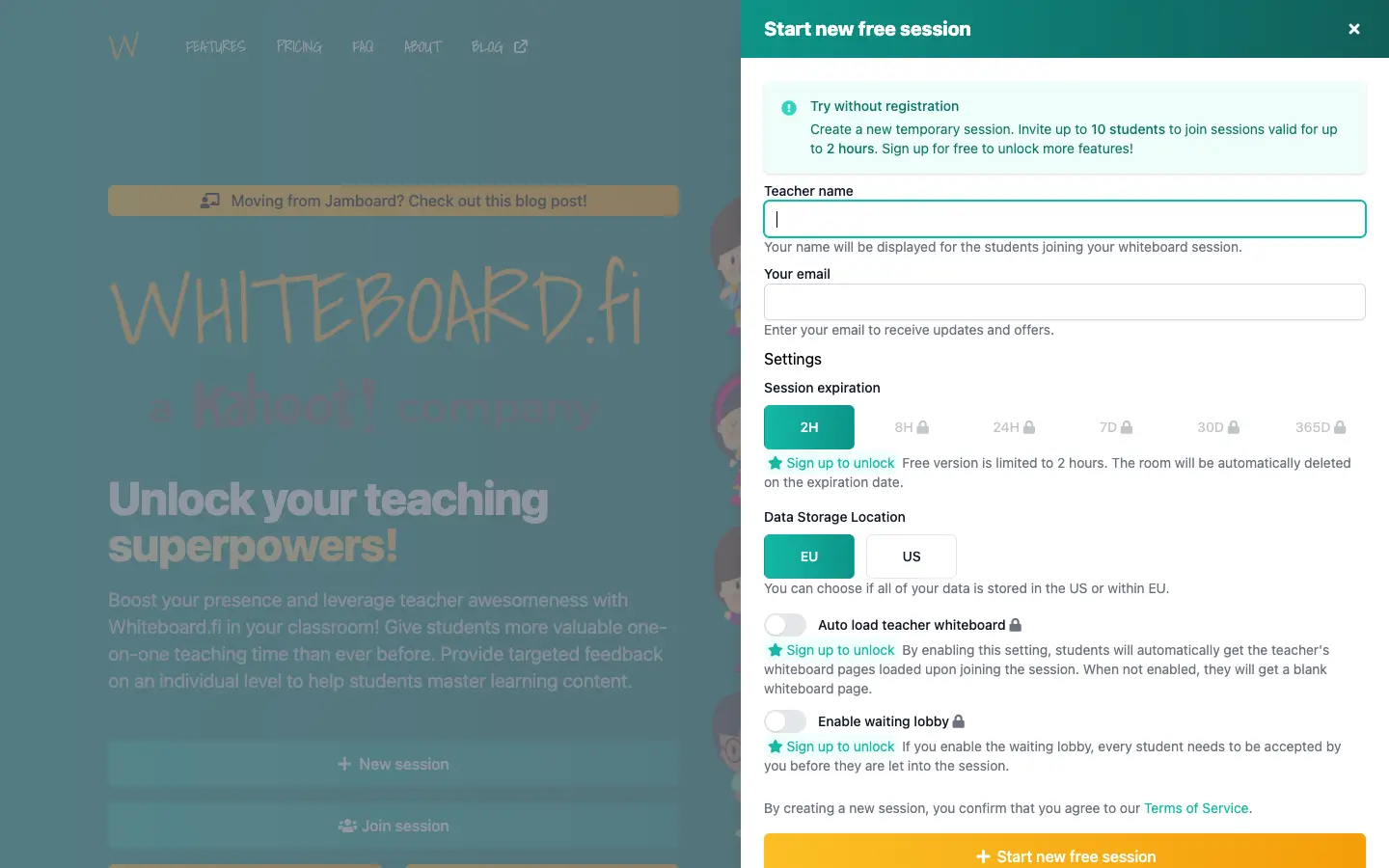
Whiteboard.fi is built around the mini-whiteboard routine: you ask a question, every student answers on their own board, and you see all the answers at once. Students join with a link, room code or QR code, need no login, and see only the teacher's board and their own. The tools include a math editor with a visual keyboard, graphs, angles and measuring tools, and you can push a board or an image to every student.
- Free: start a session without registering, for up to 10 students and up to 2 hours. A free teacher account raises the limit to 20 students per session.
- Teacher controls on paid plans: a waiting lobby, room lock, focus mode that pauses students, downloading all student work, and Clever sign-in.
- Watch out for: sessions on the free plan expire, so save student boards as a PDF before you close. Students work alone, so this is not the tool for one shared group board.
Whiteboard.chat
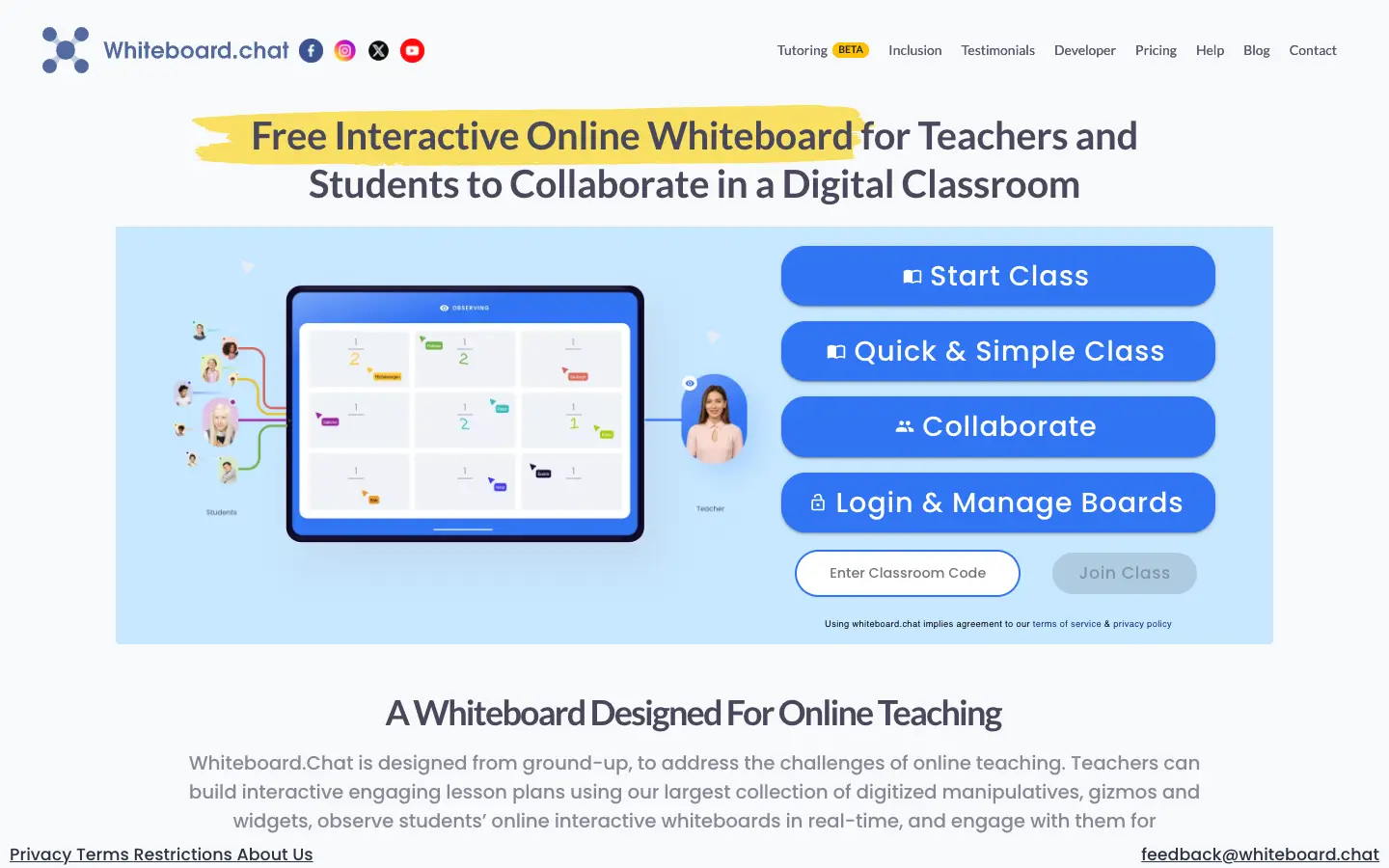
Whiteboard.chat also gives each student a separate board that classmates cannot see or change, with a live overview for the teacher. Students join by link, by typing a 6-digit class code at whiteboard.chat, or by scanning a QR code, and by default they only enter a name. You can require sign-in if you need to know exactly who joined. It has a large set of digital manipulatives and widgets, breakout groups, built-in audio and video, and reports of student boards.
- Free: 10 class boards, each kept for 7 days, with ads on teacher boards and 30 minutes of audio/video conferencing.
- Watch out for: the 7-day board life on the free plan. If you want to reuse lessons all term, budget for Starter ($30 a year, 4-week board life) or Gold ($150 a year, boards kept indefinitely).
Classroomscreen
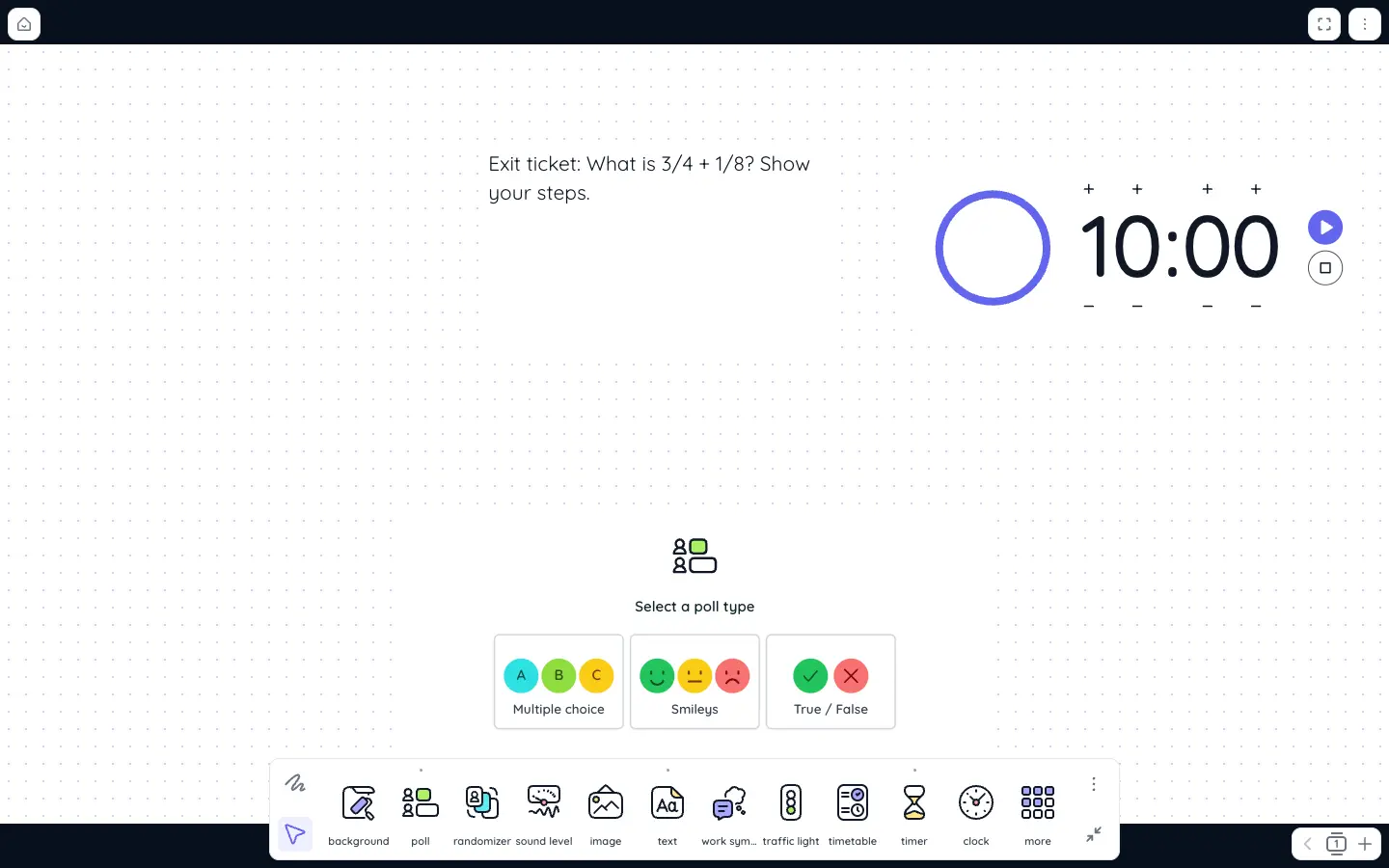
Classroomscreen is a board for the screen at the front of the room rather than a shared canvas. You combine widgets such as text, a timer, a randomizer, traffic lights and a Draw widget whose background can be blank, lined, graph paper or a clock face. Students take part through polls: they vote from their own devices through a link or QR code, without an account.
- Free (Basic): all 26 widgets, the annotation bar, remote poll voting and three saved name lists.
- Pro ($3 a month, billed yearly at $36): save and share screens, folders, unlimited name lists and undo for deleted items for 30 days.
- Watch out for: students cannot draw on your board, so pair it with Whiteboard.fi or Whiteboard.chat when you need written answers.
Canva (Canva Education)
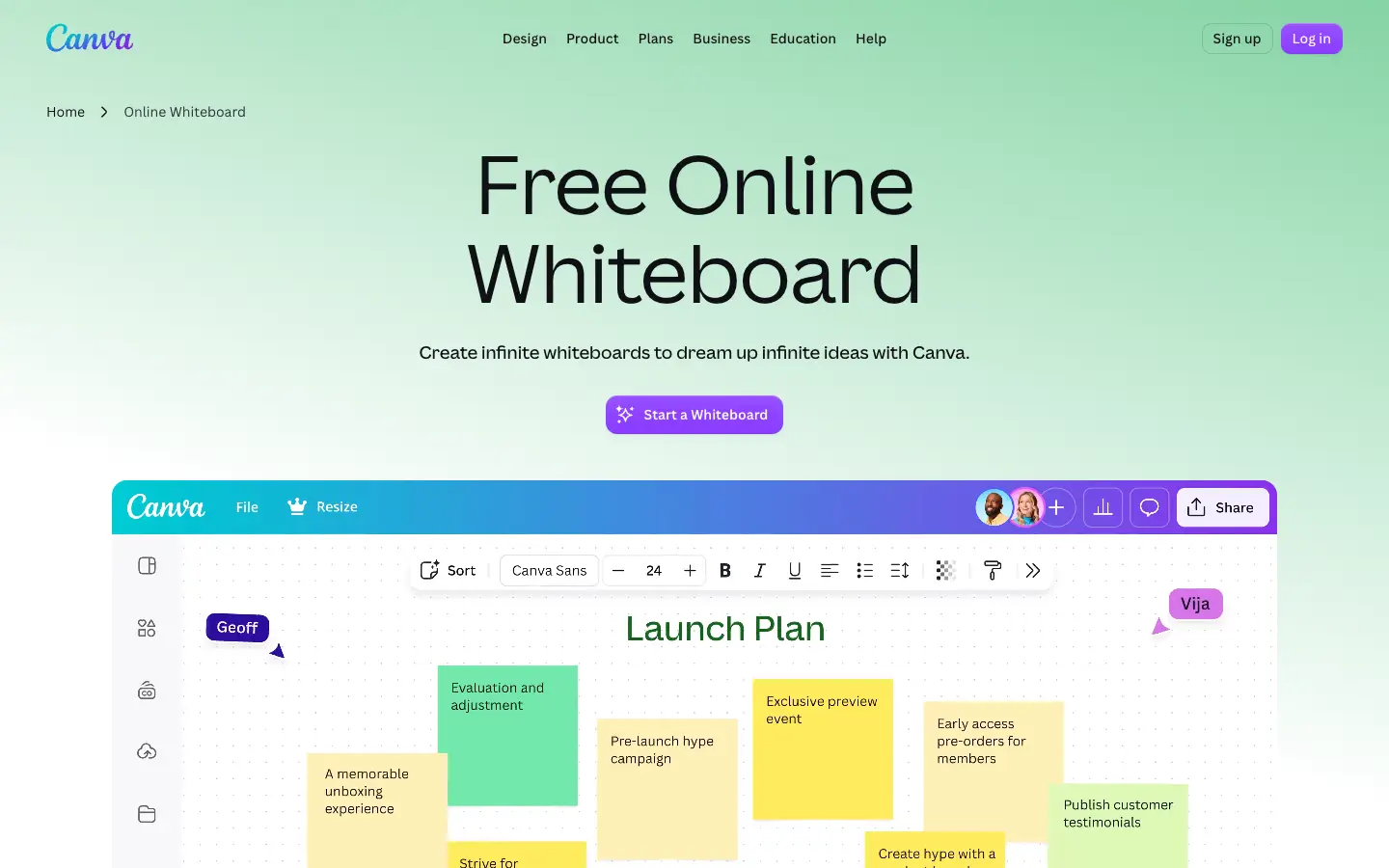
Canva Whiteboards are infinite canvases with templates, sticky notes and Canva's library of images and graphics. For schools, Canva Education is free for K-12 teachers and their students. Teachers sign up with a school email address or proof of employment, and Canva says verification takes a few days. You then add students to a class with an invite link, an invite code for students without email, email invitations or a Google Classroom import.
- Best for: group projects and visual brainstorming in a class that already uses Canva for slides and posters.
- Watch out for: students need to be in your Canva Education class, and students under 13 need parental consent first. There is no view of separate private boards for every student.
Microsoft Whiteboard
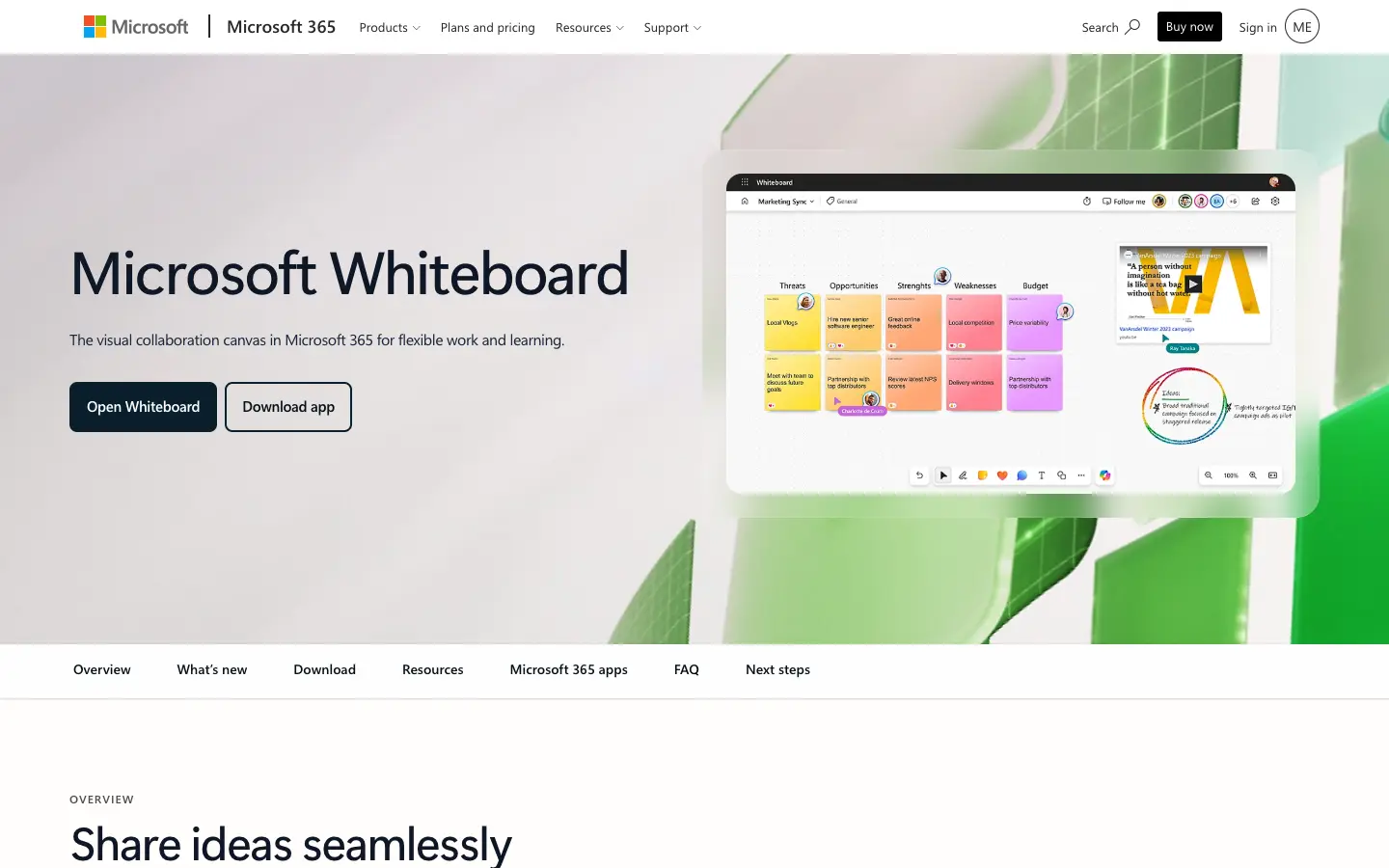
If your school runs on Microsoft 365, you probably already have Whiteboard. Microsoft says it has always been free for students and educators as part of the Microsoft 365 A1 offer and is turned on by default. In a Teams meeting the organizer can switch the board to read-only and allow collaboration later, and boards can be sent to OneNote class notebooks.
- Important change: the standalone Whiteboard apps for Windows, iOS and Android retired on October 16, 2026. For work and school accounts, Whiteboard itself continues on the web and in Microsoft Teams, and existing boards stay in OneDrive. Update any classroom instructions that tell students to install the app.
- Watch out for: everyone needs a school Microsoft account, so it suits schools that already manage those accounts, not a teacher working alone.
Miro
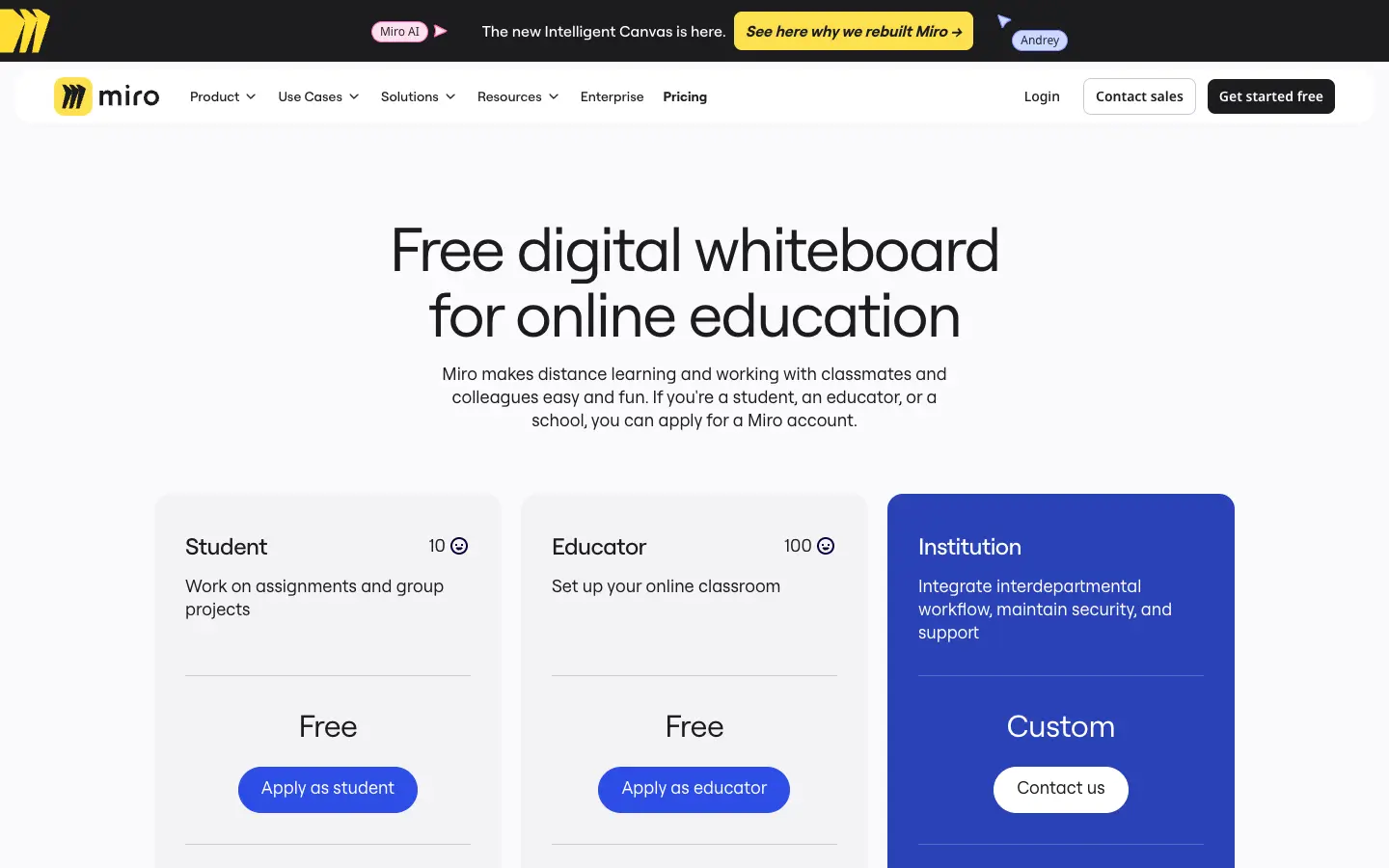
Miro is a full collaborative whiteboard with templates, diagrams and integrations. Its Education plan is free for staff and students of accredited educational institutions who apply with proof of status. The Educator version is free forever for a team of up to 100 members, with unlimited boards, private boards and unlimited visitors through a public link.
- Without the Education plan: the standard Free plan keeps only the three most recently created boards editable, and every board is visible to the whole team.
- Watch out for: Miro's terms of service say the service may not be used by anyone under 16, so check your school's policy before using it with younger students. The Education plan also has no video chat.
Excalidraw
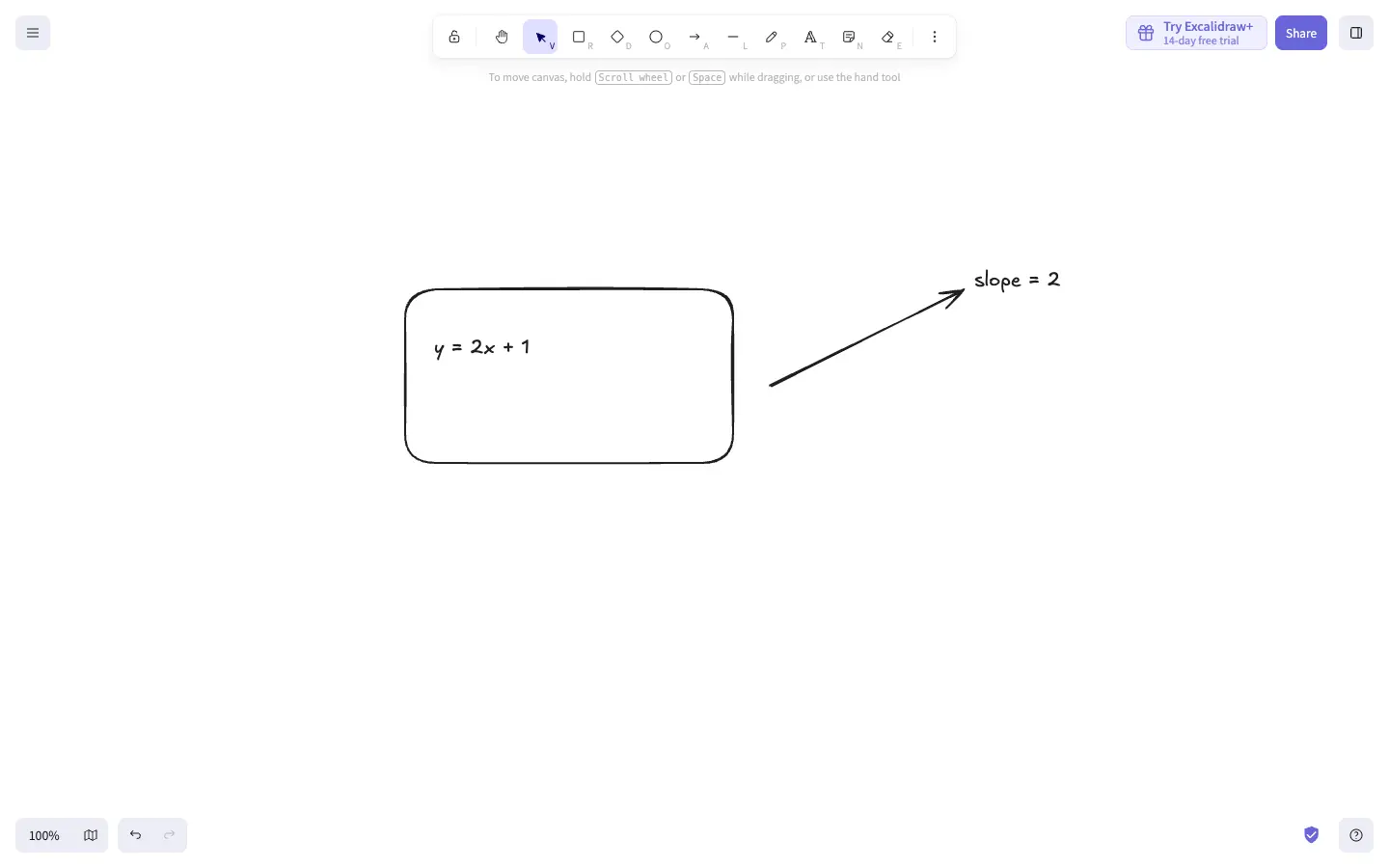
Excalidraw is a free, open-source sketching board that opens instantly at excalidraw.com. For tutoring, start a live collaboration session and send the link to the student; neither of you needs an account. The hand-drawn style works well for quick diagrams, number lines and graphs.
- Free: the full editor, unlimited collaborators in a live session, and export to PNG or SVG.
- Excalidraw+ ($6 per user a month): cloud saving, folders, presentations, comments and PDF or PowerPoint export of frames.
- Watch out for: on the free site, drawings are saved in your browser storage, which can be cleared. Save the file after each session.
AFFiNE
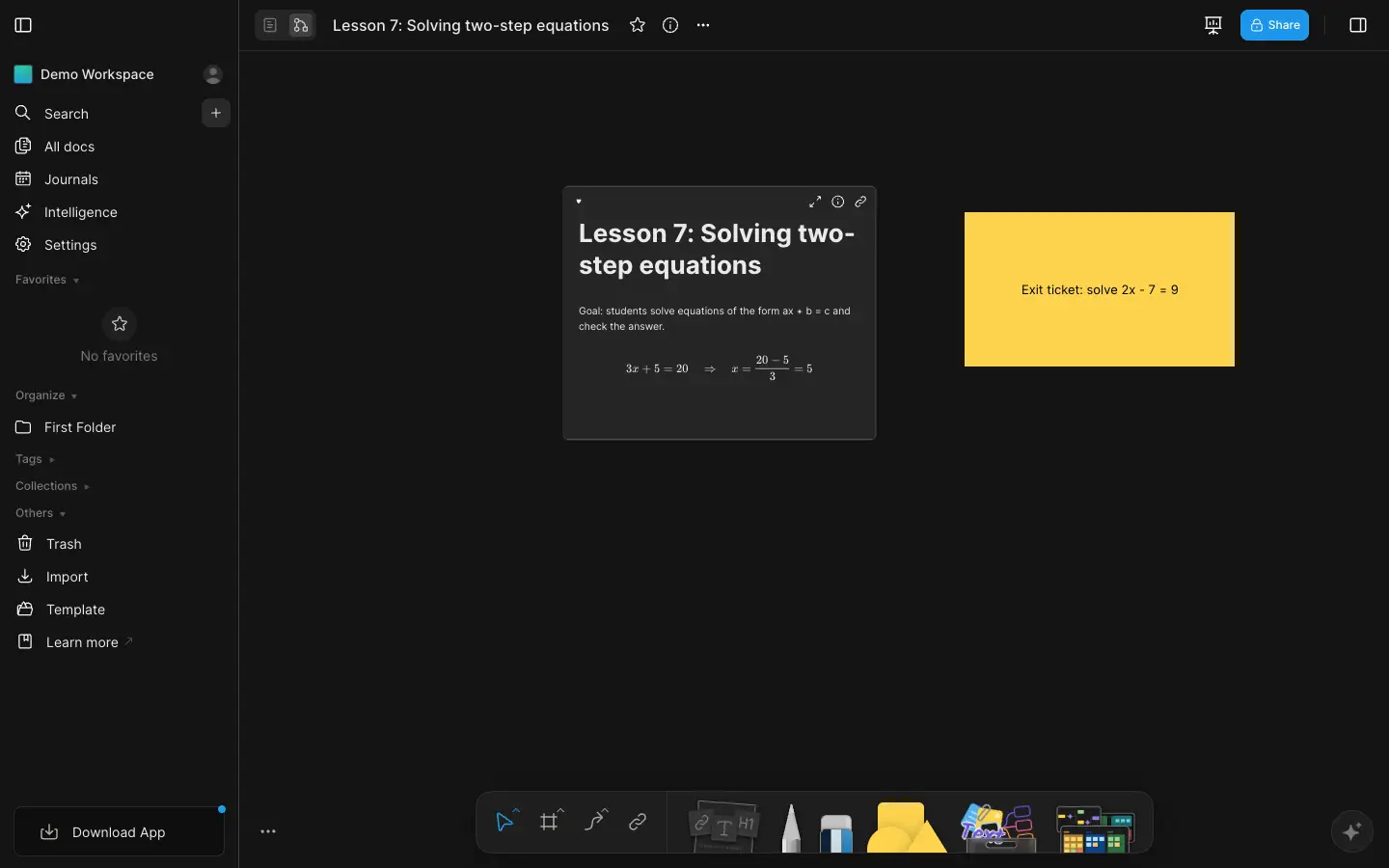
AFFiNE is a workspace where each page is both a document and a whiteboard. We include it for the parts of teaching that happen outside the live lesson. You can write the lesson plan as a page, add typeset equations with LaTeX, then switch the same page to the whiteboard (Edgeless mode) to lay out examples, diagrams and an exit ticket around it. After class, the board stays editable, so it can become revision notes or next year's starting point.
- Free: unlimited local workspaces with no time limit. The free cloud plan adds 10 GB of storage, up to 3 members per workspace and 7 days of version history.
- Pro ($6.75 a month, billed yearly): 100 GB of storage and up to 10 members per workspace.
- Watch out for: AFFiNE is not a live classroom tool. Students cannot join with a code, they need to be invited to edit together, and there is no teacher view of individual student boards. Use it to prepare and archive, and use one of the tools above for the live activity.
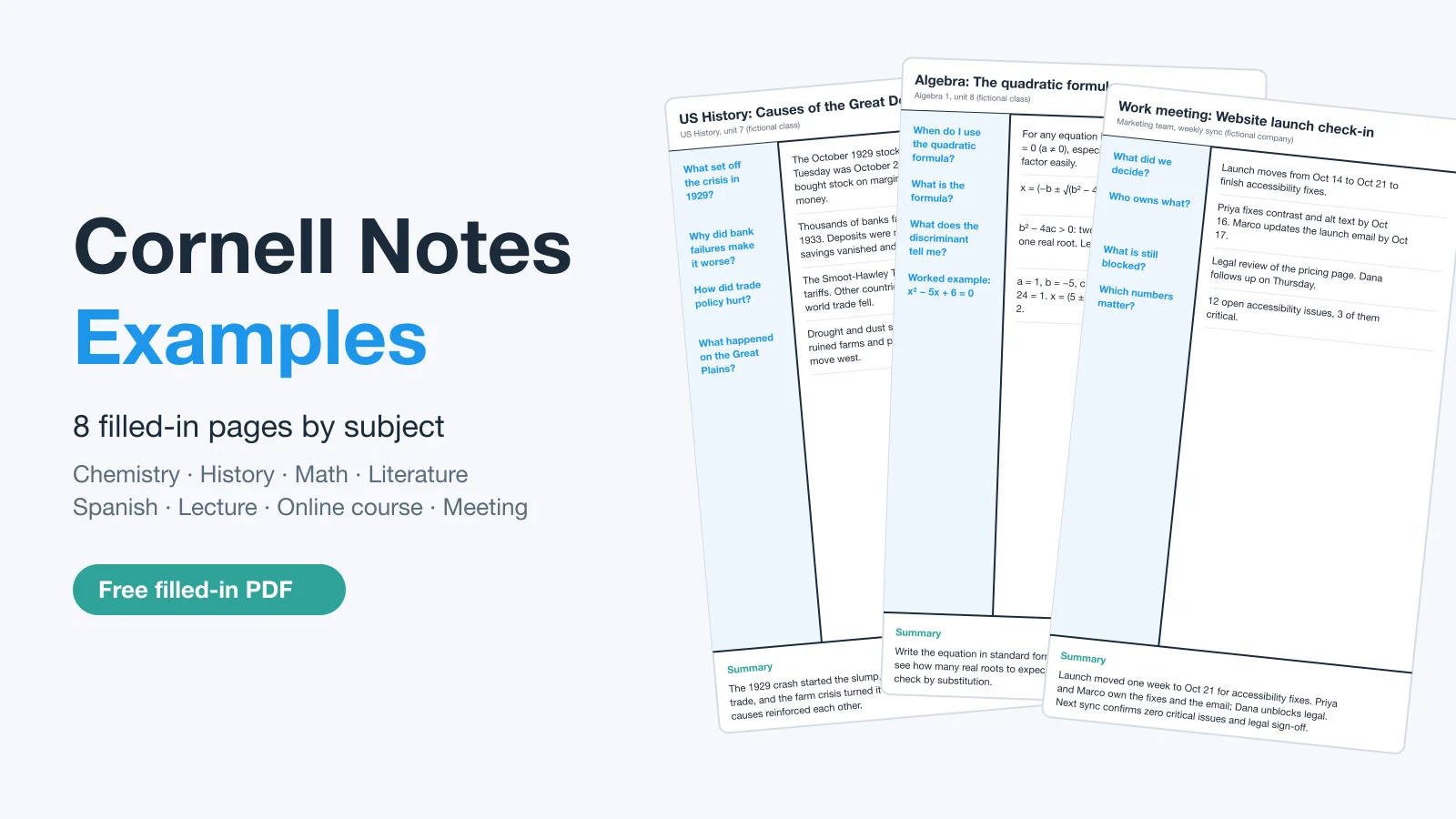
To start, try the math lesson plan template, the flipped classroom lesson plan or the Cornell notes template for after-class summaries.
Moving on from Google Jamboard
Google Jamboard is no longer available. Since October 1, 2024, you cannot create or edit Jams in the Jamboard web and mobile apps. Google converted existing Jams to PDF files in Google Drive in 2025, and you can download them as PDF or PNG (a PNG contains only one frame).
To replace it, decide which part of Jamboard you used:
- Each student answering on a board: Whiteboard.fi or Whiteboard.chat are closer to a mini-whiteboard routine than Jamboard ever was, because each student's work stays private.
- One shared board of sticky notes: Canva Whiteboards, Microsoft Whiteboard or the Miro Education plan, depending on which accounts your school already has.
- Your old Jams as teaching material: download the PDFs from Drive and use them as backgrounds. Whiteboard.fi's Pro plan accepts PDF pages as backgrounds, and you can place images of the pages on most of the boards above.
A simple setup for one lesson
- Before class: write the plan, the key examples and the exit ticket in one place, such as an AFFiNE page or a Canva design.
- During class: run the live activity in a tool built for students, for example a free Whiteboard.fi session for individual answers or Classroomscreen for timers and a quick poll.
- After class: save the student boards as a PDF before the session expires, and add the common mistakes to your lesson notes so the next lesson starts from them.
For team workshops and general whiteboarding beyond the classroom, see our comparison of the best online whiteboard tools and our roundup of free whiteboard apps. To share a finished board with students or parents, see how to export and share an online whiteboard.
Frequently asked questions
Which free online whiteboard lets students join without an account?
Whiteboard.fi and Whiteboard.chat both let students join with a link or class code and only ask for a name. Excalidraw also needs no account for a live collaboration link. Classroomscreen lets students vote in polls without an account, but they do not draw on the board. Canva, Microsoft Whiteboard, Miro and AFFiNE need accounts for students who edit.
Which online whiteboard lets the teacher see every student's work?
Whiteboard.fi and Whiteboard.chat. Both give each student a separate board and show the teacher all of them live, while students cannot see each other's work. The other tools in this comparison are shared canvases, where everyone works on the same board.
Is there a free whiteboard for teaching math?
Whiteboard.fi has a math editor with a visual math keyboard, plus graphs, angles and measuring tools. Classroomscreen's Draw widget has a graph-paper background. AFFiNE renders LaTeX equations, which helps when you prepare worked examples. For quick sketches in a tutoring call, Excalidraw is free and needs no account.
What replaced Google Jamboard?
Google did not name a single replacement. Since October 1, 2024, Jams cannot be created or edited, and existing Jams were converted to PDFs in Google Drive in 2025. Teachers usually move to Whiteboard.fi or Whiteboard.chat for individual student boards, or to Canva, Microsoft Whiteboard or Miro for shared boards.
Is Microsoft Whiteboard still free for schools?
Yes. Microsoft says Whiteboard is free for students and educators as part of the Microsoft 365 A1 offer. The standalone Windows, iOS and Android apps retired on October 16, 2026, but school accounts can keep using Whiteboard on the web and in Microsoft Teams.
Does Zoom Whiteboard keep the board after the meeting?
Yes, if you use cloud-saved whiteboards. Zoom lets users give persistent access to cloud-saved whiteboards during and outside meetings, and account admins can turn this on or off. Check your school's Zoom settings if boards disappear after class.
Sources
All checked on November 14, 2026:
- Whiteboard.fi: Homepage and features, Student limits per session, License plans and prices, 14-day free trial, Terms of service
- Whiteboard.chat: Pricing, FAQ on teaching a live class
- Classroomscreen: Pricing, Draw widget, Poll widget
- Canva: Canva Education, Invite teachers and students to your class, Join classes
- Microsoft: Microsoft Whiteboard, Retirement of the standalone Whiteboard apps
- Miro: Education plan, Education page, Free plan, Terms of service
- Excalidraw: Excalidraw, Excalidraw+ pricing
- AFFiNE: Pricing
- Google: Jamboard end of life
- Zoom: Persistent collaboration on cloud-saved whiteboards