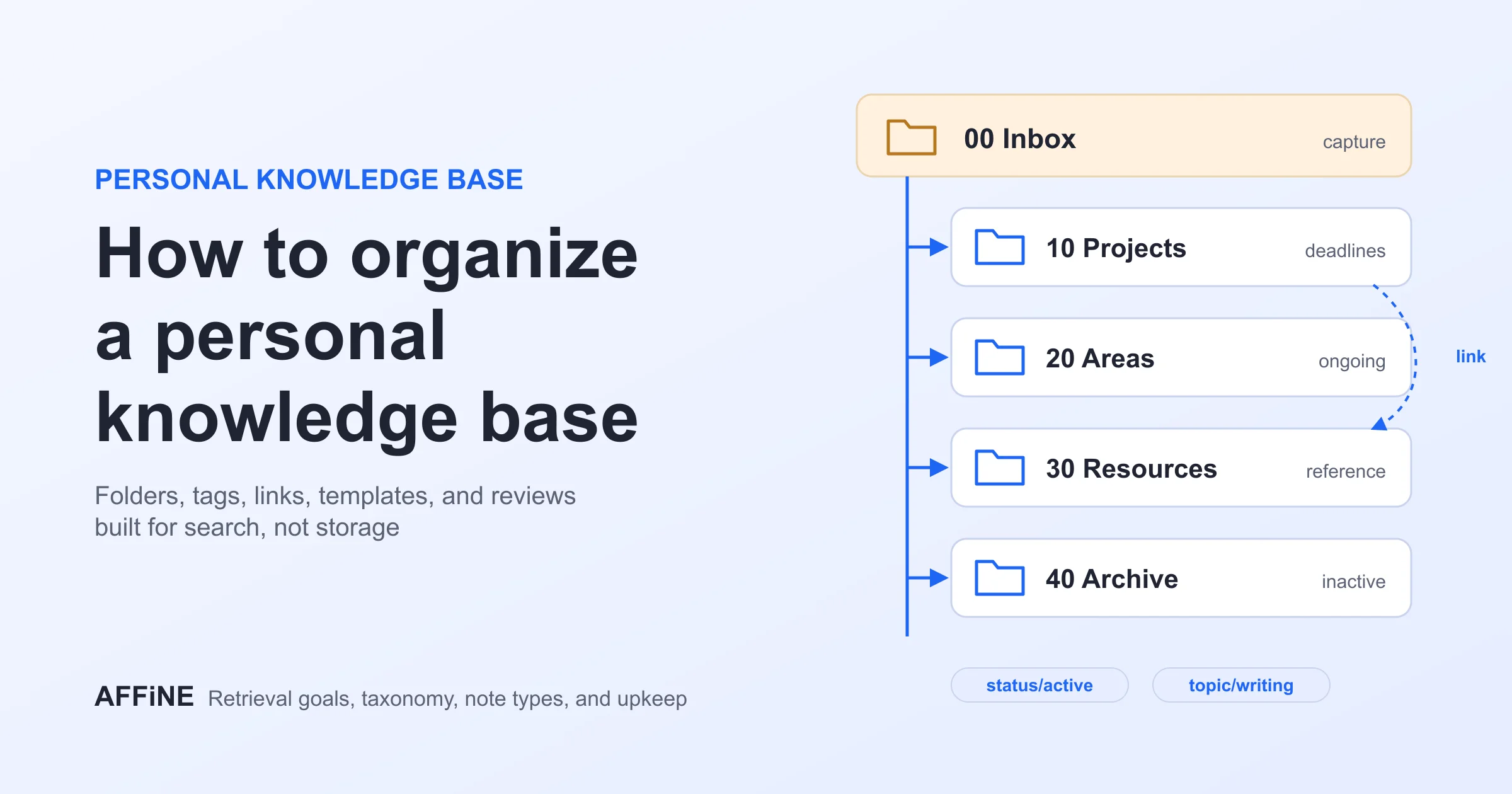
Personal Knowledge Management: A Practical 14-Day PKM Guide
What changed (Nov 19, 2026): Repositioned the guide as a 14-day PKM workflow: a worked source-to-action example with an evidence gap, an updated source-note template, app requirement checks (storage, open source, offline, collaboration, export), detailed 14-day stages, fixes for common PKM problems, trust and privacy guidance, and a new FAQ. Tool comparisons, AFFiNE setup, and knowledge base organization now live in their dedicated guides.
Personal knowledge management (PKM) is the process of capturing, organizing, finding, and using information for your own work or learning. The goal is not to save everything. It is to recover the right idea when a decision, project, or question calls for it.
This guide gives you a small system you can build in 14 days: choose one place to work, capture useful sources, connect ideas, and produce something from them. You will also learn how to define app requirements, diagnose common bottlenecks, and keep the system trustworthy over time.
Key Takeaways
- Build around one deliverable you need soon. Add folders, tags, or a formal method only after a real retrieval problem shows you what structure is missing.
- Choose a tool by its storage model, offline behavior, export quality, collaboration needs, and the way you prefer to think. A popular feature matters only if it supports your daily workflow.
- Judge the system by its output. Within two weeks, aim to turn at least one set of source notes into a brief, decision, study guide, or other finished piece of work.
What Is Personal Knowledge Management?
A PKM system is a repeatable path from information to use: capture a source, record why it matters, connect it to an active question, and retrieve it when you need to act. A notes app is a place to store material; PKM is the practice that makes that material useful.
The term "second brain" often describes a personal external system for remembering and organizing ideas. It overlaps with PKM, but neither term requires a particular app or framework; our guide to building a second brain covers that approach in depth. Start with a workflow you can sustain, not a taxonomy you must maintain. Tiago Forte's CODE framework is one established example, moving from Capture and Organize to Distill and Express.
A Worked PKM Example: From Source to Testable Action
The following fictional example shows how one source can become a testable project action. It demonstrates the workflow rather than reporting a real interview or customer result.
- Source record: Interview #04, October 3, 2026; fictional participant; exact observation: "I could not tell who owned the handoff." Keep the quote or a faithful summary, the date, and any confidentiality limits.
- Working interpretation: Ownership may be unclear in some launch handoffs. Mark this as a hypothesis, not as a fact about the whole process.
- Evidence still needed: One interview is not enough to establish a pattern. Review additional interviews and inspect the next five handoffs to see where ownership becomes unclear and what would challenge the hypothesis.
- Next output and validation: Add an owner field to a draft launch checklist, link it to the source note, and test it on the next five tasks. Keep the change labeled as proposed until the evidence shows whether it reduces confusion.
This separation keeps evidence traceable, makes uncertainty visible, and turns a note into an action that can be checked.
Copy a Minimal Source-Note Template
Title: [topic or question, not just the source name]
Source: [author / URL / interview / date]
What the source says: [short quote or faithful summary]
My interpretation: [clearly marked, with uncertainty]
Evidence still needed: [what would confirm or challenge this]
Why it matters: [question or active project]
Next use: [draft / decision / person to ask / none]
Related notes: [only meaningful links]
Open or save the starter-kit Markdown file for a copyable source-note template, working-insight template, weekly review, and 14-day checklist. Because it is a plain Markdown file, you can copy the text into any Markdown editor or save the page as a .md file.
Define Your PKM Requirements Before Choosing an App
Before comparing brands, define the constraint your system must satisfy: local file ownership, open-source access, cross-device sync, team collaboration, visual mapping, or rapid capture. Test that requirement with the same small project you will use during the 14-day trial.
If you are comparing a personal knowledge management open-source option with a hosted workspace, check which components are actually open source, where notes are stored, how sync is licensed, and what survives export. For product-by-product pricing, platforms, and feature comparisons, see our PKM tool recommendations.
Build a PKM System in 14 Days
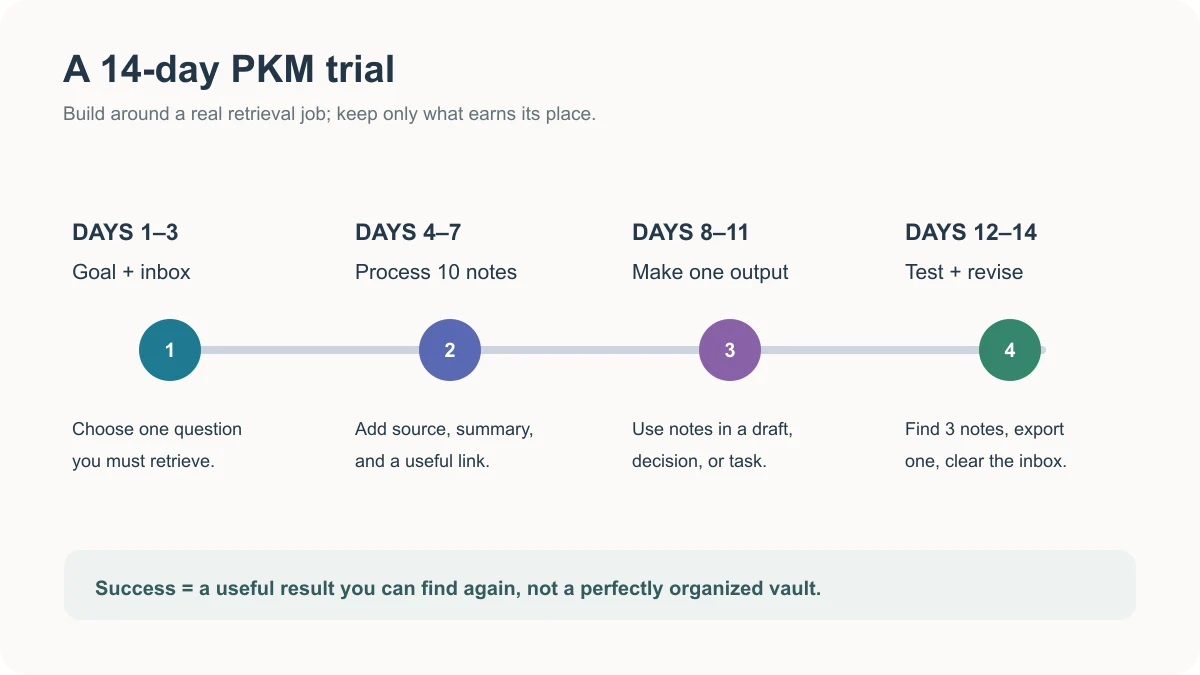
Treat these 14 days as a controlled trial, not a full archive migration. Use one real question, a small set of notes, and one useful output to test whether your system helps you retrieve and apply information. Each stage should expose one friction point you can fix before the system grows. The schedule is a practical starting framework rather than a research-backed productivity benchmark, so adjust the pace to your workload.
Days 1-3: Choose One Project and Set Up Capture
Choose a real question you expect to answer soon, such as "How can we reduce onboarding delays?" Create one inbox and one project page. For every useful source, save its title or link, the date, a two-sentence summary in your own words, and the reason it matters to that project. Keep the original source easy to revisit.
Do not migrate an entire archive on day one. Capture five to ten items related to the question, then try to find each one again using the title or a distinctive phrase. If retrieval fails, improve the title before creating more folders.
Days 4-7: Connect Notes to a Working Question
Review the first notes and separate source claims from your interpretation. On the project page, write three questions the material may answer and link the relevant notes beneath each one. A note without a useful connection can stay in the inbox until it becomes relevant.
Use the worked example above as a model: link the interview observation to the question of handoff ownership, keep the inference separate from the source, and record the evidence needed to challenge it.
Days 8-11: Make an Output, Not Another Archive
Turn the strongest notes into a short deliverable: a one-page brief, decision memo, study guide, or draft. In the worked example, the output is a draft launch checklist with an owner field, linked to the interview note and the evidence gap. It becomes a validated change only after the next five tasks show whether ownership is clearer.
If you cannot write a conclusion yet, list what evidence is missing. That gap is a useful result: it tells you what to read, ask, or test next instead of sending you back to collecting without a purpose.
Days 12-14: Review, Test Retrieval, and Keep What Works
Close or archive stale inbox items, update the project page, and search for three notes without browsing your folder tree. Keep only the labels and links that helped you recover or use information. Set a short weekly review to turn new material into active work.
Before committing to a tool, export a small sample and check what survives: text, attachments, links, and structure. Also check which notes you can open without a connection and how your data is backed up or synced.
Fix Common PKM Problems
You Cannot Find an Old Note
Likely cause: the title names the source but not the question it answers. Next step: rename the note with a searchable phrase, add a one-line summary, and link it from the project where you expect to need it. Test retrieval by searching for the question, not just the author's name.
Your Tags Keep Multiplying
Likely cause: tags are duplicating titles, projects, and each other. Next step: keep only labels that change what you do with a note, such as a project or a status. In the worked example, "to verify" is useful only when it marks the ownership hypothesis for follow-up; a separate tag for every interview topic would not help. Merge near-duplicates during your weekly review; use a clear title or a link when a new tag would only describe the topic. If your main problem is structuring a growing archive, follow our guide to organizing a personal knowledge base for a deeper workflow covering titles, folders, tags, links, search, review, and cleanup.
You Collect Notes but Produce Nothing
Likely cause: capture has no destination. Next step: put one question and a deadline on the project page, select three source notes, and draft a short answer. The output can be provisional; it should state what is known, what is uncertain, and the next action.
Keep Your PKM System Trustworthy
Store enough source context to verify important claims, especially when a note will inform a public article or a team decision. Keep source facts separate from your interpretation, and check AI-generated names, numbers, and quotations against the original. The NIST Generative AI Profile documents risks such as confident false content and fabricated citations, so keep AI output as a draft interpretation rather than primary evidence. Limit sensitive details to the people and systems that need them. A reliable small system is more valuable than a large one you cannot audit.
Where AFFiNE Fits in a PKM Workflow
AFFiNE can support a project that needs both a readable document and a spatial view of its evidence. A source note can begin in Page Mode, related observations can be arranged in Edgeless Mode, and the verified conclusion can return to the document as a decision or next action.
AFFiNE is our product; our editorial policy explains how product relationships and documentation-based claims are handled. This guide keeps the workflow tool-agnostic and does not present the AFFiNE section as an independent comparative test. For workspace setup, page structure, Edgeless organization, and an AFFiNE-specific PKM process, follow the PKM with AFFiNE guide.
Frequently Asked Questions
What is the simplest personal knowledge management system?
One inbox, one active project page, and a weekly review. Capture the source, explain why it matters, and use the best notes in a real output before adding more structure.
Is personal knowledge management the same as a second brain?
They overlap. PKM describes the practice of managing information for personal use; "second brain" is a common name for an external system that supports memory and creative work.
Do I need PARA, Zettelkasten, or tags to start?
No. Begin with a current question and clear note titles. Add a method or label when it solves a repeated problem you can name. If you later need to develop connected ideas across many sources, the Zettelkasten Method provides a fuller linking workflow.
How often should I review my notes?
Start with a weekly review, then adjust the cadence according to how quickly your inbox grows and when your projects reach important milestones.
How is PKM different from an organizational knowledge management system?
PKM supports one person's learning and decisions. An organizational system also needs shared ownership, permissions, update responsibilities, and a way for other people to find trusted information.
Final Words
A useful PKM system should make a current decision or project easier, not create another archive to maintain. Start with one question, test retrieval and export early, then choose the tool whose storage model and workflow fit your habits. After 14 days, keep only the structure that helped you turn information into action.