Knowledge base software your team will actually use
Connect docs, whiteboards and databases in one workspace. The editor and most client code are MIT-licensed; the server backend is source-available under the AFFiNE EE license.
- 70K+ GitHub stars
- Local-first, works offline
- Self-hostable with Docker
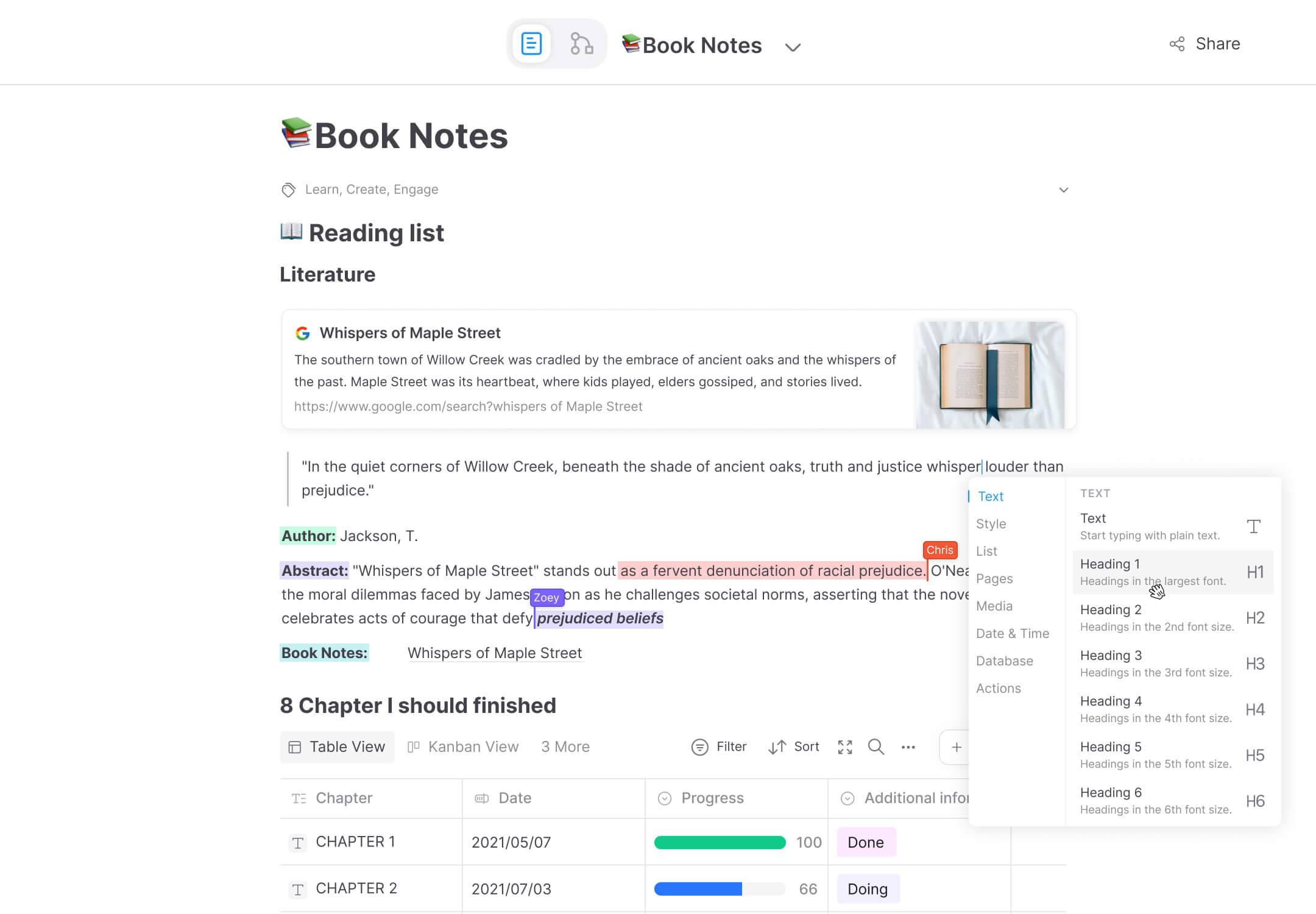
What good knowledge base software looks like
A knowledge base is only useful when people actually write in it and can find what they need later. Most knowledge management software fails on one of the two: either it is a rigid wiki nobody wants to edit, or a pile of docs nobody can search.
AFFiNE approaches the problem differently. Every page is both a document and a whiteboard, so specs, diagrams, meeting notes and plans live in one place. Local workspaces remain available offline. The editor and most client code are MIT-licensed; the server backend is source-available under the AFFiNE EE license.
Why teams choose AFFiNE as their knowledge base
One workspace for docs, whiteboards and databases
Write structured documents, sketch on an infinite canvas, and track work in database views — without switching tools or losing context. Your internal knowledge base stays coherent because everything links together.
See the whiteboardAn AI knowledge base, not just storage
AFFiNE AI drafts documents, summarizes long pages, generates mind maps and turns notes into presentations — grounded in your workspace content. Your knowledge base becomes something your team can ask, not just search.
Explore AFFiNE AIOpen source and self-hostable
Run AFFiNE in the cloud or deploy it on infrastructure you operate with Docker Compose. The editor and most client code are MIT-licensed; the backend is source-available under the AFFiNE EE license.
Self-host AFFiNEFree to start, priced for teams
Self-host free for up to 10 seats per workspace. Team adds seats at $10 per seat per month billed annually or $12 billed monthly, with priority support.
Compare plansHow to choose the best knowledge base software
There is no single best knowledge base software — there is the best fit for how your team works. Run any tool you evaluate, AFFiNE included, through these six checks.
Writing has to be effortless
If editing feels like filling in a CMS, people stop contributing. Look for a fast block-based editor, markdown support, and templates for recurring docs like meeting notes and specs.
Knowledge must connect, not pile up
Bi-directional links, backlinks and workspace-wide search decide whether your knowledge base stays navigable at 1,000 pages. A folder tree alone will not.
Check the format ceiling
Teams think in more than text: diagrams, flowcharts, project boards. If whiteboards and databases live in separate tools, knowledge fragments across them.
Ask what the AI can actually do
Useful AI drafts, summarizes and answers from your own workspace content. A generic chatbot bolted onto storage adds little.
Demand an exit path
Open formats, full export and — ideally — open source. If you cannot leave with your data, you do not own your knowledge base.
Match the deployment model to your constraints
Regulated or privacy-sensitive teams often need self-hosting. Most SaaS knowledge base tools cannot offer it; open-source tools like AFFiNE can.
AFFiNE vs. typical SaaS knowledge base tools
| AFFiNE | Typical SaaS knowledge base | |
|---|---|---|
| Docs + whiteboard in one page | every doc is also a canvas | Docs only; whiteboard is a separate product |
| Open source | full source on GitHub | Closed source |
| Self-hosting | Docker deployment, free | Rare, usually enterprise-only |
| Works offline | local-first storage and sync | Limited or online-only |
| Built-in AI | Drafting, summaries, mind maps, slides | Varies; often a paid add-on |
| Data ownership | Your files, your servers if you choose | Vendor-hosted only |
Capability snapshot, July 2026.
Frequently asked questions
What is knowledge base software?
Knowledge base software is a tool for capturing, organizing and retrieving a team's collective knowledge — docs, decisions, processes and know-how — in one searchable place. Good knowledge base software makes writing easy, keeps content connected, and helps people find answers without asking a colleague.
Is there a good free knowledge base software?
Yes. AFFiNE self-hosting is free for up to 10 seats per workspace. Team adds seats at $10 per seat per month billed annually or $12 billed monthly. Your team operates the infrastructure, backups, updates, and HTTPS.
Can AFFiNE work as an internal knowledge base?
Yes. Teams use AFFiNE for internal documentation, onboarding guides, meeting notes and project specs. Pages combine documents, diagrams and database views, and workspace search plus bi-directional links keep internal knowledge discoverable.
What makes an AI knowledge base different?
An AI knowledge base doesn't just store documents — it can draft, summarize and answer using them. AFFiNE AI writes and refines docs, condenses long pages, generates mind maps and turns notes into presentations, all inside the same workspace where your knowledge lives.
Is there an open-source knowledge base software?
AFFiNE’s editor and most client code are MIT-licensed. The backend and native server components are source-available under the AFFiNE EE license. You can run the documented Docker Compose self-host deployment.
What is the best knowledge base software?
It depends on your constraints. AFFiNE combines docs, whiteboards and databases, with offline desktop local workspaces and an option to self-host. Compare editing, search, import, access and operations before choosing.
Build your team's knowledge base on AFFiNE
Start free in the cloud, or deploy your own instance — your knowledge, your choice.
Last updated: October 3, 2026