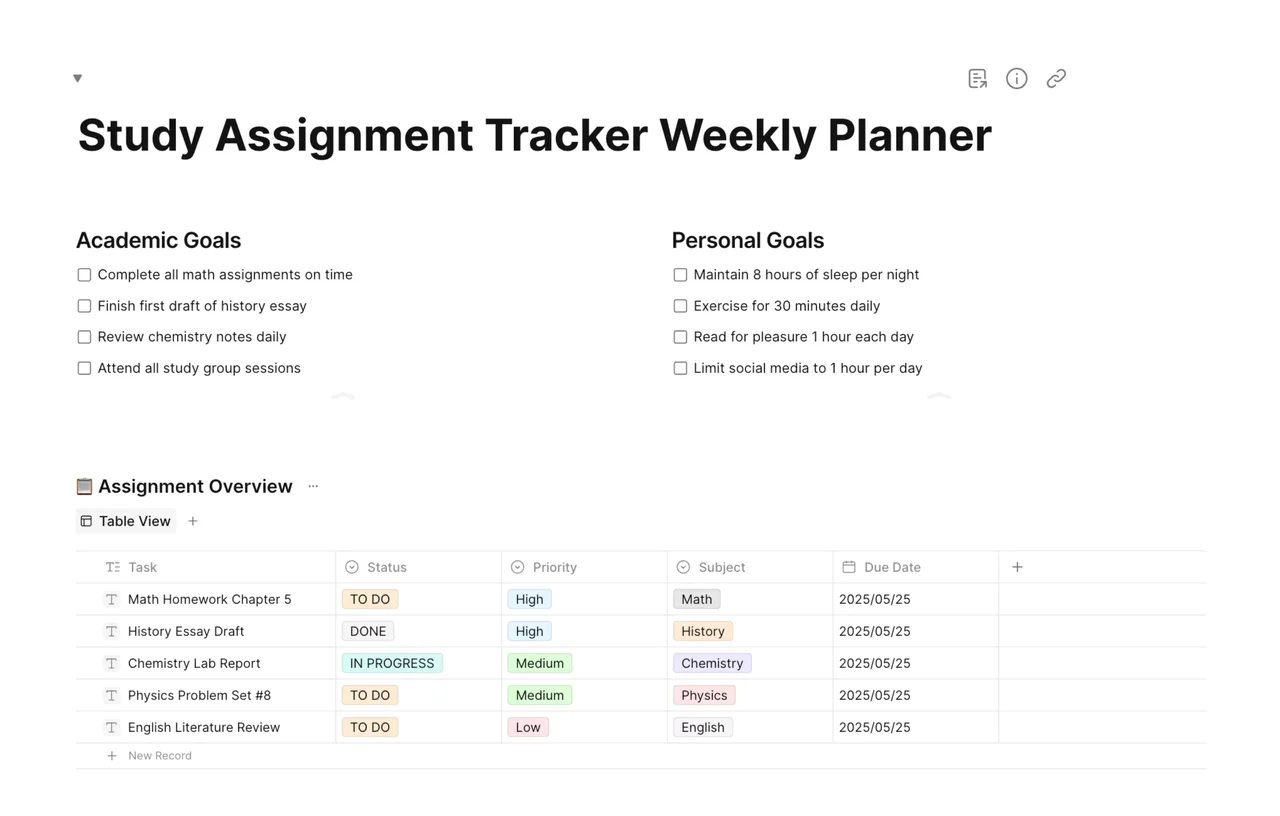
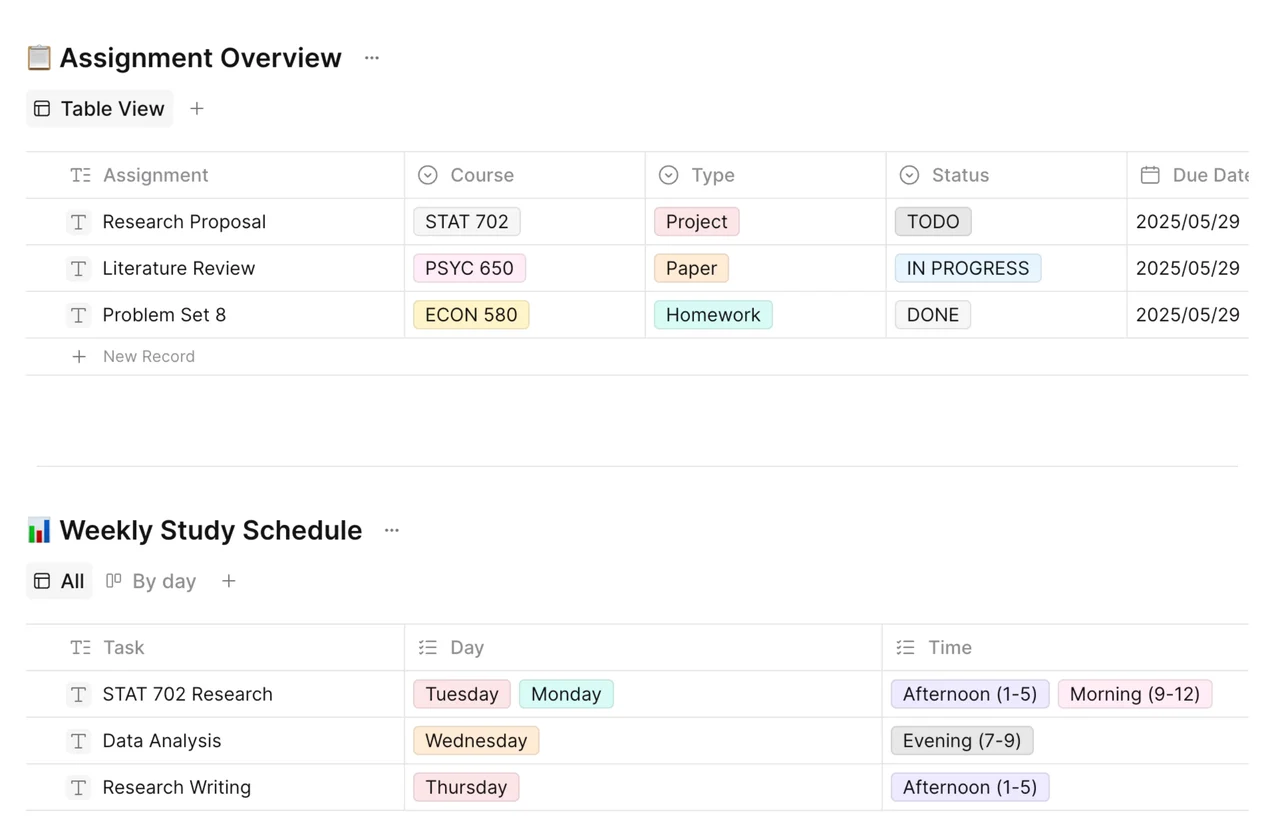
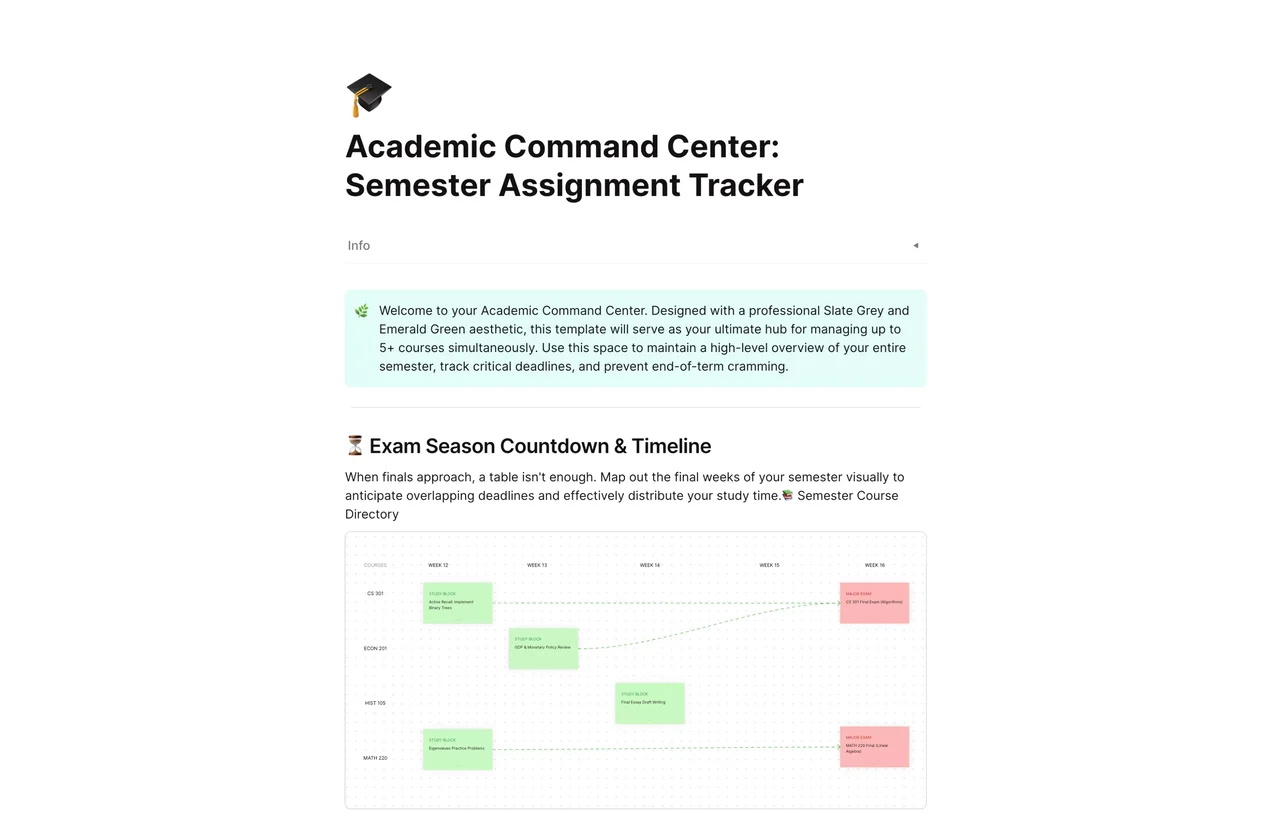
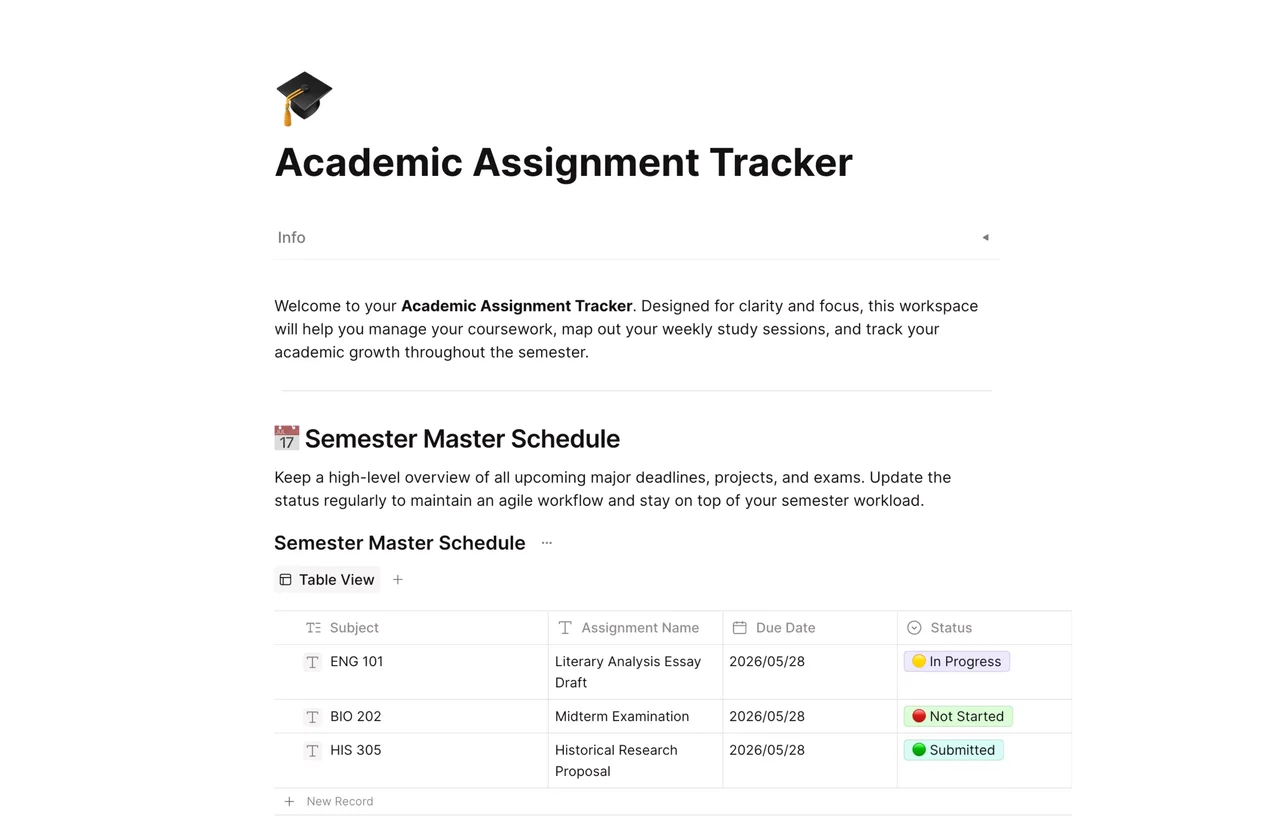
An academic assignment tracker is a list or table where a student records every assignment, exam, and project with its course, due date, and status so nothing is missed during the semester. This AFFiNE template gives you a Semester Master Schedule database with Subject, Assignment Name, Due Date, and Status columns, plus space to map out weekly study sessions and track your progress through the term.
What's included in this template
- Welcome note: a short introduction explaining how to use the workspace to manage coursework, plan weekly study sessions, and track progress.
- Semester Master Schedule: a database in Table View with these columns:
- Subject (for example ENG 101, BIO 202, HIS 305)
- Assignment Name
- Due Date
- Status, with options such as Not Started, In Progress, and Submitted
- Sample rows you can overwrite, including an essay draft, a midterm exam, and a research proposal.
- Additional sections below the schedule for weekly study planning, which you can edit to match your course load.
Who it's for
- High school and college students juggling several courses with different syllabi.
- Students who want one view of all major deadlines and exams for the semester.
- Graduate students tracking papers, readings, and research milestones.
- Anyone who has outgrown a paper planner and wants a sortable digital tracker.
How to use this academic assignment tracker in AFFiNE
- Copy the template. Click Use this template to add the tracker to your AFFiNE workspace.
- Enter your courses and deadlines. Go through each syllabus at the start of the term and add a row for every assignment, quiz, exam, and project.
- Set a status for each row. Use Not Started, In Progress, or Submitted, and update it as soon as your work changes.
- Sort or add views. Sort the table by due date, or add another view (such as a kanban or calendar view) from the view menu to see your workload differently.
- Plan your study week. Use the weekly planning section to block time for the assignments due soonest.
- Link your notes. Open a row or link a page to keep outlines, research notes, and drafts next to the deadline.
Tips for tracking assignments
- Add everything on the first day of term. Entering all syllabus dates at once prevents surprise deadlines later.
- Set your own due date a day or two before the real one so you have buffer time.
- Review the tracker every Sunday and pick the three tasks that matter most for the week.
Frequently asked questions
What should an assignment tracker include?
At minimum, include the course, assignment name, due date, and status. Many students also add priority, grade weight, or estimated hours. This template starts with the four core columns, and you can add more properties in AFFiNE.
How do I keep track of assignments in college?
Put every deadline from every syllabus into one tracker at the start of the semester, update the status as you work, and review it weekly. A single list is easier to trust than dates spread across apps and notebooks.
Can I use this tracker instead of Google Sheets or Excel?
Yes. The Semester Master Schedule works like a spreadsheet table, but each row can also link to notes and drafts in the same workspace. If you prefer a spreadsheet, see our guide to an assignment tracker in Google Sheets.
Is this academic assignment tracker free?
Yes. You can copy the template into AFFiNE for free and edit it as you like.
Explore more assignment tracker templates, plan your week with the study assignment tracker weekly planner, try the advanced study assignment tracker, or read our student assignment tracker tips.