Template Gallery

Eisenhower Matrix Template for AFFiNE

Prioritize tasks in an editable AFFiNE Eisenhower matrix. Includes four quadrants, task evidence records, a worked example, and a review checklist.

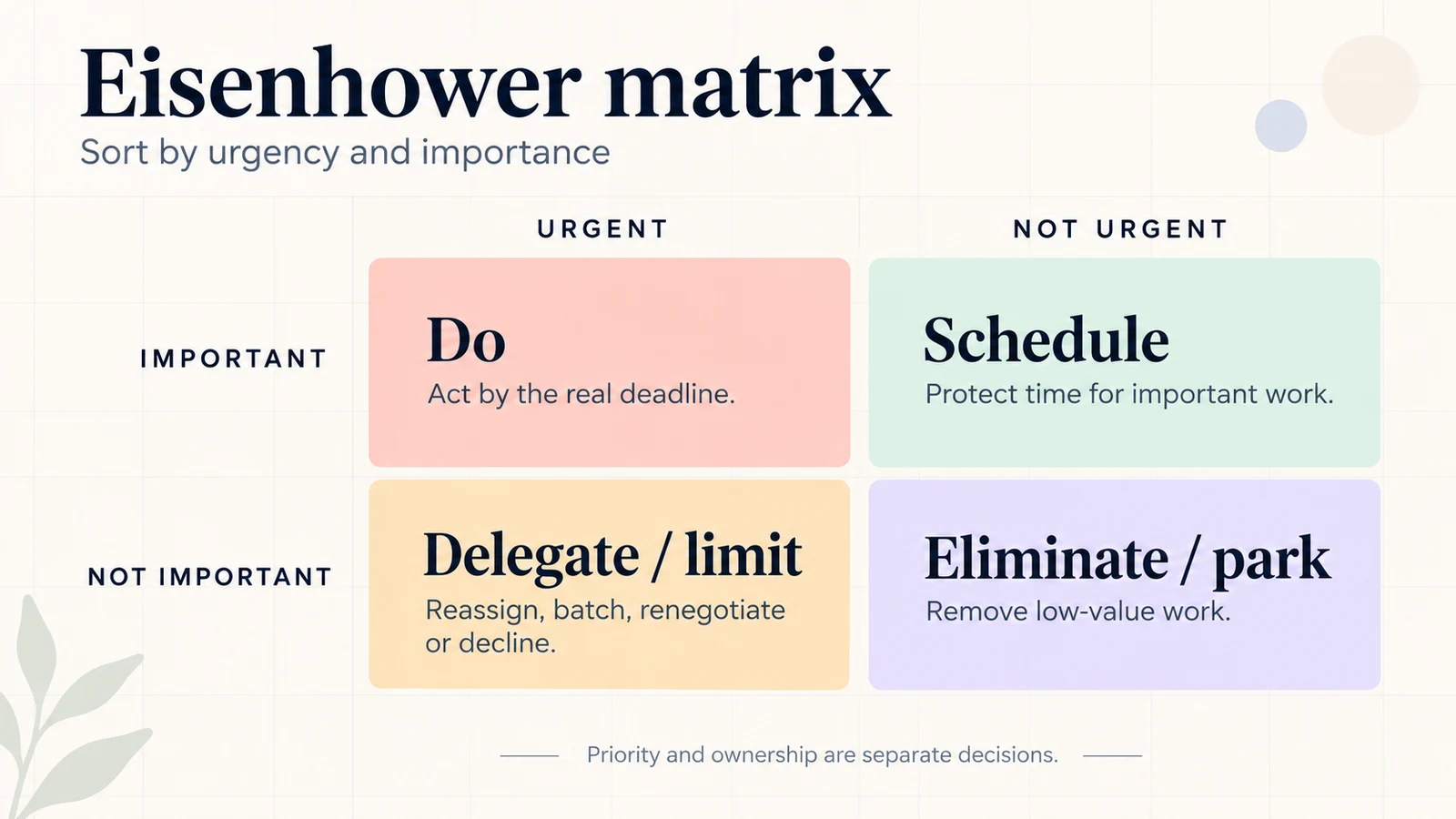
Eisenhower matrix diagram with urgent and not urgent columns, important and not important rows, and the actions Do, Schedule, Delegate or limit, and Eliminate or park; priority and ownership are separate decisions

Start with your own editable matrix

This AFFiNE template contains a blank urgent–important matrix, a task evidence record, a fictional worked example, and a review checklist. Import a copy into your own workspace, replace the prompts, and keep your original as a reusable master.

The cover is an illustration of the method. Use Preview to see the actual editable document.

What is inside

  • Four editable quadrants: Do, Schedule, Delegate / Limit, and Eliminate / Park.
  • Planning context: record your planning period, goal, and owner.
  • Evidence for each decision: identify the goal or responsibility affected, the real deadline, and the consequence of waiting.
  • Task record: next action, owner, action date, and dependency or review date.
  • Review checklist: reassess urgency, protect scheduled work, confirm handoffs, and remove low-value tasks.

How to use this template in AFFiNE

  1. Select Use this template, sign in if prompted, choose a workspace, and import your own editable copy.
  2. Replace the planning period, goal, and owner prompts.
  3. Put each task in one quadrant, based on importance and urgency. A task is urgent when waiting until your next review has a meaningful consequence.
  4. Copy the task record for decisions that need evidence or follow-up.
  5. Revisit the matrix when deadlines or goals change. Duplicate your clean master for the next planning cycle.

Important work can be delegated too. Assigning an owner does not determine the task’s importance. If you cannot delegate a low-priority request, limit, batch, renegotiate, or decline it.

The web import flow may ask you to sign in. For a local workspace, download the snapshot below and import it in the desktop app.

Download or learn the method

FAQ

Is this an editable AFFiNE template?

Yes. The snapshot contains native AFFiNE blocks, including an editable matrix table and task records. Import it into your own workspace to change the contents.

Do I need an Excel or Google Sheets account?

No. This template is for AFFiNE. The separate printable worksheet is a PDF. No Excel or hosted Google Sheets file is included.

Does the matrix replace a project plan?

No. It helps you decide what deserves attention. Track dependencies, workload, and project milestones separately.
Get more things done, your creativity isn't monotone
