
Free Kanban Board Template: Examples and How to Use It
What changed (Nov 19, 2026): Rebuilt the page around ready-to-use templates: 10 illustrated Kanban board examples with recommended columns and AFFiNE templates, a setup guide with a weekly review routine, a format comparison (online, Excel, Google Sheets, PDF, Word, PowerPoint), customization steps, common mistakes, an FAQ, and a new cover.
A Kanban board becomes useful when work stops feeling like an endless list and starts moving through a visible process. Instead of asking who is working on what or which task should come next, you can see the current status of every item on one board.
This guide explains what a Kanban board template should include, shows 10 practical board examples, and walks through a simple setup that can be adapted for personal tasks, study projects, marketing work, or software development.
Key Takeaways
- A Kanban board template is a reusable workflow, not just a set of task columns.
- Start with a small number of meaningful stages and add columns only when the work actually follows those stages.
- Limit active work so tasks reach Done instead of accumulating in In Progress.
- Choose an editable online board such as AFFiNE for changing workflows, and use Excel, Google Sheets, PDF, or a printable board when you need spreadsheet logic or a fixed offline copy.
10 Kanban Board Examples and AFFiNE Templates for Different Workflows
1. Basic Task Management Kanban Template
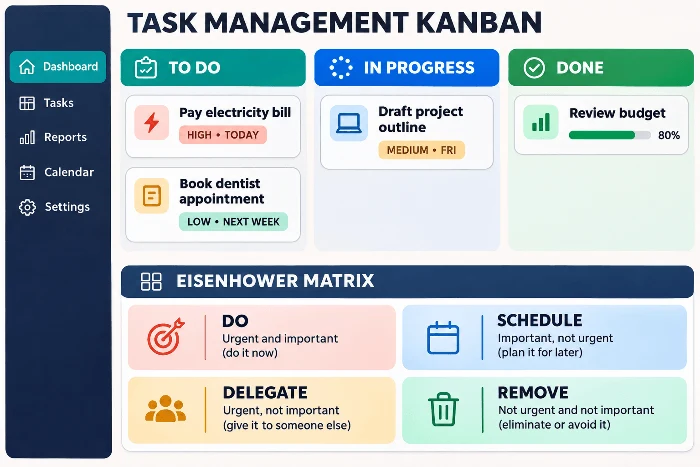
Recommended columns: To Do, In Progress, Done.
Use this three-stage board for personal tasks, weekly priorities, household work, and small team projects. The template combines a dedicated Kanban board with an Eisenhower Matrix, so you can prioritize incoming work before moving cards through the workflow. Add an owner and due date when responsibility or timing matters. Ready to begin? Start your own Task Management Kanban Template in AFFiNE.
2. Agile Sprint Kanban Board Example
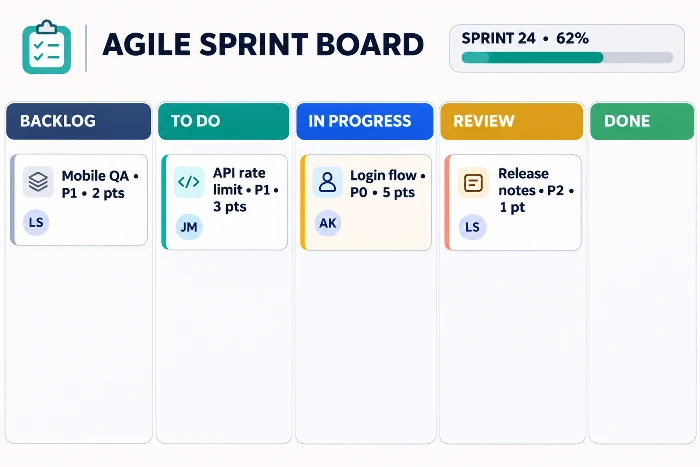
Recommended columns: Backlog, To Do, In Progress, Review or Testing, Done.
Use one card for each feature, bug, research task, or technical improvement. The template includes fields for assignee, status, sprint, due date, story points, and a Column field that uses P0, P1, and P2 as priority labels. It starts with a task database in Table view; use the Status field to create a Kanban-style workflow and apply a manual work-in-progress limit when you need continuous flow. Plan your next iteration with the Agile Sprint Board Template.
3. Marketing Content Kanban Template
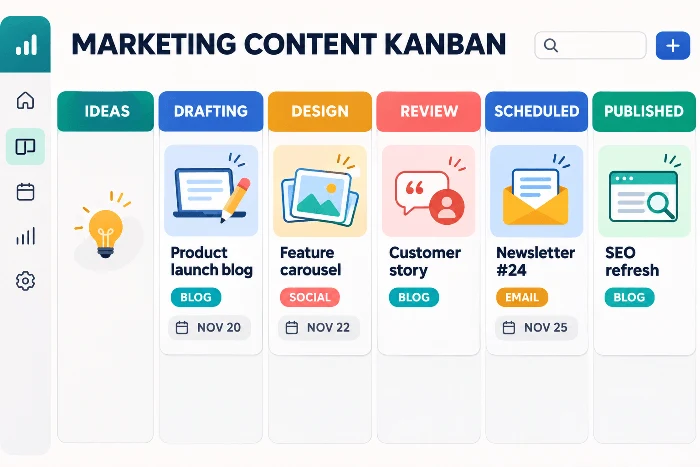
Recommended columns: Ideas, Drafting, Design, Review, Scheduled, Published.
Create one card for each article, email, video, landing page, or social post. Record the channel, owner, publish date, and status so handoffs remain visible. The template supports calendar, Kanban, and table views, allowing the same content plan to be reviewed by date or by production stage. Build your next publishing workflow with the Content Calendar Template.
4. Student Assignment Kanban Template
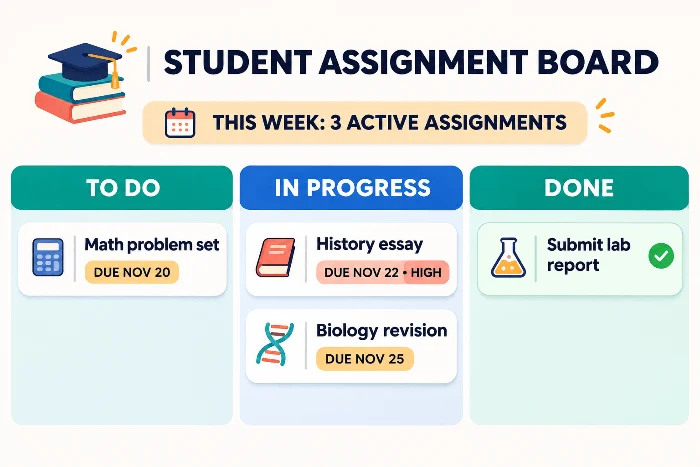
Recommended columns: TODO, In Progress, Done.
Use the board for homework, revision tasks, exams, applications, and group assignments. The template includes List and Kanban views with Status, Due, Priority, and Note fields. Students can scan upcoming deadlines in a list, then use the board to focus on the assignments currently being completed. Keep every deadline visible with the Assignment Tracker Template.
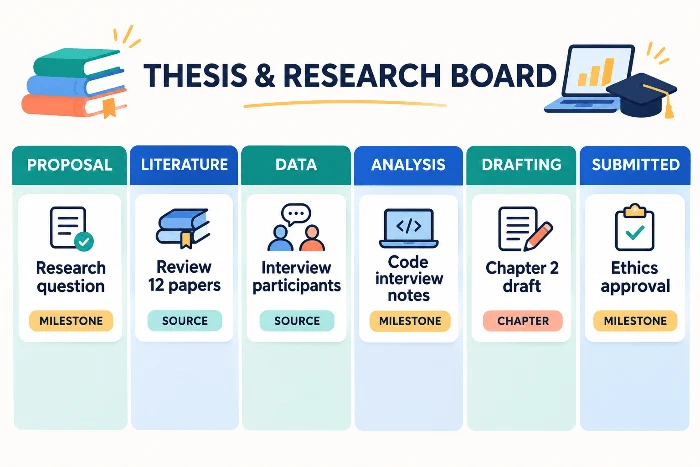
5. Thesis and Research Kanban Template
Recommended columns: Proposal, Literature Review, Data Collection, Analysis, Drafting, Peer Review, Submitted.
Create cards for sources, experiments, interviews, chapters, or approval milestones. The template combines Kanban and Table views for research phases, deadlines, and source management. The longer workflow makes it easier to see which stage is delaying the project without mixing unfinished research with active writing. Move your research from proposal to submission with the Thesis Architect Template.
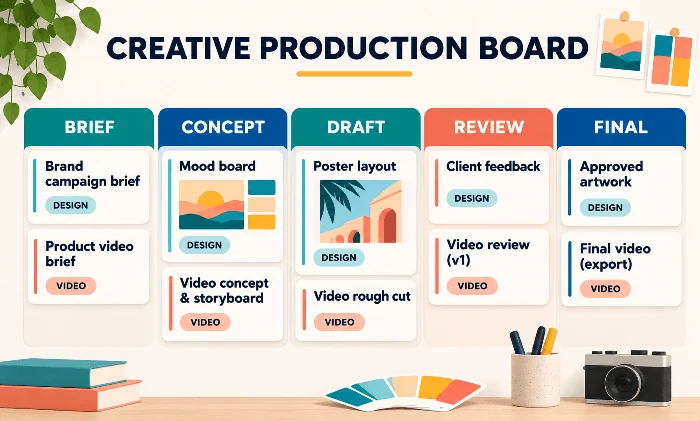
6. Creative Production Kanban Board Example
Recommended columns: Brief, Concept, Draft, Review, Revision, Final.
Use this workflow for design, video, illustration, photography, and other feedback-heavy deliverables. The template brings references, mood boards, deadlines, assets, feedback, and production stages into one workspace. Use its stage field as the basis for a Kanban-style flow, with separate Review and Revision columns when client or stakeholder approval is required. Take a creative brief through final approval with the Visual Creative Assignment Tracker.
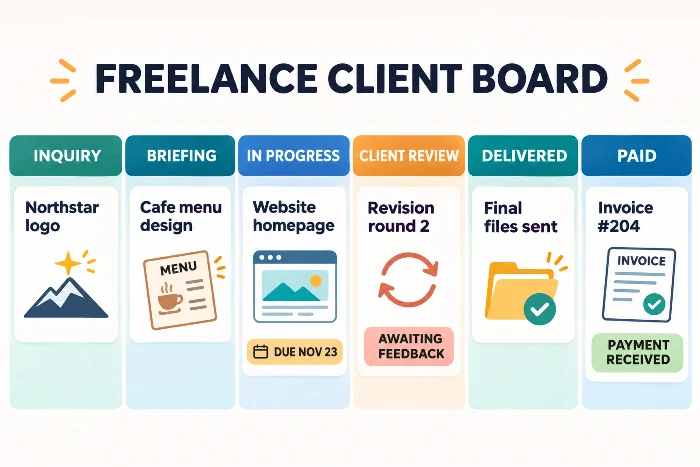
7. Freelance Client Kanban Board Example
Recommended columns: Inquiry, Briefing, In Progress, Client Review, Delivered, Paid.
Use one card for each client engagement or deliverable. The template helps freelancers track deadlines and payments in one workspace. Add fields for project status, client feedback, and next steps if your workflow requires them. A status-based board keeps unpaid work visible after delivery and prevents client feedback from becoming mixed with active production. Manage the full client lifecycle with the Freelance Client Assignment Tracker.
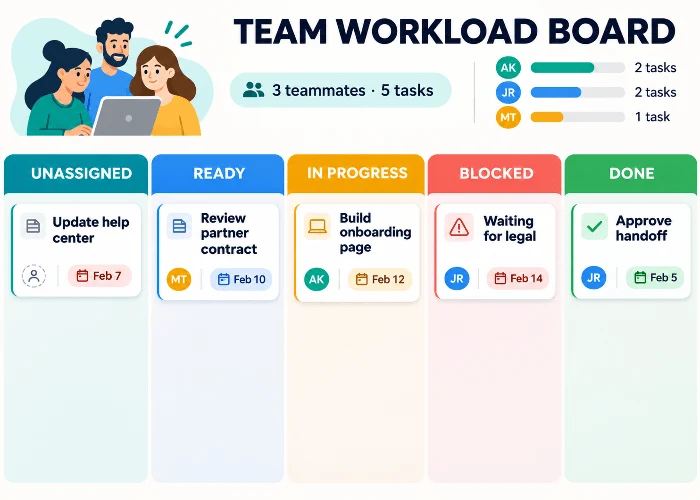
8. Team Workload Kanban Board Example
Recommended columns: Unassigned, Ready, In Progress, Blocked, Done.
This structure helps team leads separate tasks that still need an owner from work that is ready to begin. The template centralizes delegation, assignment status, workload, and resource allocation in a structured table and Edgeless view. Group assignments by status to create a Kanban-style view, and use Blocked only when a task cannot move without outside action. Balance ownership and capacity with the Team Lead Assignment Tracker.
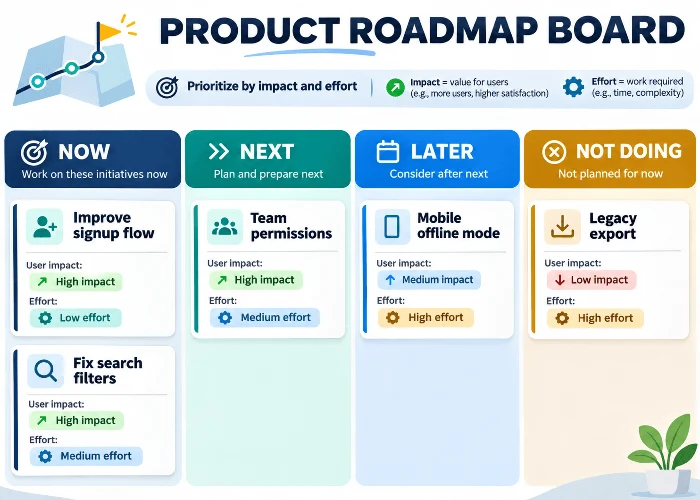
9. Product Roadmap Kanban Board Example
Recommended columns: Now, Next, Later, Not Doing.
Use this board to communicate product horizons rather than day-to-day task status. The template starts with Now, Next, and Later tables. Add a database with a Horizon field, switch it to Kanban, and group cards by Horizon to turn the roadmap into a board while keeping evidence, goals, and planning notes nearby. Turn priorities into a visual horizon with the Product Roadmap Template.
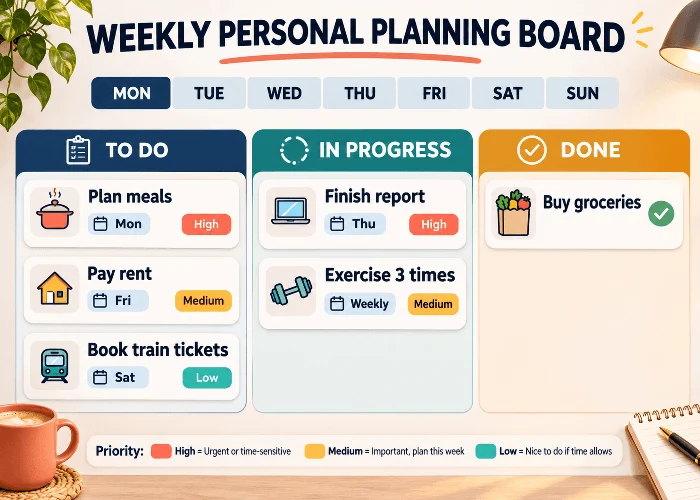
10. Weekly Personal Planning Kanban Template
Recommended columns: To Do, In Progress, Done.
Use this template when tasks need both a weekly time frame and a simple progress view. It supports table and Kanban views alongside a weekly calendar and priority matrix. Plan appointments and deadlines by day, then move only the tasks you are actively working on into In Progress so the board stays realistic. Create a calmer week with the Weekly Schedule & To-Do List Template.
What Is a Kanban Board Template?
A Kanban board template is a reusable visual structure for moving work through defined stages. Each task is represented by a card, and each column represents a real state in the workflow. A basic board may use To Do, In Progress, and Done, while a more detailed process may add Backlog, Review, Testing, Waiting, or Published.
The board shows the work that exists today. The template defines the structure that can be reused for the next project. A good template saves setup time while leaving enough flexibility to match the actual steps, responsibilities, and completion rules of a specific workflow.
Core Elements of a Useful Kanban Board
- Workflow columns: Stages that reflect how work moves from request to completion.
- Task cards: One visible card for each work item, with enough information to act on it.
- Ownership and dates: A clear owner and due date when responsibility or timing matters.
- Work-in-progress limits: An agreed cap on active tasks so the team finishes before starting more.
- Review cadence: A regular time to remove outdated cards, update priorities, and improve the workflow.
Use the Free AFFiNE Kanban Board Template
AFFiNE is a strong choice when a static spreadsheet or a single-purpose task board is not enough. Its free Kanban Boards and Eisenhower Grids template combines priority decisions with progress tracking, so you can decide what deserves attention and then move the same work through To Do, In Progress, and Done.
Compared with a fixed PDF, Word file, or manually maintained spreadsheet, the board remains editable as priorities change. AFFiNE also keeps task owners, due dates, project notes, supporting documents, and visual planning in the same workspace, reducing the need to maintain a separate board, priority matrix, and reference file.
Use Page mode when you want a structured, readable plan, then move to the Edgeless canvas when relationships, dependencies, or spatial grouping are easier to understand visually. Individuals, students, and small teams can duplicate the template, adapt the columns, and reuse the workflow as their projects evolve.
Why Combine Kanban with an Eisenhower Matrix?
A Kanban board answers, "Where is this task now?" The Eisenhower Matrix answers, "Should this task be done now, scheduled, delegated, or removed?" Using both prevents low-value tasks from entering the active workflow simply because they were added first.
This combination is especially useful when the backlog is longer than the time available. Prioritize first, then pull only the most valuable work into the board.
Who Is This Template Best For?
- Individuals balancing work, personal tasks, and recurring responsibilities.
- Students organizing assignments, research, revision, and submission dates.
- Small teams that need a shared view of ownership, deadlines, and task status.
- Project leads who need to prioritize a backlog before work enters the active flow.
How to Use the AFFiNE Kanban Board Template
You can begin with the existing structure and adjust it as the workflow becomes clearer.
- Open the Kanban Boards and Eisenhower Grids template and select 'Use this template' to add a copy to your AFFiNE workspace.
- Add every open task to To Do, using one card per task. Include an owner and due date when the task needs clear responsibility or timing.
- Place each task in the appropriate Eisenhower quadrant. Do urgent and important work first, schedule important but non-urgent work, delegate suitable urgent tasks, and remove work that has little value.
- Move only the work you are ready to start into In Progress. Agree on a simple limit so active work stays manageable.
- Move completed cards to Done and review the board at least once a week to clear finished work, update priorities, and choose the next tasks.
A Simple Weekly Review Routine
- Remove tasks that are no longer relevant.
- Check owners and due dates for active work.
- Reprioritize tasks when urgency or importance has changed.
- Select a realistic number of tasks to move into the next active period.
Which Kanban Board Template Format Should You Choose?
Kanban templates are often related to Excel, Google Sheets, PDF, Word, PowerPoint, and printable formats. The right choice depends on whether the board must stay active and editable or serve as a fixed document.
Online Editable Kanban Template
Choose an online template when tasks change frequently and the board must remain part of daily work. AFFiNE adds a built-in Eisenhower Matrix and flexible Page and Edgeless views for users who want prioritization and visual planning in the same workspace.
Excel or Google Sheets Kanban Template
A spreadsheet format is useful when the task list already depends on rows, formulas, filters, or structured data. It is familiar and easy to distribute, but the board layout and movement between stages usually require more manual setup than a dedicated visual template.
PDF or Printable Kanban Board Template
Choose a PDF or printable board for workshops, classrooms, wall planning, or any situation where a fixed offline copy is more useful than a live workspace. Updates must be written or reprinted, so this format is less suitable for fast-changing projects.
Word or PowerPoint Kanban Template
Word works well when the board belongs inside a written report or process document. PowerPoint is useful for presenting a workflow or project snapshot. Both formats communicate a plan clearly, but they are better for documentation and presentation than continuous task management.
How to Customize a Kanban Board for Your Workflow
- Map the real workflow. Write down the stages a task passes through today, including approvals, reviews, and waiting periods.
- Create only the necessary columns. Every column should represent a meaningful state, not a person or a vague category.
- Define the information each card needs. A useful card may include the expected result, owner, due date, priority, and completion criteria.
- Set a work-in-progress policy. Decide how many cards may remain active at once and what must happen before new work begins.
- Review and improve the board. Watch where tasks accumulate, then adjust the workflow or policies instead of simply adding more cards.
Common Kanban Board Mistakes to Avoid
- Adding too many columns: Extra stages make the board harder to scan and maintain.
- Starting too much work: A crowded In Progress column hides delays and increases context switching.
- Using vague task cards: A card such as "website" does not show the next action or expected result.
- Leaving ownership unclear: Tasks can sit untouched when nobody knows who is responsible.
- Skipping reviews: An outdated board quickly loses trust and stops guiding daily decisions.
Frequently Asked Questions
Does Excel have a Kanban board?
Excel can be used to create a Kanban board with cells, tables, colors, or a prebuilt template. It is a practical option for spreadsheet-based tracking, although moving work between stages and maintaining a visual flow usually require more manual effort than an online Kanban workspace.
How do I create my own Kanban board?
Start with the stages your work already follows. Create a column for each meaningful state, add one card per task, define what information each card needs, set a limit for active work, and review the board regularly. A simple To Do, In Progress, and Done board is enough for most first-time users.
What are the six rules of Kanban?
Kanban does not define six fixed rules. Kanban University describes six general practices: visualize, limit work in progress, manage flow, make policies explicit, implement feedback loops, and improve collaboratively while evolving experimentally. These practices guide how a Kanban system is operated and improved.
What is the best free Kanban software?
The best free option depends on the workflow. AFFiNE suits users who want a reusable board with built-in urgency-and-importance prioritization; spreadsheets suit data-heavy tracking, and printable boards suit fixed offline use.
Is the AFFiNE Kanban board template free?
Yes. The Kanban Boards and Eisenhower Grids template is free and can be duplicated into an AFFiNE Free workspace. AFFiNE's current Free plan has no time limit and includes unlimited local workspaces, unlimited Doc and Edgeless editing, and 10 GB of cloud storage.
What is the difference between a Kanban board and an Eisenhower Matrix?
A Kanban board shows the current status and flow of work. An Eisenhower Matrix ranks tasks by urgency and importance. Used together, the matrix helps decide what should enter the workflow, while the board shows how that work is progressing.
Start With a Free Kanban Board Template
Start with three clear columns and a realistic limit on active work. The free AFFiNE Kanban Boards and Eisenhower Grids template lets you prioritize incoming tasks and track progress in one reusable workspace.


