Free Run of Show Template (CSV, PDF & AFFiNE)
Free run of show template with a filled 90-minute hybrid workshop example, producer and chat cues, a cut list, and blank and filled CSV and PDF sheets.

Reviewed by AllenContent Operations Manager

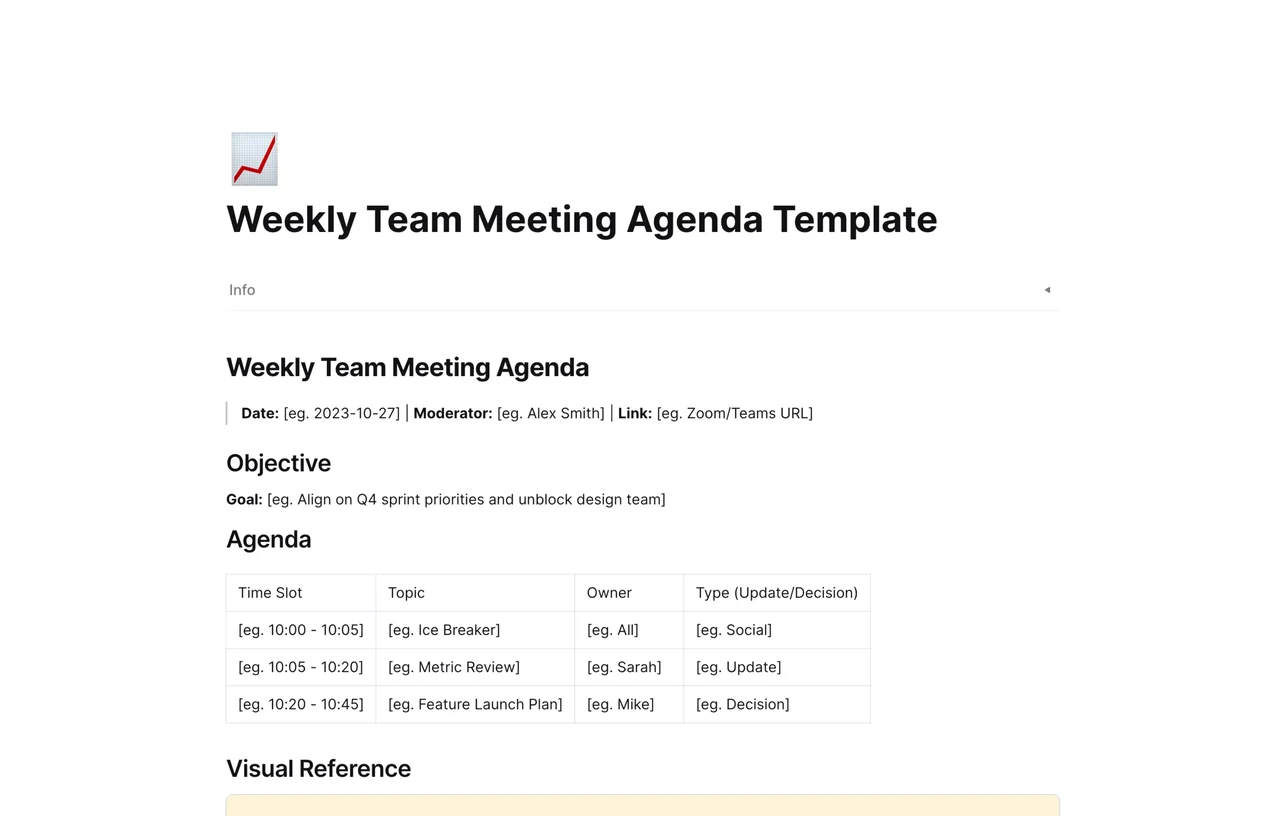

A run of show is the minute-by-minute script that the host, speakers and crew follow during an event. Each row gives a start time, a duration, a segment, an owner and a cue. This page gives you the AFFiNE run of show template, a filled 90-minute hybrid workshop example, and blank and filled sheets as CSV and A4 PDF.
A run of show (often shortened to ROS) is an internal production document. An agenda tells attendees what will happen. The run of show tells the team exactly when each segment starts, who owns it, what has to happen technically, and what to do if it slips. Everyone working the event reads from the same version.
What the AFFiNE template includes. The Use this template button copies a one-page AFFiNE document with:
The 90-minute example, the CSV sheets and the PDFs below were made for this page. They are separate downloads, not part of the AFFiNE template.
| Agenda | Run of show | Cue sheet | |
|---|---|---|---|
| Who reads it | Attendees | Host, speakers, producer and crew | Technical operators (sound, video, stream) |
| Level of detail | Topics and rough times | Exact start times, durations, owners, cues and fallbacks | One numbered line per technical action |
| Typical content | Session titles, speakers, breaks | Everything in the agenda plus cues, locations and contingencies | Cue number, trigger, action, operator |
| When it is used | Shared before the event | Rehearsal and the live event | Live, by the people running the equipment |
For a small workshop, the run of show usually carries the cues itself, so a separate cue sheet is not needed. Larger productions often give each operator their own cue sheet. If you only need to tell people what a recurring meeting covers, the weekly team meeting agenda template is lighter. If you are attending a conference rather than running a session, plan your day with the conference itinerary template instead.
The downloadable sheet uses seven columns (the CSV splits Time into Start and End). Five map to the AFFiNE table: Time, Duration and Segment keep their meaning, Speaker becomes Owner, and Tech / Notes becomes Cue. Location and Contingency are added for hybrid events. You can add the same two columns to the table in your AFFiNE copy.
Illustrative example: Fernhill Software, its people, rooms and links are fictional. The Q3 Product Strategy Workshop runs in Room B with remote attendees on Zoom, from 13:00 to 14:30 local time on Thursday, November 12, 2026. Roles: Nadia Haddad (host, keeps time and makes cut calls), Marcus Lindqvist (producer), Ines Carvalho (facilitator), Kwame Mensah (speaker) and Ana Ruiz (room lead and emergency contact).
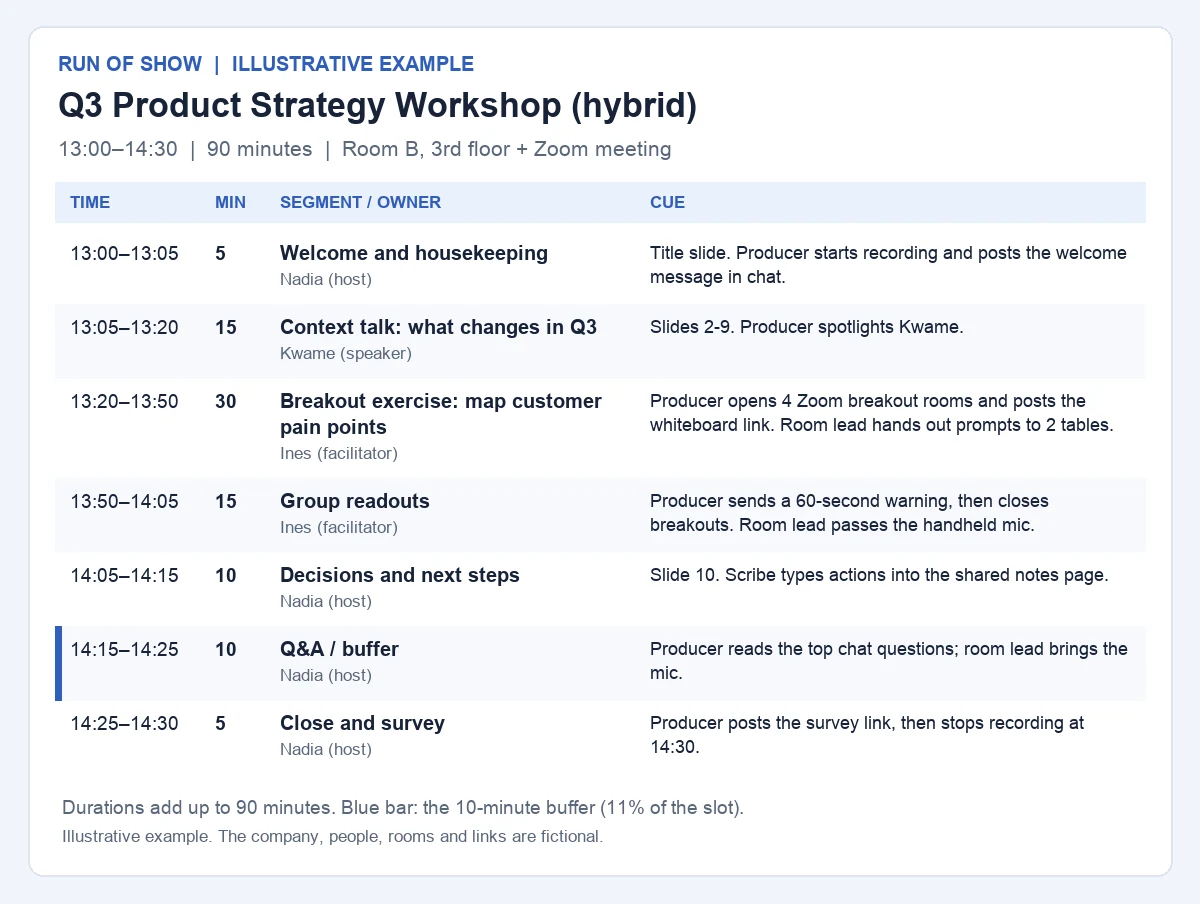
| Time | Min | Segment | Owner | Cue | Location | Contingency |
|---|---|---|---|---|---|---|
| 13:00–13:05 | 5 | Welcome and housekeeping | Nadia (host) | Title slide. Producer starts recording and posts the welcome message in chat. | Room B stage + Zoom | If under half the room has joined, start at 13:03 and keep housekeeping to 2 minutes. |
| 13:05–13:20 | 15 | Context talk: what changes in Q3 | Kwame (speaker) | Slides 2-9. Producer spotlights Kwame. | Room B stage + Zoom | Over by 3 min: skip slides 7-9 (appendix). |
| 13:20–13:50 | 30 | Breakout exercise: map customer pain points | Ines (facilitator) | Producer opens 4 Zoom breakout rooms and posts the whiteboard link. Room lead hands out prompts to 2 tables. | Room B tables + Zoom breakouts | If breakouts fail, run one shared whiteboard in the main room. |
| 13:50–14:05 | 15 | Group readouts | Ines (facilitator) | Producer sends a 60-second warning, then closes breakouts. Room lead passes the handheld mic. | Room B + Zoom main room | Hear 3 of 6 groups live; the rest post a summary in chat. |
| 14:05–14:15 | 10 | Decisions and next steps | Nadia (host) | Slide 10. Scribe types actions into the shared notes page. | Room B stage + Zoom | Do not cut. Park open questions for the follow-up email. |
| 14:15–14:25 | 10 | Q&A / buffer | Nadia (host) | Producer reads the top chat questions; room lead brings the mic. | Room B + Zoom | This row absorbs delay. Shorten or drop it first. |
| 14:25–14:30 | 5 | Close and survey | Nadia (host) | Producer posts the survey link, then stops recording at 14:30. | Room B stage + Zoom | Do not cut. The survey link also goes in the follow-up email. |
Check: the seven durations add up to 90 minutes (5 + 15 + 30 + 15 + 10 + 10 + 5), exactly the booked slot. The 10-minute Q&A / buffer row is 11% of the slot.
Preparation checklist, 30 minutes before:
Start from the time you must finish, not the time you start. The end is usually fixed by the room booking, the next meeting or people's calendars, while the start is the part that slips.
Online and hybrid sessions need a second pair of hands. The producer runs the platform so the host can watch the room and the clock: recording, spotlighting speakers, opening and closing breakout rooms, and posting links in chat. In the AFFiNE template, put these actions in the Tech / Notes column and add a producer line to the Preparation Checklist.
If you run the session on Zoom, give the producer co-host rights. By default only the host or a co-host can assign participants to breakout rooms and spotlight a video. The host has to promote a co-host during the meeting; Zoom's role guide notes that co-hosts cannot be assigned ahead of time. That is why the example's checklist has the host making the producer a co-host at 12:35.
Write chat messages in advance so the producer can paste them without typing under pressure:
| Time | Producer action | Chat message |
|---|---|---|
| 12:55 | Share the holding slide; admit early arrivals | None |
| 13:00 | Start recording; post the welcome message | "Welcome! Mics are muted. Questions go in chat and we will take them at 14:15." |
| 13:05 | Spotlight the speaker | None |
| 13:20 | Open 4 breakout rooms; post the whiteboard link | "Breakouts are open. Board: [whiteboard link]. Add notes in your group's frame." |
| 13:49 | Send the 60-second warning to all rooms | None |
| 13:50 | Close breakouts; spotlight the facilitator | None |
| 14:15 | Read the top chat questions to the host | "Q&A is open. Upvote a question by replying +1." |
| 14:25 | Post the survey link | "Two-minute survey: [survey link]. Thank you for joining." |
| 14:30 | Stop recording | None |
For a hybrid room, also repeat questions from the room into the mic so remote attendees can hear them, and give the room tables the same time warnings as the breakout rooms.
Decide the cut order before the event and give one person, usually the host, the authority to call it. Cut from the most flexible row first and protect the rows that produce the outcome.
| Order | Cut | Saves | Running total |
|---|---|---|---|
| 1 | Shorten or drop Q&A / buffer (14:15–14:25) | 10 min | 10 min |
| 2 | End the breakout exercise at 13:45 instead of 13:50 | 5 min | 15 min |
| 3 | Hear 3 of 6 groups live; the rest post in chat | 7 min | 22 min |
| 4 | Skip context slides 7-9 (appendix) | 3 min | 25 min |
Never cut: decisions and next steps, the close and survey, and stopping the recording.
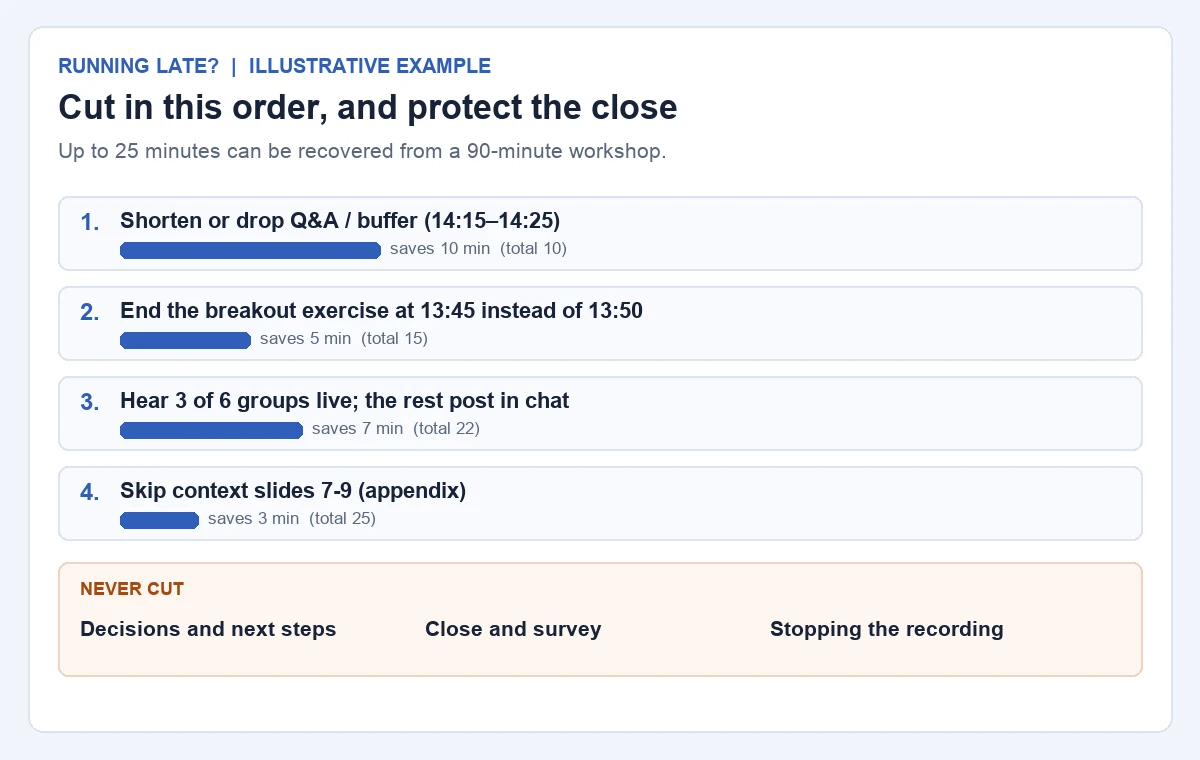
If the workshop starts 10 minutes late, step 1 alone recovers the time. If a technical problem costs 20 minutes, steps 1 to 3 recover 22. A cut list cannot rescue a plan that is too long by design: if a realistic delay is more than the list can absorb, shorten the plan before the event.
The PDFs are for printing and are not fillable forms. Use this template and Preview open the AFFiNE template described above, with its five-column table and 09:00–10:00 sample. The downloads do not update or sync with that AFFiNE page.
For more agenda formats, read the guide to agenda templates or browse all agenda templates.
An agenda tells attendees what is covered and roughly when. A run of show is the internal version for the team: exact start times, durations, one owner per segment, technical cues and fallbacks. Attendees rarely see it.
At minimum: start and end time, duration, segment, owner and cue for each row. For hybrid or multi-room events, add location and contingency. The AFFiNE template also includes a logistics header, a 30-minute preparation checklist, host scripts and a debrief.
There is no standard figure. A common planning rule of thumb is 10 to 15% of the slot, placed just before the close; the example uses 10 minutes in 90. Add more for live demos, several speakers or a platform the team has not used before.
One person, usually the host or an event lead, keeps the master copy, watches the clock and makes cut calls. Everyone else works from that version, so changes go through that person. In the example, Nadia Haddad has this role.
Yes. The AFFiNE template's checklist already covers screen-sharing permissions and recording, and the Location field accepts a meeting link. For hybrid events, add a producer, pre-written chat messages and a Location column, as in the example above.


