5 Content Planning Tips for a Smarter Content Strategy
Most content teams do not fail for lack of ideas. They fail because nothing connects the ideas to a plan. A brief lives in one inbox, a draft in a shared drive, a deadline in someone's head, and the campaign goal in a slide nobody has opened since the kickoff. When content is scattered like that, connecting with a target audience and standing apart from competitors becomes a matter of luck. The fix is rarely more concepts or more tools. It is a system that turns findings into stories on a schedule the whole team can see.
The five tips below are that system, in the order most teams need them: a place to manage the work, goals that can be measured, a real picture of the reader, a calendar with themes, and a review loop that turns every published piece into the next one.
Key takeaways
- Manage content like a project: one board with owners, deadlines, and dependencies replaces status meetings.
- A goal without a number and a date cannot be tracked. Write "increase organic traffic by 25% within six months," not "drive traffic."
- Personas built from first-hand data (search behavior, surveys, analytics, sales and support notes) beat assumptions every time.
- Plan themes a year out, content a quarter out, and keep weekly cycles for time-sensitive updates. Leave a flex slot.
- Review what worked, repurpose what won, and keep everything in a content library so nothing gets lost.
1. Use Project Management Tools
For most teams, project management software is the best available option for planning content. Spreadsheets and email threads work until the third contributor joins, and then they stop scaling. They lack the quality-of-life features you get, for example, when you run the plan through a Gantt chart maker online: tasks with owners, dependencies between steps, deadlines that move together when one slips, and a calendar view that shows a whole month at once.
Modern project management tools let a group assign tasks, track deadlines, and monitor the progress of every piece inside one centralized system. The practical result is less time spent generating status updates and reports, and more time spent on the content the team actually wants to make.
Why a Gantt chart works for content
A Gantt chart gives a visual representation of how a project unfolds over time. You define the scope of work, then present each task on a time axis as a bar. A good chart communicates the right information to every stakeholder at a glance: whether the campaign is on time with respect to its schedule, scope, and budget. Because the information is visual, bottlenecks show up before they become missed deadlines. Two bars stacked in the same week with the same owner is a warning sign you can act on a fortnight early.
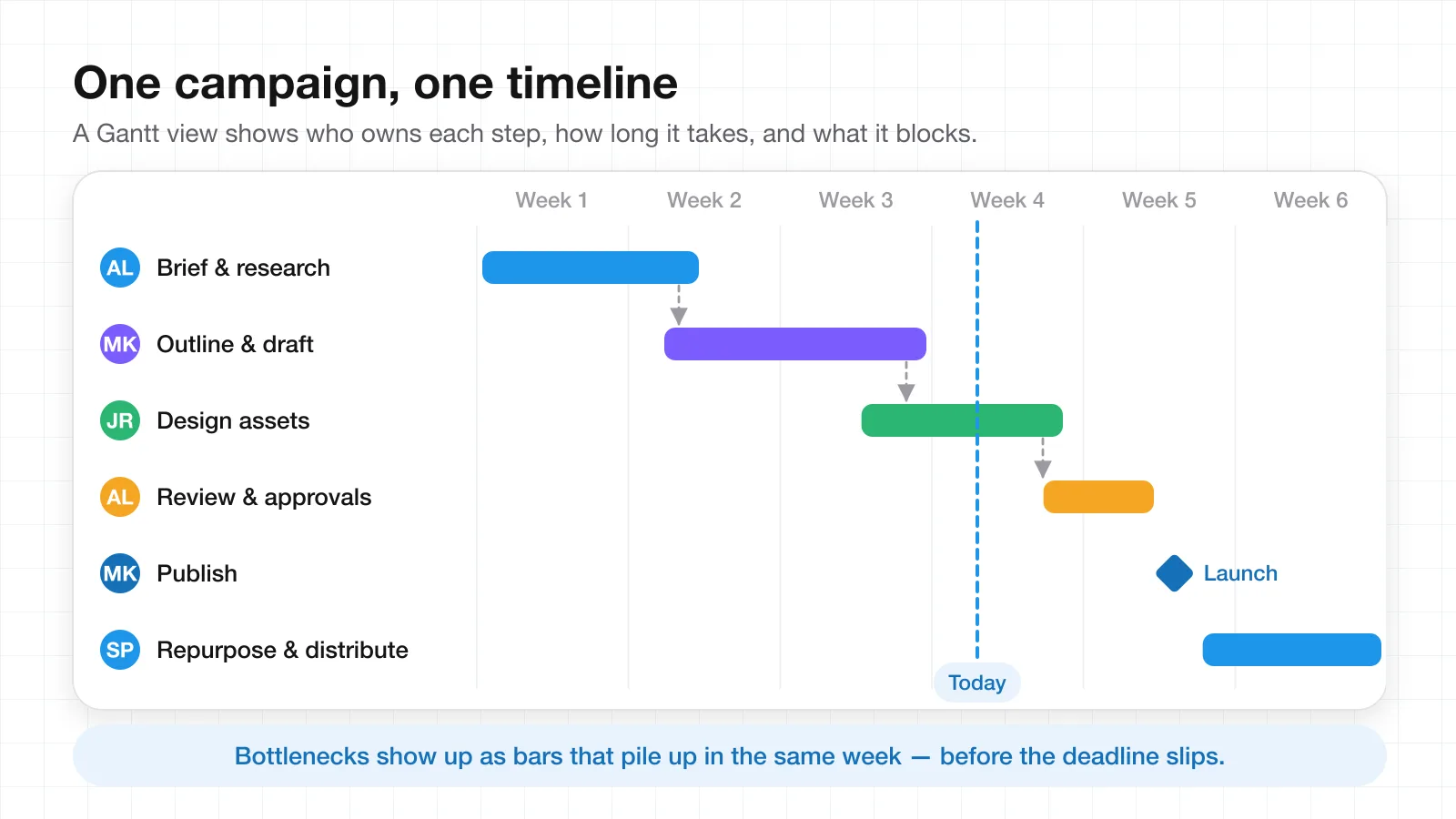
Good software also removes ambiguity about which team member is responsible for which task, while showing the timetable the team needs to keep. A useful pattern is to create one "super project" that covers every content task and its dependencies, then switch to the calendar view when you need an overview of the publishing schedule for the month. If you want to see how the same structure looks in a docs-and-whiteboard workspace, AFFiNE's Gantt chart template walks through the same rows, bars, and milestones.
2. Define Clear Goals and Key Performance Indicators
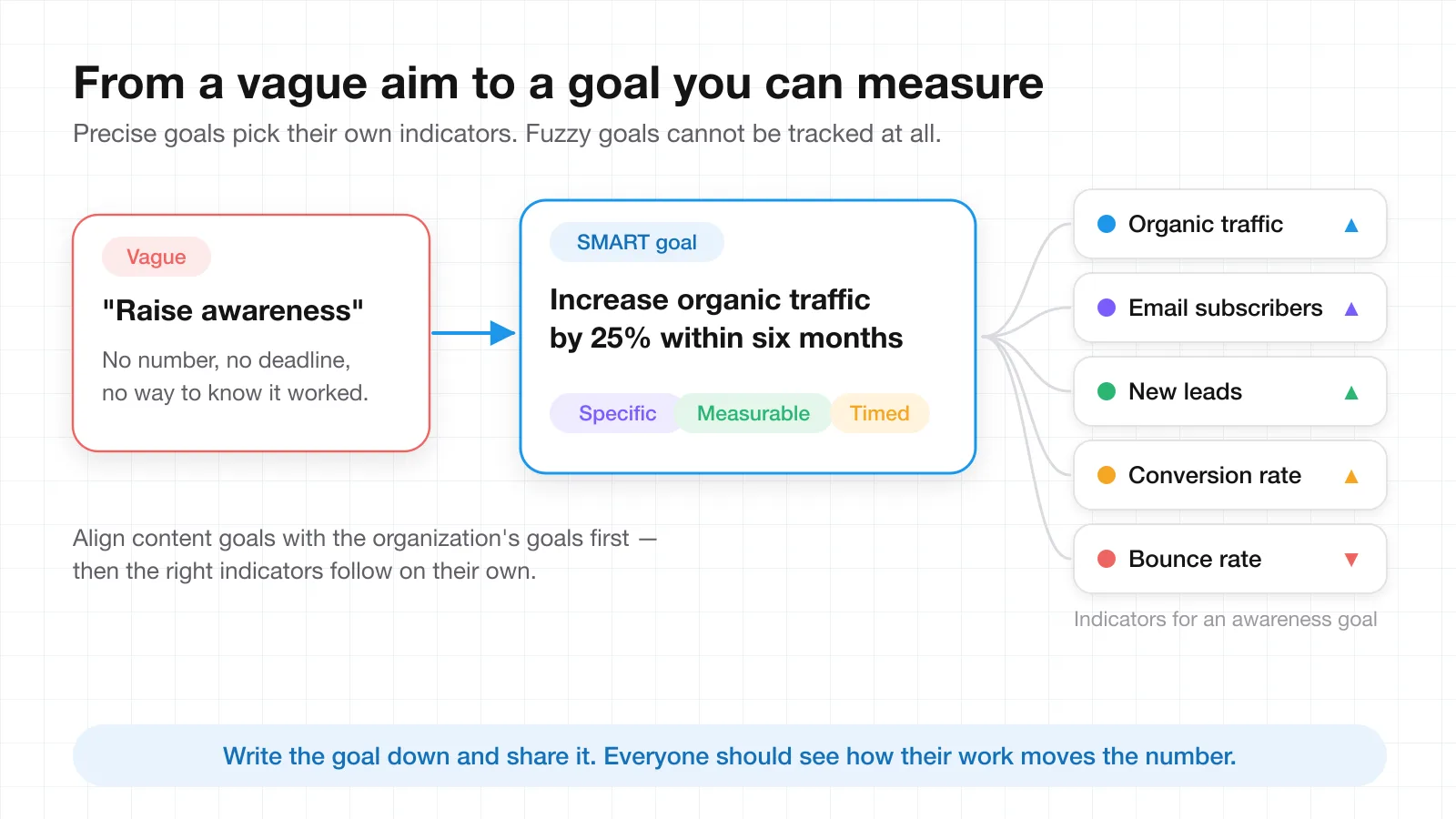
Reflect on the purpose of the campaign before producing any content. Goals carve out the direction of the strategy, and indeterminate goals such as "raise awareness" make it impossible to track results. Your goals should be precise and help you accomplish targets, which means each one needs a number, a deadline, and an owner.
Typical content goals include rebranding, improving trustworthiness and reliability, educating consumers, generating leads, and increasing customer retention. Whatever the goal, make sure it aligns with the objectives of the organization. That alignment is what allows you to choose adequate performance indicators instead of reporting whatever the analytics dashboard shows by default. In the Content Marketing Institute's 2025 B2B benchmark research, top performers were far more likely than everyone else to credit their success to setting goals that align with the organization's objectives and to having a documented strategy.
Indicators that fit an awareness goal
For an "awareness increase" goal, a few good indicators are growth in organic traffic, the number of email subscribers, new leads, conversion rate, and a decrease in bounce rate. The goal itself should be specific and time-limited. "Increase organic traffic by 25% within six months" is a better goal than "drive traffic to the website" because it tells you what to measure and when to check.
Write everything down and share it with the team. Every participant needs to understand how the work they are doing contributes to the main goal, and that only happens when the goal is visible in the same place as the tasks. If your team prefers a worksheet for this step, a SMART goal template keeps the specific, measurable, and time-bound parts from getting skipped.
3. Know Your Audience Inside and Out
The most effective content reads as if it was written for one specific reader. To get there, the team first has to understand the audience's questions and desires, which is research work rather than writing work.
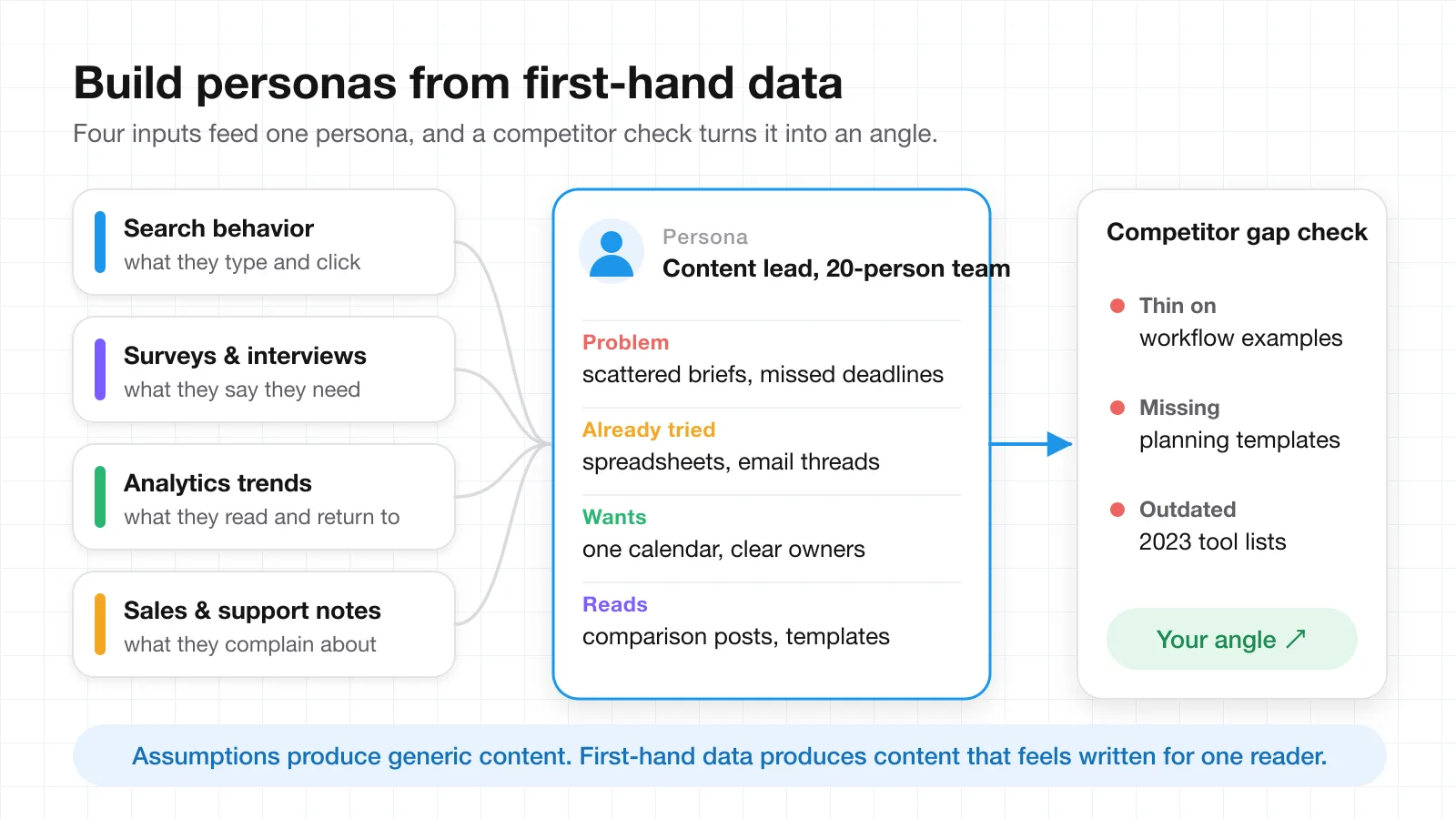
Start with the problems the target audience is trying to solve and look at their search behavior: what they type, what they click, and what they leave immediately. Then look at the shortcomings of competitors' content and plan to fill those gaps with your own. Surveys tell you what customers say is interesting and what they come back to. Analytics tell you what they actually consume, which is often different.
Build personas from first-hand data
Personas of target clients are worth creating, provided they rest on first-hand data instead of guesswork and assumptions. Look at problems from the inside: what solutions has this reader already tried, and how have they described their feelings about those solutions? A persona that says "has tried spreadsheets and email threads, wants one calendar and clear owners" will shape a better editorial plan than one that only lists a job title.
Working with sales and customer service is the fastest way to collect this. They hear the objections, the repeated questions, and the exact words customers use. Knowing who will read the content, and what type of content they find engaging, lets the team concentrate on the specific issues the industry is dealing with rather than generic advice.
4. Plan Content Themes and a Realistic Calendar
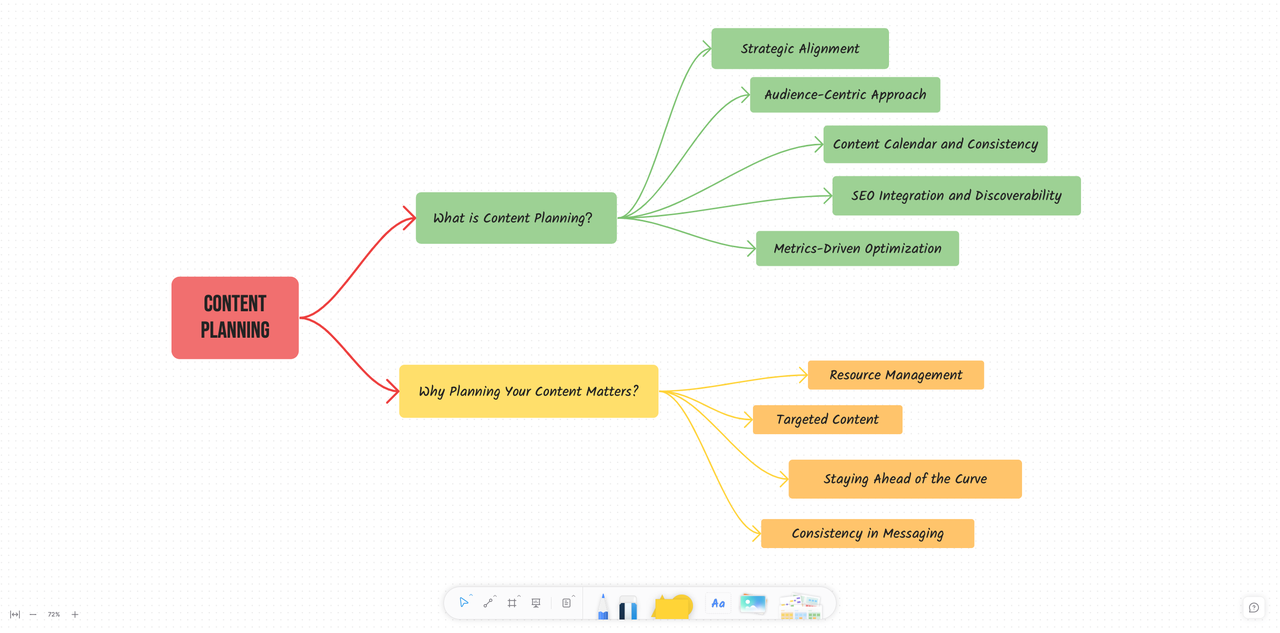
Haphazardly released content rarely gets traction. Flukes exist, but consistently publishing unplanned content is not a strategy. A content plan prevents this by linking every piece back to a business objective, which also gives the team steady messaging across channels and lets people work more efficiently because they know what comes next.
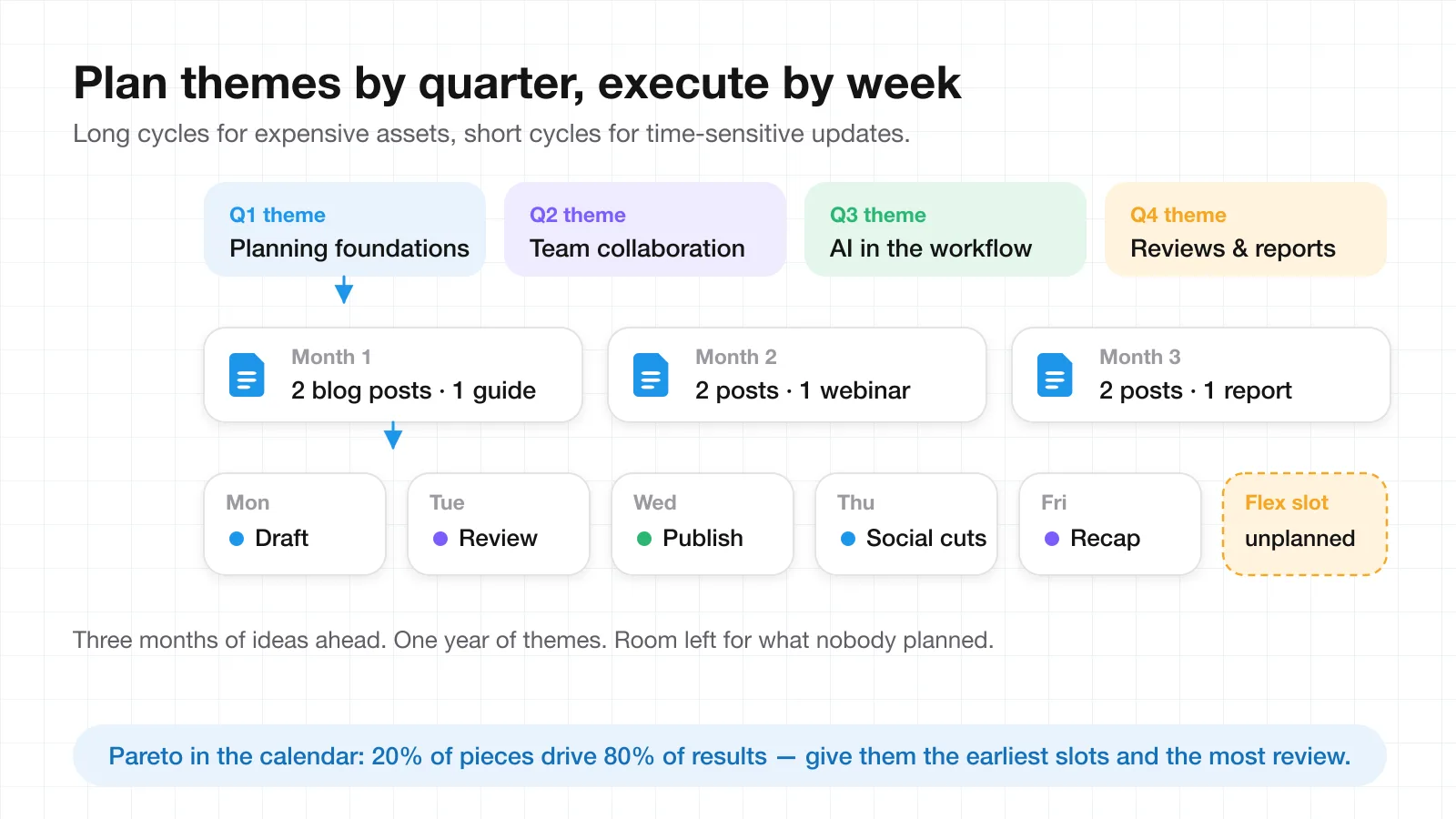
Plan content ideas at least three months in advance. Ideas should reflect audience interests while incorporating business activities and seasons, with enough flexibility to accommodate unplanned events. The cadence that works for most teams looks like this:
| Cycle | What it holds | Why this cadence |
|---|---|---|
| Year | Themes broken down by quarter | Sets direction without locking in specific pieces |
| Quarter | Specific content and production plans | Long enough for white papers, reports, and other high-cost assets |
| Month | The publishing schedule in calendar view | The overview stakeholders actually ask for |
| Week | Time-sensitive updates and short-term goals | Fast enough to react to news and product changes |
The calendar as an action plan
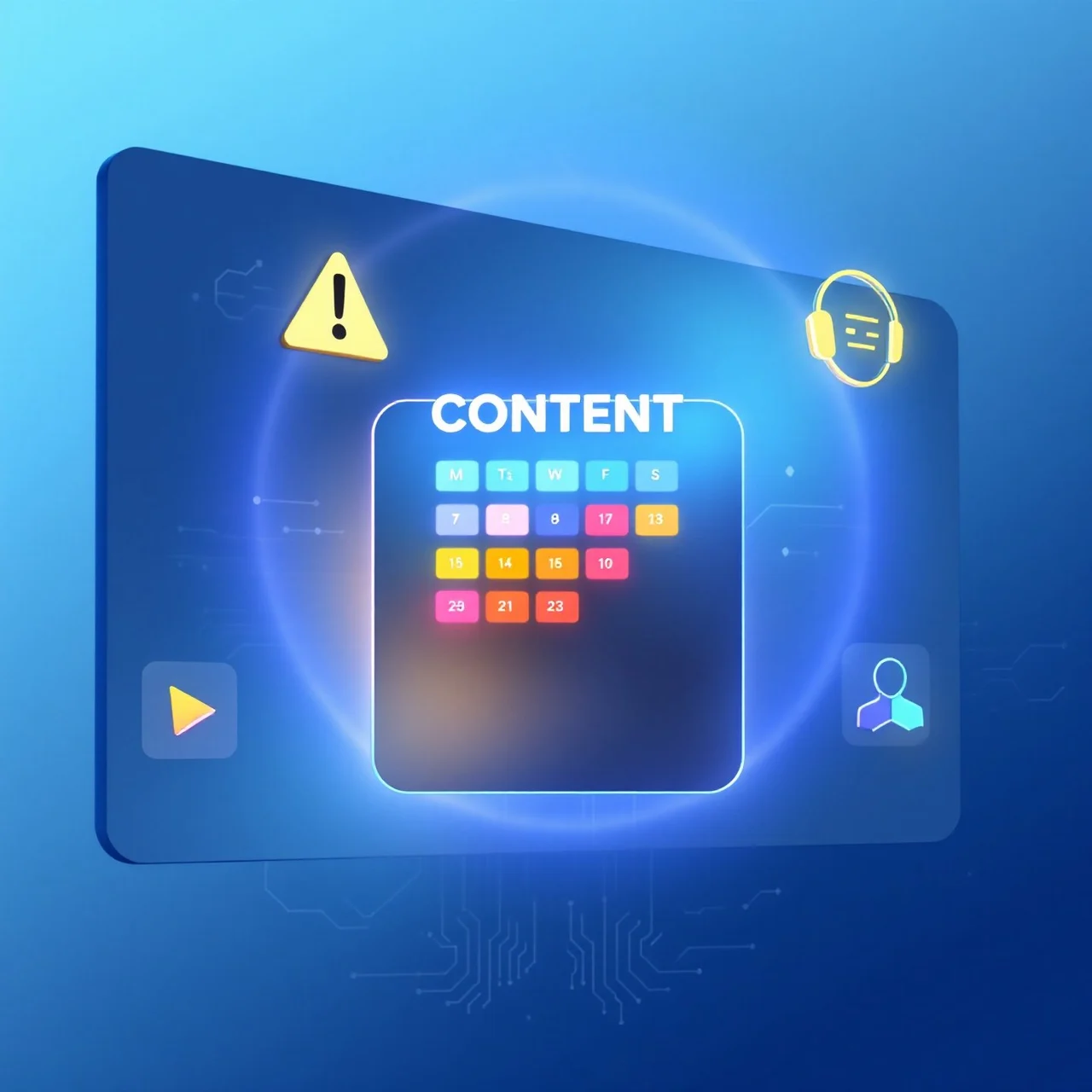
A content calendar is a methodical, organized action plan that streamlines publishing. It shows what is being published, where it is being used, and when it goes out, often weeks and months in advance. Build the calendar with the Pareto principle in mind: 80% of results tend to come from 20% of the effort, so the pieces you expect to carry the quarter deserve the earliest slots and the most review time. A content calendar template is a quick way to get the columns right before you fill them in.
5. Review, Repurpose, and Optimize
There is a lot more to do once content is published. A content management system or project management tool doubles as a content library that stores and manages every media file. Without one, marketing teams lose track of their assets and miss opportunities to reuse them later.
Keep the content calendar flexible so the team can include fresh ideas and trends as they appear. Just as important, analyze the results and understand which types of content succeeded and which did not gain much traction. If a format worked well, that finding belongs in the next content plan, not in a report nobody reads.
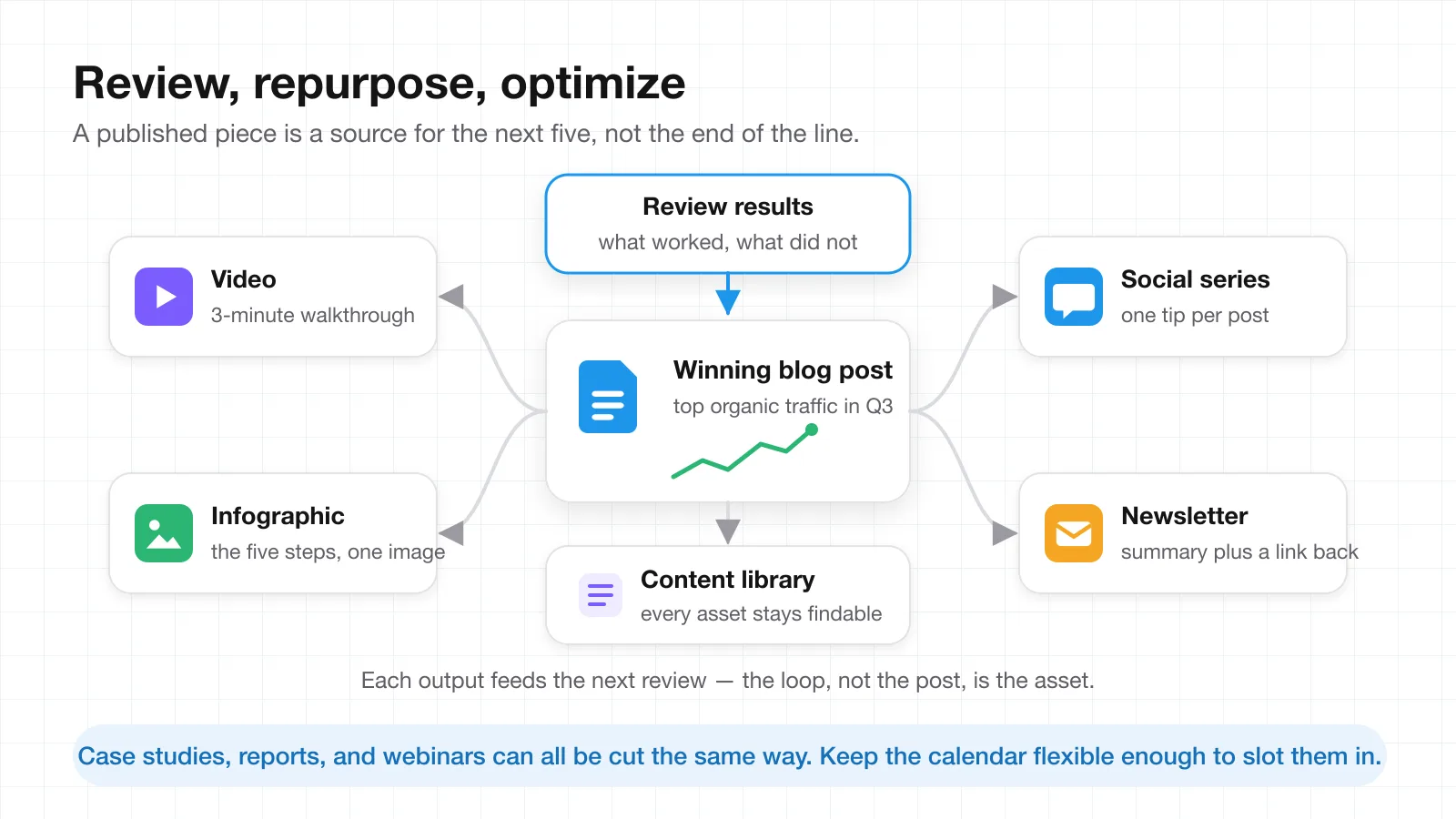
One winner, many formats
Different types of content can be produced from a single successful piece. A blog post becomes a video, an infographic, a social media campaign, or a newsletter. Case studies can be reused across other marketing campaigns. Reports can be cut into a series of short posts. The point is to treat the review step as the start of the next planning cycle: what performed, what it can become, and where it goes on the calendar.
Where the Plan Should Live
The five tips only work together if they live in the same place. The goal from tip two, the persona from tip three, the calendar from tip four, and the review notes from tip five all belong next to the tasks from tip one. Teams that keep them in five different tools end up rebuilding the plan every time someone asks a question.
Dedicated Gantt software is the right home for schedules and dependencies. For the thinking around the schedule, such as the persona document, the quarterly theme notes, and the review write-ups, a docs-and-whiteboard workspace like AFFiNE keeps the plan and its reasoning together. If you are still deciding what to use, this comparison of content planning tools covers the trade-offs, and the guide to strategic content planning goes deeper on the SEO side of the calendar.
Conclusion
A more efficient content strategy begins with a plan. Use management tools with Gantt charts to visualize the calendar and its dependencies. Define SMART goals and the KPIs that follow from them. Identify the target audience from first-hand data. Develop content themes and a workable calendar. Then continuously review, recycle, and optimize what you publish.
A documented plan is not unnecessary paperwork. It is the blueprint that tells the team what to produce, when to produce it, and how to judge what they have published.
Frequently Asked Questions
What is content planning?
Content planning is the process of deciding what content a team will produce, for whom, when it will be published, and how success will be measured. It sits between strategy (why the content exists) and production (writing, design, and publishing), and it usually takes the form of a content calendar backed by goals, personas, and a task board.
How far ahead should a content calendar be planned?
Plan ideas at least three months ahead, outline themes a full year ahead broken down by quarter, and keep weekly cycles for time-sensitive updates. Monthly and quarterly cycles suit long-term plans and expensive content types such as white papers and reports.
Why use a Gantt chart for content planning?
A Gantt chart shows every task as a bar on a timeline, so the team can see who owns each step, how long it takes, and which steps depend on others. Bottlenecks appear as bars that pile up in the same week, which makes them visible before a deadline slips.
What KPIs should a content strategy track?
Pick indicators that follow from the goal. For an awareness goal, track organic traffic growth, email subscribers, new leads, conversion rate, and bounce rate. For retention goals, track return visits, engagement with onboarding content, and churn among readers.
How do you repurpose content effectively?
Start from a piece that already performed well, then turn it into other formats: a video, an infographic, a social series, a newsletter, or a case study. Keep every asset in a content library so it stays findable, and feed the results of each repurposed piece back into the next planning cycle.