Offline AI for Work: What Runs Without Internet
Which AI tools keep working with no connection, what hardware they need, and how to pair a local model with a local-first workspace your team can sync later.

Offline AI is an AI model that runs entirely on your own device, so it keeps answering questions, summarizing text, and drafting content with no internet connection. Cloud chat tools such as ChatGPT, Claude, and Gemini do not work offline: the model runs on the vendor's servers, so every prompt needs a network connection. To get AI without internet, you download an open-weight model and run it locally with a tool like Ollama, LM Studio, Jan, GPT4All, or llama.cpp.
Key takeaways
- Offline AI means the model runs on your own device, so prompts and answers never need a network connection after the model is downloaded.
- ChatGPT, Claude, and Gemini are cloud services and do not work offline.
- Ollama, llama.cpp, and GPT4All are MIT-licensed; Jan is Apache-2.0; LM Studio is free proprietary software under its app terms (checked October 2026).
- Jan's published guide: 8 GB RAM for 3B models, 16 GB for 7B, and 32 GB for 13B on macOS.
- The AFFiNE desktop app edits docs and whiteboards offline and syncs later, but AFFiNE AI needs a provider connection and does not run models locally.
For work, there is a second question that most "offline AI" lists skip: what about the app you write in and the documents you want the AI to read? This guide separates those layers so you can build a setup that still works when the network does not. It focuses on laptops and desktops; phone apps exist, but they run much smaller models and are rarely approved for work data.
What does "offline" mean for AI? Three separate layers
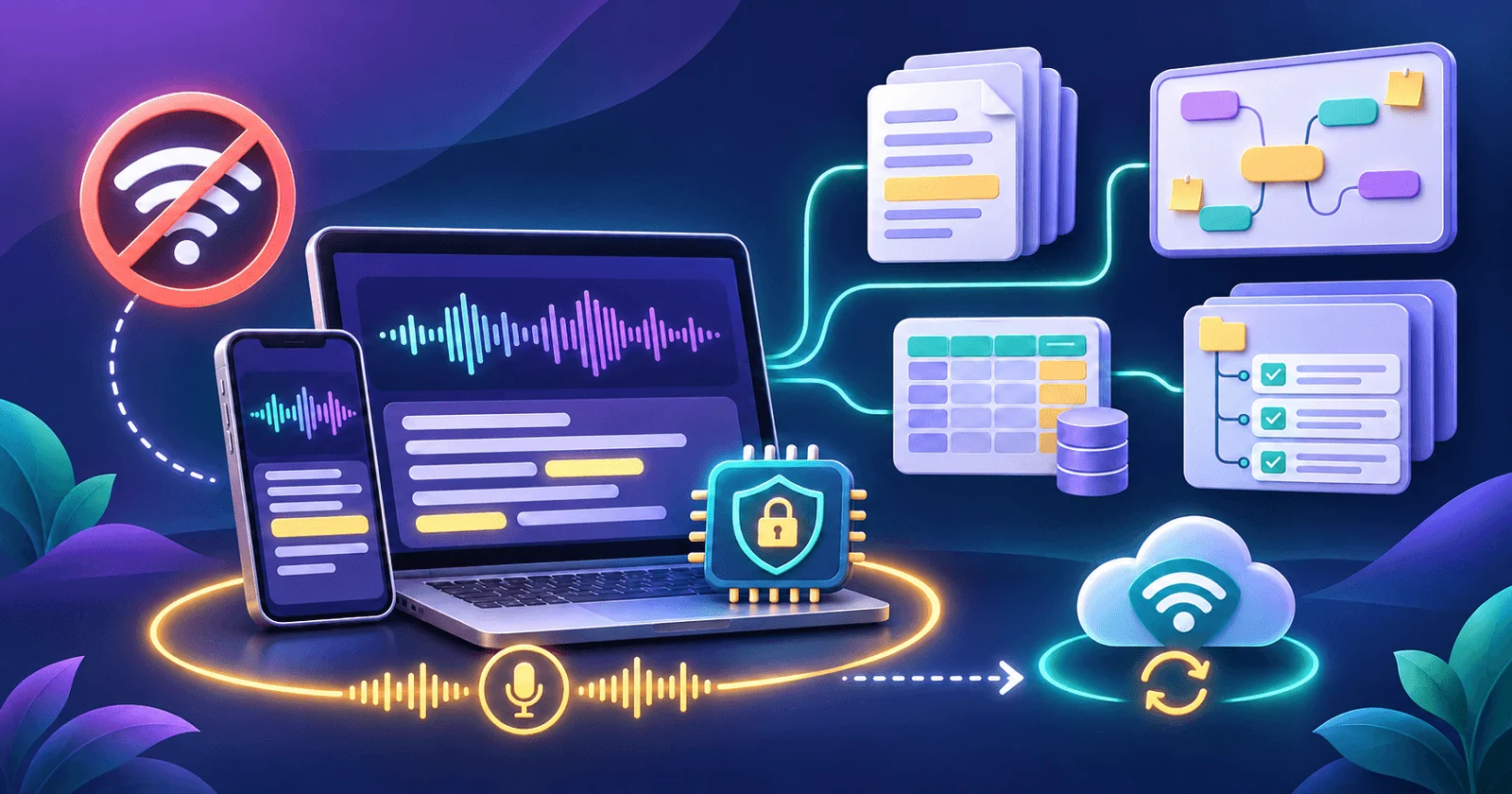
"Works offline" can mean three different things. Most tools are offline in only one of them.
| Layer | What it means | Works offline? Examples |
|---|---|---|
| Model inference | The model weights and computation run on your machine | Yes: Ollama, LM Studio, Jan, GPT4All, llama.cpp. No: ChatGPT, Claude, Gemini web apps |
| App | The interface opens and functions with no network | Yes: local model runners, desktop editors such as the AFFiNE desktop app. No: browser-only SaaS |
| Data and sync | Your documents are stored on the device and reconcile with the team later | Yes: local-first tools such as AFFiNE desktop. Partial: tools with limited offline caches (see Notion offline) |
A local model runner covers the first two layers but usually not shared team data. A local-first workspace covers the second and third layers but does not run a model. That gap is why work teams usually need two tools, not one. Our guide to self-hosted AI tools for teams shows how those pieces fit into one stack you run yourself.
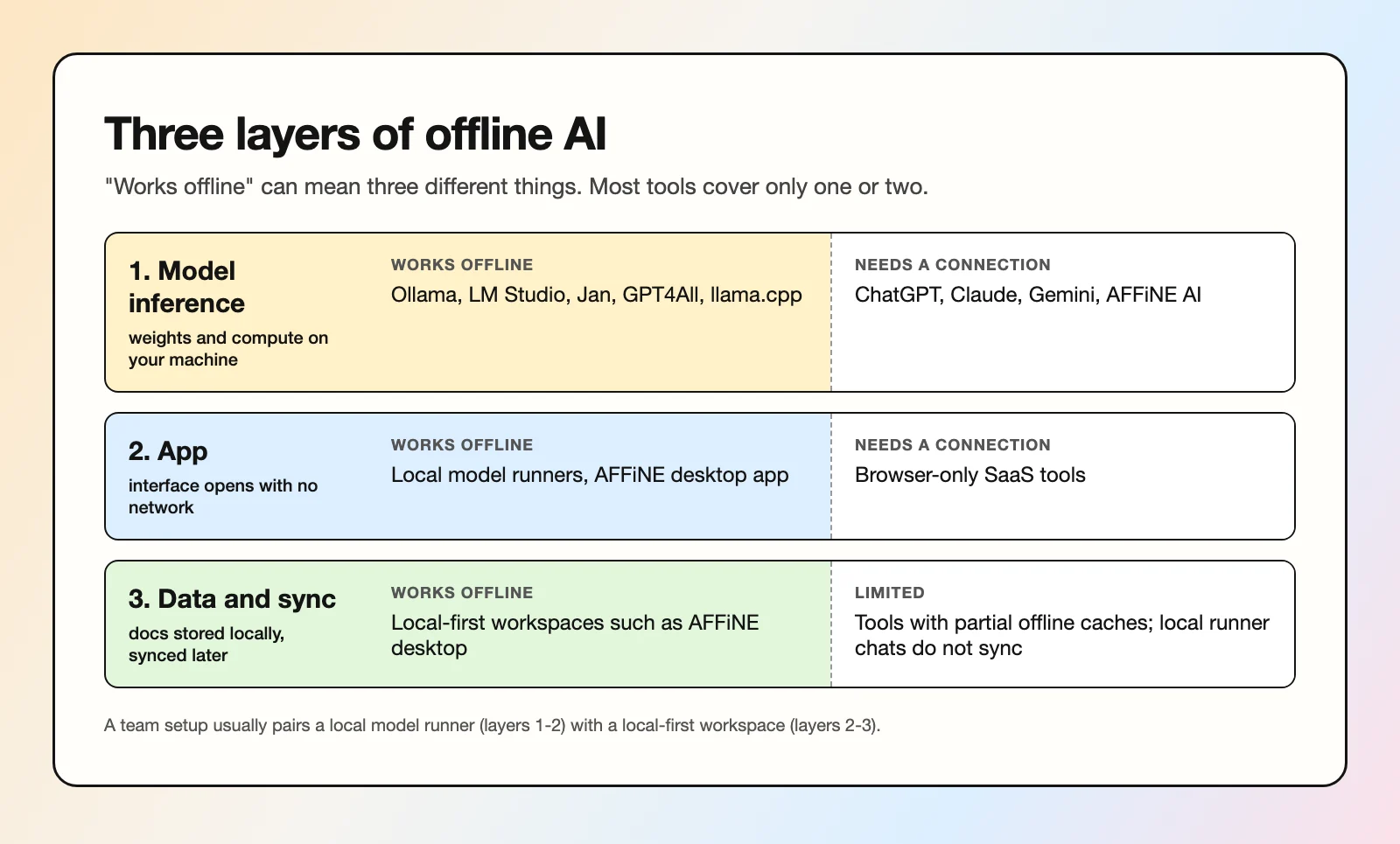 Most tools are offline at only one or two of the three layers.
When do work teams actually need offline AI?
For most consumers, offline AI is a nice extra. For some teams it is a hard requirement.
Field work and site visits
Inspectors, field engineers, researchers, and sales teams on customer sites often work with weak or no coverage. A local model can still summarize notes, turn a checklist into a report draft, or answer questions about a downloaded manual.
Travel
Flights and trains with unreliable Wi-Fi are where people try to catch up on writing. A local model plus a workspace that edits offline means the time is not wasted.
Restricted or isolated networks
Some environments block external AI services by policy, or have no outbound internet at all: labs, factory floors, government and defense work, some finance and healthcare back offices. Running a model on approved hardware inside the boundary is often the only way to use AI there. For the broader architecture question, see our guide to private AI.
Incident response when SaaS is down
When a cloud provider or your identity provider has an outage, cloud AI and cloud docs can go down together, right when the team needs runbooks. Local copies of runbooks and a local model to query them keep the response moving.
Confidential drafts
Some material should not leave the device even to a trusted vendor: unannounced deals, HR cases, early legal drafts. A local model processes the text in memory on your machine. That is a privacy property, not just a connectivity one.
Which tools run AI models offline?
These five tools are the common starting points. All of them run open-weight models (such as Llama, Mistral, Qwen, or Gemma families) on your own hardware once the model is downloaded.
| Tool | Platforms | License | Interface | Good for |
|---|---|---|---|---|
| Ollama | macOS, Windows, Linux | MIT | CLI plus local API (desktop app available) | Developers and teams that want a local API other tools can call |
| LM Studio | macOS (Apple Silicon only), Windows, Linux (requirements) | Proprietary, free to use under its app terms | GUI plus local server | Non-developers who want to browse, download, and chat with models |
| Jan | macOS, Windows, Linux | Apache-2.0 | GUI chat app | An open-source, ChatGPT-style offline chatbot |
| GPT4All | macOS, Windows, Linux | MIT | GUI chat app | Chatting with local documents (LocalDocs); latest release v3.10.0 is from February 2025, so check maintenance status |
| llama.cpp | macOS, Windows, Linux, and more | MIT | CLI and llama-server | Maximum control and the engine many other tools build on |
A few practical notes:
- Download first, then go offline. Every tool needs a connection to fetch the model file once. After that, inference runs locally.
- Check the model license separately. The runner's license is not the model's license. Each open-weight model has its own terms, published on its model card.
- Local API matters for teams. Ollama (OpenAI compatibility docs, a subset of the OpenAI API at
localhost:11434/v1), LM Studio (OpenAI-compatible endpoints), and llama.cpp'sllama-serverexpose a local HTTP endpoint that OpenAI client libraries can call. See our private LLM guide for serving a model to a team.
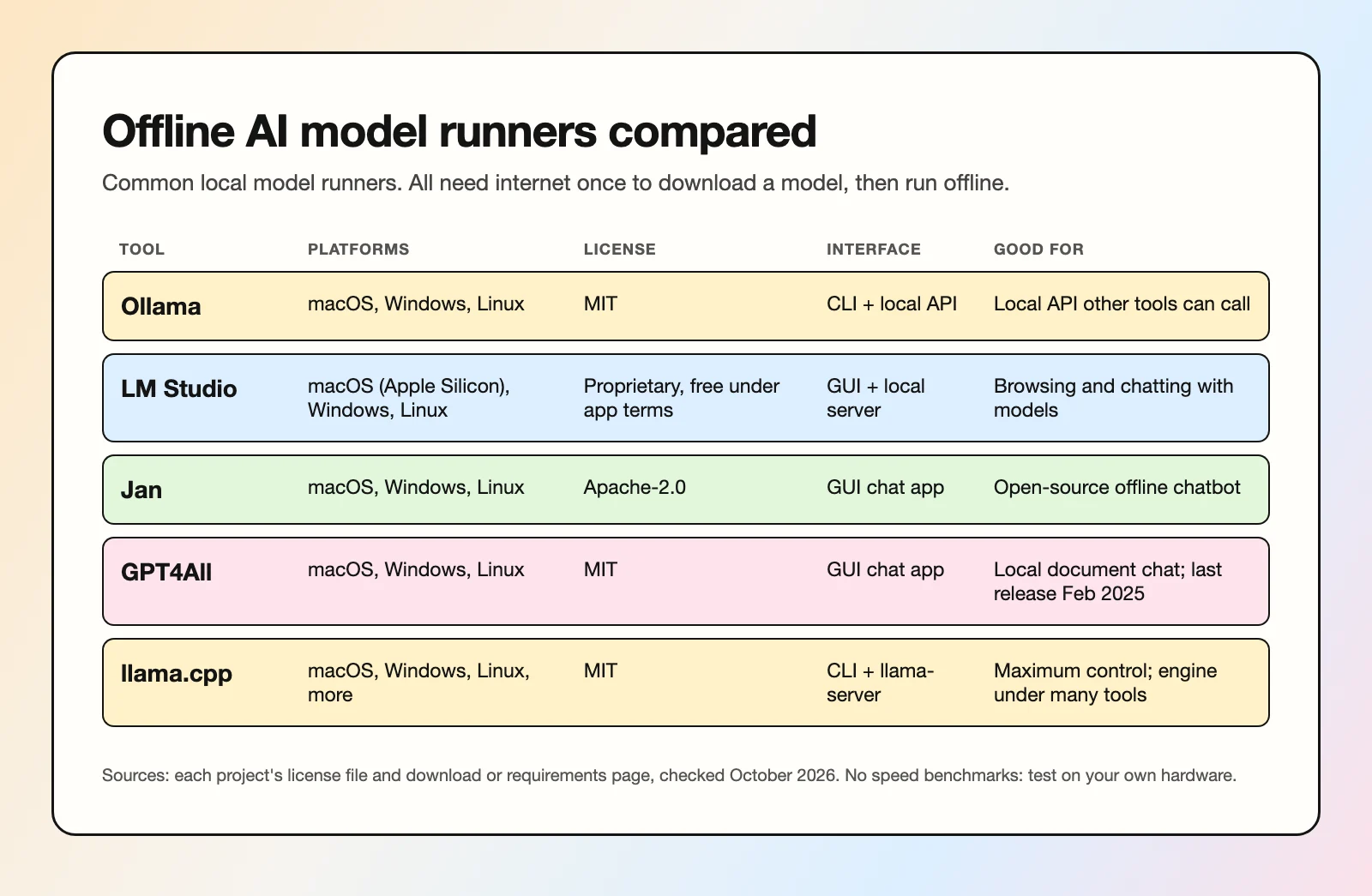 Licenses and platforms as listed on each project's own pages, checked October 2026.
This guide does not include speed benchmarks. Performance depends heavily on your hardware, the model, and quantization, so test on the machines your team actually uses.
How much RAM do I need for offline AI?
The main constraint is memory. The model weights have to fit in RAM (or GPU VRAM, or unified memory on Apple Silicon), with room left over for the context and the operating system.
A simple way to estimate
Model memory is roughly the number of parameters times the bytes per parameter:
- At 16-bit precision, a 7B-parameter model needs about 14 GB for weights alone.
- Quantized to 4-bit, the same model needs roughly 4 GB, plus overhead.
Quantization stores weights at lower precision to shrink the file and memory use, at some cost in quality. Most local runners use the GGUF format, which supports a range of quantization types; Hugging Face's GGUF documentation lists them.
Published guidance
As of October 2026, Jan's system requirements give a useful rule of thumb on macOS: 8 GB RAM for 3B models, 16 GB for 7B, and 32 GB for 13B. On Windows, Jan lists GPU support for NVIDIA, AMD, and Intel Arc. LM Studio recommends at least 16 GB of RAM and, on Windows, at least 4 GB of dedicated VRAM.
In practice:
- 8 GB laptops: small models (around 3B) for summaries and simple drafting.
- 16 GB laptops: 7B to 8B models, which are the usual sweet spot for work tasks.
- 32 GB and up, or a strong GPU: 13B and larger models, longer context, faster responses.
Longer documents need more memory, because the context window also consumes RAM.
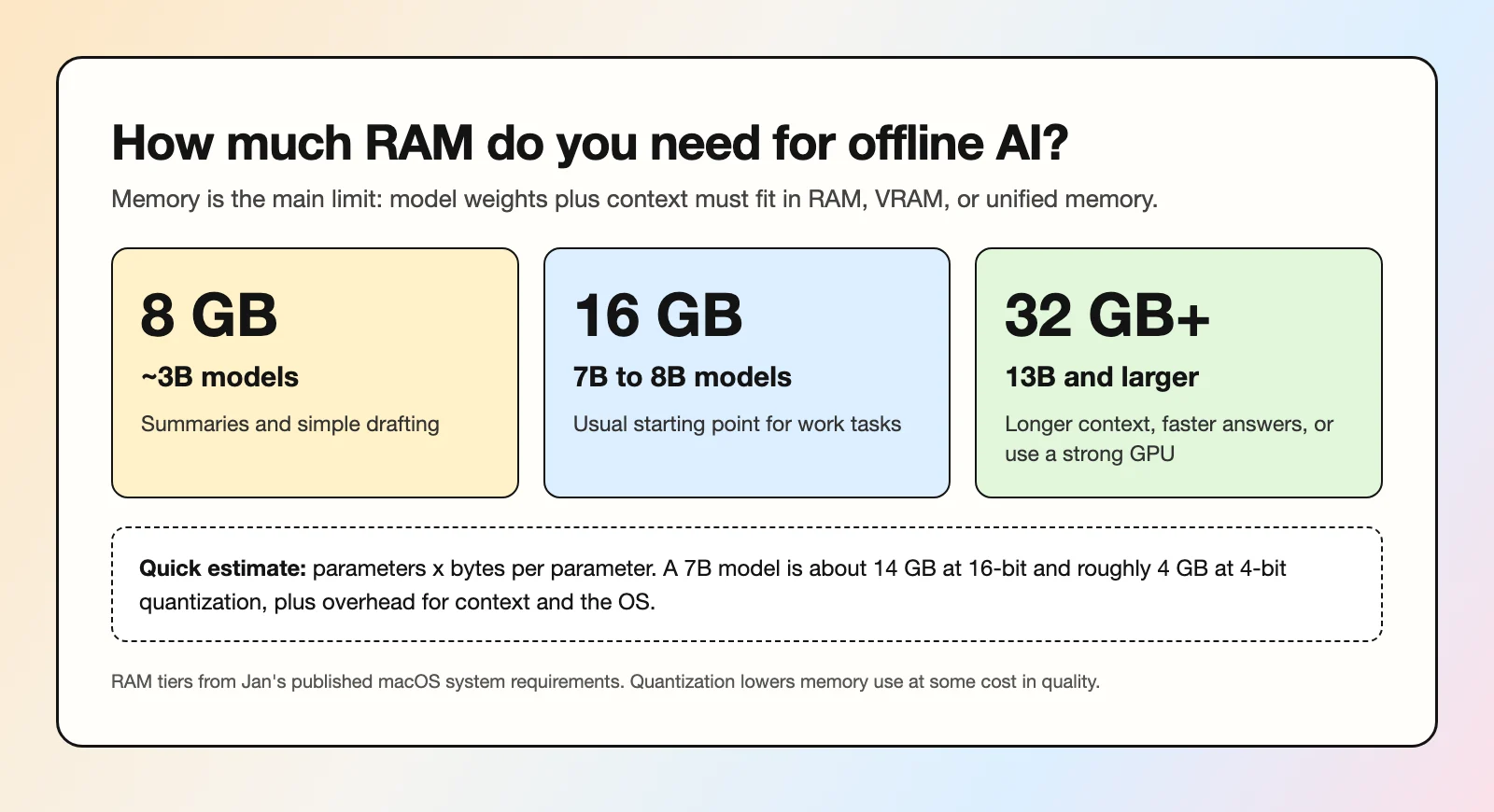 Rule of thumb based on Jan's published system requirements; test on your own machines.
What are the limits of offline AI?
Offline AI is useful, but be clear about the trade-offs before you rely on it.
- Stale knowledge. A local model knows only what was in its training data. It cannot browse the web, so anything after its cutoff is missing unless you paste it in.
- Smaller models. A model that fits on a laptop is much smaller than frontier cloud models. Expect weaker reasoning, more mistakes on complex tasks, and more need to check its output.
- No collaboration by default. Local runners are single-user. Chats and outputs live on one machine, and sharing them is manual.
- Update burden. Someone has to choose approved models, download updates, check licenses, and keep the runners patched across every device. For IT, that is real work.
- Hardware cost. Good local performance often means newer laptops with more memory.
- Privacy is not automatic. Offline inference keeps prompts on the device, but logs, chat history files, and exported notes still need normal device security such as disk encryption and access controls.
How do you set up offline AI for a team?
A practical setup pairs two tools, each doing the job it is built for. In short: pick one approved runner and one approved model, install both before travel, keep notes in a local-first workspace, and copy useful answers into shared docs.
1. A local-first workspace for notes and docs
The AFFiNE desktop app is a local-first workspace for docs, whiteboards, and databases. You can create and edit documents and whiteboards with no internet connection, and changes sync to your workspace when you reconnect. The workspace can live in AFFiNE Cloud or on your own server: AFFiNE can be self-hosted with Docker Compose, and it is free to self-host up to 10 seats per workspace (larger teams need a paid Team License).
This is the data layer: field notes, runbooks, meeting notes, and drafts stay on the device while offline, then reach the rest of the team later. For capture tips, see AI note taker with offline mode.
2. A local model runner for private Q&A
Install Ollama, LM Studio, Jan, or GPT4All on the same laptop and download an approved model before you go offline. Use it to summarize notes, rewrite drafts, or answer questions about text you paste in. Prompts and outputs stay on the device.
What AFFiNE does and does not do here
Be precise about this in a security review:
- AFFiNE does: offline editing of docs and whiteboards in the desktop app, with sync when back online.
- AFFiNE does not: run AI models locally, or provide offline AI. AFFiNE AI features need a configured AI provider and a network connection to it. Without a connection, AI features are unavailable, while editing keeps working.
On a self-hosted server, an admin can let workspace owners bring their own provider keys, and can separately allow OpenAI-compatible custom endpoints, including endpoints on a private network. That endpoint could be one you operate with a tool like vLLM, Ollama, or LM Studio. This still requires a network connection to that endpoint, it is not the same as offline AI, and feature coverage must be tested per model and is not guaranteed. Native local LLM support is an open community feature request. Details are in the AI administration docs.
What syncs when you are back online
- Syncs: AFFiNE docs, whiteboards, and database edits you made offline.
- Does not sync: chats inside your local model runner. Copy any answer you want to keep into an AFFiNE doc so it reaches the team with the rest of your notes.
When AFFiNE is not the right fit
If you need an AI assistant inside the editor that works with no network at all, AFFiNE does not do that today. A standalone local runner such as Jan or GPT4All is the better choice. If your team only needs a single-user offline chatbot and has no shared documents, you may not need a workspace tool at all.
FAQ
Can AI work offline?
Yes. Open-weight models can run fully on a laptop or desktop using tools such as Ollama, LM Studio, Jan, GPT4All, or llama.cpp. You need internet once to download the model; after that, inference runs locally.
Can ChatGPT run offline?
No. ChatGPT runs on OpenAI's servers and needs an internet connection. For an offline ChatGPT alternative, use a local chat app such as Jan, GPT4All, or LM Studio with an open-weight model.
What is the best offline AI model?
There is no single best model. The right choice depends on your hardware and task. Models in the 7B to 8B range are a common starting point on 16 GB machines; smaller models suit 8 GB laptops. Test a few on your own documents and check each model's license.
Is offline AI private?
Offline inference keeps your prompts and outputs on your device, which is more private than sending them to a cloud service. You still need normal device security, because chat histories and files are stored locally.
How much RAM do I need for offline AI?
As a rough guide from Jan's system requirements: 8 GB for 3B models, 16 GB for 7B, and 32 GB for 13B. Quantized models need less memory than full-precision ones.
Does AFFiNE AI work offline?
No. Editing docs and whiteboards works offline in the AFFiNE desktop app and syncs later, but AFFiNE AI features need a configured AI provider and a connection to it. AFFiNE does not run models locally.
Evaluating AFFiNE for a team?
Self-host free up to 10 seats; Team $10/seat/month billed annually; offline Installable License via sales.