What Is Private AI? A Practical Guide for Teams (2026)
Private AI is a set of choices, not a product. Compare five privacy levels, the three layers every setup has, and what ChatGPT's own terms say.

Private AI is an approach to using artificial intelligence in which your organization controls where the model runs, where your data and knowledge are stored, and who can access both. It is not a single product: it ranges from a business AI plan with no-training terms to an open-weight model running on hardware you own.
Key takeaways
- Private AI means your organization controls where the model runs, where your data and knowledge live, and who can access both.
- Private AI spans five levels, from consumer chat apps to air-gapped deployments; most teams use Level 2 or 3 for general work.
- OpenAI says it may train on content from Free, Plus, and Pro plans unless users opt out, and does not train on ChatGPT Business, Enterprise, Edu, or API data by default.
- Azure states that prompts sent to models sold by Azure are not available to OpenAI and are not used to train foundation models without permission.
- The knowledge layer is often the most sensitive part: keep it in a system where you control storage, backups, and access.
In consumer apps, "private AI" usually means a chat app that promises not to log or train on your conversations. This guide covers the team meaning: a setup you can explain and defend in a security review.
You will find the five levels of private AI, the three layers every private AI system has, what ChatGPT's data terms say as of October 2026, and a checklist for deciding which level your team needs.
Private AI vs public AI at a glance
| Public AI (consumer tier) | Private AI | |
|---|---|---|
| Data use | Content may be used to improve models, depending on settings | Contractual no-training terms, or no third party involved |
| Model location | Vendor's shared infrastructure | Vendor's business service, your cloud account, or your own servers |
| Access control | Individual accounts | Organization-managed identity, roles, and permissions |
| Cost profile | Per-user subscription, low entry cost | Higher seat prices, cloud usage fees, or hardware and operations cost |
| Effort | Sign up and start | From an admin setup to a dedicated infrastructure project |
The right column is wide on purpose. "Private" covers several different architectures, so it helps to treat it as a spectrum.
What are the levels of private AI?
There are five common levels. Each one moves more control to your organization and adds more work. The goal is to match the level to the sensitivity of the data you plan to use, not to pick the highest level everywhere.
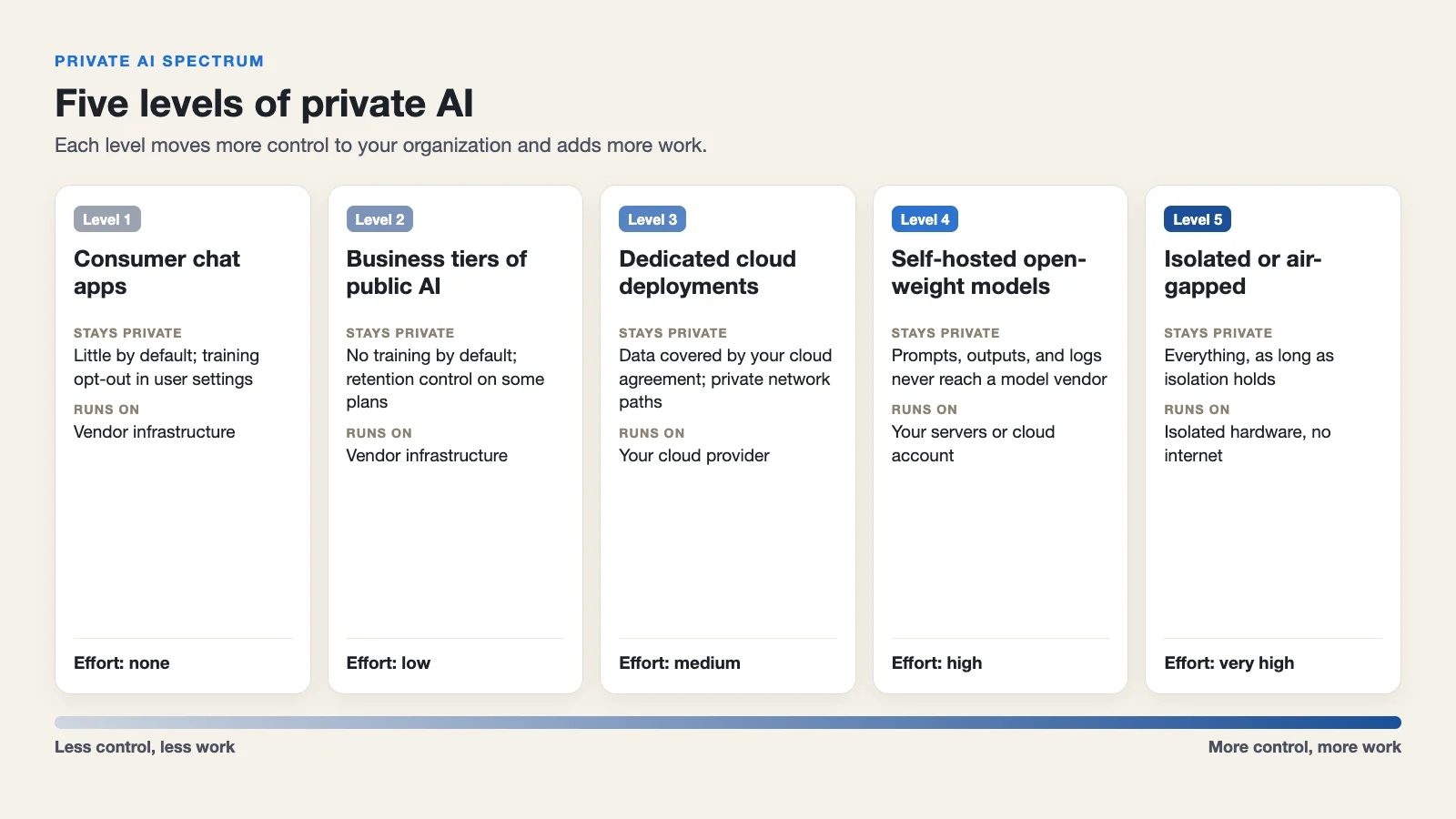 The private AI spectrum: control and effort both rise from left to right.
| Level | Example | Model runs on | Who controls data use | Typical effort |
|---|---|---|---|---|
| 1. Consumer chat apps | ChatGPT Free, Plus, Pro | Vendor infrastructure | Individual user settings | None |
| 2. Business tiers of public AI | ChatGPT Business or Enterprise | Vendor infrastructure | Business contract | Low |
| 3. Dedicated cloud deployments | Azure OpenAI in Microsoft Foundry, Amazon Bedrock | Your cloud provider | Your cloud agreement | Medium |
| 4. Self-hosted open-weight models | An open-weight model served with vLLM | Your servers or cloud account | You | High |
| 5. Isolated or air-gapped | Level 4 with no internet connection | Your isolated hardware | You | Very high |
Level 1: Consumer chat apps
What it is: Free or individual paid plans of public AI assistants.
What stays private: Very little by default. OpenAI states that for its services for individuals (Free, Plus, Pro), it may use your content to train its models. Users can opt out by turning off "Improve the model for everyone" in their data controls.
What does not: Prompts and files are processed and stored on the vendor's infrastructure under consumer terms. Your company does not manage the accounts.
Typical owner: Individual employees, often without IT involvement.
Typical effort: None. That is also the risk: this is where unmanaged "shadow AI" use starts.
Level 2: Business and enterprise tiers of public AI
What it is: Team or enterprise plans of the same assistants, with business terms.
What stays private: Training and, depending on the plan, retention. OpenAI's enterprise privacy page (updated January 8, 2026) says OpenAI does not train its models on business data by default for ChatGPT Business, ChatGPT Enterprise, ChatGPT Edu, and its API Platform. It also says Enterprise and Edu customers control how long their data is retained.
What does not: The model still runs on the vendor's infrastructure, and your data still leaves your network to be processed there.
Typical owner: IT or procurement, with a signed agreement.
Typical effort: Low. Buy seats, connect identity, set usage policies.
Level 3: Dedicated cloud deployments
What it is: Models consumed through a cloud provider you already use, under your existing cloud agreement, such as Azure OpenAI in Microsoft Foundry or Amazon Bedrock.
What stays private: Microsoft states that prompts, completions, and embeddings sent to models sold by Azure are not available to other customers or to OpenAI, and are not used to train generative AI foundation models without your permission. AWS states that Amazon Bedrock runs models in deployment accounts that model providers cannot access, and that Bedrock traffic can stay on private paths through Amazon VPC and AWS PrivateLink.
What does not: The model is still a managed service. You rely on the cloud provider's controls and contracts rather than your own hardware.
Typical owner: Platform or cloud engineering.
Typical effort: Medium. You need cloud accounts, networking, quota requests, and an application layer on top.
Level 4: Self-hosted open-weight models
What it is: You download an open-weight model and run it on servers you control, on premises or in your own cloud account, using an inference server such as vLLM.
What stays private: Prompts, outputs, and logs never go to a model vendor. You decide what is stored and for how long.
What does not: Nothing leaves by default, but you now own patching, scaling, monitoring, and model updates. Model licenses vary, so review each one before commercial use.
Typical owner: Infrastructure or ML engineering.
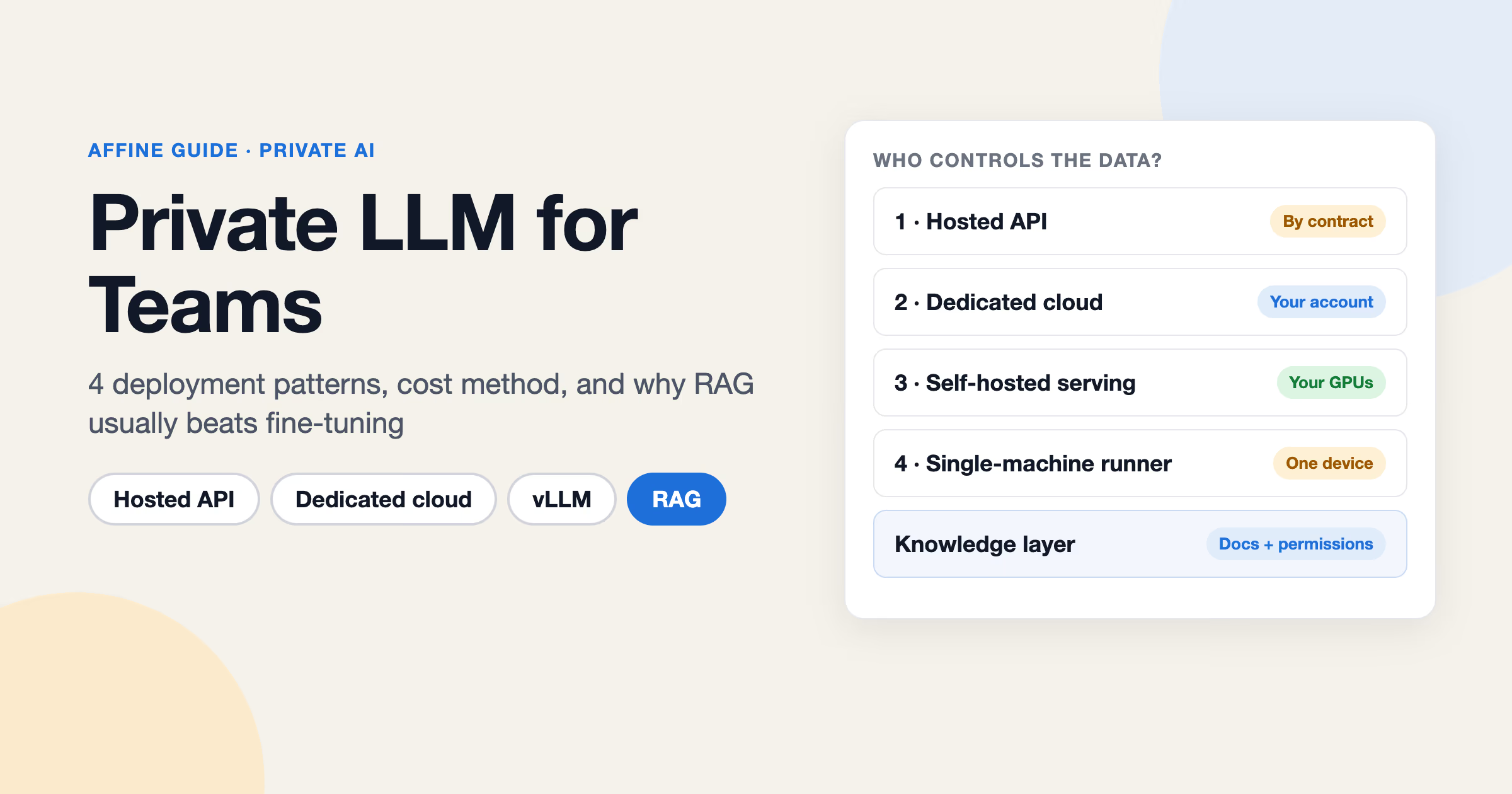
Typical effort: High: GPUs, capacity planning, and evaluation work. Our guide to private LLMs covers the deployment trade-offs.
Level 5: Fully isolated or air-gapped deployments
What it is: Level 4 with no internet connection. Models, updates, and dependencies are moved in through controlled processes.
What stays private: Everything, as long as the isolation holds.
What does not: Convenience. You lose easy updates, hosted tools, and anything that expects an outbound connection.
Typical owner: Security and infrastructure teams in defense, critical infrastructure, or similar settings.
Typical effort: Very high.
Most teams use Level 2 or 3 for general work and reserve Level 4 or 5 for specific high-sensitivity workloads. Some consumer services also market "private AI" built on confidential computing, where prompts are processed inside hardware-isolated environments (for example, Privatemode). That is a useful option for individuals, but the team questions below still apply.
What are the three layers of a private AI system?
The spectrum describes where the model runs. But the model is only one part of the system. A working private AI setup has three layers, and each needs its own privacy decision.
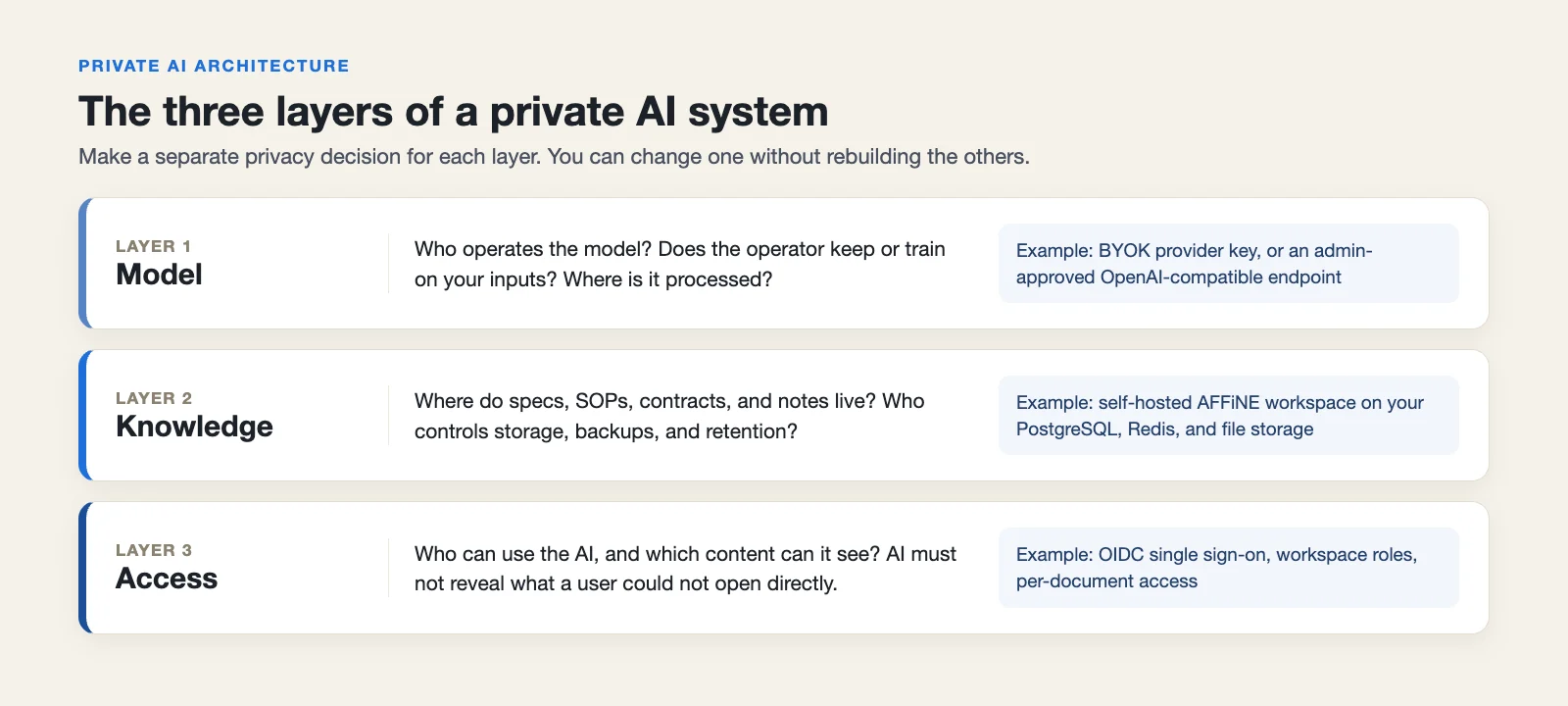 Each layer can be changed without rebuilding the other two.
1. The model layer
This is the large language model and the service that runs it. The questions: who operates the model, does the operator keep or train on your inputs, and where is it processed?
2. The knowledge layer
This is the material the AI works with: specs, SOPs, customer notes, contracts, roadmaps, and meeting notes. It is often the most sensitive part. Many teams secure the model carefully and then paste that material into a tool they do not control.
Keep the knowledge layer in a system where you control storage, backups, and retention. It should also be structured well enough for AI to retrieve the right context. Our article on building an LLM wiki covers how to organize internal knowledge for AI use.
3. The access layer
This decides who can use the AI and which content it can see. Look for single sign-on with your identity provider, roles, and per-document permissions. An AI assistant should never let someone read a document through the AI that they could not open directly.
Separating the layers has a practical benefit: you can change one without rebuilding the others. You can switch model providers without moving your knowledge, or tighten access without changing the model.
Is ChatGPT private?
It depends on the plan. Here is what OpenAI's own pages say as of October 2026.
Free, Plus, and Pro (individual plans). According to OpenAI's data usage article, OpenAI may use your content to train its models. You can opt out under Settings > Data controls by turning off "Improve the model for everyone." Even after opting out, if you give feedback on a response (such as a thumbs up or down), the entire conversation tied to that feedback may be used for training.
ChatGPT Business, Enterprise, Edu, and the API Platform. OpenAI's enterprise privacy page states that it does not train on business data by default, that customers own their inputs and outputs where allowed by law, and that Enterprise and Edu customers control retention. The same page describes encryption at rest (AES-256) and in transit (TLS 1.2+).
So the honest answer:
- Individual ChatGPT plans are not private in the business sense, even with training turned off. Your company does not control the account or its data.
- Business tiers give you no-training terms and, on some plans, retention control. That is Level 2. Processing still happens on OpenAI's infrastructure.
- If the model must run inside your own environment, ChatGPT is not the right tool. Look at Level 3 or 4.
The same pattern applies to most major AI assistants: read the terms for your specific plan, not the general marketing page.
Who needs private AI?
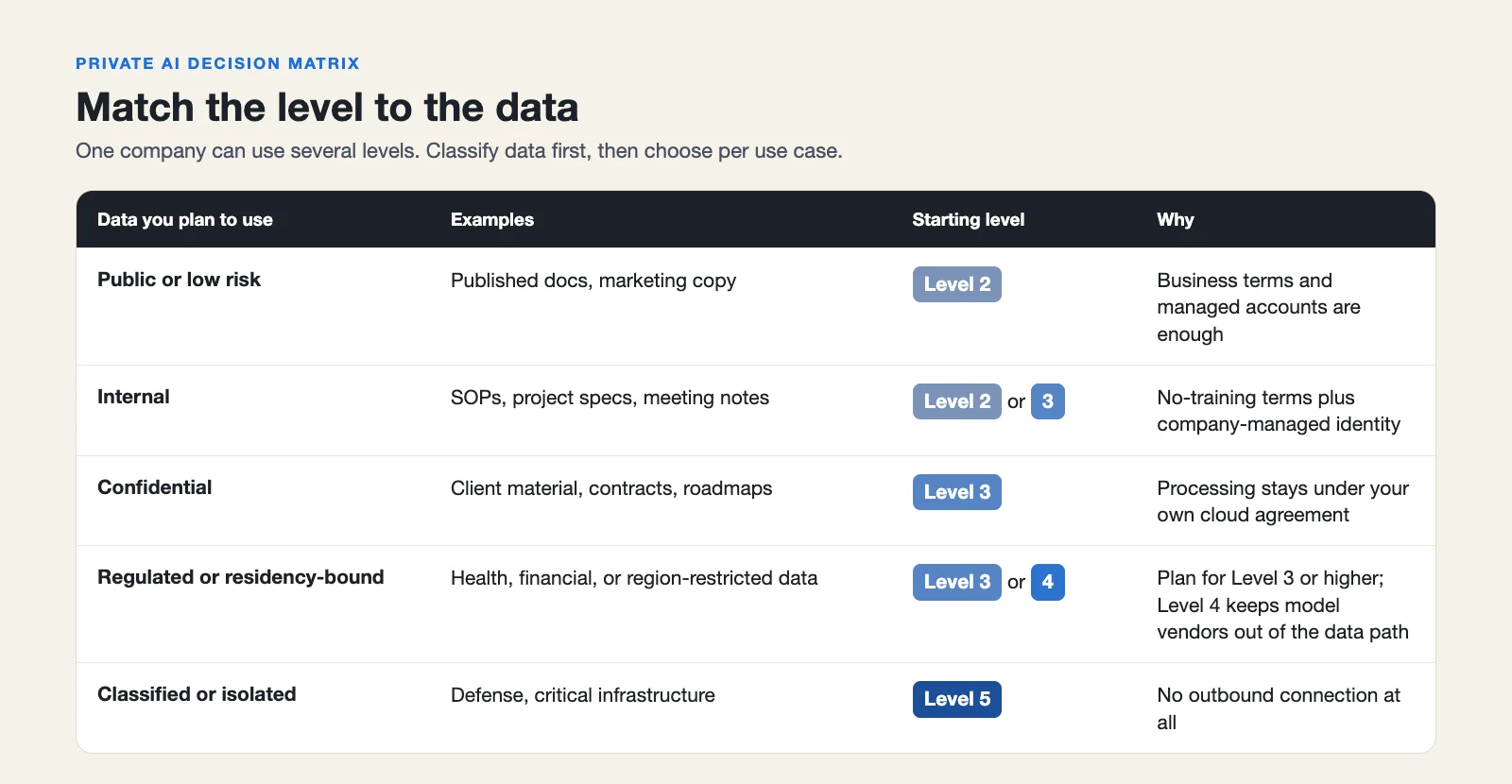 Match the level to the data, not to the team. One company can use several levels.
You likely need something beyond Level 1 if any of these apply:
- Regulated data. You handle health, financial, or other personal data covered by laws or industry rules.
- Client confidentiality. Contracts or professional duties limit where client material can go. This is common in law, consulting, accounting, and agencies.
- IP-heavy work. Specs, source code, research, or product plans are the core value of the business.
- Data residency requirements. Customers or regulators require data to stay in a specific country or region.
- Internal policy. Your security team already restricts which external services can process company data.
- Scale of use. Many employees already use AI on work material, with no central visibility.
If you checked one or two, a business tier (Level 2) with clear policies may be enough. If you checked several, or regulated data is involved, plan for Level 3 or higher and treat the knowledge layer as part of the project.
How do you get started with private AI?
A practical first project:
- Classify your data. Decide which content can go to a business-tier AI service, which needs a dedicated cloud deployment, and which must stay on your infrastructure.
- Pick one use case. For example, question answering over internal SOPs, or drafting from project specs.
- Choose the level per use case. Different data can use different levels.
- Secure the knowledge layer first. Put source material where you control storage and permissions.
- Pilot, measure, and expand. Test output quality and cost with real users before rolling out.
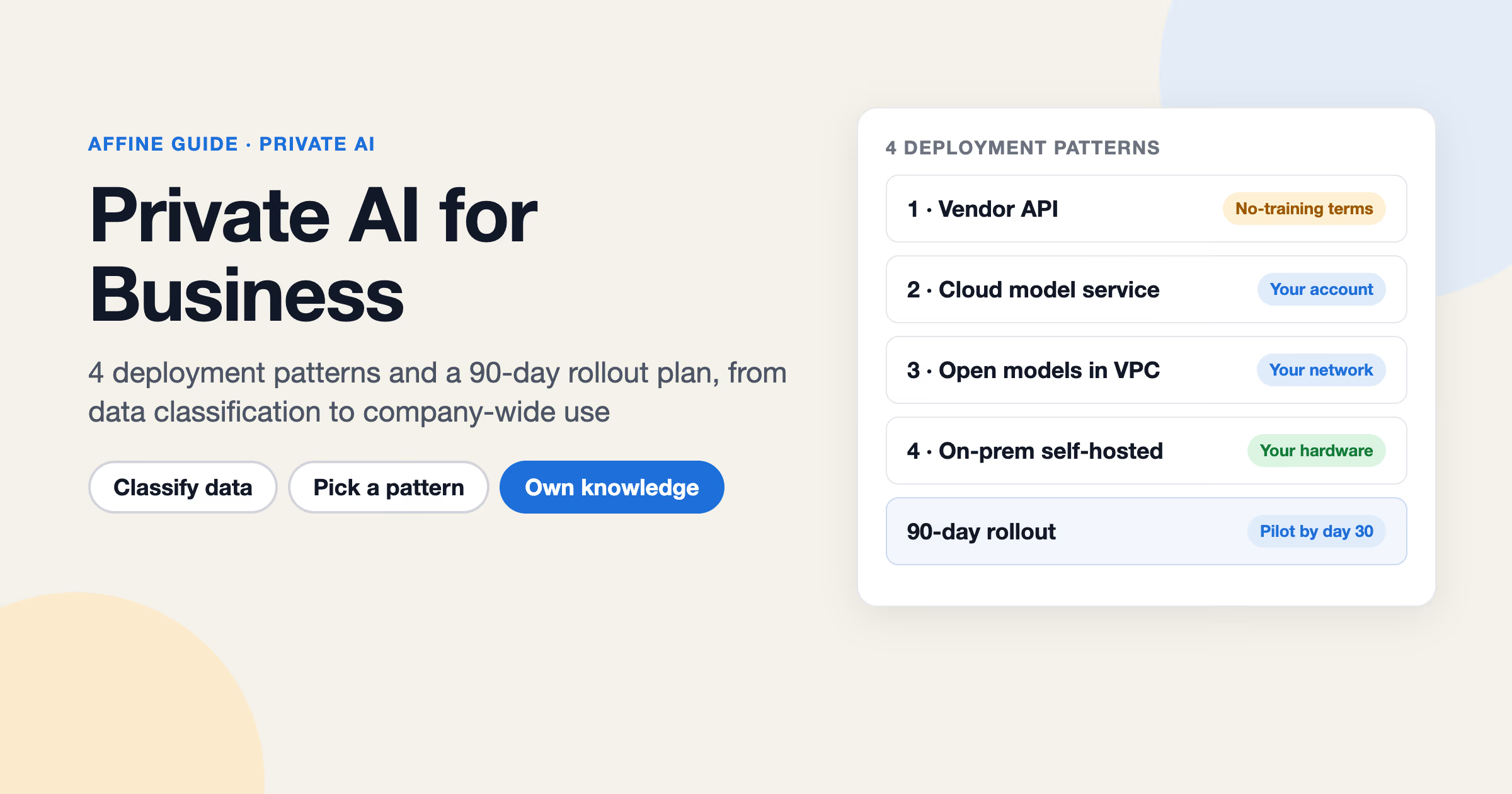
For a full rollout plan, including vendor questions and policy templates, read private AI for business.
A reference architecture for teams
Here is one way to combine the three layers: a self-hosted workspace for knowledge and a swappable model layer.
Knowledge layer: a self-hosted workspace
AFFiNE is an open-source, local-first workspace that combines docs, whiteboards, and databases. You can self-host AFFiNE with the official Docker Compose setup. Your content then lives in your own PostgreSQL, Redis, and file storage (local disk, S3-compatible storage, or Cloudflare R2).
Because AFFiNE is local-first, docs and whiteboards stay editable offline in the desktop app and sync when the connection returns. This applies to editing, not to AI features.
AFFiNE is free to self-host up to 10 seats per workspace. Larger teams need a paid Team Plan or license, as described in the team license docs.
Model layer: bring your own provider or endpoint
AI in AFFiNE is optional, and AFFiNE does not run models itself. The model layer stays swappable:
- Bring your own key (BYOK). Workspace owners can add their own provider keys for OpenAI, Anthropic, Gemini, or FAL under Workspace Settings > Integrations > AI BYOK. Provider keys belong in workspace settings, not in the server configuration.
- OpenAI-compatible endpoints. A server admin can allow custom OpenAI-compatible endpoints and, as a separate setting, endpoints on a private network. This lets you point AFFiNE at a Level 3 deployment or at an inference server you operate.
- AI off. Admins can disable AI for the whole server or for individual workspaces, so sensitive workspaces can stay AI-free.
The settings are documented in the AFFiNE AI administration guide.
An important caveat: model behavior and feature coverage depend on the provider and model you connect. The docs already note that some features need specific providers; for example, transcription and workspace indexing require a server-stored Gemini key or an AFFiNE AI plan fallback. A custom endpoint is not guaranteed to support every AFFiNE AI feature, so test each model with your real tasks before rollout.
For agent workflows, AFFiNE also includes a workspace MCP server that lets AI clients you approve search and read workspace documents. Credentials are read-only by default; at the time of writing, write tools are limited to development and canary builds.
Access layer: identity and permissions
AFFiNE supports OIDC single sign-on, plus Google and GitHub OAuth. Multi-factor authentication is enforced at your identity provider. Inside the workspace, you assign workspace roles and set access levels per document.
The result: knowledge stays on your infrastructure, the model can move between Levels 2 and 4 as needs change, and access follows your existing identity provider. For larger rollouts and licensing, see AFFiNE for enterprise.
When AFFiNE is not the right fit
AFFiNE covers the knowledge layer. It is not the right choice if:
- You need a managed inference platform. AFFiNE does not host or serve models. You need a provider or your own inference stack.
- You require identity protocols other than OIDC. AFFiNE uses OIDC SSO. If your identity provider policy requires another protocol, check before piloting.
- You need AI features with no network connection. Offline editing works in the desktop app, but AI features depend on a connected model provider or endpoint. Local model support is an open community feature request.
- You only need a chat assistant. If your team does not need a shared docs and knowledge workspace, a business-tier AI assistant alone may be simpler.
FAQ
What is private AI?
Private AI is a way of using AI where your organization controls where the model runs, where your data is stored, and who can access both. It ranges from business AI plans with no-training terms to self-hosted models on your own infrastructure.
Is ChatGPT private?
Individual plans (Free, Plus, Pro) may use your content for training unless you opt out, according to OpenAI. OpenAI does not train on Business, Enterprise, Edu, or API data by default. In all cases, processing happens on OpenAI's infrastructure.
Is private AI more expensive?
Usually, yes, but it depends on the level. Business tiers cost more per seat than consumer plans, dedicated cloud deployments add usage fees, and self-hosted models add hardware and operations costs. Matching the level to the data, instead of running everything at the highest level, keeps cost down.
Can private AI run offline?
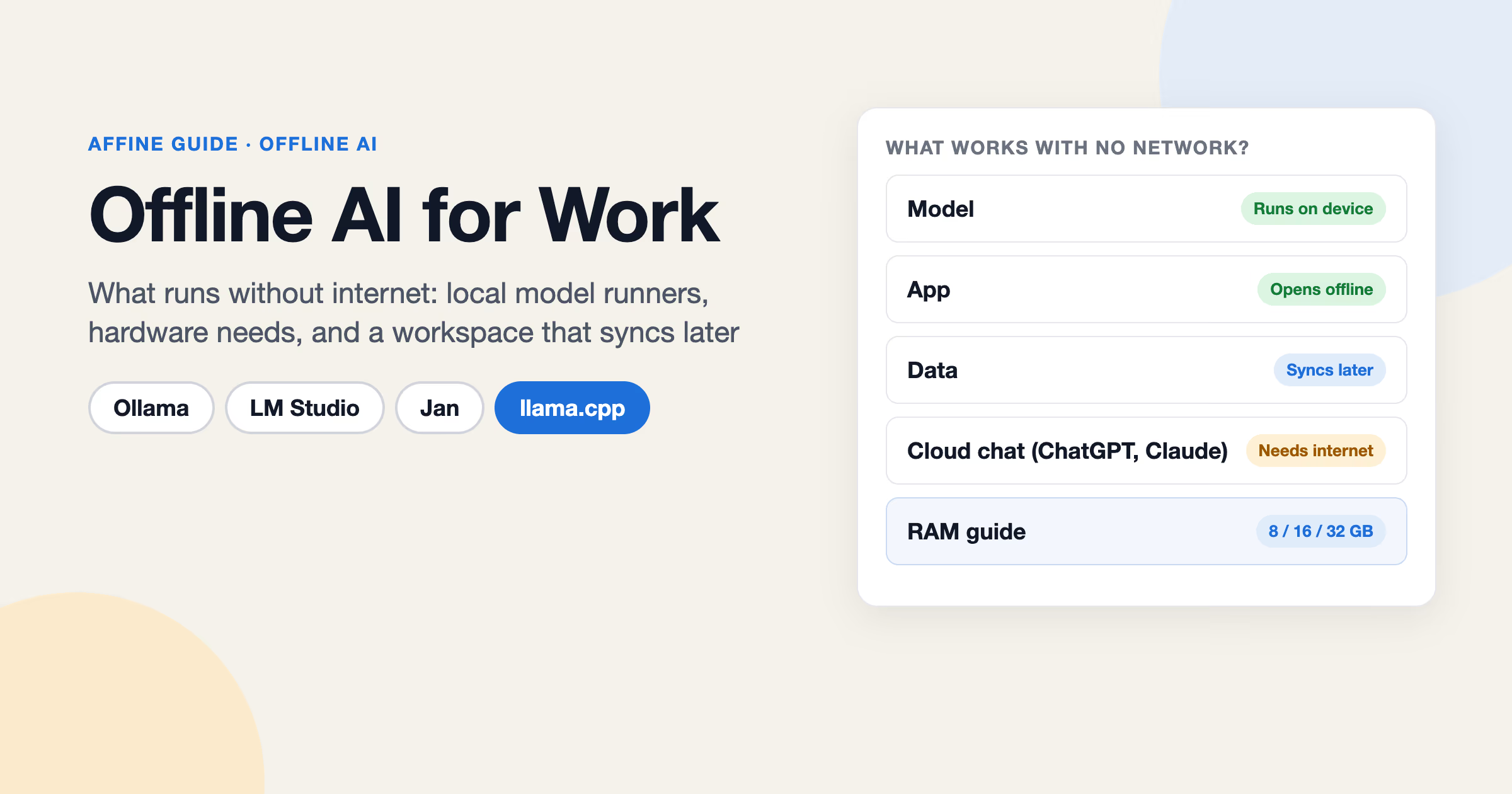
Yes, if you self-host an open-weight model in an isolated environment, but this takes significant setup. Our guide to offline AI covers the options and limits.
What is a private LLM?
A private LLM is a large language model that runs in an environment you control, or under terms that keep your data out of the vendor's training. It is the model layer of a private AI system, not the whole system.
Can I self-host AI tools?
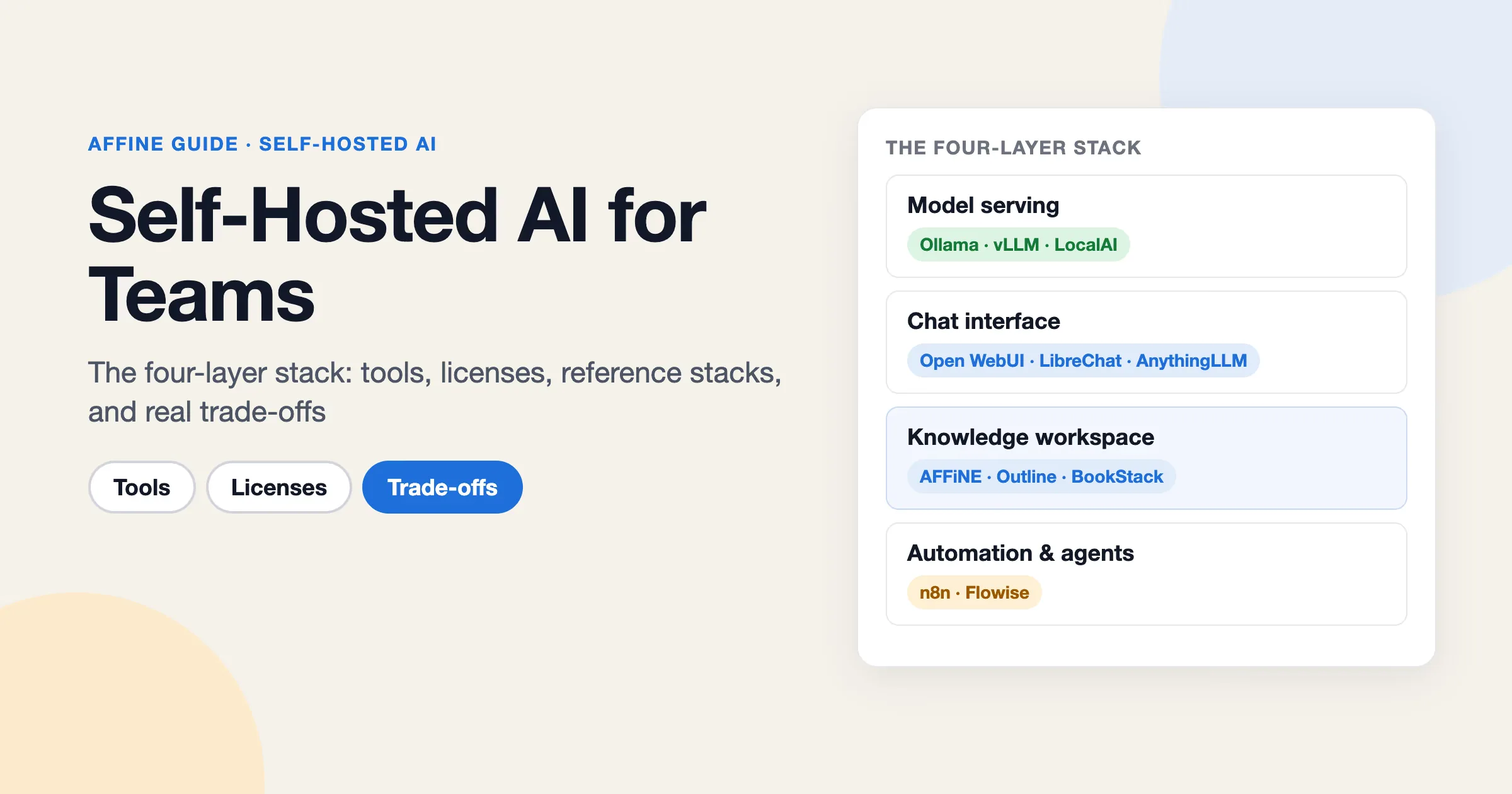
Yes. You can self-host both models (with an inference server) and the tools around them, such as chat interfaces, knowledge bases, and workspaces. Our self-hosted AI guide compares the common stacks.
Evaluating AFFiNE for a team?
Self-host free up to 10 seats; Team $10/seat/month billed annually; offline Installable License via sales.