Private AI for Business: Rollout Plan & Options
Classify your data, pick one of four deployment patterns, own the knowledge layer, and set governance before you buy a single GPU.

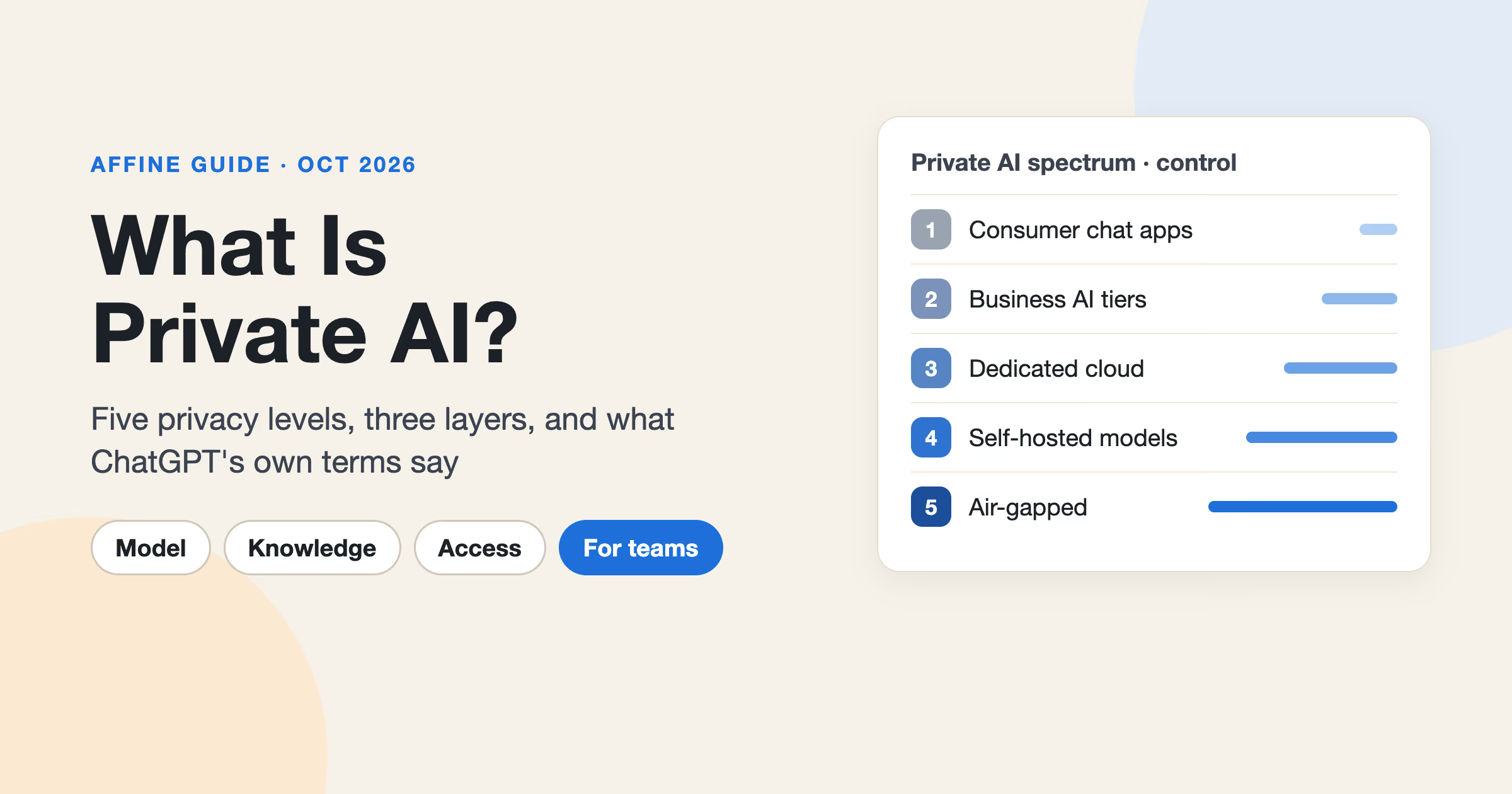
Private AI for business means using AI on your company's documents and data under terms and infrastructure you control: who can see the data, where it is processed, how long it is kept, and whether it is used for training. It ranges from a vendor API with no-training contracts to open models running in your own VPC or data center. For most companies, the right first move is not buying GPUs. It is owning the knowledge layer (the docs, SOPs, and specs the AI reads) in a system you control, and keeping the model provider swappable behind clear contracts and admin controls.
Key takeaways
- Private AI for business means running AI on company data under terms and infrastructure you control: access, processing location, retention, and training use.
- There are four common deployment patterns: vendor API with no-training terms, a model service in your own cloud account, open models in your VPC, and on-prem self-hosted models.
- OpenAI, Anthropic, Microsoft Azure, Amazon Bedrock, and Google Cloud all publish business terms stating customer data is not used for model training by default or without permission.
- Most companies should own the knowledge layer first and keep the model provider swappable.
- A focused rollout can reach a pilot in about 30 days and broader use in about 90 days.
If you are new to the concept, start with our overview of private AI. This guide is the implementation plan: classify data, choose a deployment pattern, consolidate knowledge, set access, pilot, and scale.
The short plan
| Step | What you decide | Output |
|---|---|---|
| 1. Classify data | Which data can go to which kind of AI | A four-tier classification table |
| 2. Choose a deployment pattern | Vendor API, cloud model service, VPC-hosted, or on-prem | One default pattern per data tier |
| 3. Build the knowledge layer | Where company knowledge lives and who owns it | A consolidated, self-hosted or controlled workspace |
| 4. Access and governance | Identity, roles, AI on/off, key ownership | An AI usage policy and admin settings |
| 5. Pilot and scale | Who goes first and how you measure it | A 30/60/90-day rollout |
Step 1: Classify your data
Before you compare vendors, decide what data the AI will touch. Most companies already have some version of a classification policy. If you do not, this four-tier template is enough to start.
| Tier | Examples | Acceptable AI pattern |
|---|---|---|
| Public | Published docs, marketing pages, public pricing, open-source code | Any reputable AI tool, including consumer tools |
| Internal | SOPs, meeting notes, internal wikis, project plans, org charts | Vendor API or business plan with no-training terms and a signed data processing agreement |
| Confidential | Customer notes, contracts, roadmaps, unreleased product specs, financials | Dedicated cloud model service in your own cloud account, or VPC-hosted models; vendor API only if retention and region terms are reviewed and approved |
| Restricted | Credentials, regulated personal data, health or payment data, M&A material, legal privilege | No AI by default; if required, self-hosted or VPC-hosted models with a documented exception |
Two practical rules make this table work:
- Classify at the document or space level, not the sentence level. Employees will not classify every paragraph. They will respect "this workspace is Confidential."
- Map tiers to tools, not to people. "Confidential data may only be used with the approved assistant connected to our cloud account" is enforceable. "Use judgment" is not.
Step 2: Choose a deployment pattern
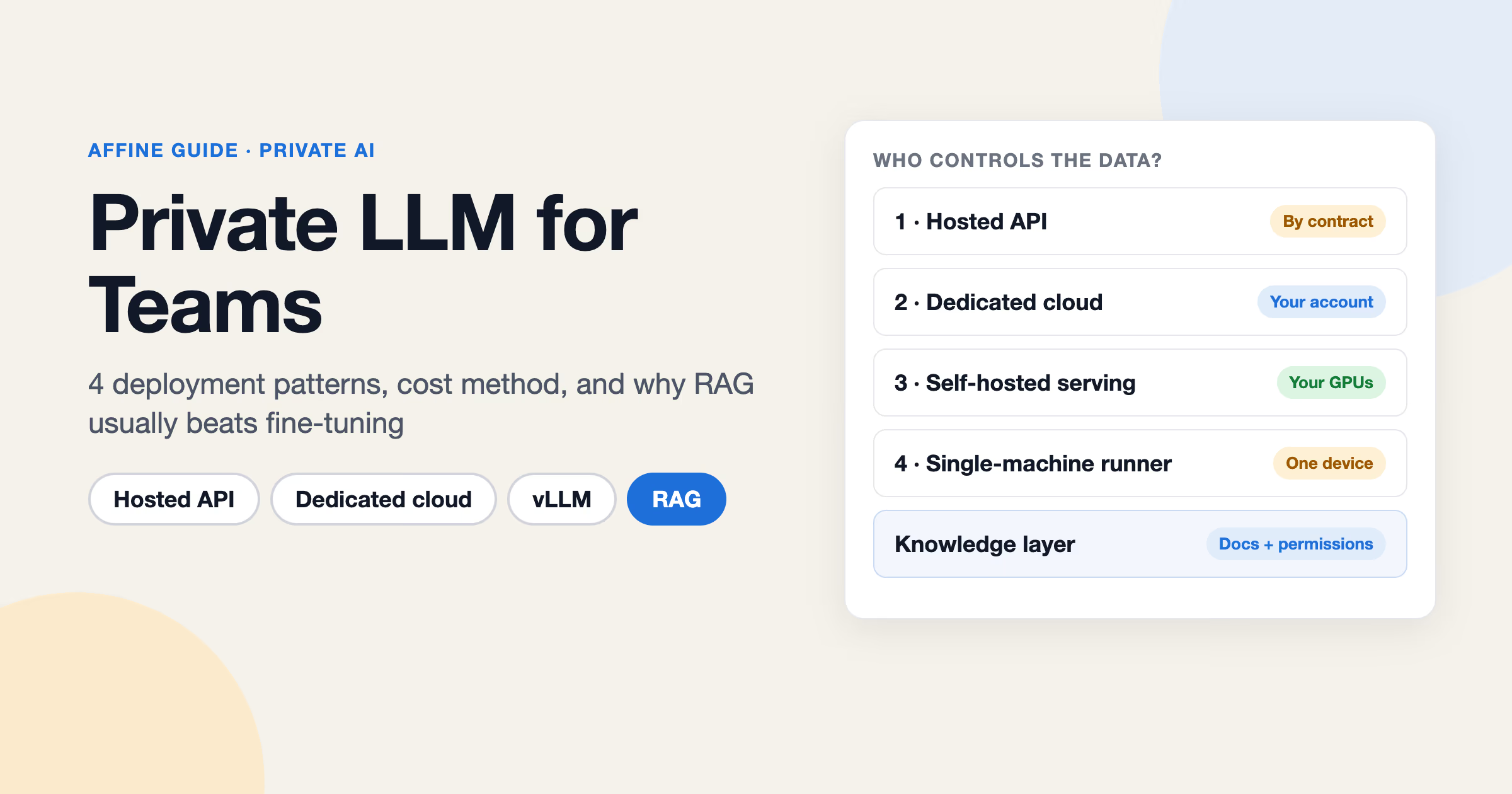
There are four common patterns for private AI solutions. They differ mainly in how much control you get over data and how much operational work you take on. For the technical detail on each (serving stacks, model choices, hardware), see our guide to private LLMs.
| Pattern | Data control | Ops burden | Time to start | Cost drivers | Best for |
|---|---|---|---|---|---|
| (a) Vendor API or business plan with no-training terms | Contractual: vendor processes data under its terms | Low | Days | Per-seat or per-token pricing | Startups and small teams; Public and Internal data |
| (b) Dedicated cloud model service in your cloud account | Contractual plus your cloud's controls (region, network, IAM) | Low to medium | Days to weeks | Tokens or provisioned throughput, cloud networking | Mid-size and enterprise teams already on AWS, Azure, or Google Cloud; Confidential data |
| (c) Open models hosted in your private cloud or VPC | High: you run the model in infrastructure you control | Medium to high | Weeks | GPU instance hours, storage, engineering time | Enterprises with ML or platform teams; Confidential and some Restricted data |
| (d) Self-hosted open models on-prem | Highest: data never leaves your facilities | High | Weeks to months | Hardware purchase, power, maintenance, staff | Regulated or air-gapped environments; Restricted data |
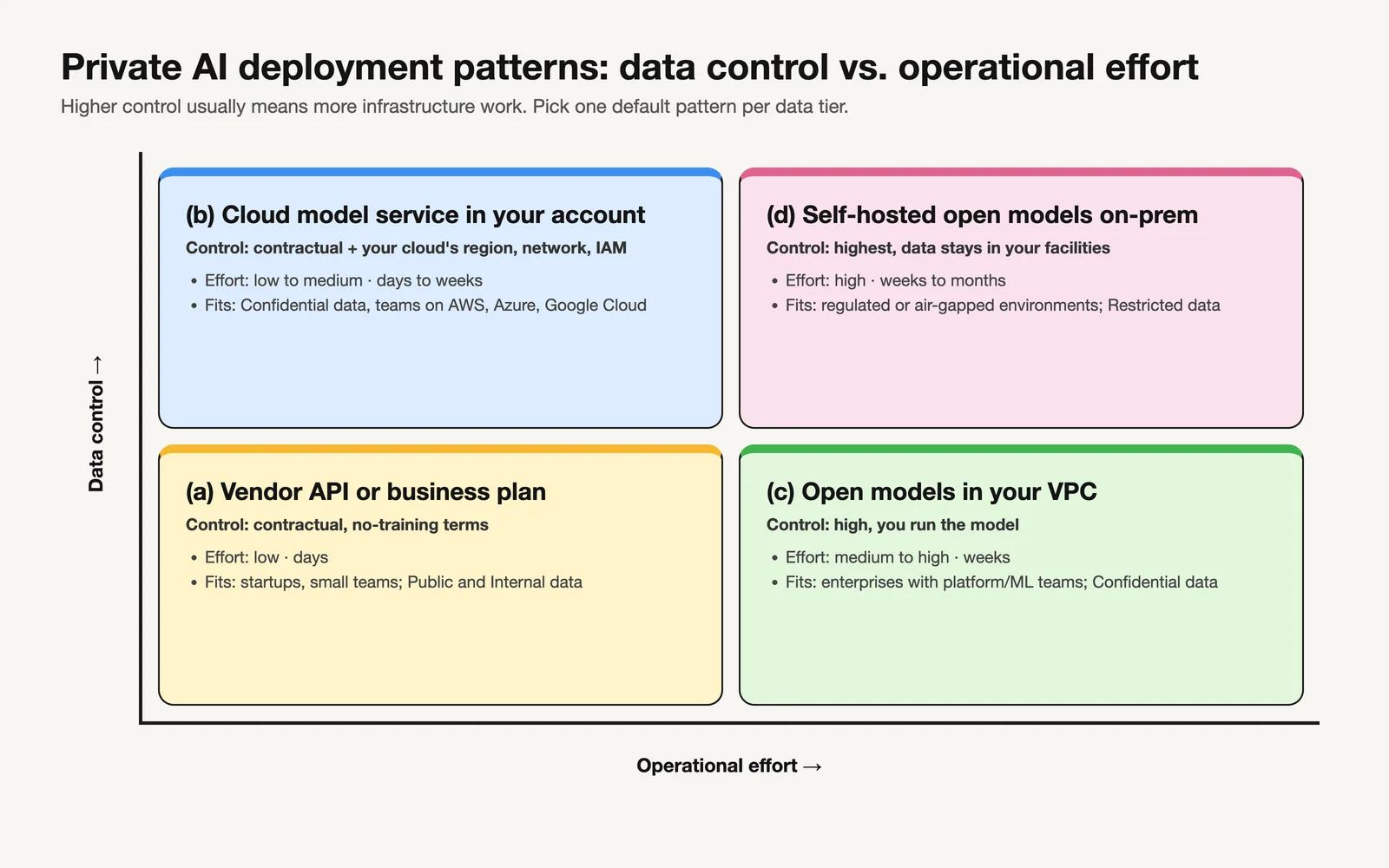 The four deployment patterns trade operational effort for data control. Most companies start in the lower-left and move right only for specific workloads.
What do AI vendors say about training on business data?
Patterns (a) and (b) depend on the vendor's commitments, so read them yourself rather than relying on sales summaries. As of October 2026, the vendors' own pages state:
- OpenAI. For ChatGPT Business, Enterprise, Edu, and the API Platform, OpenAI states it does not train its models on your business data by default, and that Enterprise and Edu customers control how long data is retained (OpenAI enterprise privacy).
- Anthropic. For commercial products such as Claude for Work and the Anthropic API, Anthropic states it will not use your inputs or outputs to train its models by default, with exceptions such as feedback you explicitly submit (Anthropic privacy center).
- Microsoft Azure. For models sold by Azure in Microsoft Foundry, Microsoft states that prompts, completions, and embeddings are not available to other customers or to model providers such as OpenAI, and are not used to train foundation models without your permission (Microsoft data privacy for Foundry models).
- Amazon Bedrock. AWS states that models are deployed in AWS-operated accounts that model providers cannot access, so providers do not have access to Bedrock logs or customer prompts and completions (Amazon Bedrock data protection).
- Google Cloud. Google states it won't use your data to train or fine-tune any AI/ML models without your prior permission or instruction, for all managed models on its Gemini Enterprise Agent Platform. It also notes that prompts may be logged for abuse monitoring and lists the steps required for zero data retention (Google Cloud training restriction and data retention).
Note the phrase "by default" in several of these. Your security review should confirm which plan you are on, which settings are enabled, and which features (such as logging for abuse monitoring or caching) have their own retention rules.
Which deployment pattern should you pick?
A reasonable default for private AI for startups and mid-size companies: pattern (a) for Internal data, pattern (b) for Confidential data, and no AI for Restricted data until you have a clear use case. Enterprise private AI programs often add pattern (c) later for specific workloads where cost at volume or data residency justifies the engineering effort. Pattern (d) is usually driven by regulation or contracts, not preference. If you are weighing self-hosting broadly, our self-hosted AI guide covers the trade-offs. If regulation is the driver, read what data sovereignty means for business tools to separate data residency from legal control.
The key point: the model layer is the part most likely to change. Prices, model quality, and terms move every few months. Make sure nothing in your plan locks your knowledge to one model provider.
Step 3: Build the knowledge layer first
An AI assistant's answers are only as good as the documents it can read. If your SOPs live in five tools, half your specs are out of date, and nobody knows which wiki page is current, a private model will give confident answers drawn from stale material. Our guide to building an AI knowledge base covers how to prepare and test that content.
The most useful work in a private AI rollout is usually consolidation, not model selection:
- Pick one home for durable knowledge. SOPs, product specs, onboarding guides, runbooks, and decision records should live in one system with clear ownership.
- Assign owners and review dates. Every important document needs a named owner. Stale docs are the most common reason internal AI answers go wrong.
- Structure what can be structured. Customer lists, project trackers, and inventories work better as databases than as long pages.
- Keep diagrams and planning next to the docs. Architecture sketches and process maps are knowledge too, and they are often missing from text-only wikis.
- Control where the data is stored. If the knowledge base itself sits with a vendor you cannot audit, the "private" part of private AI is weaker than it looks.
We cover the content side in more depth in our guide to building an internal AI knowledge base.
Where AFFiNE fits in the knowledge layer
AFFiNE is an open-source, local-first workspace that combines docs, whiteboards (an edgeless canvas), and databases. You can use AFFiNE Cloud or self-host AFFiNE as your knowledge base. The official self-hosting path is Docker Compose (install docs). When self-hosted, your data stays in your own PostgreSQL, Redis, and file storage (local disk, S3-compatible storage, or Cloudflare R2).
This matters for private AI because the knowledge layer and the model layer stay separate. Your documents live in infrastructure you run. The AI provider is a setting, not a migration. AFFiNE also includes an MCP server, so AI clients you approve can search and read workspace content through a defined interface, with read-only credentials by default. Because AFFiNE is local-first, docs and whiteboards remain editable offline in the desktop app and sync later. That applies to editing, not to AI features, which need a connected provider.
Step 4: Set access and governance
A private AI program fails security review when nobody can answer "who can see what, and which AI can read it." Settle these controls before the pilot.
Identity and access
- Single sign-on. Connect the workspace and AI tools to your identity provider. AFFiNE supports OIDC SSO as well as Google and GitHub OAuth.
- MFA at the identity provider. Enforce multi-factor authentication in your IdP so every connected tool inherits it. In AFFiNE, MFA is enforced at your identity provider rather than inside the app.
- Workspace roles. Separate who administers a workspace from who edits and who reads.
- Per-document access. Confidential documents should have narrower access than the workspace default. AFFiNE supports per-document access levels.
AI controls
- AI on or off per workspace. You may want AI enabled for an Internal workspace and disabled for a Confidential one. In self-hosted AFFiNE, AI is optional and can be disabled server-wide or per workspace (AI administration docs).
- Provider-key ownership (BYOK). When your company holds the API key, the provider contract is yours, usage bills to your account, and you can revoke access. In AFFiNE, workspace owners can add their own keys for OpenAI, Anthropic, Gemini, or FAL under Workspace Settings, Integrations, AI BYOK. Keys are added and tested per workspace, not in the server configuration.
- Admin-approved endpoints. A server admin can allow OpenAI-compatible custom endpoints (
copilot.byok.allowCustomEndpoint) and, as a separate setting, endpoints on private networks (allowPrivateEndpoint). That makes it possible to point AFFiNE at a model server you operate, for example one serving open models in your VPC. Feature coverage depends on the model and must be tested per model; it is not guaranteed. AFFiNE does not run models itself, and native local model support is an open community feature request.
AI usage policy checklist
Publish a one-page policy employees can actually follow. It should answer:
- Which AI tools are approved, and for which data tiers
- What may never be pasted into any AI tool (credentials, secrets, regulated personal data, Restricted-tier material)
- Whether personal or consumer AI accounts may be used for work data (usually: Public data only)
- Which workspaces have AI enabled and who can change that
- Who owns provider keys and how they are rotated or revoked
- How to request a new AI tool or an exception
- That AI output must be reviewed by a person before it goes to customers or into contracts
- How to report a suspected data exposure, and to whom
- When the policy is reviewed (for example, quarterly)
Step 5: A 30/60/90-day rollout plan
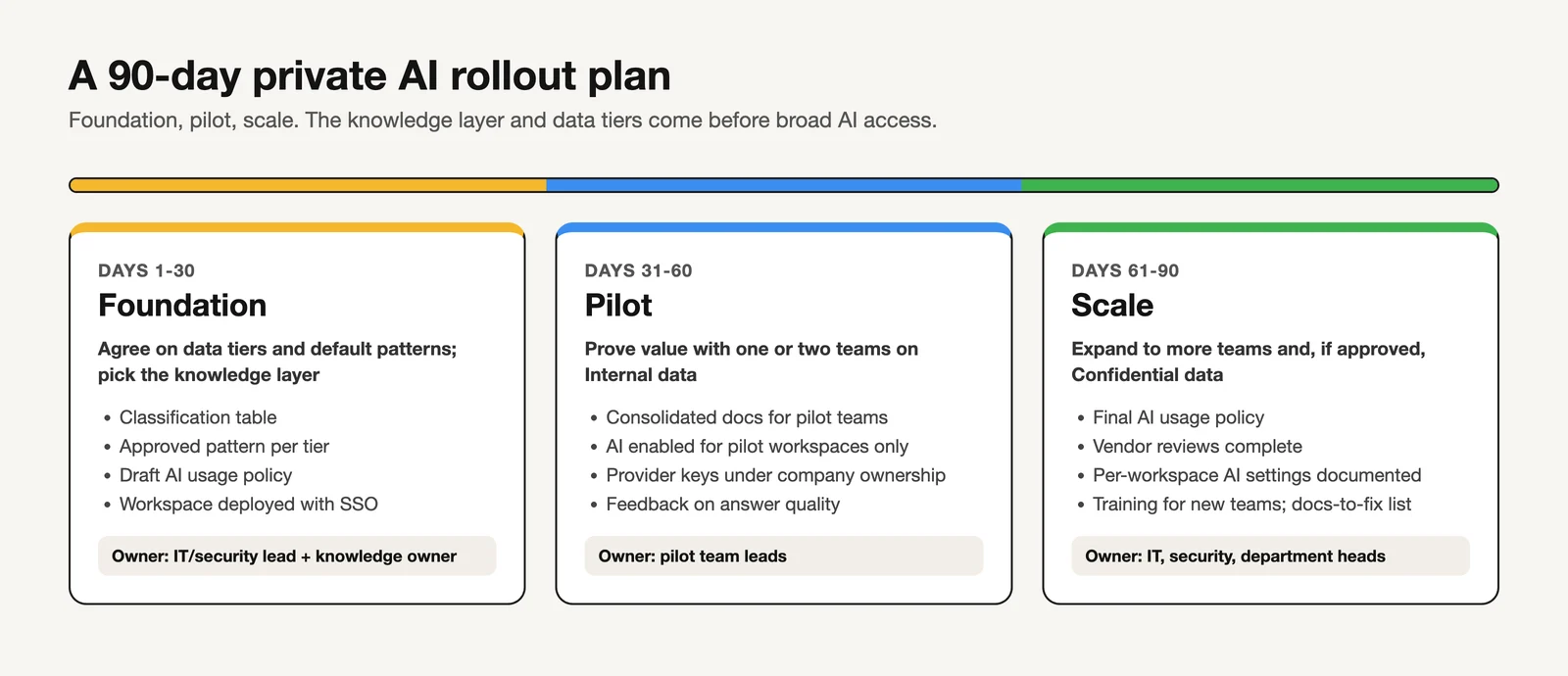 A 30/60/90-day plan: agree on data tiers and the knowledge layer first, pilot on Internal data, then scale.
| Phase | Goals | Key deliverables | Owner |
|---|---|---|---|
| Days 1-30: Foundation | Agree on data tiers and default patterns; pick the knowledge layer | Classification table; approved pattern per tier; draft AI usage policy; workspace deployed with SSO | IT/security lead with a knowledge owner |
| Days 31-60: Pilot | Prove value with one or two teams on Internal data | Consolidated docs for the pilot teams; AI enabled for pilot workspaces only; provider keys under company ownership; feedback on answer quality | Pilot team leads |
| Days 61-90: Scale | Expand to more teams and, if approved, Confidential data | Final AI usage policy; vendor reviews complete; per-workspace AI settings documented; training for new teams; a list of docs to fix | IT, security, and department heads |
Good pilot candidates are teams with heavy, repeated questions against stable docs: support, onboarding, internal IT, and engineering runbooks. Measure what you can observe directly, such as how often the assistant answers from the right document and how many docs had to be fixed, rather than relying on vendor productivity claims.
How much does private AI for business cost?
We will not quote a number, because costs depend heavily on usage and pattern. Build your estimate from these categories:
- Seats. Per-user licenses for AI assistants and the knowledge workspace. AFFiNE is free to self-host up to 10 seats per workspace; larger teams need a paid Team License.
- Inference. Per-token charges for patterns (a) and (b), or GPU instance hours for pattern (c). Estimate from expected queries per user per day and average document length.
- Hardware. For pattern (d): GPUs, servers, power, cooling, and replacement cycles.
- Storage and infrastructure. Database, object storage, backups, and networking for the knowledge layer and any vector indexes.
- Admin time. Running servers, upgrades, model updates, user management, and support.
- Security and legal review. Vendor assessments, contract review, and policy work. This is often underestimated and can dominate early costs.
- Content work. Consolidating and cleaning up docs. It is real time, and it is also the step that most improves answer quality.
What should you ask a private AI vendor?
Use this 10-question checklist for any private AI vendor, including AI features inside tools you already use:
- Data retention. How long are prompts, outputs, and uploaded files kept, including logs kept for abuse monitoring?
- Training use. Is our data used to train or improve models by default? Is that commitment in the contract, not just a web page?
- Region. Where is data processed and stored, and can we pin a region?
- Subprocessors. Which third parties process our data, and how are we notified of changes?
- Identity protocols. Which SSO protocols are supported, and how is MFA enforced?
- Export. Can we export all our content in usable formats without a support ticket?
- Deletion. How do we delete data, how fast is it removed, and is deletion confirmed?
- Incident process. How and how quickly will you notify us of a security incident?
- Model swap. Can we change the underlying model or provider without migrating our data?
- Pricing model. Is pricing per seat, per token, or per instance, and what happens to cost as usage grows?
Where AFFiNE fits, and when it does not
AFFiNE is a good fit when you want to own the knowledge layer: a self-hosted workspace with docs, whiteboards, and databases, data in your own Postgres and storage, OIDC SSO, workspace roles and per-document access, and optional AI with company-owned provider keys. It suits teams that want to keep the model provider swappable and decide per workspace whether AI is on.
When AFFiNE is not the right fit
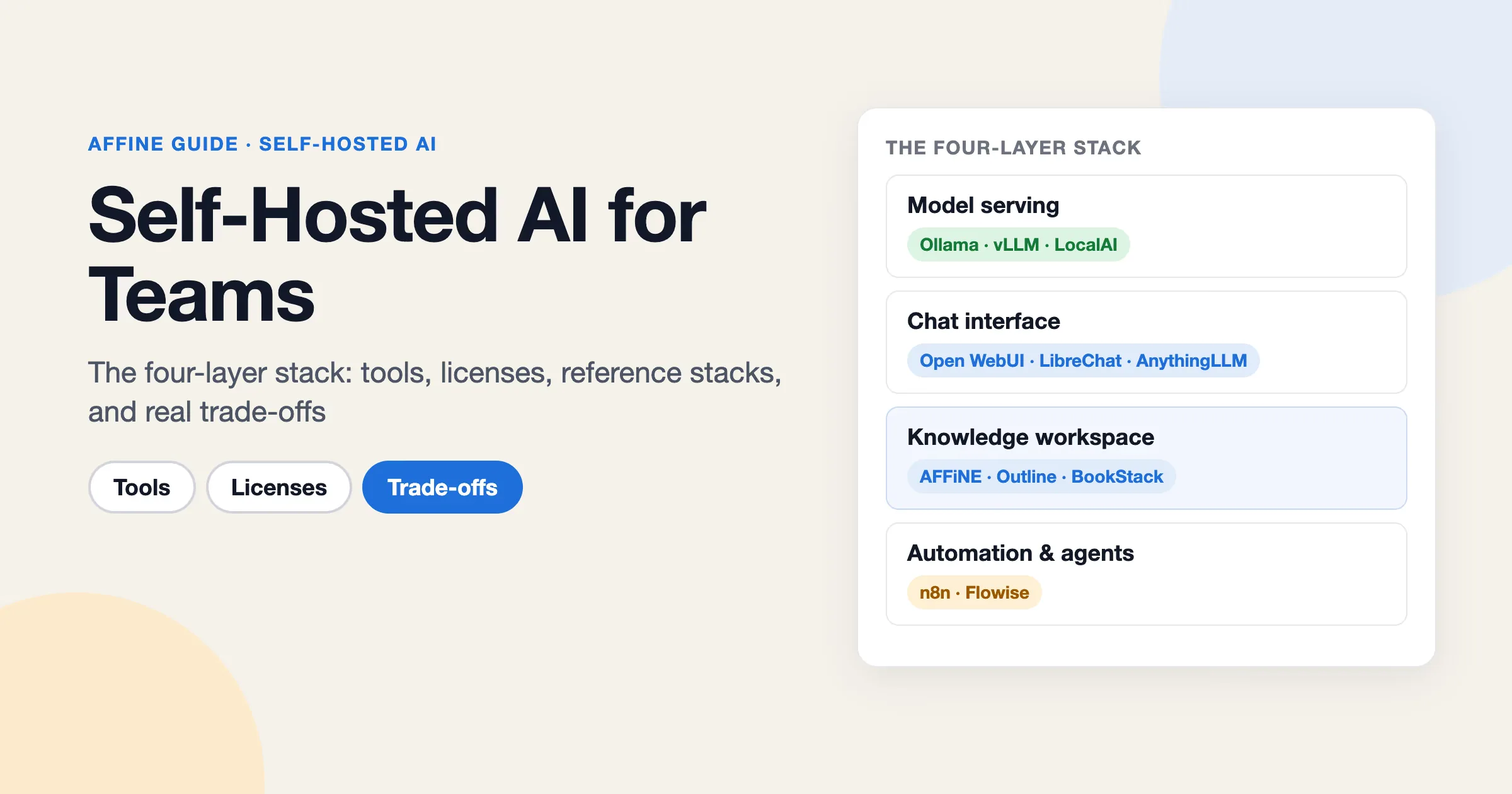
- You need a managed GPU or model-serving platform. AFFiNE is a workspace, not an inference platform. Use a cloud model service or a dedicated serving stack for that layer.
- You need AI that runs fully offline or on local models out of the box. AFFiNE does not run models itself. Connecting an OpenAI-compatible endpoint you operate is possible if your admin allows it, but each model needs testing.
- Your identity standard is something other than OIDC. AFFiNE's SSO is OIDC, plus Google and GitHub OAuth. Check your IdP's OIDC support before you plan around it.
- You only need a chat assistant, not a knowledge base. If there is no document consolidation in scope, a business AI plan on its own may be simpler.
For larger deployments and licensing questions, see AFFiNE for enterprise or book a demo. To see how AI works inside the workspace, visit AFFiNE AI.
FAQ
What is private AI for business?
It is the use of AI on company data under terms and infrastructure you control. That can mean a vendor API with contractual no-training and retention terms, a model service in your own cloud account, or open models hosted in your VPC or data center. The common thread is that you can answer where data goes, who can see it, and how long it stays.
Is private AI worth it for small businesses?
Usually yes, in its lightest form. A small business rarely needs its own GPUs. It does benefit from a business plan with no-training terms, a short usage policy, and one controlled home for its documents. That costs little and closes the most common leak: employees pasting company data into personal accounts.
Can we use ChatGPT privately?
You can use OpenAI's business offerings under stronger terms than consumer accounts. OpenAI states that for ChatGPT Business, Enterprise, Edu, and its API Platform, it does not train on business data by default (OpenAI enterprise privacy). Data is still processed by OpenAI, so confirm the retention settings for your plan and decide which data tiers it is approved for.
How long does a private AI rollout take?
A focused rollout using vendor APIs or a cloud model service can reach a working pilot within about 30 days and a broader rollout in about 90 days, as in the plan above. Self-hosting models on your own hardware usually takes longer because of procurement and setup. The document consolidation work often takes longer than the AI setup.
Do we need our own GPUs?
Most companies do not. GPUs make sense when regulation or contracts require that data never leaves your facilities, or when your volume is high enough that owning capacity is cheaper than paying per token. Start with a managed pattern and revisit the decision once you have real usage data.
What data should never go into AI tools?
Credentials and secrets, regulated personal data (such as health or payment data), legally privileged material, and anything your contracts forbid sharing with third parties. Treat these as the Restricted tier: no AI by default, and only a documented exception using a pattern you fully control.
Evaluating AFFiNE for a team?
Self-host free up to 10 seats; Team $10/seat/month billed annually; offline Installable License via sales.