RAID Log: Meaning, Worked Example, and How to Use One
A RAID log is a single project register for risks, assumptions, issues and dependencies. Every entry has one named owner, a priority, a status and a next review date. Project managers use it to keep uncertainty, live problems and handoffs from other teams visible between plan updates, and to turn them into decisions before they turn into surprises.
This guide explains what the acronym means and why some teams swap in actions or decisions. It shows the fields each entry needs and works through one fictional cross-functional project in full: 11 entries, a weekly review routine, escalation rules, and a before-and-after snapshot of a risk that became an issue. You can copy the blank template as a Markdown table or download it as a CSV.
RAID log meaning
RAID most often stands for Risks, Assumptions, Issues and Dependencies. Each letter answers a different question about the same project:
| Letter | Stands for | Test | Example from the worked project below |
|---|---|---|---|
| R | Risk | Could it happen, and has it not happened yet? | If the ticket export does not fit the cutover window, go-live slips |
| A | Assumption | Is the plan treating it as true without proof? | November volume will be at most 1.8× the October average |
| I | Issue | Is it a problem now? | 14 contractor agents cannot sign in through SSO |
| D | Dependency | Do we need something from another team or supplier by a date? | Production API keys from the Platform team by Oct 19 |
A risk is uncertain and in the future, so it gets a likelihood and a trigger. An issue has already happened, so it gets a resolution target instead. An assumption is a planning belief that needs a validation date. A dependency is a prerequisite someone else controls, so it needs a provider and a need-by date.
Why some teams use actions or decisions instead
The letters are not fixed. The Institute of Risk Management's short guide lists the categories as Risks, Assumptions, Issues and Decisions "(or Dependencies)". It also notes that some teams combine actions and decisions into a "RAAIDD" log.
This guide keeps the four core categories and links actions and decisions by ID instead of storing them as rows, for two reasons:
- They have different lifecycles. An action is finished when the work is done. A decision stays valid until it is superseded. Risks and issues need watching until they close.
- Tasks bloat a log. A 2002 PMI paper on project logs argues that tasks belong in the work breakdown structure and schedule, not in a log. Add tasks to a RAID log and the few uncertain items get buried under the to-do list.
If your organization's template uses A for Actions or D for Decisions, keep its letters and define them at the top of the log. Consistency matters more than any one expansion.
RAID is a convention, not a standard
Two widely used references cover the same ground without defining a "RAID log":
- PRINCE2 uses separate records: a risk register, an issue register, a daily log and a lessons log.
- The Association for Project Management (APM) glossary defines issues, assumptions and dependencies, but it has no RAID entry.
Public RAID logs therefore vary. One example is the RAID attachment ELEXON published in 2019 for an Ofgem settlement reform. It held 3 risks, 12 assumptions, 3 issues and 4 dependencies. Its last column changed by type: "Mitigation in place" for risks, "How/when to validate" for assumptions, "How to progress" for issues and "Status of dependency" for dependencies. The template in this guide uses the same idea: shared core fields plus one field that depends on the type.
When to use a RAID log
A RAID log earns its upkeep when at least two of these are true:
- Several teams or an outside supplier must deliver pieces of the project.
- A fixed date, launch gate or contract milestone is at stake.
- The plan rests on numbers or approvals nobody has confirmed yet.
- The project runs long enough for conditions to change, typically more than a few weeks.
Start it during planning, alongside the other planning-phase deliverables.
A two-person task list rarely needs one. A checklist and a calendar will do. In regulated programs with formal registers, use the RAID log as a summary view that links to those registers, so each item has one authoritative record. That is also where it sits in a wider project documentation set: one of a few coordinating records, not the place every detail lives.
Who owns what in a RAID log
"The PM owns the RAID log" is only half true. Separate four roles:
| Role | In the worked example | Owns | Does not own |
|---|---|---|---|
| Log owner | Maya, Support Ops lead and project lead | Format, scales, review prep, the meeting, publishing changes | Every entry's content |
| Entry owner | Dev, IT lead, for R-02 and I-03 | One row: evidence, status, next step, escalation | The tasks other people do |
| Decision owner | Rosa, VP Customer Experience and sponsor | Decisions outside the project lead's authority: scope, date, budget | Day-to-day updates |
| Provider | Platform team, vendor professional services | Delivering a dependency | The dependency row, which stays with an internal owner |
Name a person, not a department, in every Owner cell. A provider outside your team cannot update your log, so an internal owner chases them. A RACI chart settles who is responsible or consulted for deliverables; the RAID log records who is watching each uncertainty.
Anatomy of a RAID entry
Each entry needs nine fields. Field 5 changes with the type of entry, and that is what keeps a risk from being tracked like a task.

| Field | What to write | R-02 at the Oct 6 review |
|---|---|---|
| ID and type | A stable ID that is never reused; the prefix shows the type | R-02 · Risk |
| Entry | Risks: "If [condition], then [effect]". Issues: evidence and effect. Assumptions: "We are planning on the basis that…". Dependencies: "[Work] needs [deliverable] from [provider]" | If the full ticket export does not fit the 20-hour cutover window, go-live slips |
| Owner | One named person | Dev, IT lead |
| Priority | From your written scale (below) | Likelihood 2 × impact 3 = 6, so P1 |
| Type field | Risk: trigger. Assumption: validation method and date. Issue: resolution target. Dependency: provider and need-by date | Trigger: a sample export projects more than 16 h |
| Response or next step | A concrete action, with any task ID | Run a 24,000-ticket sample export on Oct 8 |
| Status | One of the status words for that type | Open |
| Next review | A date, so "no change" is an explicit decision | Tue Oct 13 |
| Links | Related IDs in other records | D-02; raised Sep 15 |
Status words by type
Use a short, fixed set of status words per type so that a filter can find every open item:
| Type | Open states | Exit states |
|---|---|---|
| Risk | Open | Triggered (link the new issue), Closed (the window passed or the risk was avoided) |
| Assumption | Unvalidated | Validated, Invalidated (link the resulting risk or issue) |
| Issue | Open, In progress | Resolved, then Closed at the next review once the evidence is filed |
| Dependency | Requested, Committed | Delivered, Missed (link the resulting issue) |
A priority scale you can apply the same way every time
The worked example uses this scale. Copy it, then change the thresholds to fit your project:
- Impact: 1 = one workstream slips by less than 3 business days. 2 = a workstream milestone is missed. 3 = go-live, a launch gate or customer data is threatened.
- Likelihood (risks only): 1 = no current sign. 2 = plausible, with some signs. 3 = expected without action.
- Risk priority: likelihood × impact. A score of 6–9 is P1, 3–4 is P2 and 1–2 is P3.
- Other types: P1 if the entry threatens go-live, a gate or customer data. P2 if it threatens a workstream milestone. P3 for everything else.
A written scale stops everything drifting to "High" and lets priority, not volume, set the review order.
Copy-ready RAID log template
Paste this into a doc or spreadsheet and add one row per entry. The four starter rows show the wording for each type; replace them with your own.
| ID | Type | Entry | Owner | Raised | Priority | Status | Trigger / validation / need-by | Response or next step | Next review | Links | Last updated |
|---|---|---|---|---|---|---|---|---|---|---|---|
| R-01 | Risk | If [condition], then [effect]. | [Name] | YYYY-MM-DD | P1 / P2 / P3 (L × I) | Open | Trigger: [observable signal] | [Preventive step and contingency] | YYYY-MM-DD | [IDs] | YYYY-MM-DD |
| A-01 | Assumption | We are planning on the basis that [condition]. | [Name] | YYYY-MM-DD | P1 / P2 / P3 | Unvalidated | Validate: [method] by YYYY-MM-DD | [What happens if it proves false] | YYYY-MM-DD | [IDs] | YYYY-MM-DD |
| I-01 | Issue | [What is wrong now]; evidence: [fact]; effect: [impact]. | [Name] | YYYY-MM-DD | P1 / P2 / P3 | Open | Target: resolve by YYYY-MM-DD | [Resolution step or escalation] | YYYY-MM-DD | [IDs] | YYYY-MM-DD |
| D-01 | Dependency | [Our work] needs [deliverable] from [provider]. | [Name] | YYYY-MM-DD | P1 / P2 / P3 | Requested | Need by YYYY-MM-DD; provider: [team] | [Confirm, chase or fallback] | YYYY-MM-DD | [IDs] | YYYY-MM-DD |
Prefer a spreadsheet? Download the same columns:
- Blank RAID log template (CSV): 12 column headers and four starter rows, one per type.
- Filled help desk migration example (CSV): all 11 entries from the worked example below, with dates in YYYY-MM-DD format.
Both are plain comma-separated files, so spreadsheet apps such as Excel, Google Sheets and Numbers can open them. They are free and need no sign-up.
How to set up a RAID log in seven steps
- Set the scope and rules. Name the project, then write the letters you use, the priority scale, the status words for each type and the review slot at the top of the log.
- Collect candidate items at kickoff. Read the charter, schedule, estimates, contracts and open approvals. Then ask each workstream lead four questions: what could go wrong, what does the plan assume, what is blocked now, and what are you waiting for from someone else? If the list is long and messy, group the notes with an affinity diagram before you write entries.
- Classify and write each entry precisely. Use the pattern for its type from the field table above. Split a row in two when its parts need different owners or responses.
- Score impact and priority. Apply the written scale, and score likelihood for risks only.
- Assign one owner. The owner keeps the row current and escalates. They do not have to do every task themselves.
- Set the response and the next review date. Fill in the type field (trigger, validation, resolution target or need-by date) and book the weekly review.
- Close, link and archive. Close an entry with its evidence and links. Archive it rather than deleting it, so the history survives.
Worked example: a help desk migration RAID log
The project below is fictional. It does not describe an AFFiNE customer, and all of its numbers are invented to show the method. It uses real 2026 calendar dates so you can check every weekday.
Project setup and assumptions
- Project: An online retailer moves customer support from a shared inbox to a help desk tool before the holiday peak.
- People: Maya (Support Ops lead) is the project lead and log owner. Rosa (VP Customer Experience) is the sponsor. IT, Identity, Legal, Training, Ecommerce engineering and the vendor's professional services team each contribute.
- Dates: Kickoff Mon Sep 14, 2026. Cutover from Sat Nov 7, 20:00 to Sun Nov 8, 16:00. That is a 20-hour window that leaves Sunday evening for checks. Go-live Mon Nov 9. Black Friday is Nov 27.
- Volumes: 216,000 historical tickets. The 98,000 tickets created since May 1, 2025 cover the last 18 months.
- Cadence: Owners update their rows by Monday 17:00; the review is Tuesday at 10:00 for 30 minutes.
The filled RAID log at the Oct 13 review
The log is split into two tables here so it reads on a phone. The CSV keeps all 12 columns in one sheet.
What and who
| ID | Type | Entry | Owner | Priority |
|---|---|---|---|---|
| R-01 | Risk | If agents are not fluent with the new macros before peak, first replies may miss the 4-hour target. | Lena, Training lead | P2 (2 × 2 = 4) |
| R-02 | Risk | If the full ticket-history export does not fit the 20-hour cutover window, go-live slips. | Dev, IT lead | P1 (2 × 3 = 6) |
| R-03 | Risk | If order-lookup calls slow down under peak load, agents fall back to manual lookups. | Sam, Ecommerce engineer | P2 (1 × 3 = 3) |
| A-01 | Assumption | November volume will be at most 1.8× the October average, so the staffing plan holds. | Maya | P2 |
| A-02 | Assumption | Legal can accept the vendor's standard data processing agreement (DPA) unchanged. | Omar, Legal counsel | P1 |
| A-03 | Assumption | Agents rarely need tickets older than 18 months, so a read-only archive is enough. | Maya | P1 |
| I-01 | Issue | The vendor DPA lacks the 30-day sub-processor change notice our policy requires; signature is blocked. | Omar | P1 |
| I-02 | Issue | 14 contractor agents cannot sign in through SSO because their accounts sit in a separate directory group. | Kai, Identity admin | P2 |
| I-03 | Issue | A sample export ran at about 7,000 tickets an hour, so the full history would take 30.9 hours. | Dev | P1 |
| D-01 | Dependency | The order-lookup load test needs production API keys from the Platform team. | Sam | P2 |
| D-02 | Dependency | Cutover needs the vendor's migration engineer for Nov 7–8, working to the scope in DEC-04. | Maya | P1 |
Control
| ID | Status | Trigger / validation / need-by | Next step | Next review | Links |
|---|---|---|---|---|---|
| R-01 | Open | Trigger: under 80% pass the macro check on Oct 30 | Two practice shifts per team; macro buddies | Oct 20 | — |
| R-02 | Triggered Oct 8 | Trigger: sample projects more than 16 h | Tracked in I-03 | — | I-03, D-02 |
| R-03 | Open | Trigger: p95 lookup above 1.5 s in the Oct 21 load test | Load test; cache recent orders if triggered | Oct 20 | D-01 |
| A-01 | Unvalidated | Validate against Nov 2024 and Nov 2025 actuals by Oct 16 | If false, raise a staffing risk | Oct 20 | — |
| A-02 | Invalidated Sep 29 | Validate: Legal review by Sep 30 | Closed; follow-up in I-01 | — | I-01 |
| A-03 | Validated Oct 12 | Validate: check 500 recent tickets by Oct 12 | 9 of 500 (1.8%) cited older tickets; recheck after launch | Nov 16 | DEC-04, I-03 |
| I-01 | Closed Oct 13 | Target: Oct 9 | Vendor signed an addendum; filed in contract folder | — | A-02 |
| I-02 | In progress | Target: Oct 16 | Add the contractor group to the SSO app (ACT-31) | Oct 20 | ACT-31 |
| I-03 | In progress | Target: archive tested by Oct 30 | Escalated Oct 8; DEC-04 made Oct 12; ACT-37 | Oct 20 | R-02, A-03, DEC-04, ACT-37, D-02 |
| D-01 | Committed | Need by Oct 19; Platform committed to Oct 16 | Check keys Oct 16; load test Oct 21 | Oct 20 | R-03 |
| D-02 | Requested | Need by Oct 23; provider: vendor | New scope sent Oct 12; sponsor calls vendor if unconfirmed Oct 20 | Oct 20 | DEC-04, R-02 |

Two patterns are worth copying. First, nothing is deleted. R-02 and A-02 stay in the log with a status that points to the record that replaced them. Second, every open entry has a next review date, even when nothing has changed.
Before and after: what changed between Oct 6 and Oct 13
| ID | At the Oct 6 review | At the Oct 13 review | What changed it |
|---|---|---|---|
| R-02 | Open, P1; sample export scheduled for Oct 8 | Triggered, linked to I-03 | The Oct 8 sample projected 30.9 h, above the 16 h trigger |
| I-03 | Did not exist | P1, In progress; DEC-04 made; ACT-37 due Oct 30 | Opened Oct 8 and escalated to the sponsor the same day |
| A-03 | Did not exist | Validated: 9 of 500 sampled tickets (1.8%) cited older history | Raised Oct 9 so the decision would rest on evidence |
| I-01 | P1, In progress; addendum under negotiation | Closed, with the signed addendum filed | The vendor signed on Oct 9 |
| D-02 | Requested; need by Oct 23 | Requested; new scope sent; escalation date Oct 20 | DEC-04 reduced the migration scope |
| R-01, R-03, A-01, I-02, D-01 | Next review Oct 13 | No material change; next review Oct 20 | "No change" recorded with a new date |
The meeting spent its time on the first five rows. The unchanged rows took one line in the minutes.
The decision record: DEC-04
I-03 needed a choice only the sponsor could make, because every option changed scope or the cutover plan. The decision lives in the project's decision log, not in the RAID log, and each record links to the other.
The arithmetic behind DEC-04:
- Measured rate: a 24,000-ticket sample took about 3.4 hours, roughly 7,000 tickets an hour.
- Full history: 216,000 ÷ 7,000 = 30.9 hours. That is above the 16-hour trigger, which is 80% of the window, and above the 20-hour window itself.
- Last 18 months only: 98,000 ÷ 7,000 = 14.0 hours. That leaves 6.0 hours, or 30% of the window, as buffer.
- Archive: 216,000 − 98,000 = 118,000 older tickets go to a read-only export.
Options considered:
- Extend the window to at least 31 hours, which is 30.9 hours with no buffer. Rejected: the export alone would run until about 03:00 on Monday, leaving no time for checks before the office opens.
- Migrate in two waves. Rejected: it adds a second cutover during peak preparation.
- Migrate the last 18 months and archive the rest. Chosen, because it fits with buffer and A-03 showed that 1.8% of sampled tickets cited older history.
The record:
| DEC-04 field | Value |
|---|---|
| Decision | Migrate tickets created from May 1, 2025 onward; export the older 118,000 to a read-only archive |
| Decided by | Rosa, sponsor |
| Date | Mon Oct 12, 2026 |
| Links | I-03, R-02, A-03, D-02, ACT-37 |
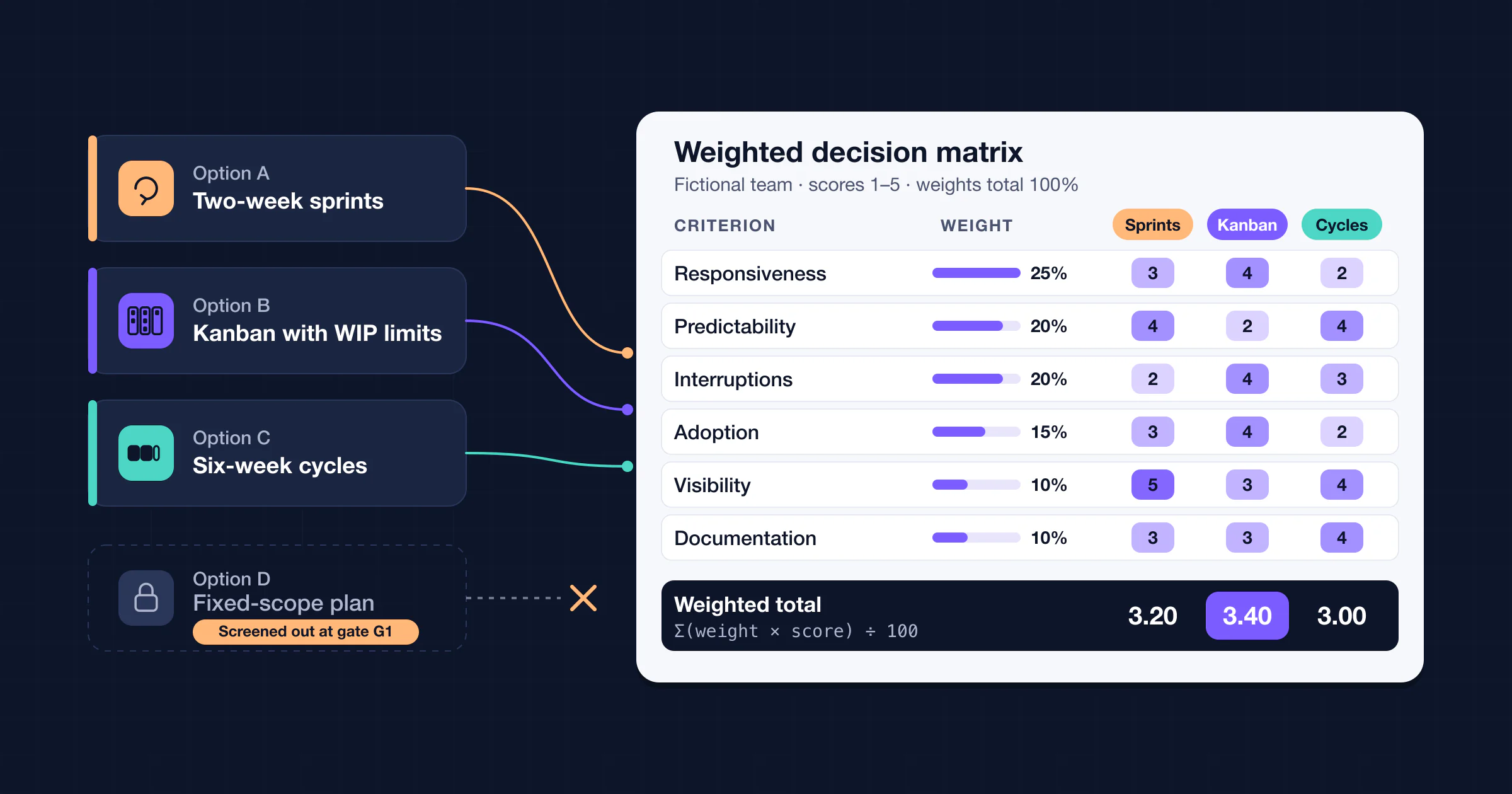
When the options are closer than this, a weighted decision matrix makes the trade-offs explicit before the sponsor decides.
The arithmetic has limits. It assumes the production export runs at the sample's rate, and attachments or API throttling could change that. That is why I-03 stays open until a full rehearsal fits the window, rather than closing when the decision is made.
How a risk becomes an issue
A risk turns into an issue when its trigger fires or the event happens. Do not edit the risk row into an issue. You would lose the record of what was foreseen and when.

- Confirm the trigger with evidence. For R-02, the evidence was a measured projection of 30.9 h against a 16 h trigger.
- Open a new issue the same business day. Give it a new ID, copy only the context it needs and link the risk ID.
- Mark the risk "Triggered" and link the issue. The risk drops out of the risk review, but its history stays.
- Re-prioritize the issue. Likelihood no longer applies; use impact and how soon the damage lands.
- Escalate if the fix exceeds the owner's authority. Record any decision in the decision log and any work in the task tracker, then link both IDs.
- Close with evidence. Close the issue when the evidence exists, not when the action is assigned.
The same conversion applies to the other types. An invalidated assumption becomes a risk or an issue, as A-02 became I-01. A missed dependency becomes an issue.
Linking dependencies and decisions without mixing records
- One fact, one home. A decision belongs in the decision log, a task in the plan or tracker, and an uncertainty in the RAID log. Each points to the others by ID.
- Update, don't merge. When DEC-04 changed the migration scope, D-02 was updated with the new scope and a link. The decision text was not copied into the dependency row.
- Log only dependencies that need watching. Finish-to-start links between your own tasks belong in the schedule. The RAID log keeps the cross-team and supplier dependencies that someone has to chase.
How to review a RAID log every week
A weekly rhythm keeps the log current without turning the meeting into a row-by-row reading:
- Monday by 17:00: owners update. Each owner changes status, adds evidence and sets the next review date. The log owner then filters for new entries, changes, P1s, triggered items, overdue or stale rows, decisions needed and closure candidates.
- Tuesday 10:00: 30-minute review.
- 5 minutes: new entries. Confirm type, owner and priority.
- 10 minutes: P1 and triggered items.
- 5 minutes: overdue and stale rows. Reassign, escalate or close.
- 5 minutes: decisions needed. Name the decider and the deadline.
- 5 minutes: closures and conversions.
- Same day: escalate or decide. Take anything the meeting could not settle to its decider, following the escalation rules below.
- Within two hours: publish changes. Send a short list of what changed and feed the P1 items into the progress report.
Not every type needs the same rhythm:
| Type | Review rhythm in the example |
|---|---|
| P1 issues | Daily check-in until resolved; daily stand-up for all P1s in cutover week (Nov 2–9) |
| Risks | At their next review date, weekly by default |
| Assumptions | By the validation date, and again at each phase gate |
| Dependencies | Weekly, plus a check 3 business days before the need-by date |
| Whole log | Full sweep monthly and at each phase gate, including P3s |
Escalation rules
Write the escalation rules down before you need them. These are the ones the example uses:
| Condition | Who acts | By when |
|---|---|---|
| A risk trigger fires | The entry owner opens the linked issue and re-prioritizes it | Same business day |
| A P1 issue needs a scope, date or budget change | The log owner takes it to the sponsor with options | Same business day |
| An assumption is not validated by its date | The owner validates it or raises the risk that it is false | At the next review |
| A dependency is unconfirmed 3 business days before need-by | The owner escalates to the provider's manager, then the sponsor | 3 business days before need-by |
| A row has had no update for two reviews | The log owner reassigns it or closes it with a reason | At the review |
| A decision is outside the project lead's authority | The sponsor decides and the log owner records a DEC entry | Before the affected need-by date |
RAID log vs project plan vs risk register
| Record | Question it answers | Typical contents | How it relates to the RAID log |
|---|---|---|---|
| Project plan or schedule | What work happens, when, and who does it? | Tasks, milestones, task-to-task dependencies, baselines | RAID entries link to plan tasks; actions live in the plan |
| Risk register | How exposed are we to each uncertain event? | Detailed scoring, triggers, responses, residual risk | In formal settings the register is authoritative and the R lane summarizes it |
| Issue log | What is wrong now, and how will it be resolved? | Evidence, owner, target date, resolution | On smaller projects, the I lane is the issue log |
| Decision log | What did we decide, who decided and why? | Options, rationale, decider, date | Decisions are linked by ID, not stored as RAID rows |
| RAID log | What could change delivery, and who is watching it? | All four types with owners, status and review dates | The working view that connects the others |
A small project can run on a plan and a RAID log alone. A larger program usually keeps the formal registers and uses the RAID log as the weekly working view.
Common RAID log mistakes
- Calling an active problem a risk. If it has happened, it is an issue.
- Owner = "IT". Name the person who will update the row.
- No next review date. Without a date, "no change" is indistinguishable from "nobody looked".
- Everything High. Use a written scale and let it set the review order.
- Tasks in the log. Link to the plan and keep the log short.
- Deleting or overwriting. Convert and close instead, so the history survives.
How to keep a RAID log in AFFiNE
AFFiNE has no ready-made RAID log template, as of October 5, 2026. You build one from a database block in a doc:
- Create a "RAID log" doc. Write the rules at the top: the letters you use, the priority scale, the status words and the review slot.
- Add a database block with these properties:
- Type: select, with Risk, Assumption, Issue and Dependency
- Owner
- Priority: select, P1 to P3
- Status: select
- Trigger / validation / need-by: text
- Next review: date
- Links: text, for the IDs
- Add views. Add a Kanban view grouped by Type for the four-lane board. Add a table view sorted by Next review for Monday prep.
- Give heavy entries their own doc. Open the row and create a linked doc for its evidence and history, so the row itself stays short.
- Keep decisions as separate docs in a decision-log doc, and @-mention them from RAID entries. Backlinks then show which entries reference each decision.
- Draw dependencies in Edgeless mode with connectors, when a map is easier to read than the Links column.
Know the limits before you rely on it:
- AFFiNE does not send date reminders or run automations on database rows, so the Monday update and Tuesday review stay a human routine. A recurring calendar invite does the reminding.
- AFFiNE does not import CSV into a database, and a pasted Markdown table becomes a simple table block rather than a database. Use the CSV files with spreadsheets, and recreate the columns as properties in AFFiNE.
- Comments need a cloud or self-hosted workspace.
FAQ
What is a RAID log in project management?
It is one register where a project tracks its risks, assumptions, issues and dependencies. Each entry has an owner, priority, status and next review date. The team reviews it on a fixed rhythm so that uncertainty and blockers turn into decisions early.
What does RAID stand for in a RAID log?
Usually Risks, Assumptions, Issues and Dependencies. Some teams use A for Actions or D for Decisions; state your expansion at the top of the log.
What is the difference between a RAID log and a risk register?
A risk register goes deeper on uncertain events only: scoring, triggers, responses and residual risk. A RAID log is broader and lighter, adding assumptions, live issues and dependencies. Where both exist, keep the register authoritative and link to it from the R lane.
How often should a RAID log be updated?
Owners should update an entry whenever it materially changes, and before each review. A weekly review suits most active projects. Check P1 issues daily, and run a full sweep monthly or at each phase gate.
Who should own the RAID log?
The project lead usually owns the log: its format, scales and review meeting. Each entry has its own owner, a named person who updates the row and escalates. Decisions beyond the project lead's authority go to the sponsor.
Can a RAID log include actions and decisions?
Yes, but only if your organization defines its letters that way, and then you should say so at the top of the log. Otherwise keep actions in the plan or task tracker and decisions in a decision log, and link them by ID.
Sources and method
The worked example, its people and its numbers are fictional and were built for this guide. External sources were checked on October 5, 2026:
- Institute of Risk Management, Infrastructure Risk Special Interest Group, Short Guide to RAID (PDF; no date printed, file created October 2023). Source for the expansion, the "RAAIDD" variant and agreeing the level of detail.
- M. L. Love, Risks, issues, and changes: help, I'm drowning in logs!, PMI Seminars & Symposium, 2002. Source for keeping tasks in the schedule and cross-referencing related log items.
- D. Sankararajan and N. K. Shrivastava, Risks vs. issues, PM Network, June 2012. Source for the risk and issue distinction and their review rhythms.
- J. Kinser, Don't make an ass out of you and me: using assumptions effectively, PMI Global Congress, 2010. Source for validating assumptions.
- Association for Project Management, Glossary (no date shown). Source for the definitions of issue, assumption and dependency; there is no RAID entry.
- ELEXON for Ofgem, Attachment C: Risks, Assumptions, Issues and Dependencies, version 1.1, February 14, 2019. Source for the public RAID log with type-specific columns.
- PRINCE2 management products (independent reference, not the official manual). Source for PRINCE2's separate registers and logs.
- AFFiNE product behavior was checked against the v0.27 release notes and AFFiNE's open-source code on October 5, 2026.