RACI Chart Template: Free Excel Download + 4 Examples
What changed (Nov 11, 2026): Replaced the generic illustration cover with one built from the real render of the downloadable workbook, and added dated screenshots of the Vertex42, Smartsheet, TeamGantt, ProjectManager, Miro, Confluence, Creately, SlideModel, and AFFiNE RACI template pages. Updated the TeamGantt link to its current URL and noted that SlideModel asks for an email address before the free download.
A RACI chart template is a grid with tasks in rows, people or roles in columns, and one letter in each cell: R for Responsible, A for Accountable, C for Consulted, and I for Informed. Download the free template below, replace the sample roles with your own, and check that every task has exactly one A and at least one R before you share it.
TL;DR
- Download the free AFFiNE RACI chart template as Excel (.xlsx) or a blank CSV. The .xlsx file opens in Google Sheets.
- The workbook has drop-down cells, color coding, a check column that flags rows without exactly one A, and four filled-in examples: software release, marketing campaign, construction project, and HR onboarding.
- Build a RACI chart in five steps: list tasks, list roles, assign one A per task, add R, C, and I, then review it with the team.
- Nine more free RACI templates from Vertex42, Smartsheet, TeamGantt, ProjectManager, Miro, Confluence, Creately, and SlideModel are compared below, with formats and what you need to get each one.
Update note (November 11, 2026): We added a cover made from the workbook render and dated screenshots of every template page in the comparison. On November 6, 2026 we rewrote this guide. It now includes a downloadable Excel and CSV template with four industry examples, a five-step method, rules for checking a finished chart, and an updated comparison of templates from other sites. We replaced the Venngage template and SlideModel's paid template with free options from Confluence and SlideModel, replaced two old AFFiNE screenshots with the downloadable workbook and the AFFiNE RACI Matrix template, and checked every template link on November 6, 2026.
Download the free RACI chart template
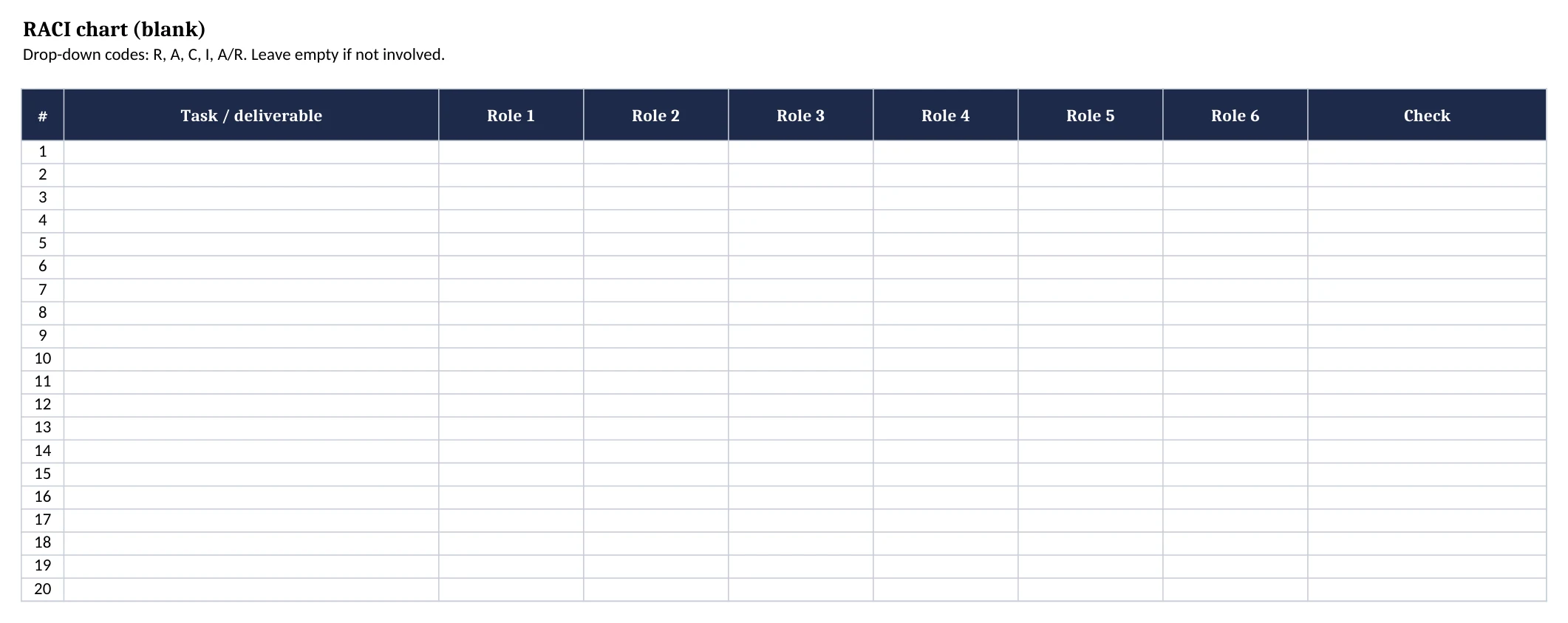
The AFFiNE RACI chart template is a small Excel workbook you can use without an account. It has six sheets:
| Sheet | What it contains |
|---|---|
| Start here | How to fill in the matrix and a key for R, A, C, I, and A/R |
| Blank RACI | 20 task rows and 6 role columns, with drop-down cells and a check column |
| Software release | A filled-in example for shipping a product release |
| Marketing campaign | A filled-in example for a paid and content campaign |
| Construction | A filled-in example for a building project |
| HR onboarding | A filled-in example for a new hire's first month |
Downloads:
- RACI chart template (.xlsx): all six sheets, with drop-downs, color coding, and the check column.
- Blank RACI chart (.csv): plain rows and columns for any spreadsheet or database.
- Example CSV files: software release, marketing campaign, construction project, and HR onboarding.
To use it in Google Sheets: open a spreadsheet in Google Sheets, choose File > Import, and upload the .xlsx or a .csv file. Google lists .xlsx and .csv among the supported import formats in its import help article. CSV files contain only the text of the grid; the drop-downs, colors, and check formula are in the .xlsx file.
The check column uses a COUNTIF formula. It shows "OK" when a row has exactly one A (A/R counts as A) and at least one R (A/R counts as R), and "Needs 1 A and at least 1 R" otherwise. We tested the formula in LibreOffice by removing the A from an example row, which switched that row to the warning.
What is a RACI chart?
A RACI chart, also called a RACI matrix or responsibility assignment matrix (RAM), shows who does what on a project. A PMI paper on roles, responsibilities, and resources describes the Responsibility Assignment Matrix as "often called a RACI Chart" and uses it to spell out the roles of stakeholders across departments.
The four roles are:
- Responsible (R): The person or team who does the work. A task can have more than one Responsible role.
- Accountable (A): The one person who owns the result and signs off on it. Each task has exactly one Accountable person.
- Consulted (C): People who give input before or during the work, in a two-way conversation.
- Informed (I): People who are told about progress or the result, in one-way communication.
A cell can also say A/R when the same person owns the result and does the work, which is common on small teams. Leave a cell empty when a role has nothing to do with a task.
A RACI chart answers "who" questions. It does not set dates or order tasks; use a Gantt chart for timing and a swimlane diagram for how work moves between people. If job descriptions are still unclear, define roles and responsibilities first, then assign them task by task in the matrix.
How to make a RACI chart in 5 steps
Step 1: List the tasks and deliverables
Write one task, deliverable, or decision per row. Use verbs and outcomes, such as "Approve the brief and budget," rather than broad areas like "Marketing." Ten to thirty rows is a practical size for one project; split larger projects by phase.
Step 2: List the roles across the top
Add one column per person, role, or team. Job titles work better than names when people change, but use names when two people share a title and do different work.
Step 3: Assign one Accountable person per task
Put exactly one A in every row. If two people both want to sign off, split the task into two tasks or decide which of them owns the result.
Step 4: Add Responsible, Consulted, and Informed
Mark who does the work with R, who must give input with C, and who only needs updates with I. Keep C to the people whose input changes the work, because every C adds a review step.
Step 5: Review the chart with the team
Share the draft at kickoff and ask each person to read their own column. Fix any row the check column flags, then store the chart where the team keeps project documents and update it when roles change.
RACI chart examples by industry
The four examples below are in the workbook and as CSV files. They use fictional teams and tasks. Copy the one closest to your project and edit the rows; do not treat them as a standard assignment for your industry.
Software release RACI example
| Task | Product manager | Engineering lead | Developers | QA lead | Release manager | Support lead |
|---|---|---|---|---|---|---|
| Freeze release scope | A | R | C | C | I | I |
| Finish code and peer review | I | A | R | C | I | |
| Run regression and acceptance tests | I | C | C | A/R | I | |
| Hold the go/no-go meeting | C | C | C | A/R | I | |
| Deploy to production | I | C | R | C | A | I |
| Publish release notes and help articles | A | C | I | I | C | R |
| Monitor the first 48 hours and handle incidents | I | A | R | I | C | R |
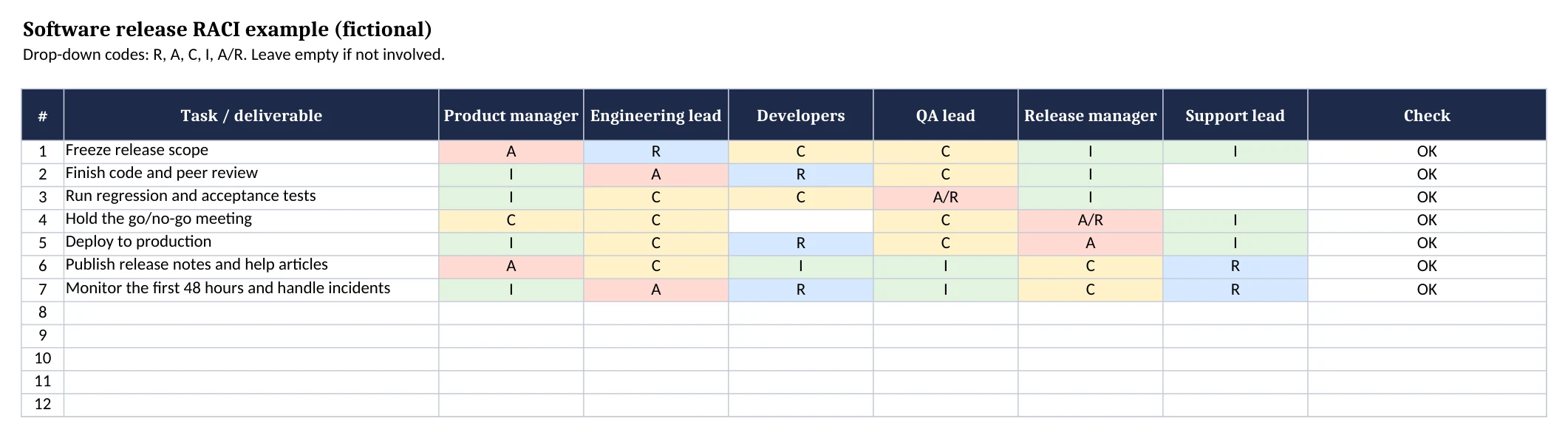
The release manager owns the go/no-go decision, while the engineering lead owns the code and the first days in production. Support writes the help articles, but the product manager is accountable for what the release notes promise. Download the software release CSV.
Marketing campaign RACI example
| Task | Marketing director | Campaign manager | Content writer | Designer | Paid media specialist | Sales lead |
|---|---|---|---|---|---|---|
| Approve the brief and budget | A | R | I | I | C | C |
| Write campaign copy | I | A | R | C | C | C |
| Produce visuals and ad creative | I | A | C | R | C | |
| Brand and legal review | A | R | C | C | I | |
| Set up and launch paid ads | I | A | I | I | R | I |
| Follow up on inbound leads | I | C | I | A/R | ||
| Report results and lessons learned | I | A/R | I | I | C | C |
The campaign manager is accountable for most production tasks, and the director signs off only on budget and brand risk. Sales owns lead follow-up, which keeps marketing from being blamed for leads nobody called. Download the marketing campaign CSV.
Construction project RACI example
| Task | Owner's representative | Architect | General contractor | Site superintendent | Structural engineer | Subcontractors |
|---|---|---|---|---|---|---|
| Approve design documents | A | R | C | I | C | |
| Apply for the building permit | C | C | A/R | I | C | |
| Review shop drawings and submittals | I | A | R | I | C | R |
| Run the daily site safety inspection | I | A | R | C | ||
| Pour the concrete foundation | I | I | A | R | C | R |
| Process change orders | A | R | R | C | C | I |
| Final walkthrough and punch list | A | R | R | R | I | C |
Construction responsibilities are set by contracts, permits, and local law, and they differ between project delivery methods. Use this example to discuss who does what, then match each row to your contract documents. It is not legal or safety guidance. Download the construction project CSV.
HR onboarding RACI example
| Task | Hiring manager | HR coordinator | IT support | Payroll | Onboarding buddy | New hire |
|---|---|---|---|---|---|---|
| Send the offer letter and contract | C | A/R | C | I | ||
| Complete employment and tax forms | I | A | C | R | ||
| Set up the laptop and accounts | C | I | A/R | I | ||
| Add the new hire to payroll | I | C | A/R | I | ||
| Plan the first-week schedule | A/R | C | I | C | I | |
| Run first-day orientation | C | A/R | C | C | I | |
| Hold the 30-day check-in | A/R | C | C | C |
The new hire is Responsible for their own forms, and HR is accountable for making sure they are complete. The hiring manager owns the first-week plan and the 30-day check-in. For the full task list, pair this matrix with an onboarding checklist. Download the HR onboarding CSV.
How to check a finished RACI chart
Read the chart by row and by column before you share it:
- Every row has exactly one A. Zero means nobody owns the result; two means nobody knows who decides.
- Every row has at least one R. An A with no R means the owner may have to do the work alone, which is fine only if the cell says A/R.
- No column is full of A or R. One person accountable for most tasks is a bottleneck.
- No column is empty. A role with no letters probably does not belong on the chart.
- C is used sparingly. Many Cs on one row slow the task down. Move people to I when their input is not needed.
- Everyone has seen their column. A chart the team has not read does not change who does the work.
RACI charts often sit beside a project communication plan, which sets how and how often the Informed roles hear from you, and a risk register, which records each risk's owner and response.
10 free RACI chart templates compared
We opened each template page on November 6, 2026 and recorded the formats it offers and what you need to get it. The screenshots of each page were taken on November 11, 2026. Disclosure: AFFiNE publishes this guide and makes the first two templates.
| # | Template | Formats | How you get it | Best for |
|---|---|---|---|---|
| 1 | AFFiNE RACI chart template | .xlsx, .csv | Direct download, no account | A blank chart plus four industry examples |
| 2 | AFFiNE RACI Matrix template | AFFiNE doc | Open in AFFiNE | Keeping the matrix next to project docs |
| 3 | Vertex42 RACI matrix | Excel, Google Sheets | Direct download | A simple, color-coded spreadsheet |
| 4 | Smartsheet RACI templates | Excel (six templates) | Direct download | Change management and ITIL variants |
| 5 | TeamGantt RACI template | Excel | Direct download | A blank matrix with an example tab |
| 6 | ProjectManager RACI matrix | Excel | Download button on the page | A short, printable matrix |
| 7 | Miro RACI templates | Miro board | Miro account (free plan) | Workshops where the team fills the chart together |
| 8 | Confluence RACI chart | Confluence whiteboard | Confluence account (free plan) | Teams already on Confluence |
| 9 | Creately RACI templates | Creately diagram | Creately account (free plan) | A visual matrix next to other diagrams |
| 10 | SlideModel free RACI PowerPoint | PowerPoint, Google Slides | Email address to download, or open in Google Slides | Presenting roles in a slide deck |
1. AFFiNE RACI chart template
This is the workbook on this page: a blank matrix, a check column, a role key, and the four examples above. It was built for Excel and tested in LibreOffice 26.8; Google Sheets can import the .xlsx and CSV files.
- Formats: .xlsx, .csv
- Get it: .xlsx, blank .csv
2. AFFiNE RACI Matrix template
The AFFiNE RACI Matrix template is an AFFiNE doc template that you import into your workspace and edit. Its page explains each role and when to use the matrix. Use it if you want the RACI chart in the same workspace as your project brief, meeting notes, and whiteboards.
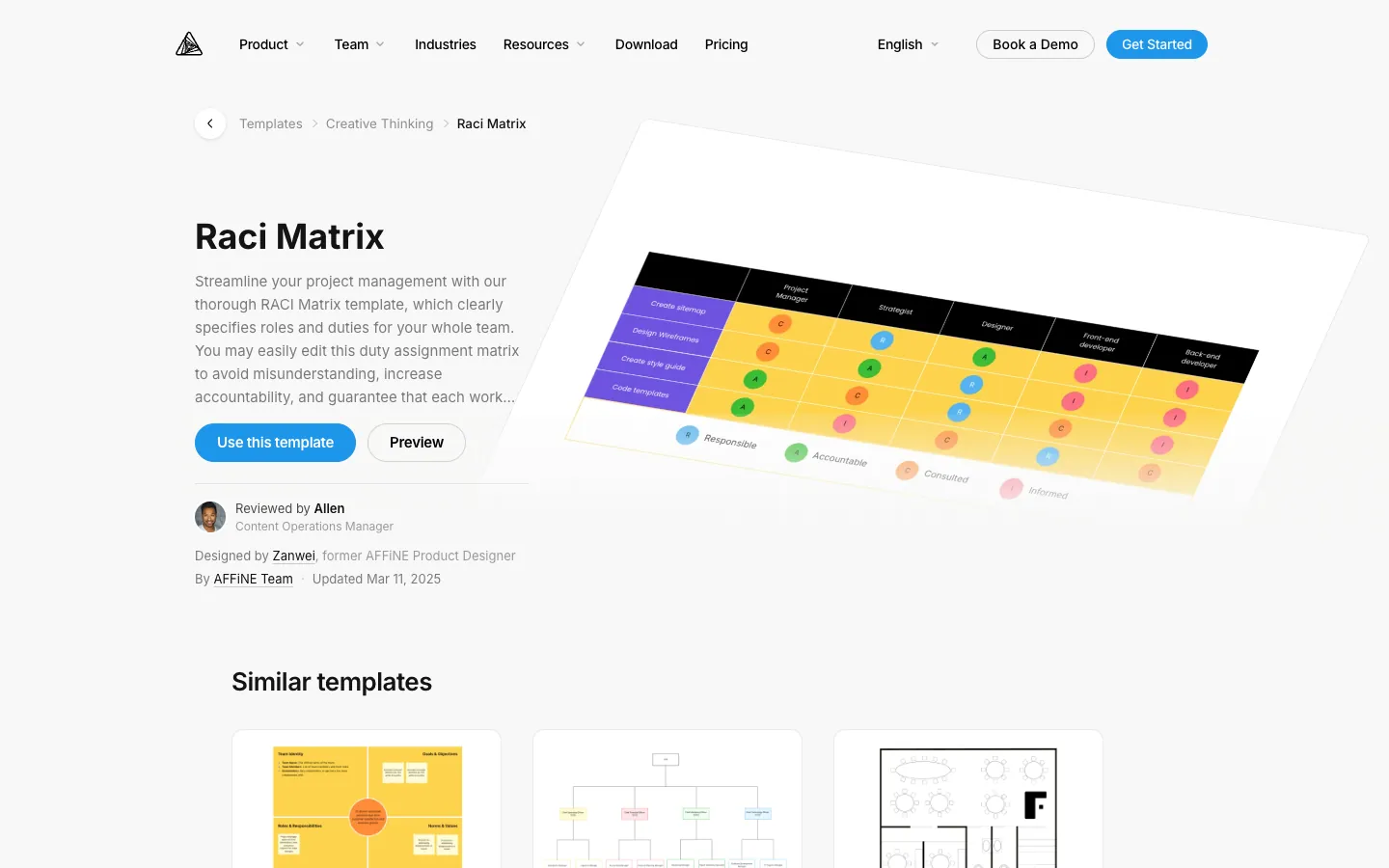
- Format: AFFiNE doc
- Get it: open the template page and choose to use the template in AFFiNE
3. Vertex42 RACI matrix template
Vertex42's template assigns R, A, C, or I from a drop-down, colors cells with conditional formatting, and accepts combined roles such as A/R. You can edit the role key to use variants such as RASCI or CAIRO. The license is for private use, so you cannot redistribute the file.
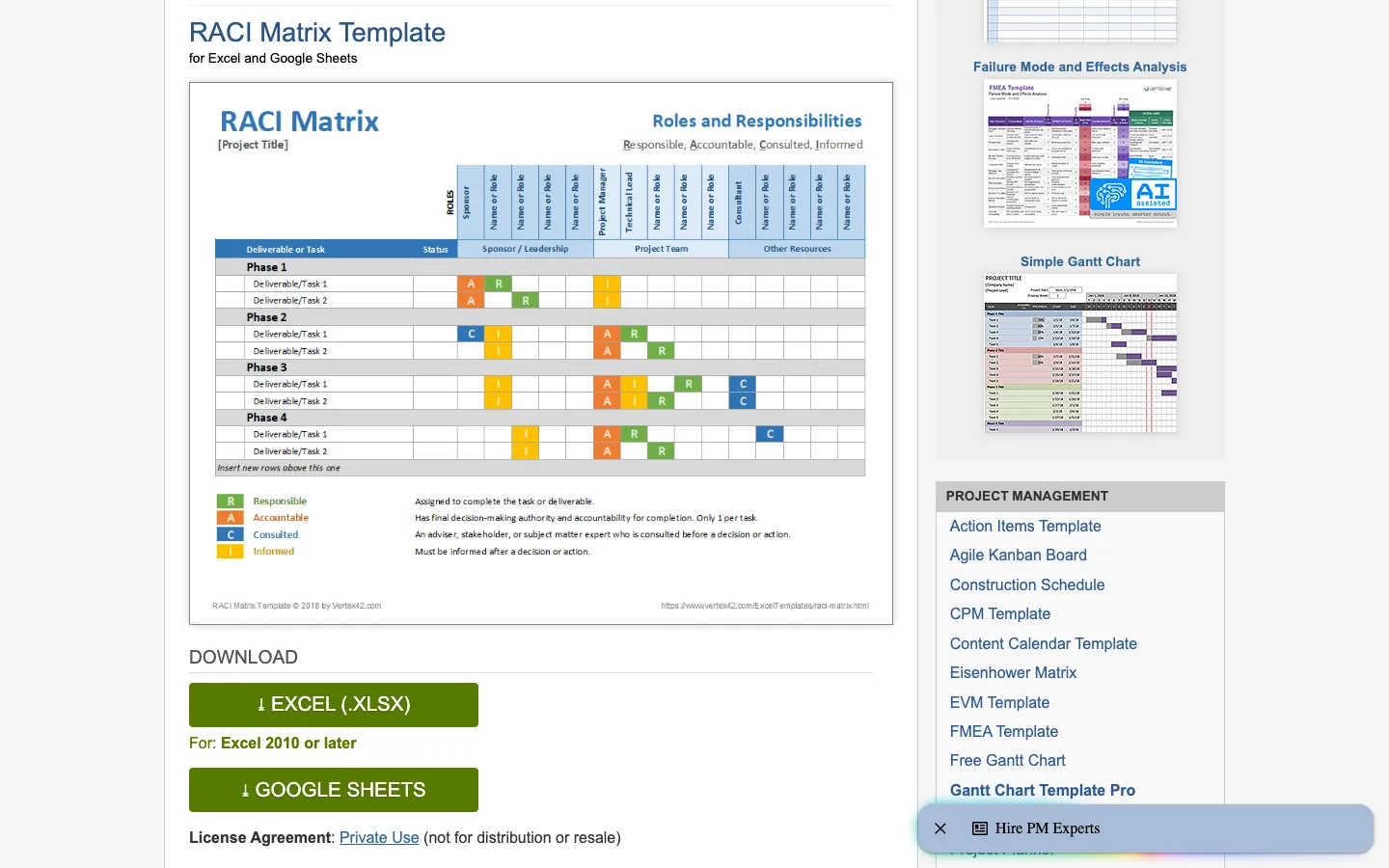
- Formats: Excel (.xlsx, for Excel 2010 or later), Google Sheets
- Get it: Vertex42 RACI matrix template
4. Smartsheet RACI templates for Excel
Smartsheet's page has six Excel downloads: a simple RACI matrix, a RACI model with color-coded role groups, a RACI chart with example data (also as a blank version), a RACI for change management template, a RACI roles and responsibilities template, and an ITIL RACI template with a Gantt chart. Smartsheet links to a separate collection for Google Sheets. For larger organizational changes, a RACI works best alongside dedicated change management software.
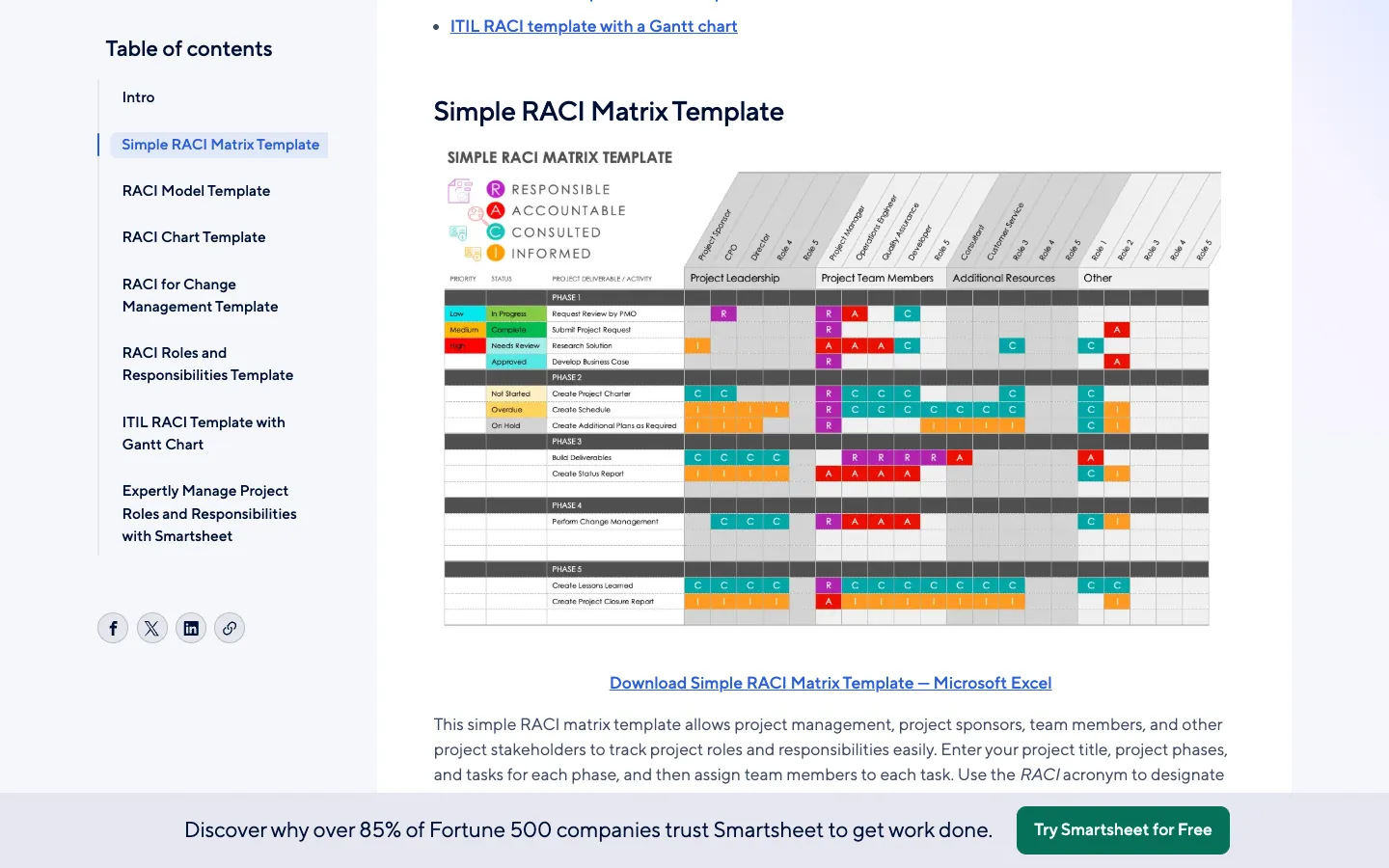
- Format: Excel
- Get it: Smartsheet RACI templates for Excel
5. TeamGantt RACI template for Excel
TeamGantt's blank Excel template includes a roles sheet, drop-downs for assigning roles, and an example tab. The guide that links to it also explains how to build the same matrix in Excel from scratch.
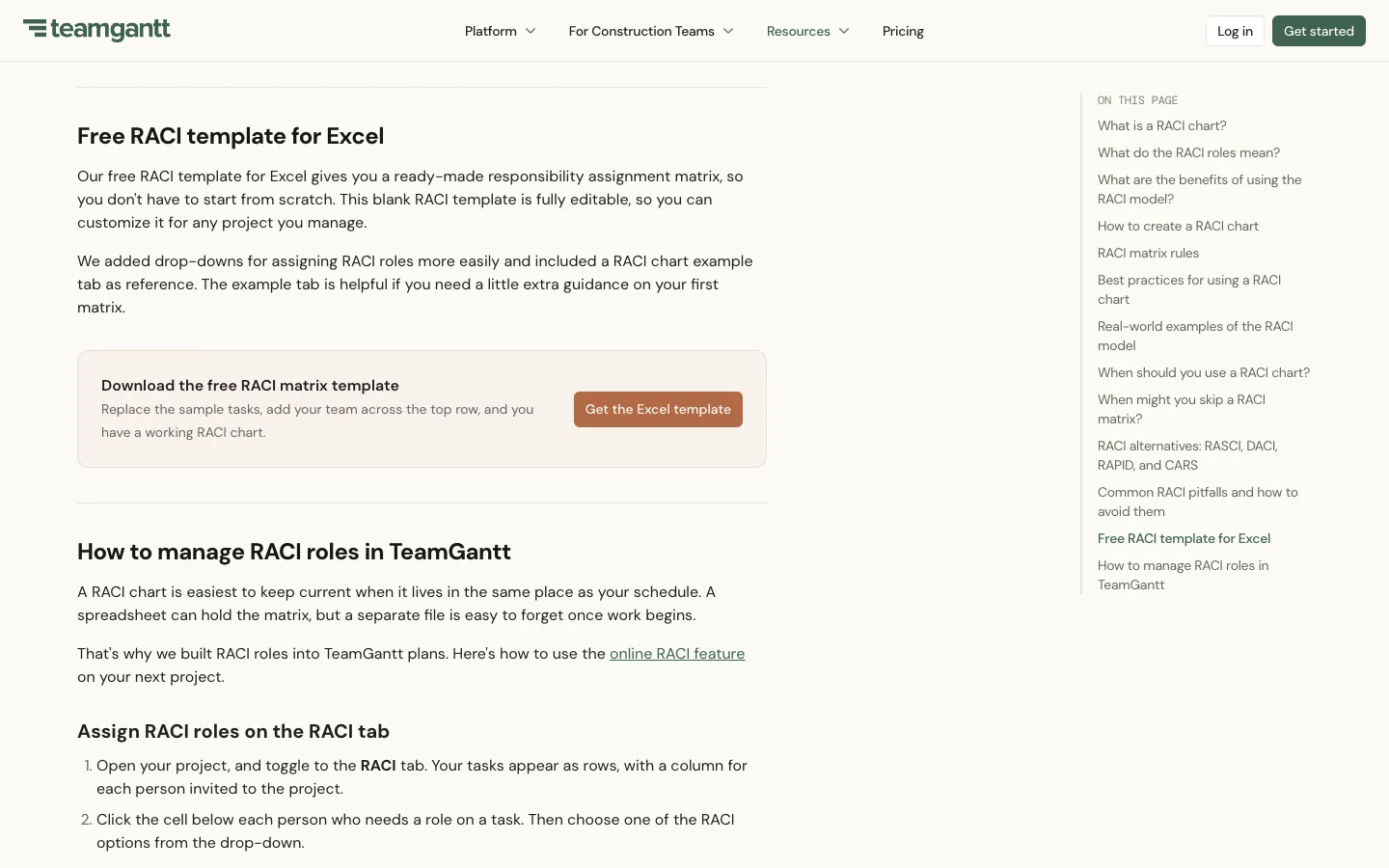
- Format: Excel
- Get it: TeamGantt RACI chart guide and template
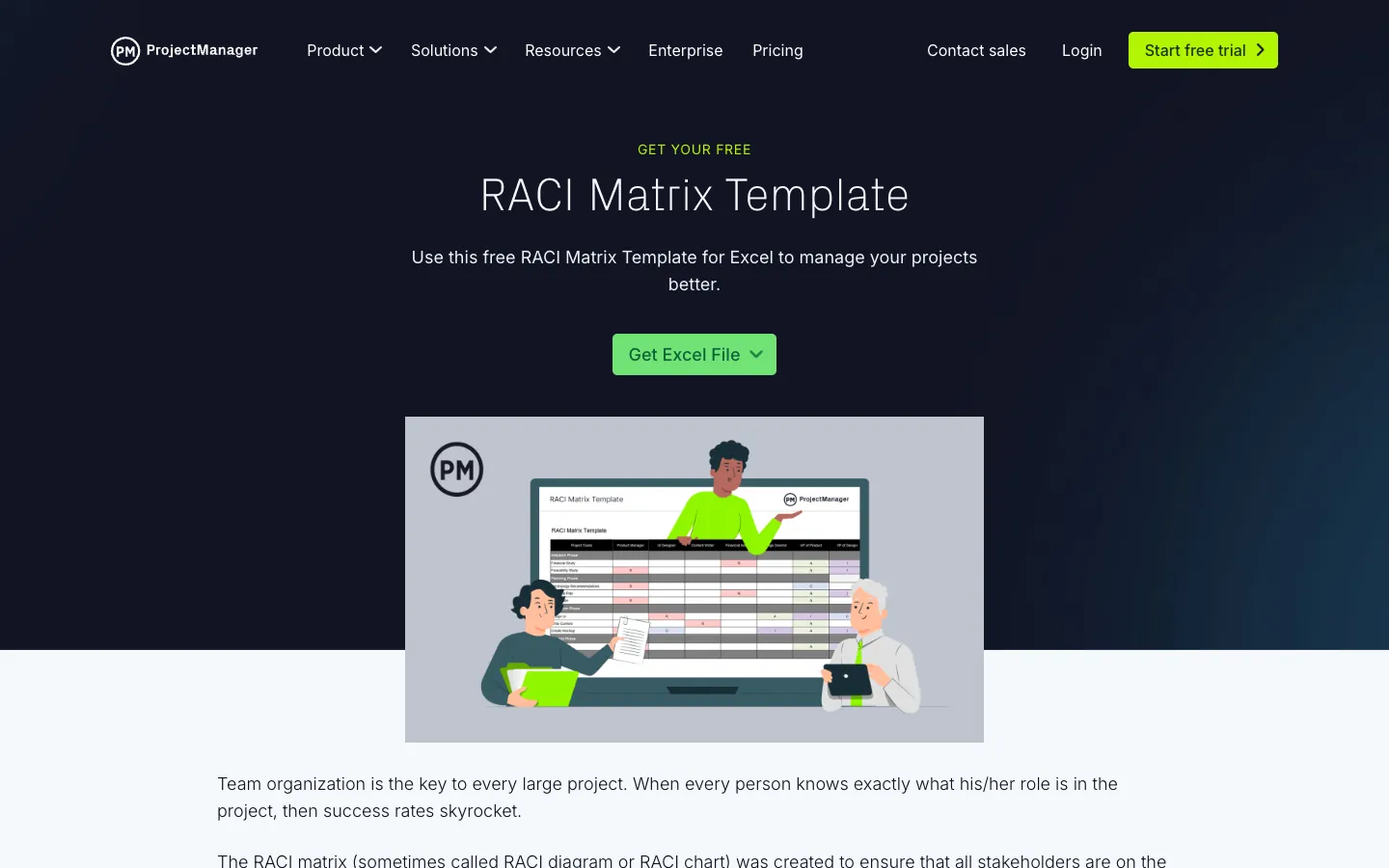
6. ProjectManager RACI matrix template
ProjectManager offers a RACI matrix template for Excel with a short explanation of each role. The "Get Excel File" button opens a download dialog; we did not check whether it asks for an email address.
- Format: Excel
- Get it: ProjectManager RACI matrix template
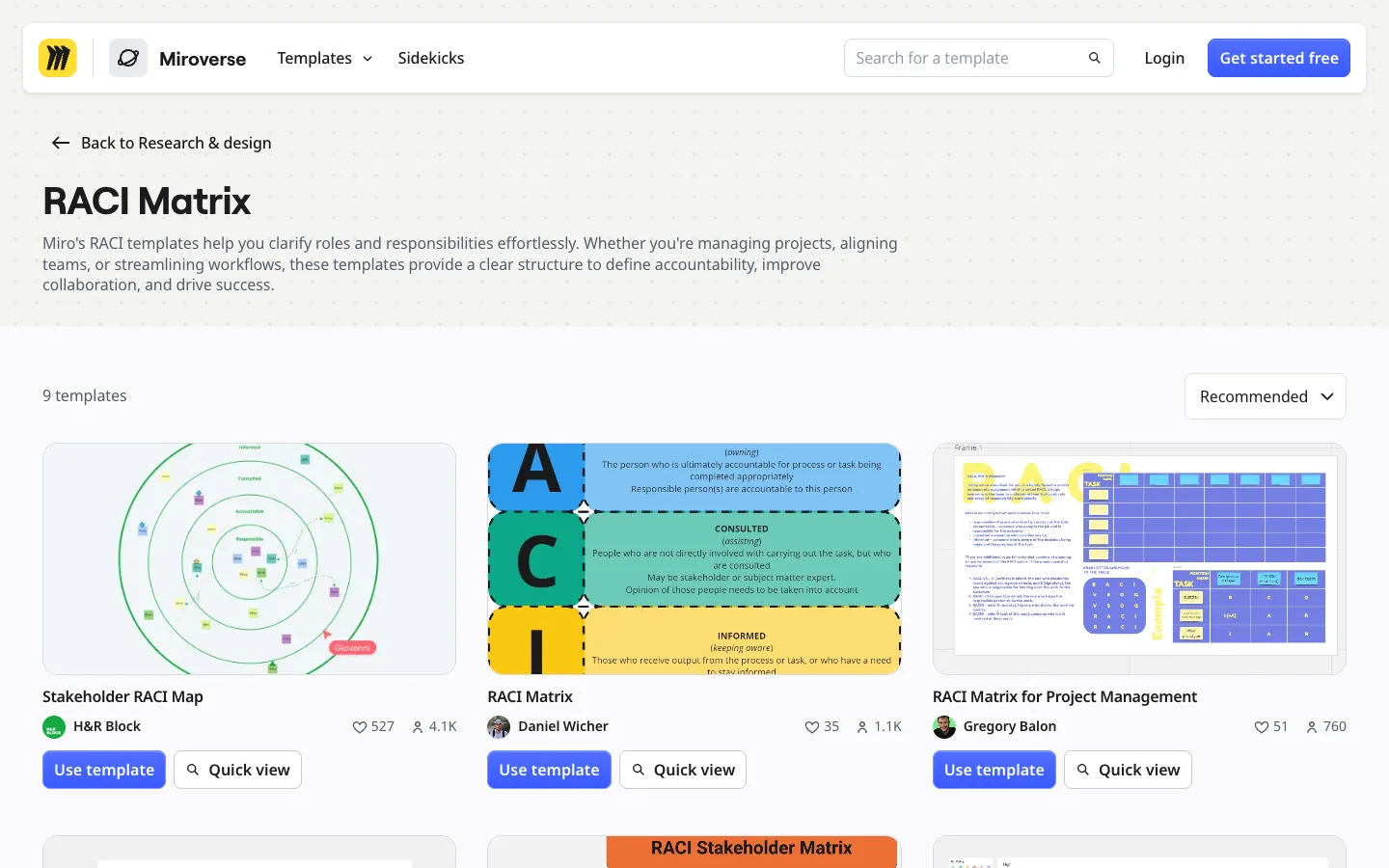
7. Miro RACI matrix templates
Miro's RACI page lists several board templates, including RACI Matrix, RACI Matrix for Project Management, Stakeholder RACI Map, and RACI Stakeholder Matrix. A board suits a workshop where everyone adds sticky notes before you settle the letters. Miro's Free plan includes 3 editable boards.
- Format: Miro board
- Get it: Miro RACI matrix templates; plan limits on Miro pricing
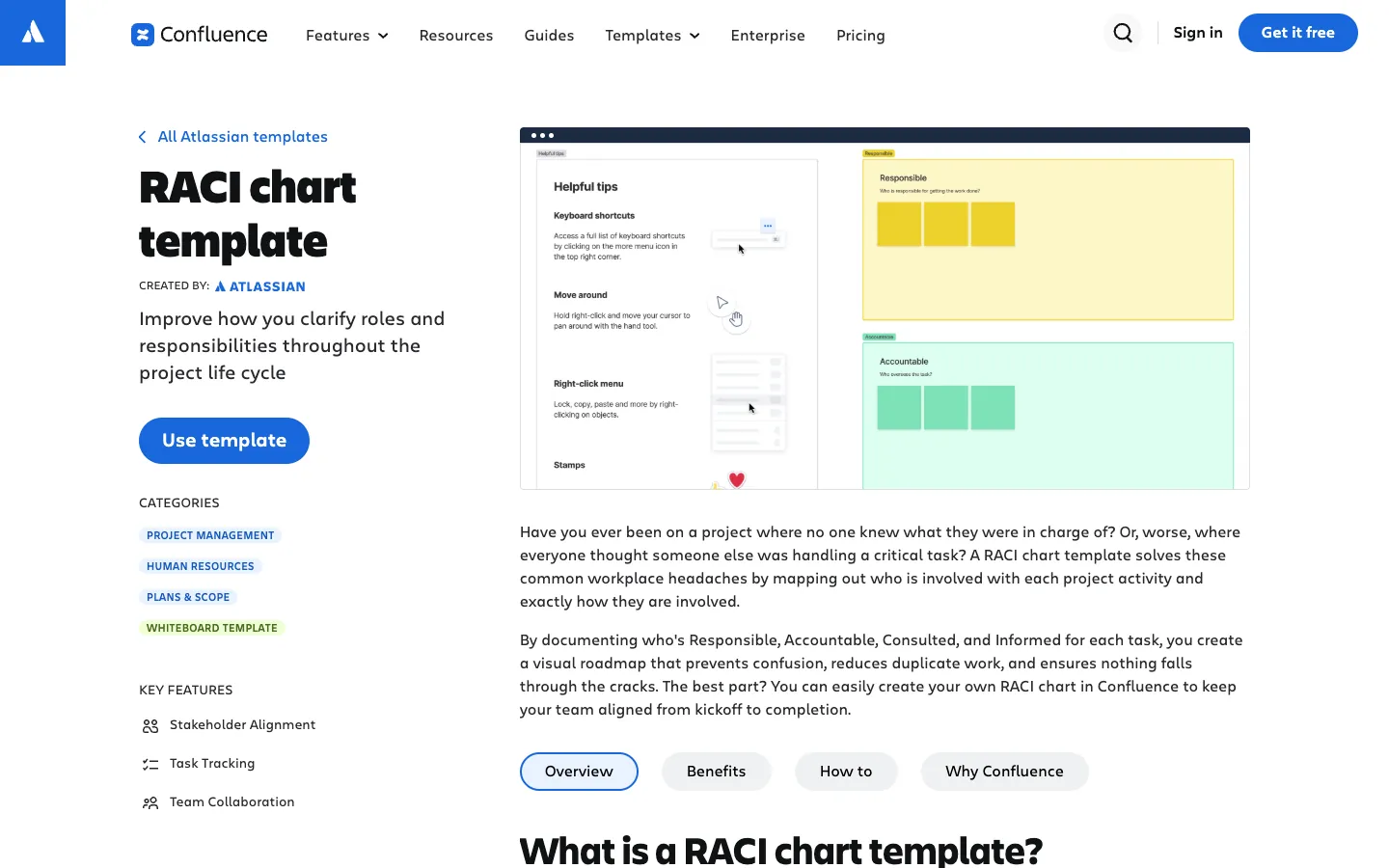
8. Confluence RACI chart template
Atlassian's RACI chart template is a Confluence whiteboard. The Confluence Free plan is for up to 10 users and includes up to 3 active whiteboards per user.
- Format: Confluence whiteboard
- Get it: Confluence RACI chart template; plan limits on Confluence pricing
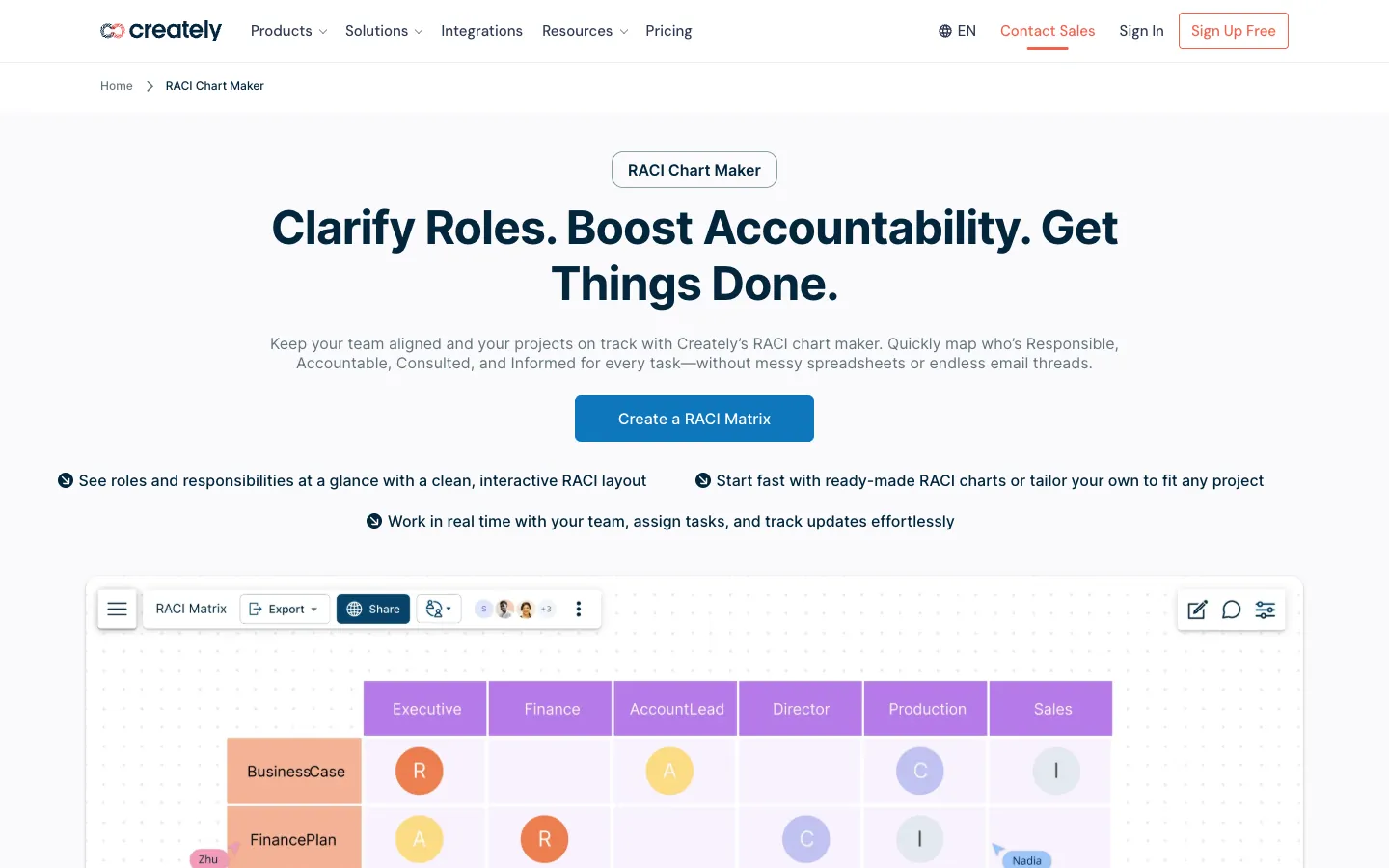
9. Creately RACI matrix templates
Creately has several RACI diagrams, including a RACI matrix for projects and one for product development. The page is now titled RACI Chart Maker and opens with a sample matrix you can edit in Creately. The Free plan allows up to 45 shapes per diagram and does not include PNG, JPEG, or PDF export, so a large matrix may need a paid plan.
- Format: Creately diagram
- Get it: Creately RACI matrix templates; plan limits on Creately plans
10. SlideModel free RACI matrix PowerPoint template
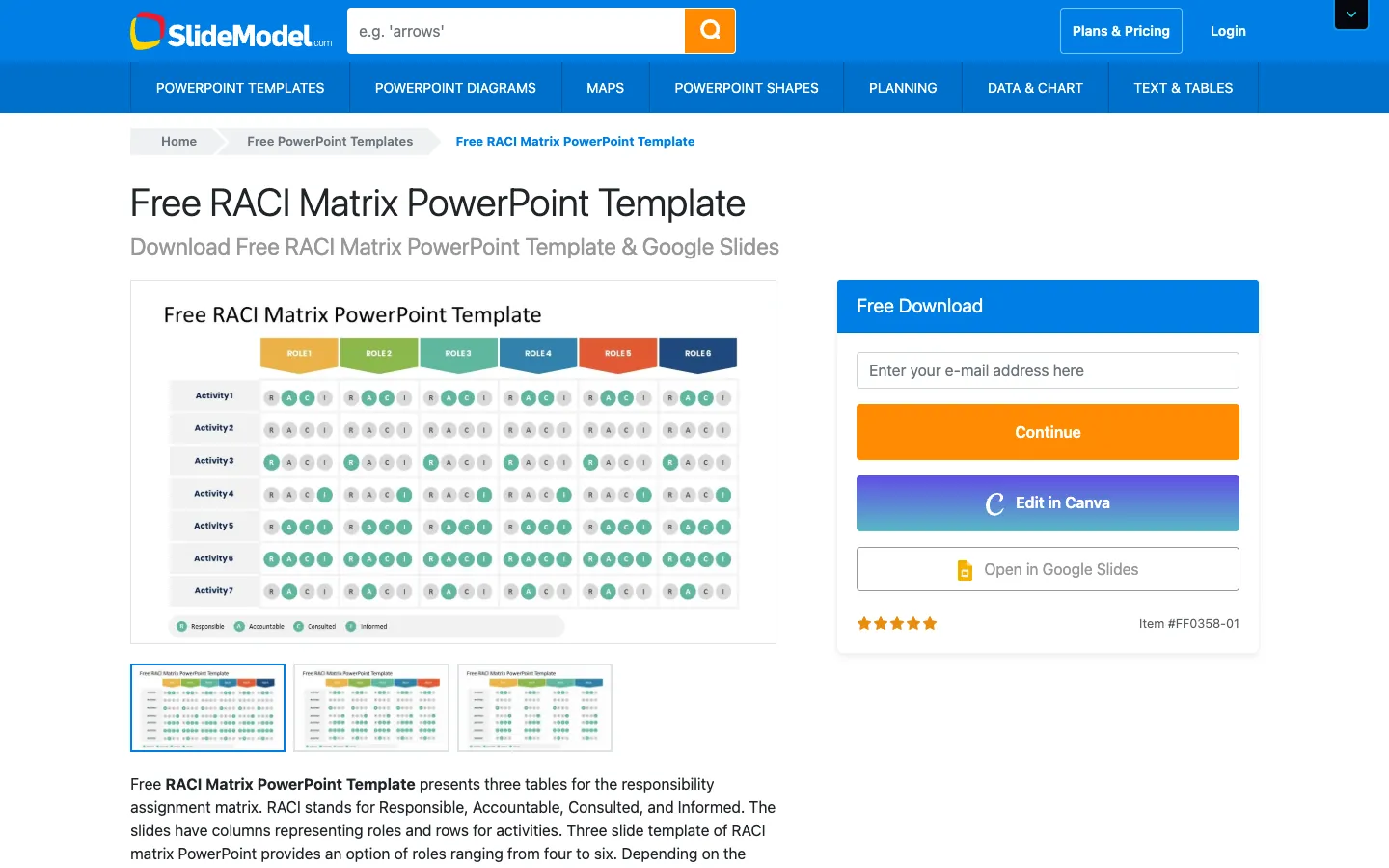
SlideModel's free RACI template has three table slides for four, five, or six roles. It is meant for presenting a finished chart, not for tracking one. The Free Download box asks for an email address; the page also has Edit in Canva and Open in Google Slides buttons.
- Formats: PowerPoint, Google Slides
- Get it: SlideModel free RACI matrix PowerPoint template
Removed in this update: the Venngage RACI matrix planning chart, which is now marked as a premium template, and SlideModel's RACI Matrix PowerPoint template, which needs a SlideModel subscription. We replaced it with SlideModel's free RACI template. The two AFFiNE templates shown in earlier versions of this guide are replaced by the downloadable workbook and the AFFiNE RACI Matrix template.
RACI variants: RASCI, DACI, and CAIRO
Some teams add or rename roles:
- RASCI: RASCI adds an S for Supportive, people who help the Responsible party but do not own delivery.
- DACI: DACI is a decision-focused variant (Driver, Approver, Contributors, Informed) used for decisions rather than ongoing project tasks.
- CAIRO: CAIRO adds an O for Out of the loop, people who are deliberately not involved in a task.
To use a variant in the AFFiNE workbook, edit the role key on the Start here sheet and the list of allowed codes in the drop-down. For choices between options rather than task ownership, a decision matrix is often a better fit than DACI alone.
Common RACI chart mistakes
- Two Accountable people on one task. Shared accountability usually means nobody follows up.
- Too many Consulted roles. Every C is another review; long review chains slow the work.
- Roles that are too broad. "Engineering" as a column hides who actually does the work; name the role that does it.
- A chart written once and never updated. Review the chart when people join, leave, or change roles.
- Using RACI for timing. A RACI chart does not show deadlines; keep dates in the project plan or a project tracker.
Frequently asked questions
What does RACI stand for?
RACI stands for Responsible, Accountable, Consulted, and Informed. Responsible people do the work, the Accountable person owns the result, Consulted people give input, and Informed people receive updates.
Can one person be both Responsible and Accountable?
Yes. On small teams, one person often does the work and owns the result. Write A/R in that cell. The rule is still one Accountable person per task.
How many people can be Accountable for a task?
One. A task can have several Responsible, Consulted, and Informed roles, but only one Accountable person. If two people need to sign off, split the task.
Is there a RACI template for Excel or Google Sheets?
Yes. The AFFiNE template on this page downloads as .xlsx and CSV, and you can import either file into Google Sheets with File > Import. Vertex42 also offers Excel and Google Sheets versions, and Smartsheet and TeamGantt offer Excel downloads.
What is the difference between RACI, RASCI, and DACI?
RACI uses four roles. RASCI adds Supportive for people who help the Responsible party. DACI (Driver, Approver, Contributors, Informed) is used for decisions rather than ongoing tasks.
When should I use a RACI chart instead of a Gantt chart?
Use both when a project has more than a few people. A Gantt chart shows when work happens and what depends on what. A RACI chart shows who does each task, who signs off, and who needs to know.
What is the difference between a RACI chart and a swimlane diagram?
A RACI chart is a table of tasks and roles. A swimlane diagram is a flowchart with one lane per role that shows how work passes between people. Use RACI to agree ownership and a swimlane diagram to map the process.
Editorial note: Originally written by Yiyang Zhang and updated by the AFFiNE content team on November 11, 2026. The examples use fictional teams and tasks. The workbook images are renders of the downloadable workbook in LibreOffice 26.8, and the template-page screenshots were taken with a signed-out browser on November 11, 2026. We checked every third-party template link and plan limit on the vendor's own site on November 6, 2026; formats and plans can change. AFFiNE makes two of the templates listed here, so we have a commercial interest in them; the downloadable workbook works without AFFiNE. AI tools assisted with the update. See our editorial policy.