10 Free Editable SWOT Analysis Templates (Word, Excel, PPT)
Download one of the free SWOT templates below in Word, Excel, or PowerPoint, then replace the sample factors with evidence from your own decision. The bundle includes a blank 2×2 matrix, a prioritized factor log, a TOWS strategy builder, an action tracker, and three filled but clearly fictional examples.
Download the free SWOT analysis templates
Each file is an original, editable resource created for this guide. Choose the format that matches the work you need to do—not simply the app you usually open.
| Format | Best for | What is included | Download |
|---|---|---|---|
| Word (.docx) | Facilitated workshops, interview notes, and a printable decision brief | Blank matrix, evidence prompts, fictional cases, TOWS prompts, and action notes | Download the free SWOT analysis template for Word |
| Excel (.xlsx) | Ranking factors, assigning owners, tracking dates, and reviewing progress | Factor log, scoring fields, matrix views, TOWS builder, action tracker, and quarterly review | Download the SWOT analysis template for Excel |
| PowerPoint (.pptx) | An executive readout or a live decision meeting | Editable matrix, example slides, TOWS options, and one-slide recommendation format | Download the SWOT analysis template for PowerPoint |
The downloads are editable Office Open XML files: a Word document (.docx), an Excel workbook (.xlsx), and a PowerPoint presentation (.pptx). They are reusable documents, not Microsoft's native template-package formats (.dotx, .xltx, and .potx). See Microsoft's Open XML format guidance.
Which file should you choose?
- Choose Word when the conversation and supporting notes matter most.
- Choose Excel when you need to compare, rank, filter, assign, and revisit factors.
- Choose PowerPoint when the output must help a group make or communicate one decision.
- Use more than one format when the analysis moves from workshop notes to a tracked plan and then to an executive readout.
Ten templates and use cases in the bundle
The “10” in this guide refers to ten usable analysis layouts or decision workflows, not ten links to other websites. All ten are available in all three files so you can move from analysis to action without rebuilding the work.
| # | Template or use case | Use it when | Main output | Available in |
|---|---|---|---|---|
| 1 | Classic blank 2×2 SWOT | You need a fast, neutral starting point | Strengths, weaknesses, opportunities, and threats | Word p. 2; Excel sheet 1; PowerPoint slide 1 |
| 2 | Evidence-ranked factor log | A long brainstorm needs discipline | Factor, evidence, source, confidence, impact, and priority | Word p. 3; Excel sheet 2; PowerPoint slide 2 |
| 3 | TOWS strategy builder | The four lists need to become choices | SO, WO, ST, and WT strategy options | Word p. 4; Excel sheet 3; PowerPoint slide 3 |
| 4 | SWOT action-plan tracker | A decision has been selected | Action, owner, due date, metric, status, and review date | Word p. 5; Excel sheet 4; PowerPoint slide 4 |
| 5 | Small-ecommerce expansion example | A retailer is considering a new market | A fictional city-launch recommendation | Word p. 6; Excel sheet 5; PowerPoint slide 5 |
| 6 | Product-launch example | A software team is preparing a beta | A fictional beta scope and support decision | Word p. 7; Excel sheet 6; PowerPoint slide 6 |
| 7 | Career-planning example | An individual is considering a role change | A fictional portfolio and outreach plan | Word p. 8; Excel sheet 7; PowerPoint slide 7 |
| 8 | Workshop facilitator canvas | Several people must contribute without groupthink | Individual inputs, evidence checks, clustering, ranking, and selection | Word p. 9; Excel sheet 8; PowerPoint slide 8 |
| 9 | Executive summary | Leaders need the decision, not the workshop transcript | A one-page or one-slide view of the top factors, recommendation, risk, owner, and next review | Word p. 10; Excel sheet 9; PowerPoint slide 9 |
| 10 | Quarterly SWOT review | Conditions may have changed after the first analysis | Change log, invalidated assumptions, progress, and new actions | Word p. 11; Excel sheet 10; PowerPoint slide 10 |
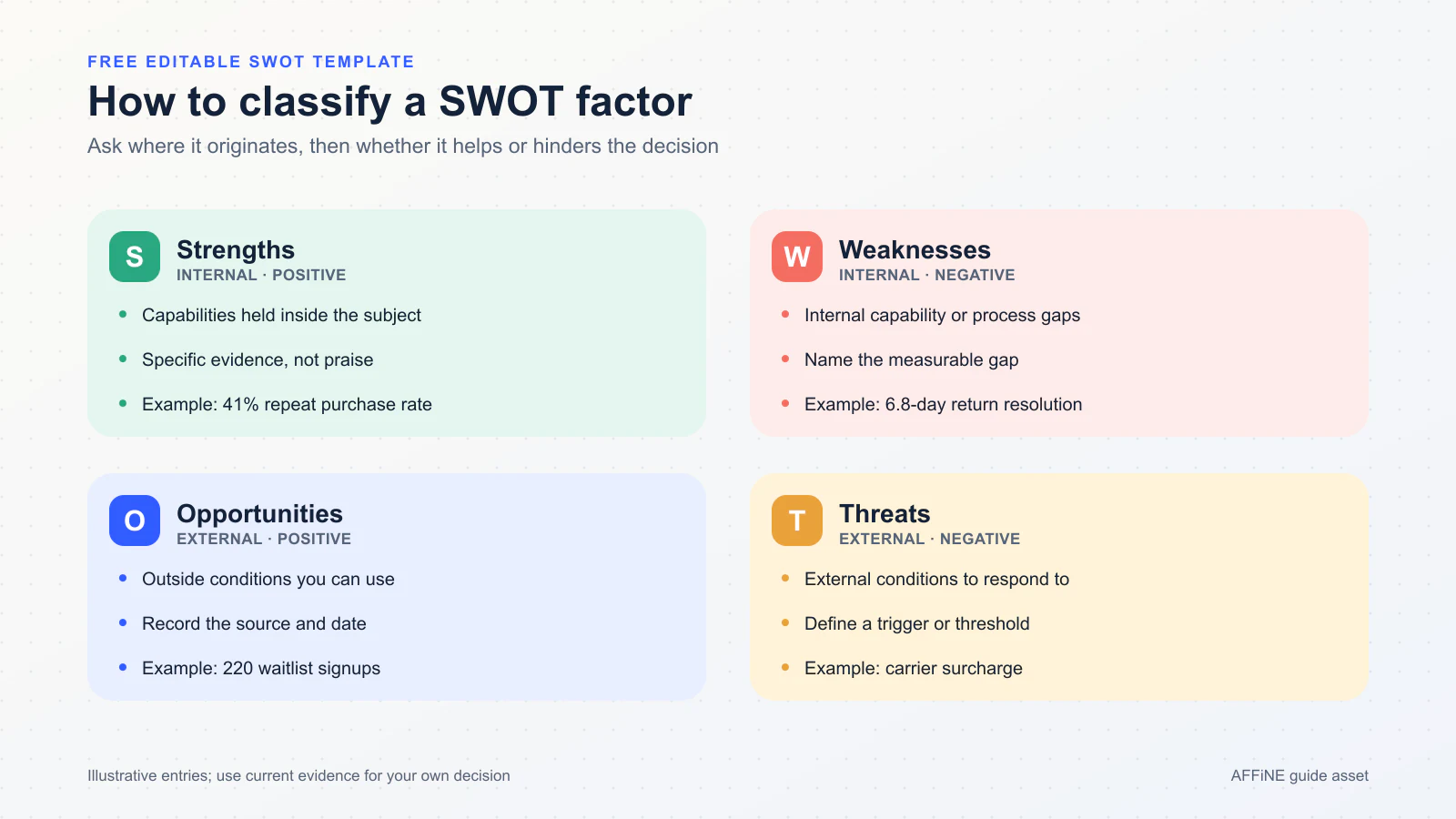
This SWOT analysis picture separates internal conditions from external conditions and attaches evidence to each factor.
What a SWOT analysis should actually contain
SWOT is a structured view of four types of factor:
- Strengths: internal capabilities or assets that help the decision succeed.
- Weaknesses: internal constraints or gaps that make success harder.
- Opportunities: external conditions the subject could use to its advantage.
- Threats: external conditions that could damage the outcome or increase risk.
That distinction is more important than it looks. “Customers dislike our return process” is not automatically a threat: because the issue originates in the business's own process, it is probably an internal weakness. “A carrier will add a surcharge” originates outside the business and therefore belongs under threats. The UK Government Futures Toolkit likewise frames strengths and weaknesses as internal, with opportunities and threats as external, and recommends starting with a clear scoping question.
A factor should also be specific enough to test. Replace “strong brand” with a dated indicator such as “41% of customers purchased again within 90 days” in a fictional example. Replace “more competition” with the competitor, change, date, and affected segment. A number is not automatically reliable, so record its source, observation window, and confidence too.
Minimum evidence record
For every important factor, capture:
- the factor as one plain-language statement;
- whether it is internal or external;
- the evidence and source;
- the date or observation window;
- confidence in the evidence;
- likely impact on the defined decision; and
- the person responsible for verifying it.
This turns the matrix into an auditable decision input. It also makes later review possible: the team can see which assumptions were confirmed, changed, or disproved.
How to complete a SWOT analysis in seven steps
1. Write one decision at the top
“Analyze the business” is too broad. Use a decision with a subject, option, and time boundary, such as: “Should Example Retailer A pilot a second-city launch in Q4?” The same factor may be relevant to one decision and irrelevant to another.
2. Gather evidence before the group session
Collect customer feedback, process measures, financial constraints, research, and market observations. Record dates and sources. If evidence is missing, label the item as an assumption instead of disguising it as a fact.
3. Draft factors independently
Ask participants to add factors before seeing everyone else's list. Independent input reduces anchoring and gives quieter participants a real contribution path. Then combine duplicates and clarify ambiguous wording.
4. Check the classification
Ask two questions: “Does this factor originate inside the subject—in its capabilities, resources, or processes—or outside it?” and “Is it helpful or harmful to this decision?” Internal-helpful is a strength; internal-harmful is a weakness; external-helpful is an opportunity; external-harmful is a threat. Control can be a useful clue, but it is not a reliable definition: some internal constraints cannot be changed quickly.
5. Prioritize instead of filling every box
Keep the factors that have both credible evidence and material decision impact. A useful matrix might have only three to five factors per quadrant. The Excel workbook includes fields for confidence, impact, and priority so the ranking remains visible.
6. Build TOWS options
TOWS crosses the factors to generate strategic options: use strengths to pursue opportunities, use opportunities to address weaknesses, use strengths to reduce threats, and minimize exposure where weaknesses meet threats. Heinz Weihrich's original TOWS paper describes this matching approach as a way to connect the external environment with internal capabilities: The TOWS Matrix (1982).
7. Convert the chosen option into an action record
For the selected strategy, add an owner, due date, success metric, current status, evidence link, and next review date. A matrix without a decision or follow-up is only a categorized brainstorm. For a more detailed execution structure, use an action plan template.
Filled example 1: small-ecommerce expansion
Fictional example: Example Retailer A is a deliberately generic, invented home-goods retailer deciding whether to pilot a second-city expansion. Every name, number, event, and recommendation in this section is illustrative, not a real company claim.
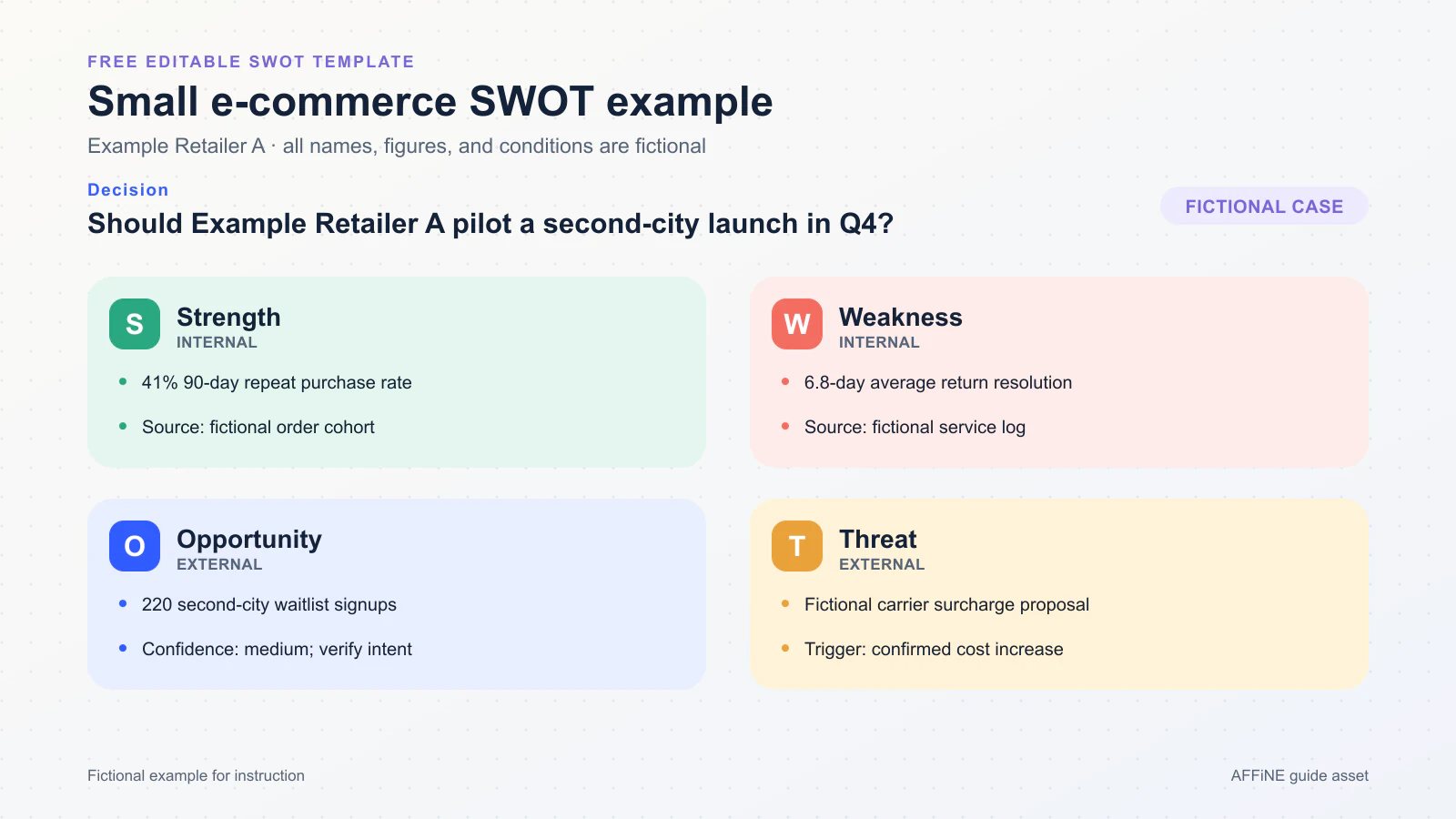
Example Retailer A: a fictional example that pairs every factor with evidence and a decision.
| Quadrant | Factor | Fictional evidence and source | Why it matters |
|---|---|---|---|
| Strength | Repeat demand | 41% purchased again within 90 days — fictional CRM cohort: first purchases April 1–June 30, with repeat behavior measured through September 28, 2026 | A loyal base may support a controlled launch |
| Weakness | Slow returns | 6.8-day average resolution — fictional service log, August 1–September 28, 2026 | Expansion could amplify an unresolved service bottleneck |
| Opportunity | City interest | 220 waitlist signups — fictional waitlist export, September 28, 2026 | There is a testable audience for a limited pilot |
| Threat | Delivery cost | Possible carrier surcharge — fictional carrier notice, September 24, 2026 | Margin and delivery promises could weaken |
TOWS option (WO: W1 + O1): Use the waitlist to run a 50-order pilot while testing a faster return workflow before expanding further.
Action record: Operations lead; due October 31, 2026; success metric of at least 85% on-time delivery plus a documented return-service baseline; review after the first 50 orders. Those dates and thresholds are fictional examples, not benchmarks.
Filled example 2: product-launch readiness
Fictional example: Example Product Team B is a deliberately generic, invented software team preparing for a November 3 beta. All figures and conditions are sample data.
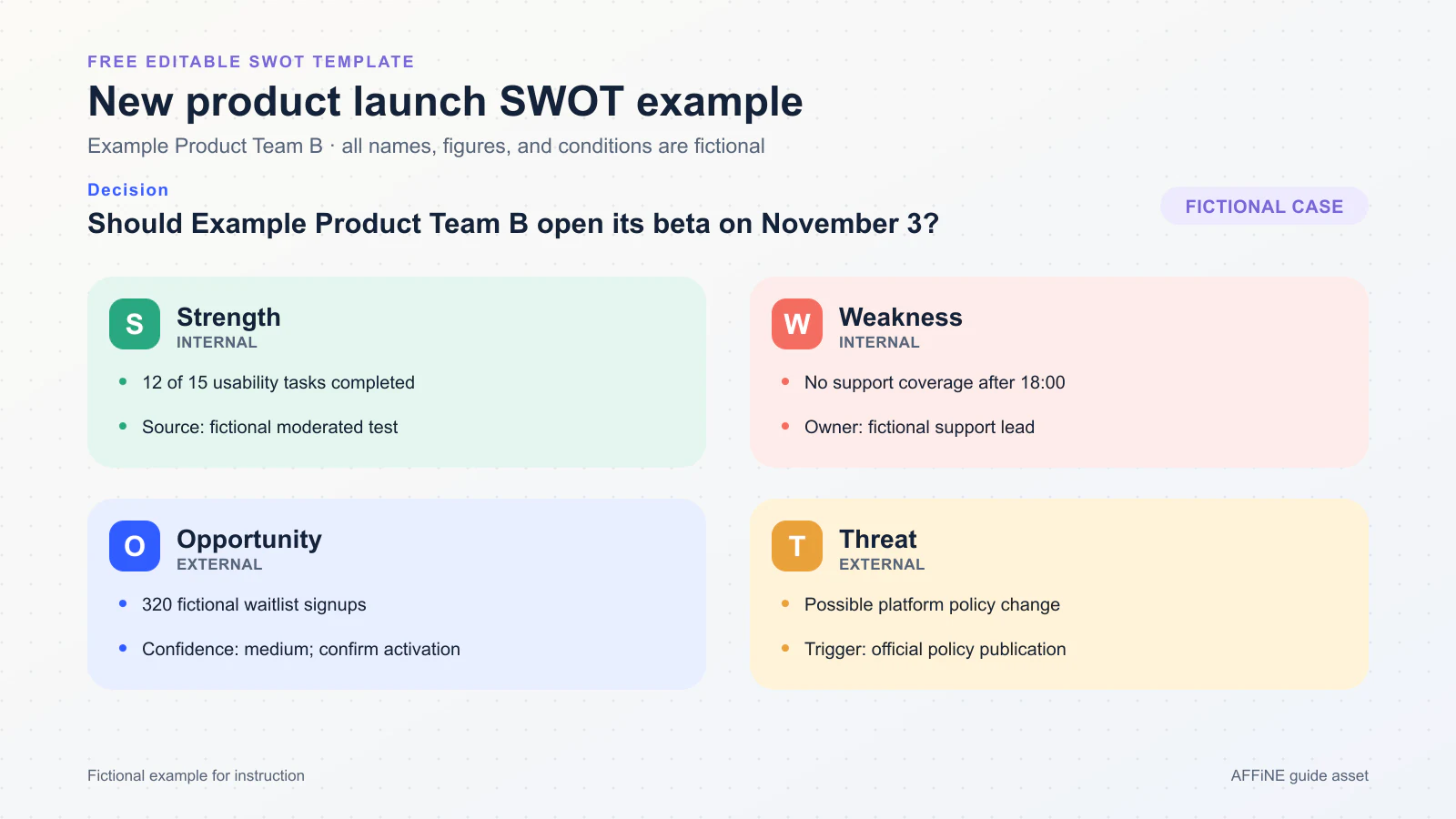
Example Product Team B: a fictional beta-planning example with a bounded action.
| Quadrant | Factor | Fictional evidence and source | Why it matters |
|---|---|---|---|
| Strength | Core usability | 12 of 15 core tasks completed — fictional moderated usability test, September 15–20, 2026 | The main workflow is usable enough for a small beta |
| Weakness | Support coverage | No support after 18:00 — fictional staffing roster, September 28, 2026 | A broad launch could create unanswered incidents |
| Opportunity | Early adopters | 320 waitlist signups — fictional waitlist export, September 28, 2026 | The team can recruit a targeted test cohort |
| Threat | Platform dependency | Possible policy change affecting one integration — fictional platform-monitoring note, September 25, 2026 | The launch plan needs a fallback path |
TOWS option (WO + WT: W1 + O1 + T1): Invite a capped group of 75 users during supported hours, publish a known-issues guide, and test the fallback integration before expanding access.
Action record: Product lead; due October 24, 2026; success metric of at least 60% activation with every high-severity issue assigned; review one week after the beta starts. Again, this is a fictional planning example.
Filled example 3: personal career planning
Fictional example: Example Candidate C is a deliberately generic, invented project coordinator profile evaluating a move into product operations. The profile and labor-market observations are illustrative.
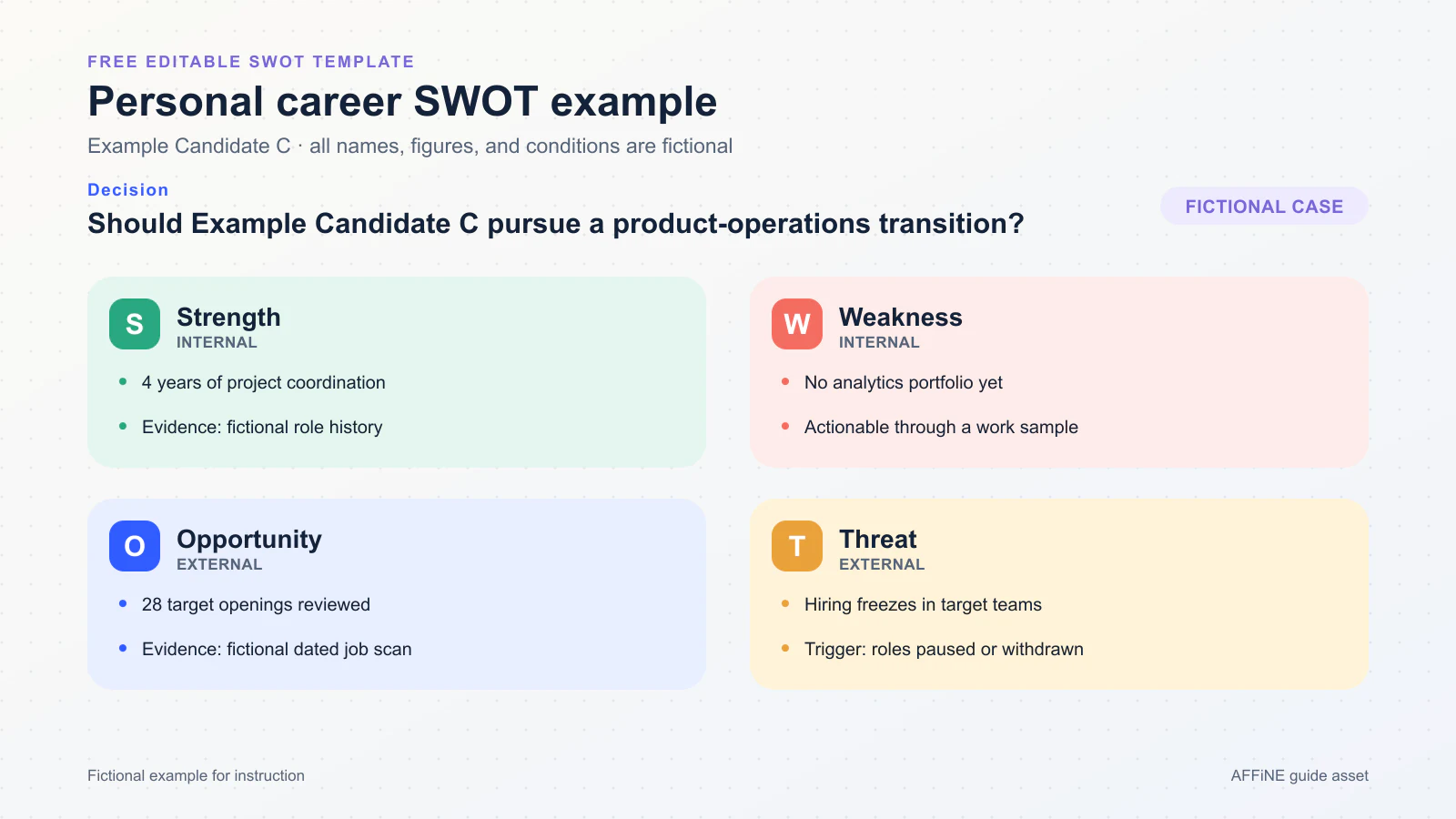
Example Candidate C: a fictional personal SWOT that leads to a verifiable portfolio action.
| Quadrant | Factor | Fictional evidence and source | Why it matters |
|---|---|---|---|
| Strength | Delivery experience | Four years coordinating cross-team projects — fictional work-history inventory, September 28, 2026 | Existing experience transfers to operations work |
| Weakness | Proof of analysis | No analytics portfolio — fictional portfolio audit, September 28, 2026 | Applications cannot yet demonstrate the claimed skill |
| Opportunity | Role pattern | 28 target openings reviewed — fictional job-posting scan, September 1–28, 2026 | Repeated requirements can guide a focused work sample |
| Threat | Hiring conditions | Some target teams paused hiring — fictional target-team notes, September 28, 2026 | The search may take longer and needs a wider network |
TOWS option (WO: W1 + O1): Publish one anonymized analytics work sample and complete five informational interviews to test the product-operations transition.
Action record: Candidate C; due November 15, 2026; success metric of one published work sample and five completed interviews; review the target-role criteria after the interviews. This is not career or hiring advice, and the example data is fictional.
Turn SWOT into TOWS and an action plan
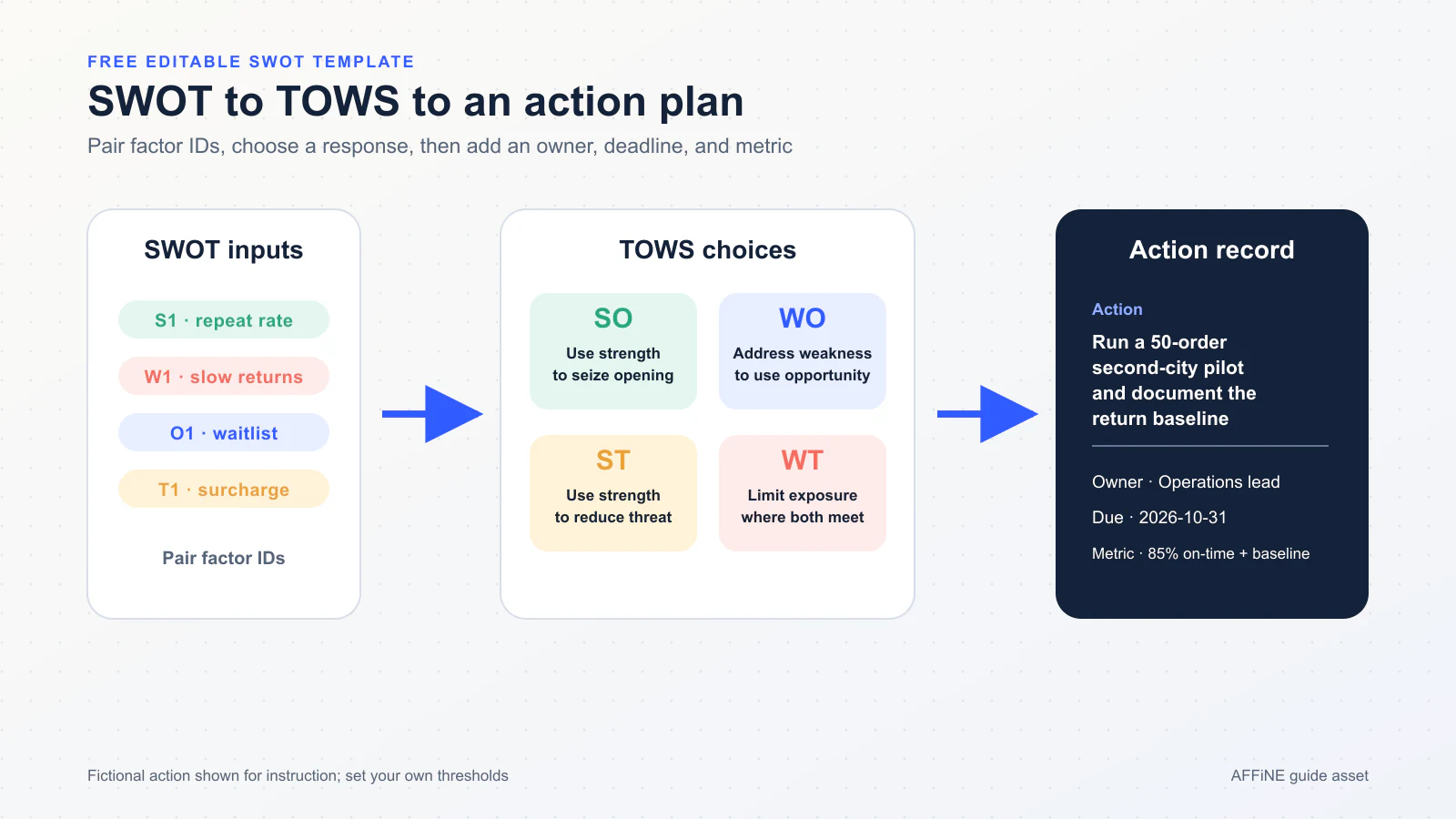
The useful output is not the four lists; it is a selected, owned, measurable action.
| TOWS option | Question to ask | Example output |
|---|---|---|
| SO: strength + opportunity | How can a verified strength capture an external opportunity? | Use repeat demand to recruit a controlled expansion pilot |
| WO: weakness + opportunity | How can an opportunity help reduce a weakness? | Use a small beta cohort to improve support documentation |
| ST: strength + threat | How can a strength reduce exposure to a threat? | Use direct customer relationships to test a delivery change early |
| WT: weakness + threat | What defensive step reduces the combined risk? | Delay broad launch until coverage and fallback requirements are met |
Generate several options, but select only the few that fit the evidence, resources, and decision window. The Excel workbook keeps factors and actions separate so a factor can support more than one option without being copied into conflicting plans.
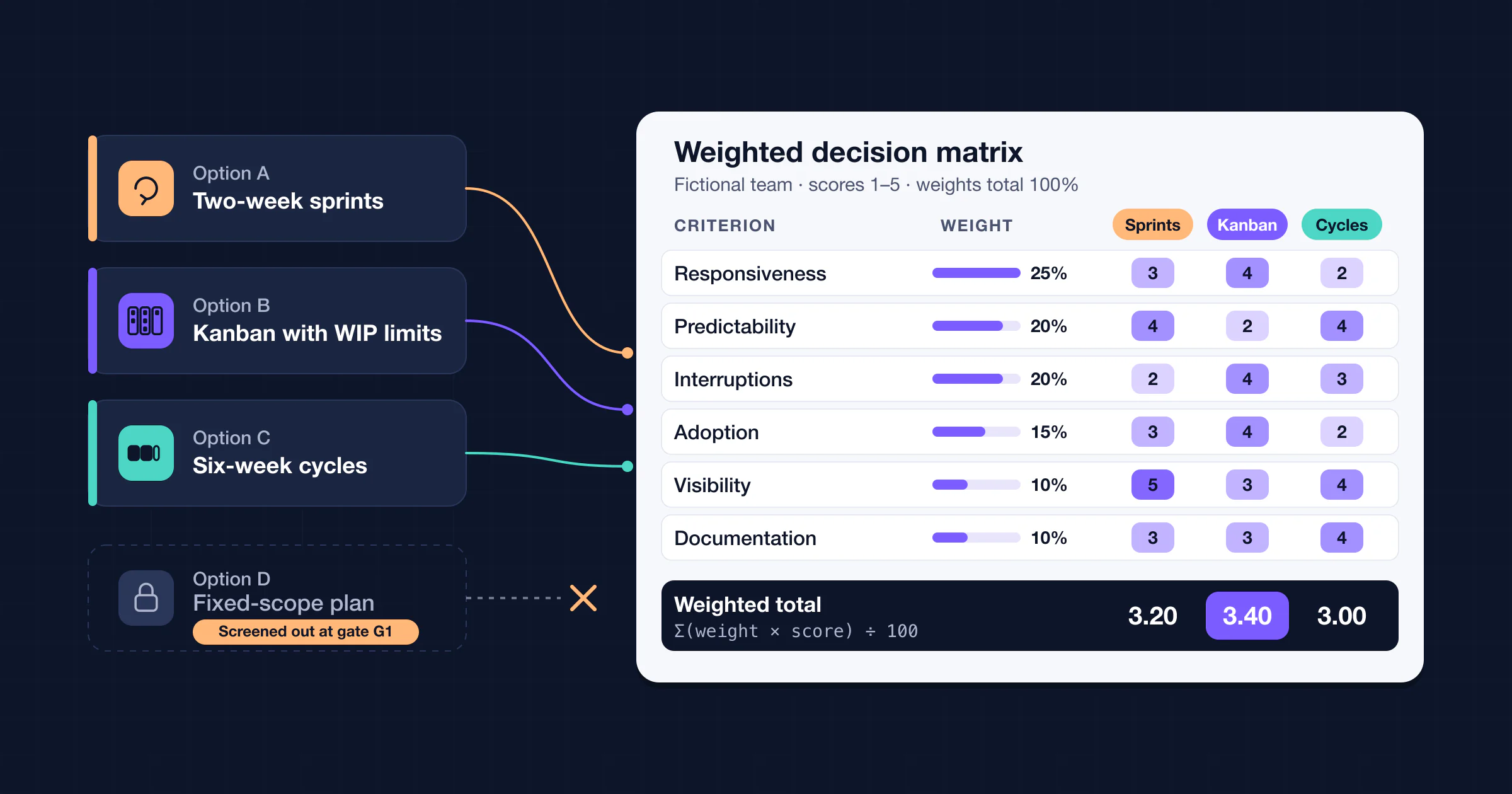
The final action record should answer six questions: What will happen? Who owns it? When is it due? What metric indicates success? Where is the evidence? When will the team review it? If a choice needs weighted comparison rather than four-quadrant framing, a decision matrix is the better companion tool.
When SWOT is the wrong tool
SWOT is useful for framing a decision, but it does not prove causes, forecast an outcome, quantify risk, or choose a winner by itself. A study of SWOT practice by Terry Hill and Roy Westbrook found recurring problems including long lists, general descriptions, lack of prioritization or verification, and outputs that were not used later in the strategy process: SWOT Analysis: It's Time for a Product Recall (1997). Do not use SWOT as a substitute for:
- customer research or an experiment when you need causal evidence;
- financial modeling when the decision depends on cash flow, cost, or return;
- a risk assessment when probability, severity, controls, and residual risk matter;
- a lean canvas when the question is whether a new product idea is worth building at all;
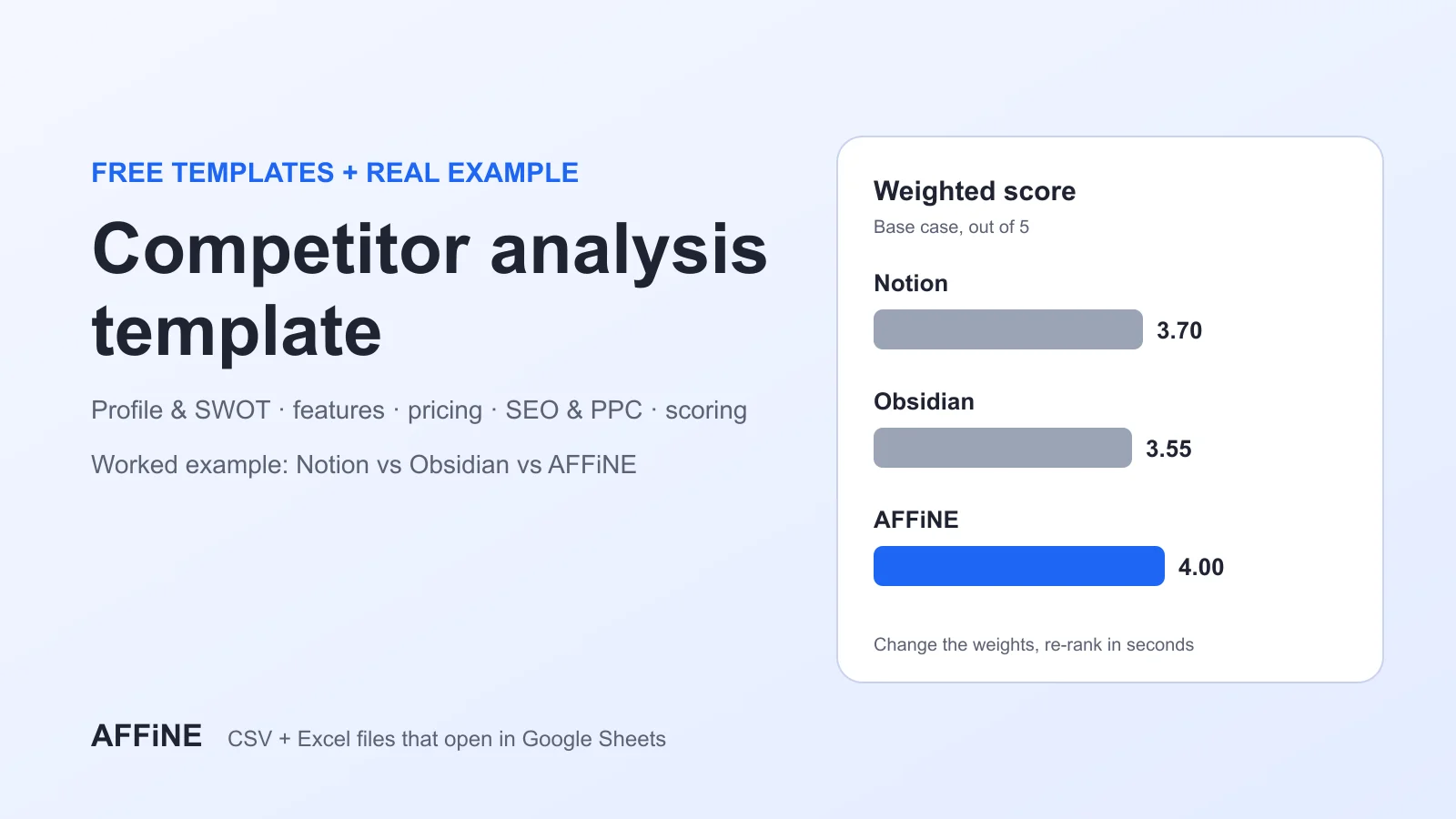
- a competitive analysis when you need feature, positioning, pricing, or market comparisons; or
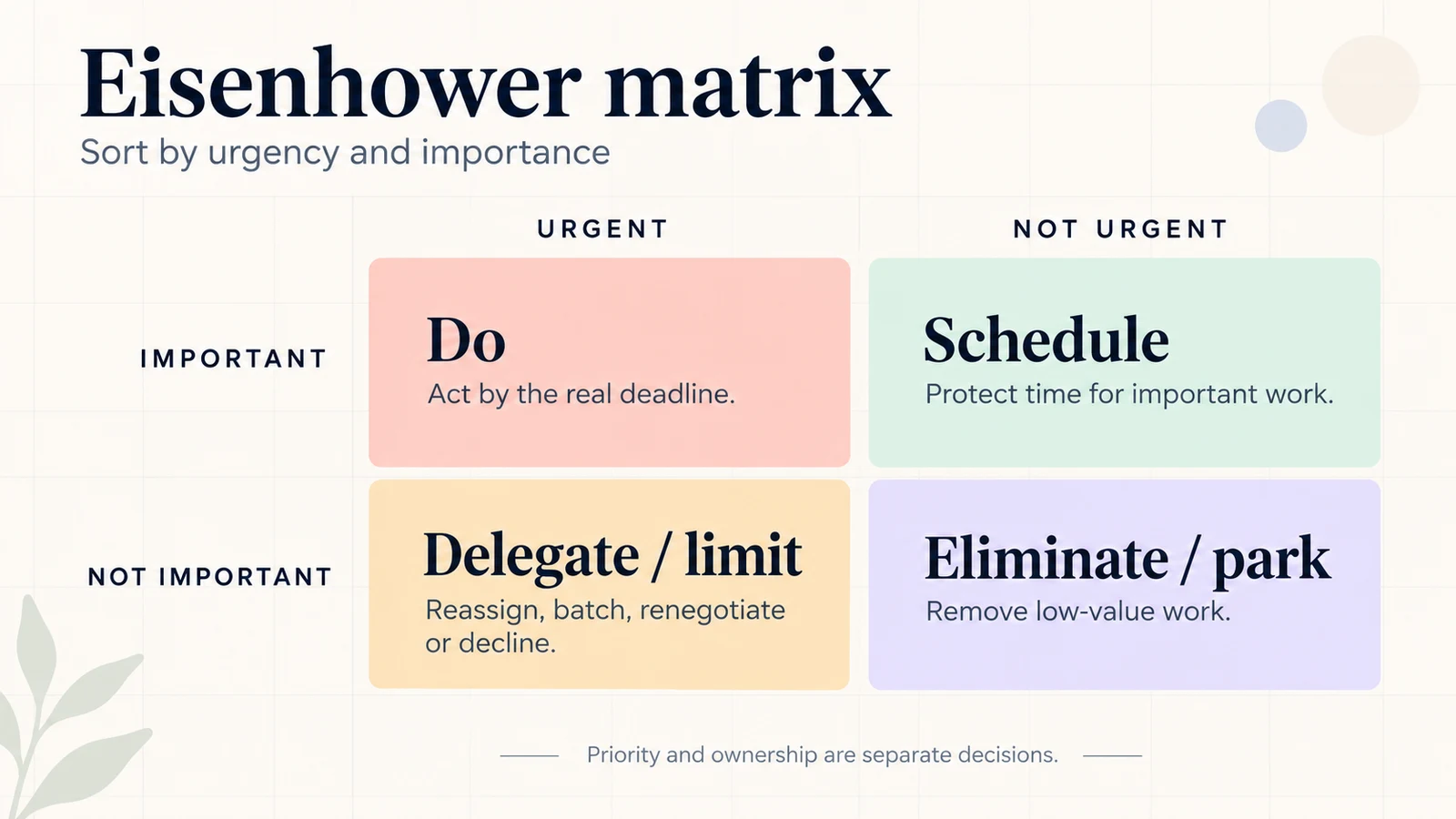
- an Eisenhower matrix when the real problem is personal urgency and importance.
Pause the exercise when the group cannot name a decision, important factors have no evidence, internal and external items remain confused, or no one has authority to own the result. In those cases, more boxes will not repair the missing input.
Edit the files in Google Docs, Sheets, or Slides
This article does not claim to provide a native Google template link. It provides downloadable Office files. Google's official help says Drive can upload, open, edit, comment on, and collaborate on Office files with Docs, Sheets, or Slides; edits can be saved back to the Office format. Conversion creates a Google-native copy and is useful when Google-specific features are needed. See Work with Microsoft Office files in Google Drive.
- Download the Word, Excel, or PowerPoint file from this page.
- In Google Drive, choose New → File upload, then select the downloaded file.
- Double-click the uploaded file and choose Open with Google Docs, Google Sheets, or Google Slides as appropriate.
- To create a Google-native copy, use File → Save as Google Docs/Sheets/Slides when that option is available.
- Check page breaks, fonts, formulas, cell validation, and slide layout after import. Keep the original Office file until the converted copy has been reviewed.
Google provides additional Excel-specific instructions in Use both Excel and Sheets: Best practices. Menus can change by account and interface version, so treat the linked Google documentation as the current source of truth.
Use the workflow in AFFiNE
If the analysis needs a shared working space rather than a standalone Office file, you can recreate the same workflow in AFFiNE: keep the evidence record in a document or database, map factors visually on a whiteboard, and link the selected actions back to their sources. Start from the AFFiNE templates gallery, explore the whiteboard, or download AFFiNE.
AFFiNE is optional here. The downloads above remain standard Office files, and this guide does not promise that any tool will improve the outcome. The quality of the decision still depends on evidence, classification, ownership, and review.
Frequently asked questions
Is the SWOT analysis template free?
Yes. The Word, Excel, and PowerPoint files linked in this article are free to download and edit. They are original resources for this guide and do not require a purchase.
Which SWOT template is best for Excel?
Use the Excel workbook when you need to rank factors, preserve evidence, assign owners, track due dates, or review progress. Use Word for narrative workshop notes and PowerPoint for a concise decision presentation.
Can I use these SWOT templates in Google Docs, Sheets, or Slides?
Yes, by uploading the downloaded Office file to Google Drive and opening it with the corresponding Google editor. Review formatting, formulas, validation, and slide layout because cross-app editing or conversion can change them.
What is the difference between internal and external SWOT factors?
Strengths and weaknesses originate inside the subject, such as its capabilities, resources, processes, or constraints. Opportunities and threats originate in the external environment. Control can be a clue, but it is not the definition because some internal factors cannot be changed quickly.
What is the difference between SWOT and TOWS?
SWOT organizes internal and external factors. TOWS deliberately combines those factors into SO, WO, ST, and WT strategy options, which can then be compared and converted into owned actions.
What are the limitations of a SWOT analysis?
SWOT can oversimplify, mix assumptions with evidence, and produce unranked lists. It does not prove causality, forecast results, quantify risk, or replace research, financial analysis, experiments, or accountable execution.
Sources and review method
Last reviewed: September 28, 2026.
- UK Government Futures Toolkit: SWOT — scoping, internal/external distinction, realistic assessment, and multiple perspectives.
- Weihrich, The TOWS Matrix (1982) — primary source for matching external and internal factors into strategy options.
- Hill and Westbrook, SWOT Analysis: It's Time for a Product Recall (1997) — empirical critique of unranked, unverified SWOT lists and unused outputs.
- Microsoft Support: Open XML formats and file-name extensions — Office document, workbook, presentation, and template-package extensions.
- Google Drive Help: Work with Microsoft Office files — upload, edit, collaborate, and convert workflow.
- Google Docs Editors Help: Excel and Sheets best practices — Excel-to-Sheets workflow.
- AFFiNE templates, whiteboard, and download — first-party product destinations referenced in this guide.
The three filled scenarios are purpose-built fictional examples. They were checked for explicit labeling, internal-versus-external classification, a defined decision, evidence fields, and an owner/date/metric action record. The downloadable files and images were created specifically for this article; no third-party template or stock artwork is presented as original.