15 AI Content Creation Tools: Free Plans and Prices
What changed (Nov 14, 2026): Rewrote the guide around content types (writing, images and design, video, audio, social posts and presentations) with 15 tools whose free plans and prices were rechecked on official pages, and retitled it to 15 tools. Added ChatGPT, Claude and Gemini plan details, Gemini, CapCut, ElevenLabs, Buffer and Gamma, and noted that Freepik AI tools are now Magnific. Removed Yoast SEO, Acrolinx, Zest, ClickUp, AIContentfy, Beautiful.ai and Lately, which are off-topic, have no free plan or could not be verified. AFFiNE left the list and appears only in a planning section with a disclosure. Added quick picks, a comparison table, methodology, FAQs, sources, dated screenshots and a new cover.
The best free AI content creation tool depends on what you are making. For written drafts, ChatGPT, Claude and Gemini all have free plans that cover outlines, first drafts and rewrites. For social graphics, start with Canva or Adobe Express. For video, CapCut is a free editor, Synthesia gives you a small free allowance of avatar video, and InVideo turns a prompt or script into a video. ElevenLabs is the free starting point for voiceovers, Buffer for writing and scheduling social posts with an AI assistant, and Gamma for slides.
Updated November 14, 2026. Free plans and prices were checked on each vendor's official pricing or help page that day. Disclosure: AFFiNE publishes this blog. AFFiNE is not one of the 15 tools compared; it appears once, in the planning section near the end. Tools are grouped by content type, and the order within each group is not a ranking.
Quick picks by content type
| If you need to make | Start with | Why |
|---|---|---|
| Blog posts, emails and scripts | ChatGPT, Claude or Gemini | Each has a free plan for everyday drafting; paid plans mainly raise usage limits |
| A quick caption, paraphrase or summary | Prepostseo | Free browser tools, with ads and captchas |
| Social graphics and simple designs | Canva or Adobe Express | Free plans with templates and limited AI |
| AI images plus stock assets | Freepik AI Tools (now Magnific) | Free plan with limited daily AI credits |
| A logo | Logogenie | Free to design; the logo pack costs $24.90 to download |
| Videos from a prompt or script | InVideo | Limited free tier; paid plans from $10 per seat a month |
| Presenter-style avatar videos | Synthesia | Free allowance with 10 minutes of Studio video, watermarked |
| Short-form video edits | CapCut | Free editor and templates |
| Voiceovers and narration | ElevenLabs | 10,000 free credits a month |
| Podcasts and talking-head videos | Async (formerly Podcastle) | Free tier with a small lifetime AI allowance |
| Scheduled social posts | Buffer | Free for 3 channels, AI Assistant included |
| Slides from an outline | Gamma | 400 one-time credits on the free plan |
How we chose and checked these tools
- Sources: We read each vendor's official pricing page, and help pages where the pricing page left something out, on November 14, 2026. They are listed under Sources at the end of the article.
- What made the list: tools that create or edit text, images, video, audio, social posts or slides with AI and that you can start using without paying. Two entries are partial exceptions and we say so in their sections: Logogenie is free to design with but charges to download, and InVideo's free tier is described in its help center rather than on its pricing page.
- Prices: list prices in US dollars as shown on the vendor sites. Many vendors show annual-billing prices first, run introductory offers, or switch to local currency based on your location, so check the page yourself before you buy.
- What we did not do: We did not run benchmarks, score output quality, or buy paid plans. Feature descriptions come from the vendors' own pages.
- Screenshots: Captured at 1440×900 in a headless browser on November 14, 2026, from a connection in Singapore, so some pages show prices in Singapore dollars. ChatGPT, Adobe Express and Gamma blocked the automated browser, so those three entries have no screenshot.
AI content creation tools compared
| Tool | Made for | Free plan (checked Nov 14, 2026) | Paid plans from (USD) |
|---|---|---|---|
| ChatGPT | Writing, images | Yes: unlimited text chats with GPT-6; limited uploads and image creation | Go $8/month |
| Claude | Writing, editing | Yes: limited usage that resets every 5 hours and every week | Pro $17/month billed annually, $20 monthly |
| Gemini | Writing, research | Yes, with a Google Account | Google AI Plus $4.99/month |
| Prepostseo | Short text tasks | Yes: browser tools with ads and captchas | Basic $10/month or $50/year |
| Canva | Design, social graphics | Yes: templates and limited AI | Pro US$144/year |
| Adobe Express | Design, social graphics | Yes: templates, Adobe Stock assets, limited generative credits | Premium US$9.99/month |
| Freepik AI Tools (Magnific) | Images, video, stock | Yes: limited daily AI credits, 10 stock downloads a day | Premium $14.50/month billed annually |
| Logogenie | Logos | Free to design; downloads are paid | Logo pack $24.90, one-time |
| InVideo | Prompt-to-video | Limited free tier with a weekly limit; not shown on the pricing page | Starter $10/seat/month billed annually |
| Synthesia | Avatar video | Yes: 500 credits a month plus a free allowance with 10 minutes of Studio video; watermark | Starter $19/month |
| CapCut | Video editing | Yes: free templates and basic editing tools | Pro $19.99/month or $179.99/year |
| ElevenLabs | Voice and audio | Yes: 10,000 credits a month; commercial license starts on Starter | Starter $6/month |
| Async | Recording, audio and video editing | Yes: 10 lifetime AI credits and 1 hour of uploads | Essentials from $11.99/month |
| Buffer | Social posts | Yes: 3 channels, 10 scheduled posts per channel, AI Assistant | Essentials $5/channel/month billed yearly |
| Gamma | Slides, docs, web pages | Yes: 400 one-time credits, up to 10 slides per prompt | Plus $9/month billed annually |
Writing and blog drafts
General-purpose AI assistants do most of the text work: outlines, first drafts, rewrites in a different tone, headline and caption variations, and summaries of long sources. All three below have free plans, so it is worth trying the same brief in two of them and keeping the better draft. Our AI content marketing workflow covers the review steps around those drafts. AI drafts tend to repeat recognizable phrasing; some teams run them through an AI humanizer to vary the rhythm, but a human edit for facts, examples and brand voice matters more. For short pieces, see our comparison of free AI paragraph generators.
ChatGPT
ChatGPT is OpenAI's general-purpose assistant. For content work it covers outlines, drafts, rewrites, translations and image creation from a prompt in one chat.
- Free plan: $0. OpenAI's pricing page lists unlimited text chats with GPT-6 (subject to abuse guardrails), with limited uploads, image creation, voice chats, deep research and memory.
- Paid plans: Go $8 a month (OpenAI notes this plan may include ads), Plus $20 a month, and Pro from $100 a month.
- Best for: one tool that handles drafting, rewriting and quick images.
- Watch out: uploads and image creation are limited on Free, so visual or file-heavy work runs out first.
Claude
Claude is Anthropic's assistant. It is a good fit for working from long source material, such as turning a report or transcript into an article, and for editing drafts you already have.
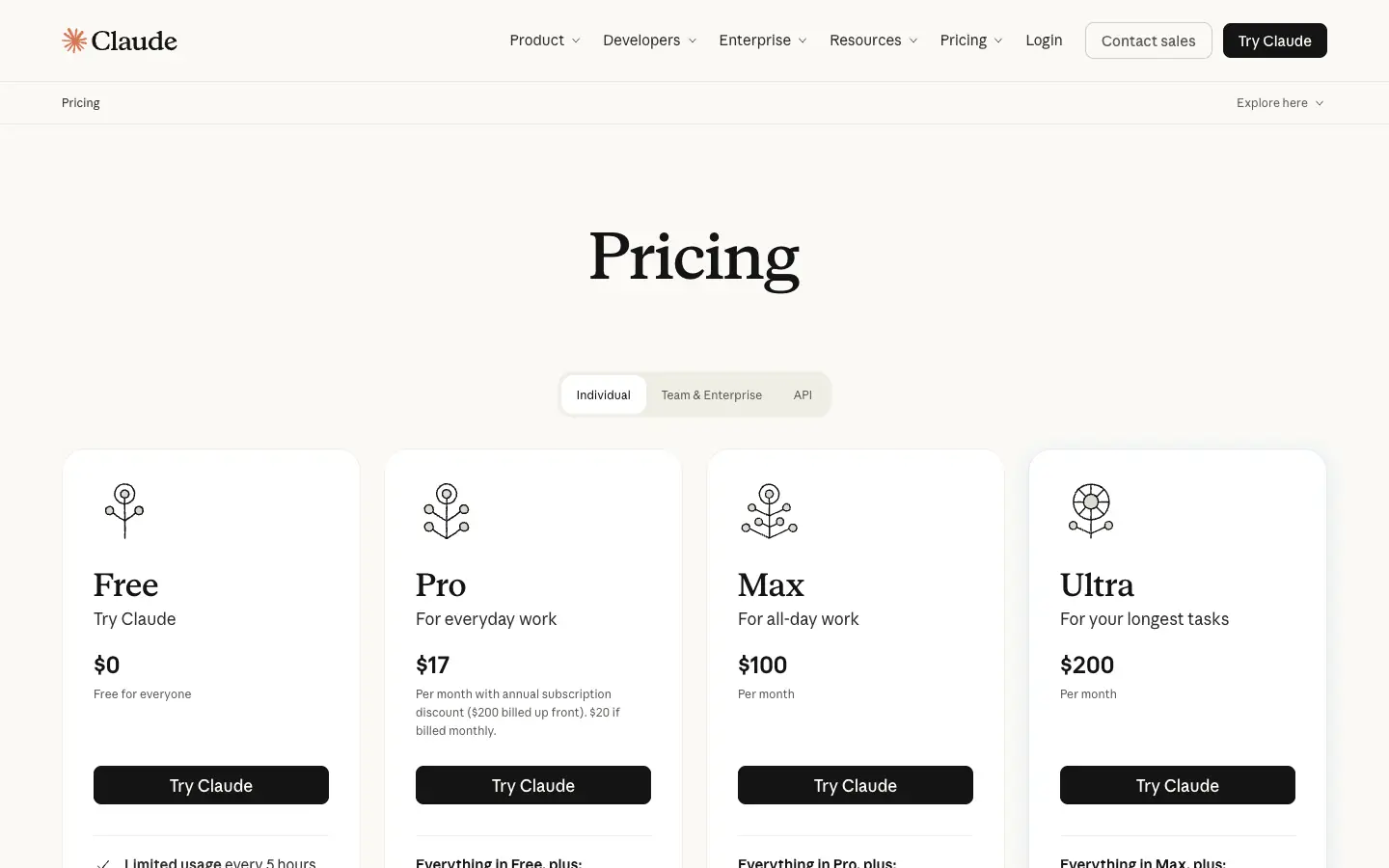
- Free plan: $0, with limited usage that resets every 5 hours and every week. It includes web search, file creation, running code, memory across conversations and Artifacts.
- Paid plans: Pro is $17 a month with annual billing ($200 billed up front) or $20 billed monthly; Max starts at $100 a month.
- Best for: long documents and careful edits of existing drafts.
- Watch out: when you hit the free limit, you wait for the next reset.
Gemini
Gemini is Google's assistant, available free with a Google Account. It handles the same drafting and rewriting tasks and is a useful second opinion next to ChatGPT or Claude.
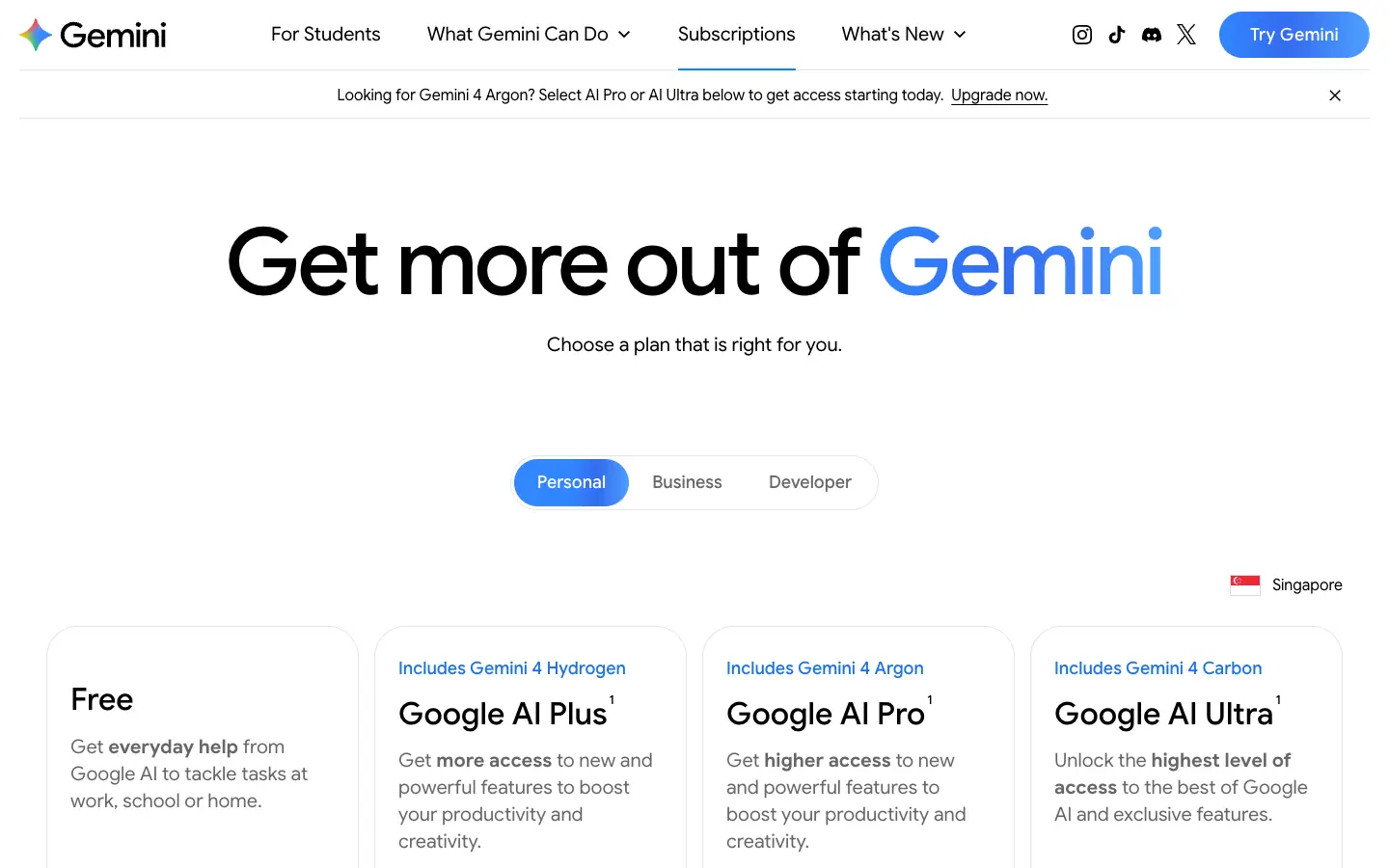
- Free plan: $0 with a Google Account.
- Paid plans: Google AI Plus $4.99 a month (double the free usage limits) and Google AI Pro $19.99 a month (four times the free limits); Google lists features such as video generation on the paid plans.
- Best for: people who already work in Google's apps and want a free assistant there.
- Watch out: usage limits are not published as exact numbers, only as multiples of the free plan.
Prepostseo
Prepostseo is a collection of more than 150 free web tools. The AI ones include a text generator, paragraph generator, caption generator, paraphrasing tool, text summarizer and an AI essay writer, alongside a grammar checker and plagiarism checker.
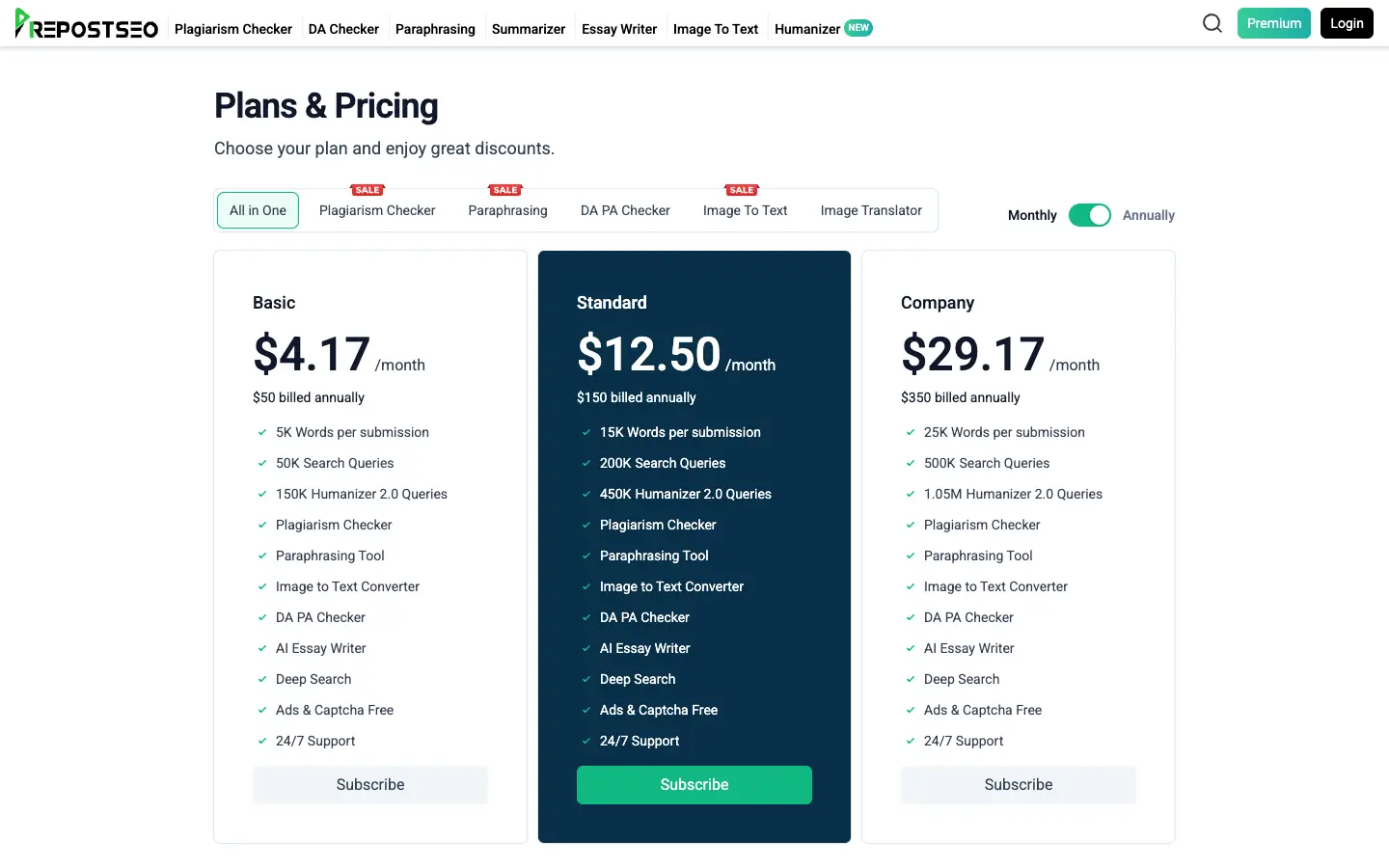
- Free plan: the tools run in the browser without a subscription, with ads and captchas.
- Paid plans: Basic is $10 a month or $50 billed annually, removes ads and captchas, and allows 5,000 words per submission.
- Best for: quick one-off tasks such as a caption, a paraphrase or a summary.
- Watch out: the plans page does not list the free limits for each tool.
Images and design
These tools cover social graphics, thumbnails, ad creatives and logos. Canva and Adobe Express are design apps with AI built in; Freepik AI Tools focus on generating images and video; Logogenie only makes logos. For pure text-to-image generators, see our guide to free AI image generators, and for UI and app design, our comparison of Figma alternatives for UI design and prototyping.
Canva
Canva is a drag-and-drop design platform. Its text-to-image generator and other AI features work inside your designs, so a generated image can go straight into a post, slide or flyer.
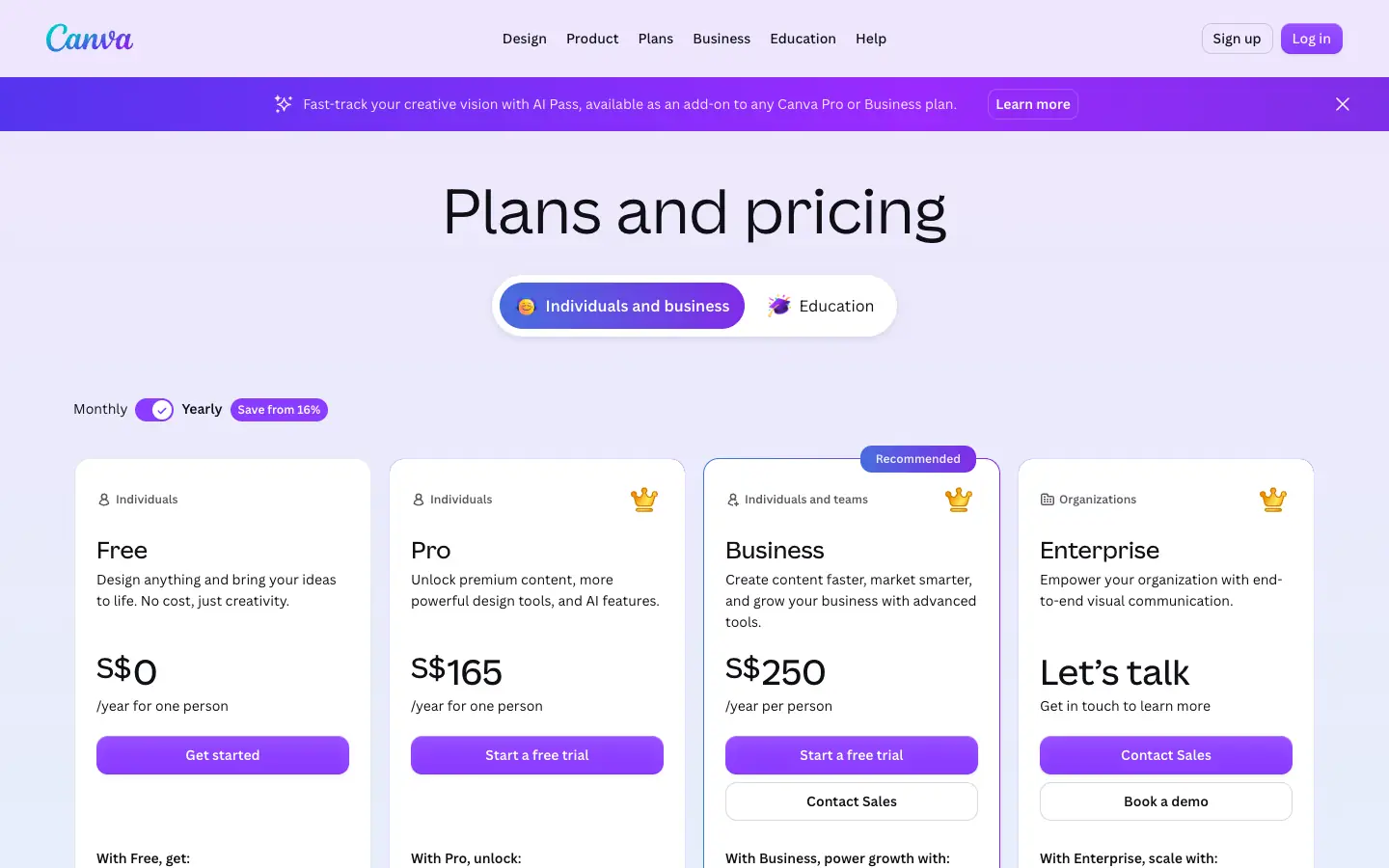
- Free plan: US$0, with 1.6 million+ templates, 4.7 million+ photos, videos, graphics and audio, 5GB of storage and limited access to Canva's Standard and Premium AI tools.
- Paid plans: Pro is US$144 a year for one person and includes 10 times more AI usage than Free, premium templates, background removal, resizing and social scheduling.
- Best for: social graphics, thumbnails and simple presentations.
- Watch out: during a Pro trial, the AI allowance stays at the Free level.
Adobe Express
Adobe Express is Adobe's quick-design app for social posts, flyers and short videos. Its AI photo generator and other generative features run on Adobe Firefly.
- Free plan: US$0, no credit card. It includes 345,000+ templates, more than 1 million royalty-free Adobe Stock assets, 5,000+ fonts, 5GB of storage, scheduling to one account per social network, and limited generative AI credits.
- Paid plans: Premium is US$9.99 a month with 250 generative credits a month and a 30-day free trial.
- Best for: on-brand social posts and flyers, especially if you already use Adobe apps.
- Watch out: background removal and bulk resizing are Premium features.
Freepik AI Tools
Freepik AI Tools now go by a new name: on April 28, 2026, Freepik brought its AI tools together as Magnific, and freepik.com now opens magnific.com. Existing Freepik accounts and plans carry over. The suite covers an image generator, video generator, image editor, upscaler, background remover, voice generator and Spaces, a canvas that links the steps of a project.
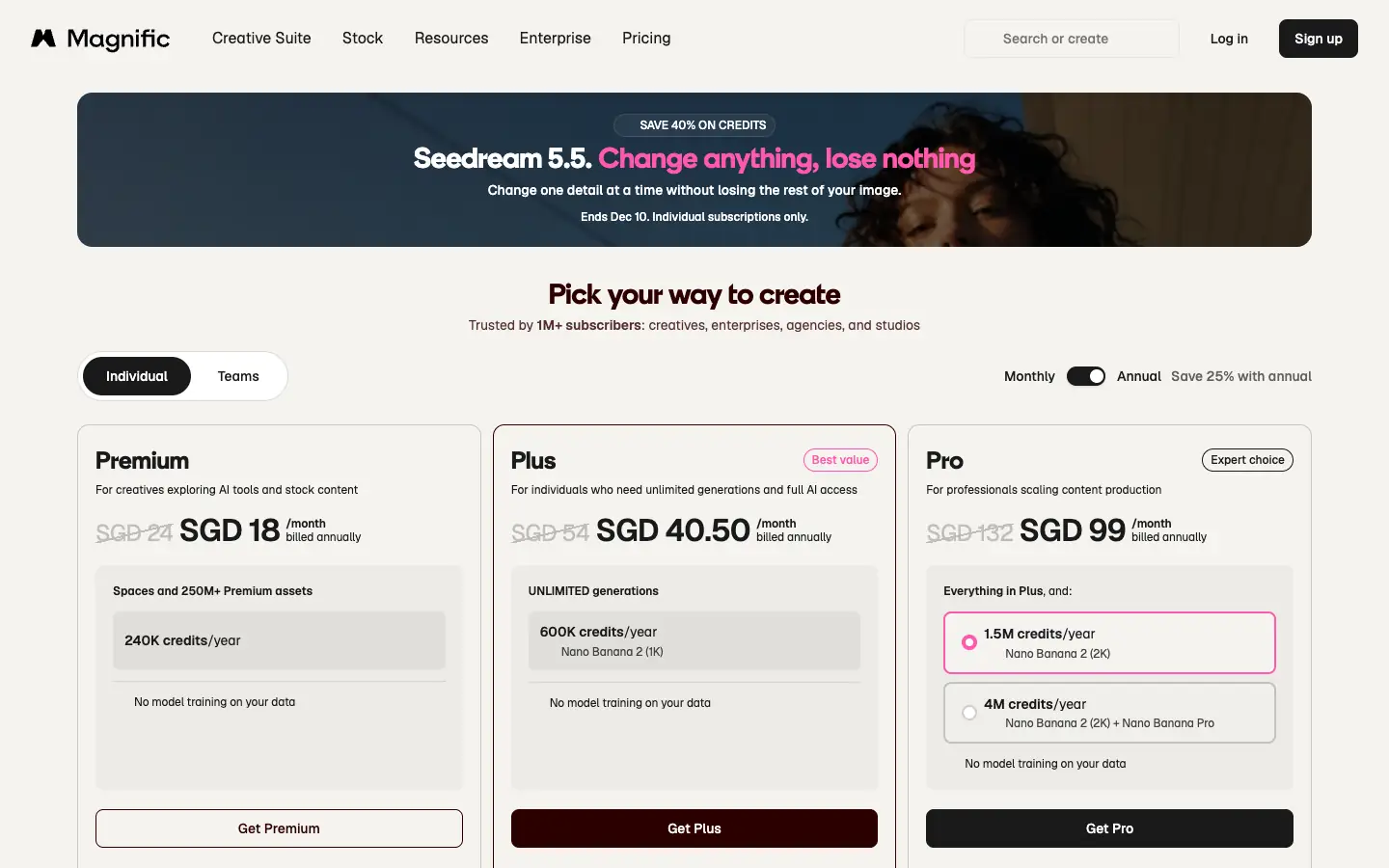
- Free plan: limited daily AI credits, free stock content only and 10 stock downloads a day. Extra credits cannot be bought on Free.
- Paid plans: Premium is $14.50 a month billed annually ($20 monthly), with 240,000 credits a year and premium stock.
- Best for: generated images and stock assets from one account.
- Watch out: credit costs vary a lot by model, and video models use credits quickly.
Logogenie
Logogenie is an online logo maker with an AI logo generator: you enter your business name and details, it suggests logo templates, and you adjust the layout, fonts, colors and icons.
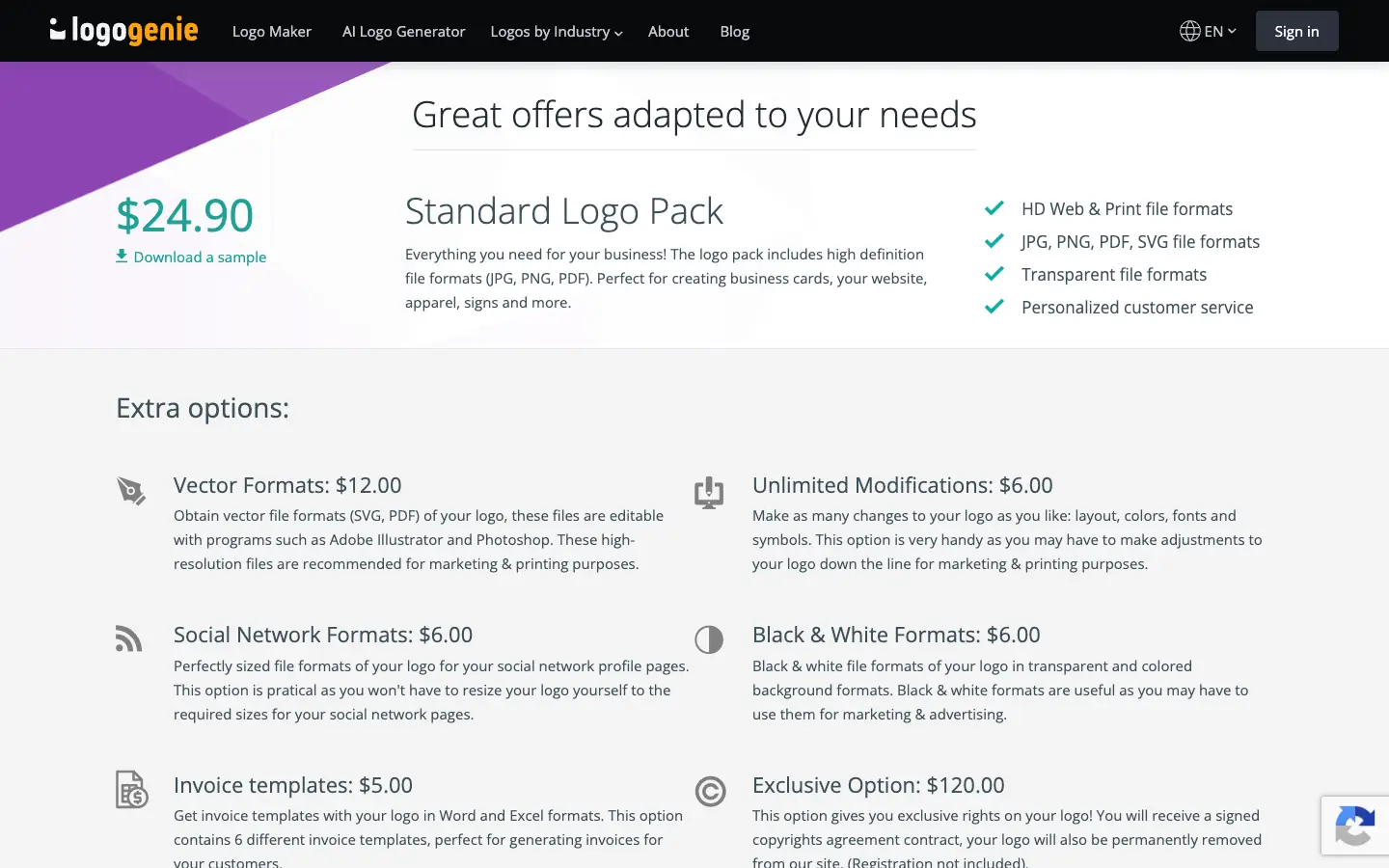
- Free plan: designing and previewing a logo is free, with no sign-up or credit card.
- Paid plans: downloading the files costs a one-time $24.90 for the Standard Logo Pack (JPG, PNG, PDF and SVG, including transparent versions). Extra options, such as exclusive rights to the design, cost more. There is no subscription.
- Best for: a small business that wants a simple logo for a one-time fee.
- Watch out: this is not a free download, and designs are built from templates unless you buy the exclusive option.
Video
Video tools split into three jobs: generating a video from a prompt or script (InVideo), presenting with an AI avatar (Synthesia), and editing footage you already have (CapCut).
InVideo
InVideo is an AI video platform. You describe the video or paste a script, its AI agents and generation models build a draft, and you finish it in a timeline editor that supports multiplayer editing, color, audio and 3D tools.
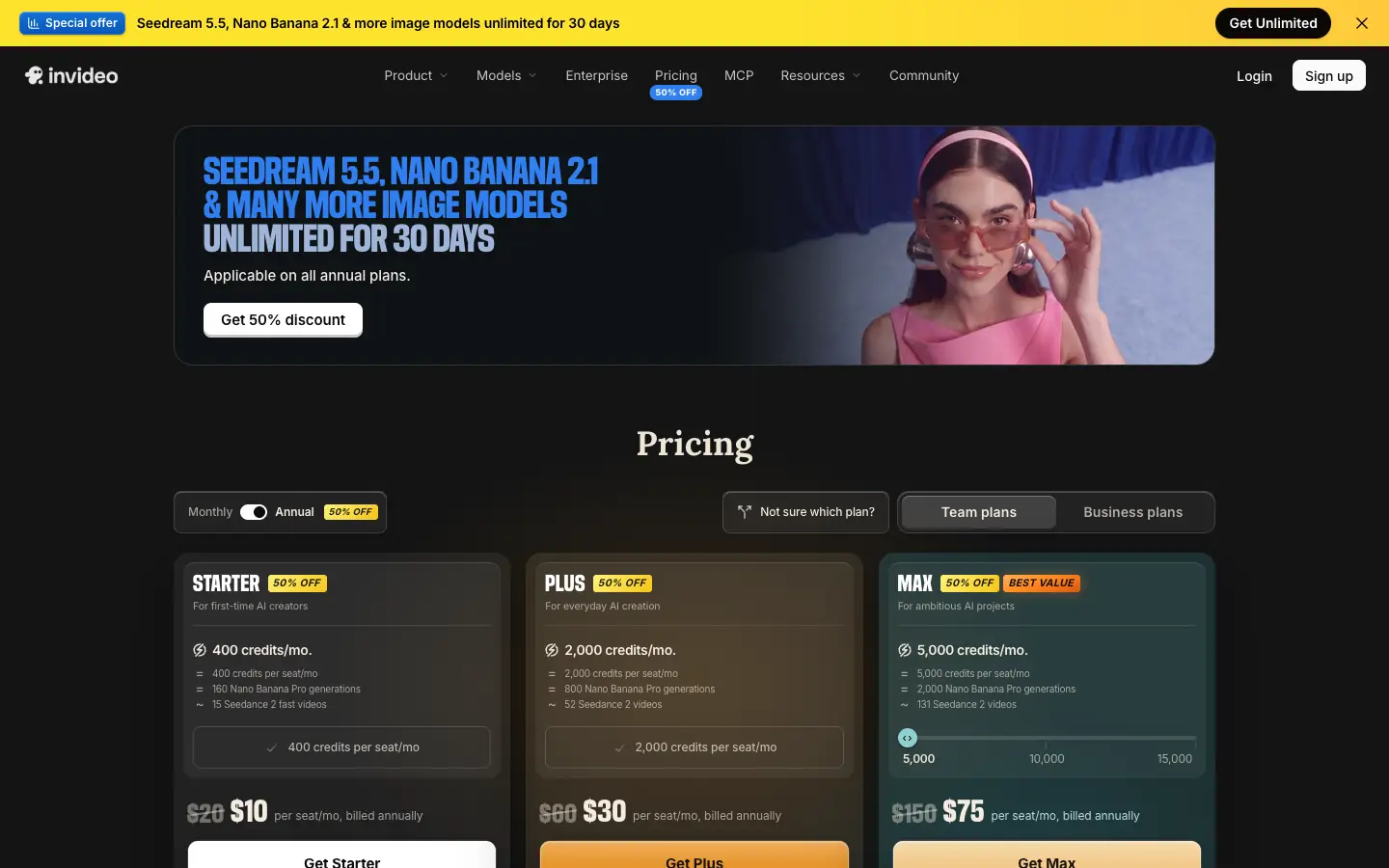
- Free plan: invideo's help center describes a Free plan with a weekly usage limit. The pricing page itself lists only paid plans, so check what your account shows after you sign up.
- Paid plans: Starter is $10 per seat a month billed annually ($20 monthly) with 400 credits a month; Plus is $30 per seat a month billed annually with 2,000 credits.
- Best for: turning scripts and briefs into marketing or social videos.
- Watch out: credits pay for generation and transcripts, while editing and exports are free; unused plan credits do not roll over.
Synthesia
Synthesia makes videos from a script, presented by an AI avatar with a generated voice. It is used for training, product explainers and internal updates where filming a person is not practical.
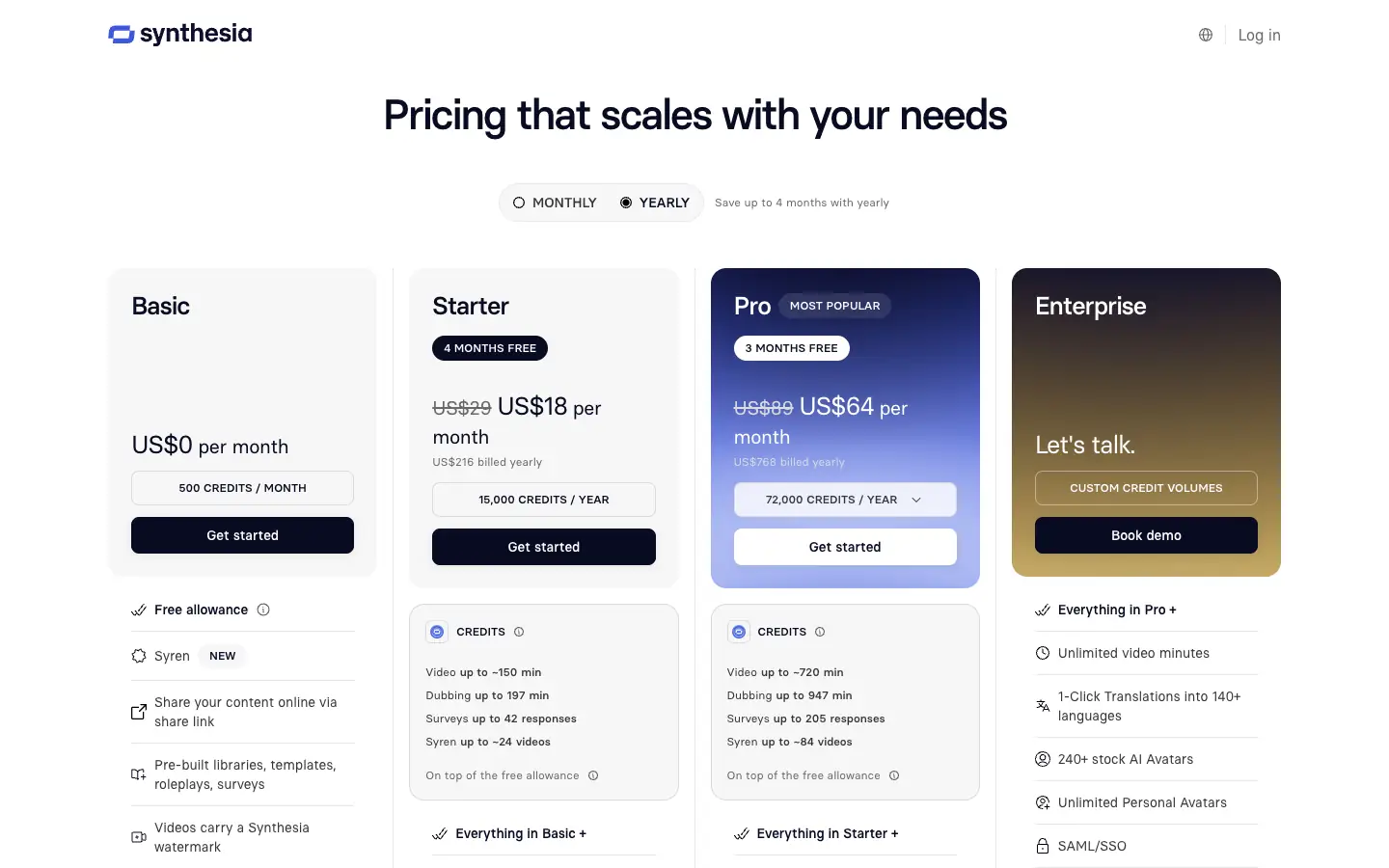
- Free plan: the Basic plan is $0 with 500 credits a month and a free allowance that includes 10 minutes of Studio video creation or dubbing. Videos carry a Synthesia watermark.
- Paid plans: Starter is $19 a month (Synthesia showed a $9 first-month offer when we checked).
- Best for: presenter-style explainers and training videos without a camera.
- Watch out: the watermark makes free videos better suited to drafts and internal use.
CapCut
CapCut is a video editor for web, desktop and mobile with templates, captions and AI features, widely used for TikTok, Reels and Shorts.
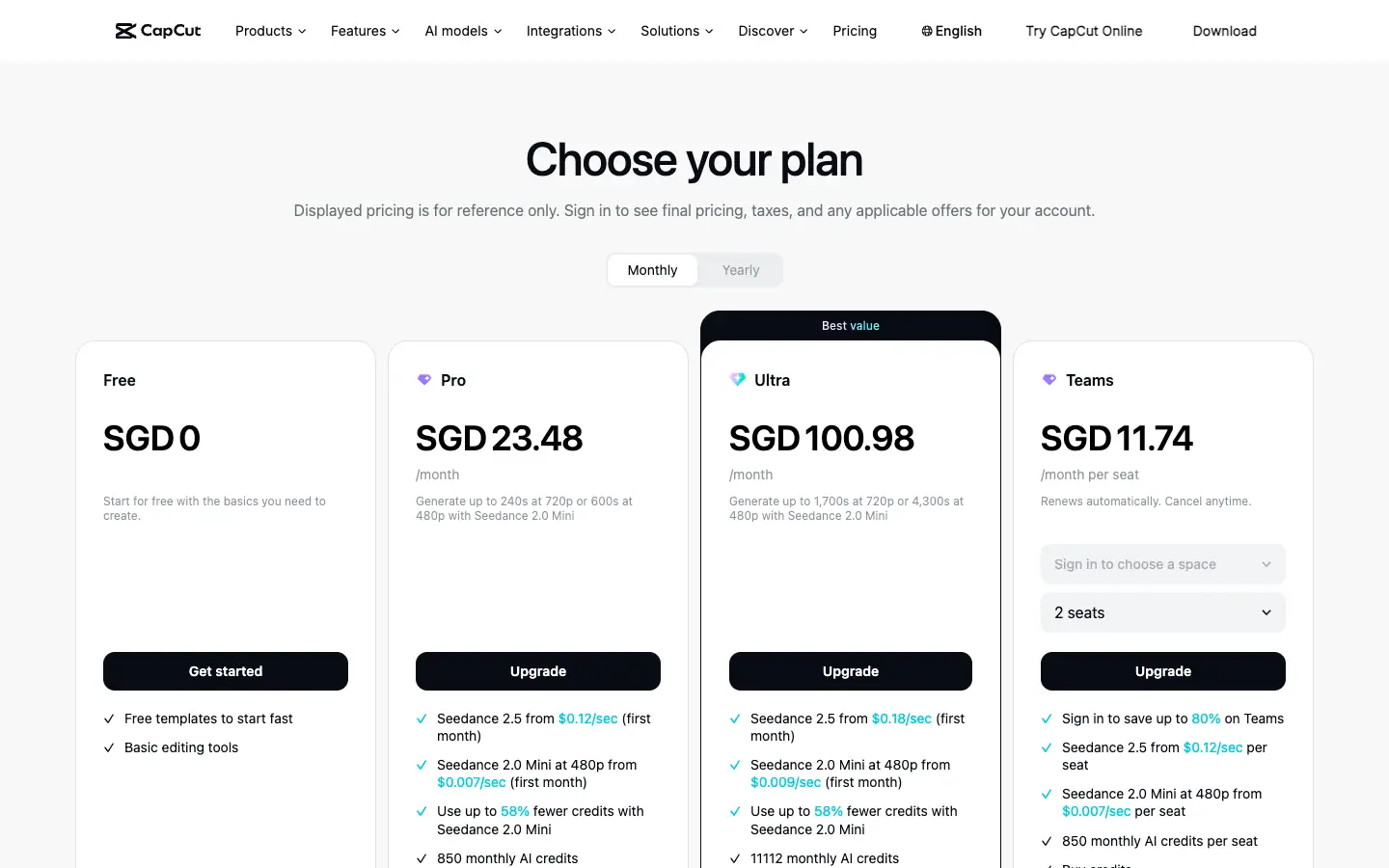
- Free plan: USD 0, with free templates and basic editing tools.
- Paid plans: Pro is USD 19.99 a month or USD 179.99 a year and includes 1,200 AI credits a month and access to AI features. New users can try Pro free for 7 days, depending on region.
- Best for: editing short-form video quickly.
- Watch out: the pricing page lists AI features and AI credits under the paid plans, so the free plan is mainly an editor.
Audio and podcasts
Audio tools cover voiceovers for videos, narration for articles and recording or cleaning up podcasts. If you also need transcripts and show notes, see our list of AI scribes for podcast transcription.
ElevenLabs
ElevenLabs is an AI voice platform for text to speech, speech to text, sound effects, voice design and music.
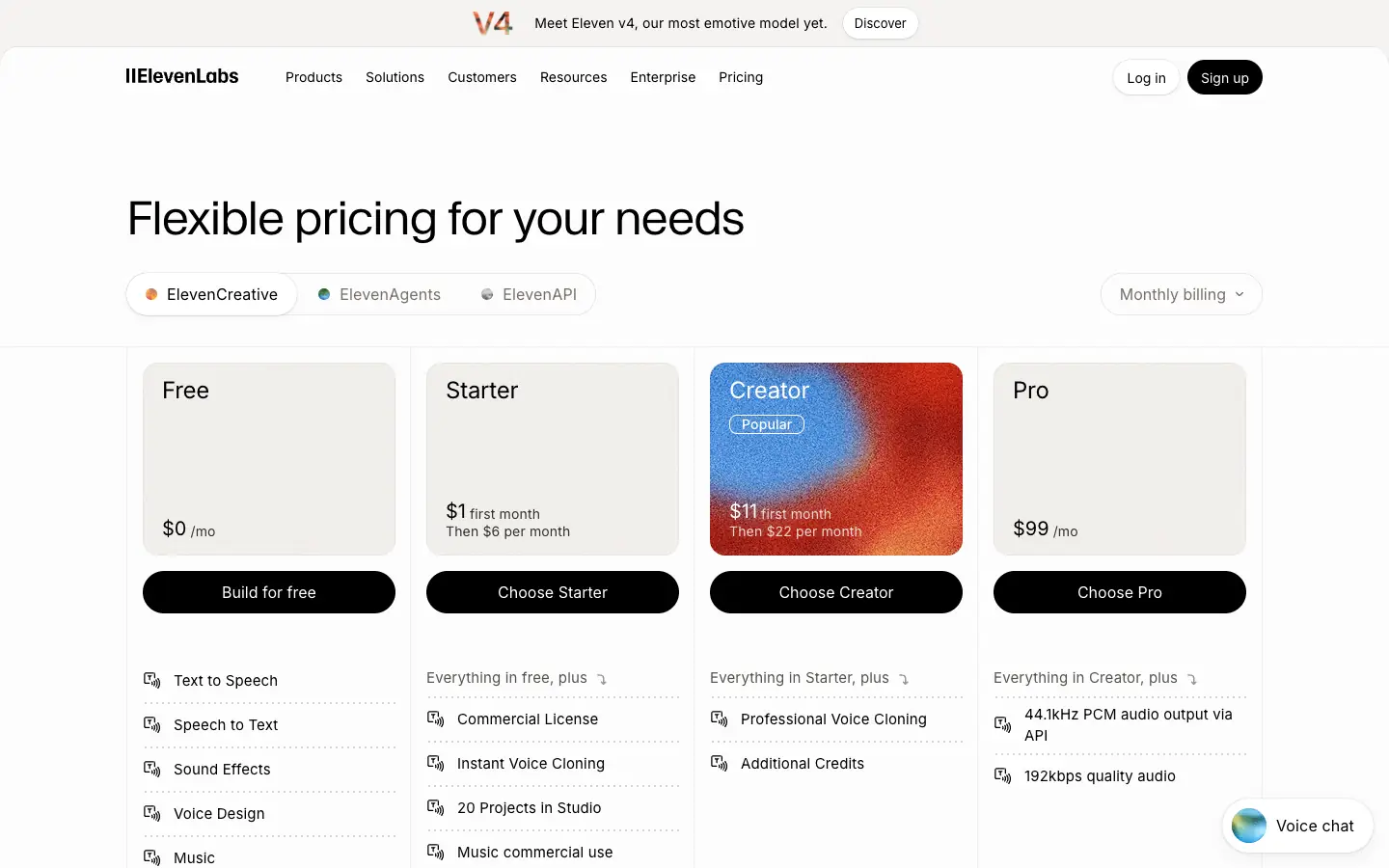
- Free plan: $0 with 10,000 credits a month, text to speech, speech to text, sound effects, voice design, music and 3 projects in Studio.
- Paid plans: Starter is $6 a month (with a $1 first month offer until December 1 when we checked) and adds a commercial license and instant voice cloning; Creator is $22 a month.
- Best for: voiceovers and narration.
- Watch out: ElevenLabs lists the commercial license as a Starter feature, not a Free one, so check the terms before publishing free output for a business.
Async (formerly Podcastle)
Async is the new name of Podcastle; podcastle.ai now redirects to async.com. It records audio and video in the browser and edits them through a chat-based editor, with text to speech, AI audio cleanup (Magic Dust, noise reduction, silence removal), subtitles and dubbing.
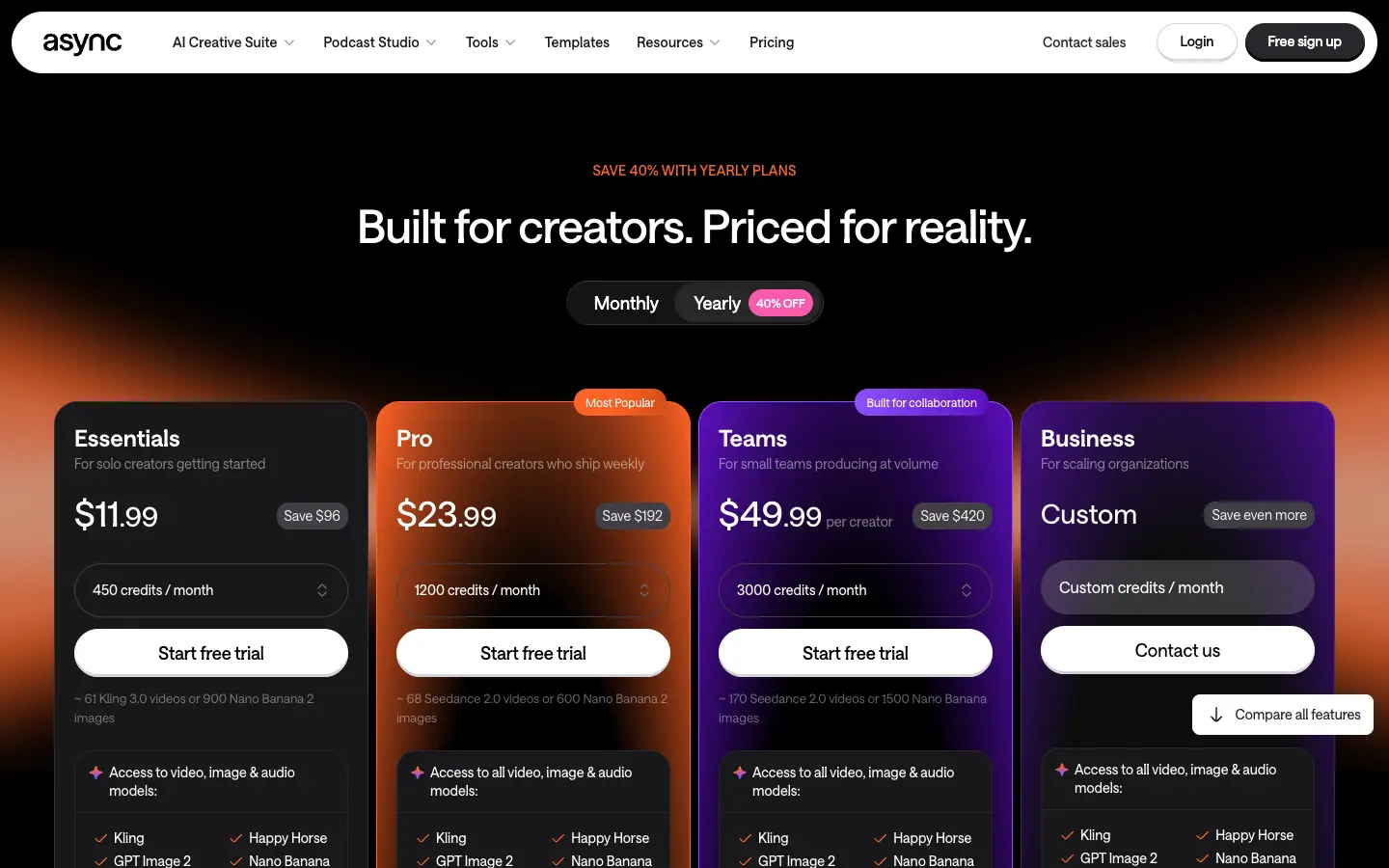
- Free plan: $0 with 10 AI credits and 1 hour of media uploads to the AI chat, both one-time (lifetime) allowances.
- Paid plans: from $11.99 a month for Essentials with 450 credits a month; paid plans start with a free trial.
- Best for: recording and cleaning up podcasts and talking-head videos.
- Watch out: the free allowance is a sample, not an ongoing monthly quota.
Social media posts
Buffer
Buffer is a social media scheduler. Its AI Assistant helps you brainstorm post ideas, rewrite a post for each network (LinkedIn, Threads, X, Instagram, Bluesky and others) and adjust tone and length, so you can write and schedule in one place. To plan what goes out when, pair it with one of our free content calendar templates.
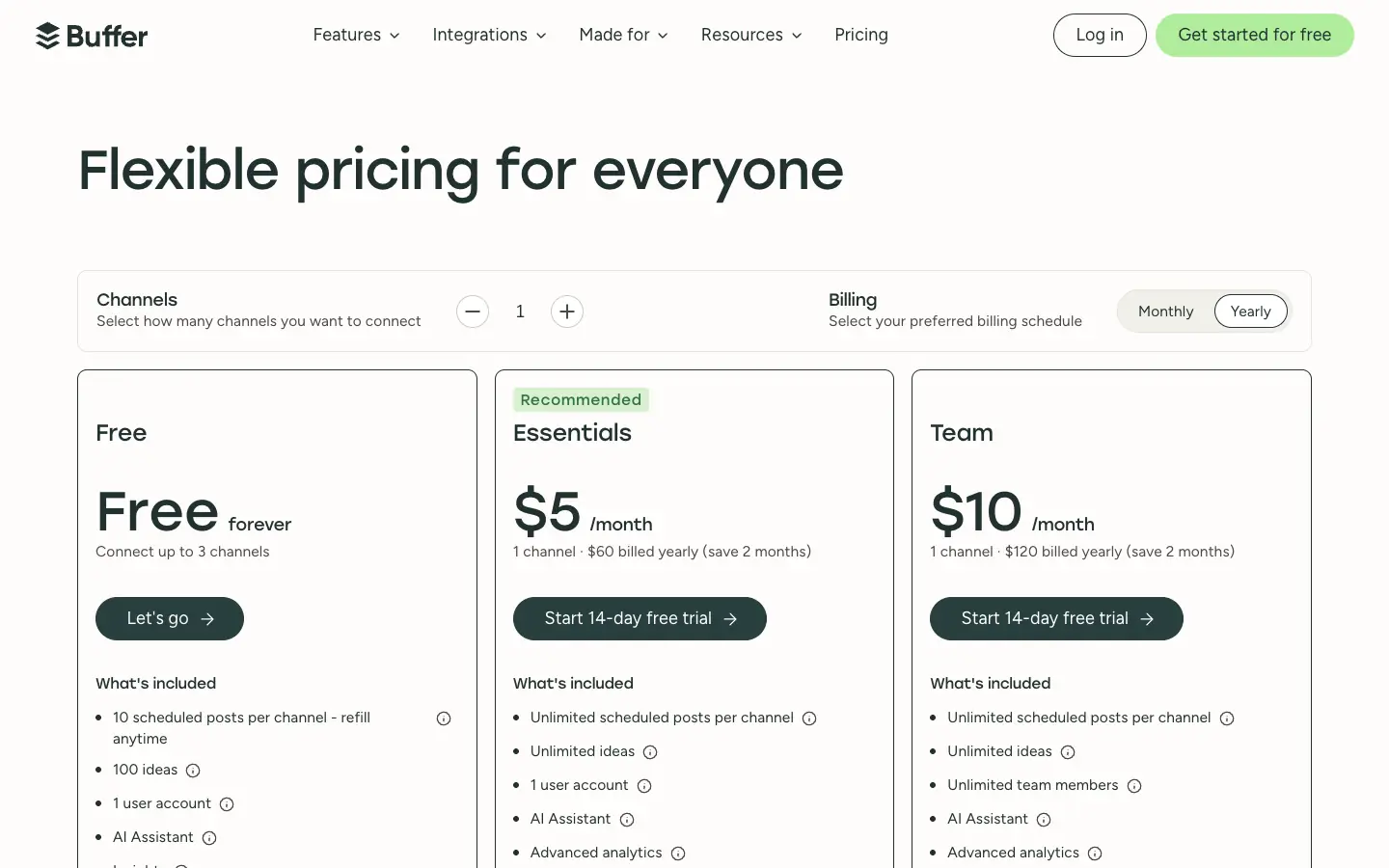
- Free plan: free forever for up to 3 channels, with 10 scheduled posts per channel at a time, 100 ideas, 1 user, the AI Assistant and basic insights.
- Paid plans: Essentials is $5 per channel a month billed yearly and Team is $10 per channel a month billed yearly, each with a 14-day free trial.
- Best for: small accounts that want AI help writing posts and a free scheduler.
- Watch out: the free queue holds 10 posts per channel, so you refill it as posts go out.
Presentations
Gamma
Gamma turns a prompt, an outline or an imported file into a presentation, document, simple website or social post. For a wider look at the category, see our guide to the AI presentation maker workflow, from source notes to slides.
- Free plan: $0 with 400 credits at signup that do not refill, up to 10 slides per prompt, import from PDF and PPTX, and export to PDF, PPTX, PNG and Google Slides.
- Paid plans: Plus is $9 a month billed annually ($108 a year), with 1,500 credits a month, up to 100 slides per prompt and no Gamma branding.
- Best for: turning an outline into a first draft of a deck.
- Watch out: free credits are one-time, and free decks carry Gamma branding.
Putting the tools together
A typical free stack covers four steps: draft the text in an assistant (ChatGPT, Claude or Gemini), make the visuals in Canva or Adobe Express, turn the piece into a short video or voiceover with CapCut, Synthesia, InVideo or ElevenLabs, and schedule the social posts in Buffer. If the content needs a home of its own, an AI Website Builder can extend the workflow from content creation to a responsive, publishable site. Whatever you use, keep a human review step for facts, claims and brand voice before anything is published.
Before you generate: plan the brief and outline
AI tools produce better drafts from a clear brief: the audience, the key points, the sources and the formats you need. AFFiNE, which publishes this blog, is one place to do that planning. It combines docs, an Edgeless whiteboard and mind maps in one workspace, so a brief, an outline and a content calendar can sit side by side, and the editor is free for personal use. AFFiNE AI, which drafts and rewrites text and can turn an outline into a mind map or slides, is a paid add-on: $8.90 a month billed annually on the AFFiNE pricing page on November 14, 2026. AFFiNE does not generate video, voice or stock images, so it is not one of the 15 tools above; you would hand your outline to them.
Tools we removed in this update
- Yoast SEO: a WordPress SEO plugin that checks content, not a tool that creates it.
- Acrolinx: an enterprise platform for checking content against style guides, without a free plan.
- Zest: zest.ai is now an AI company for lending and credit decisions, not a content tool.
- ClickUp: a project management app rather than a content creation tool.
- AIContentfy: aicontentfy.com now presents itself as a digital marketing agency.
- Beautiful.ai: an AI presentation maker with a 14-day free trial of its paid plans but no free plan.
- Lately: its site was not publicly readable when we checked, and we could not confirm a free plan.
Frequently asked questions
What is the best free AI tool for content creation?
There is no single best tool, because each one covers a different kind of content. For writing, ChatGPT, Claude and Gemini have the most capable free plans in this list. For graphics, Canva and Adobe Express have free plans with templates and limited AI. CapCut is a free video editor, and ElevenLabs gives 10,000 free voice credits a month. Most people combine two or three of them.
Is there a completely free AI content creator?
Not without limits. Every free plan in this guide caps something: usage that resets every few hours (Claude), limited or one-time AI credits (Canva, Adobe Express, Gamma), watermarks (Synthesia) or no commercial license (ElevenLabs). Prepostseo's browser tools are free with ads and captchas, and Logogenie lets you design a logo for free but charges $24.90 to download it.
Which free AI tool is best for social media content?
For writing and scheduling posts, Buffer's free plan includes its AI Assistant for up to 3 channels and 10 scheduled posts per channel. For the visuals, Canva and Adobe Express have free plans with social templates, and CapCut is a free editor for short videos.
Can I use content from free AI plans commercially?
It depends on the tool, so read its terms first. In this list, ElevenLabs lists the commercial license as a Starter feature rather than a Free one, and Synthesia's free videos carry a watermark. For images, check whether your plan includes a commercial license before you use the output in ads or products.
Does Google penalize AI-generated content?
Not for being AI-generated. Google's Search Central guidance says appropriate use of AI or automation is not against its guidelines, while using automation to generate content with the primary purpose of manipulating search rankings violates its spam policies. What matters is whether the content is helpful and original, so edit AI drafts and add your own experience and sources.
What is AI content creation software?
AI content creation software uses generative AI to produce or edit text, images, video, audio or slides from a prompt, a script or existing material. Some tools are general assistants, such as ChatGPT, while others focus on one format, such as Synthesia for avatar video or ElevenLabs for voice.
Sources
All checked on November 14, 2026:
- ChatGPT: Plans and pricing
- Claude: Plans and pricing
- Gemini: Google AI subscriptions
- Prepostseo: Plans and pricing
- Canva: Pricing
- Adobe Express: Pricing
- Magnific (formerly Freepik): Pricing, Plans and pricing help, Freepik AI is now Magnific
- Logogenie: Pricing
- InVideo: pricing page (invideo.io/pricing), credits and plan limits help pages (invideo.io/help/billing/plan-limits and invideo.io/help/billing/how-do-credits-work)
- Synthesia: Pricing
- CapCut: Pricing
- ElevenLabs: Pricing
- Async: Pricing
- Buffer: Pricing, AI Assistant
- Gamma: Pricing
- Beautiful.ai: Pricing
- Google Search Central: Google Search's guidance about AI-generated content