Free Vision Board Maker: Make a Digital Vision Board Online
Disclosure: AFFiNE publishes this article, and AFFiNE is one of the tools it covers. How we review products
A vision board maker is an app that lets you arrange photos, goals and short notes on one digital canvas you can edit later. For a free digital vision board, use AFFiNE if you want a whiteboard that works in the browser without an account and keeps goals next to your plans. Choose Canva for the largest template library, Milanote for a tidy mood-board layout, and PicCollage for a quick photo collage on your phone. Below are five steps to build a board, with screenshots from AFFiNE, and a comparison of eight free tools by free-plan limits, export options and mobile apps.
Use a free vision board template or open a blank AFFiNE whiteboard in your browser. A blank board needs no account. Importing a template asks you to sign in with a free AFFiNE account.
How we tested: On November 2, 2026, we built the board in this guide in the AFFiNE web app. We used a fresh browser with no account, and every AFFiNE screenshot comes from that session. For the other seven tools, we read each vendor's pricing page, help center and app store listing on November 2, 2026. We did not run long-term trials of those tools. AFFiNE publishes this blog, so we apply the same criteria to it and list its limits too.
Quick answer: which free vision board maker fits you?
| If you want to... | Start with | Why | Watch out for |
|---|---|---|---|
| Build a board in the browser without signing up | AFFiNE | Whiteboard with frames, images and text; local workspace needs no account | Whiteboard exports are HTML, Markdown or Snapshot, not PNG or PDF |
| Pick from thousands of designed templates | Canva | 1.6M+ templates on the free plan; JPG, PNG and PDF downloads | Premium elements carry a watermark on the free plan |
| Make a clean mood-board style board | Milanote | Drag-and-drop boards with PNG and PDF export | Free plan stops at 100 notes, images or links |
| Make a photo collage on your phone | PicCollage | Free iOS and Android app; web collage maker needs no account | The free app adds a watermark |
| Use Adobe Stock photos and fonts | Adobe Express | 100,000+ templates, 915 vision board templates | Free-plan export formats are not listed on Adobe's pages |
| Add a board to a team's existing Miro space | Miro | Vision board template and real-time collaboration | Only 3 editable boards on the free plan |
How to Make a Vision Board Online in AFFiNE (5 Steps)
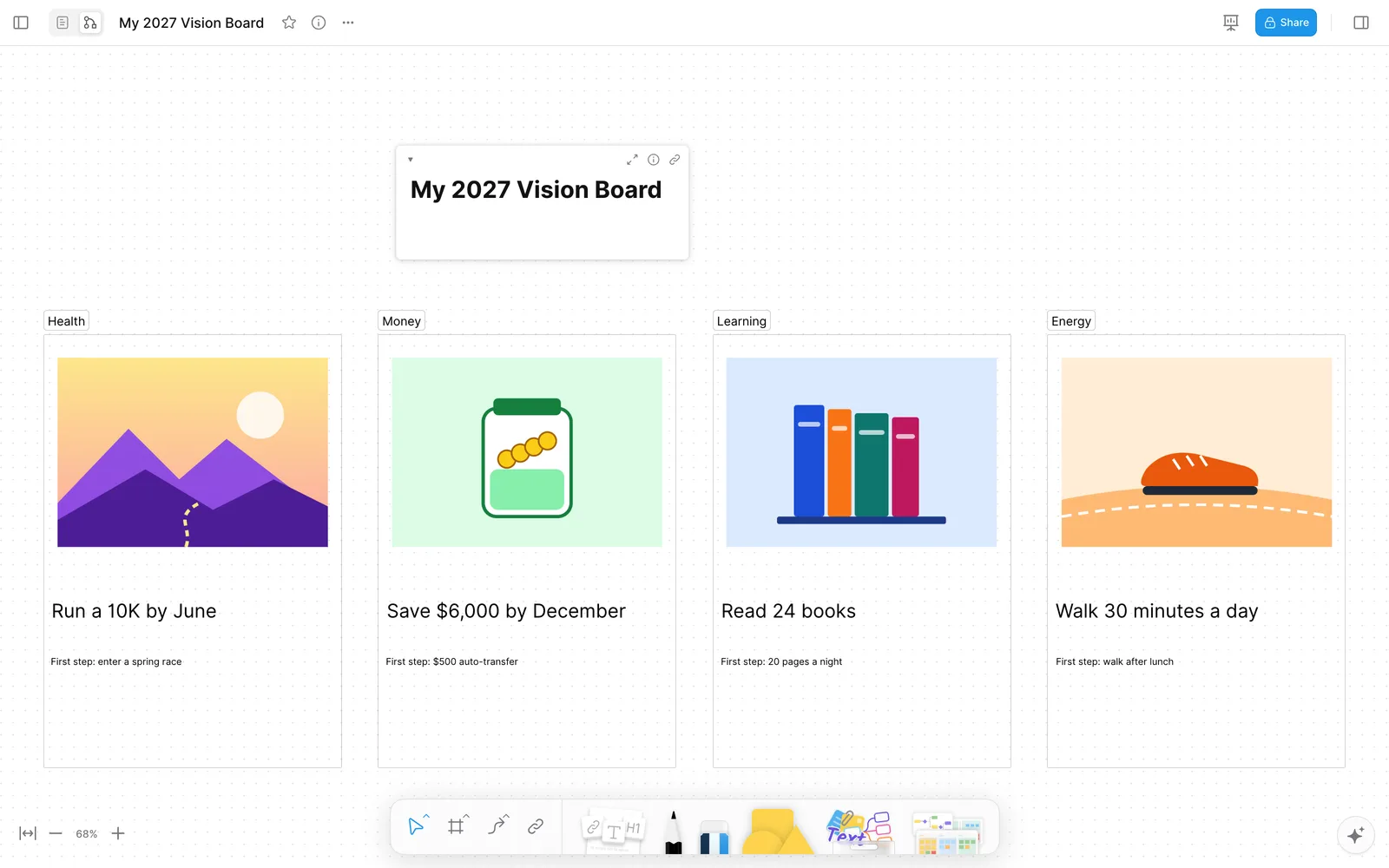
The example board has four life areas: Health, Money, Learning and Energy. Each area gets one image, one specific goal and one first step.
Step 1: Open a blank whiteboard
Open a new doc and switch it to Edgeless mode, which is AFFiNE's whiteboard. Type a title such as "My 2027 Vision Board" so you can find the board later. In the browser, a workspace without an account is saved in that browser, and AFFiNE warns that the browser may remove it when disk space is low. Sign in, or use the desktop app, if you want the board to sync.
Step 2: Draw one frame for each life area
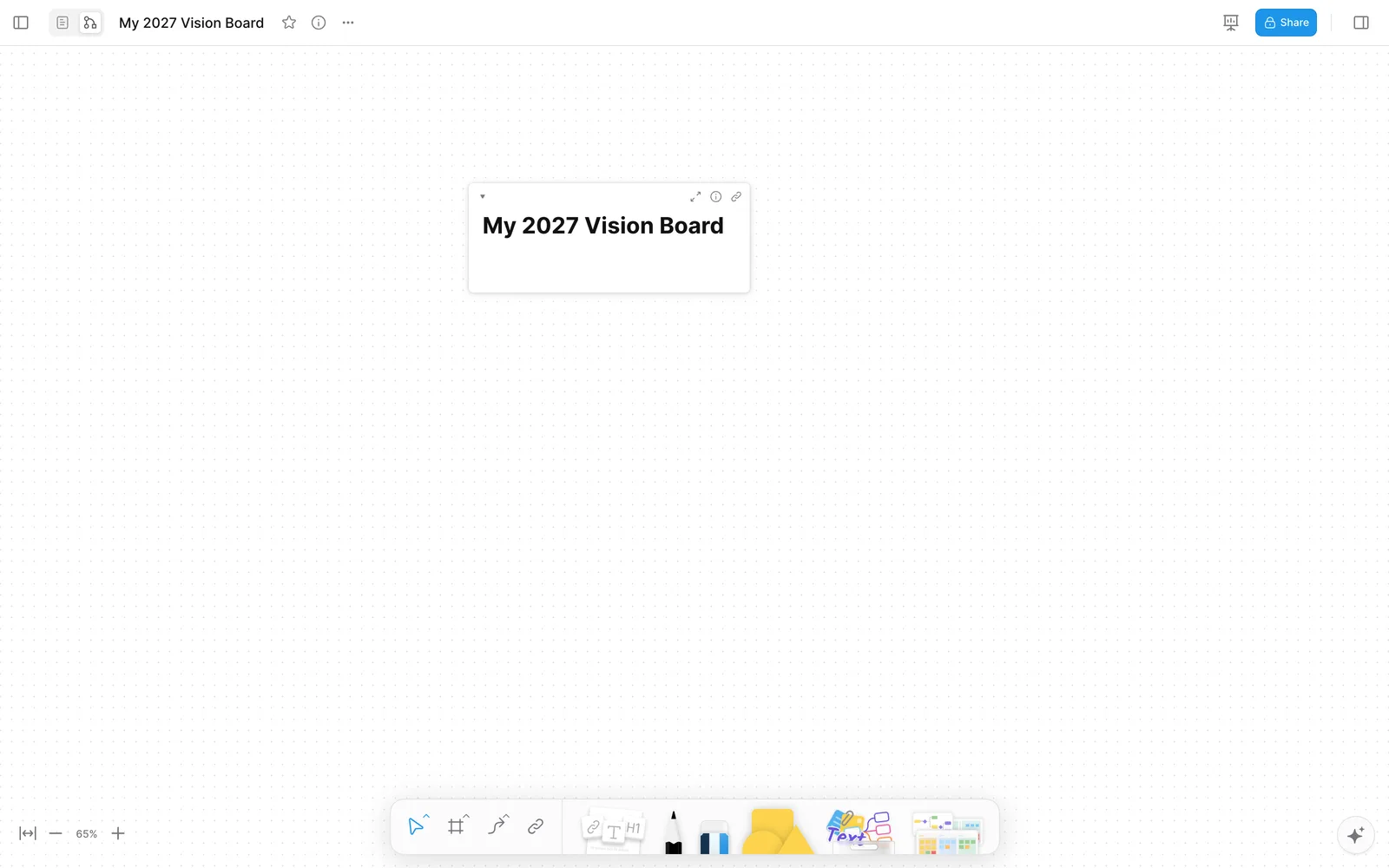
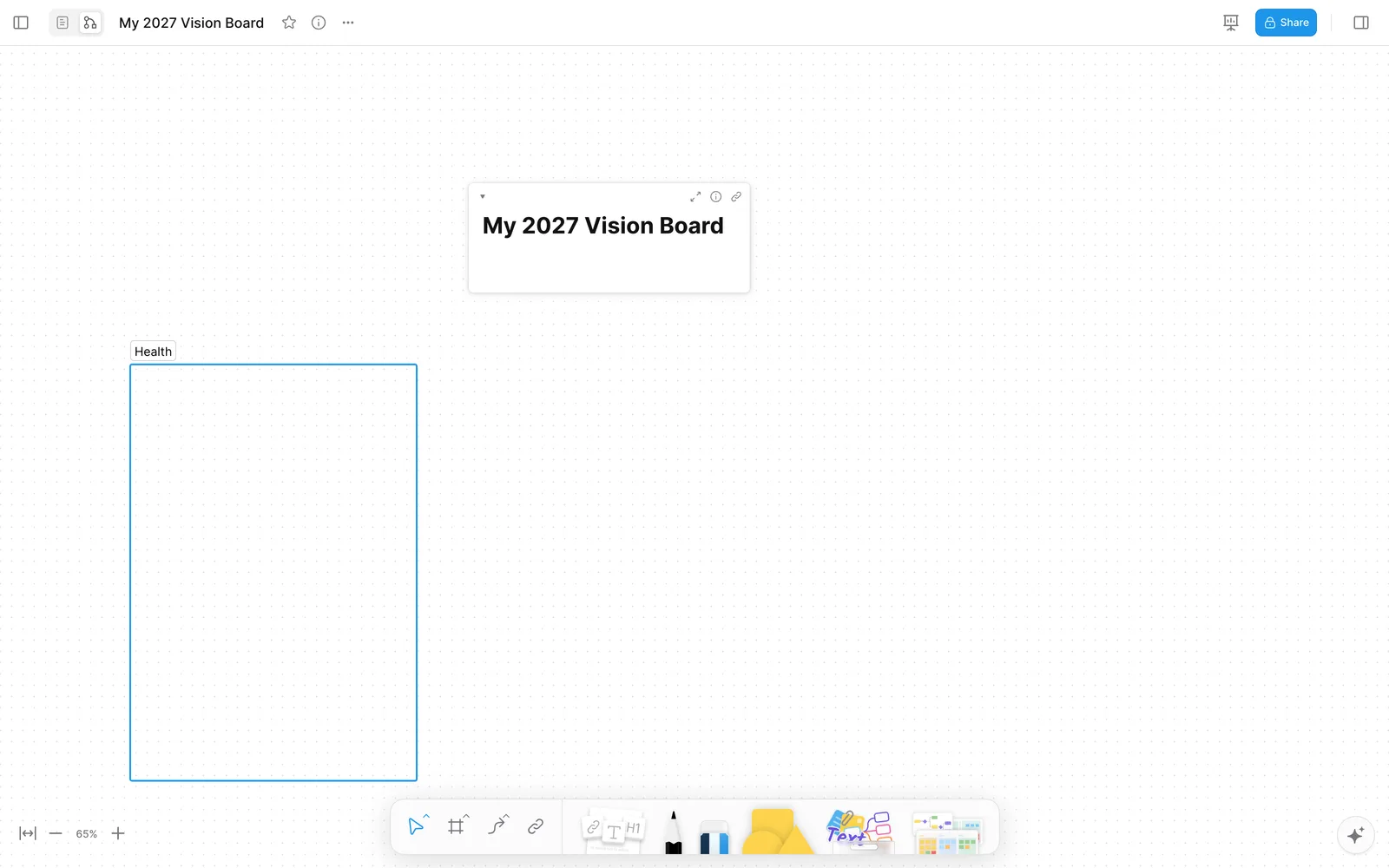
Press F for the frame tool and drag a box for your first life area. Double-click the frame's label and rename it, for example "Health". Repeat for each area you care about this year. Three to five frames is enough. More than that and the board turns into a to-do list. For area ideas, see what to put on a vision board.
Step 3: Paste an image into each frame
Copy an image and paste it with Cmd+V or Ctrl+V while your cursor is over the frame. AFFiNE places the image where your cursor is. Use your own photos where you can, because they are personal and free to use. For other images, check the license first. Our guide to free printable vision board clip art lists sources. The illustrations in this example were made for this guide.
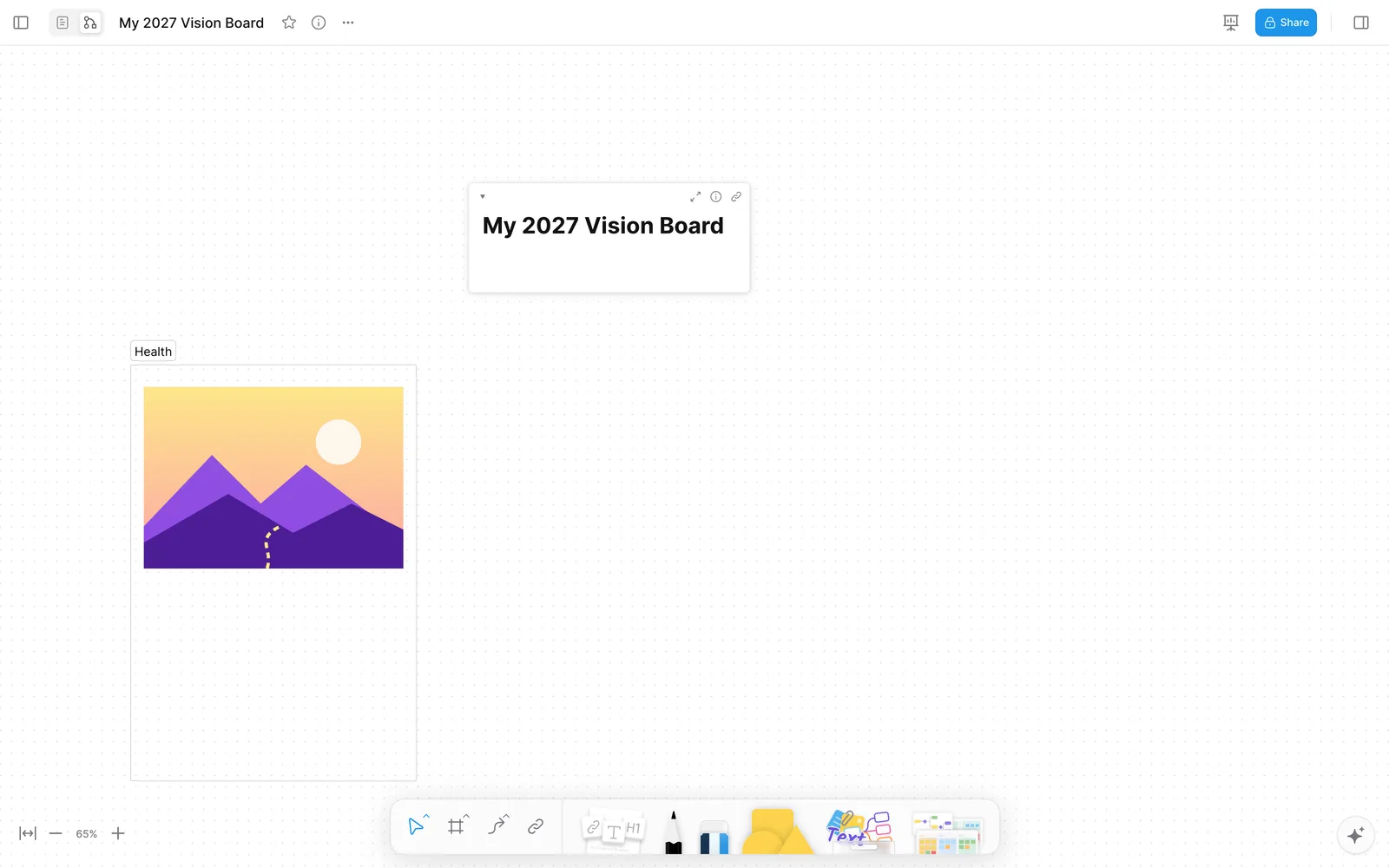
Step 4: Write the goal and the first step under each image
Press T for the text tool, click under the image, and type the goal. Make it something you can check, such as "Run a 10K by June" rather than "get fit". Drag a corner of the text box to make it bigger. Then add a smaller line with the first step you will take, such as "First step: enter a spring race". Research on goal pursuit suggests that this second line matters more than the picture (see "Do vision boards work?" below). Repeat Steps 3 and 4 for each frame. The screenshot shows the board with all four areas filled in.
Step 5: Review the board in presentation mode
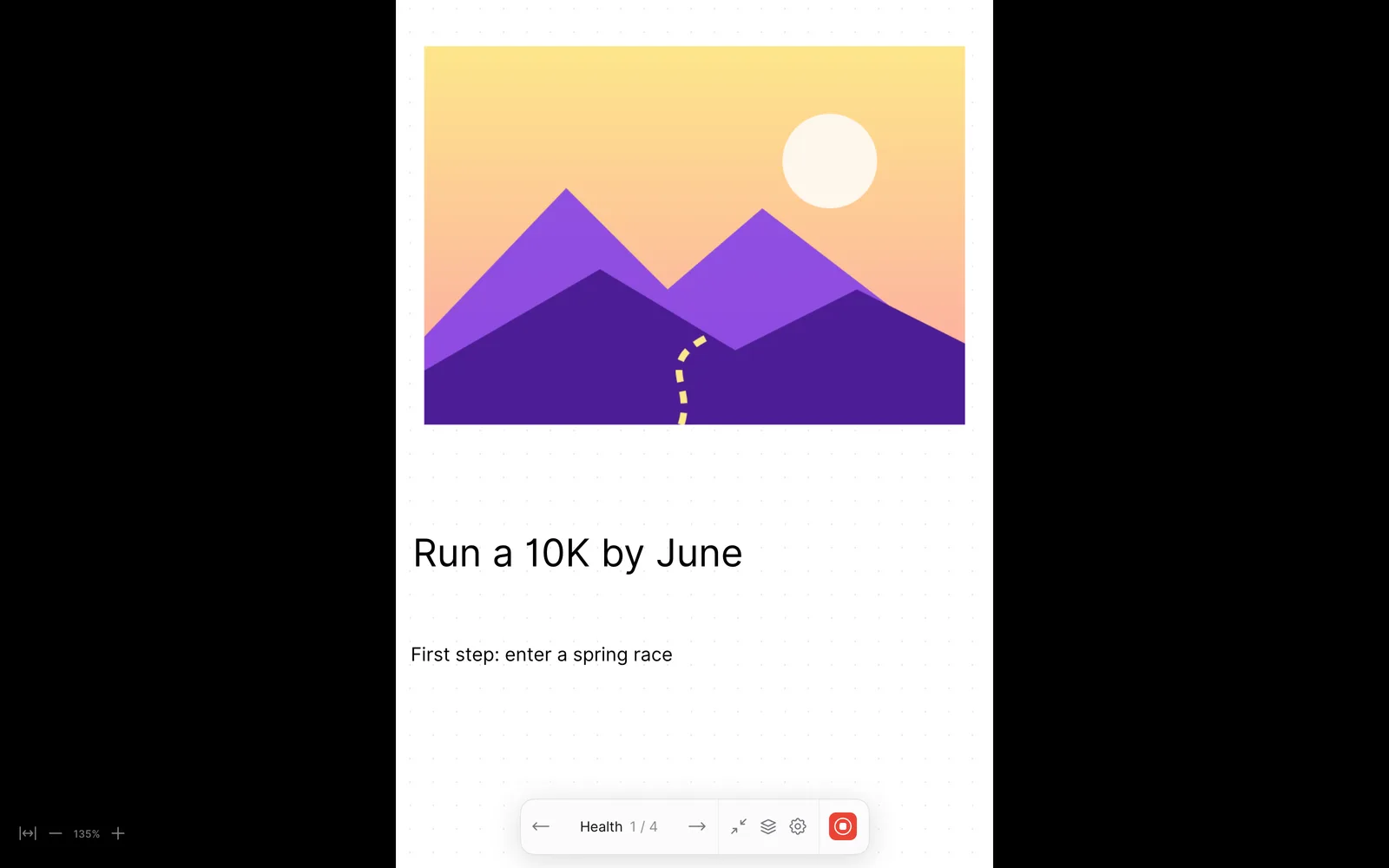
Click the presentation icon in the top-right corner. AFFiNE turns each frame into a slide, so you can step through your goals one at a time ("Health 1/4"). Set a weekly reminder to do this. Update a goal when it changes, and replace an image when it no longer means anything to you.
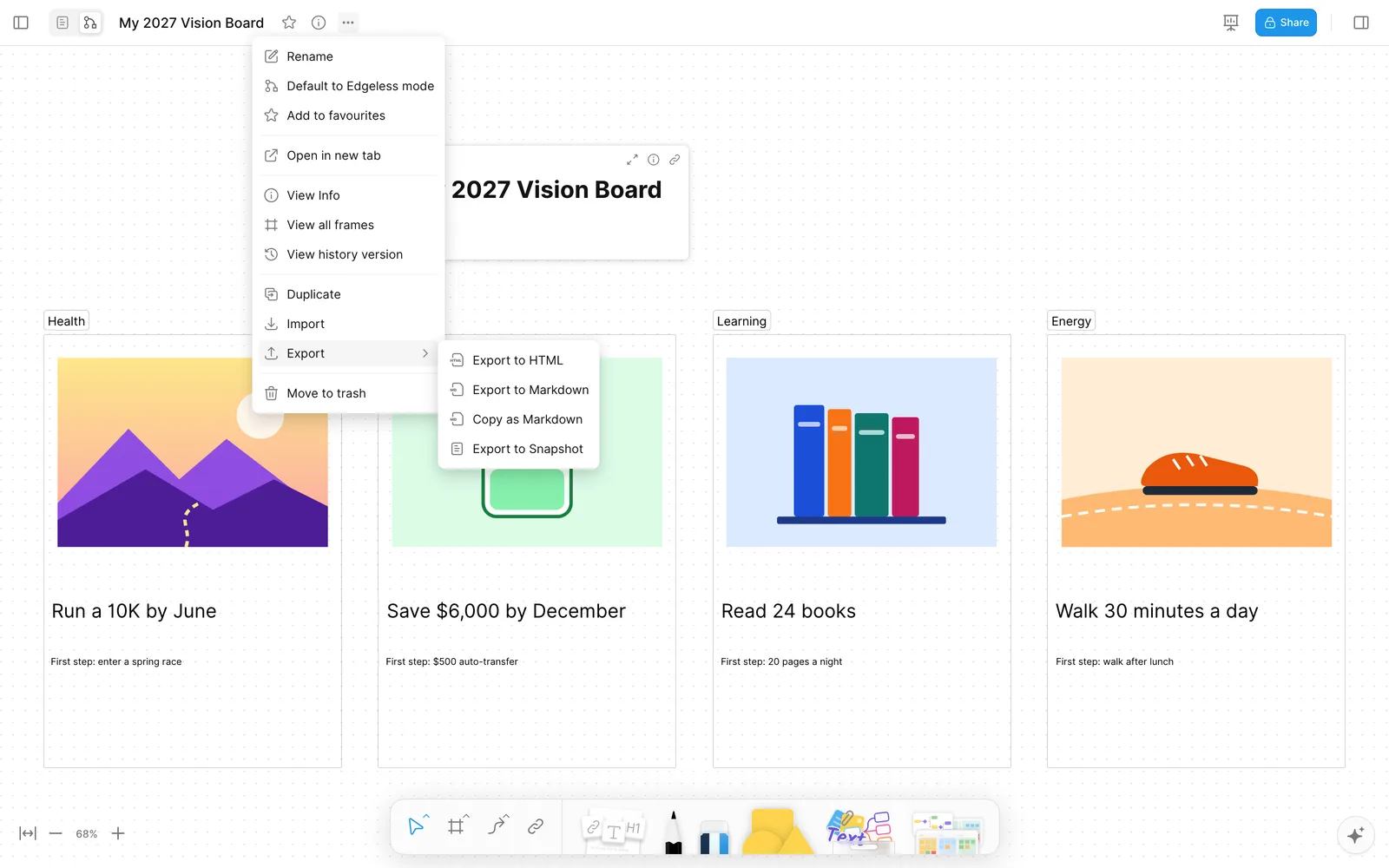
Saving and sharing. In the browser, the doc's Export menu offers HTML, Markdown, Copy as Markdown and Snapshot. It does not offer PNG or PDF for the whiteboard. To get an image for a phone wallpaper, take a screenshot of the board, or use Copy as Image on a selected frame in the AFFiNE desktop app. Our guide to exporting and sharing an online whiteboard covers each option.
Prefer to start from a template?
AFFiNE has a free vision board template category. Good starting points are the Vision Board Template 2026, the Personal Vision Board Template, the Career Vision Board Template, the Financial Vision Board Template and the Student Academic Vision Board Template. The Personal template we opened is a text layout grouped by life area, so plan to add your own pictures. Importing any template asks you to sign in with a free account.
8 Free Vision Board Makers Compared
All details below were checked on each vendor's own pages on November 2, 2026. "Free" means a plan you can keep using without paying, not a trial. Prices are the cheapest paid plan as shown on the vendor's pricing page.
| Tool | Free plan limit worth knowing | Export on the free plan | Mobile apps | Account to start | Cheapest paid plan |
|---|---|---|---|---|---|
| AFFiNE | Unlimited local use; free cloud: 10 GB, 3 members per workspace | Whiteboard: HTML, Markdown, Snapshot | iOS, Android | No (local workspace) | Pro $6.75/month, billed annually |
| Canva | 1.6M+ templates, 5 GB storage; premium elements watermarked | JPG, PNG, PDF | iOS, Android | Yes | Pro US$144/year |
| Adobe Express | 100,000+ templates, 5 GB storage | Not listed on Adobe's free-plan page | iOS, Android | Not confirmed | Premium US$9.99/month |
| Milanote | 100 notes, images or links; 10 file uploads | PNG, PDF, Word, Markdown, text | iOS, Android (no offline mode) | Yes | $9.99/month, billed annually |
| Fotor | Limited credits, 512 MB storage | Normal-resolution JPG, PNG, PDF | iOS, Android | Not confirmed | Pro US$3.99/month, billed annually |
| Visme | Unlimited projects, 500 MB storage | None: downloads need a paid plan | iOS, Android | Yes | Starter US$12.25/month, billed yearly |
| PicCollage | App is free with a watermark; web maker has no watermark | Save to device (app); full-resolution save (web) | iOS, Android | No for the web maker | VIP $4.99/month or $35.99/year |
| Miro | 3 editable boards | Low-resolution JPG and PDF | iOS, Android (no export on phones) | Not confirmed | Starter $8/member/month, billed yearly |
AFFiNE
AFFiNE is an open-source workspace that combines docs and a whiteboard. For a vision board, its strengths are frames, which become presentation slides, and the option to keep the board next to the plan behind each goal. You can start in the browser or the desktop app without an account, and the whiteboard works offline in the desktop app. The limits are real, though. It has no built-in stock photo library, and the whiteboard cannot export PNG or PDF in the browser.
- Good fit: people who want the board, goals and weekly plans in one place.
- Watch out for: you supply your own images, and image export needs a screenshot or the desktop app's Copy as Image.
Canva
Canva has the largest set of vision board templates and a big stock library. The free plan downloads JPG, PNG and PDF. Premium photos and graphics carry a watermark unless you upgrade or remove them.
- Good fit: a polished, printable board in one sitting.
- Watch out for: filter out premium elements to stay free, and expect to sign up first.
Adobe Express
Adobe Express offers 915 vision board templates, mixing free and premium, and the free plan includes 1M+ stock assets. It suits people who already use Adobe tools. Adobe's free-plan page does not list download formats, so check them before you invest time.
- Good fit: template-led designs with Adobe fonts and stock.
- Watch out for: premium templates mixed in with free ones.
Milanote
Milanote is built for mood boards and has a ready vision board template. The free plan allows 100 notes, images or links, which is enough for one board of about four areas with a few images each. Exports include PNG and PDF.
- Good fit: a clean board with notes and links next to images.
- Watch out for: the 100-item cap fills up quickly if you make more than one board, and the mobile apps do not work offline.
Fotor
Fotor is a photo editor with a collage and mood board maker. The free plan exports normal-resolution JPG, PNG and PDF. HD and transparent exports are paid.
- Good fit: photo-heavy boards that need quick edits.
- Watch out for: credit-based AI tools, and watermark rules that the pricing page does not make clear.
Visme
Visme is a presentation and infographic tool with a free plan, but its help center says downloads are "Not Allowed" on the Basic plan. You can build a board on the free plan, but you cannot download it as an image or PDF without paying.
- Good fit: people who already pay for Visme for presentations.
- Watch out for: no free downloads, and we found no dedicated vision board template page.
PicCollage
PicCollage is a phone-first collage app. The free app adds a watermark that the VIP plan removes. The browser collage maker says it needs no download, no account and adds no watermark, which makes it a good free option for a quick photo board.
- Good fit: a fast photo collage for your phone's lock screen.
- Watch out for: VIP stickers and layouts must be removed before you can save a collage for free.
Miro
Miro is a team whiteboard with a vision board template. The free plan keeps only your 3 most recent boards editable, and free exports are low resolution. Our Miro board guide explains the free plan in detail.
- Good fit: a team or coaching session that already runs in Miro.
- Watch out for: the 3-board limit if you also use Miro for work.
Free Online Vision Board Creator: What "Free" Really Includes
When people search for a free online vision board creator, they usually need three things: making the board, saving a copy, and seeing it every day. The free plans differ most on the second.
- Free to make and save a full-quality image: Canva (without premium elements), the PicCollage web maker, Milanote within 100 items, and Fotor at normal resolution.
- Free to make, but saving is limited: Miro (low-resolution exports, 3 editable boards) and AFFiNE (screenshot or desktop Copy as Image, because the whiteboard has no PNG export).
- Free to make, but not to download: Visme.
- Free without an account: AFFiNE's local workspace and the PicCollage web maker.
If you plan to print the board, pick a tool that exports PDF on the free plan, such as Canva or Milanote. If the board lives on your laptop and you review it weekly, an editable whiteboard such as AFFiNE is enough. For printed boards, see our printable vision board quotes.
Can AI Make a Vision Board for You?
AI can generate images for a vision board, but it cannot choose your goals. A practical approach is to write your goals first, generate or find one image per goal, then build the board by hand in any of the tools above. Our comparison of free AI image generators shows what each free plan allows. In AFFiNE, AI features are part of a paid add-on. Pasting an image you generated elsewhere works the same way as in Step 3.
Do Vision Boards Work?
A vision board works best as a reminder of goals you have already planned. It does not replace the plan. Research on positive thinking supports this caution. In studies by Oettingen and Mayer (2002), people who indulged in positive fantasies about a desired future tended to put in less effort and achieve less than people with positive but realistic expectations. Kappes and Oettingen (2011) found that positive fantasies about an idealized future lowered energy, measured by systolic blood pressure, which the authors suggest may explain why such fantasies predict poorer achievement.
Planning the next action helps. A meta-analysis of 94 independent tests by Gollwitzer and Sheeran (2006) found that "if-then" plans had a medium-to-large effect on reaching goals. That is why each frame in our example has a first-step line under the image. For more on the evidence, read the science of positivity and vision boards.
Common Vision Board Mistakes
- Too many areas. Ten frames are hard to review weekly. Keep three to five.
- Images without goals. A beach photo alone does not tell you what to do next. Write the goal under it.
- Goals without a first step. Add one concrete action you can take this week.
- Never looking at it again. Put a weekly review on your calendar, or set the board as your laptop wallpaper.
- Unlicensed images on a shared board. Use your own photos or images you are allowed to reuse.
For layouts to copy, see 15 vision board ideas and our guide to a digital vision board you will use daily.
Frequently Asked Questions
What is the best free vision board maker?
It depends on what you need. Canva has the most templates and free JPG, PNG and PDF downloads. Milanote is cleanest for mood-board layouts within its 100-item free limit. AFFiNE works without an account and keeps the board next to your plans. PicCollage is quickest for a phone collage.
Can I make a vision board online for free without signing up?
Yes. AFFiNE lets you build a board in a local browser workspace without an account, and the PicCollage web collage maker says it needs no account. Canva, Milanote and Visme ask you to sign up first.
How do I make a digital vision board on my phone?
Use a phone app such as PicCollage, Canva or AFFiNE, all of which have iOS and Android apps. Phone screens are small, so many people build the board on a computer and view it on the phone.
Can I print a digital vision board?
Yes, if the tool exports PDF or a high-resolution image. Canva and Milanote export PDF on their free plans. Fotor exports normal-resolution PDF. Visme blocks downloads on its free plan, and AFFiNE's whiteboard needs a screenshot or the desktop app's Copy as Image.
Is AFFiNE free for making a vision board?
Yes. The local workspace is free with no account, and free cloud sync includes 10 GB of storage for up to 3 members per workspace. The Pro plan costs $6.75 a month billed annually, and AI features are a separate paid add-on.
What should I put on a vision board?
Put one image, one specific goal and one first step for each life area you care about this year, such as health, money, learning or relationships. Our guide on what to put on a vision board has more examples.
Sources
- AFFiNE: Pricing, Download, Whiteboard. Export options verified in the AFFiNE web app on November 2, 2026.
- Canva: Pricing, Download file types, Watermarks.
- Adobe Express: Pricing, Free plan.
- Milanote: Plans, Exporting your work, Mobile apps.
- Fotor: Pricing, Desktop and mobile apps.
- Visme: Pricing, Allowed sizes, limits and formats.
- PicCollage: Remove the watermark, VIP subscription, Web collage maker.
- Miro: Pricing, Export your board.
- Oettingen, G., and Mayer, D. (2002). The motivating function of thinking about the future: Expectations versus fantasies. Journal of Personality and Social Psychology.
- Kappes, H. B., and Oettingen, G. (2011). Positive fantasies about idealized futures sap energy. Journal of Experimental Social Psychology.
- Gollwitzer, P. M., and Sheeran, P. (2006). Implementation Intentions and Goal Achievement: A Meta-analysis of Effects and Processes. Advances in Experimental Social Psychology.
How this guide was prepared: Allen first published this article on the AFFiNE blog in December 2024. In November 2026 the AFFiNE content team rewrote it as a hands-on guide. We built the example board in the AFFiNE web app and captured every AFFiNE screenshot from that session. We checked the other seven tools against their vendors' pricing and help pages, and added the research behind the goal-and-first-step method. The goals on the example board are illustrations, not a real person's plan. See our editorial policy for how we review and update guides.