Free Concept Map Maker
A free concept map maker for labeled links and cross-links, right next to your notes. Online or offline.
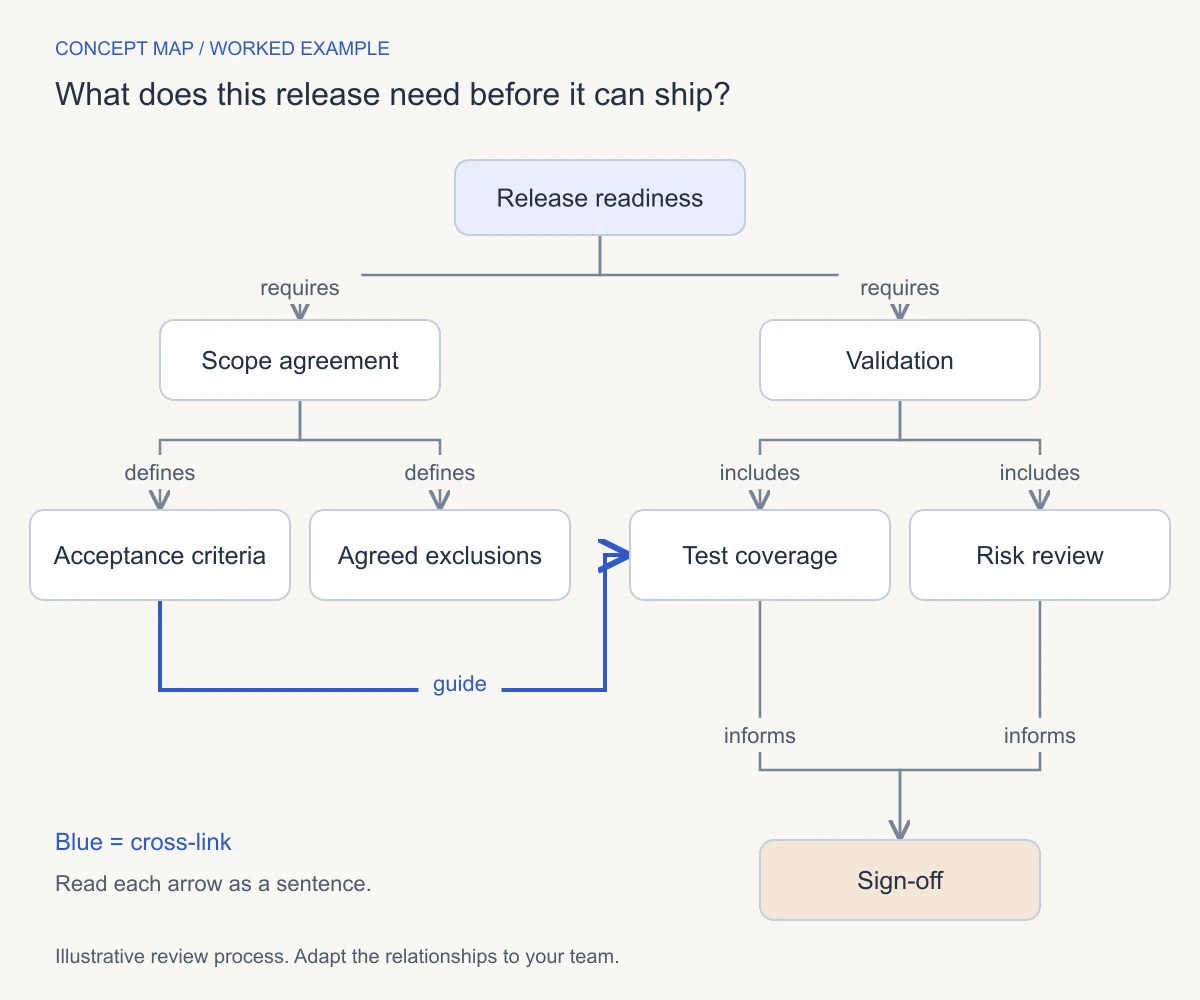
- Free for local use
- Web, desktop and mobile
- Open source (MIT)
How to make a concept map in AFFiNE
Ask a focus question
Write it in Page mode, then list 8 to 12 concepts.
Switch to Edgeless
Toggle the same doc. Your notes stay beside the canvas.
Add one shape per concept
Double-click a rectangle and type. Put the broadest concept on top.
Label every connector
Double-click a connector and type linking words, such as requires.
Add cross-links
Join related branches, then read each link as a sentence.
A concept map maker built for linking words
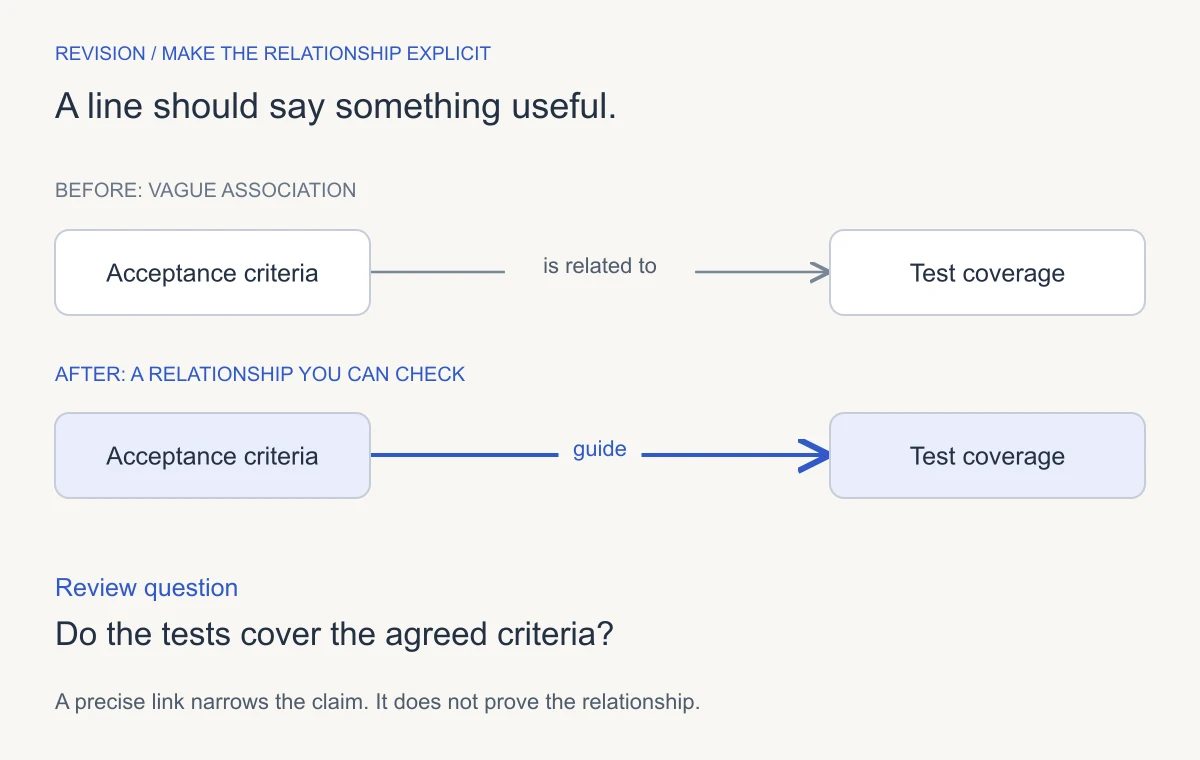
Label every connector
Double-click any connector to add linking words. Each arrow then reads as a full statement, which is what makes it a concept map and not a mind map.
Cross-links on an infinite canvas
Edgeless mode has no page edges, so any two concepts can connect.
Notes and map in one doc
Switch the same doc between Page and Edgeless. Sources stay next to the concepts.
Free and local-first
Unlimited local workspaces. Maps stay on your device unless you pick AFFiNE Cloud.
Build it together
The free cloud tier includes 10 GB and up to 3 members per workspace.
Share or export
Export to HTML, Markdown or Snapshot, or Copy as Image on desktop. See the whiteboard export guide.
Start from a blank concept map template
Each layout is free as a PNG, a printable PDF or an editable PowerPoint file.
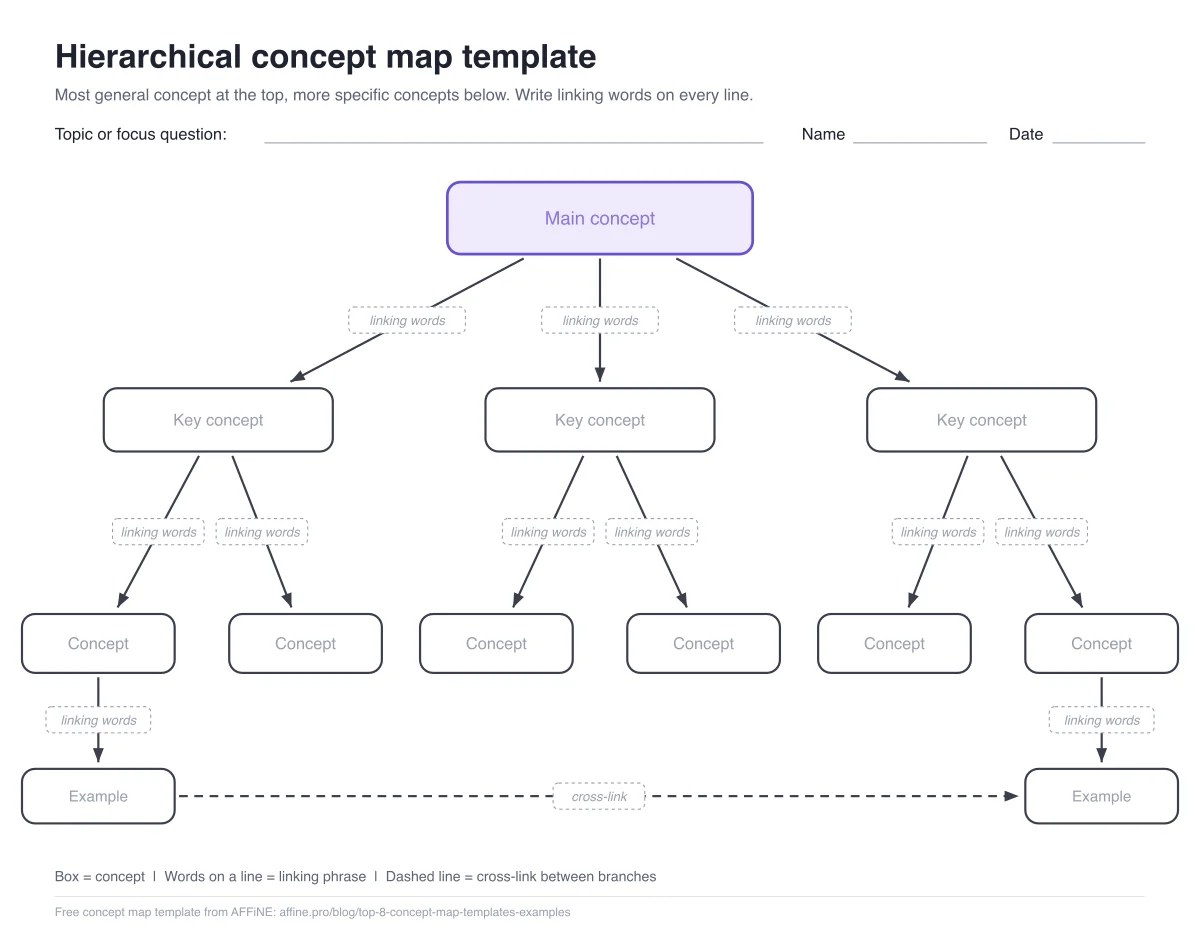 HierarchicalOne idea broken into levels
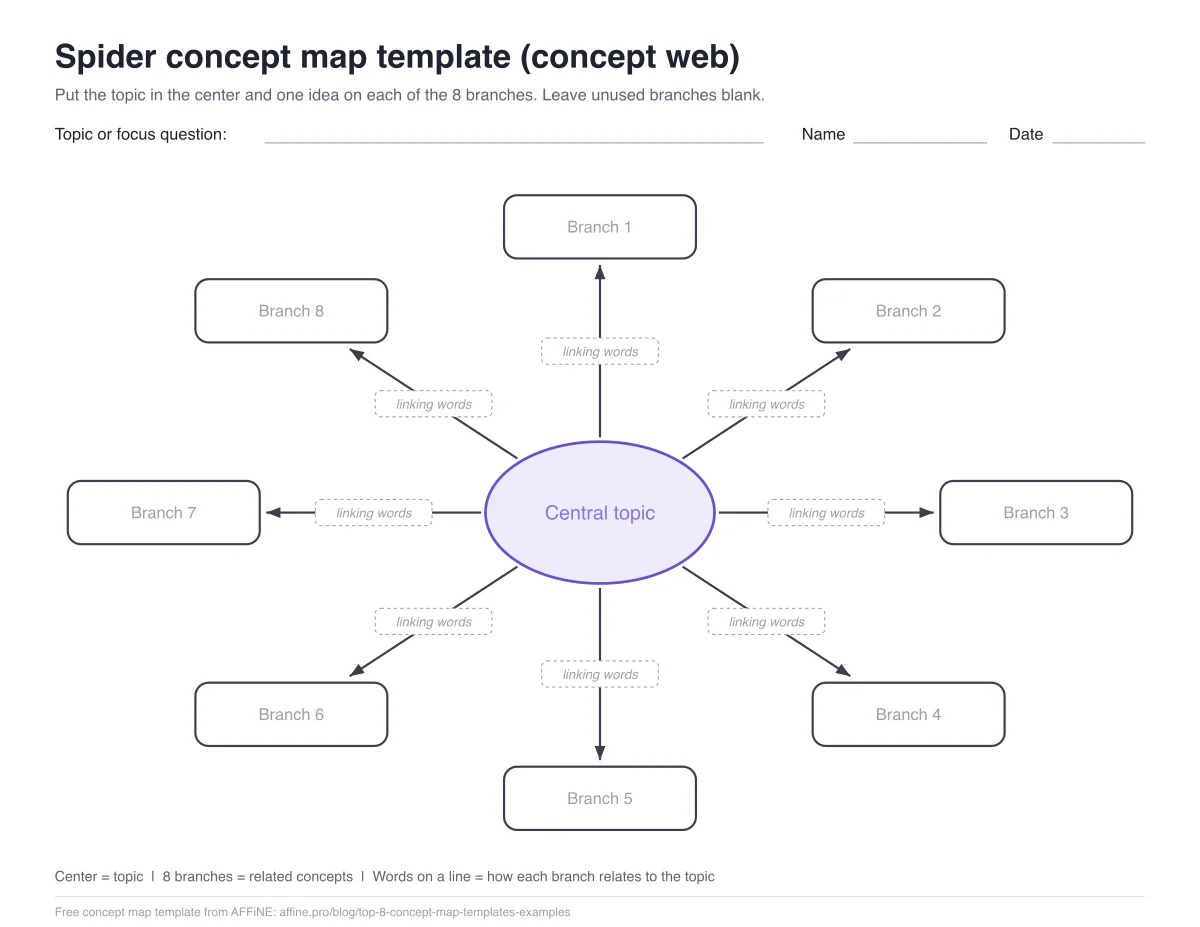 SpiderA central topic and its themes
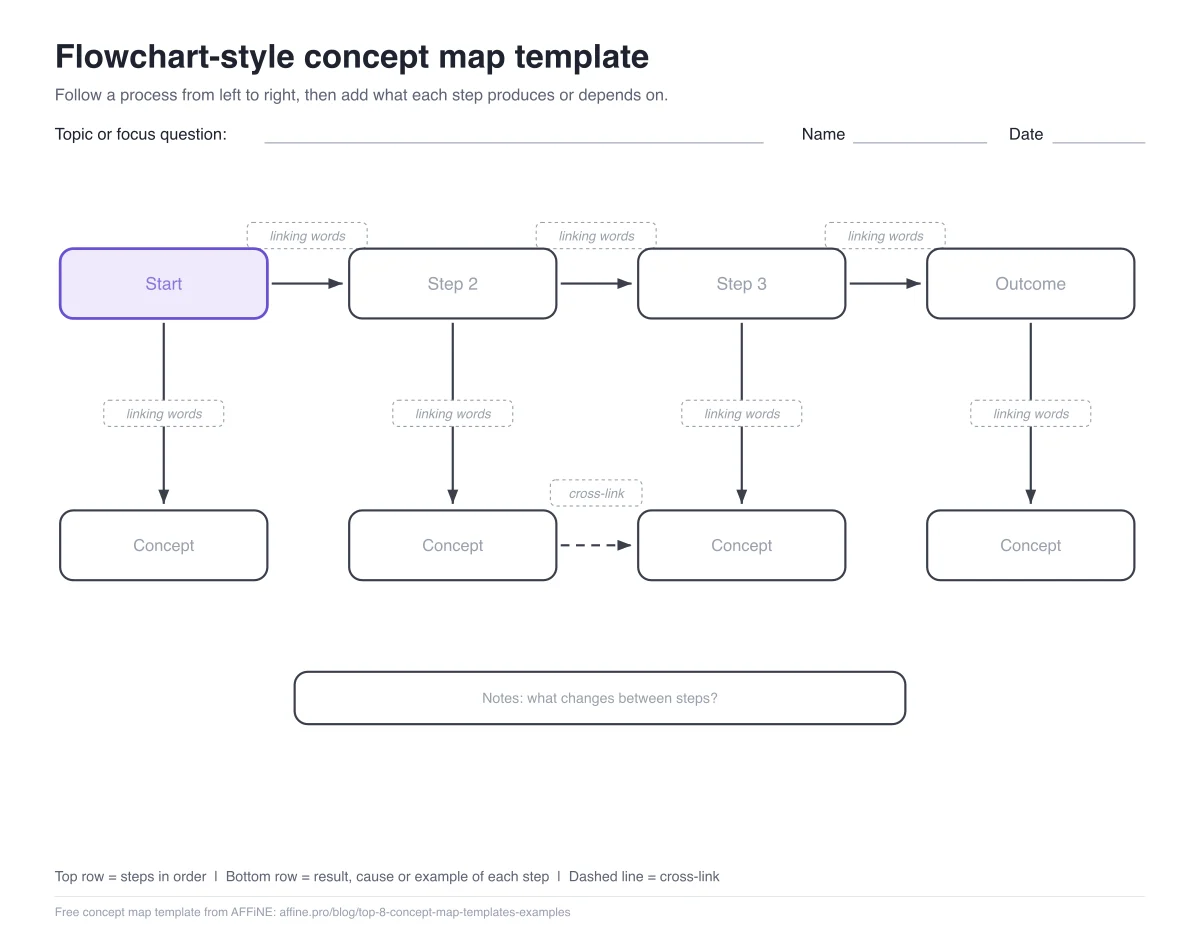 FlowchartProcesses, cause and effect
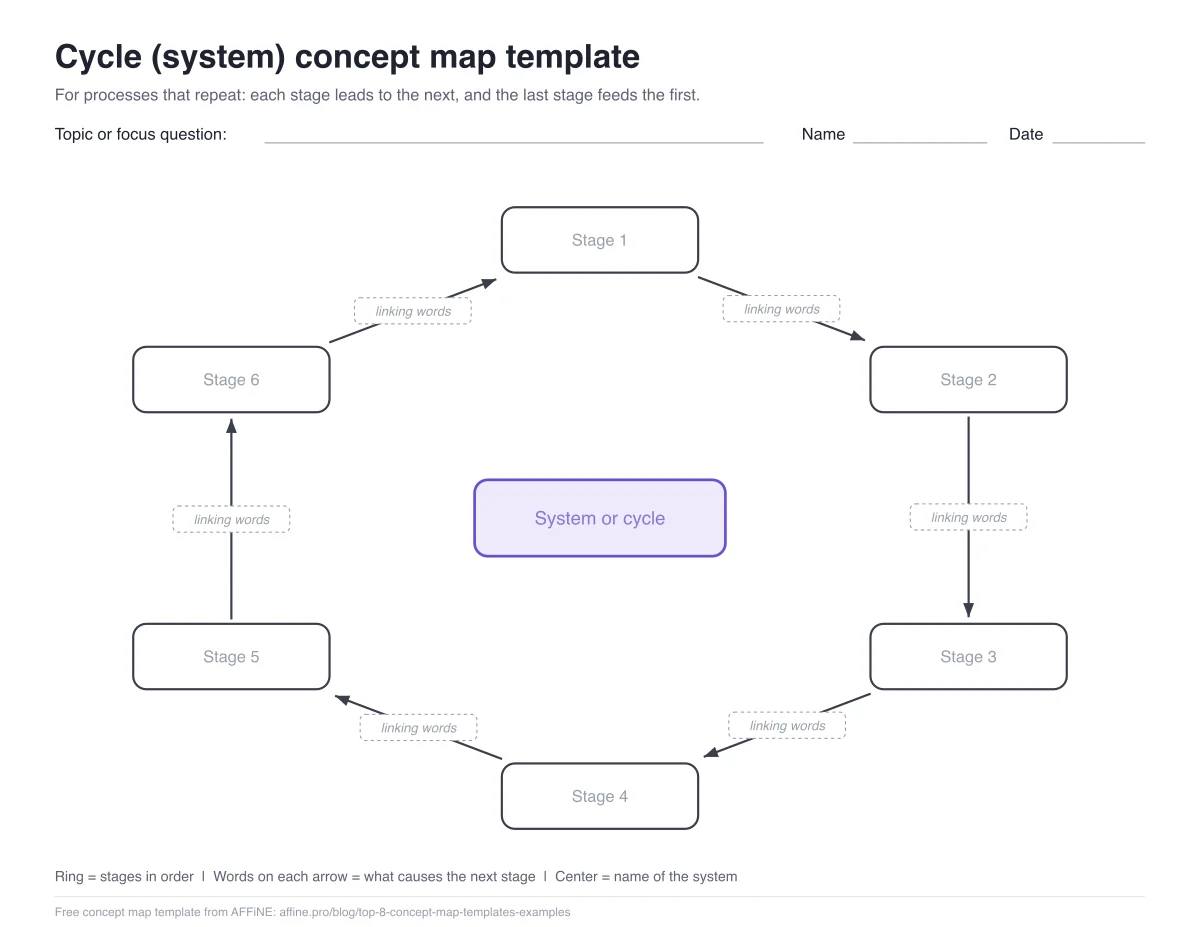 CycleRepeating systems
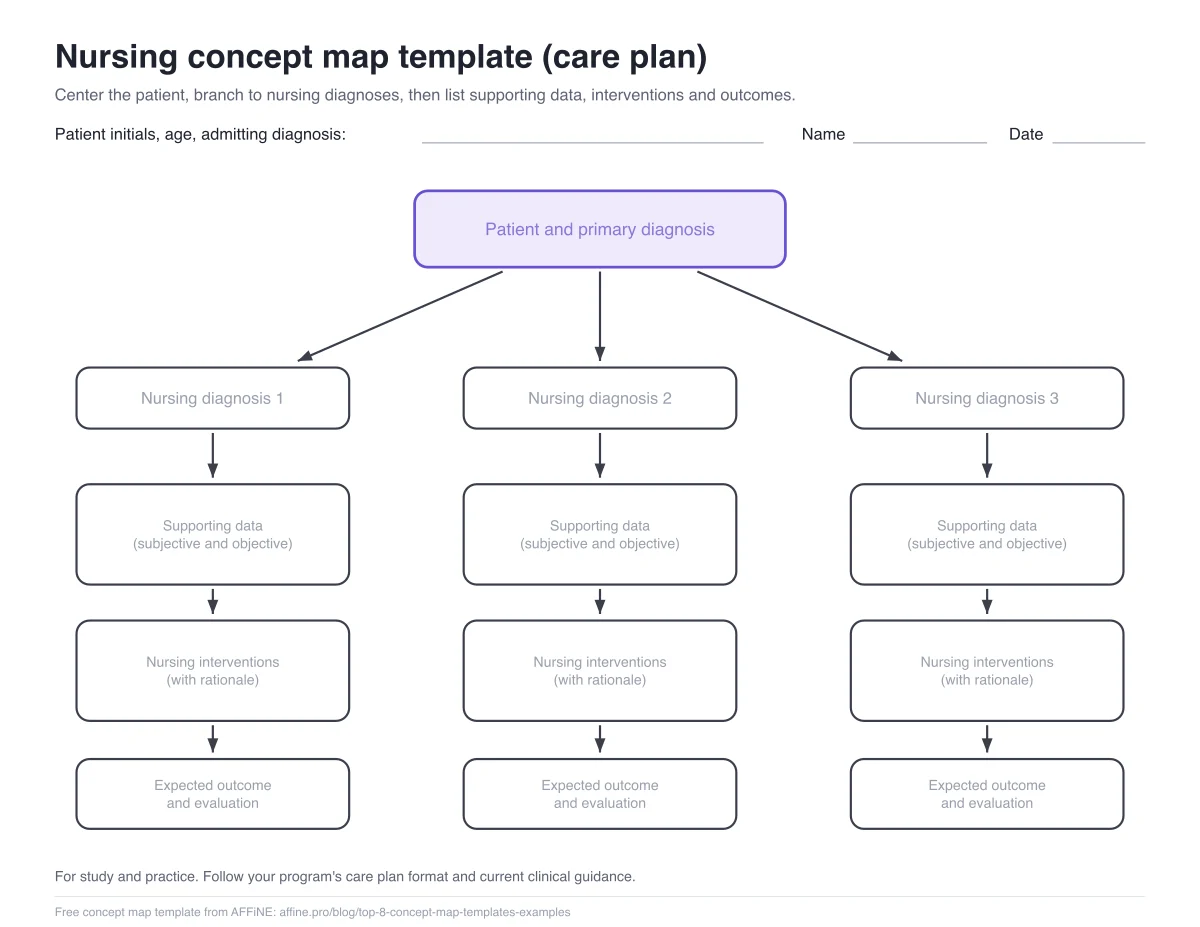 NursingProblems, interventions, outcomes
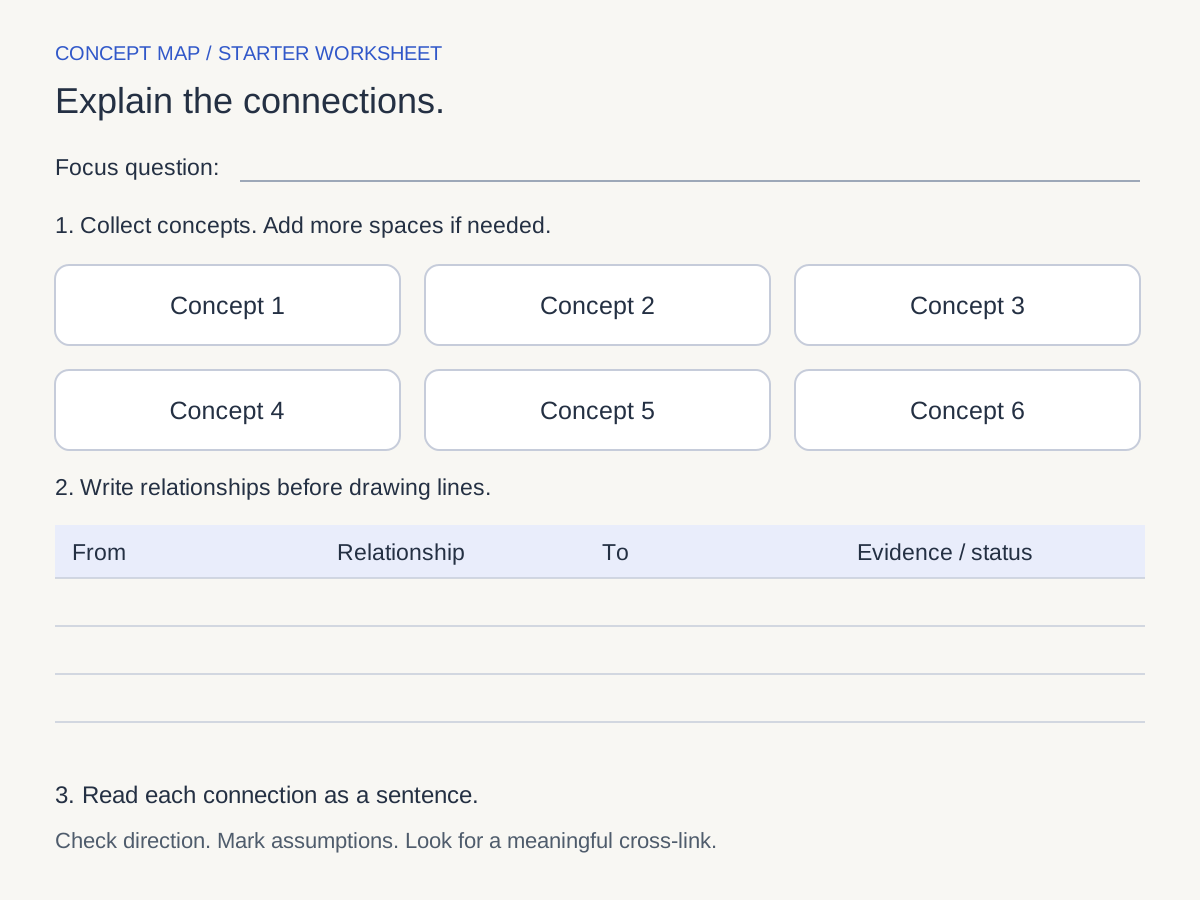
Example: a water cycle concept map
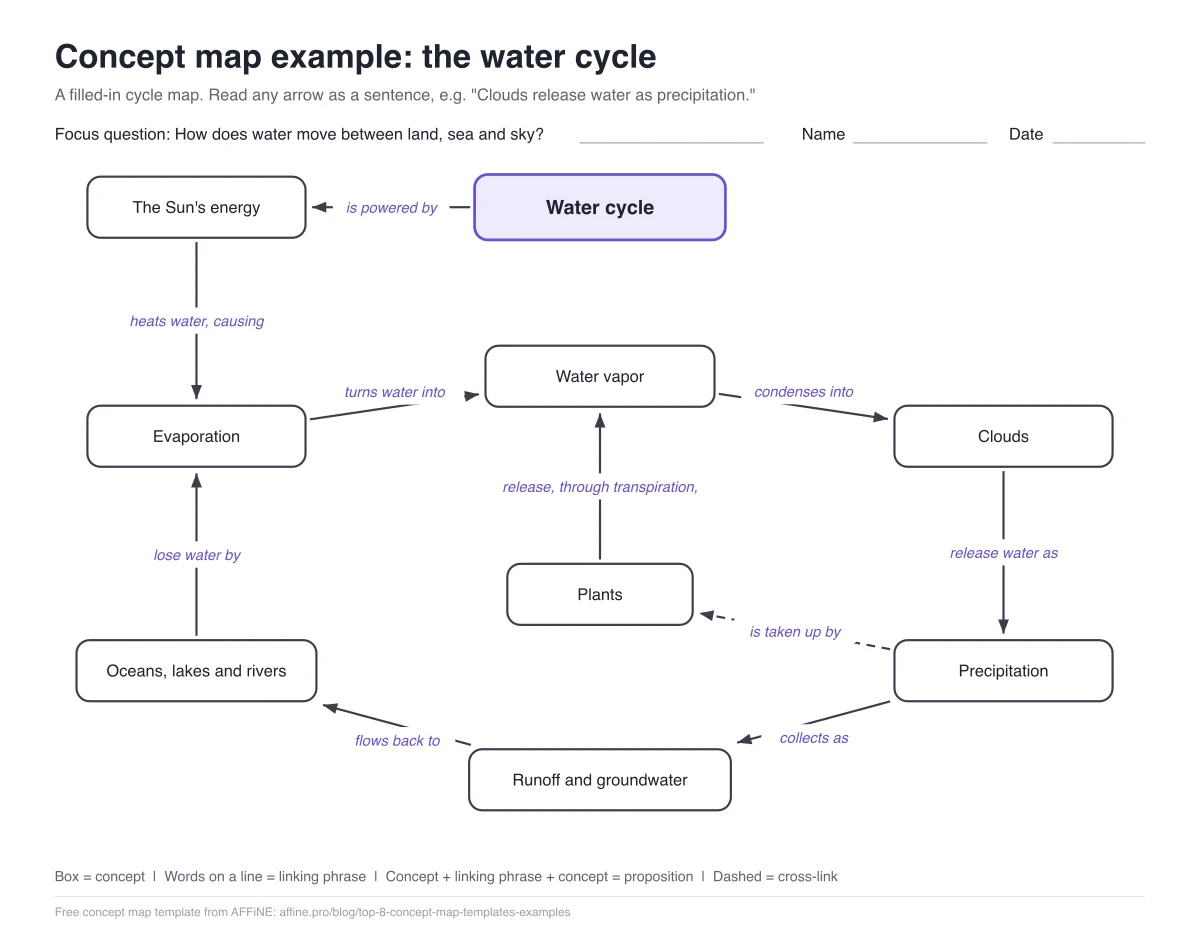
Focus questionHow does water move between the ocean, the air and the land?
- SunheatsOcean water
- CloudsreleasePrecipitation
- Transpirationadds toWater vapor
Read each arrow as a sentence. The last row is the cross-link: it joins the plant branch to the air branch, so the map shows one system instead of two stories. The same map is included with the free templates.
See all 9 propositions
| # | Concept | Linking words | Concept |
|---|---|---|---|
| 1 | Sun | heats | Ocean water |
| 2 | Ocean water | evaporates into | Water vapor |
| 3 | Water vapor | condenses into | Clouds |
| 4 | Clouds | release | Precipitation |
| 5 | Precipitation | falls as | Rain or snow |
| 6 | Rain or snow | collects in | Rivers and lakes |
| 7 | Rivers and lakes | flow back to | Ocean water |
| 8 | Plants | release water vapor through | Transpiration |
| Cross-link | Transpiration | adds to | Water vapor |
Check your concept map before you share it
- It answers the focus question
A reader can answer it from the map alone.
- Every connector has linking words
A verb or short phrase, such as leads to.
- No vague links
Replace "relates to" with the real relationship.
- General above specific
Scan from the main idea down to examples.
- At least one cross-link
Show how separate branches affect each other.
- 15 to 25 concepts
Split bigger topics into linked maps.
What is a concept map?
A concept map is a diagram of how ideas relate. Concepts sit in boxes, and labeled arrows join them so each pair reads as a statement, such as "plants produce oxygen". Joseph Novak developed the method at Cornell University in the 1970s. Read the full guide: what is a concept map.
Concept map vs mind map
- A network: any concept can link to any other
- Links labeled with linking words
- Cross-links expected
- Best for explaining how ideas relate
- A tree that grows from one center
- Links usually unlabeled
- Cross-links rare
- Best for brainstorming and outlining
What people make with a concept map maker
Students
Turn a chapter into a study map and spot the links you cannot explain yet.
Concept map examplesNursing students
Connect assessment data, diagnoses, interventions and outcomes for one patient.
Nursing concept map guideTeachers
Hand out a map with the concepts filled in and ask for the linking words.
Researchers and teams
Map how the themes in a review or project connect, each linked to its notes.
Can AFFiNE generate a concept map with AI?
Partly. AFFiNE AI turns your notes into a mind map draft with candidate concepts and branches. It does not write linking words or add cross-links, so you finish those by hand.
AFFiNE AI is a paid add-on at $8.90 per month billed annually, with 10 trial uses per AFFiNE Cloud user. Making concept maps by hand is free.
How AFFiNE compares with other free concept map makers
Pick AFFiNE when the map belongs with notes, readings or a project wiki. For a standalone diagram, CmapTools and draw.io are also free and handle linking words well. We compared the free plans of 8 tools, including Canva, Miro and Lucidchart, in our free concept map maker comparison.
Concept map maker FAQs
Is AFFiNE's concept map maker free?
Yes. Local use is free with unlimited workspaces and unlimited Page and Edgeless editing. Only AFFiNE AI and larger cloud plans are paid.
Can I make a concept map online without downloading anything?
Yes. Open AFFiNE in your browser at app.affine.pro and use Edgeless mode. Desktop apps for Windows, macOS and Linux are optional and work offline.
Can AI generate a concept map for me?
AFFiNE AI can generate a mind map draft from your notes. A concept map also needs linking words on every connector and cross-links between branches, so you add those yourself.
How do I add linking words to a connector?
Draw a connector between two shapes in Edgeless mode, double-click the connector and type the linking words.
Can I build a concept map with other people?
Yes. Put the doc in an AFFiNE Cloud workspace and invite members. The free cloud tier allows up to 3 members per workspace.
How do I put my concept map into Word or a slide?
In the AFFiNE desktop app, select the map and use Copy as Image, then paste it. You can also export the doc as HTML or Markdown, or take a screenshot.
What is the difference between a concept map and a mind map?
A concept map is a network with labeled links and cross-links. A mind map is a tree that grows from one central idea, usually without labels on the links.
Make your first concept map
Start with a focus question and ten concepts. AFFiNE keeps them and the map in one place.