On-Premise Collaboration Software: 10 Tools, Costs, and Ops
Compare on-premise collaboration software for chat, docs, files, projects, and video by license, seat costs, and server needs, with an ops checklist.

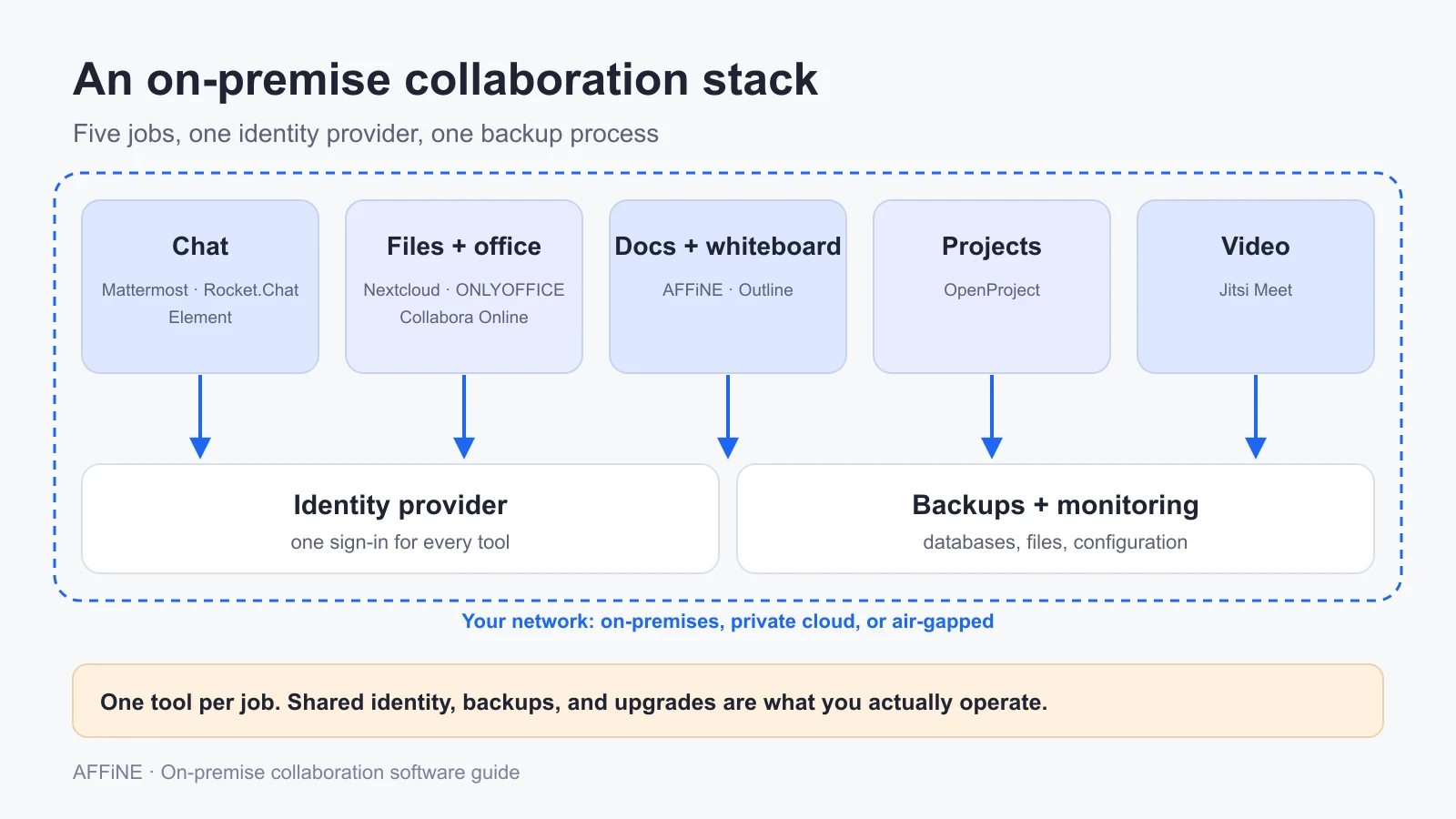
On-premise collaboration software is chat, document editing, wiki, project, and video tools that run on servers your organization controls, inside your own data center or private cloud, instead of on a vendor's shared SaaS platform. No single product covers everything well. Most IT teams end up running a small stack: a chat server such as Mattermost, Rocket.Chat, or Element; a document and knowledge layer such as Nextcloud, ONLYOFFICE, Collabora Online, Outline, or AFFiNE; OpenProject for projects; and Jitsi Meet for video.
This guide is for the IT, security, or platform lead who has to choose that stack and then run it. It sorts the main tools by category, explains the difference between on-premises, private cloud, and air-gapped deployments, shows where the license and seat costs actually start, and ends with an operations checklist and a pilot plan.
At a glance
- Chat: Mattermost, Rocket.Chat, or Element (Matrix). All three put their strongest compliance and scale features in paid editions.
- Files and office documents: Nextcloud, with ONLYOFFICE Docs or Collabora Online for in-browser editing.
- Docs, wiki, and whiteboard: Outline for a documentation wiki, or AFFiNE for docs, whiteboards, and databases in one workspace.
- Projects: OpenProject. Video: Jitsi Meet.
- Budget for: paid tiers that often start at 25 or 100 users, one owner per service, tested backups, and a sign-in plan that works across every tool.
Published by AFFiNE, which makes one of the tools compared here. Product facts were checked against each vendor's official pricing pages, documentation, and GitHub repositories on October 27, 2026. We did not deploy or benchmark these tools for this article.
What counts as on-premise collaboration software
"On-premise" is used loosely in vendor marketing. For a buying decision, three deployment models matter, and they change what you have to operate and what you can promise your security team.
| Model | Where it runs | Who operates it | Internet dependency | Typical reason to choose it |
|---|---|---|---|---|
| On-premises | Servers in your own data center or office | Your team, end to end | Usually some: updates, push notifications, license checks | Data must stay on hardware you own |
| Private cloud | A dedicated VPC or tenant at a cloud provider, or a vendor-managed dedicated instance | Your team, or the vendor for managed options | Yes | Control over data location without buying hardware |
| Air-gapped | An isolated network with no internet route | Your team, with offline update and license processes | None by design | Classified, industrial, or high-security networks |
Air-gapped is the hardest case, and it is where products differ most. Check three things for every tool: how updates and container images get into the network, whether the license can be activated offline, and how mobile push notifications work without a vendor gateway. Element, for example, sells a separate air-gapped tier with a dedicated push gateway, priced per deployment. AFFiNE offers an Installable License for servers that cannot reach its license service.
The term also overlaps with two others. Self-hosted usually means the same thing as on-premises or private cloud, said by a smaller team. Open source is a licensing question, not a hosting one. Several tools below are open core: the community edition is open source, while the features larger organizations need sit in a commercial edition. If you are only replacing Notion, our self-hosted Notion alternative guide goes deeper on that one category.
The categories in an on-prem collaboration stack
Start by listing the jobs the stack must do, then pick one tool per job. Trying to make one product cover chat, files, docs, and video usually means accepting a weak version of most of them.
| Category | Tools covered here | What to test first |
|---|---|---|
| Team chat | Mattermost, Rocket.Chat, Element | Message retention, guest access, mobile push, sign-in |
| Files and office documents | Nextcloud, ONLYOFFICE Docs, Collabora Online | Co-editing Word and Excel files, sharing links, storage growth |
| Docs, wiki, and whiteboard | Outline, AFFiNE | Page structure, permissions, search, diagrams and planning boards |
| Project management | OpenProject | Gantt and boards, roles, time tracking |
| Video meetings | Jitsi Meet | HTTPS, TURN for restrictive networks, bandwidth |
On-premise collaboration tools compared
This table summarizes licenses and published pricing. "Starts at" is the lowest published paid tier on the vendor's pricing page on October 27, 2026. Where the vendor only shows "contact sales," the table says so. Licenses come from each project's repository.
| Tool | Category | License | Free self-hosted option | Paid tiers start at | Documented server minimum |
|---|---|---|---|---|---|
| Mattermost | Chat | Source under AGPL-3.0 or commercial; compiled builds under MIT | Team Edition (under 250 users, no SSO) or Entry (limits apply, best under 50 users) | Contact sales | Not checked for this guide |
| Rocket.Chat | Chat | MIT, except enterprise directories | Starter, for evaluation, small businesses, and nonprofits | Contact sales | Not checked for this guide |
| Element (Matrix) | Chat | Synapse homeserver under AGPL-3.0 | Element Server Suite Community, for evaluation and non-professional use | Per seat per month from 100 users (contact sales); air-gapped priced per deployment | Not checked for this guide |
| Nextcloud | Files, office, chat | AGPL-3.0 | Nextcloud server (community) | Enterprise Standard at €71.29 per user per year, 100-user minimum | Not checked for this guide |
| ONLYOFFICE Docs | Office editors | AGPL-3.0 | Community Edition; the 20-connection limit was removed in version 9.4 | Enterprise, licensed by simultaneous connections | 2 cores, 4 GB RAM, 40 GB disk |
| Collabora Online | Office editors | MPL 2.0 | Development Edition (CODE), for testing and home use | €3 per user per month, up to 99 users | Not checked for this guide |
| Outline | Docs and wiki | BSL 1.1 (not open source; converts to Apache 2.0 on 2030-10-23) | Self-hosted Outline | Not compared here | 512 MB RAM minimum, 1 GB or more recommended; Unix only |
| AFFiNE | Docs, whiteboard, databases | Open core: MIT editor, backend under the AFFiNE Enterprise Edition license | Free up to 10 seats per workspace | Team at $10 per seat per month, billed annually | 4 CPU cores, 2 GB RAM (4 GB for large documents) |
| OpenProject | Projects | GPL-3.0 | Community edition | Basic at $7.25 per user per month, 25-user minimum | 4 cores, 4 GB RAM, 20 GB disk for up to 200 users |
| Jitsi Meet | Video | Apache-2.0 | Free; there is no paid tier | No paid tier | Not checked for this guide |
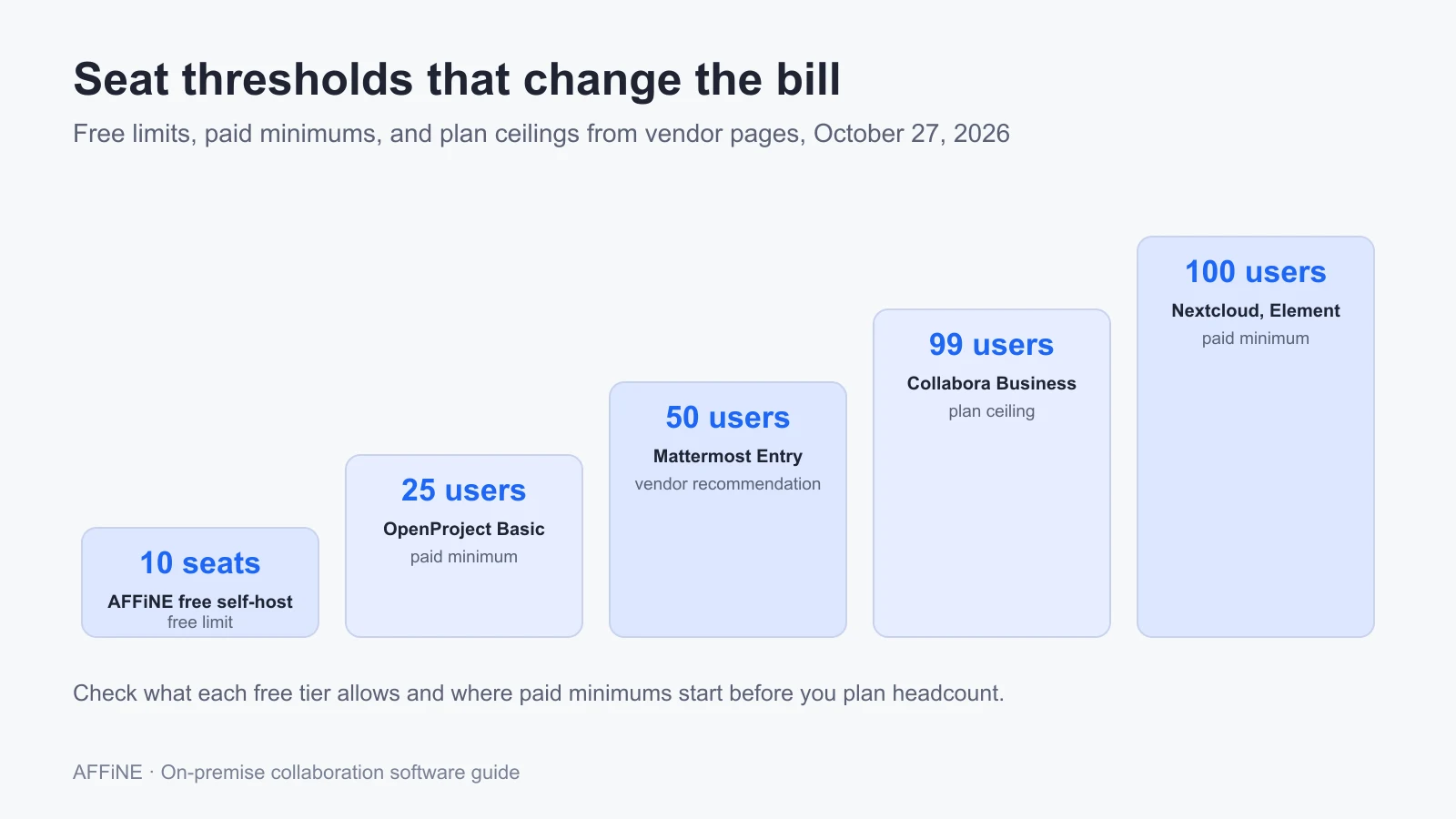
Two patterns stand out. First, paid tiers often start at 25 or 100 users, so a 30-person team may pay for more seats than it has. Second, the free tier of the chat tools is meant for evaluation or small teams. Read the edition comparison before you plan a 500-person rollout on it.
Tool-by-tool notes
Team chat: Mattermost, Rocket.Chat, and Element
Mattermost offers two free paths. Team Edition is MIT-licensed, runs as a single Linux binary with PostgreSQL, and is meant for teams under 250 activated users that do not need single sign-on. Entry is the Enterprise Advanced build running free with server-wide limits, including 10,000 viewable channel messages, no compliance exports or legal hold, and no high availability. Mattermost says Entry is best for teams under 50 users. Paid plans (Professional, Enterprise, Enterprise Advanced) are sold through sales.
Rocket.Chat code is MIT-licensed outside its enterprise directories. Its pricing page lists on-premises, private cloud, isolated VPC, and fully air-gapped deployment for commercial plans, plus a Starter plan for evaluation, small businesses, and nonprofits. Paid pricing is quote-based.
Element runs on the Matrix protocol, so separate organizations can federate while each keeps its own server. Its pricing page describes three paths: a free, AGPL Community suite for non-professional use and evaluation; Enterprise, priced per seat per month from 100 users; and Sovereign, an air-gapped tier priced per deployment. The same page describes the community Synapse homeserver as not intended for production use and positions Synapse Pro for professional deployments. Plan your budget with that in mind.
Files and office documents: Nextcloud, ONLYOFFICE, and Collabora
Nextcloud is the file sync and sharing layer many on-prem stacks are built around, and the server is AGPL-3.0. The Enterprise subscription starts at 100 users: Standard at €71.29, Premium at €104.99, and Ultimate at €204.75 per user per year when checked. Nextcloud Talk (chat and meetings) is an optional add-on at extra cost on all three tiers. Whiteboard is included in Ultimate and is an optional extra on Premium, while Tables and Collectives are included only in Ultimate.
ONLYOFFICE Docs adds browser editing for Word, Excel, and PowerPoint formats and connects to Nextcloud and many other platforms. The Community Edition is AGPL-3.0, and since version 9.4 it no longer has the old 20 simultaneous connection limit. Enterprise licensing counts simultaneous connections, not total users. The Docker install guide asks for a dual-core 2 GHz CPU, 4 GB of RAM, 40 GB of disk, and 4 GB of swap.
Collabora Online is based on LibreOffice and licensed under MPL 2.0. The free Development Edition (CODE) gets rolling updates and is meant for testing and home use. According to the pricing page, Business costs €3 per user per month for up to 99 users with long-term support releases and signed security updates. Enterprise (100+ users) is quoted.
Docs, wiki, and whiteboard: Outline and AFFiNE
Outline is a fast documentation wiki. It is licensed under BSL 1.1, which its own license file states is not an open source license; each release converts to Apache 2.0 after the change date. The requirements page lists PostgreSQL 14+, Redis 4+, at least 512 MB of RAM (1 GB or more recommended), a dedicated domain, and an external authentication provider. It does not run on Windows Server.
AFFiNE combines documents, an infinite whiteboard (Edgeless mode), and database views with table and Kanban layouts in one workspace. It installs with the official Docker Compose file, which runs AFFiNE, PostgreSQL, and Redis. The requirements page recommends 4 CPU cores and 2 GB of RAM, or 4 GB for documents over about 10,000 words. Sign-in supports Google, GitHub, and OIDC providers through the OAuth settings. Desktop apps keep a local copy of work. Self-hosting is free for up to 10 seats per workspace. Larger teams need the Team plan or an Installable License, and the self-host page covers those options.
Who should not choose AFFiNE:
Do not choose AFFiNE today if you need identity provisioning beyond OIDC sign-in, built-in compliance exports, or an officially supported cluster deployment.
Do not choose it as a Confluence-scale documentation system with deep page-level permissions either. AFFiNE is also open core rather than open source end to end, because the backend uses the Enterprise Edition license, so check the license file if your policy only allows OSI-approved licenses.
Projects: OpenProject
OpenProject is GPL-3.0 and covers work packages, Gantt charts, agile boards, and time tracking. The Community edition is free with no minimum users. Paid on-premises plans start with Basic at $7.25 per user per month with a 25-user minimum, then Professional at $13.50 (25-user minimum) and Premium at $19.50 (100-user minimum). Corporate is quoted for 250+ users. The system requirements ask for a quad-core CPU, 4 GB of RAM, and 20 GB of disk for up to 200 total users, with PostgreSQL 16 or later.
Video: Jitsi Meet
Jitsi Meet is Apache-2.0 and has no paid self-hosted tier. The Docker guide is the usual install path. The handbook warns that WebRTC requires HTTPS, and that private networks with self-signed certificates cause trouble, especially for phones. For a closed network, plan your internal certificate authority and TURN server before the pilot, not after.
Licensing and seat costs: where the money goes
The software license is rarely the largest cost, but it is the one that surprises people. These are the questions to answer for every tool before you sign.
- What does the free tier really allow? Mattermost Entry and Element Community are intended for small teams or evaluation. AFFiNE's free self-host stops at 10 seats per workspace.
- Is there a seat minimum? Nextcloud Enterprise starts at 100 users, OpenProject Basic at 25, and Element Enterprise at 100.
- What is counted? Seats, active users, or simultaneous connections, as with ONLYOFFICE. Guests may be free or billed; Mattermost, for example, counts guests in more than one channel as paid users.
- Which security features are paid? Single sign-on, compliance exports, retention policies, and high availability are often reserved for the commercial edition.
- Can the license work offline? Ask before an air-gapped deployment, not during it.
Worked example: a 60-person team
Here is what the published list prices mean for one realistic case. Assumptions: 60 named users, a one-year term, list prices with no discounts or tax, and the cheapest paid tier that fits.
| Tool | Paid tier used | Calculation | Yearly list cost |
|---|---|---|---|
| OpenProject | Basic, 25-user minimum | 60 users × $7.25 × 12 months | $5,220 |
| Collabora Online | Business, up to 99 users | 60 users × €3 × 12 months | €2,160 |
| Nextcloud | Enterprise Standard, 100-user minimum | 100 users × €71.29 (billed for 40 unused seats) | €7,129 |
Mattermost, Rocket.Chat, and Element do not publish prices for these tiers, and ONLYOFFICE Enterprise is priced by simultaneous connections, so they are left out. For AFFiNE, 60 people in one workspace is more than the 10 free seats, so you would need the Team plan or an Installable License. Confirm with sales how self-hosted seats are counted before you budget. The Nextcloud row shows why a minimum seat count matters more than the per-user price for teams under 100.
Operations checklist for an on-prem stack
Every service you add brings its own database, upgrade cycle, and backup job. Use this checklist to assign an owner to each item before go-live.
| Area | What to decide | Common failure |
|---|---|---|
| Identity | One identity provider for every tool; test OIDC or the vendor's supported protocol per tool | Each app gets its own local accounts |
| Network and TLS | Internal DNS, certificates, reverse proxy with WebSockets | Real-time editing or video fails behind the proxy |
| Data stores | PostgreSQL, Redis, and object storage per service, with persistent volumes | Data lost when a container is recreated |
| Backups | Database dumps, uploaded files, and configuration, stored off the host | Backups that have never been restored |
| Upgrades | Pinned versions, release notes, staging copy first | Skipping several versions and breaking migrations |
| Monitoring | Health checks, disk alerts, certificate expiry | Disk fills with uploads or recordings |
| Mobile | Push notification path, especially when air-gapped | Phones get no notifications |
| Licensing | Seat counts, renewal dates, offline activation | A license expires and features stop |
| AI features | Which model endpoint each tool calls, if any | Text leaves the network through an AI integration |
| Exit plan | Export formats and a tested export | Data locked in a format no other tool reads |
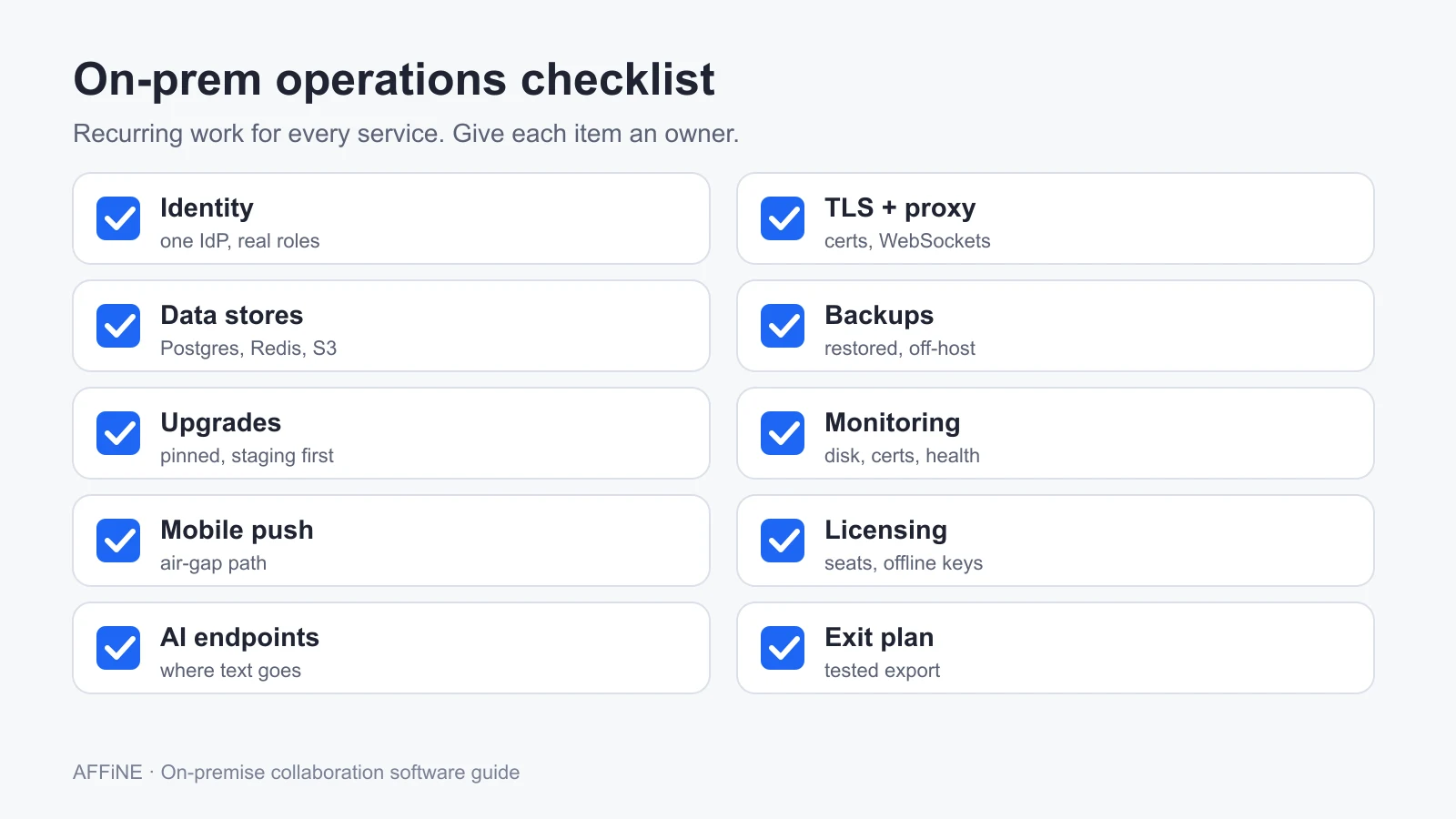
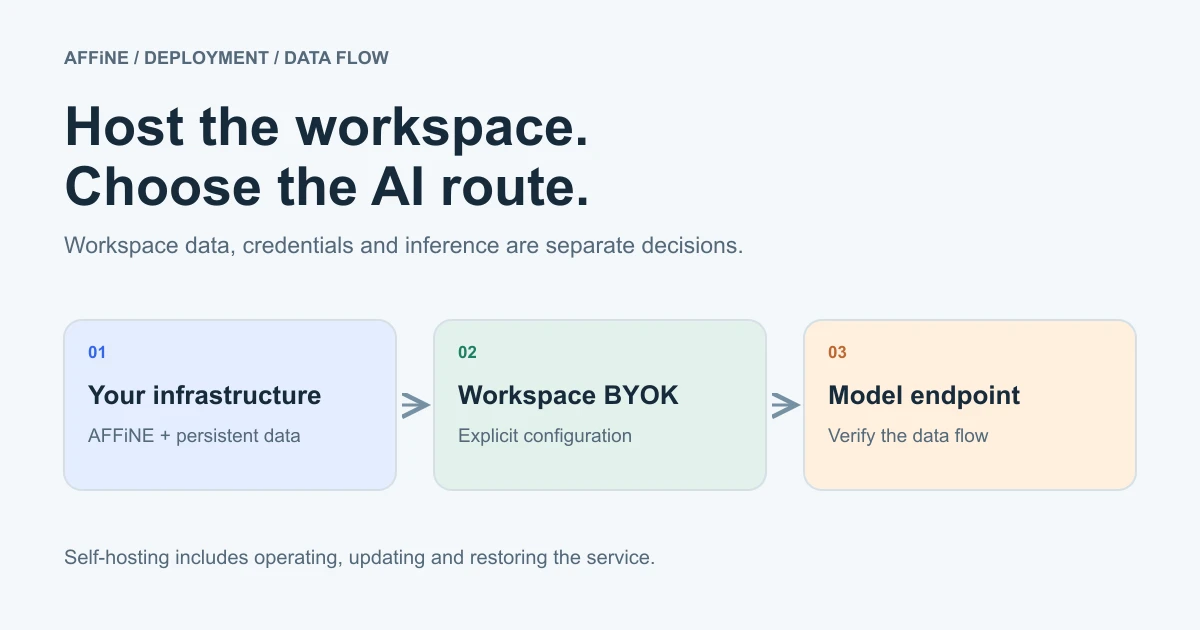
For the AI features row, decide whether each tool calls an external API or a model you run inside the network. The self-hosted AI guide compares local model runners, AI gateways, and workspaces for that decision.
Run a 30-day pilot
Write down the jobs and constraints
List the jobs the stack must do, such as chat, office files, a wiki, planning boards, projects, and meetings. Add the hard constraints: data location, air-gapped or not, user count in year one and year three, and the identity provider you already run.
Shortlist one or two tools per category
Use the comparison table to pick candidates. For each one, record the license, the free-tier limit, the paid-tier minimum, and which required features are paid.
Deploy from official guides into a staging network
Use the vendor's current Docker or package instructions on servers that meet the documented minimums. Pin versions and keep configuration in a repository.
Connect identity and test real roles
Connect your identity provider to every tool. Test an employee, a guest, and an administrator, and confirm that removing a user in the identity provider removes access everywhere you expect.
Prove backup, restore, and one upgrade
Back up each service, restore it on a clean host, and log in as an ordinary user. Then apply one minor upgrade and check that data and integrations survived.
Decide with a cost and effort sheet
For each tool, record pass or fail per job, hours spent on operations, the restore result, and the three-year license cost at your projected headcount. Choose the stack you can keep running, not the one with the longest feature list.
When on-premises is the wrong choice
- Nobody owns operations. Five services means five upgrade cycles. Without an owner, the stack will drift out of date.
- You need it next week. A careful on-prem rollout with identity, backups, and a pilot takes weeks.
- The requirement is data location, not data control. A vendor-managed dedicated or regional cloud may satisfy it with far less work.
- Your team is very small. Below 10 or 20 people, managed plans are usually cheaper than the hours spent on servers. The hosted vs self-hosted cost example shows why.
Frequently asked questions
What is on-premise collaboration software?
It is chat, document, wiki, project, and video software installed on servers your organization controls, in your own data center or private cloud, rather than used as a shared SaaS service. Common examples are Mattermost, Rocket.Chat, Element, Nextcloud, ONLYOFFICE, Collabora Online, Outline, AFFiNE, OpenProject, and Jitsi Meet.
What is the best open source collaboration software?
There is no single best tool, because each covers a different job. Common open source choices are Nextcloud for files, ONLYOFFICE or Collabora for office documents, Element or Rocket.Chat for chat, OpenProject for projects, and Jitsi Meet for video. Several popular tools are open core or source-available, so check the license of the edition you will run.
Is self-hosted collaboration software free?
The community editions are often free to run, but free tiers have limits. Mattermost Entry is aimed at teams under 50 users, AFFiNE self-host is free for up to 10 seats per workspace, and Collabora's free edition is for testing and home use. Paid tiers often have minimums of 25 or 100 users.
Can on-premise collaboration tools run in an air-gapped network?
Some can, with planning. Element and Rocket.Chat advertise air-gapped deployment on commercial plans, and AFFiNE offers an Installable License for servers that cannot reach its license service. Plan how you will import updates, activate licenses, and deliver mobile notifications without internet access.
What is the difference between on-premises and private cloud?
On-premises runs on hardware you own, in your own facility. Private cloud runs on dedicated infrastructure at a cloud provider, or as a vendor-managed dedicated instance. Both keep your data out of a shared multi-tenant service, but private cloud removes the hardware work.
How many servers does an on-prem collaboration stack need?
It depends on users and which services you run. As a reference point, OpenProject asks for 4 cores and 4 GB of RAM for up to 200 users, ONLYOFFICE Docs asks for 4 GB of RAM, and AFFiNE recommends 4 cores and 2 GB. Size each service from its own documentation, and expect to move databases to separate hosts as usage grows.
Sources and editorial notes
- Mattermost, Editions and offerings, Pricing, and license. Accessed October 27, 2026.
- Rocket.Chat, Pricing and license. Element, Pricing. Accessed October 27, 2026.
- Nextcloud, Enterprise pricing. ONLYOFFICE, Docs 9.4 release, Docs Enterprise, and Docker install guide. Collabora, Pricing. Accessed October 27, 2026.
- Outline, Requirements and license. AFFiNE, Self-host documentation and Requirements. Accessed October 27, 2026.
- OpenProject, Pricing and System requirements. Jitsi, Self-hosting guide and Docker guide. Accessed October 27, 2026.
- License data came from the GitHub API on October 27, 2026.
How this guide was prepared: AFFiNE wrote this article in October 2026 from vendor pricing pages, documentation, and GitHub repositories. No tool was deployed or benchmarked for it. Prices are list prices shown when checked and change often, so confirm them with each vendor. AI tools assisted with research and drafting, and the AFFiNE team reviewed and edited the content.