Self-Hosted Notion Alternative: 10 Tools and Real Costs
Compare 10 self-hosted Notion alternatives by license, server needs, SSO, AI and paid tiers, then use an ops cost checklist and a 2-week pilot plan.

Disclosure: AFFiNE publishes this article, and AFFiNE is one of the tools it covers. How we review products
A self-hosted Notion alternative is a workspace app you run on a server you control instead of Notion's cloud. Notion has no self-hosted edition. The realistic options are AFFiNE, AppFlowy, Docmost, Outline, Anytype, SiYuan, BookStack, Wiki.js, TriliumNext, and Logseq. Each one replaces a different part of Notion and has different licensing and server costs.
Most comparison lists stop at features. This guide is for the person who will be asked to run the server. It covers what each tool needs in production, which capabilities sit behind a paid tier, what operating the service actually involves, and how to run a two-week pilot before anyone moves real work.
At a glance
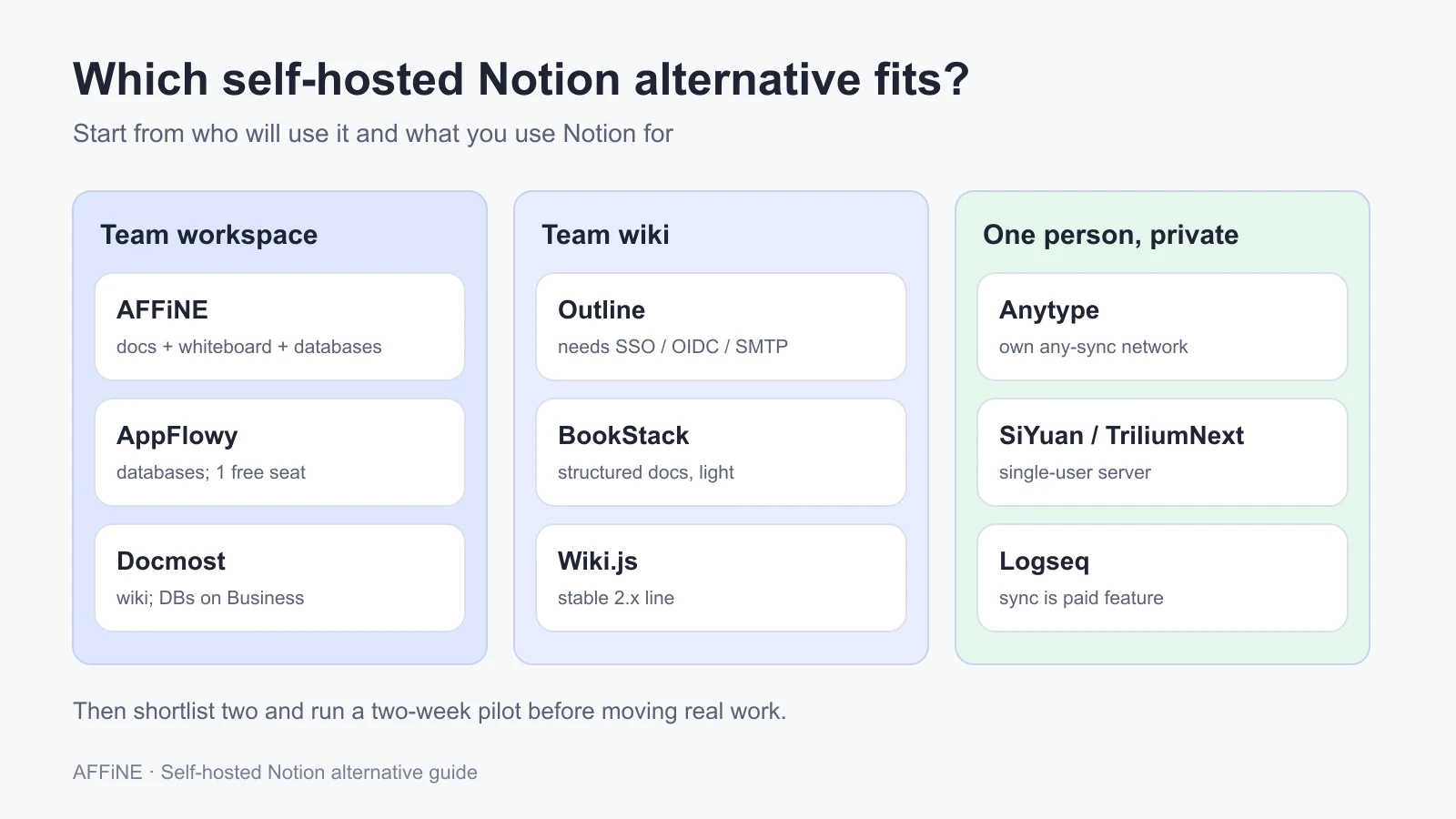
- Closest to Notion for teams: AFFiNE (docs, whiteboard, and databases) and AppFlowy (databases). AppFlowy's free self-hosted tier allows one user seat.
- Team wiki first: Outline, Docmost, BookStack, or Wiki.js.
- One person, privacy first: Anytype, SiYuan, TriliumNext, or Logseq.
- Budget for: a 2–4 GB RAM server, PostgreSQL and Redis for most tools, backups you have restored at least once, and someone who owns upgrades.
Published by AFFiNE, which makes one of the tools compared here. Product facts were checked against each project's official documentation and GitHub repository on October 27, 2026. We did not deploy or benchmark these tools for this article. Requirements are quoted from vendor documentation, not measured.
What "self-hosted Notion alternative" actually means
People use the phrase for three different setups. It helps to know which one you need before you compare tools.
| Setup | What runs on your server | Typical tools | Who it suits |
|---|---|---|---|
| Self-hosted server | The whole web app, database, and file storage | AFFiNE, AppFlowy, Docmost, Outline, BookStack, Wiki.js | Teams that want one shared URL and admin control |
| Self-hosted sync | Only a sync or backup service; data lives on each device | Anytype (any-sync), TriliumNext sync server, Logseq sync | Individuals and small groups who want local files and private sync |
| Local only | Nothing. Data stays in local files | SiYuan desktop, Logseq file graphs, Obsidian | One person who never needs a server |
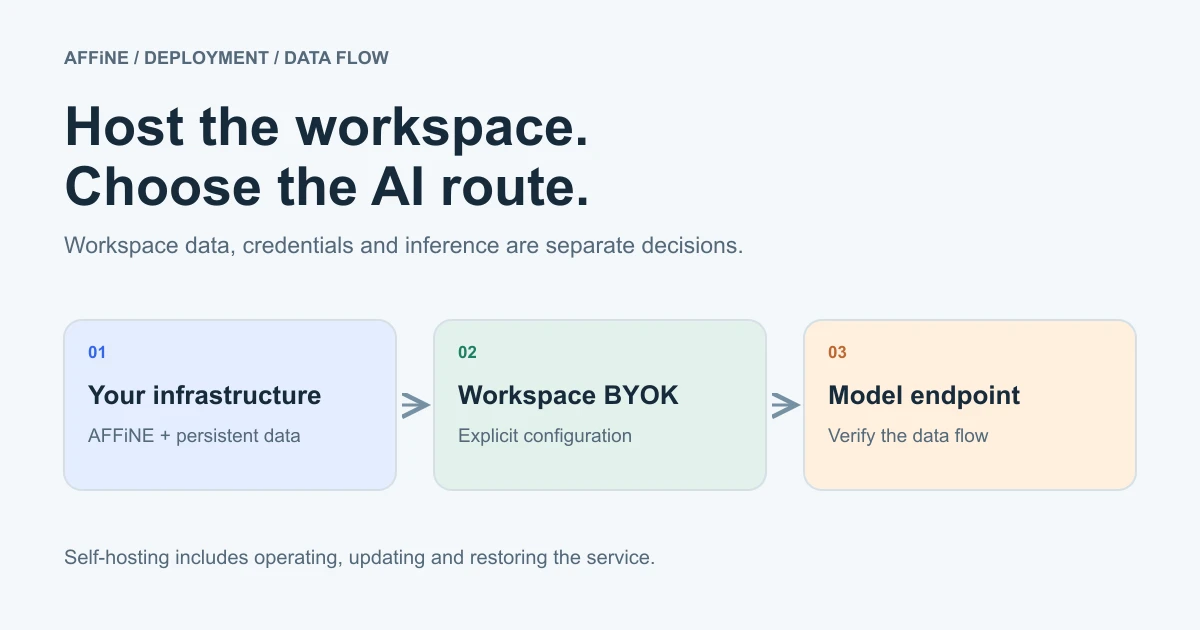
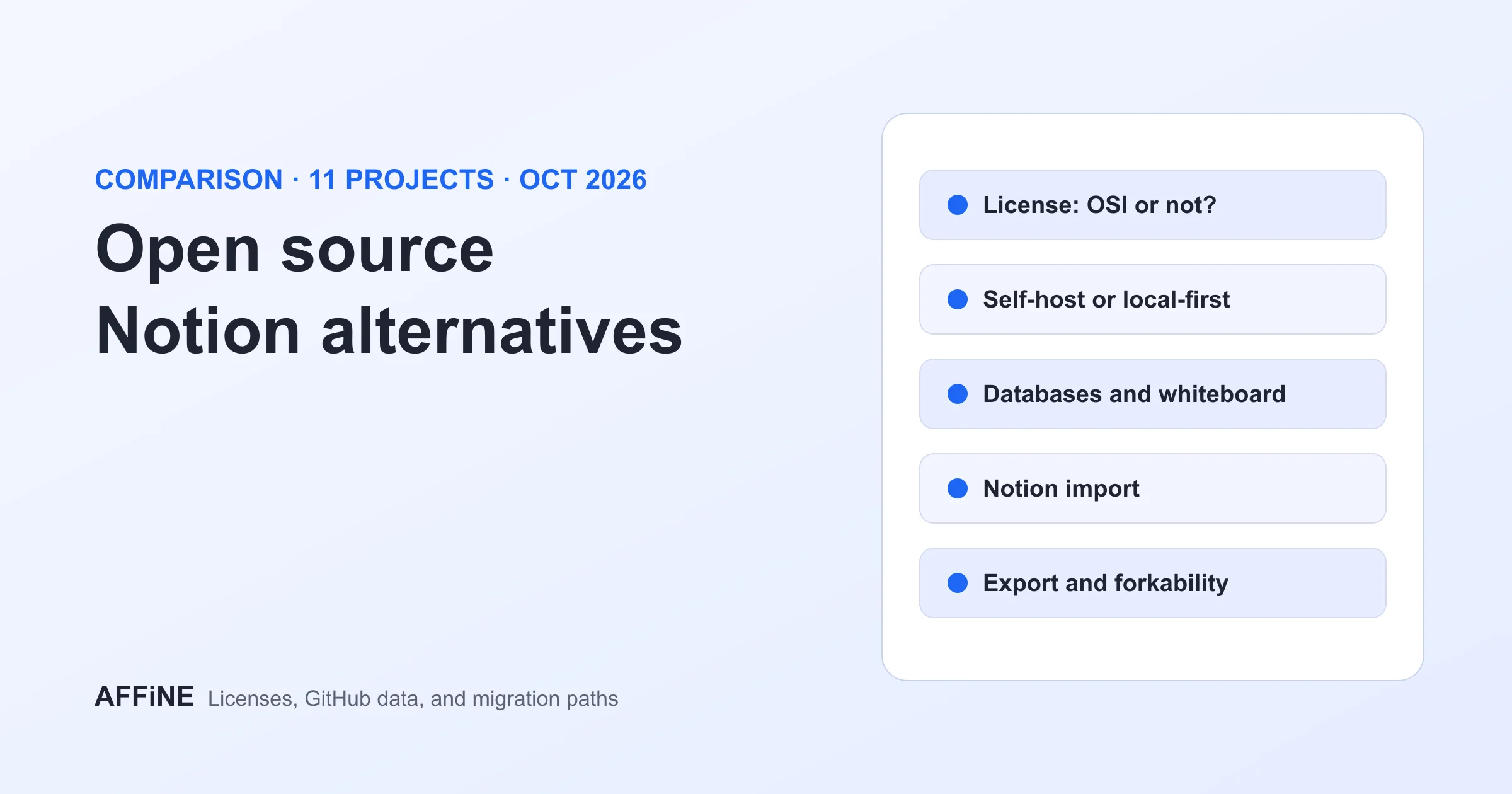
Two other ideas are often mixed into this search. Open source is a licensing question. Several tools here are source-available or open-core rather than open source, and the open-source Notion alternative guide covers the license angle in depth. Private is a data-flow question. Hosting the app yourself does not keep data private if the AI feature sends text to an external model. Treat hosting, licensing, and AI processing as separate decisions. If you have not yet decided that you need to self-host, start with our broader Notion alternatives comparison or the Notion alternatives for team notes guide. If you are planning a wider stack with chat, office files, projects, and video, see the on-premise collaboration software guide.
Self-hosted Notion alternatives compared
This table summarizes documented capabilities. "Paid" means the feature is listed for a paid tier or license in the vendor's own pricing or README. Licenses are as reported by each GitHub repository on October 27, 2026.
| Tool | License | Official deploy path | Documented minimum | Team real-time editing | Databases | Whiteboard | Notes on paid tiers |
|---|---|---|---|---|---|---|---|
| AFFiNE | MIT, with backend under the AFFiNE Enterprise Edition license | Docker Compose | 4 CPU cores, 2 GB RAM (4 GB for large docs) | Yes | Table and Kanban views | Yes (Edgeless mode) | Self-host free for up to 10 seats per workspace; more seats need Team or an Installable License |
| AppFlowy | Client AGPL-3.0; server under AppFlowy Self-Hosted Commercial License | Docker Compose (about a dozen services) | Not stated in the README | Yes | Grid, board, calendar | No | Free self-hosted tier: one user seat plus up to 3 guest editors |
| Docmost | AGPL-3.0 core plus an enterprise license | Docker Compose (app, PostgreSQL, Redis) | Not stated in the install guide | Yes | Business tier | Diagrams (Draw.io, Excalidraw, Mermaid) on Business | SSO, AI, diagrams, Bases and Kanban, and page-level permissions are Business features |
| Outline | BSL 1.1 | Docker Compose with PostgreSQL 14+ and Redis 4+ | Depends on users and workload | Yes | No | No | Some sign-in options depend on edition; no native email and password login |
| Anytype | Any Source Available License 1.0 (apps); any-sync is MIT | any-sync Docker Compose | About 1 GB RAM for the sync stack | Shared spaces | Queries and collections | No | Self-hosting replaces the Anytype Network; you manage your own network config |
| SiYuan | AGPL-3.0 | Docker image (b3log/siyuan) | Not stated | Single user | Table view | No | Sync to third-party cloud storage is a paid membership privilege |
| BookStack | MIT | PHP 8.2+ and MySQL/MariaDB; Docker via community images | Not stated | No | No | Diagrams via draw.io | No paid tier |
| Wiki.js | AGPL-3.0 | Docker or Node.js; stable line is 2.x | 1 GB RAM, 2 cores recommended | No | No | No | 3.0 is a beta "not for production use" |
| TriliumNext | AGPL-3.0 | Docker Compose sync server | Not stated | Single user | Collections | Canvas note type | No paid tier |
| Logseq | AGPL-3.0 | No official server image; community guides exist | Not applicable | Sync (RTC) for DB graphs | DB graphs with properties | Not documented for DB graphs | Sync is a paid feature for Open Collective sponsors and backers |
Tool-by-tool notes
AFFiNE
Best for: teams that use Notion for docs and project databases and also draw diagrams or plan on whiteboards. Every AFFiNE document has a page mode and an Edgeless canvas, and database blocks offer table and Kanban views.
Deploy notes: Docker Compose is the recommended method. The stack runs AFFiNE, PostgreSQL, and Redis, plus a one-time migration container. The requirements page recommends at least 4 CPU cores and 2 GB of RAM, or 4 GB if documents exceed about 10,000 words. AI features need the pgvector extension, which the official Compose file already includes. Sign-in supports Google, GitHub, and general OIDC providers through the OAuth settings. Desktop apps (Windows, macOS, Linux) and iOS and Android apps are available.
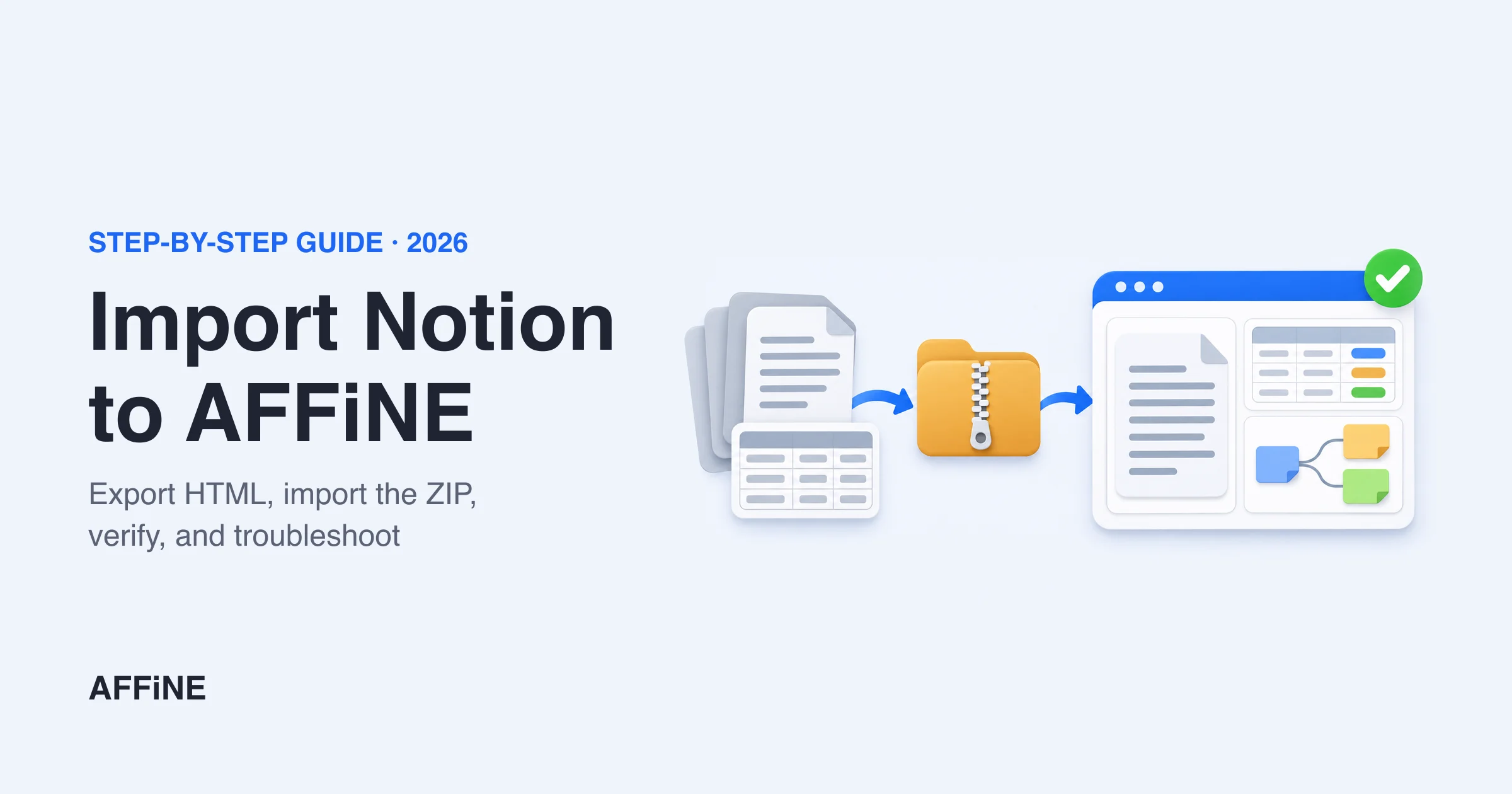
Limits: self-host is free for up to 10 seats per workspace. Larger teams need the Team plan or an Installable License for networks that cannot reach AFFiNE's license service. The backend is not MIT-licensed, so read the license file if licensing matters. AI uses workspace-level bring-your-own-key with OpenAI, Anthropic, Gemini, or FAL. Custom or OpenAI-compatible endpoints must be enabled by the server administrator, and compatibility with a given local model is not guaranteed. Notion pages import from a Notion HTML export (how to import Notion to AFFiNE).
AppFlowy
Best for: people who mainly use Notion databases and want grid, board, and calendar views with native desktop and mobile apps.
Deploy notes: the old AppFlowy-Cloud repository was archived. Its README now points all self-hosted deployments and upgrades to AppFlowy-SelfHost-Commercial. That Compose file defines nginx, MinIO, PostgreSQL, Redis, GoTrue (authentication), the cloud service, an admin frontend, AI, worker, search, backup, and web services. Expect to give it more memory than the lighter wikis.
Limits: the server is distributed under the AppFlowy Self-Hosted Commercial License. The free self-hosted tier includes one user seat per instance and up to three guest editors on shared pages. A team rollout needs a paid self-hosted plan. Many 2024–2025 tutorials still clone the archived repository. For a workflow-level comparison of the two closest Notion-style options, see AFFiNE vs AppFlowy.
Docmost
Best for: a team wiki that should be running the same afternoon, with real-time editing and no identity provider required.
Deploy notes: the official Compose example has three services: Docmost, PostgreSQL, and Redis. Set APP_URL to the address users actually open. Docmost imports Markdown, HTML, DOCX, and Notion ZIP exports (import guide).
Limits: the Community edition includes real-time collaboration, spaces, and full-text search. According to the pricing page, SSO, AI, Bases (databases) and Kanban, page-level permissions, diagram embeds (Draw.io, Excalidraw, Mermaid), and Confluence import come with Business, at $6 per seat per month billed annually with a 10-seat minimum when checked.
Outline
Best for: teams that write a lot of documentation and already run Google Workspace, Microsoft Entra, Slack, or an OIDC provider.
Deploy notes: Outline's Docker guide uses Compose with PostgreSQL and Redis, and URL, DATABASE_URL, REDIS_URL, and SECRET_KEY are the minimum settings. It runs on Linux and macOS, not Windows Server (requirements).
Limits: Outline is licensed under BSL 1.1, which is not an OSI open-source license. It does not support email and password sign-in natively. You need an SSO or OIDC provider, passkeys, or the email magic link, which requires working SMTP. There are no Notion-style databases.
Anytype
Best for: individuals and small groups who want local-first, encrypted objects and are comfortable running their own sync network.
Deploy notes: self-hosting means running your own any-sync network. The team maintains an any-sync Docker Compose stack that needs about 1 GB of RAM and runs coordinator, sync, file, and consensus nodes with MongoDB, Redis, and S3-compatible storage. Each device must be switched to the self-hosted network, and identities do not move between networks automatically.
Limits: the Anytype apps use the Any Source Available License 1.0. There is no web app to share by URL, and admin control works differently from a server workspace. Our AFFiNE vs Anytype comparison covers the sharing and encryption trade-offs in more detail.
SiYuan
Best for: one person who wants block references, Markdown, and a table view, reachable from a browser through Docker.
Deploy notes: the b3log/siyuan image serves the workspace with an access code. Since v3.7.0 the serve subcommand must be passed explicitly. AI writing and chat use an OpenAI-compatible API.
Limits: the README says third-party sync disks are not supported and connecting third-party cloud storage is a paid member privilege. It is not built as a multi-user team workspace.
BookStack
Best for: structured documentation that many people read and few edit, organized as shelves, books, chapters, and pages.
Deploy notes: it needs PHP 8.2+ and MySQL or MariaDB. The project links community Docker images such as LinuxServer.io, plus install scripts for Ubuntu. OIDC and LDAP sign-in are documented.
Limits: no databases, no real-time co-editing, and no native mobile app.
Wiki.js
Best for: a classic wiki with many authentication options and Git-backed storage. Before choosing any wiki tool, settle the structure and page owners; our corporate wiki guide has a template.
Deploy notes: the requirements call for at least 1 GB of RAM on Linux and recommend 2 CPU cores. The stable release is 2.x, maintained in requarks/wiki-v2 (v2.5.317 on October 23, 2026).
Limits: the main repository is a 3.0 beta marked "not for production use." Plan for a 2.x install and a future major upgrade.
TriliumNext
Best for: one person building a large hierarchical knowledge base who wants desktop apps synced through a private server.
Deploy notes: the sync server runs from the official Docker Compose file. The docs ask for a valid TLS certificate. Sign-in can use OpenID Connect and TOTP.
Limits: it uses a star topology of desktop clients around one server rather than a team workspace. Mobile access is a mobile web frontend with fewer features.
Logseq
Best for: outliners and journalers who want local files or the new database graphs.
Deploy notes: Logseq 2.x introduced DB graphs. The DB version docs describe Sync, also called RTC, as a paid feature for Open Collective sponsors and backers that "can also be self hosted," and link community guides rather than an official server package.
Limits: treat self-hosted Logseq sync as a community-supported project. The new DB mobile app is on iOS, with Android not yet open for testing at the time of writing.
What self-hosting really costs
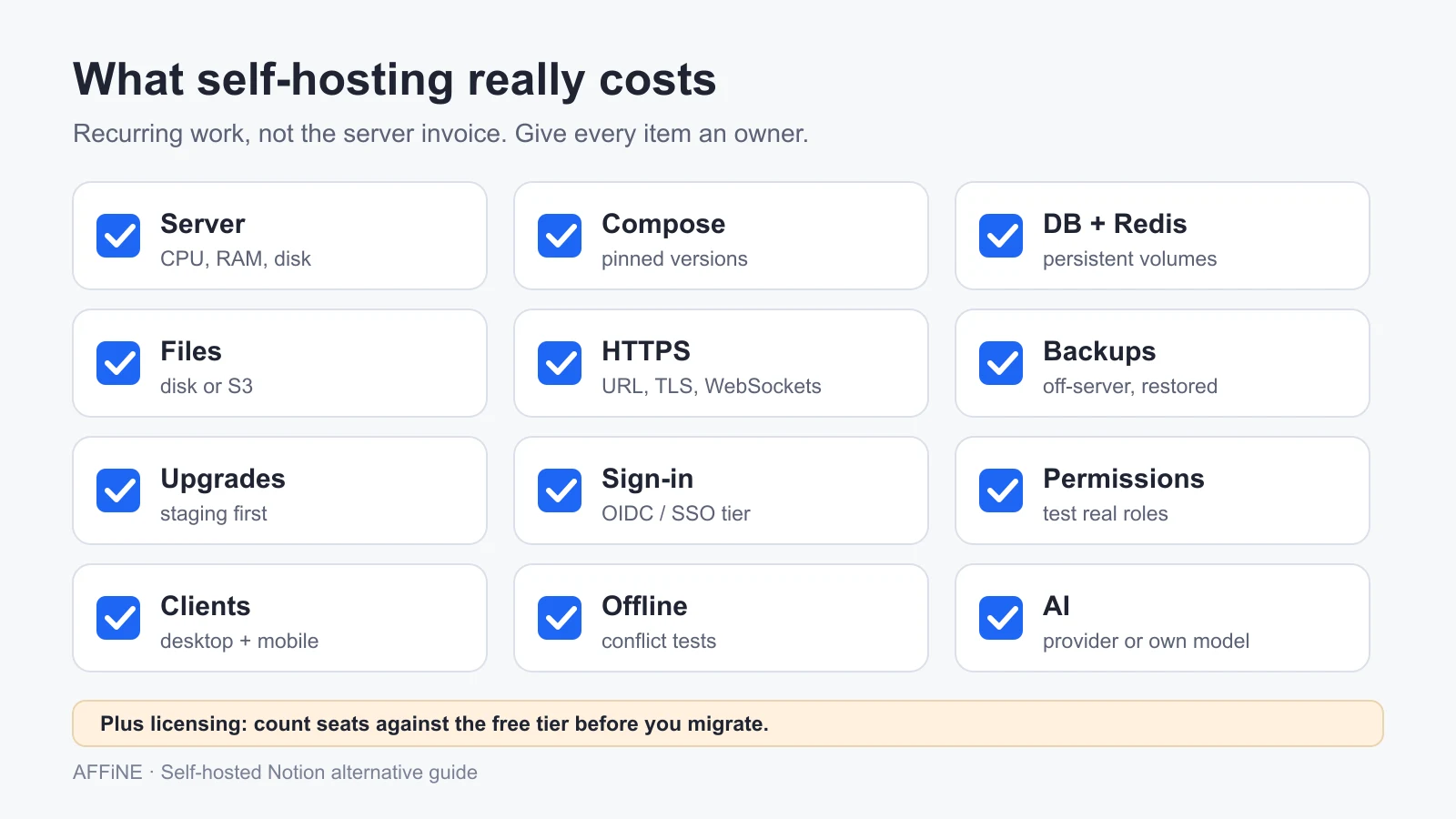
The server invoice is the smallest line. The real cost is the time someone spends keeping the service healthy. Use this table to estimate effort before the pilot.
| Area | What you must do | How it usually goes wrong |
|---|---|---|
| Server | Size CPU, RAM, and disk from vendor docs; add headroom for uploads | Running a 1 GB VPS for a stack that recommends 2–4 GB |
| Docker Compose | Pin image versions; keep the Compose file and config in version control | Pulling latest and getting a surprise migration |
| Database and Redis | Run PostgreSQL (or MySQL) and Redis with persistent volumes | Volumes missing, so data disappears on container recreate |
| File storage | Choose local disk or S3-compatible storage; size for attachments | Backing up the database but not the uploads |
| HTTPS and URL | Set the public URL exactly as users open it; configure TLS and WebSockets in the reverse proxy | Login redirects to localhost; real-time editing silently stops |
| Backups | Dump the database on a schedule and store copies off the server | Never testing a restore |
| Upgrades | Read release notes; back up first; upgrade in a staging copy | Skipping several versions and breaking migrations |
| Sign-in and SSO | Connect OIDC or another provider; test with ordinary accounts | SSO exists only on a paid tier you did not budget for |
| Permissions | Map spaces, workspaces, and sharing to real teams | Testing only with an admin account |
| Clients | Confirm desktop and mobile apps can connect to a custom server | Mobile app supports only the vendor cloud |
| Offline and sync | Test editing offline and resolving conflicts on reconnect | Assuming "local-first" means every client works offline |
| AI | Choose a provider or your own model endpoint; test each feature | Self-hosting the app while AI still sends text to an external API |
| Licensing | Count seats and check what the free tier allows | Discovering a one-seat or 10-seat limit after migration |
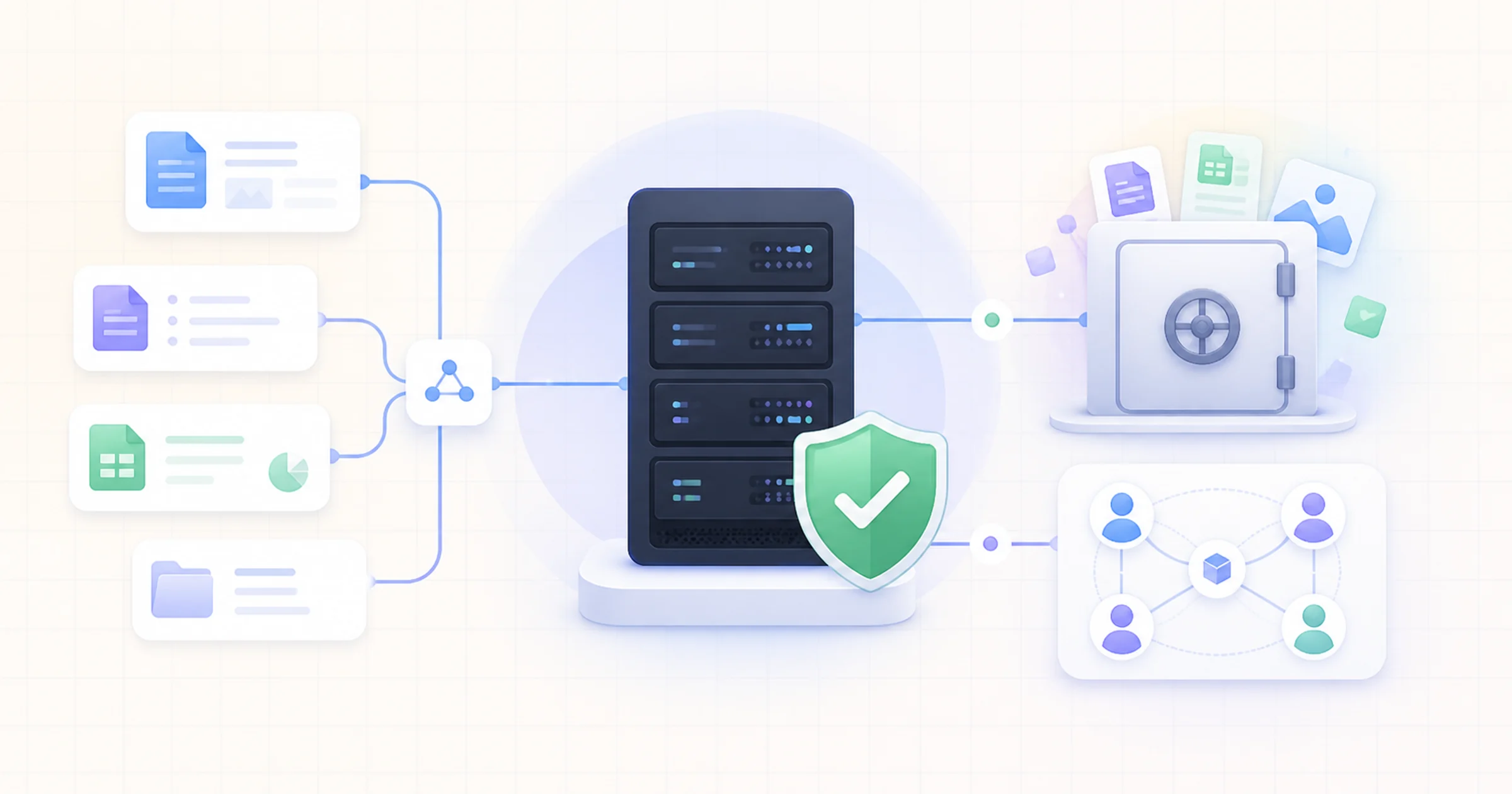
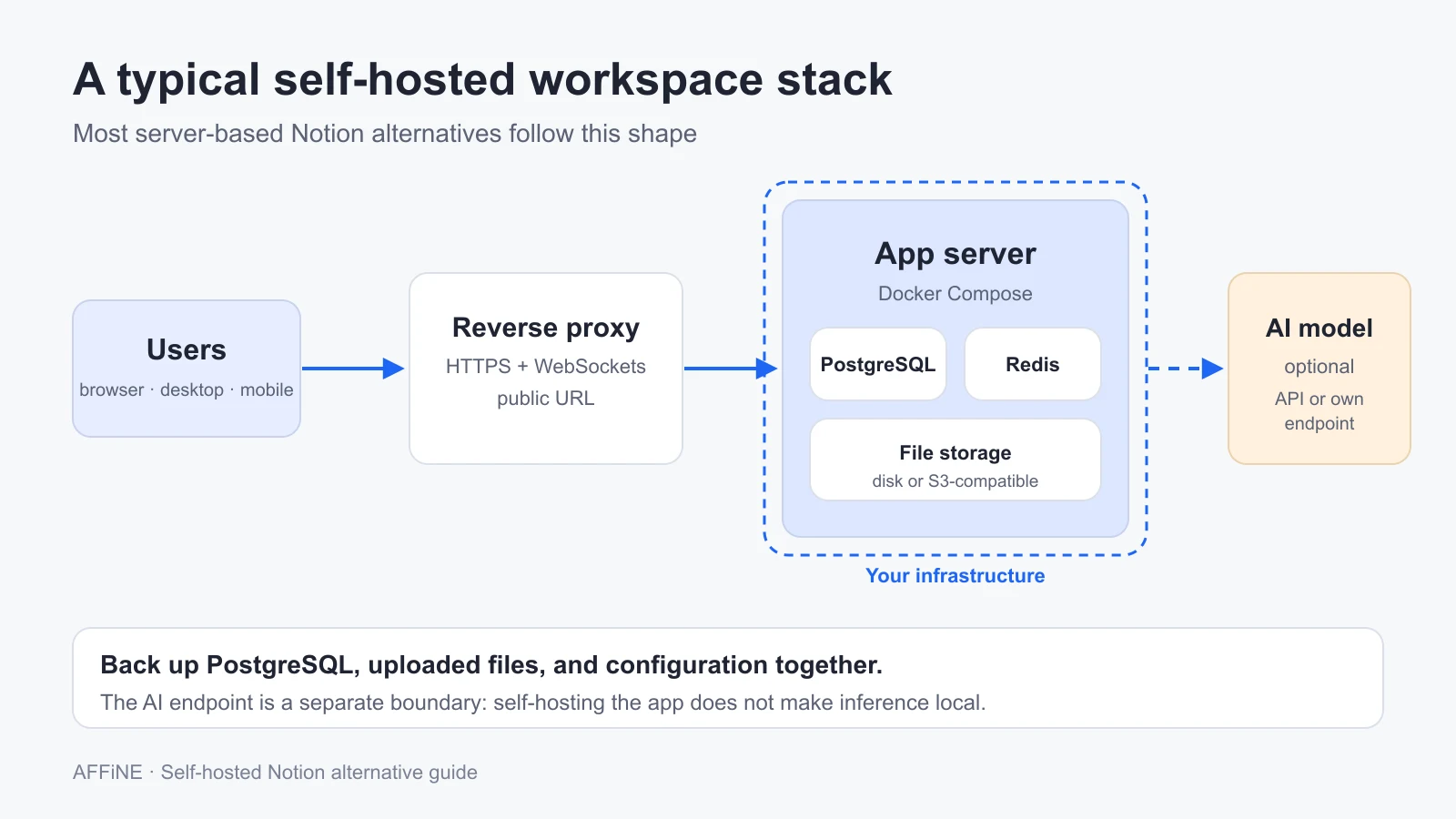
Most server-based tools on this list share the same shape: an app container, PostgreSQL, Redis, file storage, and a reverse proxy. AI adds an optional model endpoint, which can be a commercial API or a model you host. The diagram shows where your data lives in that setup.
For the AI layer, the self-hosted AI stack guide explains how a model runner, an AI gateway, and a vector store fit next to the workspace. For AFFiNE specifically, the self-hosted AI workspace guide walks through data, key storage, and inference locations. The enterprise knowledge base self-hosting guide covers VPS sizing and security hardening in more detail. If a team wiki is all you need, the self-hosted wiki software comparison focuses on page history, permissions, search, and backups.
Run a 2-week pilot
A short, structured pilot shows more than any feature table. Use a fictional or non-sensitive workspace until backups and access have been proven.
Write down what you use Notion for
List the five workflows people actually rely on, such as meeting notes, a project database, a team wiki, or a roadmap board. Mark which ones need databases, whiteboards, mobile access, or offline editing. This list removes half the candidates before you install anything.
Shortlist two tools and check the seat math
Pick two tools from the comparison table. For each, write down the license, the free-tier seat limit, and which features you need that sit on a paid tier. Price the paid tier for your real headcount.
Deploy each tool from its official guide
Use the vendor's current Docker Compose file on a server that meets the documented requirements. Set the public HTTPS URL, pin image versions, and record every configuration change in a repository. Do not follow tutorials that use archived repositories.
Connect sign-in and test permissions with real roles
Connect your identity provider, or create test accounts if SSO is a paid feature you have not bought. Create a reader, an editor, and an admin. Confirm that each one can see and change only what they should.
Import a sample of Notion content
Export a small Notion workspace with a database, nested pages, and attachments. Import it into each tool and record what broke: relations, formulas, embeds, comments, or page links. Rebuild one database by hand to judge the effort.
Test backup, restore, and one upgrade
Back up the database, uploaded files, and configuration. Restore them on a separate server and open the restored workspace as an ordinary user. Then apply one minor upgrade from the release notes and check that nothing was lost.
Decide with an evidence sheet
For each tool, record pass or fail for every workflow, the hours spent on operations, the restore result, and the yearly cost including paid seats. Choose the tool that passed with the least ongoing work, or decide that a managed cloud plan is the better fit.
When not to self-host
Self-hosting is a good choice when control matters more than convenience. It is a poor choice in these situations:
- Nobody owns the server. If no one is responsible for upgrades, backups, and incidents, the workspace will eventually fail at a bad moment.
- You need a feature only the cloud provides. Some AI, publishing, and integration features depend on the vendor cloud or a paid tier.
- Your team is one or two people. A local-first desktop app with no server often gives the same privacy with much less work.
- You expect the same database depth as Notion. Self-hosted tools differ widely on relations, formulas, and automations. Check during the pilot.
- Compliance requires evidence you cannot produce. Running the software yourself does not certify anything. Your own controls and documentation still matter.
If you are unsure, start with a managed plan and keep the export and migration path open. AFFiNE, for example, offers both a cloud service and self-hosting, so a team can move later without changing tools. Our hosted vs self-hosted knowledge base guide shows where the cost break-even usually falls. For self-hosted task and project tracking rather than docs, see these ClickUp alternatives you can self-host.
Frequently asked questions
Can I self-host Notion itself?
No. Notion is a hosted service with no self-hosted or on-premises edition. To run your workspace on your own server, you need a different product and a migration from a Notion export.
What is the best self-hosted Notion alternative?
It depends on what you use Notion for. AFFiNE fits teams that combine docs, databases, and whiteboards. AppFlowy fits database-heavy users who accept its seat limits. Docmost and Outline fit team wikis. Anytype, SiYuan, TriliumNext, and Logseq fit individuals.
How much server do I need to self-host a Notion alternative?
Most team tools need a small Linux server with 2–4 GB of RAM, PostgreSQL, and Redis. AFFiNE recommends 4 CPU cores and 2 GB of RAM for basic use. Wiki.js recommends at least 1 GB. Add disk for uploads and backup copies.
Are self-hosted Notion alternatives free?
The software is often free to run, but many tools limit seats or features. AFFiNE self-host is free for up to 10 seats per workspace. AppFlowy's free self-hosted tier has one user seat. Docmost puts SSO and AI on its Business plan.
Can a self-hosted Notion alternative use my own AI model?
Some can. AFFiNE supports workspace bring-your-own-key and lets administrators enable custom endpoints. SiYuan works with an OpenAI-compatible API. Test every AI feature with your model, because API compatibility does not guarantee that all features work. For a wider comparison of AI options, including cloud tools, see Notion AI alternatives for teams.
Do self-hosted Notion alternatives work offline?
Local-first apps such as AFFiNE, AppFlowy, Anytype, SiYuan, TriliumNext, and Logseq keep data on the device and sync later. Server-only web wikis such as Outline, BookStack, and Wiki.js need a connection. Test offline editing and conflict handling during your pilot.
Sources and editorial notes
- AFFiNE, Self-host documentation, Requirements, Docker Compose, and AI. Accessed October 27, 2026.
- AppFlowy, AppFlowy-SelfHost-Commercial README and archived AppFlowy-Cloud. Accessed October 27, 2026.
- Docmost, Installation and Pricing. Accessed October 27, 2026.
- Outline, Hosting documentation and license. Accessed October 27, 2026.
- Anytype, Self-hosting and any-sync-dockercompose. Accessed October 27, 2026.
- SiYuan, README. BookStack, Installation. Wiki.js, Requirements. TriliumNext, Synchronization. Logseq, DB version. Accessed October 27, 2026.
- License, star, and release data came from the GitHub API on October 27, 2026.
How this guide was prepared: AFFiNE wrote this article in October 2026 from vendor documentation, GitHub repositories, and public discussions of self-hosted Notion alternatives. No tool was deployed or benchmarked for it. Resource figures are each vendor's documented guidance, and blank cells mean the vendor does not publish a figure. Pricing and tiers change, so confirm them before you buy. AI tools assisted with research and drafting, and the AFFiNE team reviewed and edited the content.