Best Notion Alternative for Teams: Private Team Notes
Quick answer: If your team uses Notion mainly for notes, meeting minutes and a shared knowledge base, and you now need more control over where those notes live, AFFiNE is the closest fit: it combines Notion-style docs and databases with a built-in whiteboard, works offline with local workspaces, and can be self-hosted with Docker Compose (free for up to 10 seats per workspace). Stay on Notion if you depend on its integrations, mature database automations or Enterprise compliance controls such as SAML SSO, SCIM and audit logs. For solo, file-based note-taking, Obsidian is a strong alternative.
Written by Allen, AFFiNE content team. Updated October 2026. Product facts were checked against affine.pro, docs.affine.pro and Notion's official pricing and security pages. AFFiNE makes one of the products discussed; see the method note at the end.
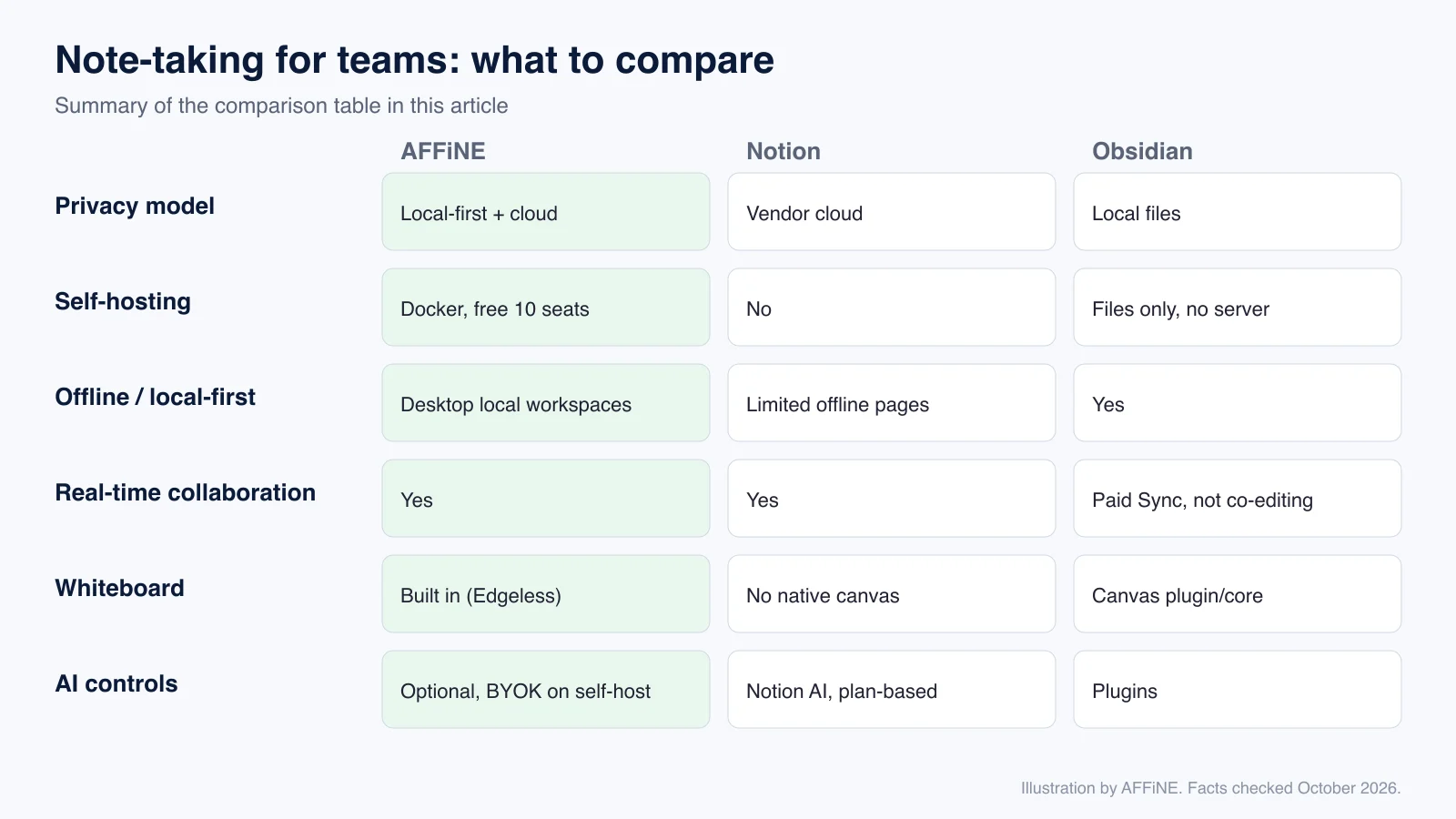
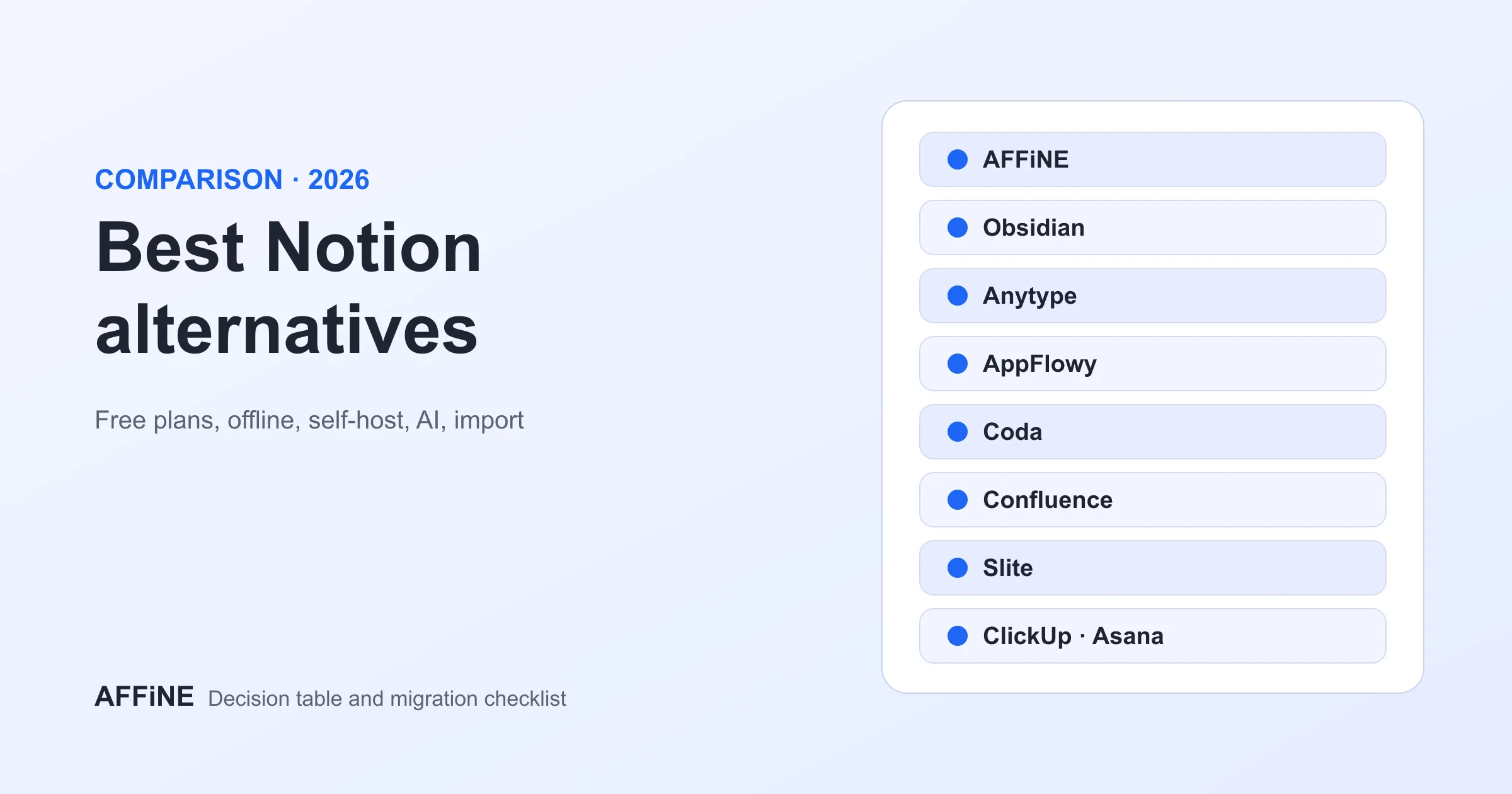
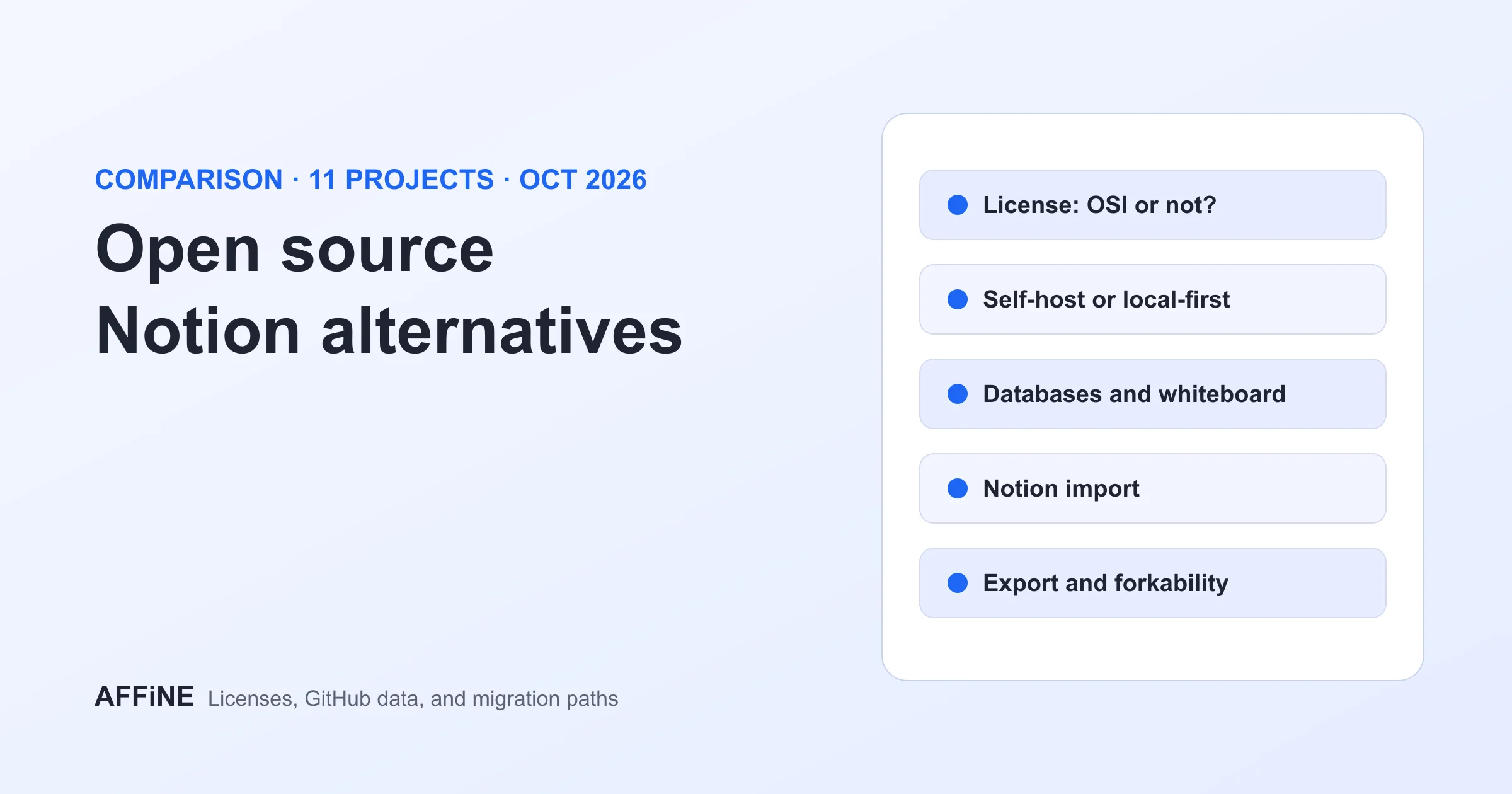
This article is about one specific job: note-taking for teams. If you want a broad list of apps, read our roundup of Notion alternatives with free-plan tradeoffs. If licensing is your main question, see open-source Notion alternatives and their tradeoffs. Here we focus on what changes for a team's notes: who can read them, where they are stored, how people write together, and how to migrate without losing work.
Key takeaways
- Teams usually leave Notion for notes because of data control, offline reliability or cost per seat, not because Notion's editor is weak.
- The deciding question is where your notes must live: on devices, in a vendor cloud, or on servers you operate.
- AFFiNE supports all three: local workspaces, AFFiNE Cloud and a self-hosted server with your own PostgreSQL and storage.
- Notion offers data residency, SAML SSO, SCIM and audit logs, but those controls sit in its Enterprise plan, and Notion cannot be self-hosted.
- Migration is the main cost. AFFiNE imports Notion HTML and Markdown exports, but complex databases need checking by hand.
Why teams look for a Notion alternative for notes
Notion is a capable workspace, and many teams are happy with it. The reasons teams give for moving their notes elsewhere are usually specific:
- Data location and ownership. Notion runs only in Notion's cloud. Regional data residency is offered to Enterprise customers (Notion security). Teams in regulated industries, agencies with client confidentiality clauses, and public-sector groups often need notes on infrastructure they operate.
- Offline work. Notion added offline pages, but they must be prepared in advance and have limits (see our Notion offline mode guide). Field teams and travellers want notes that are local by default.
- Visual thinking. Meeting notes often turn into diagrams. Notion has no native freeform canvas, so teams add a second tool such as Miro.
- Seat cost for light users. Notion lists Plus at $10 and Business at $20 per seat per month, billed annually (Notion pricing), and security features such as SAML SSO start at Business. Paying for everyone who only reads meeting notes adds up.
- Lock-in. Exports work, but rebuilding databases elsewhere is slow, so teams want a tool with open formats and source code they can inspect.
If none of these apply to you, you probably do not need to switch.
Comparison: Notion alternatives for team notes
| Criterion | AFFiNE | Notion | Obsidian |
|---|---|---|---|
| Privacy model | Local-first; optional AFFiNE Cloud or your own server | Vendor cloud; data residency on Enterprise | Local Markdown files; optional paid Sync |
| Self-hosting | Yes, official Docker Compose; free up to 10 seats per workspace | No | No server to host; files only |
| Offline / local-first | Desktop local workspaces work offline | Offline pages must be enabled in advance | Fully offline |
| Real-time collaboration | Yes, in Cloud and self-hosted workspaces | Yes | No live co-editing in core app |
| Whiteboard | Built in: every page has an Edgeless (canvas) mode | No native freeform canvas | Canvas core plugin |
| Databases | Database blocks with table and kanban views | Mature relational databases and automations | Bases (newer); plugins |
| AI | Optional; on self-host, use your own provider keys or turn AI off | Notion AI, credits vary by plan | Community plugins |
| Identity and admin | OIDC, Google and GitHub sign-in on self-host; admin roles on Team | SAML SSO on Business; SCIM and audit log on Enterprise | Not applicable |
| Source code | Editor and most client code MIT; server under AFFiNE EE license | Proprietary | Proprietary (free for personal use) |
| Pricing model | Free local use; Team $10/seat/month billed annually | Free, Plus, Business, custom Enterprise | Free app; paid Sync and commercial license |
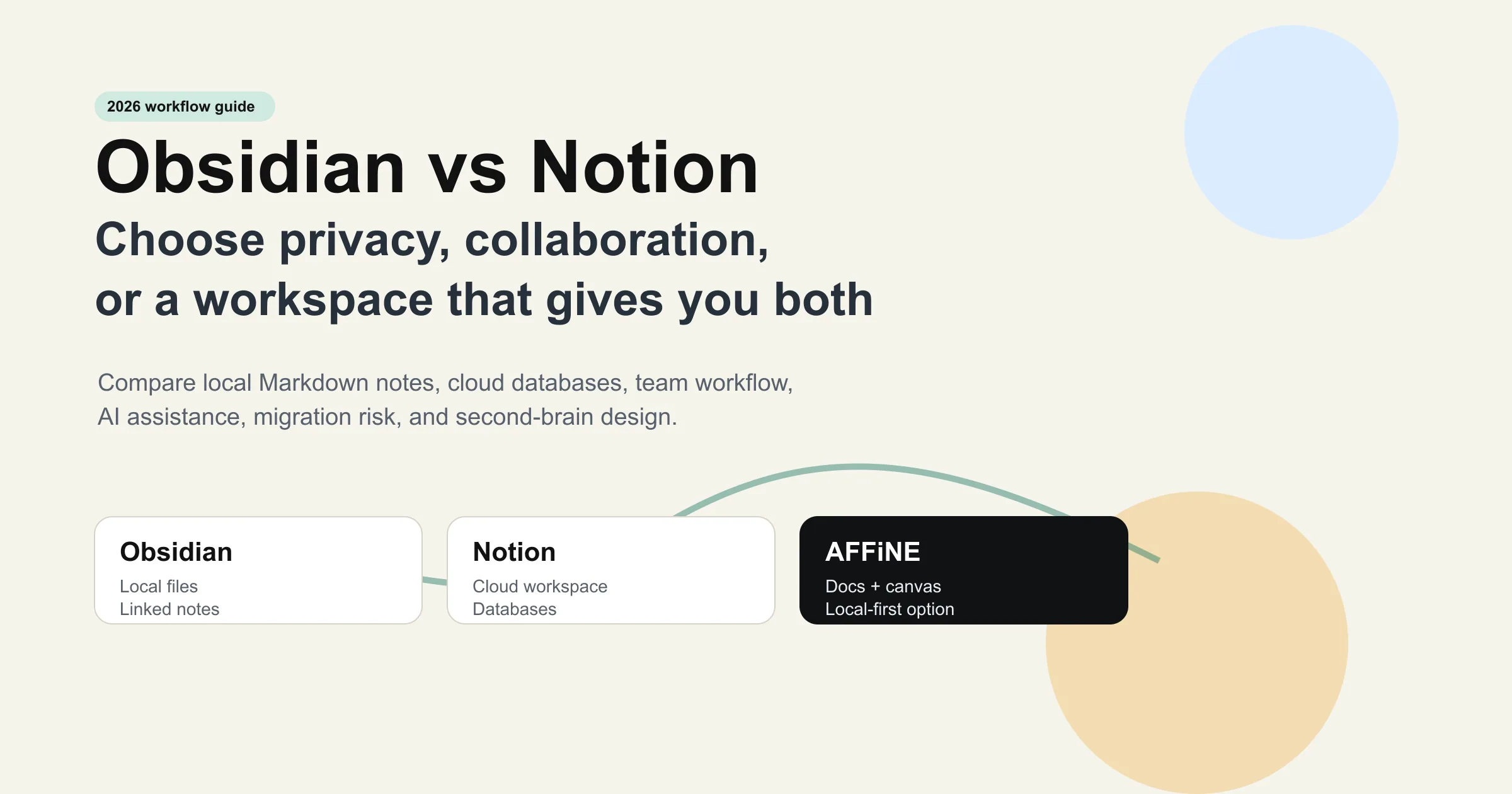
Facts checked October 2026 against AFFiNE pricing, AFFiNE self-host docs, Notion pricing and Notion security. Plans change; confirm before you buy. For a deeper head-to-head, see AFFiNE vs Notion and Obsidian vs Notion for offline, privacy and teams.
AFFiNE for teams: privacy and collaboration in depth
This section covers what a team lead or IT owner will ask before approving a switch. Claims link to their sources.
Data ownership and deployment options
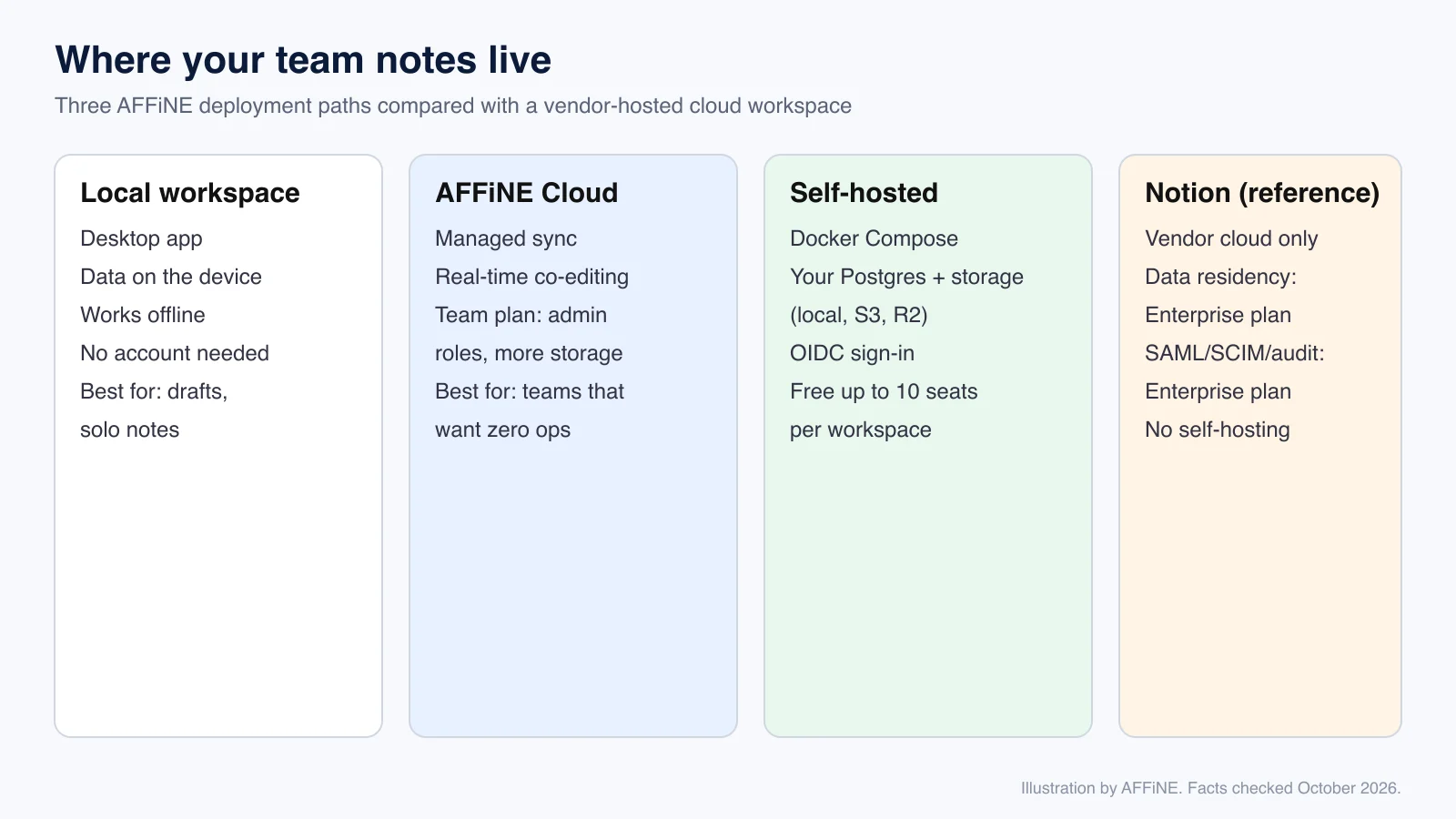
AFFiNE gives you three places for notes, and a team can mix them:
- Local workspace. The desktop app stores the workspace on the device and works offline. This suits private drafts and personal notes.
- AFFiNE Cloud. Managed sync and real-time collaboration with no servers to run. The Team plan adds unlimited members, multiple admin roles and more storage (100 GB plus 20 GB per seat), at $10 per seat per month billed annually or $12 monthly.
- Self-hosted. Run the official Docker Compose stack on a VPS, in your data centre or in a private cloud. Docs and uploads go to the server's filesystem, an S3-compatible bucket or Cloudflare R2, and metadata lives in a PostgreSQL instance you run (storage docs). Self-hosting is free for up to 10 seats per workspace. For networks that cannot reach AFFiNE's license service, an Installable License activates seats offline (team license docs).
Self-hosting moves responsibility to you: HTTPS, upgrades and backups. AFFiNE documents a backup routine using pg_dump, the blob directory and exported configuration, with a test restore (backup docs). Our self-hosted knowledge base guide compares this setup with Outline, BookStack and Docmost.
Identity, roles and permissions
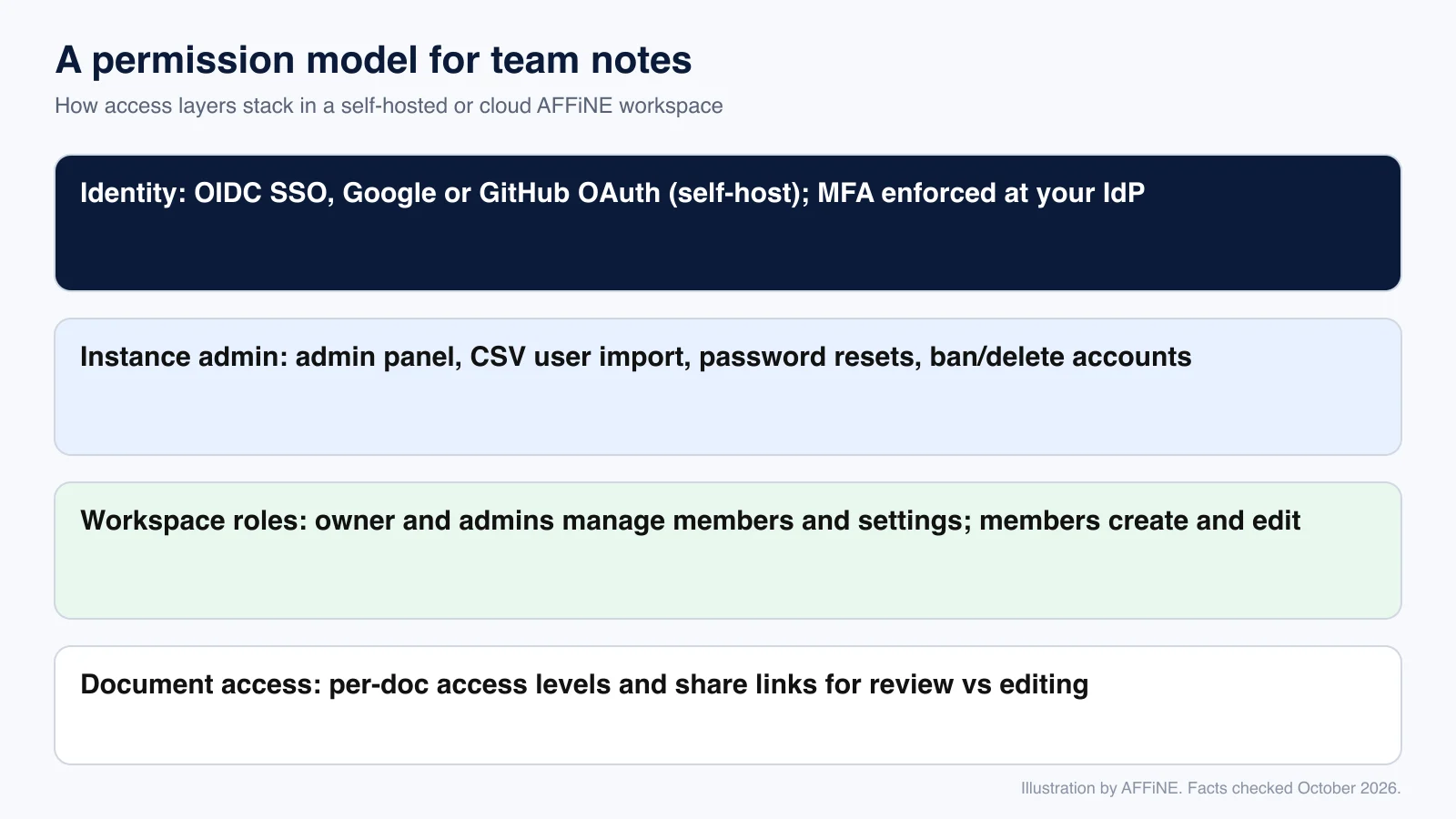
- Sign-in. Self-hosted AFFiNE supports OIDC single sign-on plus Google and GitHub OAuth (OAuth and OIDC docs). Enforce multi-factor authentication at your identity provider. AFFiNE does not document SAML or SCIM; if those are hard requirements, raise them during an enterprise evaluation.
- Instance administration. The admin panel supports CSV user import, password reset links and account removal (user management docs).
- Workspace roles. The Team plan lists multiple admin roles (pricing), so more than one person can manage members and settings.
- Document access. The AFFiNE Enterprise page describes workspace roles and per-document access levels for keeping editing and review separate. The public docs do not detail every permission level yet, so test the exact model you need during a pilot.
Compare this with Notion: SAML SSO is in Business, while SCIM, audit logs, data residency and organisation-wide export and sharing policies are Enterprise features (Notion security, Notion pricing). Notion publishes audit reports in its Trust Center. AFFiNE's main privacy control is different: you can keep the data on your own infrastructure, and because the editor is MIT-licensed, your security team can review the code. We do not claim any compliance certification for AFFiNE here; ask the sales team for current security documentation.
Real-time collaboration on notes
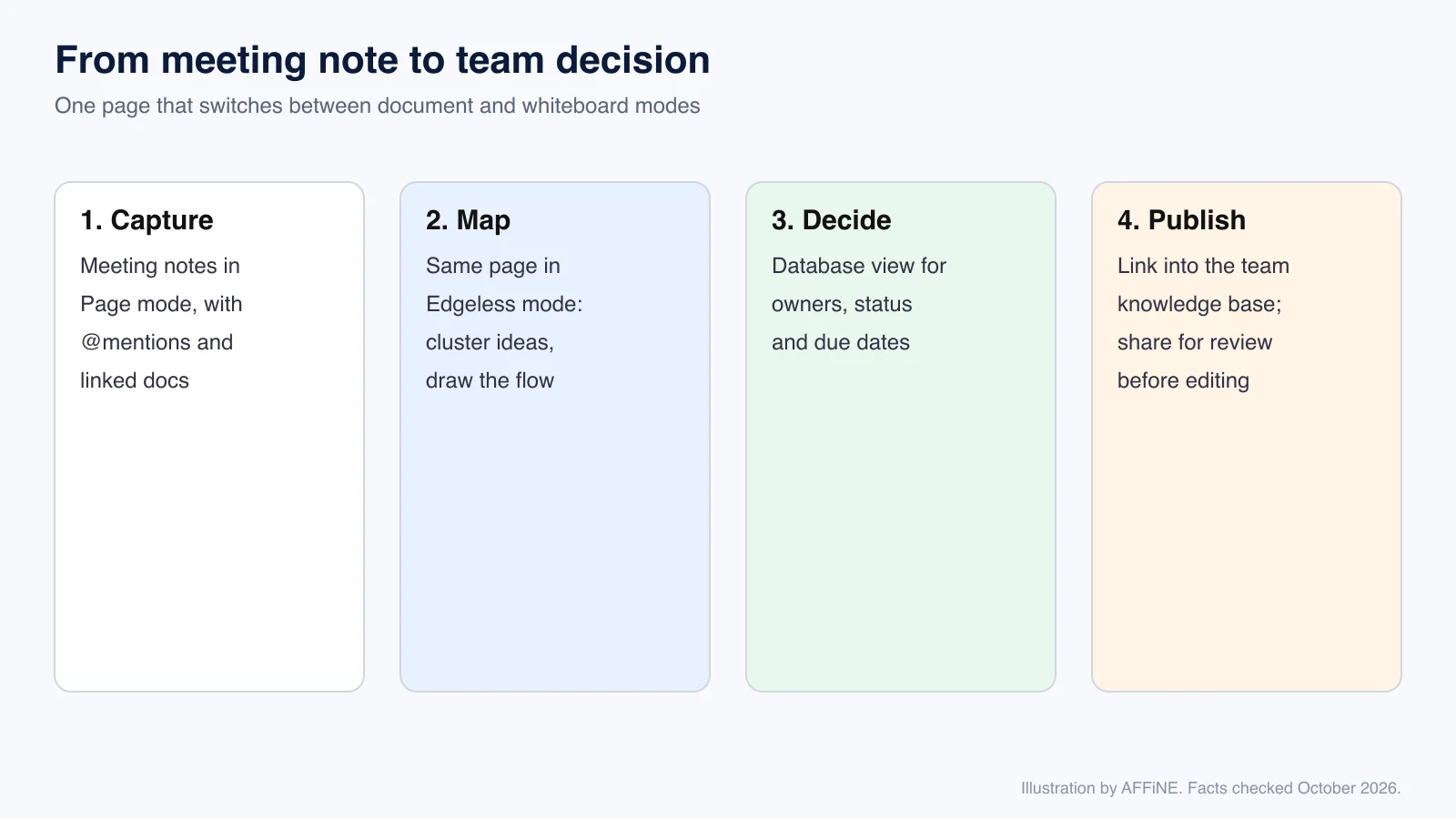
In Cloud and self-hosted workspaces several people can edit the same page at once. The difference from Notion is that every page is both a document and a whiteboard. A typical meeting flow looks like this:
- Capture the notes in Page mode, with links to related docs.
- Switch the same page to Edgeless mode to cluster ideas or sketch a process.
- Track owners, status and due dates in a database block.
- Link the result into the team knowledge base and share it with reviewers.
For more on running this across teams, see how teams improve collaboration in a remote company and the AFFiNE team workspace overview.
Using notes as a team knowledge base
Meeting notes are only useful if people can find them later. AFFiNE's knowledge base solution connects docs, whiteboards and databases in one workspace. If you are choosing a dedicated wiki, our knowledge base software pilot guide for teams explains how to test search, ownership and export before you commit.
AI with privacy in mind
AI is optional in AFFiNE. On a self-hosted instance, workspace owners can add their own provider keys (BYOK), admins can allow OpenAI-compatible endpoints, and AI can be turned off for the whole server or for one workspace (AI configuration docs). Review where prompts and note content go before you turn AI on. Our guide to private AI for business covers the rollout questions, and AFFiNE AI shows the features. If AI is the main reason you are leaving Notion, compare options in our Notion AI alternatives for teams guide.
Migrating from Notion
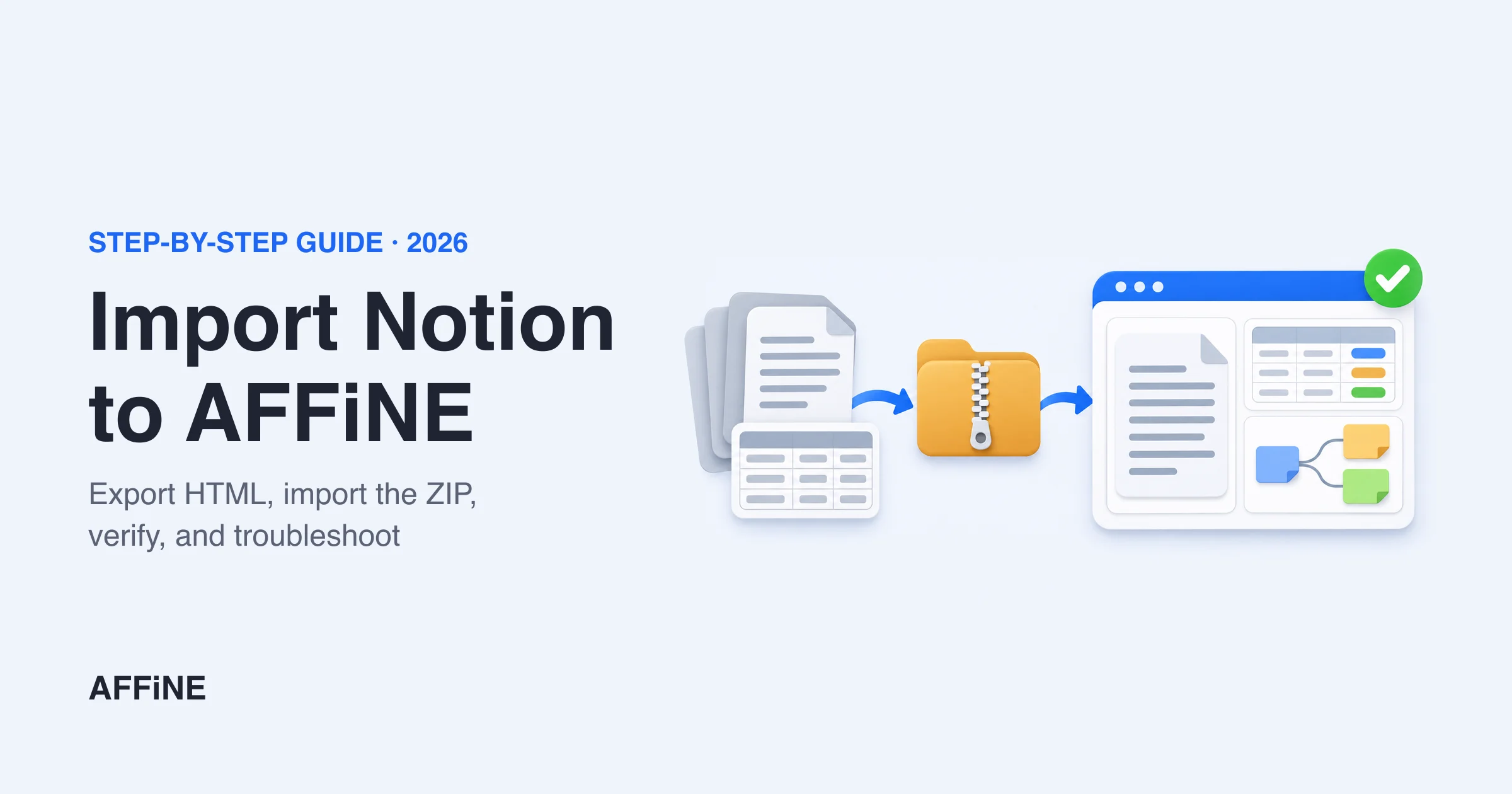
AFFiNE imports Notion exports in HTML (as a .zip, with subpages included) and Markdown. Follow the step-by-step Notion import tutorial. Text, headings, lists and images usually come across well. Complex relational databases, formulas and automations do not map one to one, so check them during the pilot.
Best Notion alternative for teams by team type
Most "best Notion alternative for teams" lists rank tools in general. For team notes, the better question is which kind of team you are. This picker sticks to the three tools compared above.
| Team type | Best fit | Why |
|---|---|---|
| Small team (up to 10 people) that wants control | AFFiNE self-hosted | Free for up to 10 seats per workspace on your own server |
| Growing team (10 to 50 people) with no servers to run | AFFiNE Cloud Team | $10 per seat per month billed annually, multiple admin roles, 100 GB plus 20 GB per seat |
| Regulated, agency or public-sector team | AFFiNE self-hosted or Enterprise | Notes stay on infrastructure you operate; OIDC sign-in |
| Large company that needs SAML, SCIM and audit logs today | Notion Enterprise | Those controls are documented on Notion's Enterprise plan |
| Team that works with many outside guests | Notion | Guests are free and see only the pages they are invited to; Plus lists a 10-guest limit |
| Visual or design team that also pays for a whiteboard | AFFiNE | Every page doubles as an Edgeless canvas |
| Individual note-takers on a team | Obsidian | Plain local Markdown files, no live co-editing |
What a team pays per month
List prices for annual billing, checked on October 27, 2026 (AFFiNE pricing, Notion pricing). Taxes, AI add-ons and discounts are excluded.
| Team size | AFFiNE self-hosted | AFFiNE Cloud Team ($10/seat) | Notion Plus ($10/seat) | Notion Business ($20/seat) |
|---|---|---|---|---|
| 10 people | $0 (free up to 10 seats) | $100 | $100 | $200 |
| 25 people | $250 (self-hosted Team, $10/seat) | $250 | $250 | $500 |
| 50 people | $500 (self-hosted Team, $10/seat) | $500 | $500 | $1,000 |
AFFiNE Cloud Team and Notion Plus cost the same per seat. The difference is in what you get at that price: Notion puts SAML SSO in Business, while AFFiNE lets you run the same paid Team plan on your own servers. Self-hosted seat prices exclude your own server and maintenance costs. Compare features, not only price, and confirm current pricing before you buy.
Who should switch, and who should not
Switch to AFFiNE if:
- Your notes must stay on infrastructure you operate, or on devices, for legal or client reasons.
- Your team thinks visually and currently pays for both Notion and a whiteboard tool.
- You want offline, local-first notes as the default.
- You have someone who can run a Docker service, or you are fine with AFFiNE Cloud.
Stay on Notion if:
- You rely on many Notion integrations, automations or complex relational databases.
- Procurement requires SAML, SCIM, audit logs or published third-party audit reports today.
- Your team is satisfied and no data-location requirement exists. Switching costs time.
Consider Obsidian if you are mainly an individual note-taker who wants plain Markdown files and does not need live co-editing.
Migration checklist for teams
- Define requirements. Write down where data must live, who needs access, sign-in method and must-keep features.
- Choose a deployment. AFFiNE Cloud for zero operations, or self-host if data must stay in your environment.
- Set up identity. Connect OIDC or OAuth, import users by CSV, and assign workspace admins.
- Export from Notion. Export to HTML with subpages included; also keep a Markdown export as a backup.
- Pilot with one team. Import one real space, such as meeting notes and onboarding docs, and run it for two weeks.
- Check what broke. Review databases, links between pages, embeds and attachments; fix or rebuild them.
- Set conventions. Agree on page structure, naming, and which notes become knowledge base pages. The note-taking templates can help.
- Plan backups. For self-hosting, schedule database and blob backups and test a restore.
- Roll out team by team, and keep Notion read-only until the last team has moved.
Need help with a larger rollout? Book a demo to talk through seats, identity and deployment.
Frequently asked questions
What is the best Notion alternative for teams?
For teams whose main Notion use is shared notes and a knowledge base, AFFiNE is a strong fit: it offers real-time collaboration, a built-in whiteboard and a self-hosting option. Large companies that need SAML, SCIM and audit logs today may be better served by Notion Enterprise.
How much does a Notion alternative cost for a 25-person team?
At list prices with annual billing, AFFiNE Cloud Team costs $250 per month for 25 seats ($10 per seat), the same as Notion Plus. Notion Business costs $500 per month. Self-hosted AFFiNE is free up to 10 members per workspace; beyond that, the self-hosted Team plan is also $10 per seat, plus your own hosting costs.
What is the best Notion alternative for note-taking?
For teams that need privacy and collaboration, AFFiNE is a strong choice because it combines docs, databases and a whiteboard and can be self-hosted. For individuals who want plain local files, Obsidian is popular. See our best free note-taking apps for more options.
Is there a self-hosted Notion alternative for teams?
Yes. AFFiNE can be self-hosted with the official Docker Compose setup and is free for up to 10 seats per workspace. Notion itself cannot be self-hosted. For other tools you can run on your own servers, see our self-hosted Notion alternatives guide.
Is AFFiNE more private than Notion?
It can be, depending on how you deploy it. Local workspaces keep data on the device, and a self-hosted server keeps it on infrastructure you operate. Notion stores data in its own cloud but offers Enterprise controls such as data residency and audit logs.
Can I import my Notion notes into AFFiNE?
Yes. Export from Notion as HTML with subpages included, or as Markdown, then import the file in AFFiNE. Check complex databases after import.
Does AFFiNE support real-time collaboration?
Yes. In AFFiNE Cloud and self-hosted workspaces, team members can edit the same page at the same time and share pages with others.
Does AFFiNE work offline?
Yes. The desktop app's local workspaces work without an internet connection.
Does AFFiNE support single sign-on?
Self-hosted AFFiNE supports OIDC plus Google and GitHub OAuth. SAML and SCIM are not documented; discuss them with the AFFiNE team if you need them.
Is AFFiNE open source?
The editor and most client code are MIT-licensed. The server backend is source-available under the AFFiNE EE license.
Method note and disclosure
- Method: this article was rewritten in October 2026. Earlier list-style content was replaced with a team-focused comparison. AFFiNE facts come from affine.pro, the self-host hub, Enterprise page and docs.affine.pro. Notion facts come from Notion pricing and Notion security. Per-seat costs, Notion guest rules and AFFiNE Team plan details in the team-type section were rechecked on October 27, 2026 on AFFiNE pricing and Notion pricing. Obsidian facts are summarised from our Obsidian vs Notion comparison.
- Limits: we did not run a hands-on performance benchmark. Prices and features change; confirm before you buy.
- Disclosure: AFFiNE publishes this blog and makes AFFiNE. We describe where Notion or Obsidian is the better fit.