Process Documentation: A Framework, Templates & Examples
Last updated: October 2026
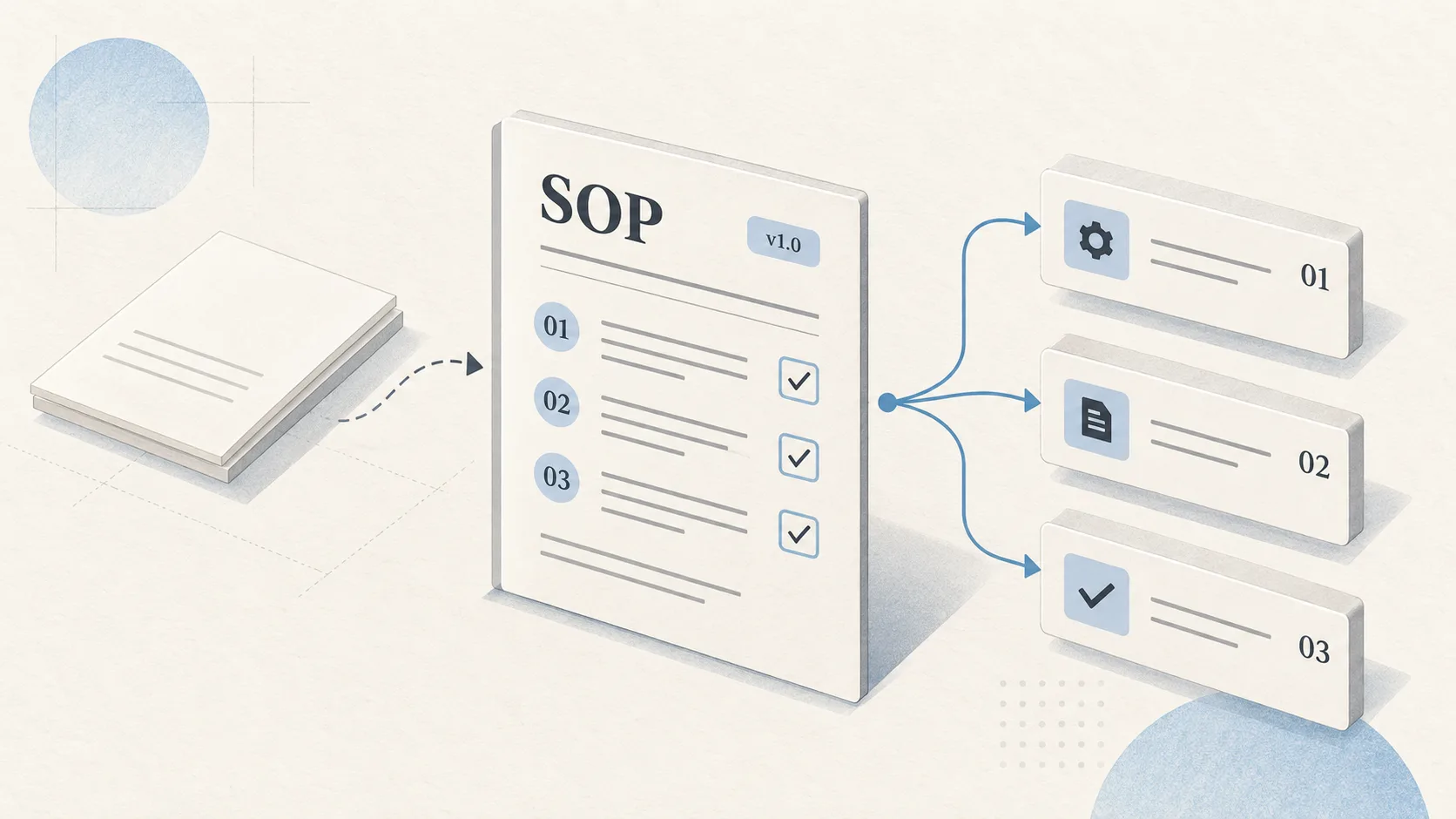
Process documentation is the written record of how a recurring piece of work gets done: who starts it, which steps follow in what order, who decides, and what "done" looks like. A good process doc lets someone new run the work without asking around. Teams keep it in a wiki, a shared drive, or a workspace like AFFiNE.
Key takeaways
- Documenting processes reduces dependence on single people, shortens onboarding, and gives auditors and new managers something concrete to check against.
- Use the seven-step CAPTURE framework: Choose, Ask, Picture, Transcribe, Use-test, Review, Embed.
- Match the format to the job. A checklist, a swimlane flowchart, and a RACI chart solve different problems.
- Assign one owner per process and a review date. Undated documents drift out of date without anyone noticing.
- Keep a process registry so you can see what exists, who owns it, and what is overdue for review.
Why documenting processes is a business decision, not a writing project
Teams rarely decide to skip documentation; they just never schedule it. Four situations make the cost visible.
The bus factor. The bus factor is the number of people who would have to become unavailable before a piece of work stalls. If the only person who knows how payroll corrections work goes on leave, the work either stops or gets done from memory by someone guessing.
Onboarding. New hires learn by watching, asking, and making mistakes, which is slow and interrupts others. Take a hypothetical teammate, Priya, who is the only one who knows a process. A documented process turns "shadow Priya for two weeks" into "read this, run it once with Priya watching, then run it alone."
Audits and customer reviews. Quality frameworks expect organizations to control the information their work depends on. ISO 9001:2015, for example, covered "documented information" in clause 7.5, including how it is created, updated, reviewed and approved, and controlled so it is available where needed. ISO replaced it with ISO 9001:2026 on 16 September 2026, so check the current edition's wording before citing a clause in an audit. Even without certification, customer questionnaires and due-diligence reviews ask how you know work is done consistently.
Handoffs. Most process failures happen between teams: sales closes a deal and finance does not know the payment terms, or support escalates a ticket and engineering does not know the severity rules. Document the handoff points, not just the steps inside one team.
You pay for documentation either way: once, deliberately, or repeatedly, through rework and interruptions.
What is process documentation, exactly?
It describes a repeatable workflow from trigger to outcome. It usually answers six questions:
- Purpose: Why does this process exist and what outcome does it protect?
- Scope: Where does it start and stop? What is out of bounds?
- Roles: Who does each step, who approves, and who needs to know?
- Steps: What happens, in what order, with what inputs and tools?
- Exceptions: What happens when something goes wrong or does not fit?
- Controls: How do you know it worked, and who checks?
It is different from project documentation, which describes a one-time effort with a start and end date. If you are documenting a project rather than a recurring workflow, see our guide to project documentation best practices or start from a project charter template. It also differs from a user manual, which explains a product to its users; our user manual guide covers that.
How to document a process: the CAPTURE framework
We use a seven-step framework with teams that are documenting processes for the first time. It is simple on purpose, because the hard part is finishing.
Step 1: Choose the process
Pick one process that is frequent, painful, or risky. Good first candidates are ones where mistakes are costly, where one person is the bottleneck, or where new hires keep asking the same questions. Write a one-line scope statement with a clear trigger and end point.
Step 2: Ask the people who do the work
Interview the two or three people who actually run the process, not only the manager who designed it. Ask them to walk through the last real instance step by step. Note workarounds, shortcuts, and the questions they ask others; that is where the real process lives.
Questions that surface the most gaps: What tells you it is time to start? What do you check before you hand it off? When did this last go wrong, and what did you do? Who do you ask when you are stuck? What would a new person most likely get wrong?
Step 3: Picture the flow
Sketch the process visually before writing prose. A rough flowchart or swimlane diagram shows handoffs, decision points, and loops faster than paragraphs do.
Step 4: Transcribe it into a standard format
Turn the sketch into a written document using one consistent template. Write steps as short imperatives that start with a verb. Name roles instead of people, so the document survives staff changes. Add links to the forms, systems, and templates each step uses.
Step 5: Use-test it with someone new
Hand the draft to someone who has never run the process and watch them try it. Every question they ask is a gap in the document. Fix those gaps before publishing. Most teams skip this step.
Step 6: Review and approve
Have the process owner and one affected stakeholder sign off. Record the version number, the approver, and the next review date.
Step 7: Embed it in the work
Put the document where the work happens: link it from the ticket template, the onboarding checklist, or the recurring calendar event. Track it in a process registry. A process document nobody can find is the same as no document.
Formats compared: SOP, checklist, flowchart, and more
Choose based on what the reader needs when they open the document.
| Format | Best for | Weak at | Use when |
|---|---|---|---|
| SOP (standard operating procedure) | Complete, authoritative description of a process | Quick reference during the task | The process is regulated, high-risk, or needs formal approval |
| Checklist | Making sure nothing is skipped | Explaining why or handling exceptions | Steps are known and the risk is omission |
| Flowchart | Showing decisions and branches | Detail inside each step | The process has several "if this, then that" points |
| Swimlane diagram | Showing handoffs between roles or teams | Long linear processes | Work crosses two or more teams |
| RACI chart | Clarifying who is responsible, accountable, consulted, informed | Sequence of steps | Ownership is disputed or unclear |
| Work instruction | Step-by-step detail for one task, often with screenshots | Context and scope | A single task is technical or error-prone |
| Playbook | Guidance for situations that need judgment | Strict compliance | The response depends on context, such as incidents or sales plays |
A mature process usually has a short SOP, a diagram, and a checklist. For SOP-specific guidance, see how to write an SOP step by step and our SOP template. For ownership, our RACI chart templates and examples cover the common patterns.
Process documentation examples
The three examples below are compressed versions of what teams typically document first. Each uses a mini SIPOC (suppliers, inputs, process, outputs, customers), a scoping tool from Six Sigma that ASQ describes as a way to define process boundaries before mapping detail.
Example 1: Employee onboarding
| SIPOC element | Content |
|---|---|
| Suppliers | Recruiting, HR, IT, hiring manager |
| Inputs | Signed offer, start date, role, equipment request |
| Process | Create accounts, ship equipment, day-one orientation, assign buddy, 30-day check-in |
| Outputs | Productive employee with access, equipment, and a first-month plan |
| Customers | New hire, hiring manager, team |
The common failure point is the gap between "offer signed" and "IT knows." Make the trigger explicit: HR creates the onboarding ticket within one business day of the signed offer. You can start from our new hire onboarding SOP template and pair it with an onboarding checklist template.
Example 2: Monthly invoice approval
| Step | Role | Action | Control |
|---|---|---|---|
| 1 | AP specialist | Match invoice to purchase order and receipt | Mismatch goes to exception queue |
| 2 | Budget owner | Approve or reject within three business days | Reminder sent on day two |
| 3 | Finance manager | Second approval above the set threshold | Threshold defined in the finance policy |
| 4 | AP specialist | Schedule payment in the payment run | Payment run held on a fixed day |
| 5 | Controller | Review exceptions report at month end | Signed off in close checklist |
Every step names a role and a control, which makes the process auditable.
Example 3: IT incident escalation
| Step | Role | Action | Time target (set by your team) |
|---|---|---|---|
| 1 | Service desk | Log incident, assign severity using the severity matrix | On receipt |
| 2 | Service desk | Attempt first-line fix from the runbook | Per severity |
| 3 | On-call engineer | Take ownership if unresolved or severity is high | Per severity |
| 4 | Incident lead | Open incident channel, post status updates | High severity only |
| 5 | Incident lead | Run a blameless review and update the runbook | Within a set number of days |
Document this one as a playbook plus a swimlane diagram, because engineers need judgment, not just a sequence.
A copyable process documentation template
Keep the headings, replace the bracketed text, and delete sections that do not apply.
PROCESS NAME: [Verb + object, e.g., "Approve vendor invoices"]
Process ID: [PRC-000]   Version: [1.0]   Status: [Draft / Approved]
Owner (role): [e.g., Finance Manager]
Approver: [Name, date]
Next review date: [YYYY-MM-DD]

1. PURPOSE
   [One or two sentences: why this process exists and what it protects.]

2. SCOPE
   Starts when: [trigger]
   Ends when: [output delivered / condition met]
   Out of scope: [related work handled elsewhere]

3. ROLES
   [Role]: [responsibility]
   [Role]: [responsibility]
   (Link RACI chart if more than three roles.)

4. INPUTS AND TOOLS
   - [Form, system, data, or template] - [link]

5. STEPS
   #  | Role   | Action (start with a verb) | Output / control
   1  | [Role] | [Action]                   | [Output]
   2  | [Role] | [Action]                   | [Output]
   (Link flowchart or swimlane diagram.)

6. EXCEPTIONS
   If [condition], then [action] and notify [role].

7. CONTROLS AND METRICS
   - [How you know it worked, e.g., cycle time, error rate, audit check]

8. RELATED DOCUMENTS
   - [Policy, work instruction, checklist]

9. CHANGE LOG
   Version | Date       | Change            | Approved by
   1.0     | YYYY-MM-DD | Initial release   | [Name]
Handling exceptions without bloating the doc
Keep the main steps for the normal path. Put each exception on one line in the Exceptions section using "If X, then Y, notify Z." If an exception needs more than three steps, give it its own short work instruction and link to it. If one exception happens more often than the normal path, it is not an exception; redesign the steps.
What not to document
- One-off tasks that will not recur within a year.
- Steps a tool already enforces, such as required form fields.
- Processes you plan to change within the next month. Document after the change.
- Judgment calls that need experience. Write the principles and an escalation contact instead of fake precision.
Documentation maturity model
Use this model to find your next realistic step.
| Level | Name | What it looks like | Next move |
|---|---|---|---|
| 0 | Tribal knowledge | Processes live in people's heads and chat threads | Pick three critical processes and run CAPTURE on them |
| 1 | Scattered documents | Some docs exist in different tools, formats, and owners | Adopt one template and one home for process docs |
| 2 | Standardized | Consistent template, named owners, one location | Add a process registry with review dates |
| 3 | Managed | Regular reviews, version control, docs linked from the work | Define one or two metrics per key process |
| 4 | Measured and continuously improved | Metrics tracked, improvements feed back into docs | Use reviews to retire, merge, or redesign processes |
Move one level at a time; each depends on habits from the one before.
Governance best practices: owners, reviews, versions
Governance decides whether a doc is still true a year later.
Owners
Every process gets one owning role, not a committee. The owner is accountable for accuracy, not for writing every word.
Review cadence
Set a review date based on risk and rate of change. These are starting defaults we suggest, not a standard:
| Changes often | Changes rarely | |
|---|---|---|
| High risk (money, safety, customer data) | Quarterly | Every six months |
| Low risk | Every six months | Yearly |
Also trigger a review whenever the underlying system, policy, or team changes.
Process doc health check
Score each doc 0 (no) or 1 (yes) on five questions: Is there one named owning role? Is the review date in the future? Did someone new run it without help in the last test? Does every step name a role? Is it linked from where the work starts? A score of 4 or 5 is healthy, 2 or 3 needs an update, and 0 or 1 should be rewritten or retired.
Signals that a doc is useful
Watch for repeat questions in chat about a documented process, searches in your wiki that return nothing, and errors traced back to a missing step. Each is a signal to fix a specific doc.
Versioning
Record a version number, change summary, approver, and date for each published change. Mark older versions as superseded.
Where process docs live
Pick one home for process docs and make it the source of truth. That might be a corporate wiki or an internal knowledge base. Some companies keep this content on self-hosted tools because it describes financial controls, security procedures, or customer data handling, and they want direct control over access, storage, and backups. The trade-off is that someone has to run the server, apply updates, and manage backups. Hosted tools remove that work.
Process documentation tools: a selection checklist
Use this checklist to compare tools. For broader comparisons, see our reviews of SOP management software and internal knowledge base software.
| Criterion | Question to ask | Why it matters |
|---|---|---|
| Text and diagrams together | Can we write the SOP and draw the flowchart in the same place? | Separate tools drift apart |
| Templates | Can we enforce a standard template? | Consistency makes docs easier to scan and audit |
| Structured registry | Can we track owner, status, and review date as fields? | You cannot govern what you cannot list |
| Version history | Can we see who changed what and when? | Needed for approvals and audits |
| Access control | Can we restrict who edits versus who reads? | Prevents unapproved changes |
| Search | Can a new hire find the right doc in seconds? | Unfindable docs do not get used |
| Hosting options | Hosted, self-hosted, or both? | Determines data control and IT workload |
| Portability | Can we export everything in open formats? | Avoids lock-in |
Document processes in AFFiNE
AFFiNE is an open-source workspace that combines docs, an edgeless whiteboard, and databases, which maps well to the CAPTURE framework:
- Write and draw on one canvas. Draft the SOP as a doc, then switch to the whiteboard to sketch the flowchart or swimlane diagram next to it, so the text and the diagram stay together.
- Build a process registry. Use a database to list every process with its owner, status, version, and next review date. Sort by review date to see what is overdue.
- Start from templates. Use the RACI matrix template or onboarding SOP templates as a base, then save your own template for the team.
- Draft faster with AI. The built-in AI assistant can turn interview notes into a first-draft step table for you to verify. Teams can bring their own model keys.
- Keep it internal. IT teams can self-host AFFiNE with Docker Compose, connect sign-on through OIDC, and use S3-compatible storage. AFFiNE also works offline with local-first storage.
FAQ
What is process documentation?
Process documentation is a written description of how a recurring task or workflow is done, from the trigger that starts it to the outcome that ends it. It names the roles involved, lists the steps in order, explains decisions and exceptions, and states how success is checked. Its purpose is to let anyone qualified run the process consistently without relying on one person's memory.
What is the difference between process documentation and an SOP?
It is the broad category. An SOP is one format within it: a formal, approved procedure, usually with a fixed structure and version control. Other formats include checklists, flowcharts, swimlane diagrams, RACI charts, work instructions, and playbooks. Many teams use an SOP as the main reference and attach a diagram and a checklist for daily use.
How do you document a process for the first time?
Pick one frequent or risky process, interview the people who actually do it, and sketch the flow before writing. Then write the steps in a standard template, test the draft with someone new, get the owner's approval, and link the document from wherever the work starts. The CAPTURE framework in this guide covers each of those steps in order.
What should a process documentation template include?
At minimum, include the process name, owner, version, and review date; purpose; scope with a clear start and end; roles; inputs and tools; numbered steps with a role for each; exceptions; controls or metrics; related documents; and a change log. Keep the structure the same across processes so readers know where to look.
How often should process documentation be reviewed?
Review high-risk or fast-changing processes quarterly and stable ones at least once a year. Also review a process whenever the system, policy, or team behind it changes. Put the next review date on the document itself and track it in a registry, so overdue reviews are visible instead of forgotten.
Who should own process documentation?
One role should own each process, usually the manager accountable for its outcome. The owner does not need to write everything, but they approve changes and make sure reviews happen. A central operations or quality function can own the template, the registry, and the review schedule across the company.
What are the best process documentation tools?
The best tool is one your team will actually open. Look for docs and diagrams in one place, enforceable templates, a way to track owners and review dates, version history, access control, good search, and export options. Teams with sensitive procedures may also want a self-hosted option. Compare candidates against the checklist in this guide.
Conclusion
Treat process docs as operating infrastructure: owned, reviewed, and placed where work happens. Start with your three riskiest processes, run them through CAPTURE, and track them in a registry with review dates. If your process content needs to stay on infrastructure you control, see how teams self-host AFFiNE for internal documentation.