What Is Knowledge Management? Types, Process, and Systems
What is knowledge management? A plain guide to KM types, the 5-step process, KM system components, strategy, examples, and metrics for 2026.

Knowledge management (KM) is the practice of capturing what an organization knows, keeping it accurate, and getting it to the people who need it at the moment they need it. It covers both written knowledge, such as procedures and decisions, and the experience that lives in people's heads. A knowledge management system is the mix of people, processes, and software that makes this happen. Software alone is not a KM program.
That is the short answer. The rest of this guide explains the parts that decide whether KM works in practice: the types of knowledge you are dealing with, the five-stage process, what a knowledge management system is made of, how to write a strategy, real examples, and the metrics that show whether any of it is paying off.
At a glance
- Definition: a structured way to help knowledge flow to the right people at the right time so they can act on it.
- Two kinds of knowledge: explicit (written down) and tacit (experience). Most programs fail by managing only the first.
- The process: capture, organize, share, use, and review. Review is the step most teams skip.
- The system: people, process, content, and technology. Buy tools last.
- Start small: one team, one painful question type, one owner, and a 90-day review.
Published by AFFiNE, which makes a workspace that some teams use as a knowledge base. This is a concept guide, not a product ranking. Definitions and frameworks are cited from APQC, ISO, and the academic literature, accessed October 27, 2026. If you want tool comparisons, see the links in the "Choosing tools" section.
What is knowledge management?
APQC, a nonprofit benchmarking and research organization, defines knowledge management as "the application of a structured process to help information and knowledge flow to the right people at the right time." The goal is practical: people should be able to find, understand, share, and use knowledge to get work done.
Three words in that definition matter.
- Structured. KM is deliberate. A shared drive that everyone dumps files into is storage, not knowledge management.
- Flow. Knowledge has value only when it moves. A perfect document nobody can find does nothing.
- Right people, right time. The test is whether the person handling a customer call, an incident, or a first week on the job gets the answer when they need it.
It also helps to separate a few terms that are often used interchangeably:
| Term | What it is | Example |
|---|---|---|
| Data | Raw facts without context | "Ticket volume: 412" |
| Information | Data with context | "Ticket volume rose 30% after the pricing change" |
| Knowledge | Information plus judgment about what to do | "When volume spikes after a pricing change, publish an FAQ and brief support before launch" |
| Knowledge base | A place where explicit knowledge is stored | A help center or internal wiki |
| Knowledge management | The whole practice of creating, keeping, and moving knowledge | Owners, review cycles, mentoring, and the knowledge base together |
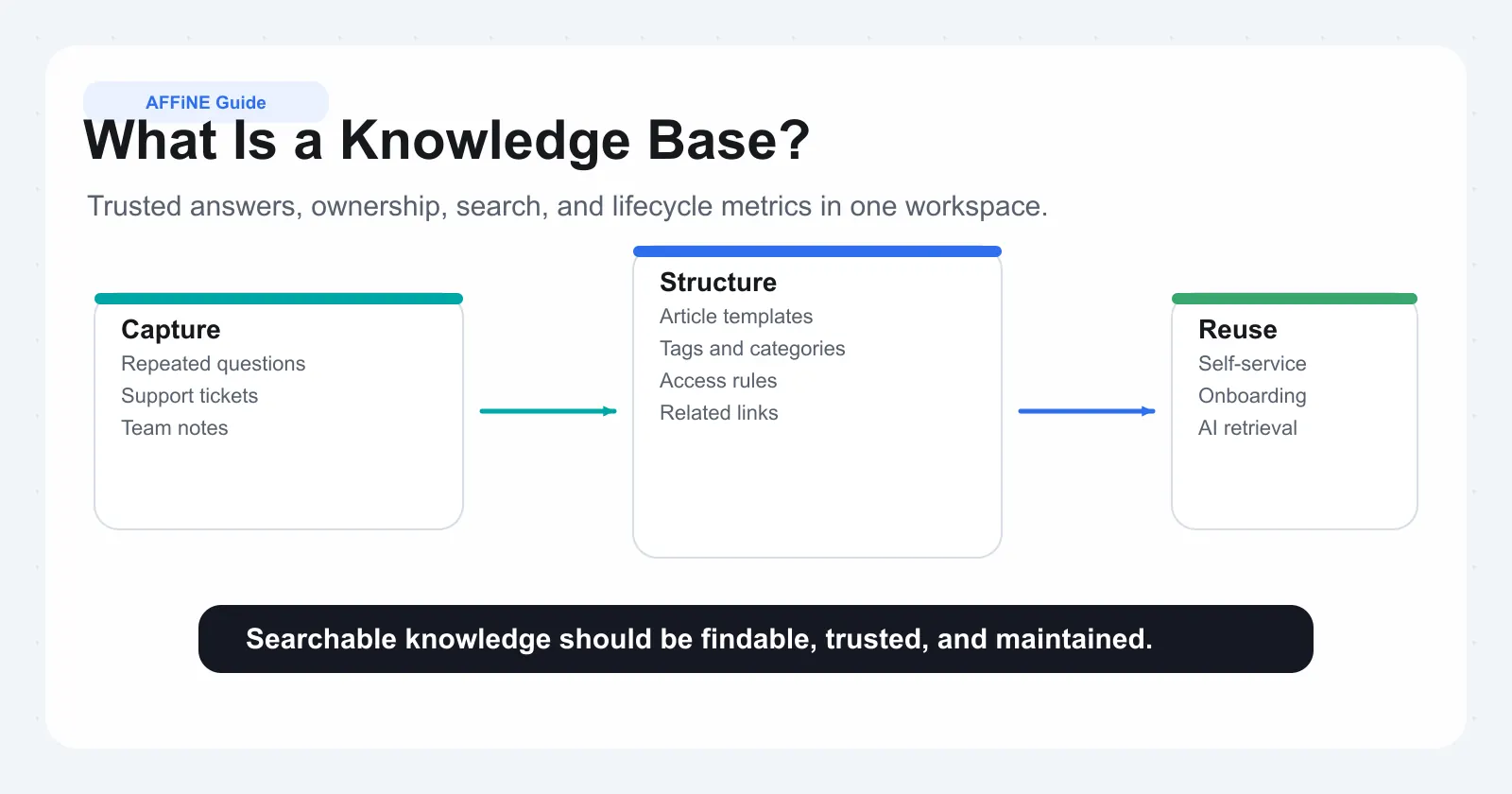
A knowledge base is one component of KM, not the whole thing. If you are mainly trying to set up that component, our guide to what a knowledge base is goes deeper on that piece.
Why knowledge management matters
Organizations rarely start a KM program because the idea sounds good. They start because something hurts. APQC lists the common triggers: senior experts about to retire, a wave of new hires who need to ramp up quickly, and mergers or restructurings that expose silos between groups.
In day-to-day work, the cost of poor KM shows up as:
- Repeated questions. The same five people answer the same questions in chat every week.
- Slow onboarding. New hires learn by interrupting colleagues because nothing is written down, or what is written is out of date.
- Rework. A team solves a problem another team solved last year, because the solution lived in someone's inbox.
- Knowledge loss. When an experienced person leaves, their know-how leaves with them. Our knowledge transfer plan guide covers that specific risk.
- Wrong answers. Outdated documents are worse than none, because people trust them. This now matters more, because AI assistants answer from whatever your documents say.
The benefits of knowledge management are the reverse of that list: faster answers, shorter onboarding, fewer repeated mistakes, less dependence on a few experts, and decisions based on what the organization has already learned.
Types of knowledge: explicit and tacit
Most KM writing starts with the split between explicit and tacit knowledge, and it is worth understanding because each type needs a different method.
| Type | What it is | Examples | How to manage it |
|---|---|---|---|
| Explicit knowledge | Knowledge that is written down or easy to write down | Policies, runbooks, product specs, FAQs, decision records | Documents, templates, a searchable knowledge base, clear owners |
| Tacit knowledge | Knowledge built through experience and hard to put into words | How a senior engineer reads a failing system, how a top salesperson handles a tough call | Mentoring, pairing, shadowing, communities of practice, recorded walkthroughs |
| Implicit knowledge (often added) | Know-how that could be written down but usually is not | Why a decision was made, the workaround everyone uses | Decision logs, post-incident reviews, "how we actually do it" pages |
Many organizations over-invest in explicit knowledge because it is easy to see and count. Yet much of the value sits in tacit knowledge. A runbook tells you which steps to run. It rarely tells you which warning sign means you should stop and call someone.
The SECI model
The best-known framework for how the two types interact is the SECI model, developed by Ikujiro Nonaka and later refined with Hirotaka Takeuchi in The Knowledge-Creating Company (1995). It describes four ways knowledge converts from one form to another:
- Socialization (tacit to tacit): people learn by working together. A new support agent shadows an experienced one.
- Externalization (tacit to explicit): someone writes down what they know. After a tricky incident, the on-call engineer writes up what they checked and why.
- Combination (explicit to explicit): existing documents are merged into something more useful. Ten incident write-ups become one troubleshooting guide.
- Internalization (explicit to tacit): people learn from documents and turn them into their own skill. A new engineer follows the guide until they no longer need it.
The practical point is that a healthy KM program supports all four. A wiki handles combination well. It does little for socialization unless you also make time for pairing and review.
The knowledge management process
Different sources name the steps differently. IBM summarizes them as creation, storage, and sharing, and notes that some academics use a longer chain: acquisition, creation, refinement, storage, transfer, sharing, and use. For a working team, five stages are enough:
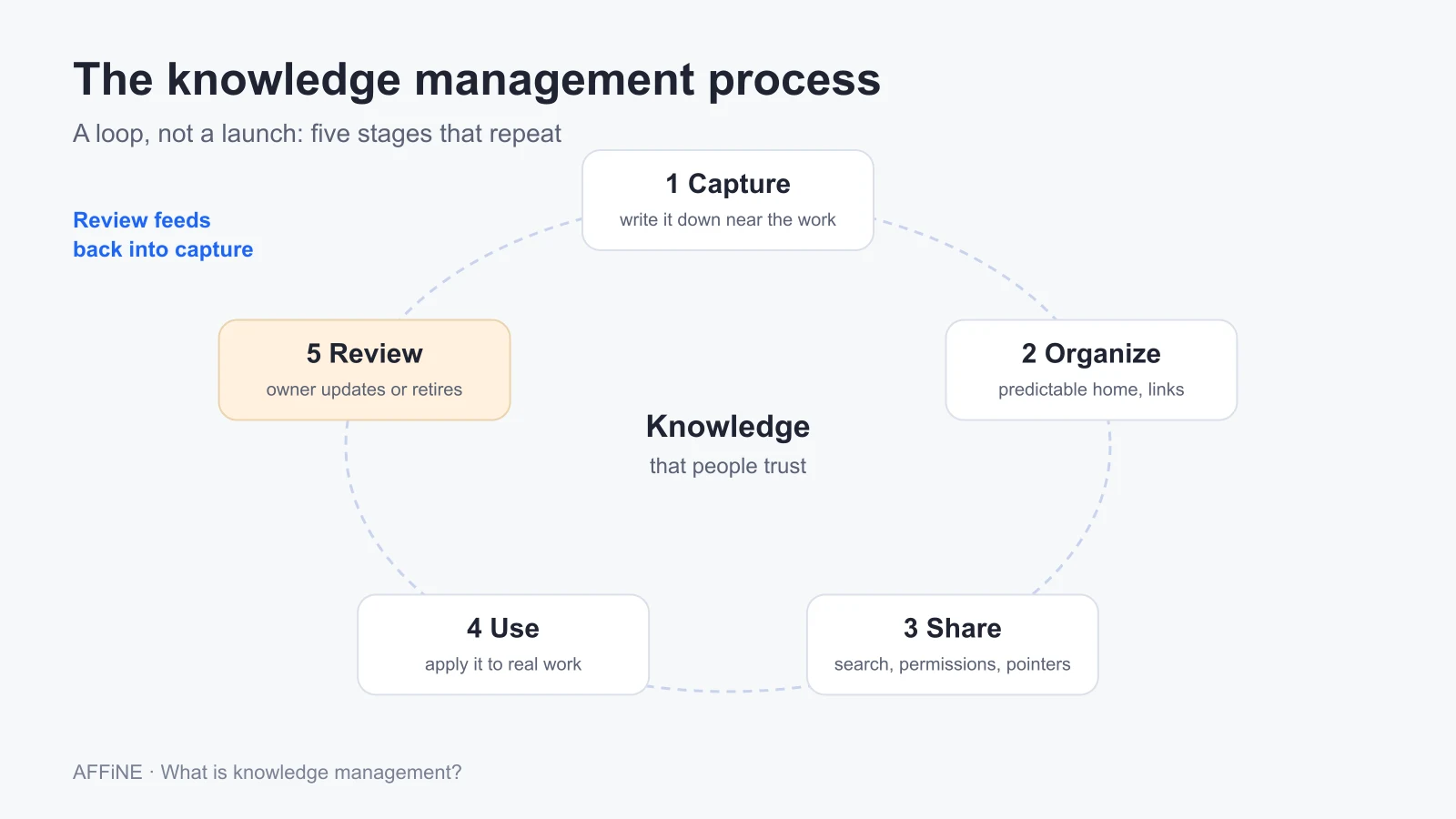
1. Capture
Get knowledge out of heads, chats, and inboxes into a form others can use. Good capture happens close to the work: a decision record written the day the decision is made, a post-incident review written within a week, a recorded demo after a customer call. Templates help because they lower the effort of writing.
2. Organize
Give knowledge a home people can predict. That means a small number of top-level areas (by team, product, or process), consistent page titles, tags or properties that support search, and links between related pages. The goal is not a perfect taxonomy. The goal is that someone new can guess where to look.
3. Share
Move knowledge to the people who need it. That includes passive sharing (search, a well-linked home page) and active sharing (announcing changes, pointing people to the page instead of retyping the answer in chat). Permissions belong here too. Default to open inside the organization, and restrict only what genuinely needs restricting.
4. Use
Knowledge only creates value when someone applies it. Watch for signs of use: support agents linking articles in tickets, new hires completing onboarding with fewer interruptions, teams reusing a template instead of starting from scratch. If a page is never used, it is a candidate for removal.
5. Review
Every piece of knowledge goes stale. Assign an owner to each important page, set a review date, and archive or merge what no longer applies. This stage is where most programs fail. Teams launch a wiki with energy, then stop maintaining it, and within a year people stop trusting it.
What a knowledge management system includes
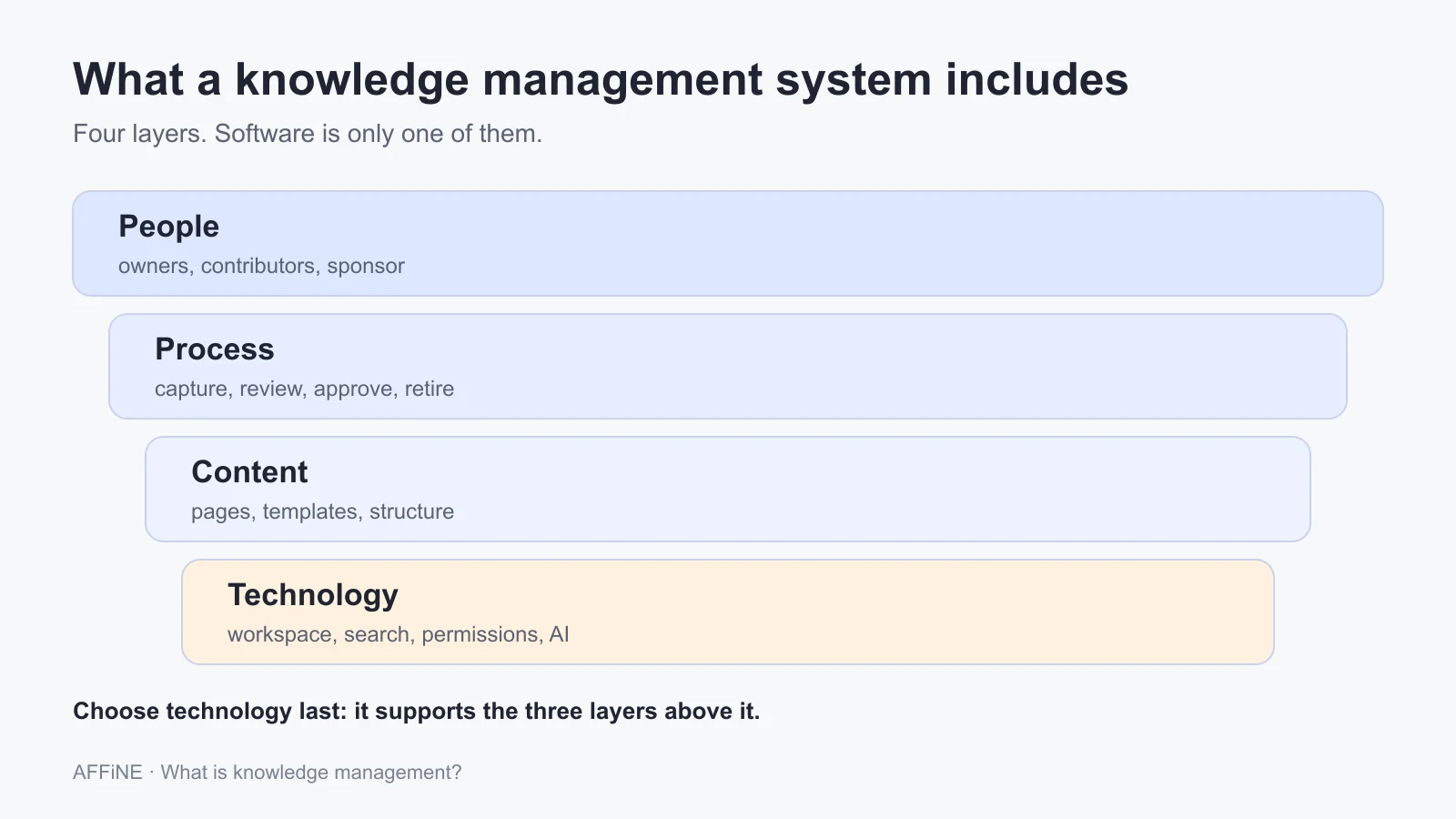
The phrase "knowledge management system" usually brings software to mind. In practice, a KM system has four layers, and the software is the last one you should choose.
| Layer | What it covers | Questions to answer |
|---|---|---|
| People | Owners, contributors, a KM lead or champion, executive sponsor | Who owns each area? Who decides what is official? |
| Process | How knowledge is captured, reviewed, approved, and retired | When must a page be written? How often is it reviewed? |
| Content | The actual pages, templates, structure, and naming rules | What templates exist? What does a good page look like? |
| Technology | The workspace or knowledge base, search, permissions, integrations, AI | Can people find things quickly? Does it fit how they already work? |
ISO 30401, the international standard for knowledge management systems, takes the same view. It sets requirements for "establishing, implementing, maintaining, reviewing and improving" a KM system in any organization, and it is about management practice rather than software. ISO lists the 2018 edition as under revision as of October 2026, so check for the updated version if you plan to certify against it.
APQC is blunt about this: "overemphasizing the role of technology is the most common mistake when it comes [to] knowledge management," and expecting new software to change behavior "is like expecting a new car to make you a better driver" (APQC FAQ 4). A new tool does not fix a team that has no owners and no review habit.
Common types of KM systems
The software layer comes in several forms, and many organizations use more than one:
- Internal wiki or knowledge base: policies, processes, onboarding, and team documentation.
- Customer-facing help center: self-service answers for customers.
- Document management system: controlled files with versioning and retention rules.
- Collaboration workspace: docs, databases, and whiteboards where knowledge is created during the work.
- Expertise directory: who knows what, so people can find the right person.
- Learning management system: structured training and certification.
How to build a knowledge management strategy
A KM strategy does not need to be a long document. It needs to answer five questions clearly. Use these steps to write one in a few weeks.
Pick one business problem
Start with a specific problem, not "better knowledge sharing." Good examples: new support agents take eight weeks to handle tickets alone, or the same infrastructure questions eat ten hours of senior engineer time each week. A specific problem tells you whose knowledge to capture and how to measure success.
Map the critical knowledge
List the knowledge that problem depends on. Mark each item as explicit or tacit, note where it lives today, and note who holds it. This audit usually shows that a few people hold most of the critical tacit knowledge.
Assign owners and a review cadence
Every important area needs a named owner, not a team name. Decide how often each type of content is reviewed. For example, review onboarding pages every quarter and policies every year, and update runbooks after each incident.
Choose methods for each type of knowledge
Use documents and templates for explicit knowledge. Use pairing, shadowing, recorded walkthroughs, and communities of practice for tacit knowledge. Decide which events trigger capture, such as a finished project, a closed incident, or a departing employee.
Choose or adapt the tools
Only now look at software. First check whether your current tools can do the job with better structure. If not, choose a tool your team will actually open every day. A knowledge base nobody visits does not help, however many features it has.
Measure, review, and expand
Pick two or three metrics tied to the original problem, set a baseline, and review after 90 days. If the pilot works, expand to the next team with the same playbook.
Worked example: a knowledge audit for one support team
The steps above are easier to judge on a concrete case. The team below is illustrative, not a customer story, but every step is one you can copy.
The problem. A 12-person support team takes about eight weeks to get a new agent handling tickets alone. Two senior agents answer most of the escalations.
Step 1: list the knowledge the problem depends on. Ask the two senior agents and the last two new hires what they needed in the first eight weeks. Write each item down, then sort it with the four questions APQC suggests for choosing a knowledge transfer approach: how easily the knowledge can be documented, whether you know who will need it, how quickly it changes, and how fast people need it.
| Knowledge item | Type | Where it lives today | Changes how often | Method chosen |
|---|---|---|---|---|
| Refund and credit policy | Explicit | A two-year-old document | Each pricing change | Rewrite as one owned page; review on every pricing change |
| How to reproduce the five most common bugs | Explicit, partly undocumented | Chat threads | Monthly | Troubleshooting page per bug, written by whoever closes the next ticket |
| When to escalate to engineering | Implicit | The senior agents' heads | Rarely | A decision checklist drafted by one senior agent, reviewed by the other |
| How to calm an angry enterprise customer | Tacit | Experience | Rarely | Shadowing: each new agent listens to five calls before taking one |
| Which engineer owns which area | Explicit | Nowhere | Each reorganization | A short "who owns what" page linked from the support home page |
Step 2: assign owners and dates. Each row gets one named owner and a review trigger, not a calendar date alone. The refund page is reviewed whenever pricing changes, because that is when it goes wrong.
Step 3: measure against the original problem. Record the baseline (eight weeks to independence, escalations per week to the two senior agents) and check again after 90 days. Page counts are not the goal. If the escalation checklist exists but escalations do not fall, the checklist is not being used or is wrong.
What the example shows is that only two of the five items were mainly a documentation problem. The escalation judgment and the customer-handling skill needed people time, which is why a new tool on its own would not have shortened onboarding.
Knowledge management examples
More patterns, in short form. These are typical situations, not case studies of named companies.
| Situation | KM approach | What to measure |
|---|---|---|
| Customer support team answering repeat questions | Support agents write or update an article each time they solve a new issue; articles are linked in replies | Share of tickets resolved with an article link; repeat-question volume |
| Engineering team with on-call incidents | Post-incident reviews within a week, combined into troubleshooting guides; new on-call engineers shadow first | Time to resolve repeat incidents; number of escalations to senior staff |
| Fast-growing company onboarding many hires | A structured onboarding hub with owners per section, plus a buddy for each new hire | Time to first independent task; onboarding questions per hire |
| Senior expert retiring in six months | Knowledge transfer plan: recorded walkthroughs, paired work, and a written decision history | Coverage of critical tasks by at least two people |
| Product team repeating past debates | Decision records with context, options, and reasons, linked from the roadmap | How often old decisions are reopened without new information |
Knowledge management best practices
- Write for the person who is stuck. Put the answer first, then the context. Use the words people actually search for.
- Capture during the work, not after it. A decision log written the same day beats a perfect document written three months later.
- One topic, one page. Duplicate pages drift apart and destroy trust. Link instead of copying.
- Name an owner on every important page. Show it on the page, along with the last review date.
- Make review a habit. Archive at least as actively as you create.
- Reward sharing. Recognize people who write and maintain knowledge, and include it in their goals. APQC's KM FAQ treats building a knowledge-sharing culture as one of the core questions for any program.
- Do not forget tacit knowledge. Budget time for pairing and mentoring, not only for writing.
- Treat AI as a reader of your knowledge base. AI assistants answer from your documents. Stale or conflicting pages produce confident wrong answers, so review matters more, not less.
How to measure knowledge management
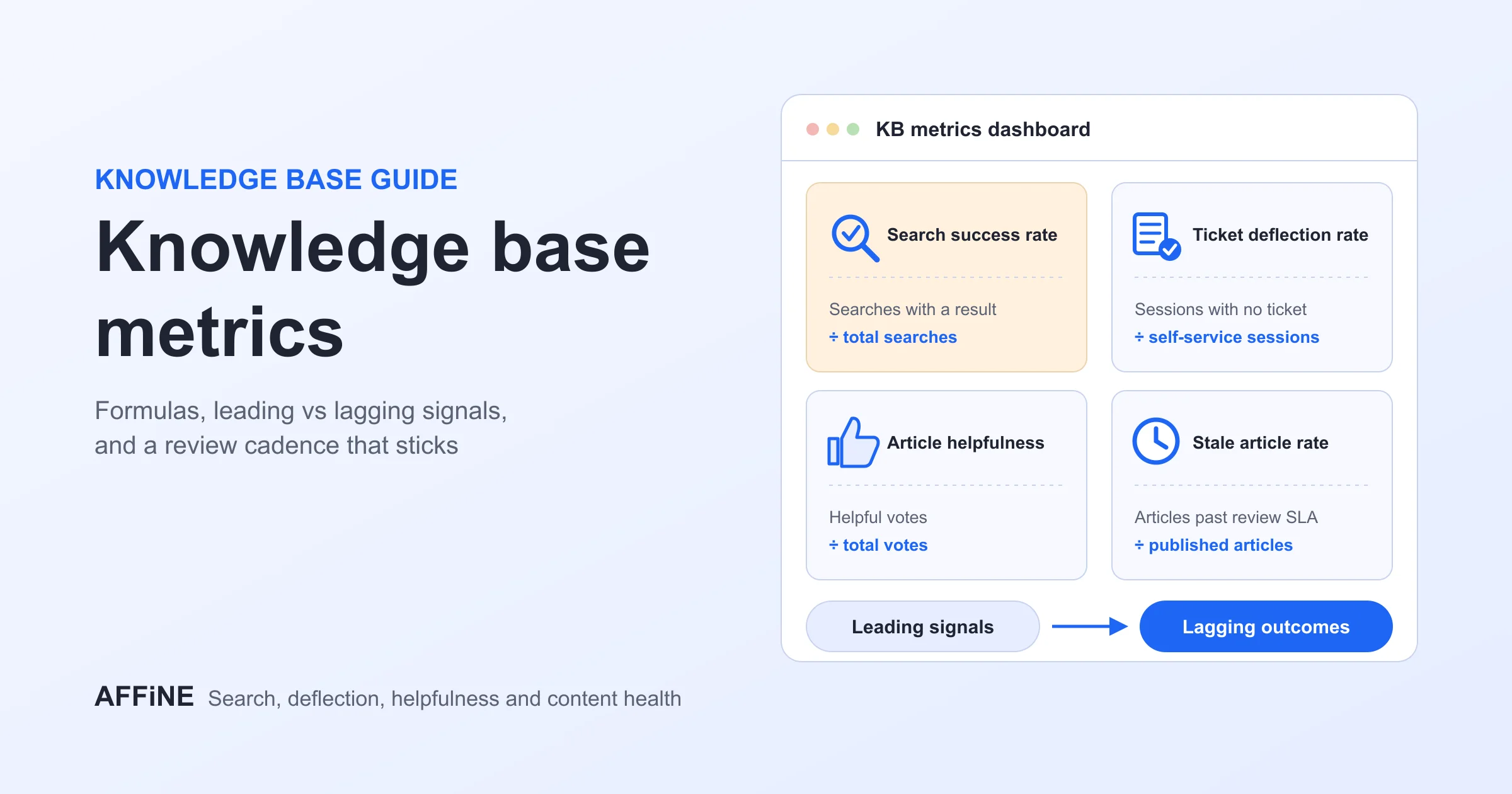
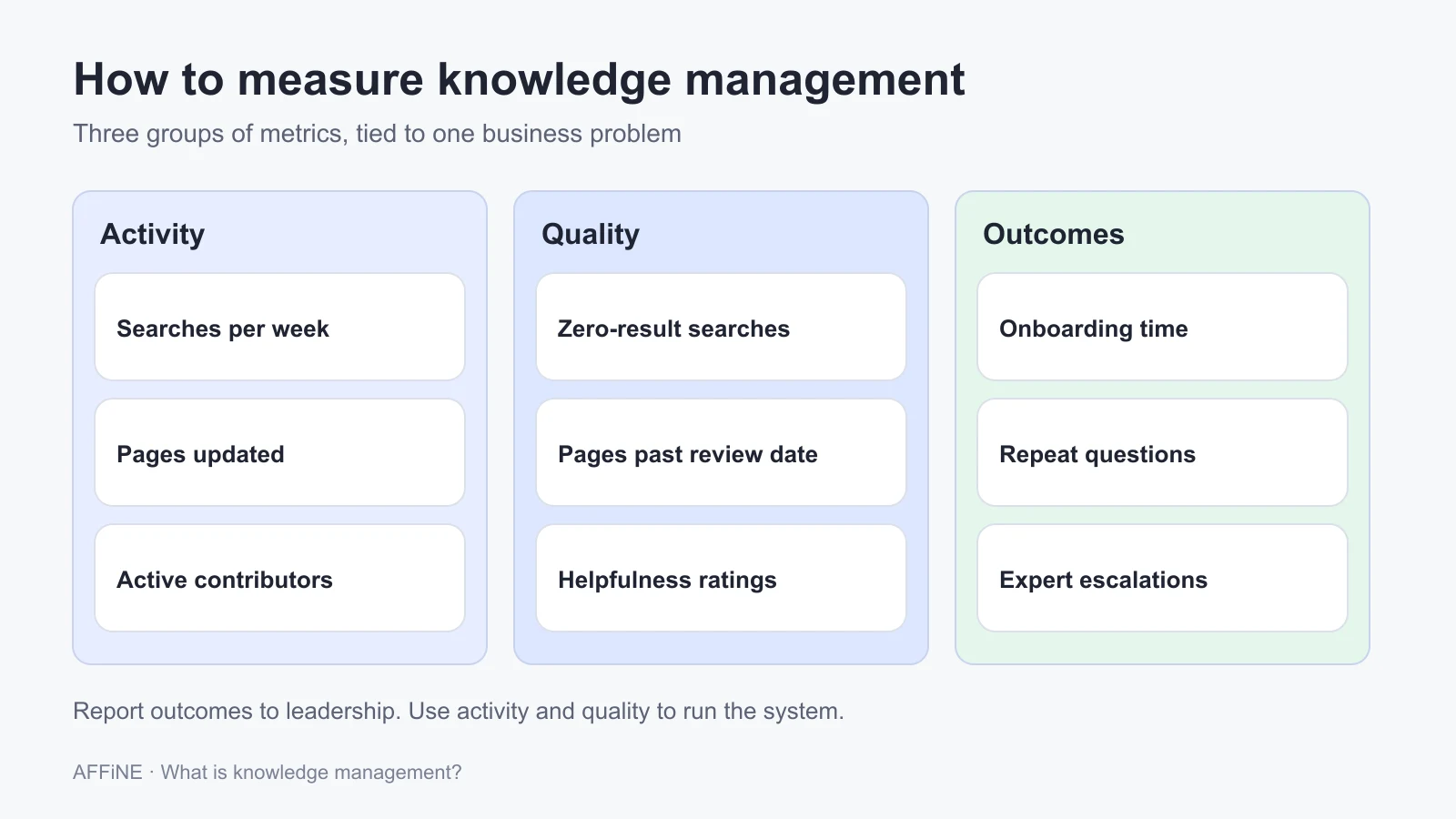
KM is easy to measure badly. Page views and page counts look good in a report but do not show whether people found what they needed. Use a mix of the three kinds of metrics below, tied to the problem you picked.
| Metric group | Examples | Why it matters |
|---|---|---|
| Activity | Searches, pages created and updated, contributors per month | Shows whether people use and maintain the system |
| Quality | Searches with no result, pages past their review date, helpfulness ratings | Shows whether people can trust what they find |
| Outcomes | Onboarding time, repeat questions, ticket resolution time, escalations to experts | Shows whether KM is solving the business problem |
Our article on knowledge base metrics covers how to track the quality and outcome measures in detail.
Common knowledge management challenges
- No owner. Content without an owner decays. Fix it by assigning owners before you migrate any content.
- Tool sprawl. Knowledge spread across five tools is hard to find. Choose one main home for each kind of knowledge and link out from it.
- Low trust. Once people find a few wrong pages, they stop looking. Visible review dates and fast fixes rebuild trust.
- No time to write. If capture is extra work, it will not happen. Build it into existing rituals, such as closing a ticket, finishing a project, or ending an incident.
- Over-engineering. A complex taxonomy designed up front rarely survives contact with real use. Start simple and restructure once you see how people search.
Choosing tools for knowledge management
Once the strategy is clear, the tool question becomes much easier. You know whose knowledge you are capturing, how it will be reviewed, and what "found the answer" means. For side-by-side comparisons, see our knowledge management software guide and our list of 15 knowledge management tools. For individual note-taking rather than team KM, read what personal knowledge management is and how to set it up. If you are building your first knowledge base, start with how to create a knowledge base.
Look for a tool that supports the whole process, not only storage: templates for capture, structure and links for organizing, permissions and search for sharing, and ownership or review fields for maintenance.
Where AFFiNE fits, and where it does not
AFFiNE is a workspace that combines documents, an Edgeless whiteboard, and database blocks with table and Kanban views. Teams use it to capture knowledge during the work, for example in meeting notes, diagrams, and project databases, and then link it into a structured knowledge base. It runs in the cloud, as desktop and mobile apps, or on your own server. Self-hosting is free for up to 10 seats per workspace. The editor is MIT-licensed and the backend uses the AFFiNE Enterprise Edition license, so AFFiNE is open core: the editor is open source and the server is source-available.
AFFiNE is probably not the right choice if:
- You need a customer-facing help center with ticketing and deflection analytics. A dedicated help desk knowledge base fits better.
- You need formal document control, such as approval workflows and retention schedules for regulated records. Use a document management system.
- Your knowledge program depends on a learning management system with courses and certifications.
- Your organization has already standardized on another wiki and the real problem is ownership and review, not the tool. Fix the process first.
Frequently asked questions
What is knowledge management in simple terms?
Knowledge management is how an organization captures what its people know, keeps it accurate, and gets it to whoever needs it. It includes written documents and the experience in people's heads, plus the habits and tools that keep both useful.
What are the main types of knowledge management?
The usual split is by type of knowledge. Explicit knowledge management deals with written material such as policies and guides. Tacit knowledge management deals with experience through mentoring, pairing, and communities of practice. Many guides add implicit knowledge, meaning know-how that could be written down but usually is not.
What is a knowledge management system?
A knowledge management system is the combination of people, processes, content, and technology an organization uses to manage knowledge. The technology part is often a knowledge base, wiki, or workspace. ISO 30401 sets requirements for a knowledge management system as a management practice, not as a piece of software.
What are the steps in the knowledge management process?
A practical version has five steps: capture knowledge, organize it, share it, use it, and review it. Review keeps the loop running by updating, merging, or retiring content that has gone stale.
What is an example of knowledge management?
A support team that writes or updates a help article every time it solves a new type of issue is practicing knowledge management. So is an engineering team that writes post-incident reviews and combines them into troubleshooting guides that new on-call engineers learn from.
How do you measure knowledge management success?
Tie metrics to the problem you set out to solve. Track activity, such as searches and updates. Track quality, such as searches with no result and pages past their review date. Then track outcomes, such as onboarding time, repeat questions, and resolution time. Outcomes are the metrics that justify the program.
Sources and editorial notes
- APQC, What is knowledge management?. Accessed October 27, 2026.
- ISO, ISO 30401:2018 Knowledge management systems — Requirements. Accessed October 27, 2026.
- IBM, What is knowledge management?. Accessed October 27, 2026.
- Nonaka, I. and Takeuchi, H., The Knowledge-Creating Company (Oxford University Press, 1995), summarized in SECI model of knowledge dimensions. Accessed October 27, 2026.
- AFFiNE product facts: AFFiNE self-host documentation and the AFFiNE license file. Accessed October 27, 2026.
How this guide was prepared: AFFiNE wrote this article in October 2026 from the sources above and from a review of the pages that currently rank for "what is knowledge management." The worked example and the examples table describe typical situations, not named organizations. Their numbers (team size, weeks to independence) are illustrative inputs for the method, not research findings. AI tools assisted with research and drafting, and the AFFiNE team reviewed and edited the content.