MLA Heading
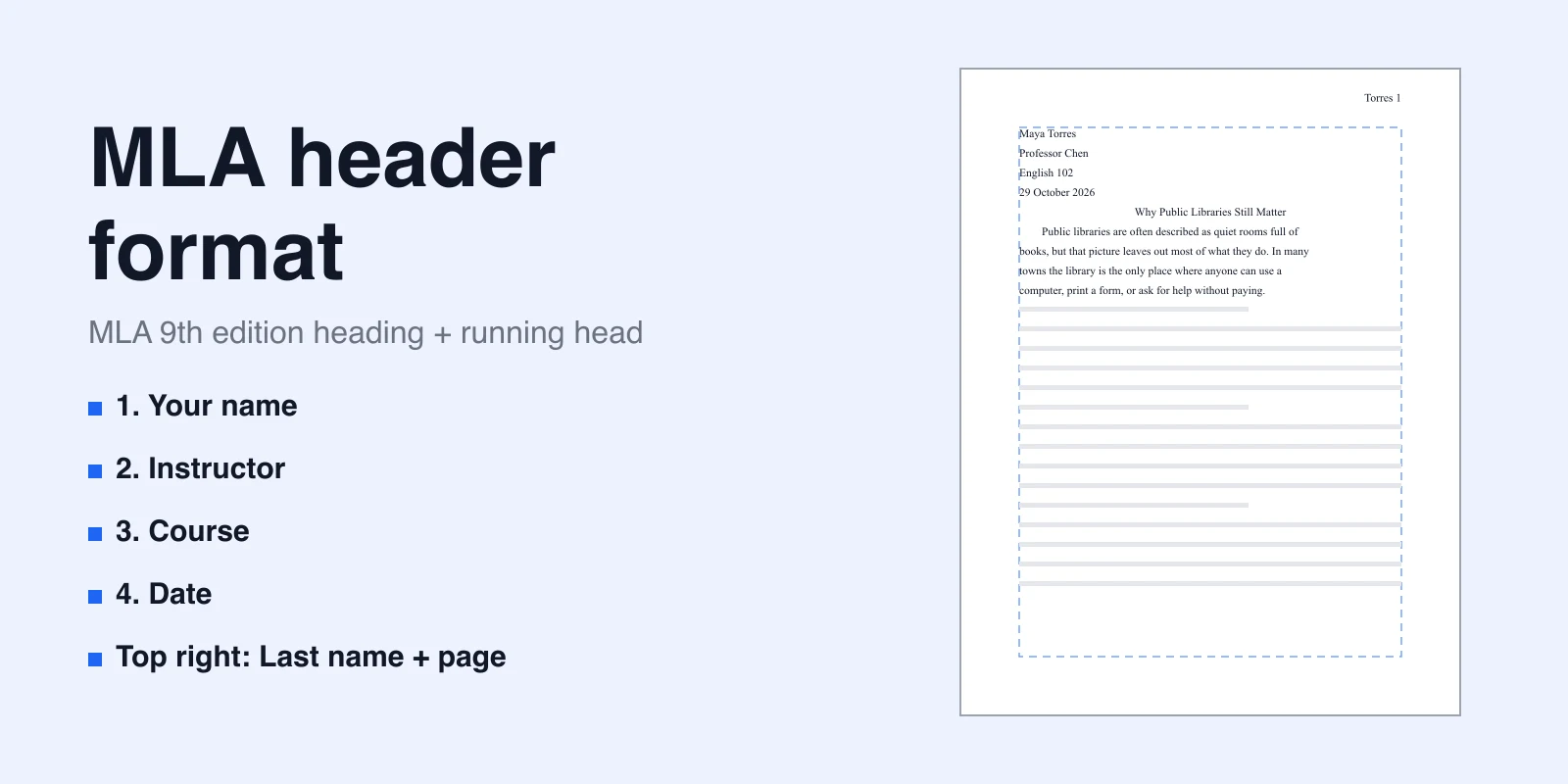
A whiteboard reference for the four-line MLA heading: a filled sample beside four placeholders. Set the running head, margins, and spacing in Word or Docs.

Reviewed by AllenContent Operations Manager


This template is an AFFiNE Edgeless page (AFFiNE's whiteboard view) with two parts side by side:
Open the doc in Edgeless view to see both parts, then replace each placeholder with your own details, one item per line. The MLA Handbook asks only for "the date", so use the date format your instructor prefers. On the web, Use this template asks you to sign in to an AFFiNE account before it imports a copy.
AFFiNE is a docs-and-whiteboard workspace, not a page-layout word processor. It has no page header, page-number field, margin setting, or line-spacing control. That means the template cannot add the MLA running head (your surname and an automatic page number, such as Lee 1), double spacing, or one-inch margins, and the sample does not show a running head. Set those up in the editor you submit from, such as Microsoft Word or Google Docs.
For an annotated first page, Word and Google Docs steps, title-page rules, and what carries over when you draft in AFFiNE, see the MLA essay header guide.