Object Diagram

Free UML object diagram template for AFFiNE: an editable ATM example with five linked instances and attribute values you can replace with your own scenario.

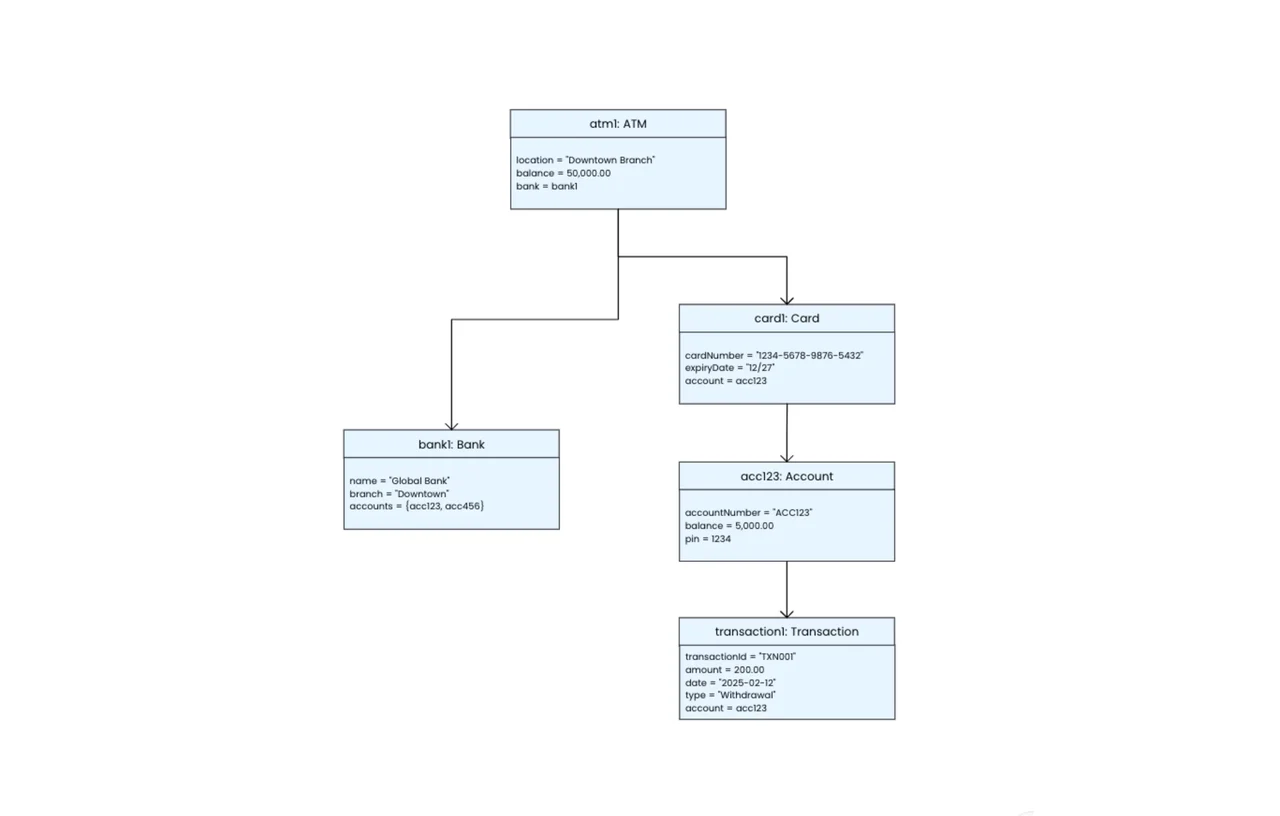
UML object diagram of an ATM system linking atm1, bank1, card1, acc123, and transaction1 objects with attribute values

An object diagram is a UML structural diagram that shows specific instances of classes, their attribute values, and the links between them at one moment in time. This AFFiNE template gives you an editable ATM banking example with five connected objects and filled-in attribute values, so you can see what a correct object diagram looks like and replace it with your own system's data.

What's included in this template

  • Five object instances using UML instance notation (name: Class): atm1: ATM, bank1: Bank, card1: Card, acc123: Account, and transaction1: Transaction.
  • Attribute values for each object, for example the ATM's location and balance, the card's number and expiry date, and the transaction's amount, date, and type.
  • Links between objects shown as arrows: the ATM connects to the bank and the card, the card to the account, and the account to the transaction.
  • An edgeless canvas in AFFiNE, so you can add objects, edit values, and rearrange the layout.

When to use an object diagram

  • Checking a class diagram: create a concrete example to confirm your classes and associations can represent a real scenario.
  • Explaining a system state: show teammates or students exactly what data exists at a given point, such as after a withdrawal.
  • Writing test cases: document the objects and values a test should set up.
  • Teaching UML: use the ATM example to show the difference between classes and instances.

How to use this object diagram in AFFiNE

  1. Duplicate the template. Click Use this template to open a copy in your AFFiNE workspace.
  2. Pick one scenario. Decide which moment you want to capture, such as "a customer has just withdrawn cash."
  3. Rename the objects. Change each header to the format objectName: ClassName for the instances in your scenario.
  4. Fill in attribute values. Replace the sample values with the real data each object holds at that moment.
  5. Connect the links. Draw arrows between objects that reference each other, and remove links that do not apply.
  6. Review against your class diagram. Check that every object and link matches a class and association you have defined.

Object diagram vs. class diagram

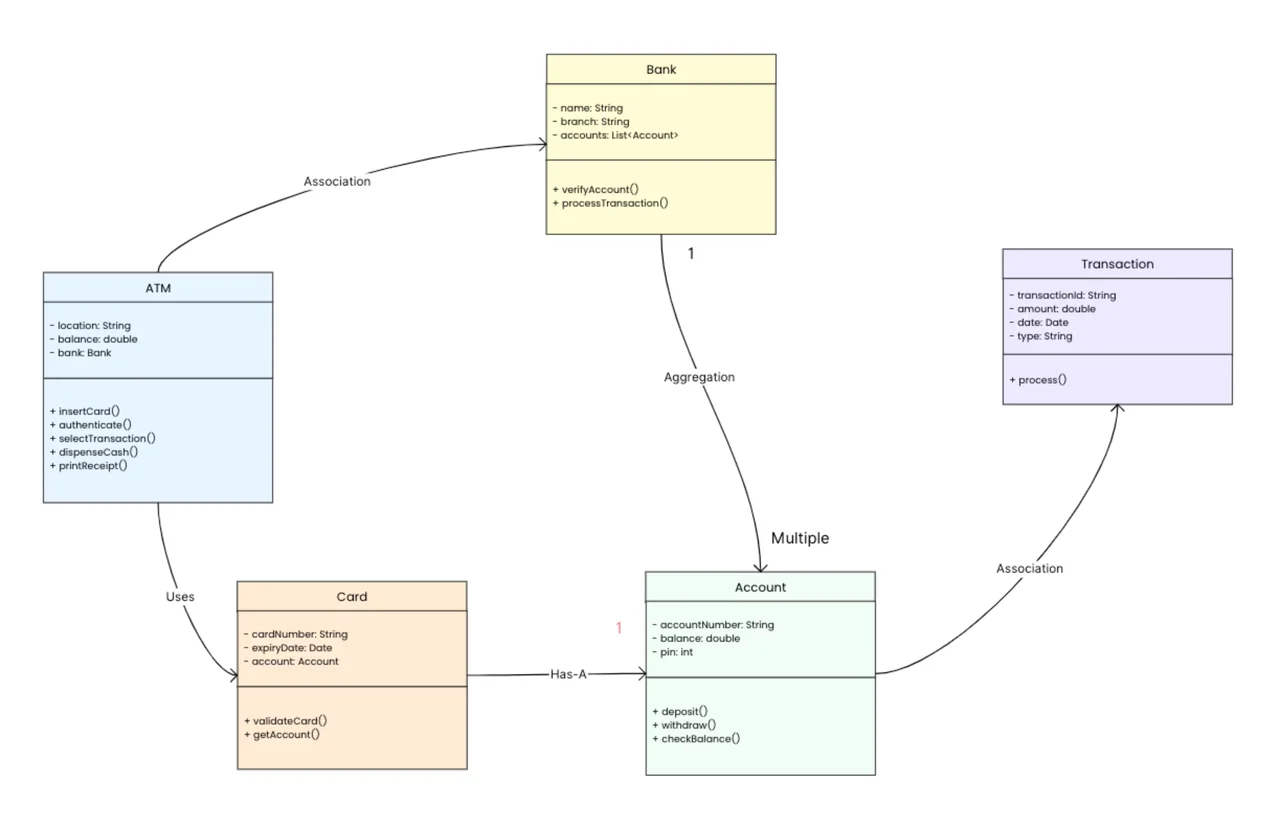
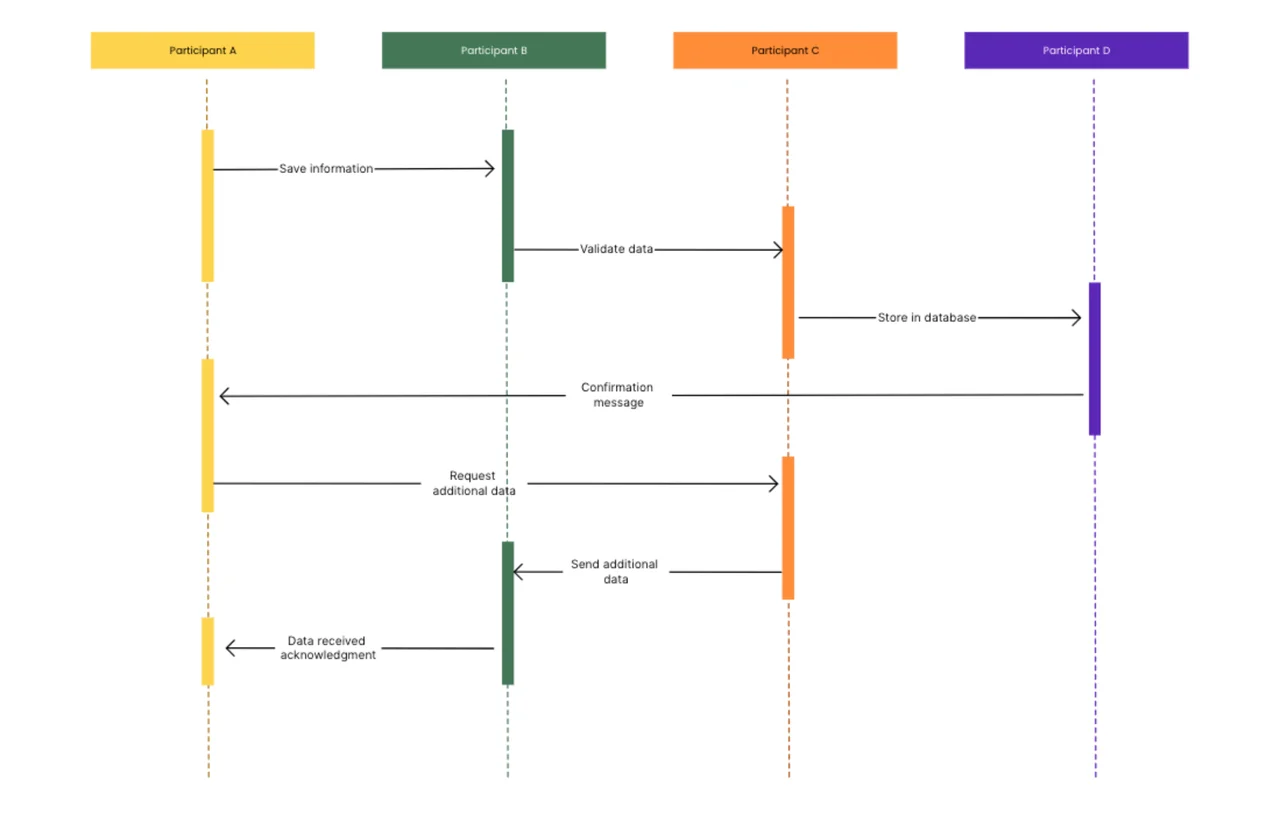
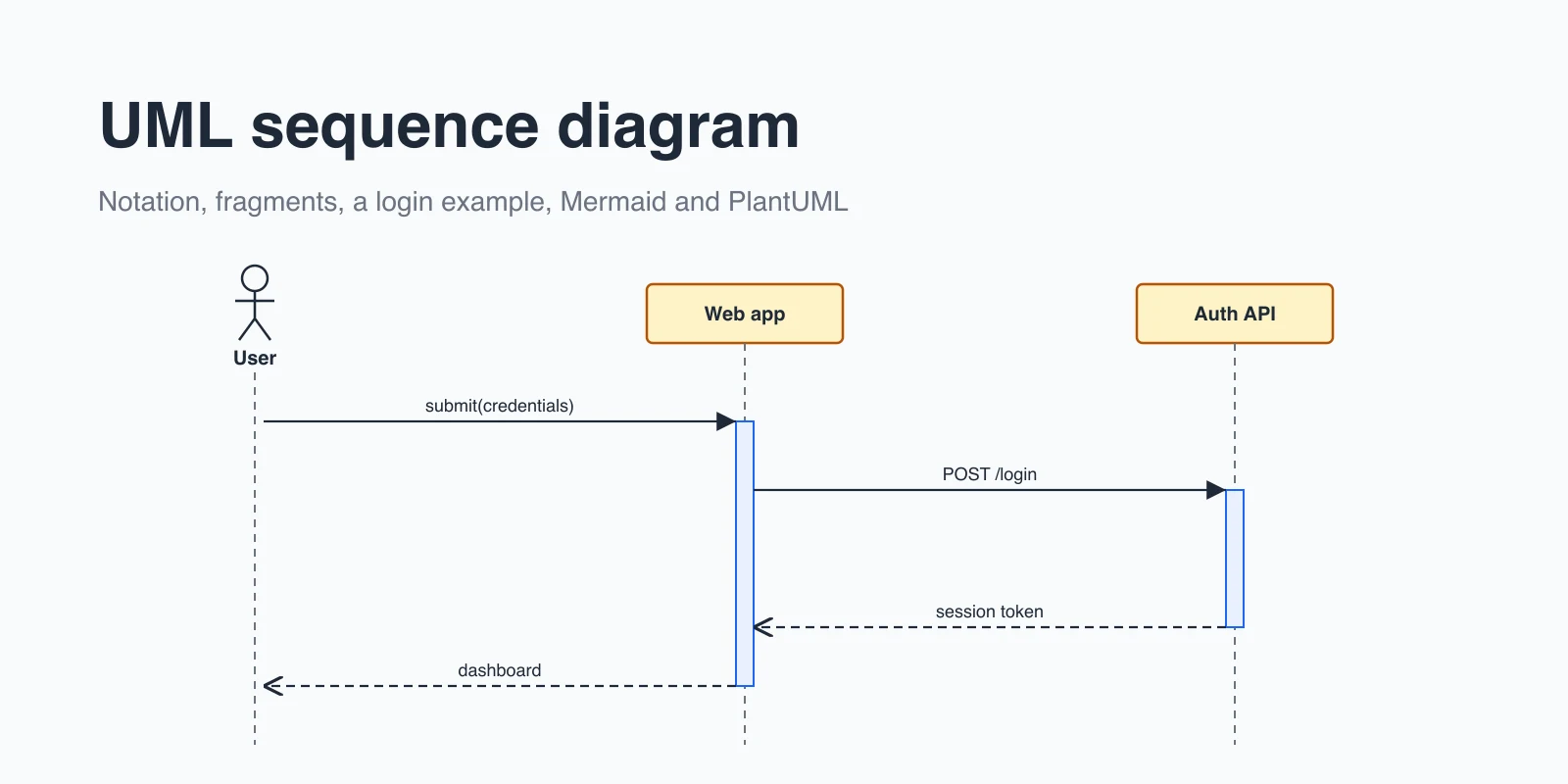
A class diagram describes the blueprint: which classes exist, which attributes they have, and how they can relate. An object diagram is a snapshot of that blueprint in use, with underlined or name: Class headers and actual values instead of types. Start with the UML class diagram template, then use this template to test it with real data. To show how the same objects exchange messages over time, use the sequence diagram template. You can find more UML layouts in the diagram template collection.

Frequently asked questions

What is the purpose of an object diagram?

It shows a concrete example of a system's objects and their values at a specific time. This helps you check that a class design works and explain system state to others.

What is the difference between an object diagram and a class diagram?

A class diagram defines classes, attributes, and possible relationships in general. An object diagram shows particular instances of those classes with actual attribute values and links.

How do you name objects in an object diagram?

UML names an instance as objectName: ClassName, for example acc123: Account. You can leave out the object name and write : Account for an anonymous instance.

Can I edit this object diagram for free?

Yes. You can duplicate the template into your AFFiNE workspace at no cost and change every object, value, and link.
Get more things done, your creativity isn't monotone