The Daily Life OS Personal Knowledge Base

A free Life OS template for AFFiNE: a personal knowledge base with a daily dashboard, morning check-in, habit tracker, finance section, and idea space.

Daily Life OS page with a Home Base welcome note and a Daily Dashboard with morning check-in and habit tracker cards

A Life OS template is a personal knowledge base that brings your daily routines, habits, finances, notes, and ideas into one connected workspace, so you plan and reflect in the same place. This AFFiNE template opens with a Home Base introduction and a Daily Dashboard with a quick morning check-in and habit tracker, plus sections for financial wellness and creative inspiration.

What's included in this template

  • Home Base welcome section that explains the layout, styled in warm terracotta, sand, and olive tones.
  • The Daily Dashboard: a board for today's core priorities, wellness habits, and meal or nourishment plans, with a Quick Morning Check-In card and a Habit Tracker card.
  • A section for tracking financial wellness.
  • A space to capture creative inspiration, ideas, and notes you want to keep.
  • An Info block at the top for page properties.

Who it's for

  • People who want one home page for daily life instead of separate apps for habits, budget, and notes.
  • Beginners building a second brain who need a simple starting structure.
  • Anyone who journals or plans each morning and wants a check-in prompt.
  • Users moving a Notion life OS setup to a workspace that also has a whiteboard.

How to use this Life OS template in AFFiNE

  1. Duplicate the template. Click Use this template to copy it into your AFFiNE workspace.
  2. Personalize the Home Base. Rewrite the welcome text to describe what you want this system to help with.
  3. Set up your Daily Dashboard. Edit the morning check-in questions and list the habits you want to track.
  4. Add your finance and inspiration pages. Fill in the money section and start saving ideas, links, and notes.
  5. Link related pages. Use AFFiNE page links to connect journal entries, projects, and reference notes to the dashboard.
  6. Review weekly. Check habits and finances once a week and archive what you no longer use.

Tips for building a personal knowledge base

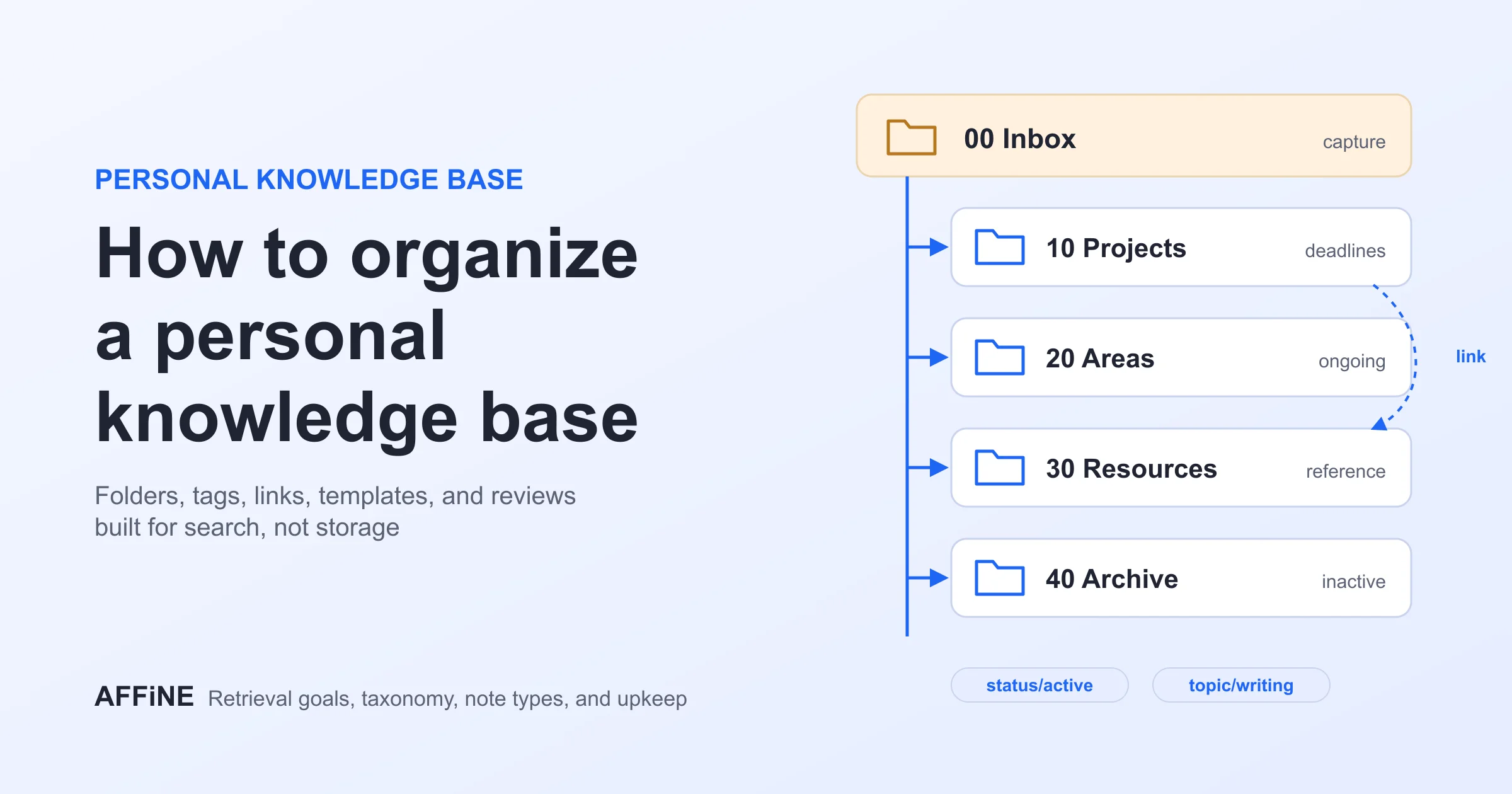
Start small: one dashboard and a few pages you actually open every day are better than dozens of empty databases. Capture first and organize later, and link notes to each other rather than nesting them deeply in folders. For a method to follow, read our guides on building your second brain and how to organize a personal knowledge base. If you prefer a lighter setup, try the minimalist second brain.

Frequently asked questions

What is a Life OS?

A Life OS (life operating system) is a personal system that connects tasks, habits, goals, notes, and finances in one workspace so you can manage daily life from a single dashboard.

What is the difference between a Life OS and a second brain?

A second brain focuses on capturing and connecting knowledge. A Life OS adds daily planning, such as habits, routines, and budgets, on top of that knowledge base.

Is this Life OS template free?

Yes. Unlike many paid Notion Life OS templates, this one is free to use in AFFiNE, and you can export pages to PDF, Markdown, or HTML.

Can I use this template without Notion?

Yes. It runs in AFFiNE, which offers both documents and a whiteboard, so you do not need a Notion account.

More layouts are in the personal knowledge base templates collection, including the digital Zettelkasten.


Get more things done, your creativity isn't monotone