Free Online Table Maker: 10 Tools Compared (2026)
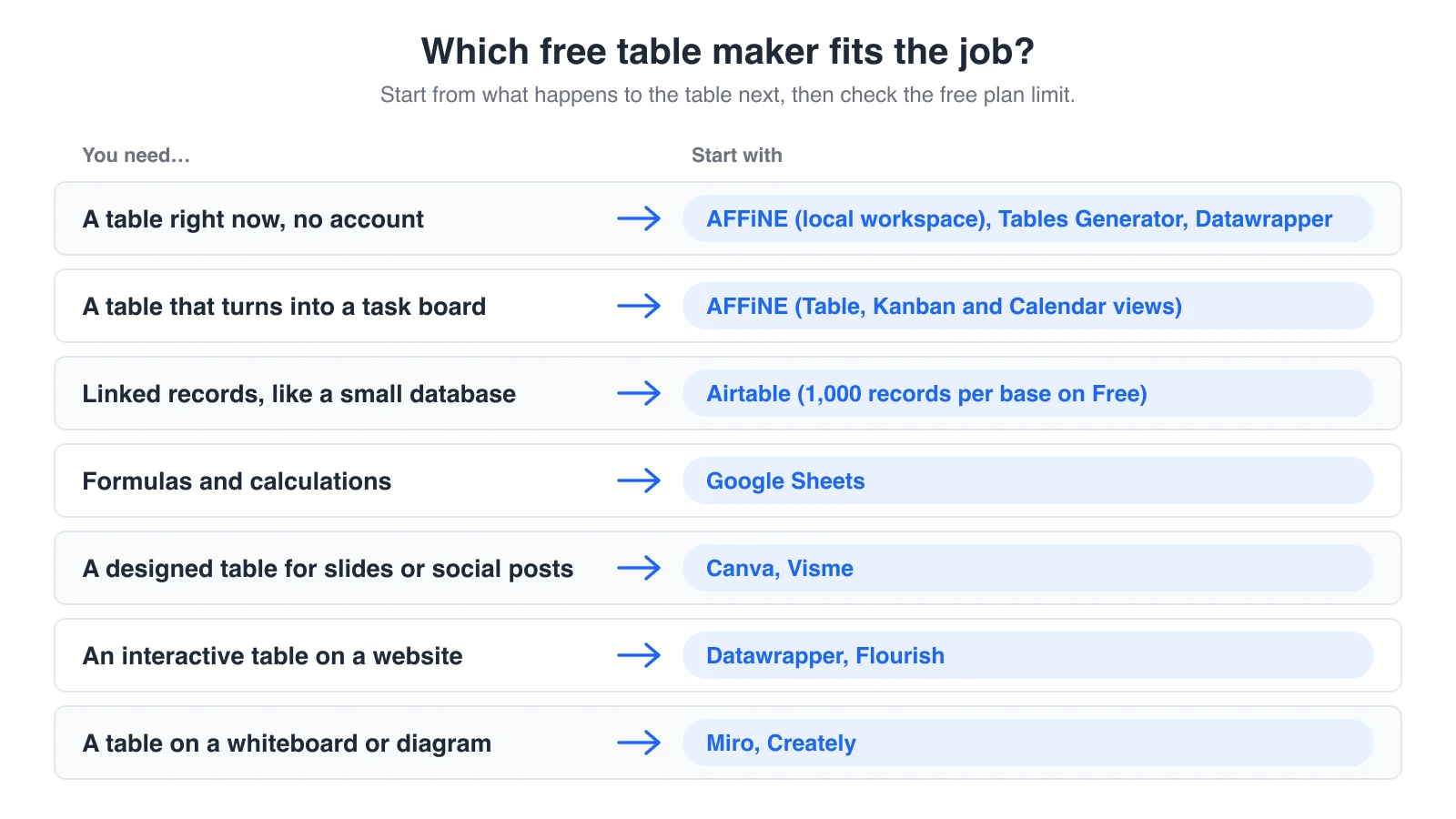
Short answer: the best free online table maker depends on what happens to the table next. If the table should turn into a task board or live next to your notes, start with AFFiNE, which works without an account. For linked records, use Airtable. For formulas, use Google Sheets. For a designed table in a slide or social post, use Canva. For Markdown, HTML or LaTeX code, use Tables Generator. For an interactive table on a website, use Datawrapper or Flourish.
Updated November 5, 2026. We checked every free plan on the official pricing and help pages on that date. We built the same 10-row sample table in AFFiNE, Tables Generator and Datawrapper, the three tools here that let you start without an account. AFFiNE is our product. We hold it to the same checks as the other nine tools.
Free online table makers compared
| Tool | Best for | Sign-up to start | Free plan limit | Free export | Sort and filter |
|---|---|---|---|---|---|
| AFFiNE | Tables that become task boards and docs | No (local workspace) | Unlimited local workspaces; cloud: 10 GB, up to 3 members per workspace | Doc as HTML, PNG or Markdown, or print to PDF; no CSV | Yes |
| Airtable | Linked records, small databases | Yes | 1,000 records per base, up to 5 editors | CSV from a grid view | Yes |
| Google Sheets | Formulas and shared data | Yes (Google account) | Up to 20 million cells per spreadsheet | CSV, XLSX, PDF and more | Yes |
| Canva | Designed tables for slides and social posts | Yes | 5 GB storage; some templates and elements need Pro | PNG, JPG, PDF | No |
| Tables Generator | Code-ready tables | No | No published limit | Markdown, HTML, LaTeX, Typst, AsciiDoc, MediaWiki, plain text, CSV | Sort rows |
| Datawrapper | Searchable, sortable tables on websites | No to build; free account to publish or download | Free plan with "Created with Datawrapper" attribution | PNG, embed code | Yes (interactive) |
| Flourish | Interactive tables inside data stories | Yes | Unlimited projects; publishing is public with attribution | Public embed only; image export is paid | Yes (interactive) |
| Miro | Tables on a whiteboard | Yes | 3 editable boards | Paid plans for high-resolution JPG or PDF | Basic |
| Creately | Tables inside diagrams | Yes | 45 shapes per diagram | None on Free (PNG and JPEG start on Pro) | No |
| Visme | Tables in reports and infographics | Yes | 500 MB storage, Visme logo on projects | None on Free (downloads start on Starter) | No |
Limits as shown on each vendor's pricing or help page on November 5, 2026. Plans change often, so check the linked pages before you rely on a limit.
How we checked these tools
We wanted every tool on this page to be usable for free today, not just on a trial.
- Sources: each tool's official pricing page, help center and product pages, all read on November 5, 2026. The sources are listed at the end of this page.
- Sample table: a 10-row, 5-column launch tracker (Task, Owner, Status, Due date, Priority). We built it in AFFiNE, Tables Generator and Datawrapper without signing in, in a fresh browser profile. For the other seven tools, the screenshots show the vendor's public table or pricing page, because they need an account to start.
- What we did not do: we did not run timed speed tests, and we did not test paid plans.
- Conflict of interest: AFFiNE makes this blog. We list AFFiNE's gaps (no CSV export, fewer styling options) as plainly as everyone else's.
- AI assistance: AI tools helped with research, drafting and the cover illustration. The AFFiNE team reviewed and edited the content.
What a table maker is, and when a spreadsheet is better
A table maker is a tool for building a readable table that you can share, embed or export. A spreadsheet such as Excel or Google Sheets is built for calculation: formulas, pivot tables and large data sets. If your job is mostly maths, use a spreadsheet; our guide on how to make a table in Word, Excel or Google Docs covers those steps. If your job is to show or track information, a table maker is usually faster.
Three questions decide which table maker fits:
- Where does the table go? A slide needs a PNG. A website needs embed code or HTML. A README or wiki needs a Markdown table. A team needs a shared link.
- Will the data change? A static table can live in a design tool. A table you update every week needs real columns, sorting and filters.
- Where does "free" stop? Free plans usually stop at a record limit, a board limit or an export button. That limit matters more than the feature list.
The 10 best free online table makers
Each review covers what the tool is for, what the free plan allows, and its main limit for making tables.
1. AFFiNE: best for tables that turn into task boards
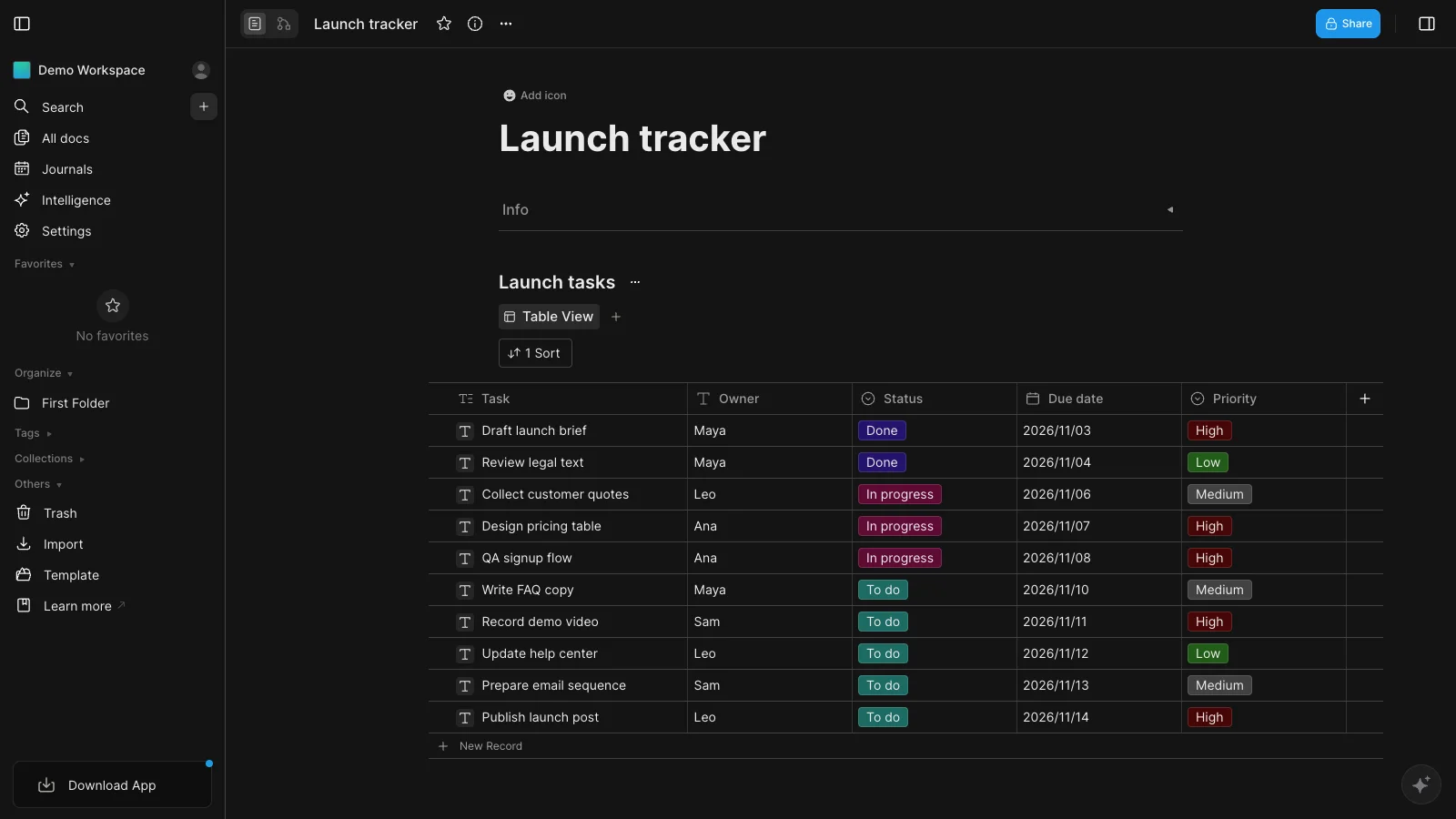
Best for: tables that you keep updating, such as trackers, content calendars and comparison lists. For ready-made layouts, see these social media content calendar templates.
AFFiNE is an open-source workspace where a table is a database block inside a doc or on a whiteboard. You can start in a local workspace without an account: open the app, type / in a doc, and insert a table view. Each column has a type, such as select, date, number or checkbox, so a Status column becomes a dropdown instead of free text.
In our test: app.affine.pro opened straight into a local workspace with no sign-up. We added a table view and set Owner as Text, Status and Priority as Select, and Due date as Date. Pasting tab-separated rows filled the existing rows and created the select options from the text, but did not add rows, so we added rows first. Sorting by Due date and filtering to High priority both worked. The column types on offer were Text, Number, Select, Multi-select, Date, Checkbox, Progress, Link, Attachment, Member, Created Time and Created By.
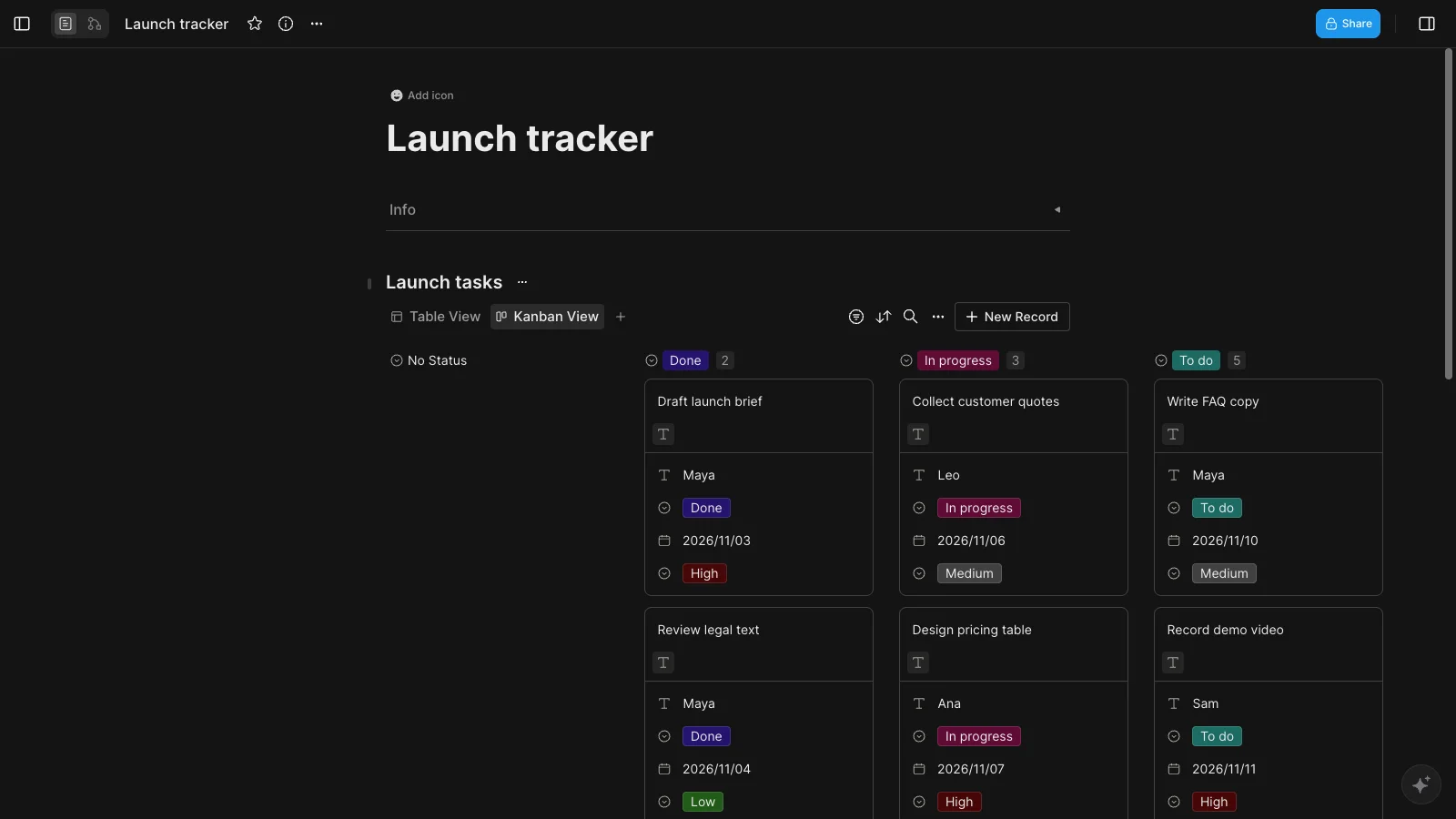
The same rows can switch to a Kanban view grouped by Status, or a Calendar view by date. That is useful when a comparison table turns into a to-do list. If you mainly need boards, see our list of free kanban board apps.
- Free plan: unlimited local workspaces. AFFiNE Cloud Free adds 10 GB of storage and real-time collaboration with up to 3 members per workspace. See AFFiNE pricing.
- Export: the doc's Export menu offers HTML, PNG, Markdown, Copy as Markdown, Snapshot and Print, so you can print to PDF. The database block itself has no CSV or Excel export.
- Platforms: web, Windows, macOS, Linux, iOS and Android (download).
- Watch out for: fewer styling options than Canva, and no CSV export. A browser local workspace is stored in that browser, and AFFiNE warns that the browser may remove it when disk space is low, so use the desktop app or a cloud workspace for tables you want to keep. Sharing a link with others needs a cloud workspace.
2. Airtable: best for linked records
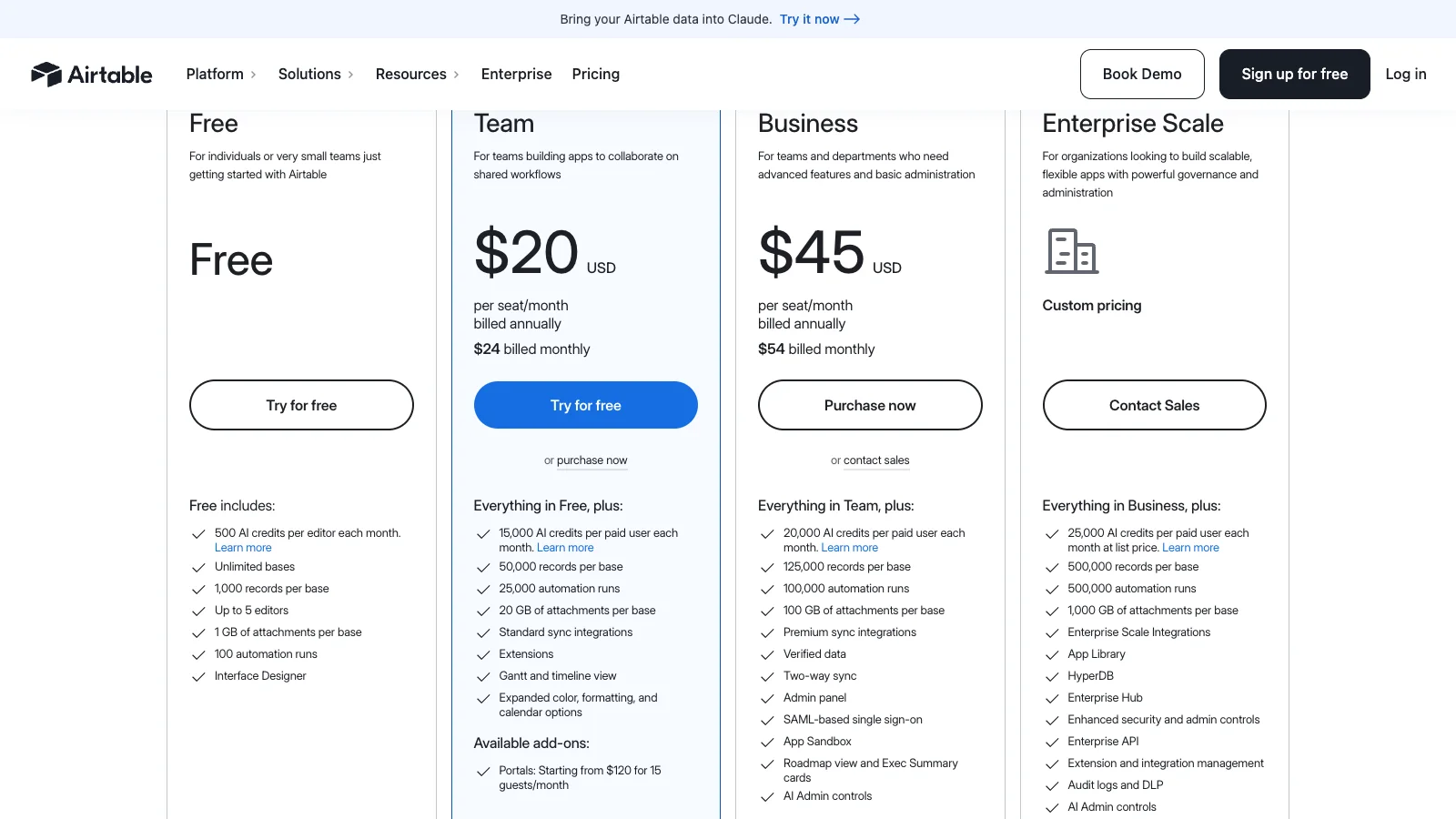
Best for: tables that are really a small database, such as tasks linked to owners or products linked to suppliers.
Airtable looks like a spreadsheet, but each row is a record with typed fields, and you can link records across tables. Views such as grid, Kanban and calendar sit on top of the same records.
- Free plan: unlimited bases, 1,000 records per base and up to 5 editors.
- Export: download any grid view as a CSV file.
- Watch out for: you need an account, and the 1,000-record cap applies per base. If you outgrow it, compare Airtable alternatives.
3. Google Sheets: best when you also need formulas
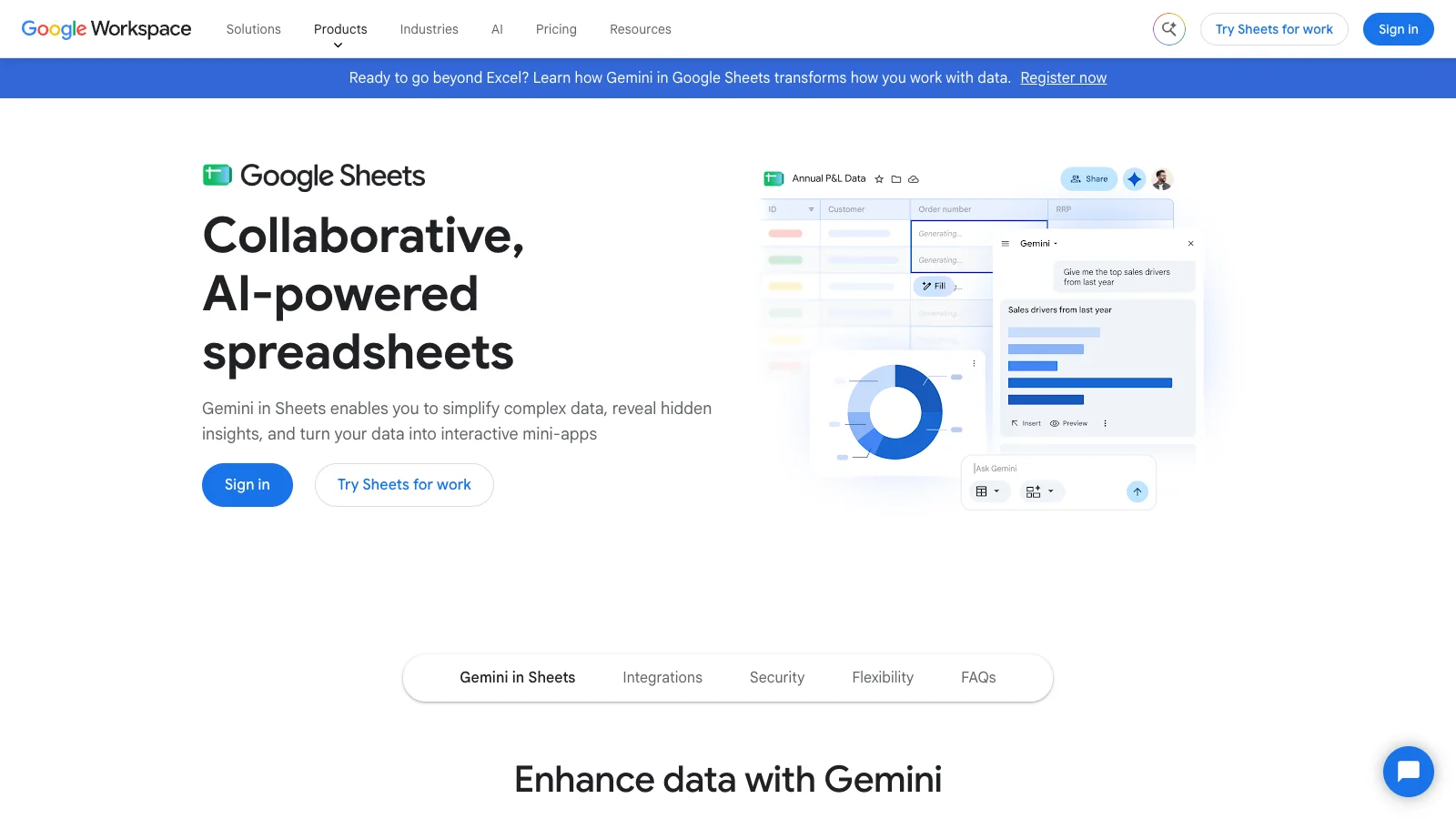
Best for: tables that need calculations, charts or many collaborators.
Google Sheets is free with a Google account. It is a full spreadsheet, so you get spreadsheet formulas, filters, conditional formatting and real-time editing. It is the safest choice when the table needs maths.
- Free plan: up to 20 million cells per spreadsheet, with storage shared across your Google account.
- Export: CSV, XLSX, ODS, PDF and more.
- Watch out for: a spreadsheet grid is not a presentation. Styling a table for a slide or web page takes extra work.
4. Canva: best for designed tables in slides and posts
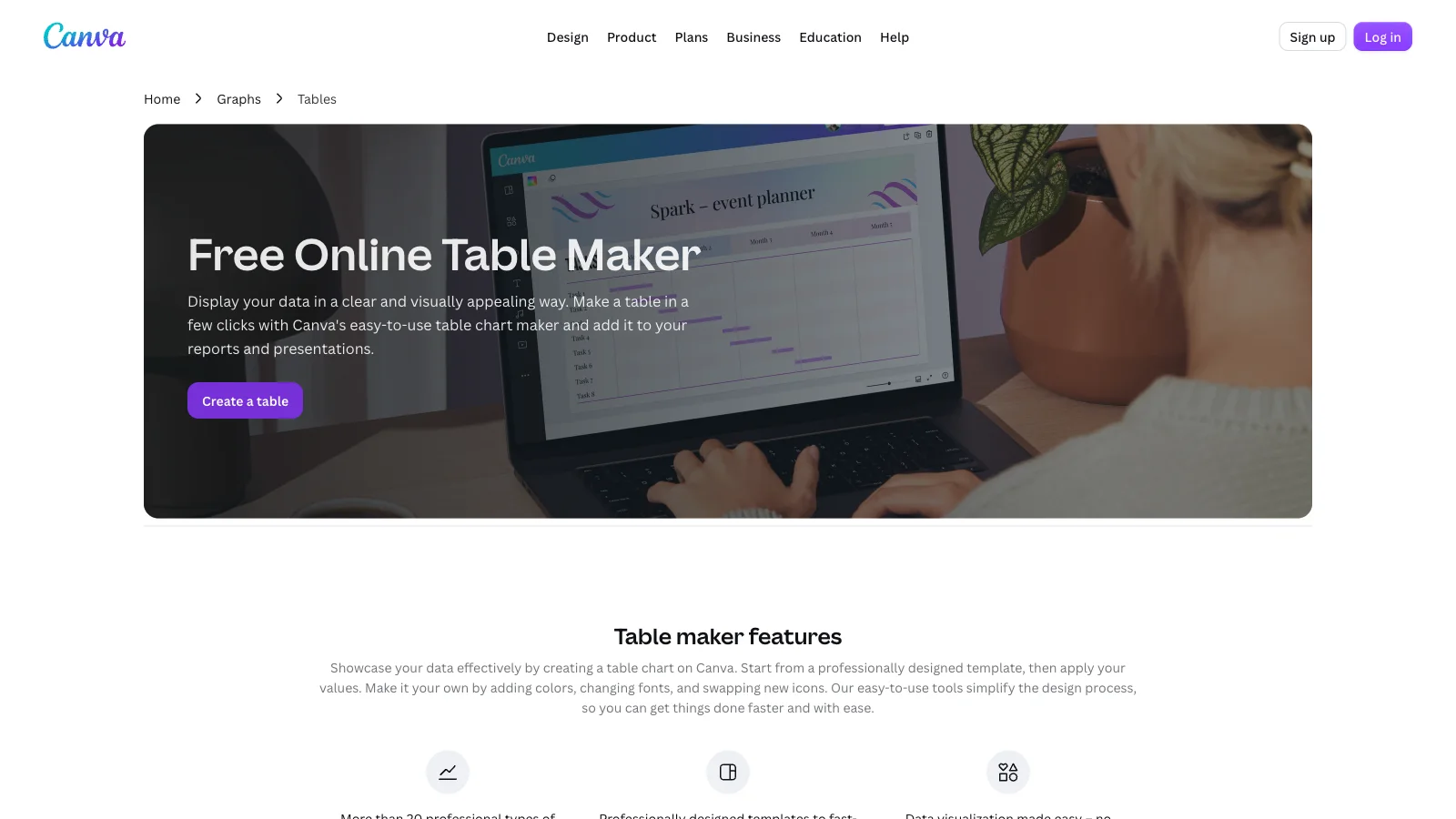
Best for: a table that has to look good in a presentation, report cover or social post.
Canva treats a table as a design element. You start from a template or insert a table, type your values and style it with colours and fonts. It is the fastest way to make a table look polished.
- Free plan: the drag-and-drop editor, free templates and 5 GB of storage. Some templates and elements need Canva Pro.
- Export: PNG, JPG and PDF on the free plan.
- Watch out for: you need an account, and the data is static. There is no sorting, no dropdown columns and no CSV export.
5. Tables Generator: best for Markdown, HTML and LaTeX tables
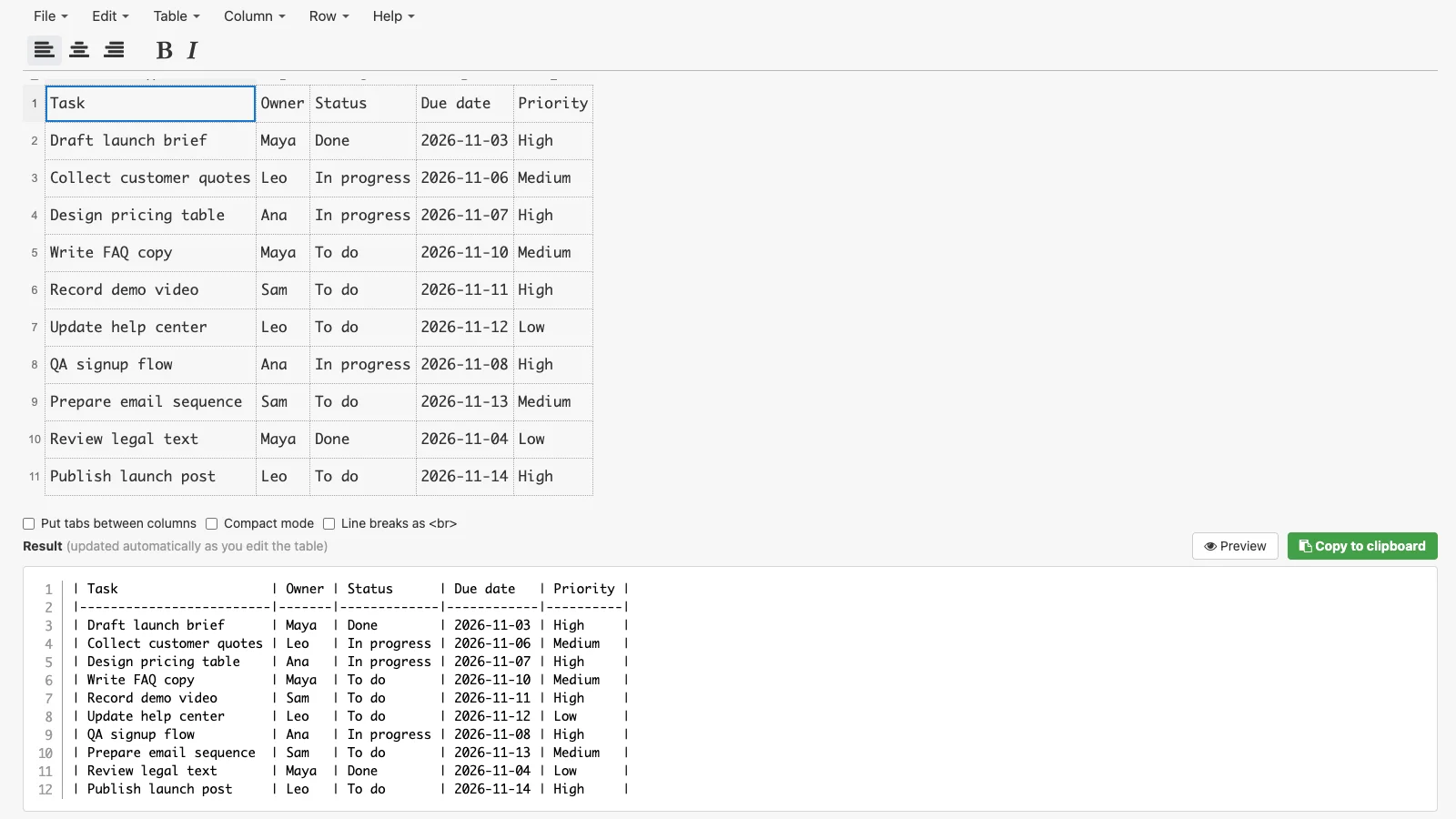
Best for: a table you paste into a README, wiki, website or paper.
Tables Generator is a free browser tool with no account. You paste cells from a spreadsheet or import a CSV or Excel file, format the cells, and copy the generated code. In our test: pasting the 10 rows into the first cell filled the whole grid at once, and the Markdown output updated as we edited.
- Free plan: free, with no published limit.
- Export: LaTeX, HTML, plain text, Markdown, MediaWiki, Typst and AsciiDoc code, plus CSV download.
- Watch out for: no sharing or collaboration. The table lives in your browser until you copy or save it.
6. Datawrapper: best for interactive data tables
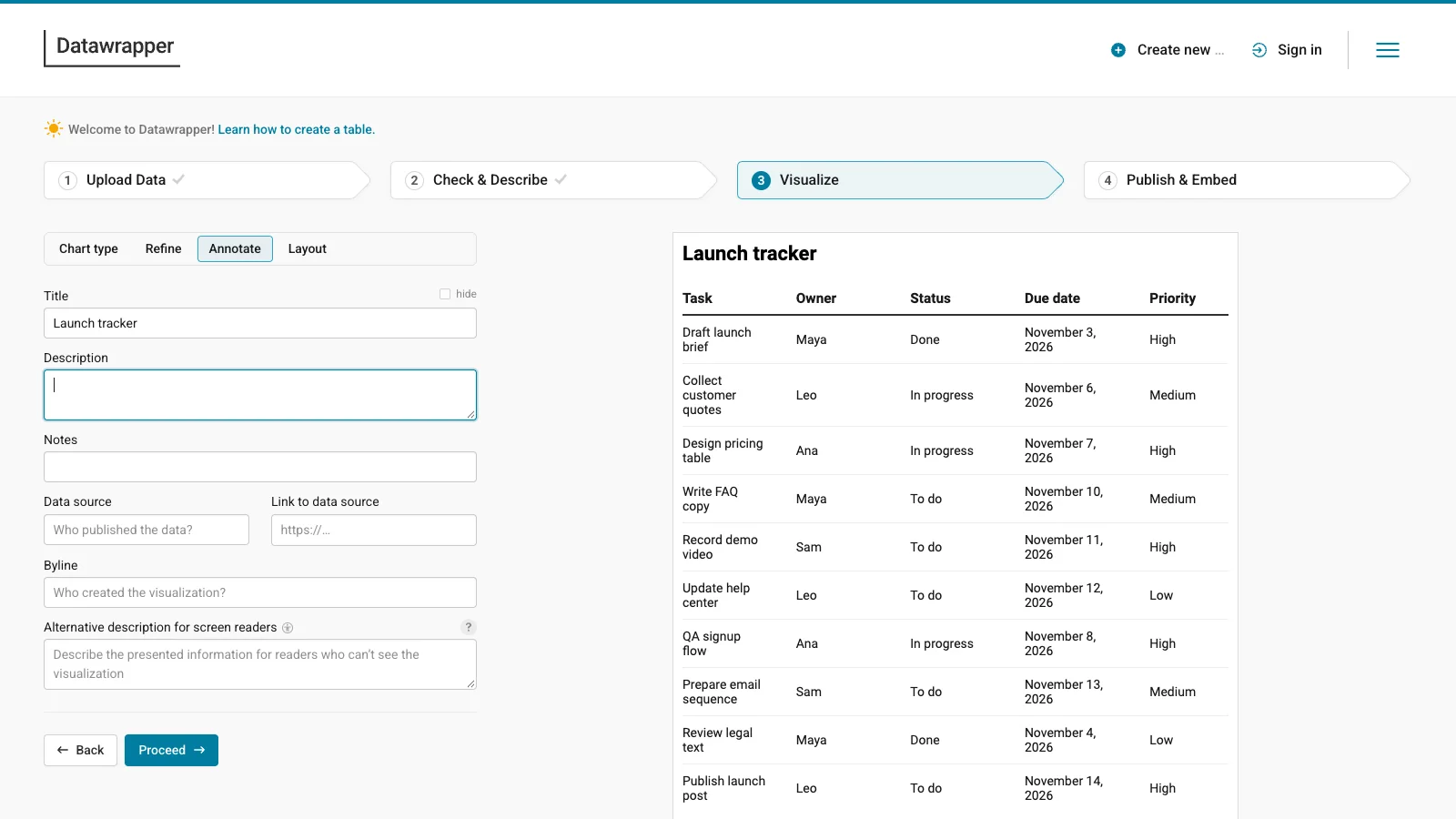
Best for: a table readers can search and sort on a website or in a news story.
Datawrapper is used by newsrooms for charts, maps and tables. Its table type supports search, sortable columns, pagination, heatmap colours and small charts inside cells. In our test: the editor opened without an account, and we pasted the rows, checked the columns and styled the table. At the Publish & Embed step, Datawrapper asked us to create a free account or sign in before publishing or downloading a PNG.
- Free plan: create and embed interactive tables, with a "Created with Datawrapper" attribution. You need a free account to publish or download.
- Export: PNG download and embed code. PDF and SVG need a paid plan.
- Watch out for: it is built for publishing data, not for tracking work. There are no task-style columns such as owners or checkboxes.
7. Flourish: best for interactive tables in data stories
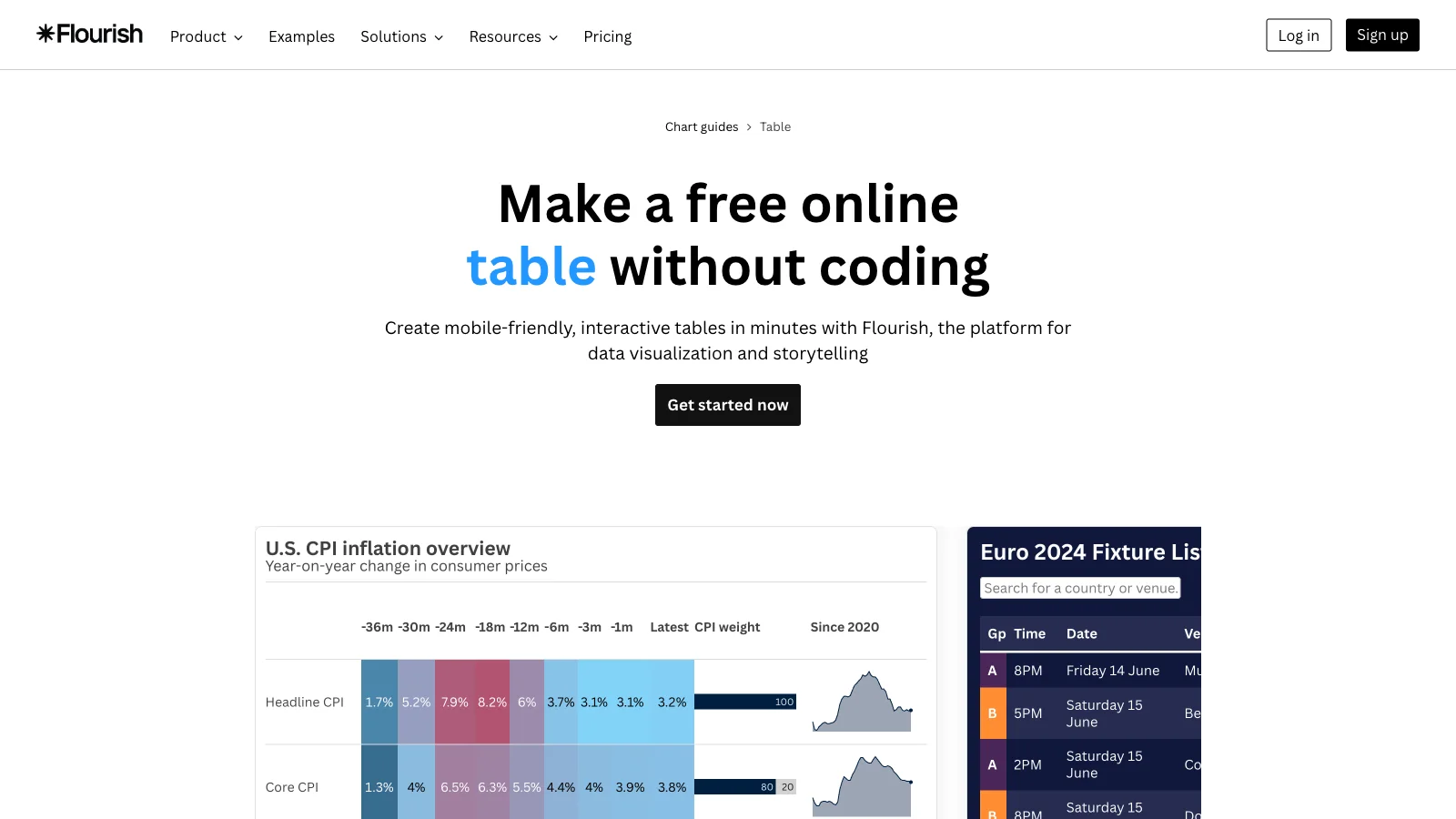
Best for: a searchable table inside a larger interactive story or report.
Flourish, now part of Canva, offers a table template alongside charts, maps and scrollytelling. Tables can be searchable and sortable, and you can mix them with other visuals in one story.
- Free plan: unlimited projects. Unpublished projects stay private. Published projects are public and carry Flourish attribution.
- Export: embed on a website. Image, SVG and HTML export need a paid plan.
- Watch out for: you need an account, and you cannot keep a published table private on the free plan.
8. Miro: best for tables on a whiteboard
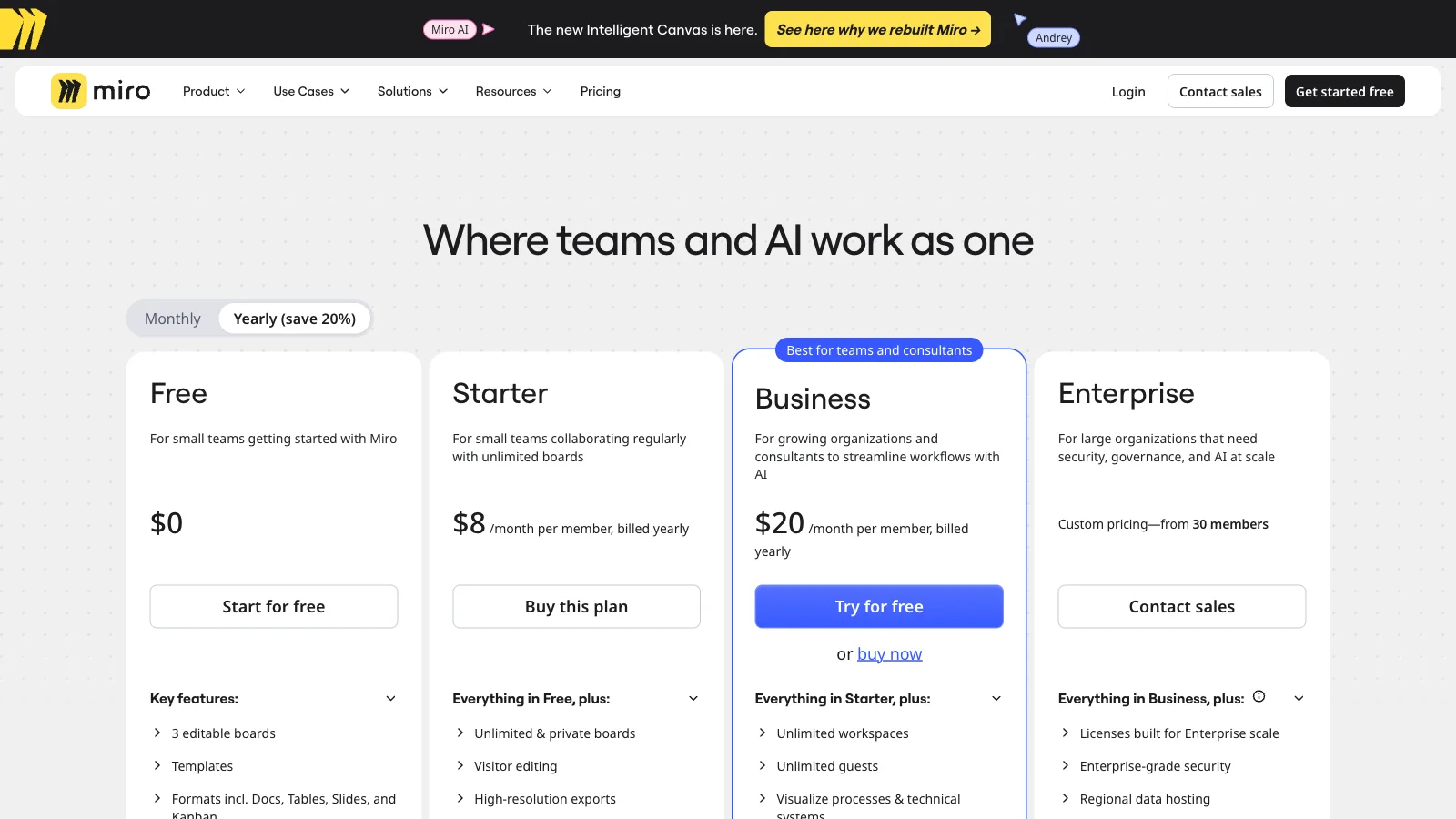
Best for: a table that sits next to sticky notes, diagrams and workshop notes.
Miro is an online whiteboard. Its Tables format lets you add a structured table to the canvas, next to docs, Kanban and slides.
- Free plan: 3 editable boards. You can create more, but only the three most recent stay editable.
- Export: high-resolution JPG and PDF exports are listed as a paid feature.
- Watch out for: the 3-board limit is shared by the whole free team. Compare Miro alternatives if you need more boards.
9. Creately: best for tables inside diagrams
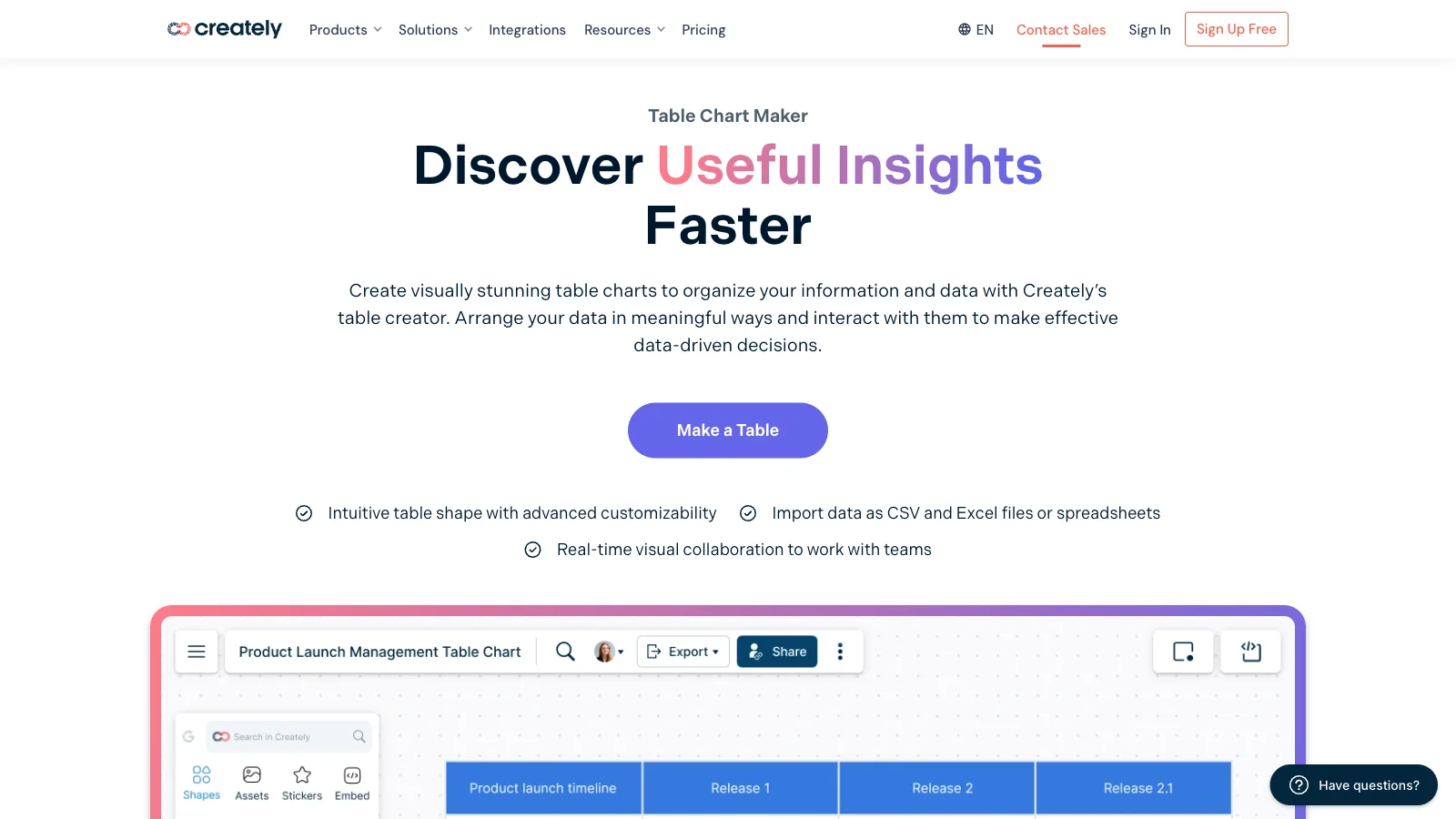
Best for: a table that is one part of a flowchart, org chart or process map.
Creately is a visual workspace for diagrams. It includes table chart templates and real-time collaboration on an infinite canvas.
- Free plan: free forever, with up to 45 shapes per diagram.
- Export: Creately's plan table lists PNG and JPEG export on Pro and above, not on Free.
- Watch out for: the 45-shape cap and the lack of free export make it a poor fit if the table is the main thing you need.
10. Visme: best for tables in reports and infographics
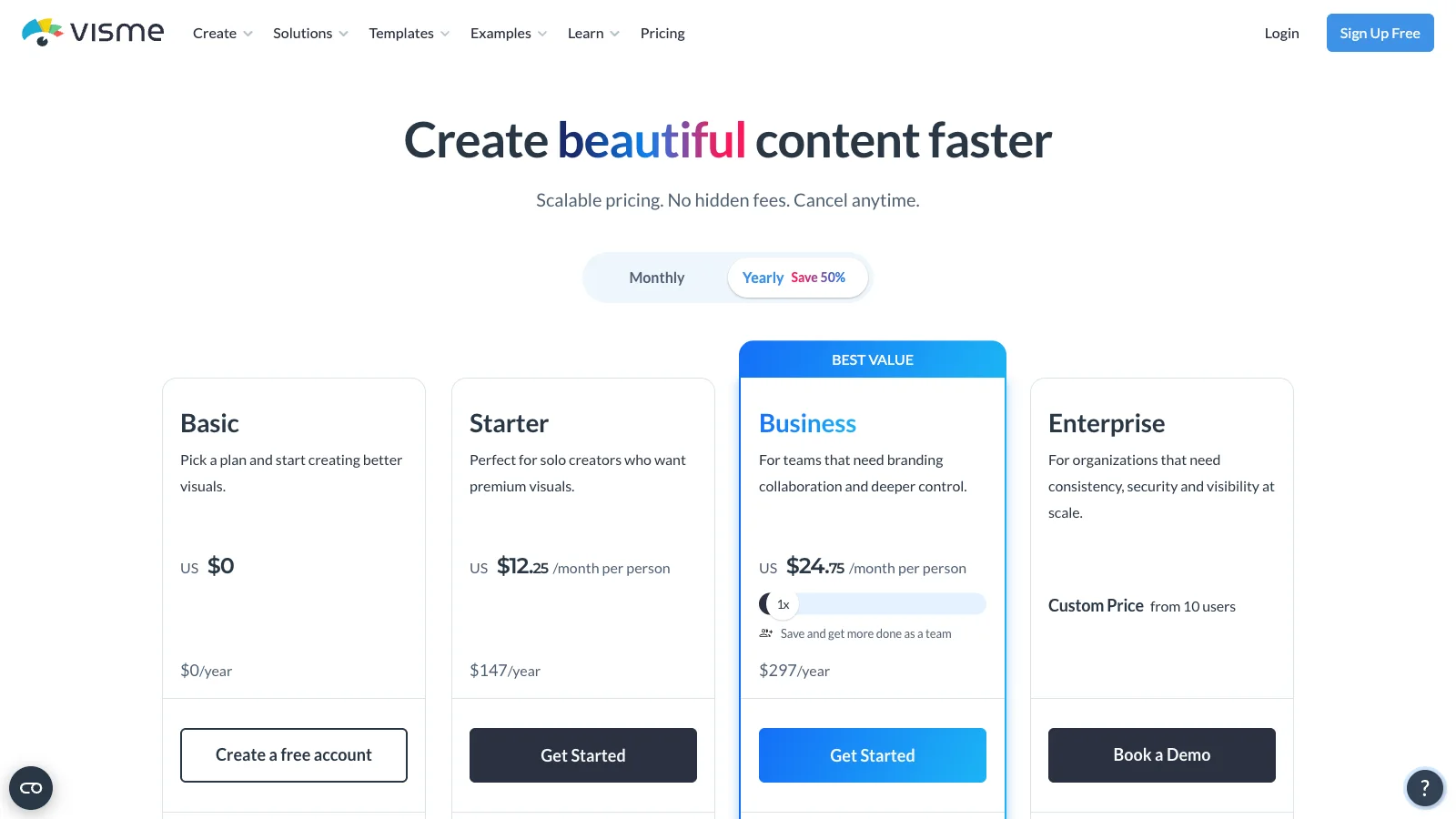
Best for: a table inside a branded report, infographic or slide deck.
Visme is a design tool for presentations, infographics and documents, with table and data widgets.
- Free plan: the Basic plan has unlimited projects and 500 MB of storage, and projects carry the Visme logo.
- Export: JPG, PNG and PDF downloads start on the Starter plan. Basic projects can be shared online.
- Watch out for: if you need a file you can drop into a document, the free plan will not give you one.
Tools we removed in this update
An earlier version of this page listed four tools that you can no longer use as a free table maker:
- Smartsheet: Smartsheet's help center lists the Free plan as a discontinued capability, and new users get a trial instead. If you need its project features, see Smartsheet alternatives.
- Trello: Table view is part of Trello Premium. The Free and Standard plans do not include it. See Trello alternatives.
- Venngage: the free plan allows a handful of designs that you can share publicly, and downloads need a paid plan.
- Gliffy: Gliffy no longer offers a permanent free plan for its standalone app. The free tier covers its Confluence app for up to 10 users.
How to make a table in AFFiNE
- Open app.affine.pro or the desktop app. You can work in a local workspace without an account.
- Create a doc, type
/and choose the table view. - Name your columns and set a type for each one, such as Select for Status or Date for Due date.
- Add rows, then type into cells or paste rows copied from a spreadsheet. Pasting fills existing rows, so add enough rows first.
- Use the view toolbar to sort, filter or group rows.
- Add a Kanban view to see the same rows as cards grouped by Status.
- To share, export the doc as HTML, PNG or Markdown, print it to PDF, or move it to a cloud workspace and invite up to 3 members on the free plan.
For ready-made layouts, start from a project tracker template or browse AFFiNE templates.
About the author
Allen is AFFiNE's Content Operations Manager. He writes and maintains AFFiNE's guides to tables, charts and planning tools, including the graph maker guide and how to make a table in Word, Excel and Google Docs. For this update, Allen rechecked each vendor's pricing and help pages, built the sample table in the three tools that need no account, and recorded the date of every check.
Frequently Asked Questions About Free Online Table Makers
What is the best free online table maker?
It depends on what happens to the table next. AFFiNE is best when the table becomes a tracker or lives next to your notes. Airtable is best for linked records, Google Sheets for formulas, Canva for designed graphics, and Datawrapper or Flourish for interactive tables on a website.
Can I make a table online without signing up?
Yes. On November 5, 2026, we built a table without an account in AFFiNE (local workspace), Tables Generator and Datawrapper. Datawrapper then needs a free account to publish or download. Airtable, Google Sheets, Canva, Flourish, Miro, Creately and Visme need an account before you can edit.
What is the difference between a table maker and a spreadsheet?
A spreadsheet is built for calculation, with formulas, pivot tables and large data sets. A table maker is built for showing and sharing information, with layout, styling and export to docs, slides or websites.
Are these table maker tools really free?
All ten have a free plan with no time limit, but each one stops somewhere. Airtable stops at 1,000 records per base, Miro at 3 editable boards, Creately at 45 shapes per diagram, and Creately and Visme do not let you download files on the free plan.
Which free table maker exports to CSV?
Airtable, Google Sheets and Tables Generator export CSV on their free plans. AFFiNE exports the doc as HTML, PNG or Markdown, or prints it to PDF, but has no CSV export. Canva exports images and PDF only.
Which free table maker is best for team collaboration?
Google Sheets and Airtable are strongest for shared data. AFFiNE suits teams that keep the table next to docs and whiteboards, with up to 3 members per free cloud workspace. Miro works for workshop boards within its 3-board limit.
Start your table in AFFiNE
If your table will turn into a tracker, a board or part of a doc, open AFFiNE and type / to add a table view. You can start without an account and move to a cloud workspace when you want to share it.
Update note (November 5, 2026): we rewrote this page. We rechecked every free plan, removed Smartsheet, Trello, Venngage and Gliffy because they no longer work as free table makers, added Google Sheets, Tables Generator, Datawrapper and Flourish, and replaced all images with dated screenshots.
Sources
All pages read on November 5, 2026.
- AFFiNE: pricing, database views
- Airtable: pricing
- Google Sheets: file size limits
- Canva: pricing, table maker
- Tables Generator: Markdown table generator
- Datawrapper: pricing, tables
- Flourish: pricing, table template
- Miro: pricing
- Creately: plans
- Visme: pricing
- Smartsheet: Free plan details
- Trello: pricing
- Venngage: download options by plan
- Gliffy: pricing