AI Workspace: What It Is and How to Choose One for Teams
Learn what an AI workspace is, compare hosting and AI processing choices, and use a practical worksheet to evaluate shared work, access, and team fit.

An AI workspace is a shared environment where a team creates, organizes, and uses work material with AI assistance. Documents, plans, and conversations provide context; AI can help draft, summarize, or answer questions about that material. The important question is whether colleagues can maintain the sources, control access, and review the output together.
For team leads and IT owners, choosing one involves two decisions: how people will work, and where their information will be processed. A self-hosted workspace can give you control over the application and storage. The AI provider remains a separate choice. If you want inference inside your own network too, our self-hosted AI guide compares local model runners, gateways, and workspaces.
Published by AFFiNE. This AI-assisted guide organizes official documentation checked October 18, 2026 into evaluation steps and worksheets. Scenarios and diagrams are illustrative; no deployment or access-control test was performed.
On this page: workspace types, features to evaluate, hosting choices, example workflow, and evaluation worksheet.
AI workspace vs. chatbot vs. AI knowledge base
These categories overlap. A chatbot can be part of a workspace, and a workspace can contain a knowledge base. Start with the job your team needs to complete instead of treating the labels as a feature checklist.
| Category | Main job | What to inspect |
|---|---|---|
| AI chatbot | Discuss a question or produce an answer in a conversation | Available context, conversation sharing, and where prompts go |
| AI knowledge base | Find answers from an organized collection of sources | Retrieval quality, source references, freshness, and access filtering |
| AI workspace | Create and maintain shared work, with optional AI help | Editing, organization, collaboration, access, review, and processing boundaries |
Imagine a product launch. Asking a chatbot for a launch checklist produces a useful draft. Maintaining the actual launch brief, decisions, responsibilities, and supporting research is a workspace task. Answering a question from approved launch policies is a knowledge-base task. One product may cover several of these jobs, but you should test each separately.
Our AI knowledge base guide explains retrieval and architecture in more depth. For wider collaboration requirements, start with the collaborative workspace comparison. If your team is weighing a move away from Notion AI specifically, see our Notion AI alternatives comparison.
What features should an AI workspace include?
The most useful features support a complete work cycle: capture, understand, decide, review, and maintain. Evaluate the handoffs between those steps, especially when an AI response becomes something colleagues will rely on.
Shared sources that people can maintain
Look for clear document organization, usable search, links between related material, and an editing experience contributors can manage. An AI answer is of little value when its source is obsolete. Our guide to building a team knowledge base covers the ownership and review dates that keep those sources current.
Choose one recurring task, such as preparing a project brief. Check whether the responsible person can find the reference material, distinguish an approved decision from a draft, and correct it without creating another disconnected copy. Our internal documentation guide provides a practical inventory and ownership process.
Documents and visual context
Some work needs paragraphs; other work needs a diagram, sketch, or map. AFFiNE's Page Mode documentation describes linear documents alongside an Edgeless canvas. This makes it worth evaluating for teams that write specifications and explain decisions visually.
Keep essential reasoning in readable text as well as on the canvas. Do not assume an AI feature interprets every diagram, image, attachment, or database relationship. Include those formats in your pilot if they are part of the work.
AI assistance with a visible review step
Ask the tool to summarize a known document or propose an outline from supplied notes. Inspect the result for missing conditions, unsupported claims, and changes in meaning. Where source references are required, verify that the feature actually provides useful ones.
Decide who can approve the result before distributing it. A status field labeled “reviewed” is a team convention; it does not automatically enforce an approval process. Keep source material accessible to the reviewer.
Access that matches the task
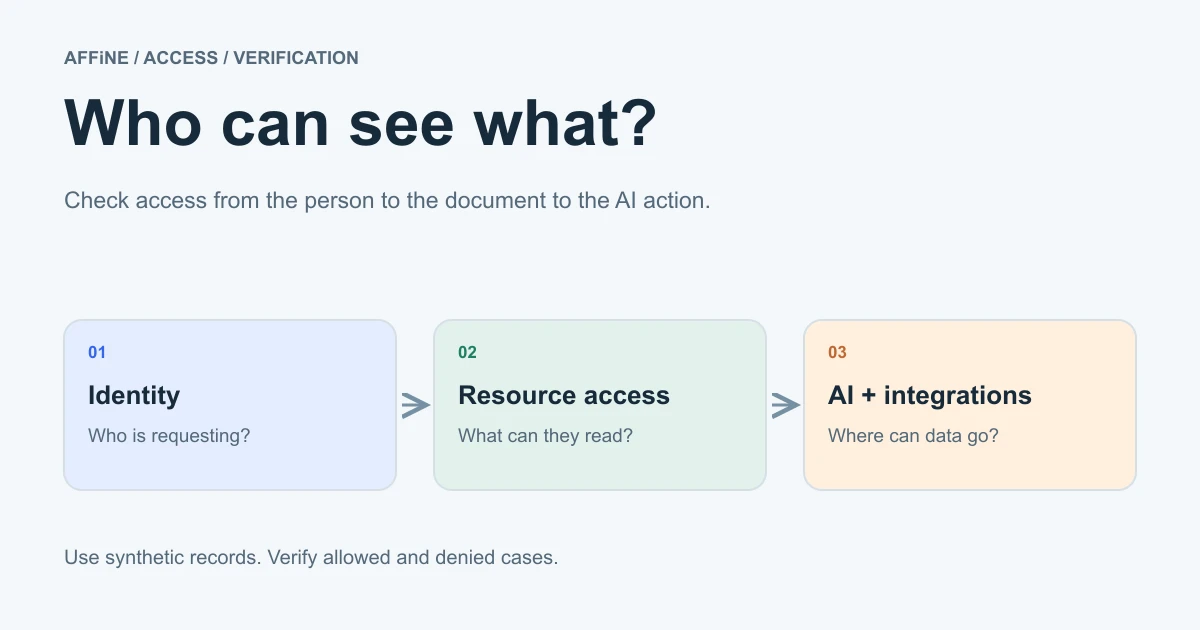
Workspace membership, document access, connected services, and AI processing deserve separate checks. A colleague's ability to open a page does not tell you which information an integration can read or where a model request is sent.
Define an allowed example and a restricted example before testing. The AI workspace permissions guide turns these layers into a practical test log.
Hosted workspace, self-hosted workspace, and AI processing
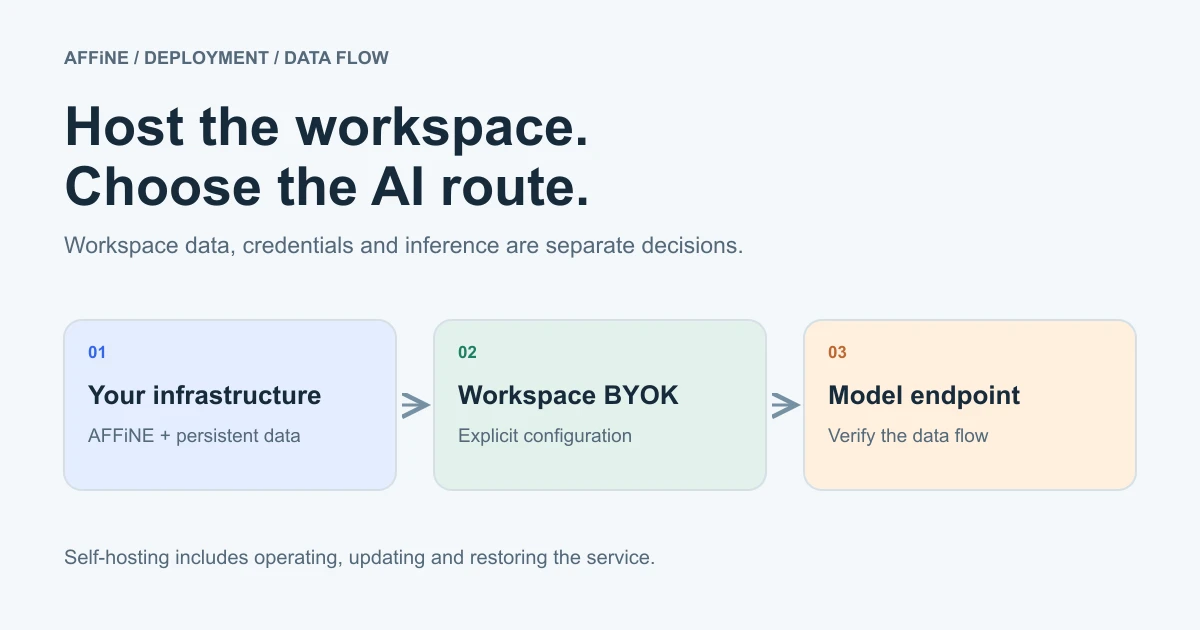
Hosting describes who operates the workspace. Inference describes where the AI model processes a request. Credential storage describes where its access key is kept. These choices are related, but none establishes the others.
| Setup | Application and storage | AI processing | Your evaluation question |
|---|---|---|---|
| Vendor-hosted workspace | Operated by the vendor | Depends on its AI services and configuration | Which services receive our material, under what terms? |
| Self-hosted workspace with an external provider | Operated on your infrastructure | At the configured external provider | Which prompts, documents, or other inputs leave our environment? |
| Self-hosted workspace with a custom endpoint | Operated on your infrastructure | At the configured endpoint | Is this endpoint supported for each required feature, and where does it run? |
| Workspace with AI disabled | Depends on the chosen deployment | Workspace AI is disabled; inspect other connected services separately | Can the team complete its core editing and collaboration tasks? |
AFFiNE documents deployment on your infrastructure through its recommended Docker Compose installation. Its self-hosted AI guide treats AI configuration separately, using workspace-level Bring Your Own Key, or BYOK.
For the current documented setup, an administrator enables copilot.enabled and copilot.byok.enabled in server configuration. Provider credentials are then added and tested in Workspace Settings → Integrations → AI BYOK. Provider credentials belong in workspace BYOK settings; do not put provider API keys or model overrides in server configuration.
Provider coverage differs by feature. Writing and chat use an OpenAI, Anthropic, or Gemini key; transcription and workspace indexing require a server-stored Gemini key or an available AFFiNE AI plan fallback. Indexing also needs an enabled, available indexer. Check the current documentation against your deployment before deciding which features to enable.
The same guide describes desktop-local key storage and administrator-enabled custom endpoints. A key stored on a laptop can still authorize requests to an external model. A custom endpoint is not a guarantee of local inference or feature compatibility. Use the self-hosted AI workspace guide to plan that deployment decision in detail.
A fictional planning workflow in AFFiNE
Consider Cedar Studio, a fictional product team preparing a customer-onboarding update. The team wants one place for a written brief, a process map, and open decisions. This is an illustrative workflow, not a tested integration.
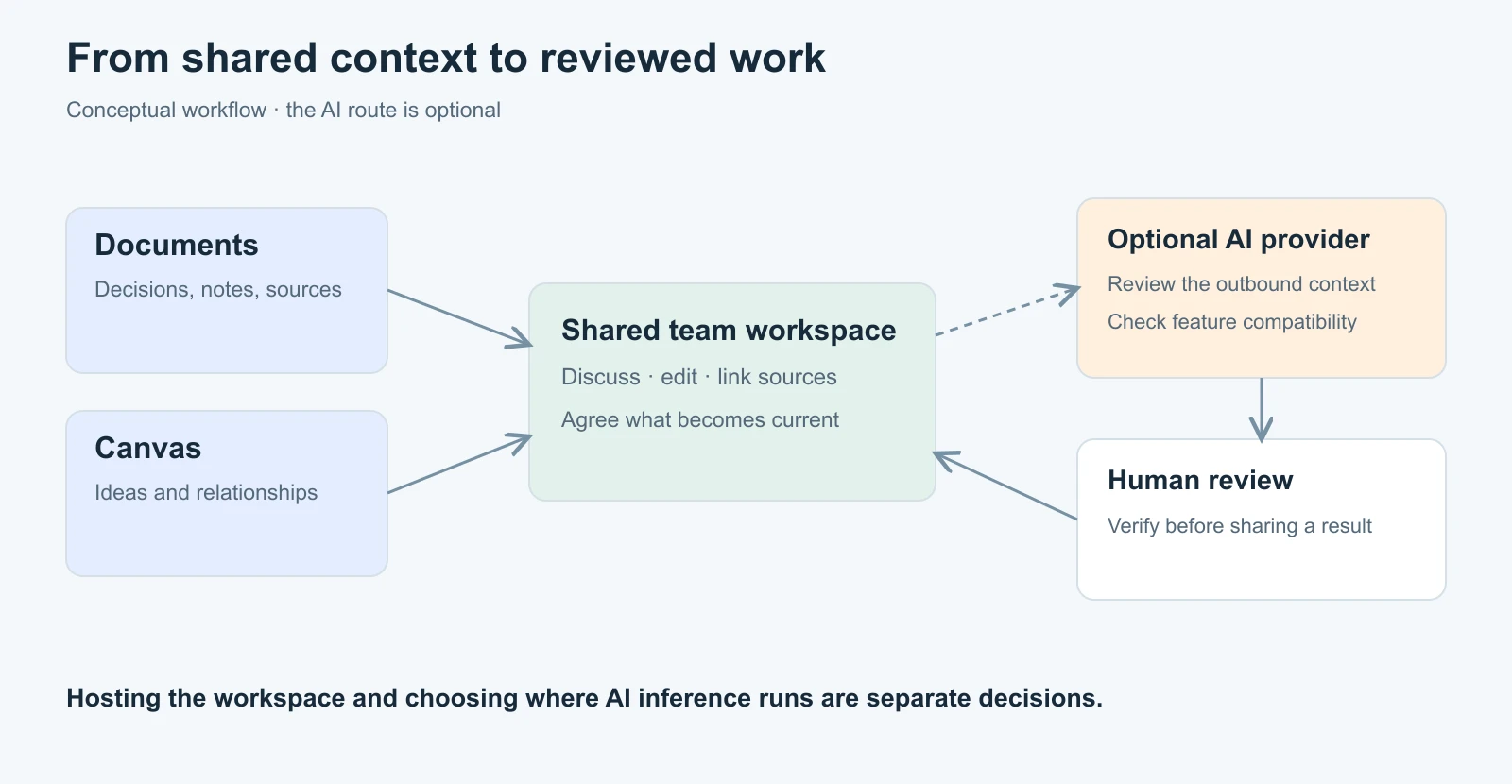
- Write the brief. The project lead creates a page with the problem, intended audience, scope, and unresolved questions. Links point to the relevant research instead of copying every source into the brief.
- Map the process. A designer sketches the onboarding flow on an Edgeless canvas. The page explains the important branches in text, including the reason for each proposed change.
- Track decisions. The team adds a small register with a decision, owner, status, and source link. AFFiNE's database documentation explains its block and view model. These are fields the team maintains, not automatic approvals.
- Use optional AI assistance. After checking the chosen provider and permitted inputs, the lead asks a supported writing or chat feature to propose an outline from selected notes. The instruction asks it to identify missing information rather than invent answers.
- Review and share. The owner checks each proposed statement against the notes, corrects omissions, and confirms who can access the resulting document. The team records the approved decision and links it from the brief.
The pilot succeeds if colleagues complete these steps with the required access and acceptable effort.
Evaluate one real workflow before moving the team
Download the AI workspace evaluation worksheet. It contains eight decision areas: source organization, document and canvas work, AI output, team access, processing location, provider coverage, portability, and operations. Each row identifies a task, evidence to collect, an owner, and a Not tested result.
Use a small collection of non-sensitive sample documents with known answers. Include an obsolete instruction, an unresolved question, and material a second test account should not access. Record expected and actual behavior; repeat failed checks after fixing the cause.
Agree on acceptance criteria before the pilot. Examples include a colleague locating the current brief, a reviewer finding the source for a generated statement, and a restricted account being unable to retrieve protected material. Avoid a single overall score that lets attractive editing features conceal a failed access requirement.
Also test how to leave. Export a representative document, inspect the readable output, and identify which relationships or permissions would need rebuilding elsewhere. Record manual migration steps.
When a self-hosted AI workspace fits
AFFiNE is worth evaluating when your work combines documents and visual planning, and your team has a reason to operate its own shared environment. Self-hosting also requires an owner for updates, availability, persistent data, and recovery.
The backup and restore guide calls for protecting PostgreSQL, uploaded files, and configuration. A database-only backup does not recover uploaded file contents. Review team access and the applicable Team Plan or Installable License as part of the operating plan; licensing connectivity does not establish that AI or other services work offline.
Start with the worksheet and one workflow. If the collaboration, access, and processing requirements fit, follow the official installation guide for a controlled pilot. Expand after you have evidence for the tasks your team actually needs.
Frequently asked questions
What is an AI workspace?
An AI workspace is a shared environment for creating, organizing, and using work material with AI assistance. It brings documents and collaboration into the workflow around AI output. Its usefulness depends on maintained sources, clear access, appropriate processing, and human review, rather than the presence of a chat box alone.
What features should an AI workspace include?
Evaluate shared editing, organization, search, links, access controls, and a practical review process. Add visual collaboration and AI capabilities according to your tasks. Test required formats and provider support with representative material; a feature list does not establish whether the complete workflow works for your team.
How is an AI workspace different from a chatbot?
A chatbot primarily supports a conversation and its output. A workspace supports the ongoing creation and maintenance of shared work around that conversation, including documents, decisions, and collaboration. Some products combine both, so evaluate the actual workflow rather than assuming the category name guarantees specific capabilities.
Does a self-hosted AI workspace keep all AI processing private?
Self-hosting lets you operate the application and storage, but AI requests may still go to an external provider. Check each enabled feature, endpoint, and fallback. Local credential storage does not mean local inference, and a custom endpoint must be tested for the capabilities your deployment requires.
Can AFFiNE be used as a self-hosted AI workspace?
AFFiNE documents self-hosting through Docker Compose and optional workspace-level BYOK configuration for AI. Evaluate its document and canvas workflows, required provider coverage, access behavior, and operating requirements in your own deployment. Self-hosting and enabling AI are separate decisions; neither substitutes for a tested backup and recovery process.